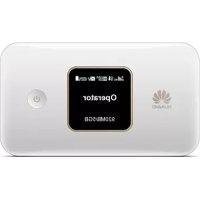
E5785L - Wi-Fi hotspot HUAWEI - Free user manual and instructions
Find the device manual for free E5785L HUAWEI in PDF.



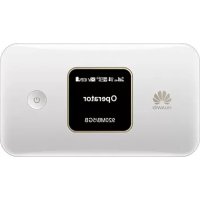
| Product type | Mobile 4G LTE Wi-Fi hotspot |
| Brand | Huawei |
| Model | E5785L |
| Dimensions (L x W x H) | Approximately 100 x 60 x 15 mm |
| Weight | Approximately 100 g |
| Power supply | Rechargeable lithium-ion battery (3000 mAh), charging via micro USB port |
| Mobile network | 4G LTE, 3G, 2G |
| Wi-Fi | Wi-Fi 802.11 b/g/n, up to 10 simultaneous users |
| Buttons | Power, Menu, Reset |
| Ports | 1 micro USB port |
| Main functions | 4G tethering, OLED screen for SSID and password, HiLink app, Wi-Fi extender mode |
| Management | Via HUAWEI HiLink app or web interface (192.168.8.1) |
| Security | Recommended change of default SSID and password |
| Care and cleaning | Use a soft, dry cloth; avoid liquids |
| Spare parts and repairability | Parts not provided, contact an authorized dealer |
| Included accessories | Micro USB cable, power adapter (optional) |
Frequently Asked Questions - E5785L HUAWEI
User questions about E5785L HUAWEI
0 question about this device. Answer the ones you know or ask your own.
Ask a new question about this device
Download the instructions for your Wi-Fi hotspot in PDF format for free! Find your manual E5785L - HUAWEI and take your electronic device back in hand. On this page are published all the documents necessary for the use of your device. E5785L by HUAWEI.
USER MANUAL E5785L HUAWEI
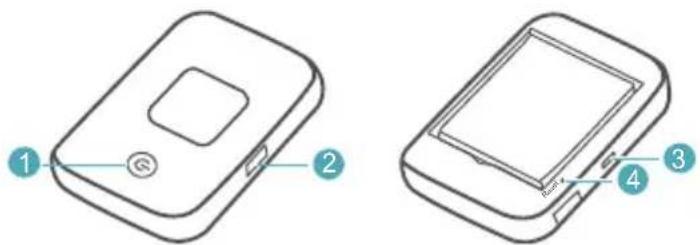
1 Power button
Press and hold to turn your Mobile WiFi on or off.
2 MENU button
Press to display the menu.
3 Micro USB port
4 Reset button
Press and hold to restart your Mobile WiFi and restore it to its factory settings.

If you forget the username, password or SSID for your Mobile WiFi, try restoring the device to its factory settings.
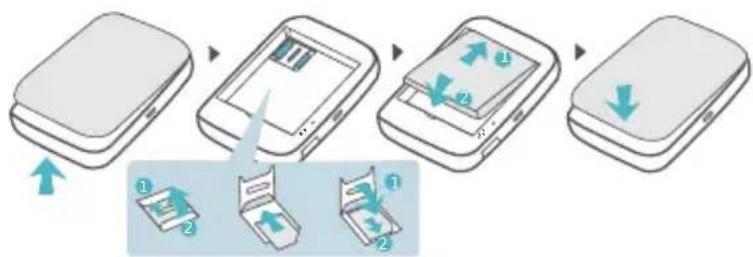
Installation
Micro-SIM card
flowchart
graph TD
    A["Start"] --> B[" folding "]
    B --> C[" shifting "]
    C --> D[" final fold"]
    style A fill:#f9f,stroke:#333
    style B fill:#ccf,stroke:#333
    style C fill:#cfc,stroke:#333
    style D fill:#fcc,stroke:#333
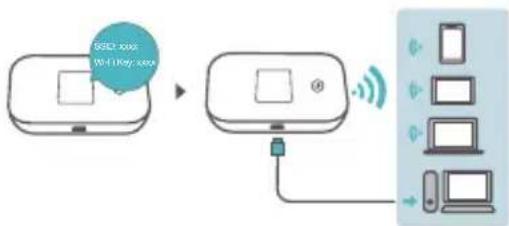
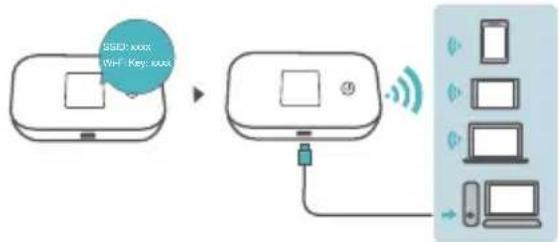
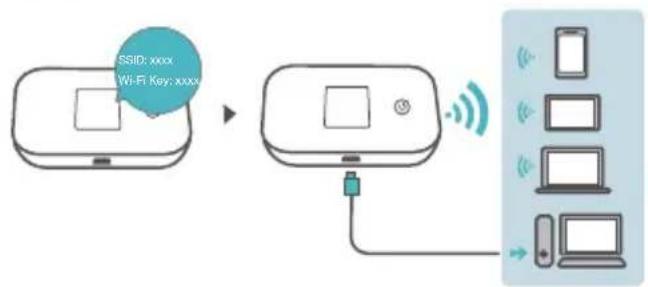
Wi-Fi® connection
flowchart
graph TD
    A["WiFi access\nWiFi key, secure"] --> B["Server"]
    B --> C["Mobile Device"]
    style A fill:#f9f,stroke:#333
    style B fill:#ccf,stroke:#333
    style C fill:#cfc,stroke:#333
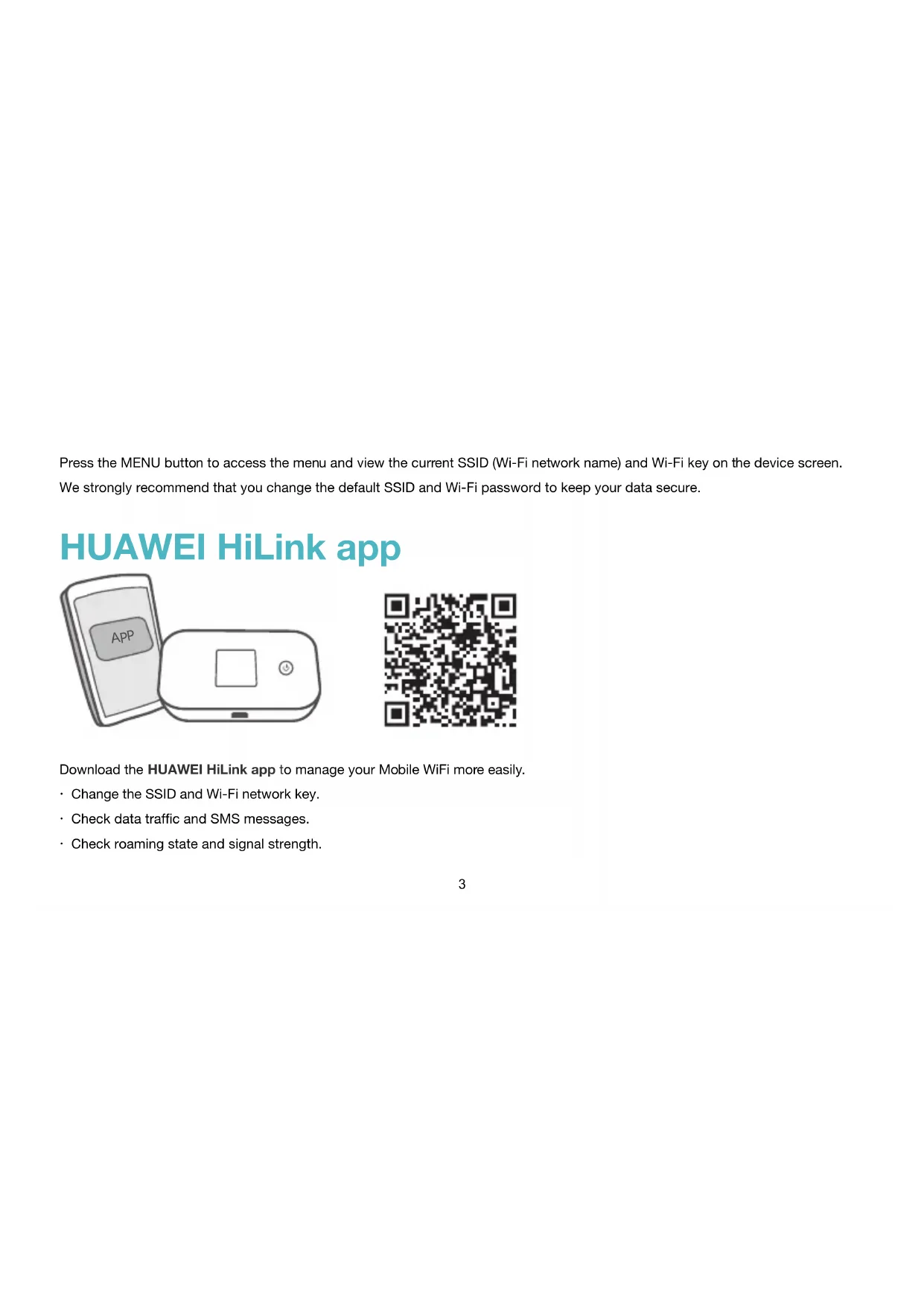
Press the MENU button to access the menu and view the current SSID (Wi-Fi network name) and Wi-Fi key on the device screen. We strongly recommend that you change the default SSID and Wi-Fi password to keep your data secure.
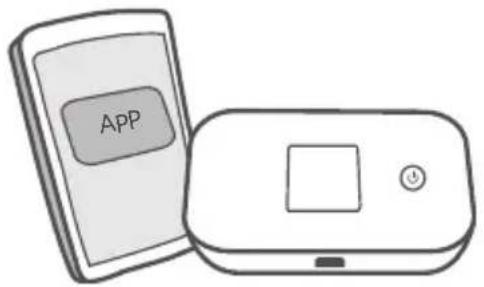
HUAWEI HiLink app
natural_image
Illustration of two mobile devices: a smartphone labeled 'APP' and a battery with a square display (no text or symbols on the devices themselves)
Download the HUAWEI HiLink app to manage your Mobile WiFi more easily.
- Change the SSID and Wi-Fi network key.
- Check data traffic and SMS messages.
- Check roaming state and signal strength.

You can also manage your Mobile WiFi through the web interface at http://192.168.8.1. The default username and password is admin.
Click the online help on the web interface to learn more about your Mobile WiFi.
Wi-Fi extender (optional)
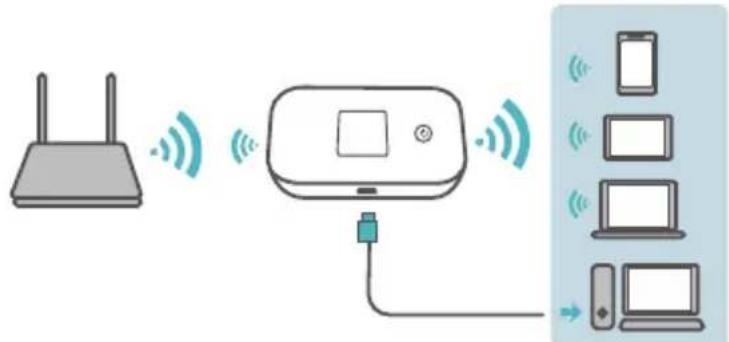
The Wi-Fi extender feature increases Wi-Fi coverage and connects to Wi-Fi networks where available to reduce mobile data usage. On the HUAWEI HiLink app, enable the Wi-Fi extender function and connect Mobile WiFi to a Wi-Fi network.
Charging
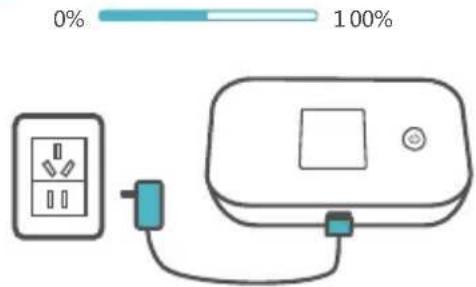
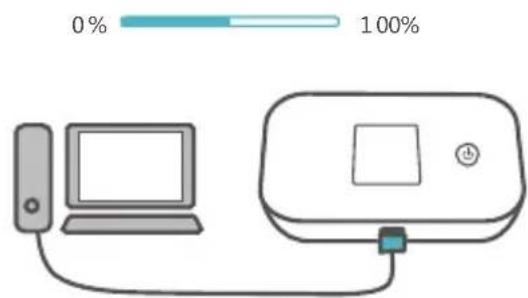
Please only use compatible chargers provided by a designated manufacturer.

The charger is an optional accessory. To buy a charger, please contact an authorized retailer.
Démarrage rapide
Apparence
1 Ein-/Aus-Taste
natural_image
Illustration of two devices: a smartphone labeled 'APP' and a mobile device with a control panel (no text or symbols on the devices themselves)
flowchart
graph TD
    A["Device 1: Display"] --> B["Device 2: File"]
    B --> C["Device 3: Display with Numbers"]
    C --> D["Device 4: Display with Numbers"]
    D --> E["Device 5: Display with Numbers"]
    E --> F["Device 6: Display with Numbers"]
    F --> G["Device 7: Display with Numbers"]
    G --> H["Device 8: Display with Numbers"]
    H --> I["Device 9: Display with Numbers"]
    I --> J["Device 10: Display with Numbers"]
Connessione Wi-Fi®
flowchart
graph LR
    A["WiFi Key: switch"] --> B["Switch"]
    B --> C["Mobile Device"]
    B --> D["Laptop"]
    B --> E["Desktop"]
natural_image
Line drawing of a mobile phone device with labeled ports (no text or symbols beyond labels)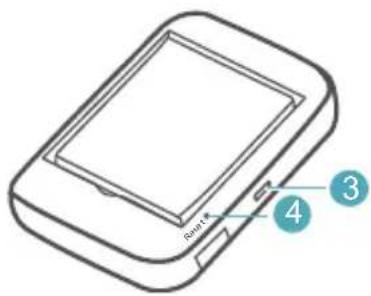
1 Botão Ligar
natural_image
Illustration of two mobile devices: a smartphone with an app icon and a rounded rectangular device with a square button (no text or symbols)
1 Aan-uitknop
natural_image
Illustration of two devices: a mobile app and a rectangular device with a square button (no text or symbols)
flowchart
graph TD
    A["Start"] --> B[" folding "]
    B --> C[" shifting "]
    C --> D[" drop to next step "]
    D --> E[" final state with two parts labeled 1 and 2"]
Conexión Wi-Fi®
flowchart
graph LR
    A["Mobile Device"] -->|SSID: xxxx\nWiFi Key: xxxx| B["Mobile Device"]
    B --> C["Wireless Device"]
    C --> D["Desktops"]
    C --> E["Laptop"]
    C --> F["Mobile Device"]
Brand : HUAWEI
Model : E5785L
Category : Wi-Fi hotspot