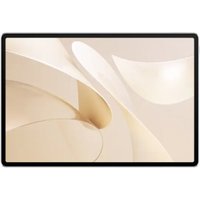
Media Pad Link 10.1 - Tablet HUAWEI - Free user manual and instructions
Find the device manual for free Media Pad Link 10.1 HUAWEI in PDF.


Pick your language and provide your email: we'll send you a specifically translated version.
| Product Type | Tablet |
| Brand | Huawei |
| Model | MediaPad Link 10.1 |
| Display Size | 10.1 inches |
| Display Resolution | 1920 x 1200 pixels |
| Processor | Quad-core 1.3 GHz |
| Operating System | Android 6.0 Marshmallow |
| RAM | 2 GB |
| Internal Storage | 16 GB |
| Expandable Storage | MicroSD up to 128 GB |
| Battery Capacity | 6000 mAh |
| Charging Port | Micro USB |
| Connectivity | Wi-Fi 802.11 b/g/n, Bluetooth 4.0 |
| Rear Camera | 5 MP AF |
| Front Camera | 2 MP |
| Dimensions | 240.5 x 150.5 x 8.2 mm |
| Weight | 450 g |
| Main Functions | Web browsing, video playback, e-book reader, office apps, social media |
| Maintenance and Cleaning | Wipe with a soft, dry cloth; do not use harsh chemicals |
| Safety | Keep device away from water, excessive heat, and drop impacts |
| Spare Parts and Repairability | Batteries and screens available through Huawei authorized service centers |
| General Information | User manual downloadable in PDF from notice-facile.com |
Frequently Asked Questions - Media Pad Link 10.1 HUAWEI
How do I turn on the Huawei MediaPad Link 10.1?
Press and hold the power button located on the right side until the screen lights up. To turn off, press and hold the power button and select Power off.
How can I expand the storage space on my tablet?
The tablet supports a microSD card up to 128 GB. Insert it into the memory card slot located on the side or behind the SIM tray depending on your model.
What is the correct way to charge the battery?
Use the included AC adapter and micro USB cable. Plug the adapter into a wall outlet and connect the cable to the tablet's charging port. Avoid charging with a laptop USB port as it may be slower.
What should I do if the touchscreen becomes unresponsive?
Restart the tablet by holding the power button until the menu appears. If the issue persists, perform a soft reset or check for screen protector interference. For a frozen screen, press and hold the power and volume down buttons for 10-15 seconds.
Is the Huawei MediaPad Link 10.1 waterproof?
No, this device is not waterproof. Keep it away from water, rain, and any liquids. If it gets wet, dry it immediately with a soft cloth and do not charge until completely dry.
How do I reset my tablet to factory settings?
Go to Settings > Backup & reset > Factory data reset. This will erase all data and restore the device to its original state. Make sure to back up important files before proceeding.
How do I update the Android operating system?
Check for updates by going to Settings > About tablet > System updates. Connect to a Wi-Fi network to download and install the latest firmware. Keep the battery above 50% during the update.
Can I connect a keyboard or mouse to the tablet?
Yes, the tablet supports USB On-The-Go (OTG). You can connect a USB keyboard or mouse using an OTG adapter. Bluetooth keyboards and mice are also compatible.
How do I take a screenshot?
Press and hold the power button and volume down button simultaneously for about a second. The screenshot will be saved in the Gallery app under Screenshots.
How long does the battery last on a full charge?
Battery life varies depending on usage. With normal use, the 6000 mAh battery lasts up to 8 hours of video playback or up to 350 hours on standby. Heavy gaming or online streaming may reduce this time.
User questions about Media Pad Link 10.1 HUAWEI
0 question about this device. Answer the ones you know or ask your own.
Ask a new question about this device
No questions yet. Be the first to ask one.
Download the instructions for your Tablet in PDF format for free! Find your manual Media Pad Link 10.1 - HUAWEI and take your electronic device back in hand. On this page are published all the documents necessary for the use of your device. Media Pad Link 10.1 by HUAWEI.
USER MANUAL Media Pad Link 10.1 HUAWEI


Manual assistant
Powered by Anthropic
Waiting for your message
Product information
Brand : HUAWEI
Model : Media Pad Link 10.1
Category : Tablet