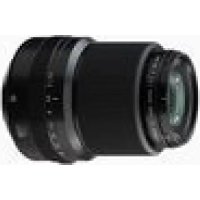
GF30mmF3.5 R WR - Camera FUJIFILM - Free user manual and instructions
Find the device manual for free GF30mmF3.5 R WR FUJIFILM in PDF.

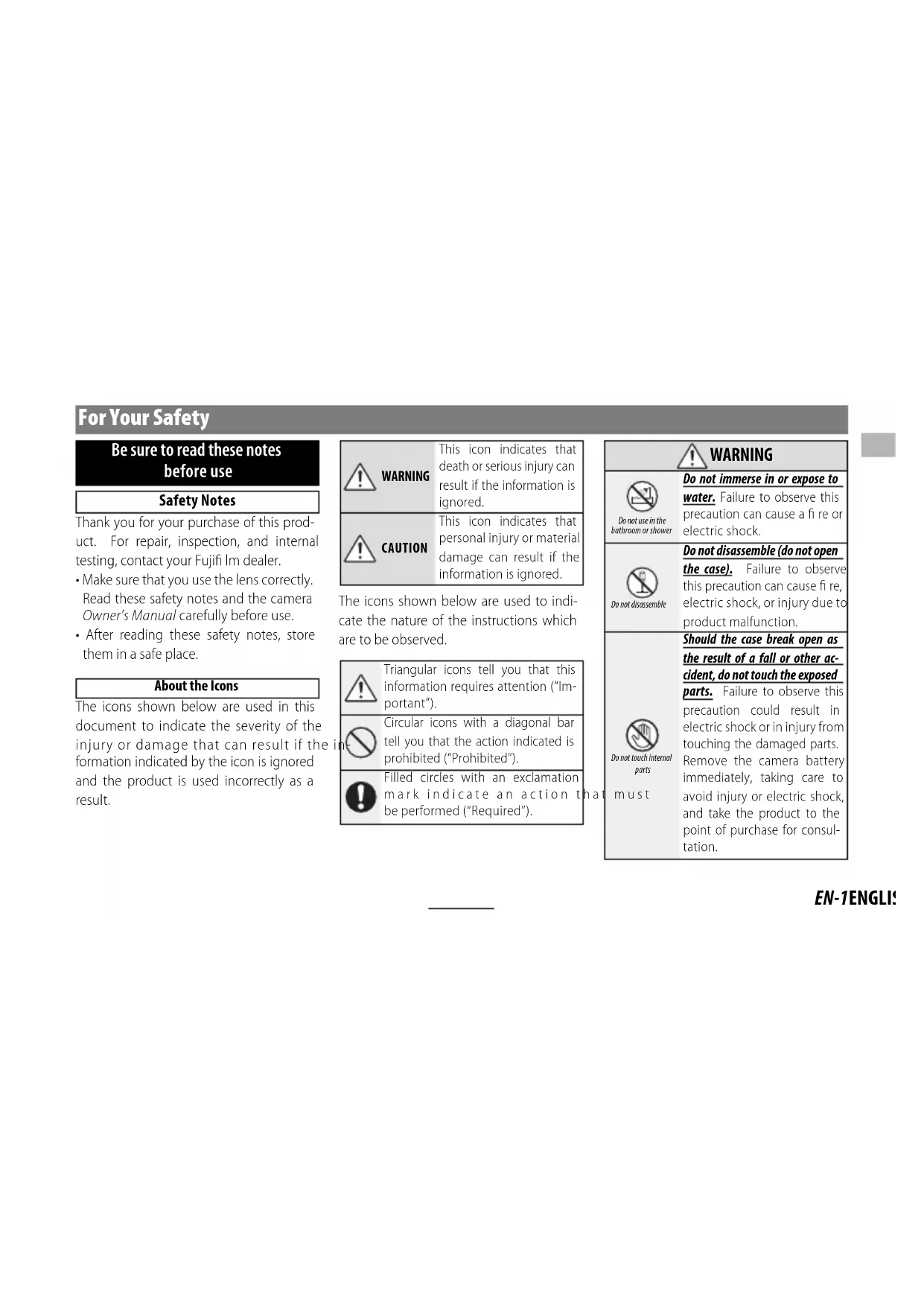


| Product Type | Fujifilm GF30mmF3.5 R WR Lens |
| Mount | FUJIFILM G (exclusively, not compatible with X mount) |
| Focal Length | 30 mm (24 mm equivalent in 35 mm format) |
| Angle of View | 84.7° |
| Maximum Aperture | f/3.5 |
| Minimum Aperture | f/32 |
| Aperture Control | 9 blades (circular diaphragm), 1/3 EV increments, 20 values |
| Optical Construction | 13 elements in 10 groups (2 aspherical, 2 ED) |
| Minimum Focusing Distance | 32 cm (from the focal plane) |
| Maximum Magnification | 0.15× |
| Dimensions (Diameter × Length) | Ø84 × 99.4 mm |
| Weight | 510 g (without caps and hood) |
| Filter Diameter | Ø58 mm |
| Weather Sealing | Rubber ring for dust and splash resistance |
| Included Accessories | Front cap, rear cap, hood, lens case |
| Maintenance and Cleaning | Blower for dust, soft cloth with optical cleaner; avoid organic solvents |
| Safety | Do not use in bathroom, do not immerse, do not disassemble, avoid unstable surfaces, do not look at the sun through the lens |
| Firmware Compatibility | Update camera firmware via Fujifilm website |
| Warranty and Repairs | Contact Fujifilm representative for repair, inspection, or testing |
Frequently Asked Questions - GF30mmF3.5 R WR FUJIFILM
User questions about GF30mmF3.5 R WR FUJIFILM
0 question about this device. Answer the ones you know or ask your own.
Ask a new question about this device
Download the instructions for your Camera in PDF format for free! Find your manual GF30mmF3.5 R WR - FUJIFILM and take your electronic device back in hand. On this page are published all the documents necessary for the use of your device. GF30mmF3.5 R WR by FUJIFILM.
USER MANUAL GF30mmF3.5 R WR FUJIFILM
https://fujifilm-x.com/ja-jp/support/download/firmware/
Be sure to read these notes before use
Safety Notes
Thank you for your purchase of this product. For repair, inspection, and internal testing, contact your Fujifi Im dealer.
Make sure that you use the lens correctly. Read these safety notes and the camera Owner's Manual carefully before use.
After reading these safety notes, store them in a safe place.
About the Icons
The icons shown below are used in this document to indicate the severity of the injury or damage that can result if the formation indicated by the icon is ignored and the product is used incorrectly as a result.

WARNING
This icon indicates that death or serious injury can result if the information is ignored.

CAUTION
This icon indicates that personal injury or material damage can result if the information is ignored.
The icons shown below are used to indicate the nature of the instructions which are to be observed.

Triangular icons tell you that this information requires attention ("Important").

Circular icons with a diagonal bar tell you that the action indicated is prohibited ("Prohibited").

Filled circles with an exclamation mark indicate an action that be performed ("Required").

WARNING

Do not use in the bathroom or shower
Do not immerse in or expose to water. Failure to observe this precaution can cause a fire or electric shock.

Do not disassemble
Do not disassemble (do not open the case). Failure to observe this precaution can cause fire, electric shock, or injury due to product malfunction.

Do not touch internal parts
must
Should the case break open as the result of a fall or other accident, do not touch the exposed parts. Failure to observe this precaution could result in electric shock or in injury from touching the damaged parts. Remove the camera battery immediately, taking care to avoid injury or electric shock, and take the product to the point of purchase for consultation.
| WARNING |
| Do not place on unstable surfaces. The product may fall, causing injury. |
| Do not view the sun through the lens or camera view fi nd Failure to observe this precau-tion can cause permanent visual impairment. |
| CAUTION |
| Do not use or store in locations that are exposed to steam, or smoke or are very humid or extremely dusty. Failure to observe this precaution can cause fire or electric shock. |
| Do not leave in direct sunlight or in locations subject to very high temperatures, such as in a closed vehicle on a sunny day. Failure to observe this precau-tion can cause fire. |
| CAUTION | |
| Keep out of the reach of small children. This product could cause injury in the hands of a child. | |
| Do not handle with wet hands. Failure to observe this precaution can cause electric shock. | |
| Keep the sun out of the frame when shooting backlit subjects. Sunlight focused into the camera when the sun is in or close to the frame can cause fire or burns. | |
| When the product is not in use, replace the lens caps and store out of direct sunlight. Sunlight focused by the lens can cause fire or burns. | |
| Do not carry the camera or lens while they are attached to a tripod. The product can fall or strike other objects, causing injury. |
For Customers in the U.S.A.
Tested To Comply With FCC Standards FOR HOME OR OFFICE USE
FCC Statement: This device complies with Part 15 of the FCC Rules. Operation is subject to the following two conditions: (1) This device may not cause harmful interference, and (2) this device must accept any interference received, including interference that may cause undesired operation.
CAUTION: This equipment has been tested and found to comply with the limits for a Class B digital device, pursuant to Part 15 of the FCC Rules. These limits are designed to provide reasonable protection against harmful interference in a residential installation. This equipment generates, uses, and can radiate radio frequency energy and, if not installed and used in accordance with the instructions, may cause harmful interference to radio communications. However, there is no guarantee that interference will not occur in a particular installation. If this equipment does cause harmful interference to radio or television reception, which can be determined by turning the equipment off and on, the user is encouraged to try to correct the interference by one or more of the following measures:
Reorient or relocate the receiving antenna.
- Increase the separation between the equipment and receiver.

- Connect the equipment into an outlet on a circuit different from that to which the receiver is connected.
- Consult the dealer or an experienced radio/TV technician for help.
- You are cautioned that any changes or modifications not expressly approved in this manual could void the user's authority to operate the equipment.
Notes on the Grant: To comply with Part 15 of the FCC Rules, this product must be used with a Fujii Im-specific ed ferrite-core A/V cable, USB cable, and DC supply cord.
For Customers in Canada
CANICES-3 (B)/NMB-3(B)
CAUTION: This Class B digital apparatus complies with Canadian ICES-003.
IMPORTANT SAFETY INSTRUCTIONS
Read these instructions.
- Keep these instructions.
Heed all warnings.
- Follow all instructions.
- Do not use this apparatus near water (excluding waterproof products).
Clean only with a dry cloth.
- Do not block any ventilation openings. Install in accordance with the manufacturer's instructions.
- Do not install near any heat sources such as ra
diators, heat registers, stoves, or other apparatus (including amplifiers) that produce heat.
- Protect the power cord from being walked on or pinched particularly at plugs, convenience receptacles, and the point where they exit from the apparatus.
Only use attachments/accessories specified by the manufacturer. - Unplug this apparatus during lightning storms or when unused for long periods of time.
Refer all servicing to qualified service personal. Servicing is required when the apparatus has been damaged in any way, such as power supply cord or plug is damaged, liquid has been spilled or objects have fallen into the apparatus, the apparatus has been exposed to rain or moisture, does not operate normally, or has been dropped.
Disposal of Electrical and Electronic Equipment in Private Households
In the European Union, Norway, Iceland and Liechtenstein: This symbol on the product, or in the manual and in the warranty, and/or on its packaging indicates that this product shall not be treated as household waste. Instead it should be taken to an applicable collection point for the recycling of electrical and electronic equipment.

By ensuring this product is disposed of correctly, you will help prevent potential negative consequences to the environment and human health, which could otherwise be caused by inappropriate waste handling of this product.
The recycling of materials will help to conserve natural resources. For more detailed information about recycling this product, please contact your local city office, your household waste disposal service or the shop where you purchased the product.
In Countries Outside the European Union, Norway, Iceland and Liechtenstein: If you wish to discard this product, including the batteries or accumulators, please contact your local authorities and ask for the correct way of disposal.
U.K. Importer:
FUJIFILMK Ltd.
Fujii Im House, Whitbread Way, Bedford,
Bedfordshire, MK42 0ZE, United Kingdom
EU Importer:
FUJIFILM Germany GmbH
Balcke-Durr-Allee 6,40882 Ratingen, Germany
Australian RCM

EN-3ENGLI!
Before Using This Product
The lens may not perform as expected and some features may not be available with older versions of the camera firmware. Be sure to update the camera firmware to the latest version. Instructions on viewing the camera firmware version and updating camera firmware are available from the following website:
https://fujifilm-x.com/support/download/firmware/
If you do not have access to a computer, support is available from the local distributor listed in the "FUJIFILM Worldwide Network" material provided with your camera.
Product Care
- When using a lens hood, do not pick up or hold the camera using only the hood.
- Keep the lens signal contacts clean.
- Use a blower to remove dust and lint from the
glass surfaces of the lens or fi iter. To remove smudges and f ngerprints, apply a small amount of lens cleaner to a soft, clean cotton cloth or lens-cleaning tissue and clean from the center outwards using a circular motion, taking care not to leave smears or touch the glass with your fi ngers.
- Never use organic solvents such as paint thinner or benzene to clean the lens.
- Attach the front and rear caps when the lens is not in use.
- Store the lens and filter in cool, dry locations to prevent mold and rust. Do not store in direct sunlight or with naphtha or camphoc moth balls.
- Keep the lens dry. Rusting can cause irreparable damage. Wipe off rain and water droplets.
- Leaving the lens in extremely hot locations could cause damage or warping.
Parts of the Lens
GF30mmF3.5 R WR


① Lens hood
② Mounting marks
③ Focus ring
④ Aperture ring lock release
⑤ Mounting marks (focal length)
⑥ Aperture ring
Lens signal contacts
⑧Front lens cap
⑨ Rear lens cap
① The lens mount includes a rubber ring to ensure that the lens remains dust- and splash-proof. The ring can be replaced for a fee at any Fujii Im service center.
Supplied Accessories
-
Front lens cap
Rear lens cap -
Lens hood
- Lens pouch
Attaching the Lens
See the camera manual for information on attaching and removing lenses.
This lens is for use exclusively with FUJIFILM G mounts and can not be used with X mounts.
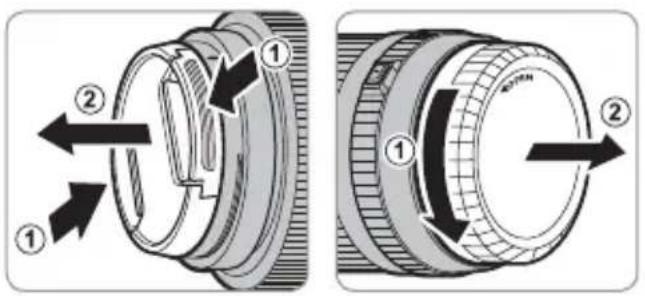
Removing the Caps
Remove the caps as shown.
Attaching the Hood
When attached, lens hoods reduce glare and protect the front lens element.

Aperture ring
Rotate the lens aperture ring to choose the aperture (f-number).
① C: Set aperture to the value chosen with the camera command dial.
② A: Set aperture to the value chosen automatically by the camera.
③ Other values: Set aperture to the selected value.
To select C or A, or to select another value after selecting C or A, press the aperture ring lock release while rotating the aperture ring.

Aperture ring lock release
Aperture ring
EN-7ENGLI
Specifications
| Type GF30mmF3.5 R WR | |
| Lens construction | 13 elements in 10 groups (2 aspherical elements, 2 ED elements) |
| Focal length (35 mm format equivalent) | f=30 mm (24 mm) |
| Angle of view 84.7° | |
| Max. aperture f/3.5 | |
| Min. aperture f/32 | |
| Aperture control | |
| Number of blades 9 (rounded diaphragm opening) | |
| Stop size | 1/3 EV (20 stops) |
| Minimum focus distance (measured from focal plane) | 32 cm |
| Max. magnification 0.15× | |
| External dimensions: Diameter × Length* (approx.) | Ø84 × 99.4 mm |
| * distance from front of lens to lens mount flange | |
| Weight* (approx.) | 510 g |
| * excluding caps and hoods | |
| Filter size | Ø58 mm |
① Improvements may result in unannounced changes to specifications and appearance.
Owing to how this lens is constructed, the "Distance indicator" displayed by the camera may in some cases differ from the actual focus distance. Use the "Distance indicator" as a guide only.
Pour votre sécurité
https://fujifilm-x.com/support/download/firmware/
https://fujifilm-x.com/support/download/firmware/
https://fujifilm-x.com/support/download/firmware/
https://fujifilm-x.com/support/download/firmware/
https://fujifilm-x.com/support/download/firmware/
https://fujifilm-x.com/support/download/firmware/
B cnyuae, ecn y Bac HeT DocTyna K KomnbioTepy, 06paNTecb 3a NODepKko K MeCTHOMy DnCTPn6bIoTopy n3 CnNcKa "FUJIFILM Worldwide Network", noctabHeHHoro c Baewe foToKaMePoI.
yXoJ3aH3dennem
-ПиИСПОЛьЗOBAHIN 6JIeHДы OБьЕKTиВа He 6ePITecb 3a ФOTOKamepу И He DepЖnte eE 6JIeHdY.
He donyckaTe 3arpa3HeHnCnHaJIbHbIX KOHTaKTOB o6beKTnBa.
- PoiIb3yITeCb rpywei dny ydaJIeHn IbyIn n nyxa CoCTeKJIaHHbIX NOBepxHOCTe OObekTnBa nn n
Tpa.ДЯ ydaeneHЯTeH NOtneaTKOB naIbueb HaHeCnTe He6oIbIooe KOInuYeCTBO XnIDKOCTn DnA YnCTKn O6BeKTHOB Ha MmKyo, YnCTyO XnONuATO6ymaxHyTO KaHb NIN CaNFeTKy DnA YnCTKn O6BeKTHOB IN PnOTpNTe O6BeKTNB OT cEHTPa K Kpaam KpyrObIMn DBNXeHnMn, Co6JIOnaJd OCTopoXHoCTb, He BepcNn. OCTabJIra pa3BOoB N He Kacacsb CTekJa nalbuqAMn.
- HNKoRda He nCNoJb3yIte dIa YnCTKn 06BeKTuBa opraHnueckne pactBopnteI, TaKne KaK pa36abNTeIb InKpaCKn nn 6eH3nH.
3aKpoIe KpbIuKy 06bekTuBa u KpbIuKy 6aHHeTa 06bekTuBa, KOrDa 06bekTuB He nCnOJIb3yETcR.
XpaHnTe 06bektnb nIbnTpB npoxnaHbIX, cyxix MeCTax, yTO6bl npedOTbpaTntb 6pa3OBaHne nIeHen N Koppo3nn. He xpaHnTe B MeCTax, rDe Ha Hero nonaAet npamOu CONHeuHb CBeT, nn pAOM c HafTaUNHOBbIMN NN KaMΦOpHbIMN WaPnKAMU OT MOIN.
T Benernta 06bektnB OT Bnarn. Koppo3n MoKet HaHeCTn HEnOpnbMbl yUepe6. Pn nonadHnn DoXdEbbx Kaenb nn 6pb3r BoDbl nx CneJyET BbITEpeTb.
- Ecnn O6bekTnB OCTaBnTB B MeCTax, NOBepraUxxCr BO3dEInCTBnIO BBICOKNX Tempeatyp, TO 3TO MoKet NOBpeINtB nIN DeOpMnPoBaTb erO.
Yactn 06bekTmBa
GF30mmF3.5 R WR


① Bilehda oBbekmuBa
② Memku dny ycmahOBku
③ Φokycupo8oHoe KOJIbua
④Pa36nokupo6kaKolbua dauafpa2mbi
⑤ Memku dny ycmahOBku (fokychoe paccmohue)
⑥ Konbdo duoΦpa2Mbl
⑦ CuizhanbHbe KOhMaKmbi o6bekmuBa
⑧ Kpbwioka o6bekmuBa
⑨ Kpbuuka 6aohema oboekmuBa
① KpeIeHHe o6bekTnBa nMeet pe3uHOoe KOJIbUo, KOtOpoe 06ecneHBAeT 3aunTy o6bekTnBa ot nbnn i 6pbI3r. KoJIbUO MOxHO 3aMeHHTb B IIO6OM cepBnCHOM UeHTpe Fujif Im 3a OT- DeIbHyIO nnATy.
Ipnlaeraembie npnaadnlexxhoctu
Kpbiuka o6beKeTnBa
Kpbioka 6aioHeTa oBeKeTnBa
-CBeTo3aUHTHa 6IeHda o6bekTnBa
-Чеклдя объктува
YcTaHOBka 06bekTnBa
Cm. pykoBODCTBO NOIb3OBaTeNIA FOToKa-Mepo IJI NaIOnyuEHNr INHOpMaunn O6yCTaHOBKe N CHaTIN NObBeKTNBa.
①Данны obbeктNB npedHa3HaueH NCKNIOHTeNbHO nC- NOIb3OBaHH C 6aioHETAM FUJIFLM G H He MoXet 6bITb NCNoIb3OBaH C 6aioHETAM X.
ChTne KpbIweK
CHNMMTe KpbIuKn, KaK NOKa3aHo Ha puCyHKe.


yctahOBka 6IeHdbI
Pn noDCoeHHeHn 6JeHdbI oBbeKTHBa yMeHbHaOT 6nKn n 3aunuaT nepeHIO JINH3y.

KoIbUO dHaΦparMbI
IobepHnTe Kobluo dnaΦpaMbl o6beKtNbA nla Bb6opa BeiunHbI dnaΦpaMbl (uicno f).
① C():YcTaHOBnTe DnaΦpaRMy Ha 3HaueHne,Bbl-6paHHoe c NOMOuI O DNCKa ynpabNeHnA φOTOKa-MepoI.
② A(1):YcTaHOBNTeINaΦpaRMyHa3HaueHHe,Bbl-6paHHoeΦOTOKaMePoABTomatUyeCKn.
③ДугmeЗнayeHЯ():Установптудярму На ВьIBLEнhoe 3нayeHи.
Bb6epnte Cnnn A nnn Xe, YTObbl Bb6paTb Dpyroe 3NaueHne nocne Bb6opa Cnnn A, Haxmnte pa36nokpOBky KOnbua DnaΦparMbI, NobopauHBaKoNbUO daΦparMbI.

Pa36nokupo8ka
Kolbua daaopa2Mbl
KoIbUO duappaMbi
TexHHueckneXapaKTepeNCTNK
https://fujifilm-x.com/support/download/firmware/
https://fujifilm-x.com/support/download/firmware/
https://fujifilm-x.com/support/download/firmware/
https://fujifilm-x.com/support/download/firmware/
https://fujifilm-x.com/support/download/firmware/
https://fujifilm-x.com/support/download/firmware/
Coupter to use hou, kapa and hong.
經濟報
- Renshurin
·Lenz sinho jiee to h an haoi
·隣羅者用者音用者,其子是不的路的用
要,
① Rienz MaoundtEeNnRienz of BnTnI MnggBnTJ UZrH to HAn HgM LgIn I Fjufim SBrss Enerer TseuRe Rofoe HeDnLi.
請將這句話寫在頁面上
·默伦斯
·LenzJitKur
- RENZ HU
- Renss
高
KO-5
Enz
Lenz to be a.
① I'I'J'FJIFLMGマ운드선용이명Xマ운드와상개사용ALTH수어름Niida.
←
其值则可由下式求得:

华德本
部 章斯 用 用

主国
LenzstoIaglgl
AaIgLdIagaoaIaI JlaiaIabbaiaIaIaIaIaIa
Fujiml aio jgo jg pgs Jiaa aal lss


aaa 11111111
a. 2.4.15
aewell a
- solyl
AR-5

gullll lal gaglll jalll gl awlldhaw
a hlaa aabgl aedell abio nol sll 1 Jauo a
aull abig auee e bti jduo g aobg aocli
jolol ool y go. aoy jy jy jy jy jy
. cale lauay jy jy jy jy jy
15 150
- BE SURE TO READ THESE NOTES BEFORE USE
- SAFETY NOTES
- ABOUT THE ICONS
- WARNING
- TESTED TO COMPLY WITH FCC STANDARDS FOR HOME OR OFFICE USE
- FOR CUSTOMERS IN CANADA
- CANICES-3 (B)/NMB-3(B)
- IMPORTANT SAFETY INSTRUCTIONS
- DISPOSAL OF ELECTRICAL AND ELECTRONIC EQUIPMENT IN PRIVATE HOUSEHOLDS
- U.K. IMPORTER
- EU IMPORTER
- BEFORE USING THIS PRODUCT
- PRODUCT CARE
- PARTS OF THE LENS
- SUPPLIED ACCESSORIES
- ATTACHING THE LENS
- REMOVING THE CAPS
- ATTACHING THE HOOD
- APERTURE RING
- POUR VOTRE SÉCURITÉ
- YXOJ3AH3DENNEM
- YACTN 06BEKTMBA
- IPNLAERAEMBIE NPNAADNLEXXHOCTU
- YCTAHOBKA 06BEKTNBA
- CHTNE KPBIWEK
- YCTAHOBKA 6IEHDBI
- KOIBUO DHAΦPARMBI
- 經濟報
- 請將這句話寫在頁面上
- ENZ
- ←
- 华德本
- 主国
Brand : FUJIFILM
Model : GF30mmF3.5 R WR
Category : Camera