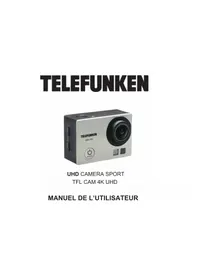
TFLCAM4KUHD - Action camera TELEFUNKEN - Free user manual and instructions
Find the device manual for free TFLCAM4KUHD TELEFUNKEN in PDF.


| Product Type | Waterproof Sports Camera |
| Brand | TELEFUNKEN |
| Model | TFLCAM4KUHD |
| Dimensions | 29.8 x 59.2 x 41 mm |
| Weight | Approximately 100 g |
| Screen | 2.0 inch LTPS LCD |
| Maximum Video Resolution | 4K at 30 fps |
| Maximum Photo Resolution | 16 megapixels |
| Viewing Angle | 170° |
| Waterproof Depth (with housing) | Up to 30 m |
| Battery | Rechargeable lithium-ion 3.7 V, 900 mAh |
| Power Supply | Charging via USB 2.0 (cable included) |
| Storage | Micro SD card up to 64 GB (FAT32 format) |
| Video Recording Format | MP4 |
| Photo Recording Format | JPEG |
| Slow Motion Mode | 1080p at 60 fps or 720p at 120 fps |
| Timelapse Mode | From 0.5 s to 60 s interval |
| Loop Recording | Off, 2 min, 3 min, 5 min |
| Available Languages (OSD) | English, French, German, Spanish, Italian, Portuguese, Japanese, Russian, Chinese, Korean, Polish, Swedish |
| HDMI Output | Micro HDMI |
| Warranty | According to VESTEL France conditions |
Frequently Asked Questions - TFLCAM4KUHD TELEFUNKEN
User questions about TFLCAM4KUHD TELEFUNKEN
0 question about this device. Answer the ones you know or ask your own.
Ask a new question about this device
Download the instructions for your Action camera in PDF format for free! Find your manual TFLCAM4KUHD - TELEFUNKEN and take your electronic device back in hand. On this page are published all the documents necessary for the use of your device. TFLCAM4KUHD by TELEFUNKEN.
USER MANUAL TFLCAM4KUHD TELEFUNKEN
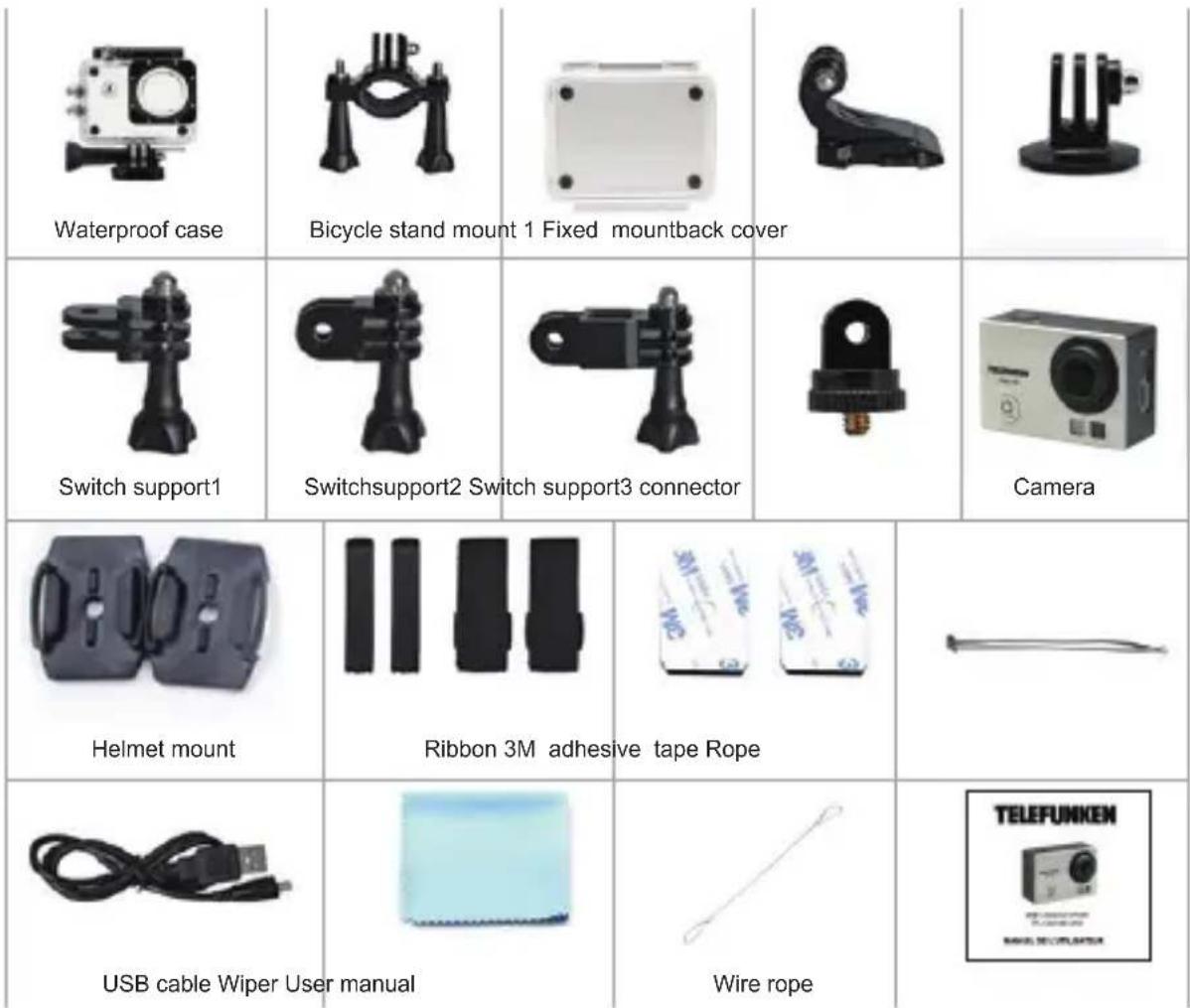
Bicycle stand mount 2 Fixed mountback cover
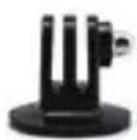
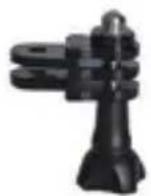
Switch support1
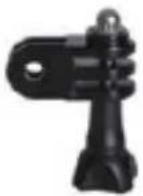
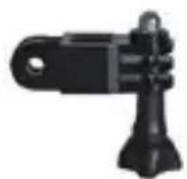
Switchsupport2 Switch support3 connector
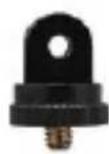
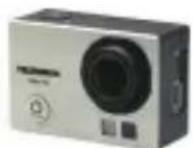
Camera
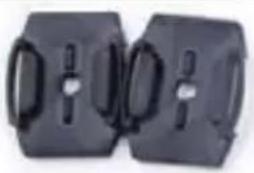
Helmet mount
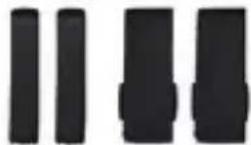
Ribbon 3M adhesive tape Rope
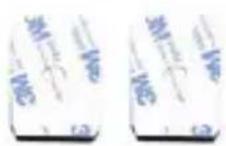

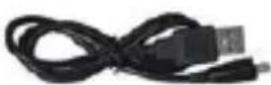

USB cable Wiper User manual
Wire rope
Please read and follow the instruction below to ensure that you can use this safely and in a correct method. Please keep this manual for future reference.
The apparatus shall not be exposed to dripping or splashing.
No objects filled with liquids, such as vases, shall be placed on or around the apparatus.
No naked flame sources, such as lighted candles, should be placed on or around the apparatus.
The apparatus shall be used in moderate climates only.
CAUTION: Danger of explosion if battery is incorrectly replaced. Replace only with the same or equivalent type.
Batteries shall be disposed of in a safe way. Only dispose of batteries in specific collection containers (contact your retailer for more information) in order to protect the environment.
Warning: Batteries shall not be exposed to excessive heat such as sunshine, fire or the like.
To prevent possible hearing damage, do not listen at high volume levels for long periods.

WARNING: To avoid possible hearing damage, do not listen at high volume levels for a long time.
SUMMARY
SAFETY INSTRUCTION PAGE17
PRESENTATION PAGE18
PAPKAGE CONTENT
SOME EXAMPLES OF USING
USE
CAMERA SETTING PAGE23
VIDEO SETTING PAGE24
PHOTO SETTING
MICRO SD CARD
VIDEO MODE PAGE26
SLOW MOTION MODE
PHOTO MODE PAGE27
TRANSFER OF PHOTOS AND VIDEOS TO A COMPUTER
TECHNICAL SPECIFICATIONS PAGE28
GUARANTY
DISPOSAL
PRESENTATION
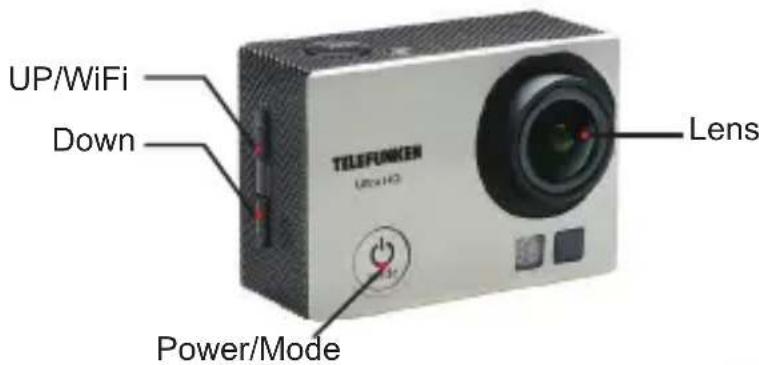
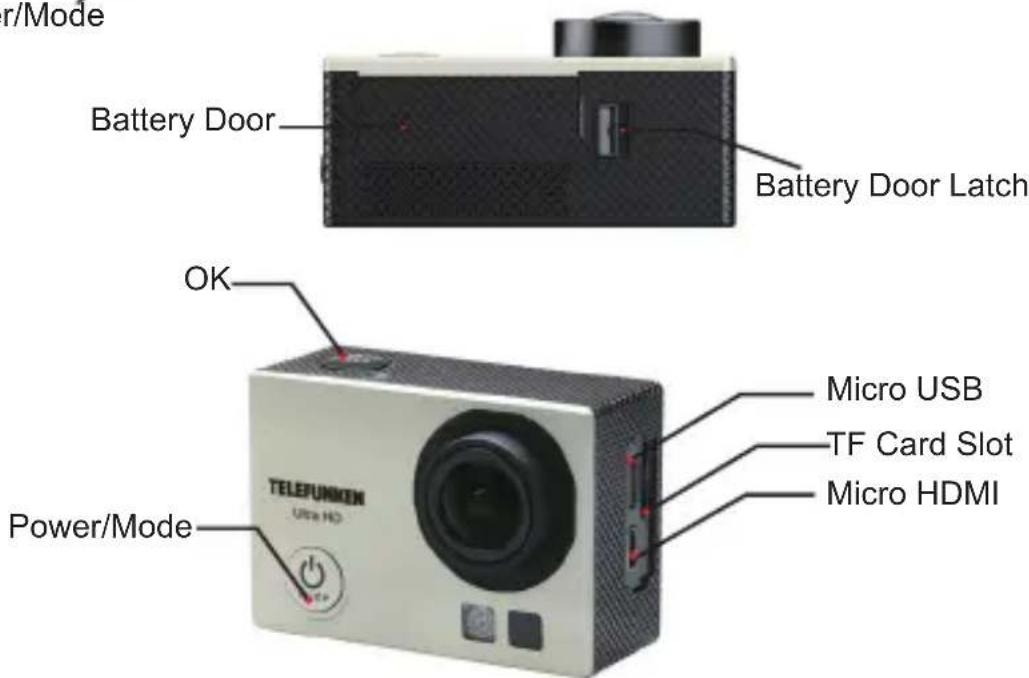
PACKAGE CONTENT
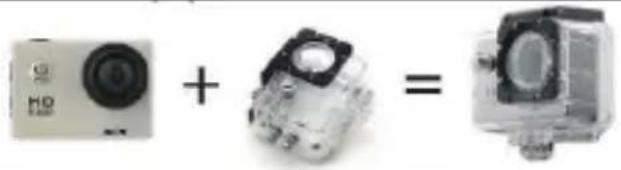
SOME EXAMPLES OF USING
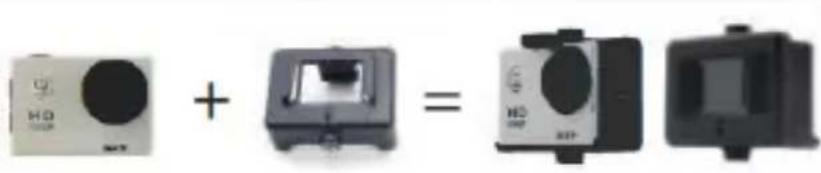
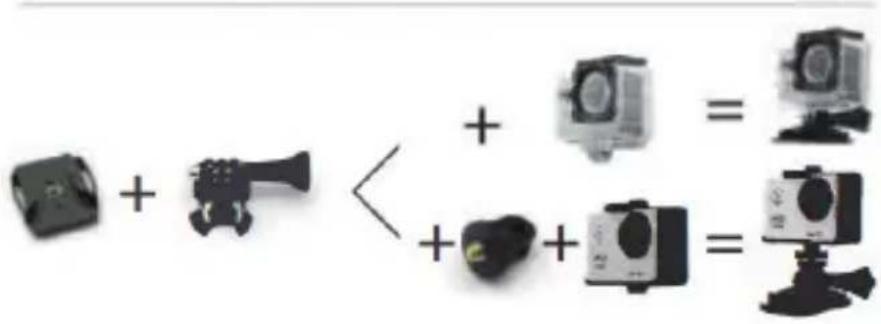
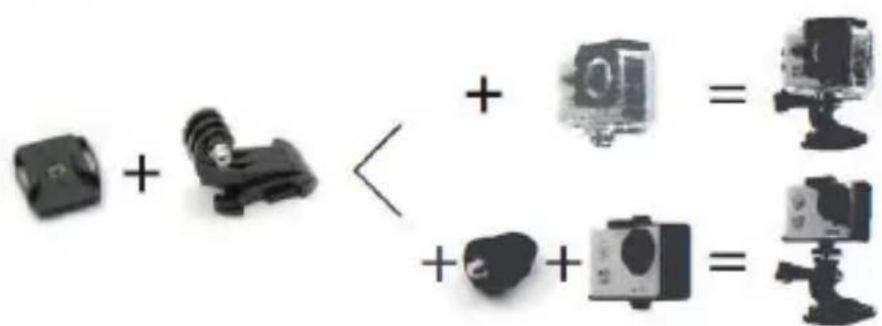
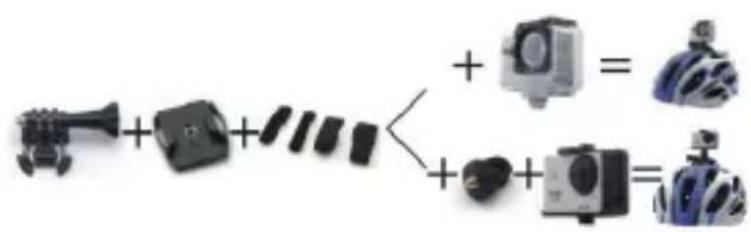
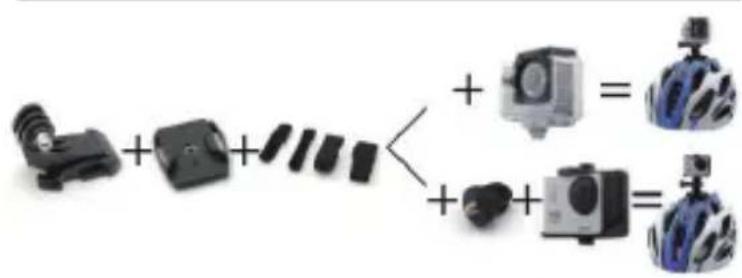
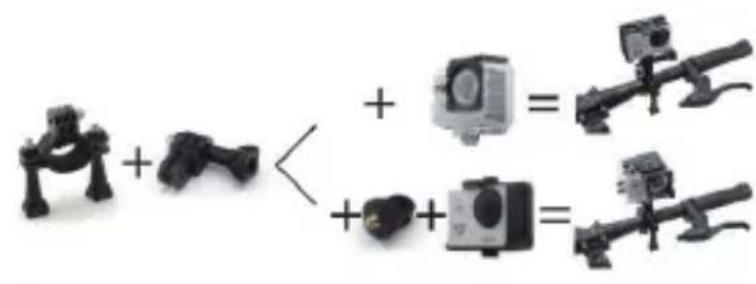
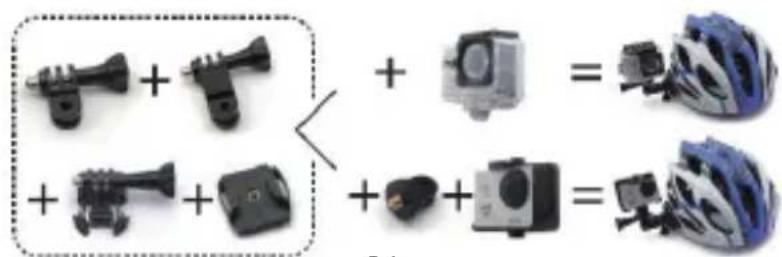
USE
To start
- Insert a micro SD card into the SD slot card slot
- Put the battery into the camera
- Charge the battery. The lithium-ion battery is shipped partially charged.
To charge it, connect the USB cable provided for this purpose to the camera and the other end of the cable to a source at the USB port of a computer. The camera or battery will not be damaged if used before it is fully charged.
Getting Started with the Camera
- Press the "MODE" button briefly, a beep will sound and the LCD will light, the camera will be ready.
Switch off the camera
- Press the "MODE" button momentarily, a beep sounds and the LCD monitor turns off, the camera is turned off.
- Without any use on your part, the camera automatically switches to standby to preserve the battery.
USING THE BUTTONS
BUTTON MODE: It Allows you to turn on and off the sport camera. It also allows you to switch between: PARAMETER MODE -VIDEO MODE - SLOW MOTION MODE - PHOTO MODE.
BUTTON OK: It allows you to switch on / off the recording of a video. It also allows you to enter one of the PARAMETER mode tabs and select the desired option.
BUTTON UP-DOWN: it allows you to scroll in the PARAMETER menu. In photo mode, they also allow you to perform the ZOOM in / out.
CAMERA SETTING
Press the button MODE of your camera: press this button to switch from VIDEO mode to PHOTO mode or SET-UP mode.
Once you are in the SETUP mode: Scroll through the menu using the up and down arrows and press the OK button to enter in the tabs; To exit the parameter mode, press the button mode again.
| Language | English/German/French/Spanish/Italian/Portuguese/traditional/Chinese simplified/Chinese/Japanese-Russian |
| Date-time | 2015/01/01 12:00:00 |
| Format | Confirmation/cancel |
| Reset | Confirmation/cancel |
VIDEO SETTING
PHOTO SETTING
| Video Resolution | 4K@30FPS/2.7K@30FPS/1080P@60FPS/1080P@30FPS/720P@120FPS |
| Video sound | ON/OFF |
| Time-lapse | OFF/ 0.5S /1S /2S /5S /10S /30S /60S |
| Loop Recording | OFF/ 2min/ 3min /5 min |
| Slow motion | 1080P@60FPS/720P@120FPS |
| Pixel set | 16M/12M/8M /5M/2M |
| Timed | 3S/5S/10S/20S/OFF |
| Auto | 3S/10S/15S/20S/30S/ OFF |
| Drama shot | 3P/S、5P/S、10P/S、20P/S、Eteindre |
| Exposure | -2---+2 |
| White balance | Auto/Sunny/Cloudy/Incandescent light/Fluorescent light |
| Image Rotation | ON/OFF |
| WIFI | ON/OFF |
| Light source frequency | Auto/50HZ/60HZ |
| LED Indicator light | ON/OFF |
| Auto Screen save | 10S/20S/30S/ OFF |
| Auto shutdown | 1min/3min/5min/OFF |
| Time watermark | ON/OFF |
MICRO SD CARD
FORMAT MICROSDCARD:
Your camera includes a slot for an SD card: The compatible SD card format is: FAT 32. If your SD card is not in the correct format, please format your card.
Capacity Micro SD CARD :
| Micro SD | 4K 30fps / 1080p 60fps | 1080p 30fps | 720p 60fps |
| 32Go | 120 mins | 240 mins | 320 mins |
| 16Go | 60 mins | 120 mins | 160 mins |
MAX capacity of the memory card: 64Go
VIDEO MODE
- To record a video, make sure that the camera is in video mode and that you have inserted a micro SD card.
2.If the symbol appears on the screen, press the OK button on your camera to start recording the video. The LED will flash red.
3.If the icon does not appear, press the MODE button until it appears. - Press the OK button again to stop recording, the red LED will stop.
5.If the camera turns off due to lack of battery, do not worry the video is automatically recorded before turning off
SLOW MOTION VIDEO
- To record a video in SLOW MOTION mode, make sure that the camera is in SLOW MOTION mode and that you have inserted a micro SD card.
2.If the symbol appears on the screen, press the OK button on your camera to start recording the video in SLOW MOTION mode. The LED will flash red.
3.If the icon does not appear, press the MODE button until it appears.
PHOTO MODE
- To take a picture, make sure that the camera is in photo mode and that you have inserted a micro SD card.
2.If the symbol appears on the screen, press the OK button on your camera to take a picture.
TRANSFER OF PHOTOS ANDVIDEO TO A COMPUTER
- Connect the camera to a computer by using the USB cable provided with the camera and then transfer the content directly.
- Take the SD card out of its slot and install it in a computer. Transfer content directly.
TECHNICAL SPECIFICATION
| Video output | 4k/2k 30fps 1920x1080 60fps 1280x720 60fps |
| Video recording format | MP4 |
| Video recording mode | Loop recording |
| Effective Pixels | 16M12M/8M/5M/2M |
| Image recording format | JPEG |
| Reading | Support |
| Shooting mode | Single shot / Self-timer mode / Burst mode |
| Self-timer delay | 2sec, 3sec, 5sec, 10sec, 20sec, 30sec, 60sec. |
| Date stamp | Automatic |
| White balance setting | Automatic |
| Exposure compensation | -2.0 ~ +2.0 |
| Shutter adjustment | Electronic |
| Camera PC | Support |
| Rotation 180° | Support |
| Available OSD Language | English / French / German / Spanish / Italian / Portuguese / Japanese / Chinese / Russian / Korean / Polish / Swedish |
| Waterproof | Up to 30m inside the waterproof case |
| View angle | 170° |
| Lens (focus) | 12cm ~ Infinite |
| Audio input | Microphone |
| Audio output | Speaker |
| HDMI OUT | Micro HDMI |
| USB | USB 2.0, 5 PIN USB |
| Storage slot | Micro SD (UP to 64Go) |
| Screen LED | 2.0" LTPS LCD |
| Battery | 3.7V900mAh li-ion batterie rechargeable |
| Size | 29.8 x 59.2 x 41mm |
GUARANTY
The warranty does not cover product wear parts, neither problems or damage resulting from:
(1) superficial damage due to normal wear of the product
(2) defects or damage due to contact of the product with food or liquids, and due to corrosion caused by rust;
(3) any incident, abuse, misuse, modification, unauthorized removal or repair;
(4) any improper maintenance operation not in accordance with product instructions or connection to improper voltage use;
(5) any use of accessories not supplied or approved by CONTINENTAL EDISON.
The warranty will be cancel in case of elimination of the rating label and/or the serial number product.
DISPOSAL
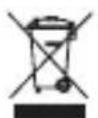
The European Directive 2012/19/EU on Waste Electrical and Electronic Equipment (WEEE), requires that old household electrical appliances must not be disposed of in
the normal unsorted municipal waste stream. Old appliances must be collected separately in order to optimize the recovery and recycling of the materials they contain and reduce the impact on human health and the environment.
The crossed out "wheeled bin" symbol on the product reminds you of your obligation, that when you dispose of the appliance it must be separately collected. Consumers should contact their local authority or retailer for information concerning the correct disposal of their old appliance.
As a responsible retailer we care about the environment
As such we urge you to follow the correct disposal procedure for the product, packaging materials and if applicable, accessories and batteries. This will help conserve natural resources and ensure that the materials are recycled in a manner that protects health and the environment.
You must follow laws and regulations about disposal. Waste electrical products and batteries must be disposed of separately from household waste when the product reaches the end of its life.
Contact the store where you bought the product and your local authority to learn about disposal and recycling.
VESTEL France S.A.S.U - 7 Rue de la Couture Parc Icade - BP 10190 - 94563 Rungis Cedex