EasyManual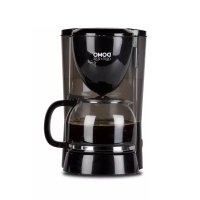
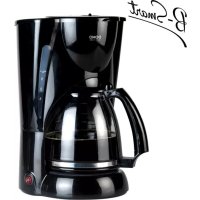
DO472K - Coffee machine DOMO - Free user manual and instructions
Find the device manual for free DO472K DOMO in PDF.



User questions about DO472K DOMO
0 question about this device. Answer the ones you know or ask your own.
Ask a new question about this device
Download the instructions for your Coffee machine in PDF format for free! Find your manual DO472K - DOMO and take your electronic device back in hand. On this page are published all the documents necessary for the use of your device. DO472K by DOMO.
USER MANUAL DO472K DOMO
RECYCLING INFORMATION This symbol on the product or on its packaging indicates that this product may not be treated as household waste. Instead it must be brought to the applicable collection point for recycling of electrical and electronic equipment. By ensuring this product is disposed of correctly, you will help prevent potential negative consequences for the environment and human health, which could otherwise be caused by inappropriate waste handling of this product. For more detailed information about recycling of this product, please contact your local city ofce, your household waste disposal service or the shop where you purchased the product. The packaging is recyclable. Please treat package ecologi- cally.
SAFETY INSTRUCTIONS This appliance may be used by children from the age of 8 and up, and also by persons with a physical or sensorly limitation, as well as mentally limited persons or persons with a lack of experience and knowledge. But only on the condition that these persons have received the necessary instructions on how to use this appliance in a safe way and know the dangers that can occur by using this appliance. Children cannot be allowed to play with the appliance. Maintenance and cleaning of the appliance may not be done by children, unless they are older than 8 years old and are under supervision. Keep the appliance out of reach of children younger than 8 years old. This appliance is suitable to be used in a household environment and in similar surroundings such as:
- Kitchen for personnel of shops, ofces or other similar professional surroundings
- Hotel or motel rooms and other surroundings with a residential character
- Guest rooms or similar Attention: This appliance cannot be used with an external timer or a separate remote control.DO472K
read this manuaL carefuLLy and foLLow aLL safety precautions to avoid the risk of fire, eLectricaL shock and injuries.
- Make sure that your outlet voltage corresponds with the voltage mentioned on the rating label of the coffee maker.
- Do not immerse the appliance, cord or plug in water or any other liquids.
- Unplug the appliance when not in use or before cleaning.
- Do not use the appliance when the cord or plug is damaged. If the cord is damaged, it must be replaced by the manufacturer, a service agent or a qualied person.
- Do not use the appliance when it is in a bad or damaged state. Return the appliance to the manufacturer for repair or for a check-up.
- Protect your appliance from humidity (rain, spatters,…).
- Turn off the appliance before plugging it into an outlet.
- Let the appliance cool down before cleaning or storing it.
- Do not use any accessories with this appliance. This may result in re, electrical shock or injuries.
- Do not let the cord hang over the edge of a table or counter and do not let it touch hot surfaces.
- Do not clean the appliance with cleaning products,DO472K
scourers or other abrasive materials.
- Do not place the appliance on or near a gas burner, an electrical stove or a heated oven.
- Pull the plug out of the outlet to disconnect the appliance. Always do this by grasping the plug, never pull the cord.
- Use the appliance for its intended purpose only and keep it in a dry environment.
- Do not leave the coffee maker unattended whilst it is operating. The appliance should not be used by children.
- Be careful, the coffee maker produces hot steam. The steam can cause burns.
- Never touch the hot surface. Use handles or knobs only.
- Do not use the appliance if the carafe shows cracks. Only use the glass carafe with this appliance. Handle with care, the carafe is fragile.
- Never leave an empty carafe on the keep warm plate. The carafe could crack.
- Never use the coffee maker if there is no water in it.
- Put the appliance on a table or other at surface.
- Do not use the appliance outside. It is suited for household use only.
- Save these instructions.DO472K
2. Water tank with water
- Check if all accessories are included and if the appliance is not damaged.
- First let water run through the appliance, without adding coffee. To do so, ll the waterreservoir up to the maximum level, switch on the coffee maker and let the water run through completely for about one or two times. Afterwards, dispose of the water and clean the lter, carafe and lid of the carafe thoroughly with warm water. MAKING COFFEE
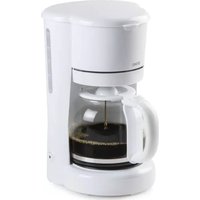
1. Open the top cover of the coffee maker and ll the water tank by using the carafe.
The amount of water should not exceed the maximum indication.
2. Put a paper lter into the lter holder
3. Pour the preferenced amount of coffee into the paper lter.
4. Insert the glass carafe horizontally into the coffee maker. Put it on to the keep
warm plate, under the drip stop.
5. Plug the power cord into the outlet and push the on/off button. The red indicator
will light up and the coffee maker will start brewing. You can remove the carafe from the coffee maker at any chosen time to pour coffee. The appliance will stop dripping automatically during 30 seconds. The appliance will automatically shut off after 40 minutes.
6. The coffee is ready about one minute after the coffee stops dripping from the
- The nal amount of coffee will always be a little less than the amount of water you put in, because the coffee absorbs water.
- Be careful while pouring, the coffee is hot right after brewing.
- For safety reasons it is considered wise to keep the lid on the carafe. This way the coffee also stays warm.
7. The device will keep the coffee warm for up to 40 minutes. Afterwards, the device
will shut off automatically. To maintain an optimal coffee taste, it is best to serve the coffee right after brewing.
8. Always turn off the coffee maker and unplug the power cord from the outlet when
CLEANING AND MAINTENANCE
Caution: Unplug the appliance and let it cool down before cleaning it. Never immerse the cord, the plug or the appliance in water or other uids in order to avoid the risk of electrical shock. After each use, make sure the plug is removed from the outlet.
- Clean the carafe and the lid of the carafe after each use in warm, sudsy water.
- Wipe the product’s exterior body with a soft, damp cloth to remove stains.
- Wipe off water droplets after using the appliance.
- Use a damp cloth to wipe the base of the product clean. Never use abrasive cleaning materials to do so. DECALCIFICATION When? Regularly decalcify your coffee maker. Regular decalcication contributes to a constant coffee quality, a lower energy use and prolongs the durability of your coffee maker. At normal use we recommend to decalcify the appliance every 3 to 4 weeks. How?
1. Fill the carafe with 1/4 of vinegar and 3/4 of cold water.
2. Pour the mixture into the water tank and turn on the coffee maker. Let the mixture
run through - without adding coffee - and repeat until the liquid dripping out has lost its yellow colour.
3. Pour out the mixture.
4. Now let the coffee maker run twice with only water, so the vinegar smell will
5. Afterwards, switch off the appliance.
POINTERS FOR GREAT COFFEE
1. A clean coffee maker is essential to make great tasting coffee. Clean the appliance
regularly according to the guidelines. Always use fresh, cold water in the coffee maker.
2. Store coffee in a dry and cool place.
3. Do not reuse any coffee, as this will greatly affect the taste of your coffee. We
also do not recommend reheating coffee.DO472K