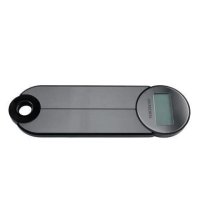
HG05035A - Scale SILVERCREST - Free user manual and instructions
Find the device manual for free HG05035A SILVERCREST in PDF.



| Product type | Kitchen scale |
| Model | HG05035A (black) / HG05035B (red) |
| Brand | SilverCrest |
| Maximum capacity | 5000 g / 11 lb / 176 oz / 5000 ml / 175 fl'oz |
| Graduation (step) | 1 g / 0.1 oz / 0.05 oz / 1 ml / 0.05 fl'oz |
| Power supply | 1 button cell CR2032 (3 V DC) |
| Display | Backlit LCD screen |
| Main functions | Weighing, tare, unit change, automatic shut-off |
| Measurement units | g, oz, lb:oz, ml, fl'oz |
| Weighing with ingredient addition | Yes (tare function) |
| Automatic shut-off | After 2 minutes of inactivity |
| Low battery indicator | Yes |
| Overload protection | Yes (visual signal "EEEE") |
| Cleaning and maintenance | Slightly damp, lint-free cloth; do not immerse |
| Warranty | 3 years |
| Package contents | 1 scale, 1 manual, 1 battery already installed |
| Hanging / storage | Wall mounting bracket |
| Intended use | Domestic, food weighing |
| Model number (color) | HG05035A (black), HG05035B (red) |
Frequently Asked Questions - HG05035A SILVERCREST
User questions about HG05035A SILVERCREST
0 question about this device. Answer the ones you know or ask your own.
Ask a new question about this device
Download the instructions for your Scale in PDF format for free! Find your manual HG05035A - SILVERCREST and take your electronic device back in hand. On this page are published all the documents necessary for the use of your device. HG05035A by SILVERCREST.
USER MANUAL HG05035A SILVERCREST
Operation and safety notes
PL
WAGAKUCHENNA
GB / IE Operation and safety notes Page 22
LCD-Anzeige (Abb. C):
Description of parts......Page 23
Technical data......Page 24
Scope of delivery....Page 24
Safety notices Page 24
General safety instructions ......Page 25
Safety instructions for batteries / rechargeable batteries......Page 27
Before first use......Page 30
Replacing the battery......Page 31
Operation......Page 31
Weighing......Page 31
Incremental weighing......Page 32
Changing the measuring unit ......Page 33
Switching off......Page 33
Troubleshooting Page 34
Cleaning and care......Page 35
We congratulate you on the purchase of your new product. You have chosen a high quality product. The instructions for use are part of the product. They contain important information concerning safety, use and disposal. Before using the product, please familiarise yourself with all of the safety information and instructions for use. Only use the product as described and for the specified applications. If you pass the product on to anyone else, please ensure that you also pass on all the documentation with it.
• Proper use
This product is designed to weigh out and tare quantities of food. The product is designed only for use in private household and must not be used in medicinal or commercial areas. The manufacturer is not liable to damage caused by improper use.
• Description of parts
Kitchen scale (Figs. A+B):
1 Effectiveweighing area
2 LC display
3 Button ⏻/TARE
1 Effectiveweighing area
2 LC display
3 Button ⏻/TARE
4 Button UNIT
5 Mounting bracket
6 Battery compartment
LC display (Fig. C):
7 Unit display 8 Numerical display
9 "Tare" symbol
10 Minus symbol
11 Battery indicator
- Technical data
Max. measuring range: 5000g/11lb/176oz/
5000ml/175fl'oz
Graduation: 1g/0lb:0.1 oz/0.05 oz/
1ml/0.05fl'oz
Battery: button cell, type CR2032,
1 x 3 V==(Direct current)
Rated current: 10 mA
Model numbers: HG05035A: Black
HG05035B: Red
- Scope of delivery
Check that all the items are present and that the product and all its parts have no defects immediately
after unpacking. Do not under any circumstances use the product if the package contents are incomplete.
1 Kitchen scale
1 Set of instructions
1 Battery (preinstalled)
for use
Container is not included with the product

Safety notices
KEEP ALL THE SAFETY ADVICE AND INSTRUCTIONS IN A SAFE PLACE FOR FUTURE REFERENCE!

General safety instructions
WARNING!
DANGER OF DEATH
AND ACCIDENTS FOR TOD- DLERS AND CHILDREN!
Never leave children unsupervised with the packaging material. The packaging material represents a danger of suffocation. Children frequently underestimate the
dangers. Always keep children away from the packaging material.
This product can be used by children aged from 8 years and above and persons with reduced physical, sensory or mental capabilities or lack of experience and knowledge if they have been given supervision or instruction concerning use of the product in a safe way and understand the hazards involved. Children shall
not play with the product. Cleaning and user maintenance shall not be made by children without supervision.
CAUTION! RISK OF INJURY! Do not place
more than 5 kg on the product. This could damage the product.
Do not expose the product to
- extreme temperatures,
-
direct sunlight
-
magnetic fields,
- moisture.
These can damage the product.
This product has delicate electronic components. This means that if it is placed near an object that transmits radio signals, it could cause interference. This could be, for example, mobile telephones, walkie talkies, CB radios, remote controls and microwaves. If the display indicates a
problem, move such objects away from it.
Electromagneticinterference/high-frequency emissions can lead to the product failing. In cases of the product failing to work, remove the battery for a short while and then replace it. Do this as described in the "Replacing the battery" section.
■ Protect the product from electrostatic charge/discharge. This
could hinder the internal data exchange, which causes errors in the LC display 2.
- Check the product for damage before use. Never use a damaged product.

Safety instructions for batteries/rechargeable batteries
■ DANGER TO LIFE! Keep batteries/rechargeable batteries out
of reach of children. If accidentally swallowed seek immediate medical attention.
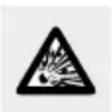
DANGER OF EXPLO- SION! Never recharge
non-rechargeable batteries. Do not short-circuit batteries/rechargeable batteries and/or open them. Overheating, fire or bursting can be the result.
Never throw batteries/rechargeable batteries into fire or water.
- Do not exert mechanical loads to batteries/rechargeable batteries.
Risk of leakage of batteries / rechargeable batteries
- Avoid extreme environmental conditions and temperatures, which could affect batteries / rechargeable batteries, e.g. radiators / direct sunlight.
If batteries/rechargeable batteries have leaked, avoid contact
with skin, eyes and mucous membranes with the chemicals! Flush immediately the affected areas with fresh water and seek medical attention!

WEAR PROTECTIVE GLOVES! Leaked or
damaged batteries/rechargeable batteries can cause burns on contact with the skin. Wear suitable protective gloves at all times if such an event occurs.
In the event of a leakage of batteries/rechargeable batteries, immediately remove them from the product to prevent damage.
■ Remove batteries/rechargeable batteries if the product will not be used for a longer period.
Risk of damage of the product
■ Only use the specified type of battery/rechargeable battery!
- Insert batteries/rechargeable batteries according to polarity marks (+) and (-) on the battery/rechargeable battery and the product.
- Clean the contacts on the battery / rechargeable battery and in the battery compartment before inserting!
■ Remove exhausted batteries / rechargeable batteries from the product immediately.
● Before first use (Fig. B)
- Remove all packaging materials from the product.
Turn the product over and place it on a soft underlay to avoid scratching the surface. Loosen the screw located at the cover of the battery compartment 6 on the back of the product.
☐ Open the cover of the battery compartment 6 on the back of the product.
☐ Pull out the insulation strip from the battery compartment 6.
☐ Close the cover of the battery compartment 6 and tighten the screw.
● Replacing the battery (Fig. B)
☐ Turn the product over and place it on a soft underlay to avoid scratching the surface. Loosen the screw located at the cover of the battery compartment 6 on the back of the product.
Open the cover of the battery compartment 6 on the back of the product.
☐ Remove the used battery, if present.
☐ Insert a battery type CR2032 in the battery compartment 6.
Note: Make sure you insert the batteries with the correct polarity. This is indicated on the cover of the battery compartment 6.
☐ Close the cover of the battery compartment 6 and tighten the screw.
Operation
Note: The product is not intended to be in contact with food. Always use transparent container having a flat bottom surface with diameter not least than 8 cm and not more than 13 cm so that the LC display 2 is not covered. A container is not included with the product.
☐ Set the product on a solid, level and flat surface to weigh.
Weighing
☐ Spread the product in a 45° angle (see fig. A).
Place a container on the effective weighing area 1 of the product.
Briefly touch the button ⚠TARE 3 to switch on the product. The LC display 2 will show all displays for approx. 3 seconds (see fig. E).
Note: A slight touch of the button ⏻/TARE 3 and the button UNIT 4 is sufficient to operate the product. If there is too much pressure, the product may cause slipping.
During this time the weighing equipment on the product is adjusting. Afterwards the numerical display 8 will read „0”. The unit display 7 will show the last unit selected.
Note: if an object (e.g. a key) is already on the effective weighing area 1 while switching on, the numerical display 8 will still read "0".
Place the item you wish to weigh onto the product. The numerical display 8 will show the weight of the item you are weighing.
Incrementalweighing
□ Touching the button ⓊTARE 3 with the product on will change the numerical display 8 from the reading to „0”. The "Tare" symbol 9 will appear.
☐ Now add another item to weigh onto the product. The numerical display 8 will show the weight of the newly added item.
☐ If you remove the item added to the product, the numerical display 8 will again read „0“.
☐ If you remove all items from the product, the LC display 2 will show a negative value indicated by the minus symbol 10.
☐ Then briefly touch the button ☑ARE 3, and the "Tare" symbol 9 will disappear and the numerical display 8 will again read "0".
☐ Important! Be sure never to add more than 5 kg to the effective weighing area 1. Overloading the product can damage it.
- Changing the measuring unit
The product will display the weight in the official European measuring unit „g“ (grams), as well as the traditional unit of weight „oz“ (ounce, 1 oz ≈ 28.35 g) or „lb:oz“ (pound: ounce, 1 lb = 16 oz ≈ 453.59 g).
When measuring the volume of water, the product calculates it by the weight using the official European unit of volume „ml“ (millilitres) or the traditional unit of measure fl'oz (fluid ounces, 1fl'oz ≈ 28.41 ml).
To switch the unit of measure, briefly touch the button UNIT 4. After each time it is touched, the unit display 7 will switch to the next unit listed:

- Switching off
☐ Holding the button ⬆TARE 3 for approx. 2 seconds will off the product. If no movement is detected on the effective weighing area 1 for 2 minute and no button is touched, the product will automatically switch off.
●Troubleshooting
● = Fault
● = Cause
O = Solution
● = EEEE
● = The product is overloaded.
O = Remove the overload.
● = □
© = The battery is low.
O = Replace the battery (see chapter „Replacing the battery“).
● = Lo
= The batteries are too weak to weigh. You cannot operate the product.
O = Replace the battery (see section "Replacing the battery").
Note: The product contains sensitive electronic components. For this reason it is possible that it can be disrupted by radio transmitting equipment in the immediate vicinity. If the LC display 2 indicates a problem, move such objects away from it.
Electrostatic discharges can lead to malfunctions. In cases of the product failing to work, remove the batteries for a short while and then replace them.
- Cleaning and care
■ Never immerse the product in water or other liquids. This can damage the product.
□ Clean the product with a slightly dampened, fluff-free cloth. To remove more stubborn dirt, you can also dampen the cloth with a weak soap solution.
Note: To store, fold up the product and you may store the product using the mounting bracket 5 for wall mounting.
●Disposal
The packaging is made entirely of recyclable materials, which you may dispose of at local recycling facilities.
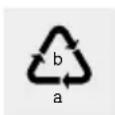
Observe the marking of the packaging materials for waste separation, which are marked with abbreviations (a) and numbers (b) with following meaning: 1–7: plastics/20–22: paper and fibreboard/80–98: composite materials.

The product and packaging materials are recyclable, dispose of it separately for better waste treatment. The Triman logo is valid in France only.

Contact your local refuse disposal authority for more details of how to dispose of your worn-out product.
To help protect the environment, please dispose of the product properly when it has reached the end of its useful life and not in the household waste. Information on collection points and their opening hours can be obtained from your local authority.
Faulty or used batteries / rechargeable batteries must be recycled in accordance with Directive 2006/66/EC and its amendments. Please return the batteries/rechargeable batteries and/or the product to the available collection points.
Environmental damage through incorrect disposal of the batteries/rechargeable batteries!
Batteries / rechargeable batteries may not be disposed of with the usual domestic waste. They may contain toxic heavy metals and are subject to hazardous waste treatment rules and regulations. The chemical symbols for heavy metals are as follows: Cd = cadmium, Hg = mercury, Pb = lead. That is why you should dispose of used batteries / rechargeable batteries at a local collection point.
- Warranty
The product has been manufactured to strict quality guidelines and meticulously examined before delivery. In the event of product defects you have legal rights against the retailer of this product. Your legal rights are not limited in any way by our warranty detailed below.
The warranty for this product is 3 years from the date of purchase. Should this product show any fault in materials or manufacture within 3 years from the date of purchase, we will repair or replace it - at our choice - free of charge to you.
The warranty period begins on the date of purchase. Please keep the original sales receipt in a safe location. This document is required as your proof of purchase. This warranty becomes void if the product has been damaged, or used or maintained improperly.
The warranty applies to defects in material or manufacture. This warranty does not cover product parts subject to normal wear, thus possibly considered consumables (e.g. batteries) or for damage to fragile
parts, e.g. switches, rechargeable batteries or glass parts.

Introduction......Page 39
Utilisation conforme....Page 39
● = Erreur
● = Source
O = Solution
● = EEEE
LC-weergave (afb. C):
⚠ WAARSCHUWING! LEVENSGEVAAR EN
KANS OP ONGEVALLEN VOOR KLEUTERS EN KINDE-
© = Het product is overbelast.
Wyświetlacz LCD (rys. C):
● = b†qd
© = przyczyna
O = rozwiazanie
LC displej (obr. C):
NOSTEOCHRANNÉ RUKAVICE! Vytekló
LCD-zobrazenie (Obr. C):
PRE MALÉ I STARŠIE DETI!
NOSTE OCHRANNÉ RUKAVICE! Vytečené




- WAGAKUCHENNA
- LCD-ANZEIGE (ABB. C)
- SAFETY NOTICES PAGE 24
- BEFORE FIRST USE......PAGE 30
- OPERATION......PAGE 31
- TROUBLESHOOTING PAGE 34
- CLEANING AND CARE......PAGE 35
- PROPER USE
- DESCRIPTION OF PARTS
- KITCHEN SCALE (FIGS. A+B)
- LC DISPLAY (FIG. C)
- TECHNICAL DATA
- SCOPE OF DELIVERY
- SAFETY NOTICES
- GENERAL SAFETY INSTRUCTIONS
- WARNING
- DANGER OF DEATH
- AND ACCIDENTS FOR TOD- DLERS AND CHILDREN
- CAUTION! RISK OF INJURY! DO NOT PLACE
- DANGER OF EXPLO- SION! NEVER RECHARGE
- RISK OF LEAKAGE OF BATTERIES / RECHARGEABLE BATTERIES
- WEAR PROTECTIVE GLOVES! LEAKED OR
- RISK OF DAMAGE OF THE PRODUCT
- ● BEFORE FIRST USE (FIG. B)
- ● REPLACING THE BATTERY (FIG. B)
- OPERATION
- WEIGHING
- INCREMENTALWEIGHING
- CHANGING THE MEASURING UNIT
- SWITCHING OFF
- ●TROUBLESHOOTING
- CLEANING AND CARE
- ●DISPOSAL
- WARRANTY
- INTRODUCTION......PAGE 39
- LC-WEERGAVE (AFB. C)
- KANS OP ONGEVALLEN VOOR KLEUTERS EN KINDE
- WYŚWIETLACZ LCD (RYS. C)
- LC DISPLEJ (OBR. C)
- NOSTEOCHRANNÉ RUKAVICE! VYTEKLÓ
- LCD-ZOBRAZENIE (OBR. C)
- PRE MALÉ I STARŠIE DETI
- NOSTE OCHRANNÉ RUKAVICE! VYTEČENÉ
Brand : SILVERCREST
Model : HG05035A
Category : Scale