EasyManual
HES 62 - Cooker HOOVER - Free user manual and instructions
Find the device manual for free HES 62 HOOVER in PDF.


User questions about HES 62 HOOVER
0 question about this device. Answer the ones you know or ask your own.
Ask a new question about this device
Download the instructions for your Cooker in PDF format for free! Find your manual HES 62 - HOOVER and take your electronic device back in hand. On this page are published all the documents necessary for the use of your device. HES 62 by HOOVER.
USER MANUAL HES 62 HOOVER
INSTRUCTIONS FOR USE AND INSTALLATION GB
TABLES DE CUISSON
NOTICE D'EMPLOI ET D'INSTALLATION FR
OCAKLAR
KULLANIM VE KURULUM TALİMATLARI TR
natural_image
Pure electrical circuit lines without any symbolsModel: HES 6DHES 62
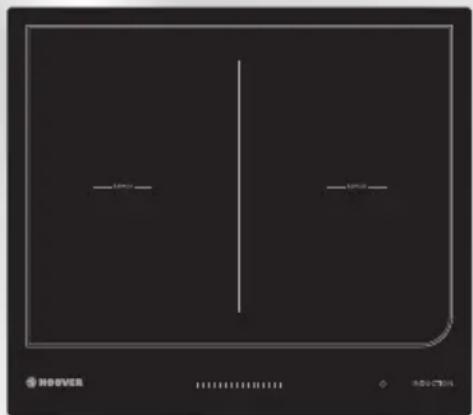
natural_image
Pure graphical panel with horizontal lines and control buttons, no readable text or symbolsThank you for purchasing the HOOVER induction hob. Please read this instruction manual carefully before using the hob and keep it in a safe place for future reference.
Safety Warnings
Your safety is important to us. Please read this information before using your hob.
Installation
Electrical Shock Hazard
- Disconnect the appliance from the mains electricity supply before carrying out any work or maintenance on it.
- Connection to a good earth wiring system is essential and mandatory.
- Alterations to the domestic wiring system must only be made by a qualified electrician.
- Failure to follow this advice may result in electrical shock or death.
Cut Hazard
• Take care - panel edges are sharp.
- Failure to use caution could result in injury or cuts.
Important safety instructions
- Read these instructions carefully before installing or using this appliance.
- No combustible material or products should be placed on this appliance at any time.
- Please make this information available to the person responsible for installing the appliance
as it could reduce your installation costs.
- In order to avoid a hazard, this appliance must be installed according to these instructions for installation.
- This appliance is to be properly installed and earthed only by a suitably qualified person.
- This appliance should be connected to a circuit which incorporates an isolating switch providing full disconnection from the power supply.
- Failure to install the appliance correctly could invalidate any warranty or liability claims.
Operation and maintenance
Electrical Shock Hazard
- Do not cook on a broken or cracked hob surface. If the hob surface should break or crack, switch the appliance off immediately at the mains power supply (wall switch) and contact a qualified technician.
- Switch the hob off at the wall before cleaning or maintenance.
- Failure to follow this advice may result in electrical shock or death.
Health Hazard
- This appliance complies with electromagnetic safety standards.
• However, persons with cardiac pacemakers or
other electrical implants (such as insulin pumps) must consult with their doctor or implant manufacturer before using this appliance to make sure that their implants will not be affected by the electromagnetic field.
- Failure to follow this advice may result in death.
Hot Surface Hazard
- During use, accessible parts of this appliance will become hot enough to cause burns.
- Do not let your body, clothing or any item other than suitable cookware contact the Induction glass until the surface is cool.
- Beware: magnetisable metal objects worn on the body may become hot in the vicinity of the cooktop. Gold or silver jewellery will not be affected.
- Keep children away.
- Handles of saucepans may be hot to touch. Check saucepan handles do not overhang other cooking zones that are on. Keep handles out of reach of children.
- Failure to follow this advice could result in burns and scalds.
Cut Hazard
- The razor-sharp blade of a hob surface scraper is exposed when the safety cover is retracted. Use with extreme care and always store safely
and out of reach of children.
- Failure to use caution could result in injury or cuts.
Important safety instructions
- Never leave the appliance unattended when in use. Boilover causes smoking and greasy spillovers that may ignite.
- Never use your appliance as a work or storage surface.
- Never leave any objects or utensils on the appliance.
- Do not place or leave any magnetisable objects (e.g. credit cards, memory cards) or electronic devices (e.g. computers, MP3 players) near the appliance, as they may be affected by its electromagnetic field.
- Never use your appliance for warming or heating the room.
- After use, always turn off the cooking zones and the hob as described in this manual(i.e. by using the touch controls). Do not rely on the pan detection feature to turn off the cooking zones when you remove the pans.
- Do not allow children to play with the appliance or sit, stand, or climb on it.
- Do not store items of interest to children in cabinets above the appliance. Children
climbing on the hob could be seriously injured.
- Do not leave children alone or unattended in the area where the appliance is in use.
- Children or persons with a disability which limits their ability to use the appliance should have a responsible and competent person to instruct them in its use. The instructor should be satisfied that they can use the appliance without danger to themselves or their surroundings.
- Do not repair or replace any part of the appliance unless specifically recommended in the manual. All other servicing should be done by a qualified technician.
- Do not use a steam cleaner to clean your hob.
- Do not place or drop heavy objects on your hob.
- Do not stand on your hob top.
- Do not use pans with jagged edges or drag pans across the Induction glass surface as this can scratch the glass.
- Do not use scourers or any other harsh abrasive cleaning agents to clean your cooktop, as these can scratch the Induction glass.
- If the power supply cable is damaged, it must only be replaced by a qualified technician.
- This appliance is designed for domestic use only.
- This appliance can be used by children aged from 8 years and above and persons with
reduced physical, sensory or mental capabilities or lack of experience and knowledge if they have been given supervision or instruction concerning use of the appliance in a safe way and understand the hazards involved. Children shall not play with the appliance. Cleaning and user maintenance shall not be made by children without supervision.
- WARNING: Unattended cooking on a hob with fat or oil can be dangerous and may result in fire. NEVER try to extinguish a fire with water, but switch off the appliance and then cover flame e.g. with a lid or a fire blanket.
- Metallic objects such as knives, forks, spoons and lids should not be placed on the hob surface since they can get hot.
- After use, switch off the hob element by its control and do not rely on the pan detector.
- The appliance is not intended to be operated by means of an external timer or separate remote-control system.
Congratulations on the purchase of your new Induction Hob.
We recommend that you spend some time to read this Instruction / Installation
Manual in order to fully understand how to install correctly and operate it.
For installation, please read the installation section.
Read all the safety instructions carefully before use and keep this Instruction / Installation Manual for future reference.
Product Overview
Top View
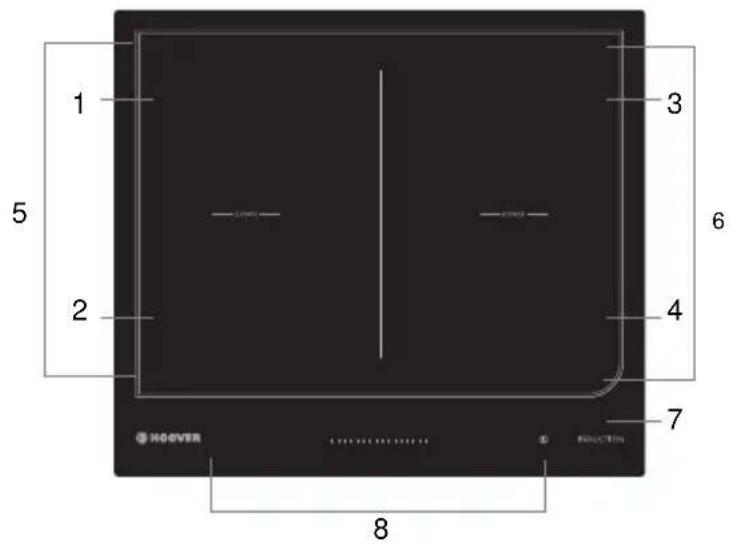
text_image
1 5 2 3 6 4 7 8 HOEVER- max. 1800/3000 W zone
- max. 1800/3000 W zone
- max. 1800/3000 W zone
- max. 1400/2000 W zone
5 - 6. Flexible zone. 3000/4000 W - Glass plate
- Control
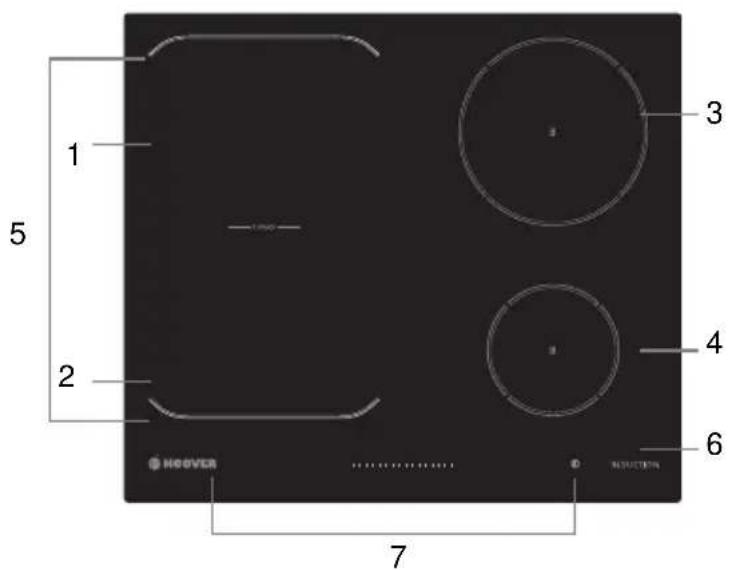
text_image
1 5 2 3 4 6 HEOVER 7- max. 1800/3000 W zone
- max. 1800/3000 W zone
- max. 1800/3000 W zone
- max. 1400/2000 W zone
- Flexible zone. 3000/4000 W
- Glass plate
- Control
Control Pane

text_image
9:59 15 5 15 7 2 5 1 6 15 5 3 4- Power / Timer slider touch control
- Heating zone selection controls
- keylock control
- ON/OFF control
- keep warm control
- Boost control
- Timer control
A Word on Induction Cooking
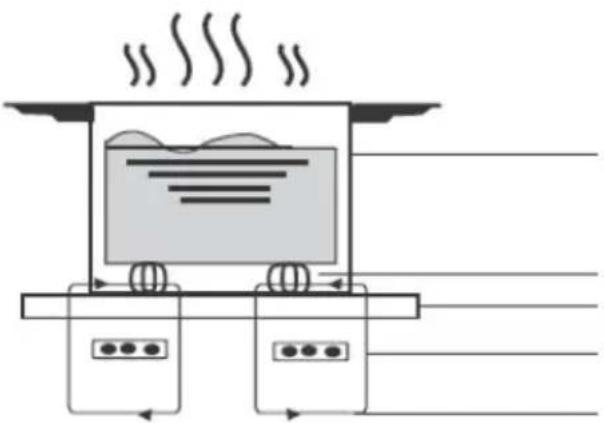
Induction cooking is a safe, advanced, efficient, and economical cooking technology. It works by electromagnetic vibrations generating heat directly in the pan, rather than indirectly through heating the glass surface. The glass becomes hot only because the pan eventually warms it up.
natural_image
Diagram of a steam locomotive with wheels and air flow indicators (no text or symbols)iron pot
magnetic circuit ceramic glass plate induction coil induced currents
Before using your New Induction Hob
- Read this guide, taking special note of the 'Safety Warnings' section.
- Remove any protective film that may still be on your Induction hob.
Using the Touch Controls
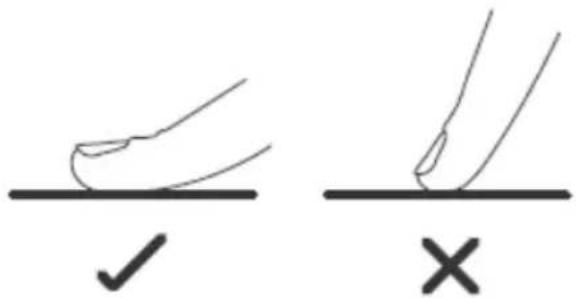
- The controls respond to touch, so you don't need to apply any pressure.
- Use the ball of your finger, not its tip.
- You will hear a beep each time a touch is registered.
- Make sure the controls are always clean, dry, and that there is no object (e.g. a utensil or a cloth) covering them. Even a thin film of water may make the controls difficult to operate.
text_image
Diagram showing two hand positions with checkmark and cross symbols, likely indicating correct and incorrect states.Choosing the right Cookware

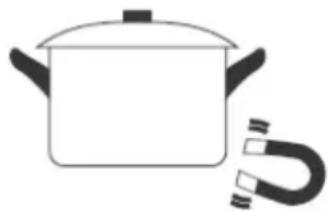
- Only use cookware with a base suitable for induction cooking. Look for the induction symbol on the packaging or on the bottom of the pan.
- You can check whether your cookware is suitable by carrying out a magnet test. Move a magnet towards the base of the pan. If it is attracted, the pan is suitable for induction.
-
If you do not have a magnet:
-
Put some water in the pan you want to check.
- Follow the steps under 'To start cooking'.
- If does not flash in the display and the water is heating, the pan is suitable.
- Cookware made from the following materials is not suitable: pure stainless steel, aluminium or copper without a magnetic base, glass, wood, porcelain, ceramic, and earthenware.
natural_image
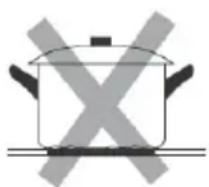
Simple line drawing of a cooking pot with a U-shaped magnet attached (no text or symbols)Do not use cookware with jagged edges or a curved base.
natural_image
Simple line drawing of a cooking pot with crossed-out X marks (no text or symbols)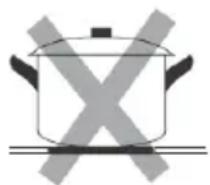
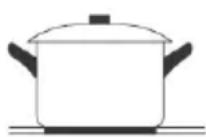
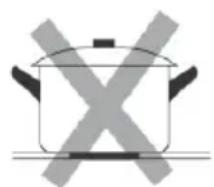
Make sure that the base of your pan is smooth, sits flat against the glass, and is the same size as the cooking zone. Use pans whose diameter is as large as the graphic of the zone selected. Using a pot a slightly wider energy will be used at its maximum efficiency. If you use smaller pot efficiency could be less than expected. Pot less than 140 mm could be undetected by the hob. Always centre your pan on the cooking zone.
natural_image
Simple line drawing of a cooking pot with crossed-out X symbol (no text or labels)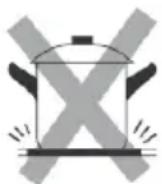
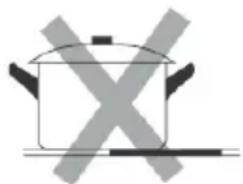
natural_image
Simple line drawing of a cooking pot with crossed X marks (no text or symbols)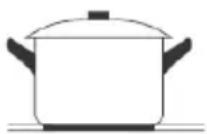
Always lift pans off the Induction hob – do not slide, or they may scratch the glass.
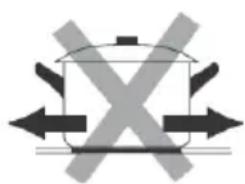
natural_image
Pure diagram of a cooking pot with crossed arrows indicating crossed or crossed sides (no text or symbols)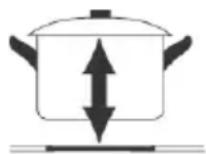
Pan Dimension
The cooking zones are, up to a limit, automatically adapted to the diameter of the pan. However the bottom of this pan must have a minimum of diameter according to the corresponding cooking zone. To obtain the best efficiency of your hob, please place the pan in the centre of the cooking zone.
RES 62
| Cooking zone | The base diameter of induction cookware | |
| Minimum (mm) | Maximum (mm) | |
| 1,2,3 | 140 | 220 |
| Flexible zone | 220 | 220x400 |
| 4 | 140 | 140 |
RES 6D
| Cooking zone | The base diameter of induction cookware | |
| Minimum (mm) | Maximum (mm) | |
| 1,2,3,4 | 140 | 220 |
| Flexible zone | 220 | 220x400 |
Using your Induction Hob
To start cooking
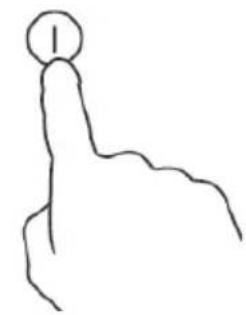
- Touch the ON/OFF ① control.
After power on, the buzzer beeps once, timer control show "√", heating zone selection controls show "■" or "○" or "□", indicating that the induction hob has entered the state of standby mode.
natural_image
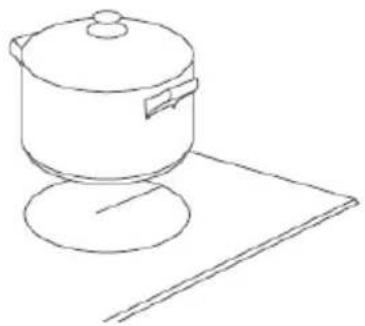
Simple line drawing of a hand pointing upward with a circular symbol on the index finger (no text or labels)- Place a suitable pan on the cooking zone that you wish to use.
- Make sure the bottom of the pan and the surface of the cooking zone are clean and dry.
natural_image
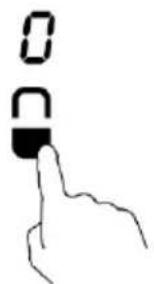
Line drawing of a cooking pot on a stand (no text or symbols)- Touching the heating zone selection control, and a indicator upon you touched will flash
text_image
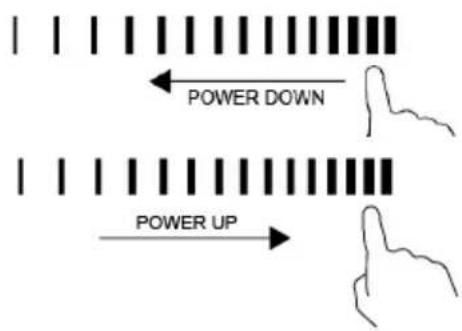
0 0- Adjust heat setting by touching the slider control.
- If you don't choose a heat setting within 1 minute, the Induction hob will automatically switch off. You will need to start again at step 1.
- You can modify the heat setting at any time during cooking.
text_image
POWER DOWN POWER UPIf the display flashes ≥slant alternately with the heat setting
This means that:
- you have not placed a pan on the correct cooking zone or,
- the pan you're using is not suitable for induction cooking or,
- the pan is too small or not properly centred on the cooking zone.
No heating takes place unless there is a suitable pan on the cooking zone.
The display will automatically turn off after 1 minute if no suitable pan is placed on it.
When you have finished cooking
-
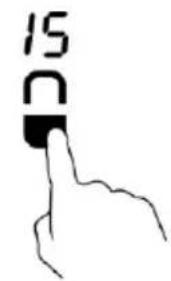
Touching the heating zone selection control that you wish to switch off
-
Turn the cooking zone off by touching the slider to the left. Make sure the display shows "0"
text_image
15 D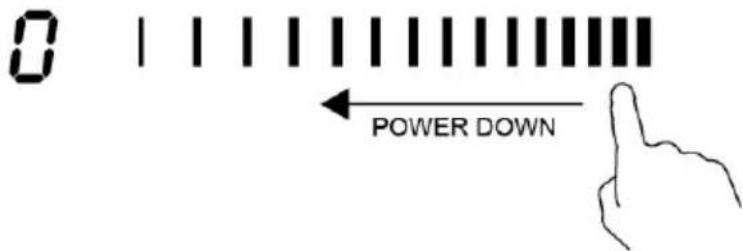
text_image
0 | | | | | | | | | | | | | | | | | | | | | | | | | | | | | | | | | | | | | | | | | | | | | | | | | | | | | | | | | | | | | | | | | ← POWER DOWN- Turn the whole cooktop off by touching the ON/OFF control.
natural_image
Simple line drawing of a hand pointing upward with a circular mark on the index finger (no text or symbols)- Beware of hot surfaces
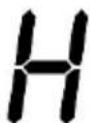
H will show which cooking zone is hot to touch. It will disappear when the surface has cooled down to a safe temperature. It can also be used as an energy saving function if you want to heat further pans, use the hotplate
that is still hot.
Using the Boost function
Activated the boost function
- Touching the heating zone selection control
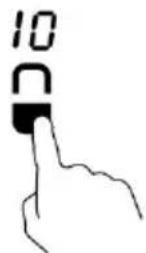
- Touching the boost control B, the zone indicator shows "b" and the power reach Max.
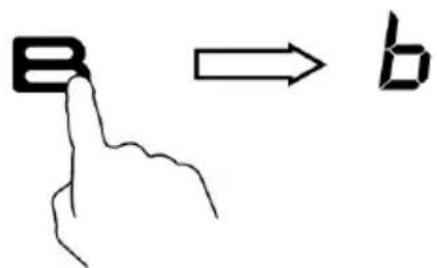
text_image
B → bCancel the Boost function
- Touching the heating zone selection control that you wish to cancel the boost function
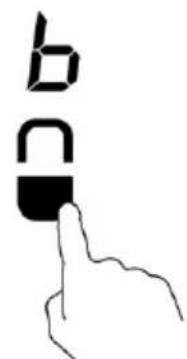
text_image
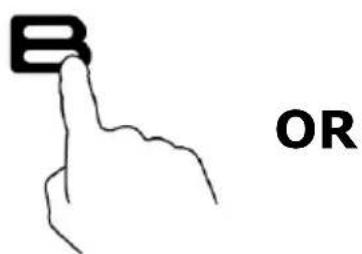
b B- a: Touching the boost control "B", then the cooking zone will revert to its original setting.
b: Touching the slider control, then the cooking zone will revert to the level you select.
text_image
B OR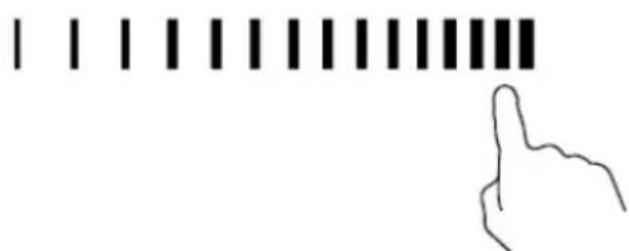
natural_image
Simple line drawing of a hand pointing at a row of vertical bars (no text or symbols)- The function can work in all cooking zones
- The cooking zone returns to its original setting after 5 minutes.
- As the boost function of 1st cooking zone is activated, the 2nd cooking zone is limited under level 2 automatically. vice versa
- If the original heat setting equals b, it will return to 15 after 5 minutes
Using the Keep Warm function
Activated the keep warm function
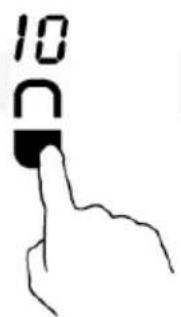
- Touching the heating zone selection control
text_image
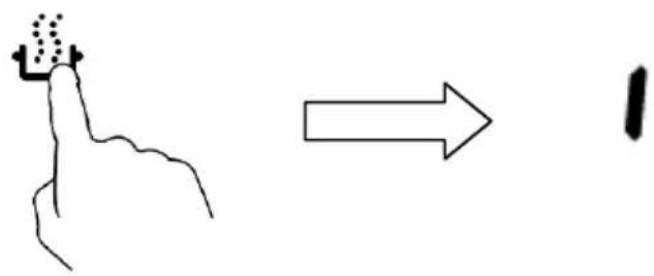
10 C- Touching the keep warm control 🔍, the zone indicator shows "1".
text_image
Hand-drawn diagram showing a finger pressing a button and pointing to a number 1, with an arrow indicating direction.- Touching the heating zone selection control

- a: Touching the slider control, then the cooking zone will revert to the level you select.
natural_image
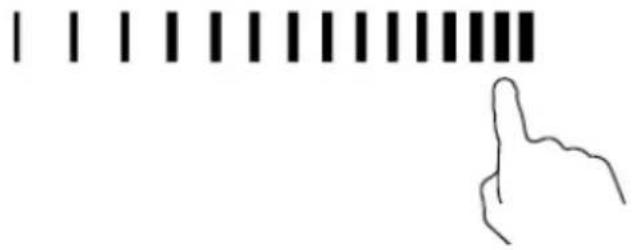
Simple line drawing of a hand pointing at a row of vertical bars (no text or symbols)b: Touching the function control such as B, then the cooking zone will revert to the level you previously selected.
FLEXIBLE AREA
- This area can be used as a single zone or as two different zones, accordingly to the cooking needs anytime.
- Flexible area is made of two independent inductors that can be controlled separately. When working as a single zone, a cookware is moved from one zone to the other one within the flexible area keeping the same power level of the zone where the cookware originally was placed, and the part that is not covered by cookware is automatically switched off.
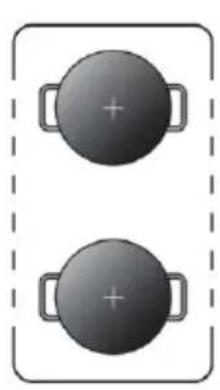
- Important: Make sure to place the cookwares centered on the single cooking zone. In case of big pot,oval,rectangular and elongated pans make sure to place the pans centered on the cooking zone covering both cross.
Examples of good pot placement and bad pot placement.
natural_image
Two identical dark circular objects with plus signs placed vertically, enclosed in a dashed border (no text or symbols)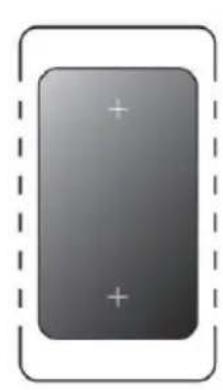
natural_image
Gray rectangular button with plus signs inside, enclosed by a dashed border (no text or symbols)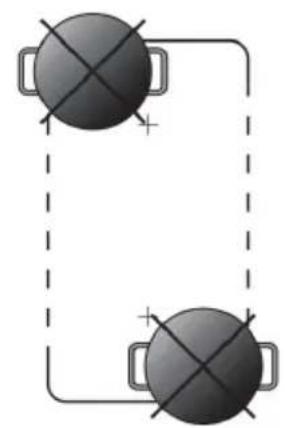
natural_image
Simple diagram of two circular objects with cross marks connected by lines, no text or symbols presentAs big zone
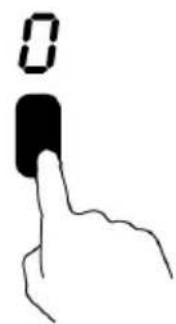
- To activate the flexible area as a single big zone, simply press the dedicated keys.
text_image
0-
The power setting works as any other normal area.
-
If the pot is moved from the front to the rear part (or viceversa), the flexible area detects automatically the new position, keeping the same power.
-
To add a further pot, press again the dedicated keys, in order to detect the cookware.
As two independent zones
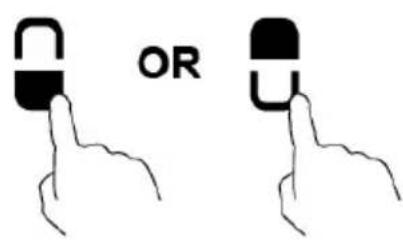
To use the flexible area as two different zones with different power settings, press the dedicated keys.
text_image
ORLocking the Controls
- You can lock the controls to prevent unintended use (for example children accidentally turning the cooking zones on).
- When the controls are locked, all the controls except the ON/OFF control are disabled.
To lock the controls
Touch the keylock 🔒 control. The timer indicator will show "Loc"
To unlock the controls
- Touch and hold the keylock control 🔒 for a while.
- You can now start using your Induction hob.

When the hob is in the lock mode, all the controls are disable except the ON/OFF ⏻, you can always turn the induction hob off with the ON/OFF
① control in an emergency, but you shall unlock the hob first in the next operation.
Over-Temperature Protection
A temperature sensor equipped can monitor the temperature inside the Induction hob. When an excessive temperature is monitored, the Induction hob will stop operation automatically.
Detection of Small Articles
When an unsuitable size or non-magnetic pan (e.g. aluminium), or some other small item (e.g. knife, fork, key) has been left on the hob, the zone automatically go on to standby in 1 minute. The fan will keep cooling down the induction hob for a further 1 minute.
Auto Shutdown Protection
Auto shut down is a safety protection function for your induction hob. It shuts down automatically if ever you forget to turn off your cooking. The default working times for various power levels are shown in the below table: .
| Power level | Keep warm | 1~5 | 6~10 | 11~14 | 15 |
| Default working timer (hour) | 2 | 8 | 4 | 2 | 1 |
When the pot is removed, the induction hob can stop heating immediately and the hob automatically switch off after 2 minutes.

People with a heart pace maker should consult with their doctor before using this unit.
Using the Timer
You can use the timer in two different ways:
- You can use it as a minute minder. In this case, the timer will not turn any cooking zone off when the set time is up.
- You can set it to turn cooking zones off after the set time is up.
- You can set the timer for up to 99 minutes.
Using the Timer as a Minute Minder
If you are not selecting any cooking zone
- Make sure the cooktop is turned on.
Note: you can use the minute minder even if you're not selecting any cooking zone.
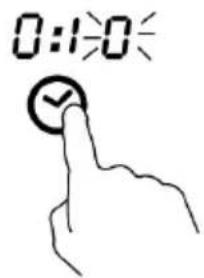
- Touch timer control ☑, the "0: 10" will show in the timer display where touched and the "0" flashes.
text_image
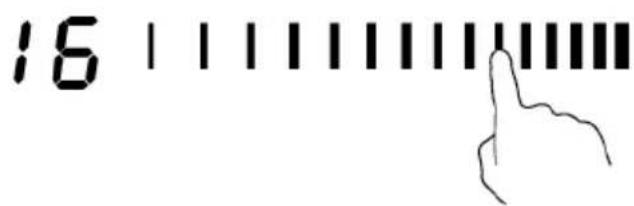
0:10- Set the time by touching the slider control. (e.g. 6)
text_image
16 | | | | | | | | | | | | | | | | | | | | | | | | | | | | | | | | | | | | | | | | | | | | | | | | | | | | | | | | | | | | | | | | | | | | | 16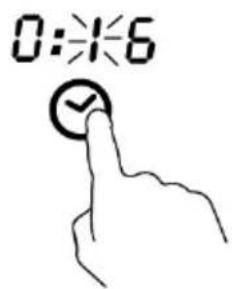
text_image
0:16-
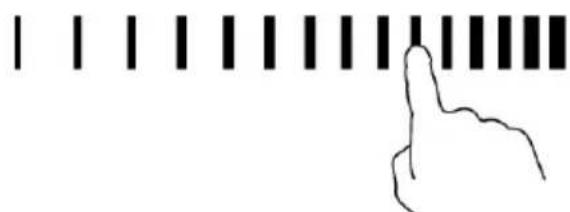
Touch timer control ✅ again, the "1" will flash.
-
set the time by touching the slider control (e.g.9), now the timer you set is 56 minutes.
0:56
natural_image
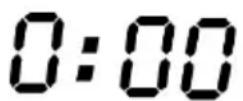
Simple line drawing of a hand pointing at a horizontal bar with vertical tick marks (no text or symbols)- Buzzer will beep for 30 seconds and the timer indicator shows "0:00" when the setting time finished.
0:00
Setting the timer to turn cooking zones off
If the timer is set on one zone:
- Touching the heating zone selection control that you want to set the timer for.
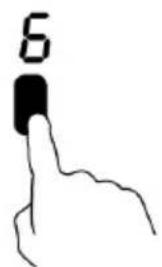
text_image
6- Touch timer control, the "0: 10" will show in the timer display and the "0" flashes.
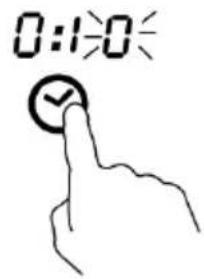
text_image
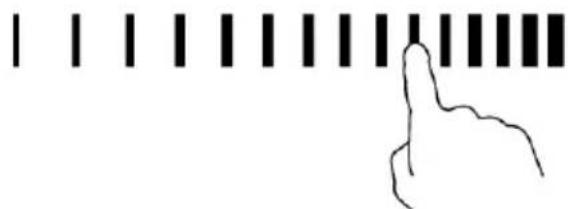
0:1:0- Set the time by touching the slider control. (e.g. 6)
16
natural_image
Simple line drawing of a hand pointing at a horizontal bar with vertical tick marks (no text or symbols)- Touch timer control again, the "1" will flash.
0:56
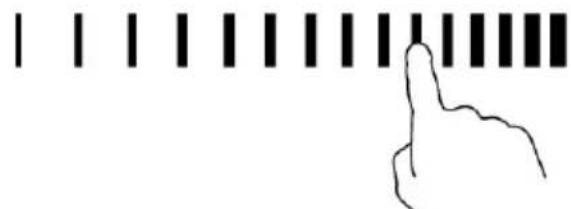
- set the time by touching the slider control (e.g.9), now the timer you set is 56 minutes.
0:56
natural_image
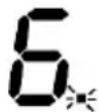
Simple line drawing of a hand pointing at a horizontal bar with vertical tick marks (no text or symbols)- When the time is set, it will begin to count down immediately. The display will show the remaining time and the timer indicator flashes for 5 seconds.
NOTE: The red dot next to power level indicator will illuminate indicating that zone is selected.
- When cooking timer expires, the corresponding cooking zone will be switch off automatically.

Other cooking zone will keep operating if they are turned on previously.
If the timer is set on more than one zone:
- When you set the time for several cooking zones simultaneously, decimal dots of the relevant cooking zones are on. The minute display shows the min. timer. The dot of the corresponding zone flashes.
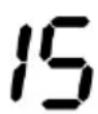
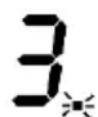
(set to 15 minutes)
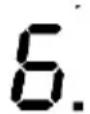
(set to 45 minutes)
- Once the countdown timer expires, the corresponding zone will switch off. Then it will show the new min. timer and the dot of corresponding zone will flash.
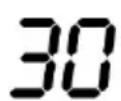
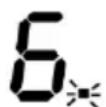
- Touch the heating zone selection control, the corresponding timer will be shown in the timer indicator.
Cooking Guidelines

Take care when frying as the oil and fat heat up very quickly, particularly if you're using PowerBoost. At extremely high temperatures oil and fat will ignite spontaneously and this presents a serious fire risk.
Cooking Tips
- When food comes to the boil, reduce the temperature setting.
- Using a lid will reduce cooking times and save energy by retaining the heat.
- Minimise the amount of liquid or fat to reduce cooking times.
- Start cooking on a high setting and reduce the setting when the food has heated through.
Simmering, cooking rice
- Simmering occurs below boiling point, at around 85^ C, when bubbles are just rising occasionally to the surface of the cooking liquid. It is the key to delicious soups and tender stews because the flavours develop without overcooking the food. You should also cook egg-based and flour thickened sauces below boiling point.
- Some tasks, including cooking rice by the absorption method, may require a setting higher than the lowest setting to ensure the food is cooked properly in the time recommended.
Searing steak
To cook juicy flavoursome steaks:
- Stand the meat at room temperature for about 20 minutes before cooking.
- Heat up a heavy-based frying pan.
- Brush both sides of the steak with oil. Drizzle a small amount of oil into the hot pan and then lower the meat onto the hot pan.
- Turn the steak only once during cooking. The exact cooking time will depend on the thickness of the steak and how cooked you want it. Times may vary from about 2 – 8 minutes per side. Press the steak to gauge how cooked it is – the firmer it feels the more 'well done' it will be.
- Leave the steak to rest on a warm plate for a few minutes to allow it to relax and become tender before serving.
For stir-frying
- Choose an induction compatible flat-based wok or a large frying pan.
- Have all the ingredients and equipment ready. Stir-frying should be quick. If cooking large quantities, cook the food in several smaller batches.
- Preheat the pan briefly and add two tablespoons of oil.
- Cook any meat first, put it aside and keep warm.
- Stir-fry the vegetables. When they are hot but still crisp, turn the cooking zone to a lower setting, return the meat to the pan and add your sauce.
- Stir the ingredients gently to make sure they are heated through.
- Serve immediately.
Heat Settings
The settings below are guidelines only. The exact setting will depend on several factors, including your cookware and the amount you are cooking. Experiment with the induction hob to find the settings that best suit you.
| Heat setting | Suitability |
| 1 - 2 | ·delicate warming for small amounts of food·melting chocolate, butter, and foods that burn quickly·gentle simmering·slow warming |
| 3 - 5 | ·reheating·rapid simmering·cooking rice |
| 6 - 11 | ·pancakes |
| 12- 14 | ·sautéing·cooking pasta |
| 15/P | ·stir-frying·searing·bringing soup to the boil·boiling water |
Care and Cleaning
The settings below are guidelines only. The exact setting will depend on several factors, including your cookware and the amount you are cooking. Experiment with the cooktop to find the settings that best suit you.
| What? | How? | Important! |
| Everyday soiling on glass (fingerprints, marks, stains left by food or non-sugary spillovers on the glass) | 1. Switch the power to the cooktop off.2. Apply a cooktop cleaner while the glass is still warm (but not hot!)3. Rinse and wipe dry with a clean cloth or paper towel.4. Switch the power to the cooktop back on. | ·When the power to the cooktop is switched off, there will be no 'hot surface' indication but the cooking zone may still be hot! Take extreme care.·Heavy-duty scourers, some nylon scourers and harsh/abrasive cleaning agents may scratch the glass. Always read the label to check if your cleaner or scourer is suitable.·Never leave cleaning residue on the cooktop: the glass may become stained. |
| Boilovers, melts, and hot sugary spills on the glass | Remove these immediately with a fish slice, palette knife or razor blade scraper suitable for Induction glass cooktops, but beware of hot cooking zone surfaces:1. Switch the power to the cooktop off at the wall.2. Hold the blade or utensil at a 30° angle and scrape the soiling or spill to a cool area of the cooktop.3. Clean the soiling or spill up with a dish cloth or paper towel.4. Follow steps 2 to 4 for 'Everyday soiling on glass' above. | ·Remove stains left by melts and sugary food or spillovers as soon as possible. If left to cool on the glass, they may be difficult to remove or even permanently damage the glass surface.·Cut hazard: when the safety cover is retracted, the blade in a scraper is razor-sharp. Use with extreme care and always store safely and out of reach of children. |
| Spillovers on the touch controls | 1. Switch the power to the cooktop off.2. Soak up the spill3. Wipe the touch control area with a clean damp sponge or cloth.4. Wipe the area completely dry with a paper towel.5. Switch the power to the cooktop back on. | ·The cooktop may beep and turn itself off, and the touch controls may not function while there is liquid on them. Make sure you wipe the touch control area dry before turning the cooktop back on. |
Hints and Tips
| Problem | Possible causes | What to do |
| The induction hob cannot be turned on. | No power. | Make sure the induction hob is connected to the power supply and that it is switched on.Check whether there is a power outage in your home or area. If you've checked everything and the problem persists, call a qualified technician. |
| The touch controls are unresponsive. | The controls are locked. | Unlock the controls. See section 'Using your induction cooktop' for instructions. |
| The touch controls are difficult to operate. | There may be a slight film of water over the controls or you may be using the tip of your finger when touching the controls. | Make sure the touch control area is dry and use the ball of your finger when touching the controls. |
| The glass is being scratched. | Rough-edged cookware.Unsuitable, abrasive scourer or cleaning products being used. | Use cookware with flat and smooth bases. See 'Choosing the right cookware'.See 'Care and cleaning'. |
| Some pans make crackling or clicking noises. | This may be caused by the construction of your cookware (layers of different metals vibrating differently). | This is normal for cookware and does not indicate a fault. |
| The induction hob makes a low humming noise when used on a high heat setting. | This is caused by the technology of induction cooking. | This is normal, but the noise should quieten down or disappear completely when you decrease the heat setting. |
| Fan noise coming from the induction hob. | A cooling fan built into your induction hob has come on to prevent the electronics from overheating. It may continue to run even after you've turned the induction hob off. | This is normal and needs no action.Do not switch the power to the induction hob off at the wall while the fan is running. |
| Pans do not become hot and ≥slant appears in the display. | The induction hob cannot detect the pan because it is not suitable for induction cooking.The induction hob cannot detect the pan because it is too small for the cooking zone or not properly centred on it. | Use cookware suitable for induction cooking. See section 'Choosing the right cookware'.Centre the pan and make sure that its base matches the size of the cooking zone. |
| The induction hob or a cooking zone has turned itself off unexpectedly, a tone sounds and an error code is displayed (typically alternating with one or two digits in the cooking timer display). | Technical fault. | Please note down the error letters and numbers, switch the power to the induction hob off at the wall, and contact a qualified technician. |
Failure Display and Inspection
If an abnormality comes up, the induction hob will enter the protective state automatically and display corresponding protective codes:
| Problem | Possible causes | What to do |
| F1-F6 | Temperature sensor failure | Please contact the supplier. |
| F9-FA | Temperature sensor of the IGBT failure. | Please contact the supplier. |
| FC | The connection between the display board and the main board is fail | Please contact the supplier. |
| E1/E2 | Abnormal supply voltage | Please inspect whether power supply is normal.Power on after the power supply is normal. |
| E3/E4 | Temperature sensor of the ceramic glass plate is high | Please restart after the induction hob cools down. |
| E5 | Temperature sensor of the IGBT iIs high | Please restart after the induction hob cools down. |
The above are the judgment and inspection of common failures.
Please do not disassemble the unit by yourself to avoid any dangers and damages to the induction hob.
Technical Specification
| Cooking Hob | HES 62 – HES6D |
| Cooking Zones | 4 Zones |
| Supply Voltage | 220-240V~ 50/60Hz |
| Installed Electric Power | 7200W |
| Product Size D× W× H(mm) | 590X520X60 |
| Building-in Dimensions A× B (mm) | 560X490 |
Weight and Dimensions are approximate. Because we continually strive to improve our products we may change specifications and designs without prior notice.
Installation
Selection of installation equipment
Cut out the work surface according to the sizes shown in the drawing.
For the purpose of installation and use, a minimum of 5 cm space shall be preserved around the hole.
Be sure the thickness of the work surface is at least 30mm. Please select heat-resistant work surface material to avoid larger deformation caused by the heat radiation from the hotplate. As shown below:
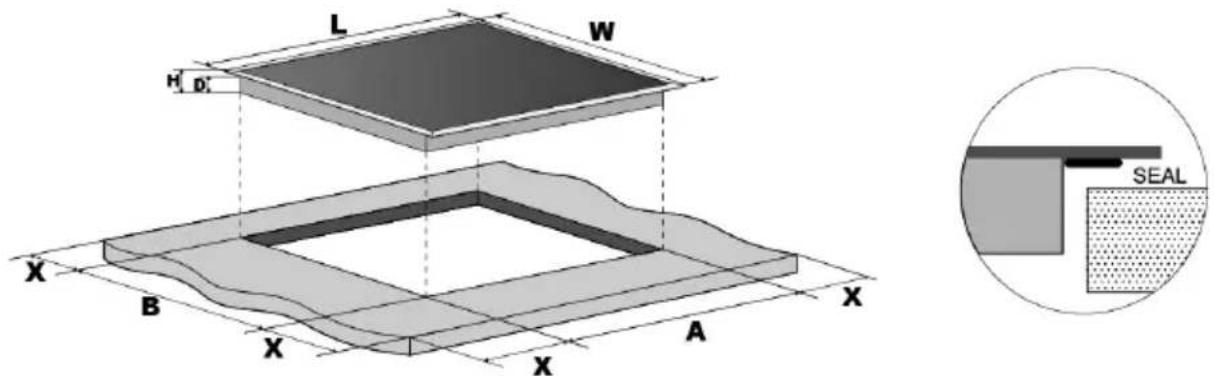
text_image
L W H D X B X A X SEAL| L(mm) | W(mm) | H(mm) | D(mm) | A(mm) | B(mm) | X(mm) |
| 590 | 520 | 60 | 56 | 560+4+1 | 490+4+1 | 50 mini |
Under any circumstances, make sure the Induction cooker hob is well ventilated and the air inlet and outlet are not blocked. Ensure the Induction cooker hob is in
good work state. As shown below

Note: The safety distance between the hotplate and the cupboard above the hotplate should be at least 760mm.
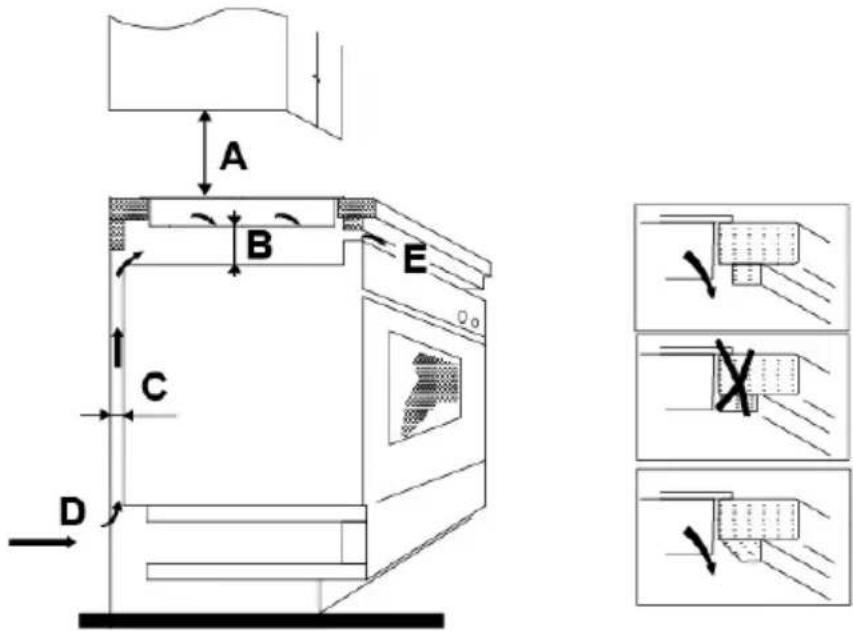
text_image
A B C D EBefore you install the hob, make sure that
- the work surface is square and level, and no structural members interfere with space requirements
- the work surface is made of a heat-resistant material
- if the hob is installed above an oven, the oven has a built-in cooling fan
- the installation will comply with all clearance requirements and applicable standards and regulations
- a suitable isolating switch providing full disconnection from the mains power supply is incorporated in the permanent wiring, mounted and positioned to comply with the local wiring rules and regulations.
The isolating switch must be of an approved type and provide a 3 mm air gap contact separation in all poles (or in all active [phase] conductors if the local wiring rules allow for this variation of the requirements)
- the isolating switch will be easily accessible to the customer with the hob installed
- you consult local building authorities and by-laws if in doubt regarding installation
- you use heat-resistant and easy-to-clean finishes (such as ceramic tiles) for the
wall surfaces surrounding the hob.
When you have installed the hob, make sure that
- the power supply cable is not accessible through cupboard doors or drawers
- there is adequate flow of fresh air from outside the cabinetry to the base of the hob
- if the hob is installed above a drawer or cupboard space, a thermal protection barrier is installed below the base of the hob
- the isolating switch is easily accessible by the customer
Before locating the fixing brackets
The unit should be placed on a stable, smooth surface (use the packaging). Do not apply force onto the controls protruding from the hob.
Adjusting the bracket position
Fix the hob on the work surface by screw 4 brackets on the bottom of hob(see picture) after installation.
Adjust the bracket position to suit for different table top thickness.
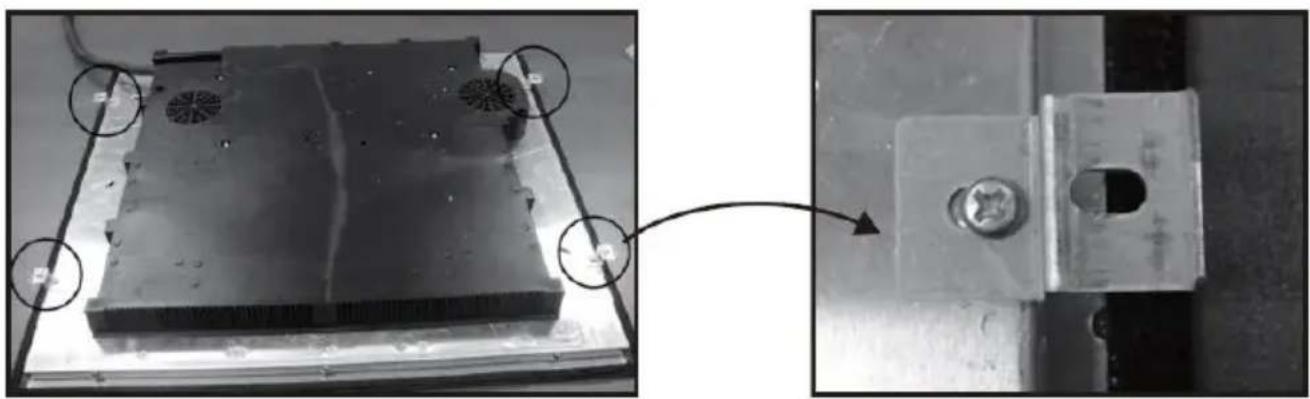
natural_image
Close-up of a metallic electronic component with mounting holes and a close-up view showing a bolted part (no text or symbols visible)Cautions
-
The induction hotplate must be installed by qualified personnel or technicians. Please never conduct the operation by yourself.
-
The hob will not be installed directly above a dishwasher, fridge, freezer, washing machine or clothes dryer, as the humidity may damage the hob electronics.
-
The induction hotplate shall be installed such that better heat radiation can be ensured to enhance its reliability.
-
The wall and induced heating zone above the table surface shall withstand heat.
-
To avoid any damage, the sandwich layer and adhesive must be resistant to heat.
Connecting the hob to the mains power supply

This hob must be connected to the mains power supply only by a suitably qualified person. Before connecting the hob to the mains power supply, check that:
- the domestic wiring system is suitable for the power drawn by the hob.
- the voltage corresponds to the value given in the rating plate
- the power supply cable sections can withstand the load specified on the rating plate.
To connect the hob to the mains power supply, do not use adapters, reducers, or branching devices, as they can cause overheating and fire.
The power supply cable must not touch any hot parts and must be positioned so that its temperature will not exceed 75^ C at any point.

Check with an electrician whether the domestic wiring system is suitable without alterations. Any alterations must only be made by a qualified electrician.
The power supply should be connected in compliance with the relevant standard, or a single-pole circuit breaker. The method of connection is shown below.
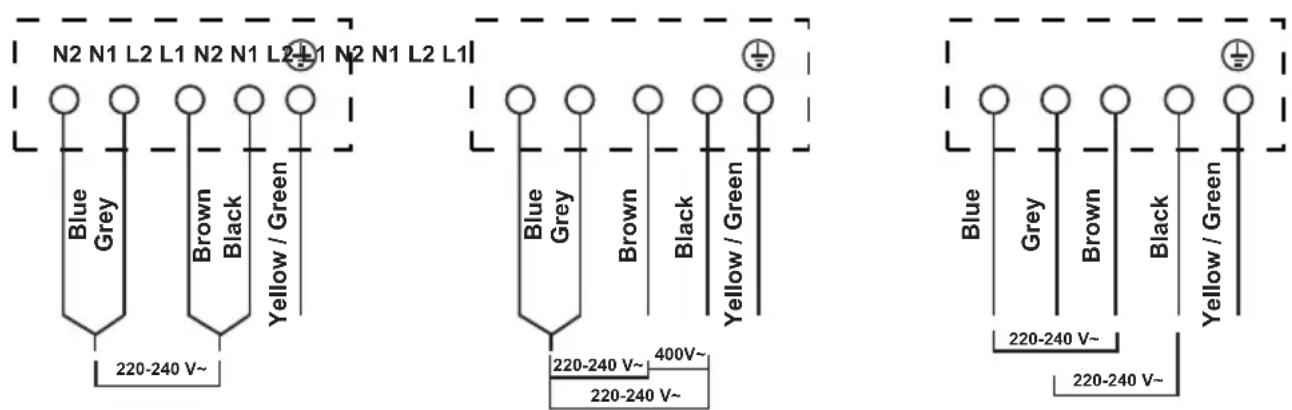
text_image
N2 N1 L2 L1 N2 N1 L2 L1 N2 N1 L2 L1 Blue Grey Brown Black Yellow / Green 220-240 V~ Blue Grey Brown Black Yellow / Green 220-240 V~ 400V~ 220-240 V~ 220-240 V~ 220-240 V~ 220-240 V~ 220-240 V~- If the cable is damaged or to be replaced, the operation must be carried out by the after-sale agent with dedicated tools to avoid any accidents.
- If the appliance is being connected directly to the mains an omnipolar circuit-breaker must be installed with a minimum opening of 3mm between contacts.
- The installer must ensure that the correct electrical connection has been made and that it is compliant with safety regulations.
- The cable must not be bent or compressed.
- The cable must be checked regularly and replaced by authorised technicians only.
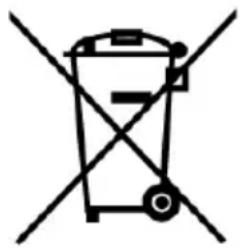
natural_image
Symbol of a trash bin crossed with a diagonal line, representing waste sorting or disposal (no text or labels)
DISPOSAL: Do not dispose this product as unsorted municipal waste. Collection of such waste separately for special treatment is necessary.
This appliance is labeled in compliance with European directive 2002/96/EC for Waste Electrical and Electronic Equipment (WEEE). By ensuring that this appliance is disposed of correctly, you will help prevent any possible damage to the environment and to human health, which might otherwise be caused if it were disposed of in the wrong way.
The symbol on the product indicates that it may not be treated as normal household waste. It should be taken to a collection point for the recycling of electrical and electronic goods.
This appliance requires specialist waste disposal. For further information regarding the treatment, recover and recycling of this product please contact your local council, your household waste disposal service, or the shop where you purchased it.
For more detailed information about treatment, recovery and recycling of this product, please contact your local city office, your household waste disposal service or the shop where you purchased the product.
natural_image
Diagram of a steam machine with cooling unit and two control panels, emitting steam (no text or symbols)Casserole en fer
Circuit magnétique
Dessus
vitrocéramique
Inducteurs
Flux d'induction
natural_image
Simple line drawing of a shoe being checked with a checkmark and crossed with a cross (no text or symbols)
natural_image
Simple line drawing of a cooking pot with a U-shaped tube attached to the side (no text or symbols)natural_image
Three identical cooking pots with crossed-out X marks, no text or symbols presentnatural_image
Four identical cooking pots with crossed-out X marks, shown in sequence (no text or symbols)natural_image
Two cooking pots with crossed arrows indicating heating or cooling conditions (no text or symbols)natural_image
Simple line drawing of a hand holding a circular button (no text or symbols)natural_image
Line drawing of a cooking pot on a stand (no text or symbols)text_image
0 | | | | | | | | | | | | | | | | | | | | | | | | | | | | | | | | | | | | | | | | | | | | | | | | | | | | | | | | | | | | | | | | | | | | | | | | ← POWER DOWNnatural_image
Simple line drawing of a hand pointing upward with a circular symbol on the index finger (no text or labels)text_image
Hand-drawn diagram showing a finger pressing a button and then clicking a right-pointing arrow, with a small black dot above the finger.natural_image
Simple line drawing of a hand pressing a button with a vertical line above (no text or symbols)text_image
Simple graphic with vertical bars and a hand pointing to it, likely indicating a menu or navigation step.natural_image
Two identical circular objects with plus signs placed vertically, enclosed in a dashed border (no text or symbols)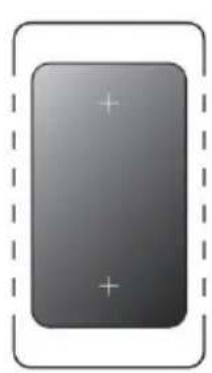
natural_image
Gray rectangular button with plus and minus signs inside a dashed border (no text or symbols)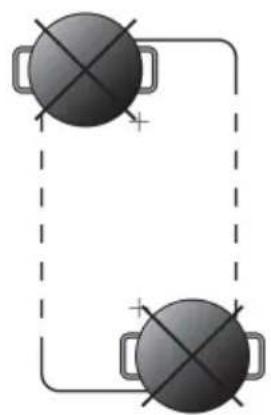
natural_image
Simple diagram of two identical circular objects connected by a dashed line with plus signs, no text or symbols present.text_image
L P H 0 X B X A X SEAL| L(mm) | P(mm) | H(mm) | D(mm) | A(mm) | B(mm) | X(mm) |
| 590 | 520 | 60 | 56 | 560+4+1 | 490+4+1 | 50 minis |
natural_image
Close-up of a metallic electronic component with mounting holes and a close-up view showing a bolted connection (no text or symbols visible)Mise en garde
natural_image
Symbol of a trash bin crossed with no text or numbers, representing environmental restriction (no text present)natural_image
Simple line drawing of a steam machine with cooling fans and heat dissipation lines (no text or symbols)text_image
Diagram showing two hand-drawn symbols: a checkmark and a cross, likely indicating correct and incorrect conditions.natural_image
Simple line drawing of a cooking pot with a coiled tube (no text or symbols)natural_image
Three identical cooking pots with crossed-out X marks, no text or symbols presentnatural_image
Four identical cooking pots with crossed-out X marks, shown in a row (no text or symbols)text_image
Diagram showing crossed-out cooking pan and cooking pot with directional arrows indicating movement or pressureTava Ölç ü leri
natural_image
Simple line drawing of a hand pointing upward with a circular icon on the index finger (no text or symbols)natural_image
Line drawing of a cooking pot on a stand (no text or symbols)text_image
0 | | | | | | | | | | | | | | | | | | | | | | | | | | | | | | | | | | | | | | | | | | | | | | | ← POWER DOWN ↑ ↓ ①natural_image
Simple line drawing of a hand pointing at a striped bar and a vertical line above it (no text or symbols)text_image
Hand-drawn diagram showing a finger pressing a button and pointing right to a number 1, likely indicating a correct or incorrect action.natural_image
Hand holding a padlock icon with a finger, no text or symbols presenttext_image
Hand-drawn graphic showing a hand pointing at a sequence of vertical bars above a horizontal line, with no text or symbols present.natural_image
Two identical circular objects with plus signs, enclosed in a dashed border (no text or symbols)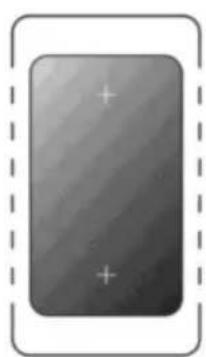
natural_image
Gray rectangular icon with plus signs inside, enclosed by a dashed border (no text or symbols)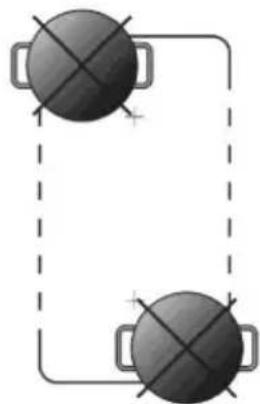
natural_image
Two dark circular objects with cross marks connected by a dashed line, no text or symbols present.Büyük bölge olarak
natural_image
Hand holding a finger with a small black button, no text or symbols presentnatural_image
Two hand gestures with black padlock icons, no text or symbols presentnatural_image
Simple line drawing of a hand pointing at a horizontal bar with vertical tick marks (no text or symbols)natural_image
Simple line drawing of a hand pointing at a row of vertical bars (no text or symbols)natural_image
Simple line drawing of a hand pointing at a horizontal bar with vertical tick marks (no text or symbols)text_image
L W H D: X B X A X X A| U(mm) | G(mm) | Y(mm) | D(mm) | A(mm) | B(mm) | X(mm) |
| 590 | 520 | 60 | 56 | 560+4 +1 | 490+4 +1 | 50 mini |
text_image
Three-panel diagram illustrating a mechanical or electrical process with checkmark indicators and labeled components.| A(mm) | B(mm) | C(mm) | D | E |
| 760 | 50 mini | 20 mini | Hava girişi | Hava çıkış min.5mm |
natural_image
Close-up of a metal plate with circular features and a separate view showing a bolted component (no text or symbols visible)Uyarılar
natural_image
Symbol of a trash bin with no text or labels, crossed by two diagonal lines and a solid black rectangle below (no text or symbols present)text_image
Diagram showing two hand positions on a line with checkmark and cross symbols, likely illustrating correct and incorrect hand movement.natural_image
Simple line drawing of a cooking pot with a U-shaped tube attached to its side (no text or symbols)- Ak nemáte magnet:
natural_image
Three identical cooking pots with crossed-out X marks, no text or symbols presentnatural_image
Four identical cooking pots with crossed-out X marks, shown in different orientations (no text or symbols)natural_image
Two cooking pots with crossed arrows indicating opposing directions (no text or symbols)Rozmery riadu
natural_image
Simple line drawing of a hand with a circular mark on the index finger (no text or symbols)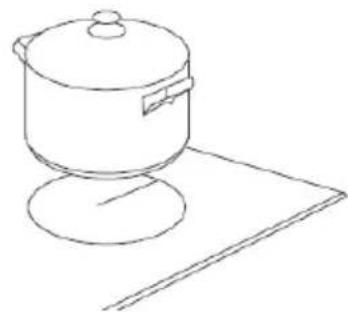
natural_image
Line drawing of a cooking pot on a stand (no text or symbols)
text_image
0 0natural_image
Simple line drawing of a hand pointing upward with a circular icon on the index finger (no text or symbols)natural_image
Simple line drawing of a hand pointing at a row of vertical bars, with no text or symbols present.text_image
Hand-drawn diagram showing a finger pressing a button and pointing right to a number '1'Zrušenie funkcie udržiavania tepla
- Dotknite sa voliča vol'by varnej zóny.
text_image
1natural_image
Simple line drawing of a hand pointing at a row of vertical bars, with no text or symbols present.natural_image
Two identical black circular objects with plus signs placed side by side within a dashed border (no text or symbols)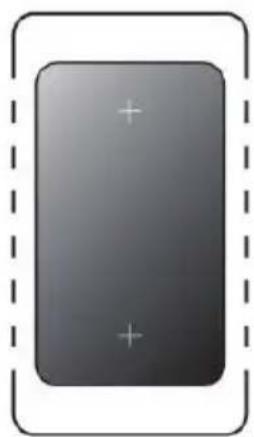
natural_image
Gray rectangular button with plus and minus signs inside a dashed border (no text or symbols)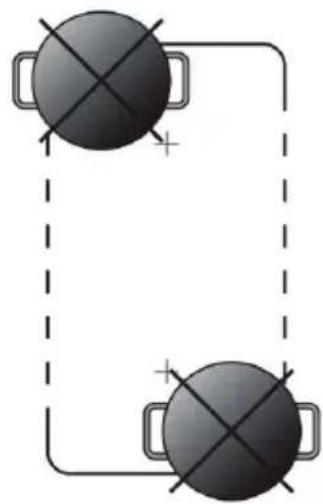
natural_image
Two black circular objects with cross marks connected by a dashed line, no text or symbols present.Ako vel'ká zóna
natural_image
Simple line drawing of a hand pointing at a row of vertical bars (no text or symbols)natural_image
Simple line drawing of a hand pointing at a row of vertical bars (no text or symbols)natural_image
Close-up of a metal component with mounting holes and a close-up view showing a bolted joint (no text or symbols visible)Upozornenie
natural_image
Symbol of a trash bin crossed with two diagonal lines, no text or numbers presenttext_image
Diagram showing two hand positions on a line with checkmark and cross symbols indicating correct and incorrect states.natural_image
Simple line drawing of a cooking pot with a U-shaped tube attached to its side (no text or symbols)natural_image
Three identical cooking pots with crossed-out X marks, no text or symbols presentnatural_image
Four identical cooking pots with crossed-out X marks, shown in different orientations (no text or symbols)natural_image
Two cooking pots with crossed arrows indicating opposing pressure directions (no text or symbols)Rozměry nádobí
natural_image
Simple line drawing of a hand pointing upward with a circular icon on the index finger (no text or symbols)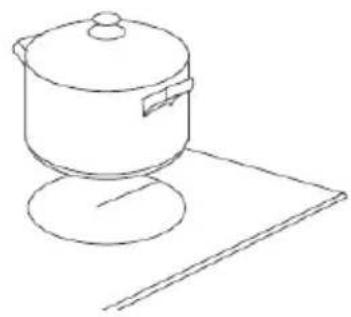
natural_image
Line drawing of a cooking pot on a stand (no text or symbols)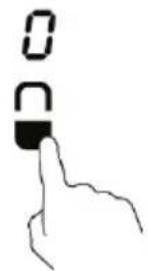
text_image
0 0natural_image
Simple line drawing of a hand pointing upward with a circular icon on the index finger (no text or symbols)natural_image
Simple line drawing of a hand pointing at a row of vertical bars, with no text or symbols present.text_image
Hand-drawn diagram showing a finger pressing a button and pointing right to a number 1, likely indicating a step or instruction.natural_image
Simple line drawing of a hand pressing a padlock icon (no text or symbols)natural_image
Simple line drawing of a hand pointing at a row of vertical bars, with no text or symbols present.natural_image
Two identical circular objects with plus signs placed inside a dashed border (no text or symbols)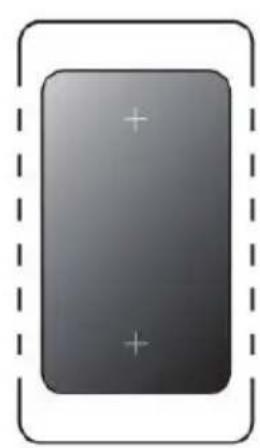
natural_image
Gray rectangular button with plus signs inside, enclosed by a dashed border (no text or symbols)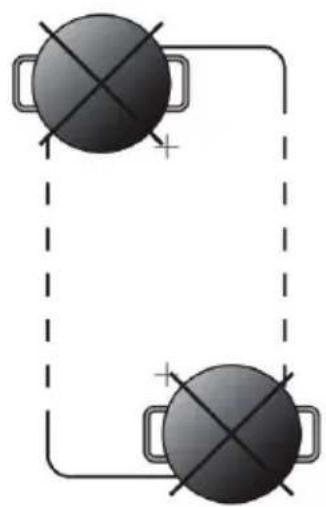
natural_image
Two black circular objects with cross marks connected by a dashed line, no text or symbols present.Jako velká zóna
natural_image
Simple line drawing of a hand pointing at a row of vertical bars (no text or symbols)natural_image
Simple line drawing of a hand pointing at a vertical bar with tick marks (no text or symbols)natural_image
Simple line drawing of a hand pointing at a row of vertical bars (no text or symbols)natural_image
Close-up of a metal component with circular features, shown from two angles (no text or symbols visible)Upozornění
natural_image
Symbol of a trash bin with crossed lines indicating no waste or discharge, and a solid black rectangle below (no text or labels)natural_image
Diagram of a steam machine with cooling unit and two control panels, no text or symbols presentLitoželezna posoda
text_image
Diagram showing two hand positions with checkmark and cross symbols indicating correct and incorrect statesIzbiranje ustrezne posode

natural_image
Simple line drawing of a cooking pot with a coiled tube attached (no text or symbols)- Če nimate magneta:
- V posodo, katere primernost želite preveriti, vlijte malo vode.
-
Sledite navodilom za začetek kuhanja
-
Če na prikazovalniku ne utripa simbol , voda pa se segreva, je posoda primerna.
natural_image
Three identical cooking pots with crossed X marks, no text or symbols presentnatural_image
Four identical cooking pots with crossed-out X marks, shown in different orientations (no text or symbols)natural_image
Two cooking pots with crossed arrows indicating heating or cooling conditions (no text or symbols)Velikost posod
natural_image
Line drawing of a hand pointing upward and a cooking pot on a surface (no text or symbols)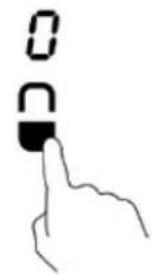
text_image
Hand gesture showing a finger pressing a button with '0' and 'C' labels, likely indicating a step or state in a digital interface.text_image
0 | | | | | | | | | | | | | | | | | | | | | | | | | | | | | | | | | | | | | | | | | | | | | | | | | | | | | | | | | | | | | | | | | | | | | | ← POWER DOWNnatural_image
Simple line drawing of a hand pointing upward with a circular symbol on the index finger (no text or labels)text_image
Hand-drawn diagram showing a finger pointing at a textured object and a right-pointing arrow labeled '1'Preklic funkcije za ohranjanje toplote
natural_image
Simple line drawing of a hand pointing at a row of vertical bars (no text or symbols)natural_image
Two identical circular objects with plus signs placed inside a dashed border (no text or symbols)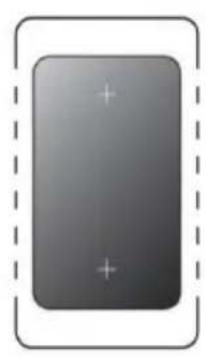
natural_image
Gray rectangular button with plus and minus signs inside a dashed border (no text or symbols)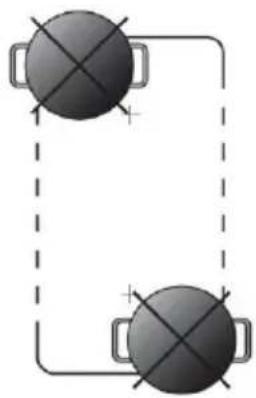
natural_image
Two identical gray circular objects with cross marks connected by a dashed line, no text or symbols present.natural_image
Simple line drawing of a hand pointing at a row of vertical bars (no text or symbols)text_image
L W H 0' X B X A X SEAL| L(mm) | W(mm) | H(mm) | D(mm) | A(mm) | B(mm) | X(mm) |
| 590 | 520 | 60 | 56 | 560+4+1 | 490+4+1 | 50 mini |
Prepričajte se, da je zagotovljeno ustrezno zračenje in da odprtini za vstop in izstop zraka nista zamašeni. Prepričajte se, da je indukcijska kuhalna plošča brezhibna.

natural_image
Close-up of a metallic mechanical component with circular features, shown from two angles (no text or symbols visible)Opozorila
natural_image
Simple line drawing of a steaming machine with heat dissipation, no text or symbols presentPentola di ferro
Circuito magneco
Lastra in vetroceramica
Bobina induzione
Corren indoe
text_image
Diagram showing two hand positions on a line with checkmark and cross symbols, likely illustrating correct and incorrect positioning.natural_image
Three identical cooking pots with crossed-out X marks, no text or symbols presentnatural_image
Four identical cooking pots with crossed-out X symbols, shown in sequence (no text or labels)natural_image
Diagram of a cooking pot with crossed X-shaped arrows indicating pressure or heat transfer (no text or symbols)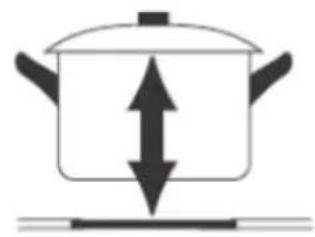
natural_image
Simple line drawing of a cooking pot with upward and downward arrows indicating direction (no text or symbols)natural_image
Simple line drawing of a hand pointing upward with a circular mark on the index finger (no text or symbols)natural_image
Line drawing of a cooking pot on a stand (no text or symbols)text_image
0 | | | | | | | | | | | | | | | | | | | | | | | | | | | | | | | | | | | | | | | | | | | | | | | | | | | | | | | | | | | | | | | | | | | | | | | | | ← POWER DOWN Hand iconnatural_image
Simple line drawing of a hand pointing upward with a circular icon on the index finger (no text or symbols)text_image
Image containing a series of vertical black lines on white background, resembling a barcode or pattern.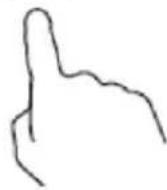
natural_image
Simple line drawing of a finger pointing at a textured surface with a small protrusion (no text or symbols)
natural_image
Simple black right-pointing arrow outline on white background (no text or symbols)
text_image
Simple diagram showing a sequence of vertical bars above a hand pointing downward, likely representing a basic arithmetic or symbolic concept.natural_image
Two identical dark circular objects with plus signs placed on each side, enclosed by a dashed border (no text or symbols)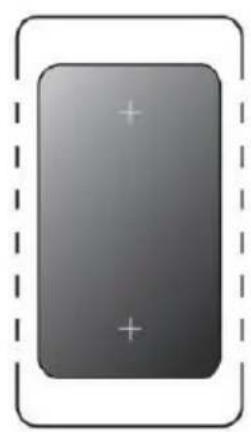
natural_image
Gray rectangular button with plus and minus signs inside, enclosed by a dashed border (no text or symbols)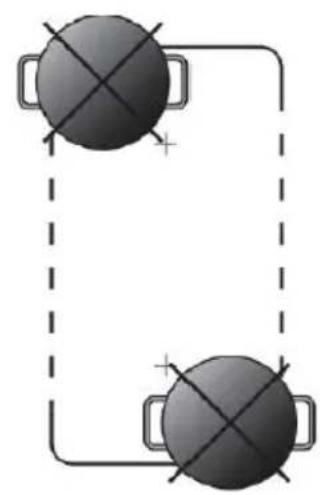
natural_image
Simple diagram of two circular objects with cross marks inside a dashed rectangular frame, no text or symbols present.Come zona singola
natural_image
Simple line drawing of a hand pointing at a row of vertical bars (no text or symbols)natural_image
Simple line drawing of a hand pointing at a row of vertical bars (no text or symbols)text_image
L W H D' X B X A X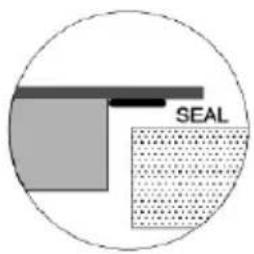
text_image
SEAL| L(mm) | W(mm) | H(mm) | D(mm) | A(mm) | B(mm) | X(mm) |
| 590 | 520 | 60 | 56 | 560+4+1 | 490+4+1 | 50 mini |