EasyManual
Mini Comfort HD7460 - Coffee maker PHILIPS - Free user manual and instructions
Find the device manual for free Mini Comfort HD7460 PHILIPS in PDF.



| Technical features | Filter coffee machine, 1.2 liter capacity, 1000 W power, anti-drip system. |
|---|---|
| Usage | Easy to use with a simple control panel, water level indicator, and keep-warm function. |
| Maintenance and repair | Washable permanent filter, removable tank for easy cleaning, and regular maintenance recommended to prevent limescale buildup. |
| Safety | Automatic shut-off after 30 minutes of inactivity, overheating protection. |
| General information | Compact design, ideal for small kitchens, and 2-year warranty. |
Frequently Asked Questions - Mini Comfort HD7460 PHILIPS
User questions about Mini Comfort HD7460 PHILIPS
0 question about this device. Answer the ones you know or ask your own.
Ask a new question about this device
Download the instructions for your Coffee maker in PDF format for free! Find your manual Mini Comfort HD7460 - PHILIPS and take your electronic device back in hand. On this page are published all the documents necessary for the use of your device. Mini Comfort HD7460 by PHILIPS.
USER MANUAL Mini Comfort HD7460 PHILIPS
natural_image
White Philips Comfort coffee maker with clear glass lid and handle (no visible text or symbols on device body)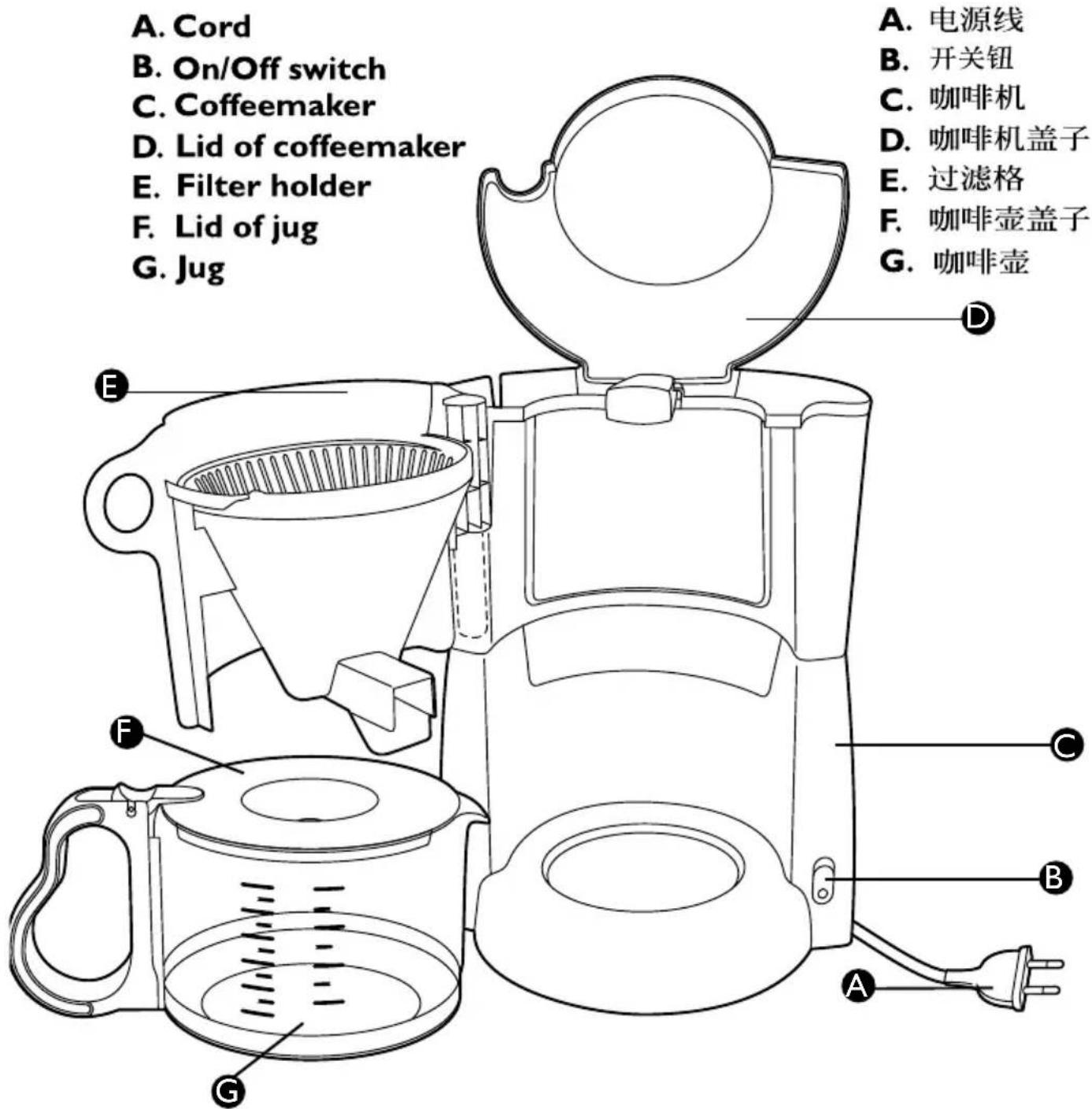
text_image
A. Cord B. On/Off switch C. Coffeemaker D. Lid of coffeemaker E. Filter holder F. Lid of jug G. Jug A. 电源线 B. 开关钮 C. 咖啡机 D. 咖啡机盖子 E. 过滤格 F. 咖啡壶盖子 G. 咖啡壶Do not use the appliance if the plug, the cord or the appliance itself is damaged.
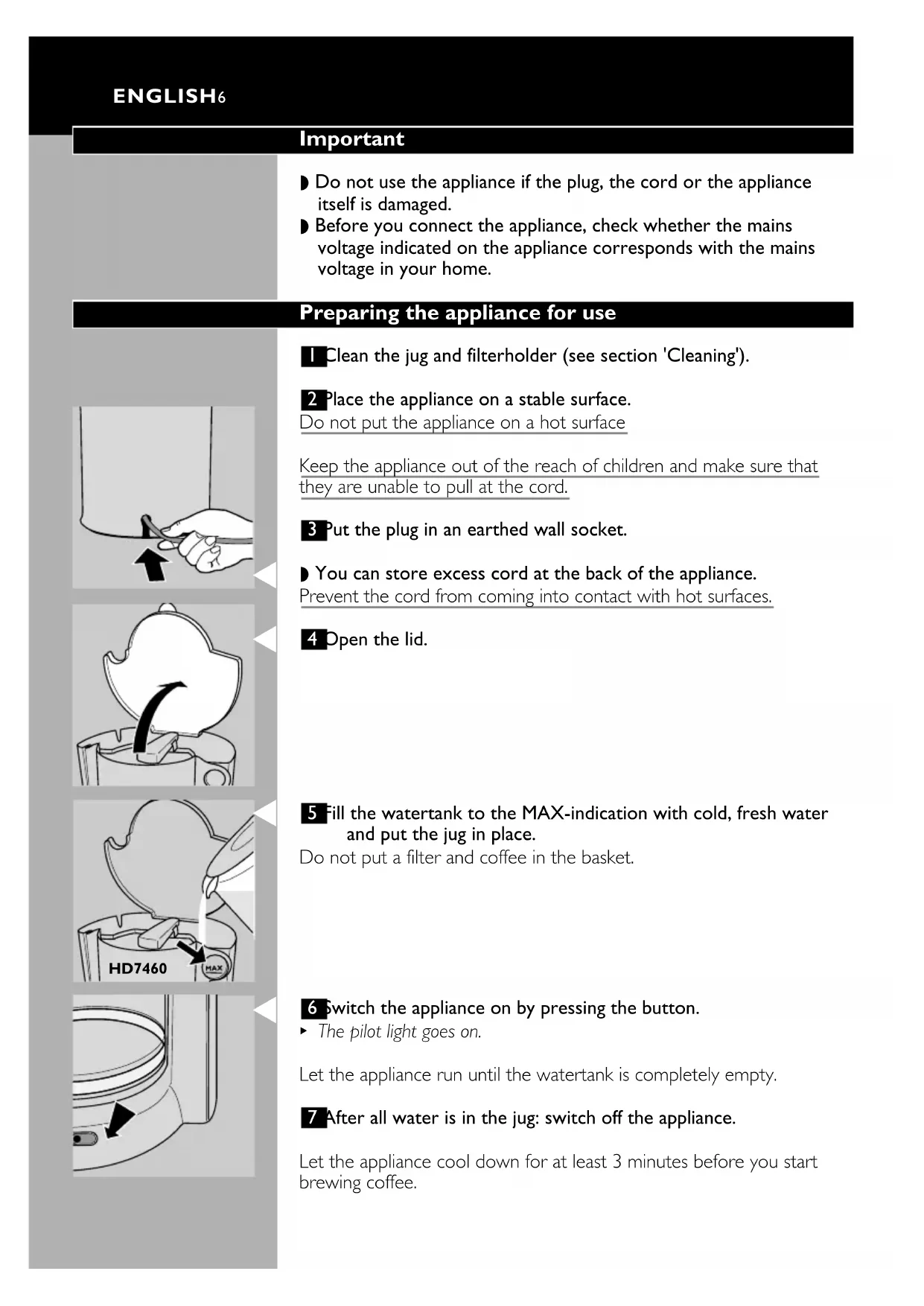
Before you connect the appliance, check whether the mains voltage indicated on the appliance corresponds with the mains voltage in your home.
Preparing the appliance for use
natural_image
Hand holding a pen with an arrow pointing to a curved line, no text or symbols presentClean the jug and filterholder (see section 'Cleaning').
2 Place the appliance on a stable surface. Do not put the appliance on a hot surface
Keep the appliance out of the reach of children and make sure that they are unable to pull at the cord.
3 Put the plug in an earthed wall socket.
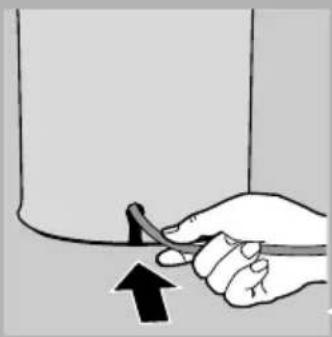
- You can store excess cord at the back of the appliance. Prevent the cord from coming into contact with hot surfaces.
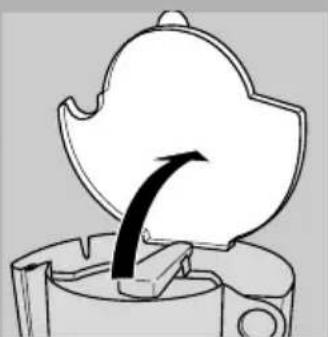
4 Open the lid.
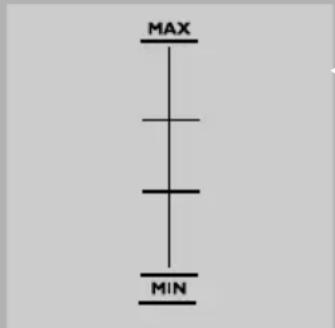
5 Fill the watertank to the MAX-indication with cold, fresh water and put the jug in place. Do not put a filter and coffee in the basket.
6 Switch the appliance on by pressing the button. ▶ The pilot light goes on.
Let the appliance run until the watertank is completely empty.
7 After all water is in the jug: switch off the appliance.
Let the appliance cool down for at least 3 minutes before you start brewing coffee.
Brewing coffee
text_image
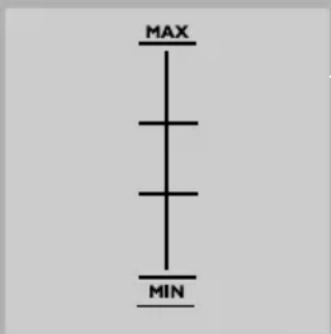
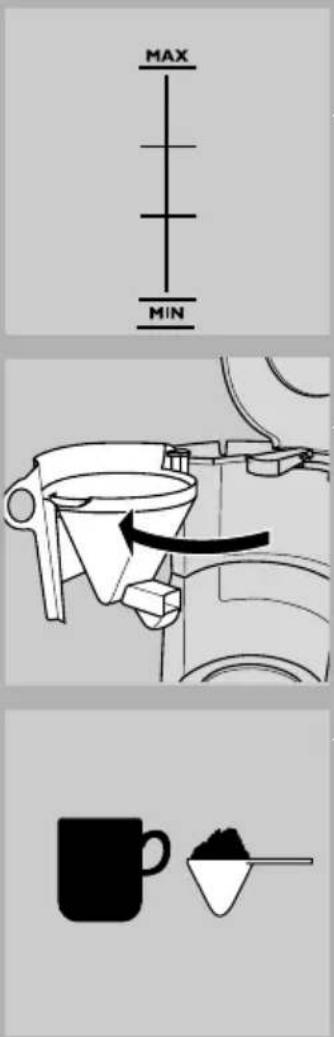
MAX MINI Open the lid.
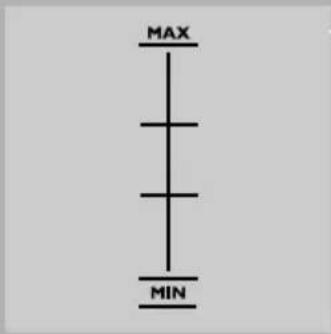
2 Fill the watertank with the desired amount of cold, fresh water.
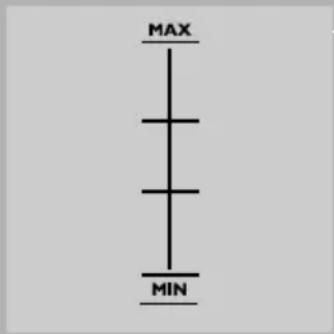
The water level in the water tank can be read from the winddow; the markings correspond to large cups (125 ml; MAX = 5 cups). Ensure that the water level does not get higher than the maximum marking (MAX).
natural_image
Mechanical diagram showing a hopper mechanism with a rotating funnel and directional arrow (no text or symbols)3 Close the lid.
4 Place the jug.
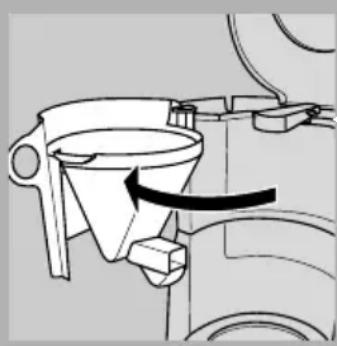
5 Open the filter holder.
6 Put a paper filter (type 1x2) in the filter holder.
Do not forget to fold the sealed edges of the filter.
With some models a permanent filter is supplied. In this case paper filters are not required.
natural_image
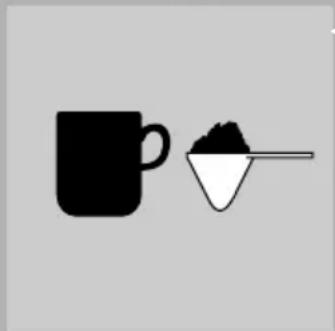
Simple illustration of a coffee mug and a small container with granular substance (no text or symbols)7 Put pre-ground coffee (filter-fine grind) in the filter.
8 Close the lid.
9 Switch the appliance on by pressing the button.
▶ The pilot light will go on.
10 Switch the appliance off after use.
Let the appliance cool down for at least 3 minutes before you start brewing coffee again.
Cleaning
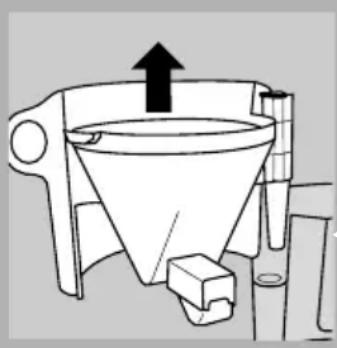
natural_image
Diagram of a funnel with an upward arrow indicating direction, no text or symbols presentUnplug the appliance.
2 Clean the outside of the appliance with a moist cloth.
Never immerse the appliance in water.
3 Clean the jug and the removable filterholder in hot soapy water or in the dishwasher.
Descaling
Descale the appliance regularly. In case of normal use:
- 2 or 3 times a year if your are using soft water (less than 18^ DH);
- 4 or 5 times a year if you are using hard water (more than 18°DH).
Turn to your local water board for information about the water hardness in your area.
I Use an appropriate descaler or fill the water tank with white vinegar. Do not put a filter and coffee in the filter holder.
2 Let the appliance complete two runs.
See 'Brewing coffee'. Let the appliance cool down before you start the second run.
3 Let the appliance complete two more runs with fresh, cold water to remove any vinegar and scale residues.
4 Clean the separate parts.
Replacement
Cord
If the mains cord is damaged, it must be replaced by Philips, a service centre authorised by Philips or similarly qualified persons in order to avoid a hazard.
Jug
You can order a new jug under type number HD7970. Please check with your local Philips dealer or Philips Service Centre.
Information & service
If you need service or information or if you have a problem, please consult the worldwide guarantee leaflet or visit our Web site: www.philips.com or contact the Philips Customer Care Centre in your country (you will find its phone number in the worldwide guarantee leaflet). If there is no Customer Care Centre in your country, turn to your local Philips dealer or contact the Service Department of Philips Domestic Appliances and Personal Care BV.
Important
natural_image
Hand holding a pen with an arrow pointing to it, no text or symbols present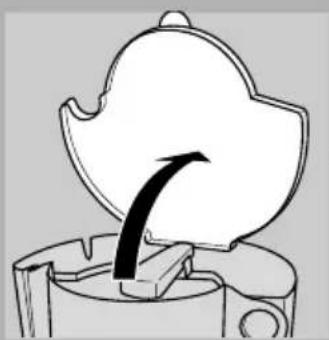
natural_image
Diagram of a mechanical component with an arrow indicating direction (no text or symbols)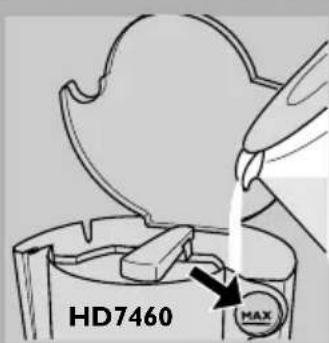
text_image
HD7460 MAX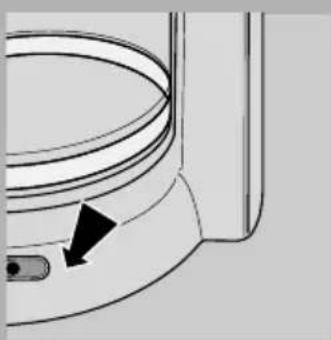
natural_image
Diagram of a curved mechanical component with a black arrow pointing to a small component (no text or symbols present)Pour faire du café
text_image
MAX MINnatural_image
Mechanical diagram showing a funnel inserted into a container with an arrow indicating direction (no text or symbols)natural_image
Simple line drawing of a coffee mug and a triangular container with a spoon (no text or symbols)natural_image
Simple line drawing of a funnel with an upward arrow, no text or symbols presentnatural_image
Hand holding a pen with an arrow pointing to it, no text or symbols presentnatural_image
Diagram of a mechanical component with an arrow indicating direction (no text or symbols)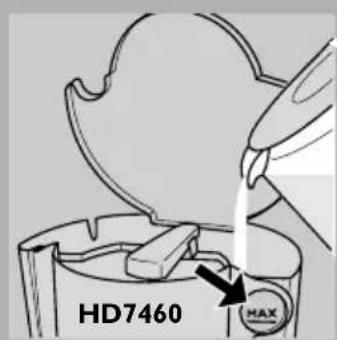
text_image
HD7460 MAX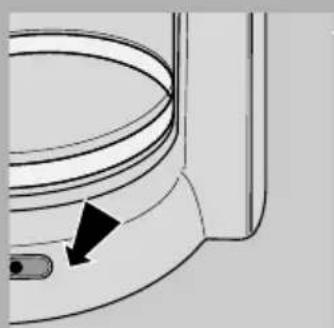
natural_image
Diagram of a toilet or sink with a curved pipe and arrow indicating direction (no text or symbols)natural_image
Mechanical diagram showing a hopper mechanism with a rotating lever (no text or symbols)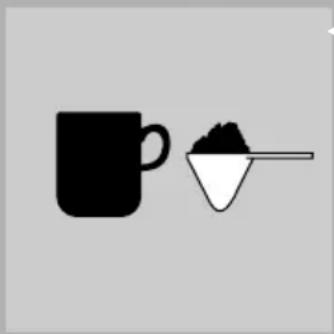
natural_image
Simple illustration of a coffee mug and a small container with granular powder (no text or symbols)natural_image
Diagram of a funnel with an upward arrow indicating direction, no text or symbols presentnatural_image
Hand holding a pen with an arrow pointing to a small object, no text or symbols present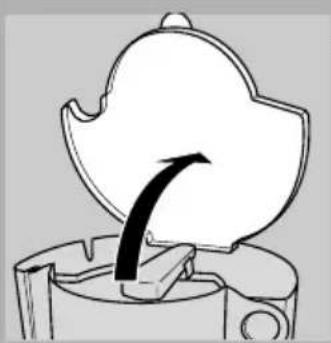
natural_image
Diagram of a mechanical component with an arrow indicating direction (no text or symbols)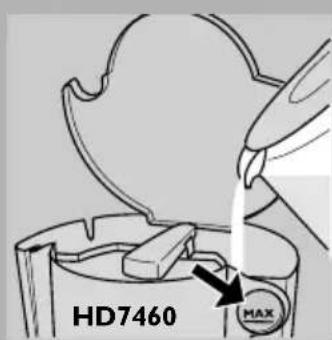
text_image
HD7460 HAX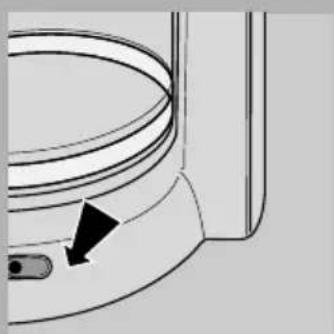
natural_image
Diagram of a toilet or sink with a curved handle and a black arrow pointing to the outlet (no text or symbols present)Fazer café
text_image
MAX MINnatural_image
Mechanical diagram showing a hopper lifting a bucket with an arrow indicating force (no text or symbols)natural_image
Simple line drawing of a funnel with an upward arrow, no text or symbols presentnatural_image
Hand holding a pen with an arrow pointing to a small object, no text or symbols presentnatural_image
Diagram of a mechanical component with a curved arrow indicating direction (no text or symbols)natural_image
Diagram of a toilet or sink with a black arrow pointing to the outlet (no text or symbols present)natural_image
Diagram of a funnel-shaped container with an upward arrow indicating direction (no text or symbols)natural_image
Hand holding a pen with an arrow pointing to it, no text or symbols present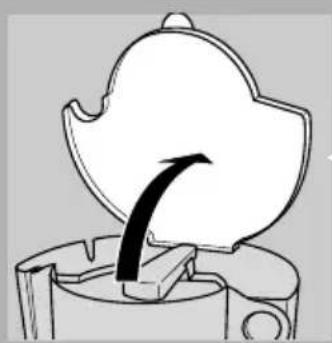
natural_image
Diagram of a mechanical component with an arrow indicating direction (no text or symbols)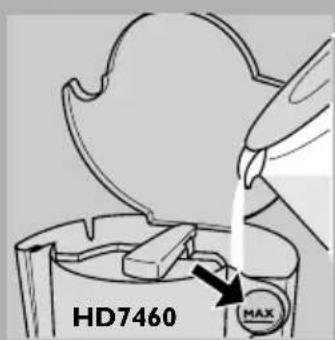
text_image
HD7460 MAX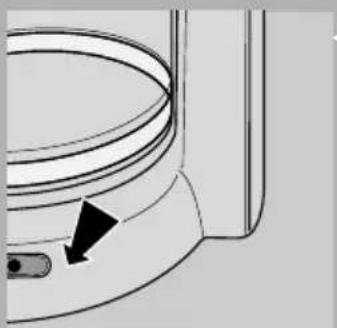
natural_image
Diagram of a toilet with a curved handle and arrow indicating direction (no text or symbols)Membuat kopi.
text_image
MAX MINnatural_image
Mechanical diagram showing a hopper and lever mechanism (no text or symbols)natural_image
Simple line drawing of a funnel with an upward arrow, no text or symbols presentnatural_image
Hand holding a tool with an arrow pointing to a small object, no text or symbols presentnatural_image
Diagram of a mechanical component with an arrow indicating direction (no text or symbols)natural_image
Pure diagram of a curved pipe or duct with a black arrow pointing to a small component (no text or symbols)6 按下按钮,开启电源。
▶ 指示灯亮起。
natural_image
Technical line drawing of a mechanical device with a funnel and lever mechanism (no text or symbols)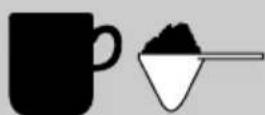
1 打开盖子。
2 在水罐中加注一定数量的冷的清水。
natural_image
Diagram of a funnel with an upward arrow indicating force or direction, no text or symbols presentnatural_image
Hand holding a pen with an arrow pointing to a curved line (no text or symbols)natural_image
Diagram of a mechanical component with a curved arrow indicating direction (no text or symbols)natural_image
Pure technical diagram of a curved pipe or duct with a black arrow pointing to a small component (no text or symbols)煮咖啡
text_image
MAX MINnatural_image
Diagram of a funnel-shaped mechanical device with an upward arrow indicating motion or force (no text or symbols present)natural_image
Hand holding a pen with an arrow pointing to a curved line (no text or symbols)natural_image
Diagram of a mechanical component with an arrow indicating direction, no text or symbols present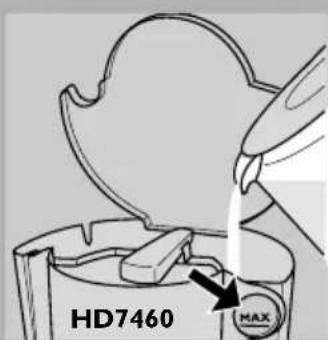
text_image
HD7460 MAX
natural_image
Diagram of a curved pipe or duct with a black arrow pointing to a small component (no text or symbols present)natural_image
Mechanical diagram showing a hopper and lever mechanism with no visible text or symbols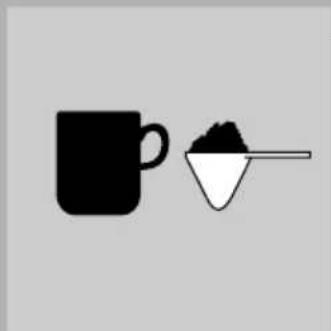
natural_image
Simple line drawing of a coffee mug and a small container with granular powder (no text or symbols)natural_image
Diagram of a funnel-shaped container with an upward arrow indicating direction (no text or symbols)natural_image
Hand holding a tool with an arrow pointing to a curved line, no text or symbols presentnatural_image
Diagram of a mechanical component with an arrow indicating direction (no text or symbols)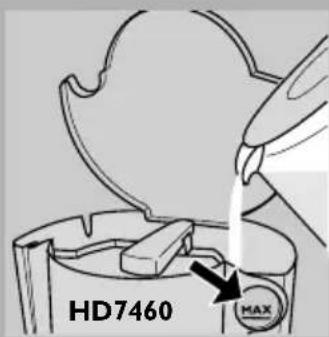
text_image
HD7460 MAX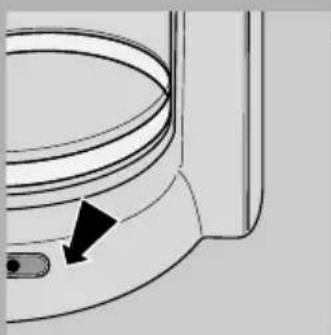
natural_image
Diagram of a toilet or sink with a black arrow pointing to the outlet (no text or symbols present)natural_image
Mechanical diagram showing a funnel inserted into a container with an arrow indicating direction (no text or symbols)3 ปดผ่า
natural_image
Simple illustration of a coffee mug and a small bowl with a spoon (no text or symbols)natural_image
Diagram of a funnel with an upward arrow indicating direction, no text or symbols presentnatural_image
Hand holding a cable with an arrow pointing upward (no text or symbols)