Brossing GN244 - Wristwatch SWATCH - Free user manual and instructions
Find the device manual for free Brossing GN244 SWATCH in PDF.



| Product type | Wrist watch |
| Brand | Swatch |
| Model | Brossing GN244 |
| Movement | Quartz |
| Case | Plastic |
| Crystal | Mineral |
| Strap | Silicone |
| Clasp | Buckle |
| Strap width | 20 mm |
| Case diameter | 41 mm |
| Case thickness | 10 mm |
| Weight | 30 g |
| Water resistance | 30 meters (3 ATM) |
| Power source | Button cell |
| Main functions | Hour, Minute, Second, Date, Day, Alarm, Loomi (illumination), Touch (game), Scuba (elapsed time) |
| Time setting | Crown in position 2 |
| Date and day setting | Crown in position B |
| Alarm | Activated/deactivated by pressing crown, adjustment with crown |
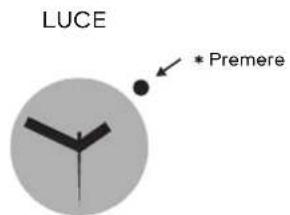
| Touch Loomi | Press the crystal to activate the illumination |
| Maintenance | Rinse with fresh water after contact with salt water |
| Repairability | Battery replaceable by a watchmaker |
Frequently Asked Questions - Brossing GN244 SWATCH
User questions about Brossing GN244 SWATCH
0 question about this device. Answer the ones you know or ask your own.
Ask a new question about this device
Download the instructions for your Wristwatch in PDF format for free! Find your manual Brossing GN244 - SWATCH and take your electronic device back in hand. On this page are published all the documents necessary for the use of your device. Brossing GN244 by SWATCH.
USER MANUAL Brossing GN244 SWATCH
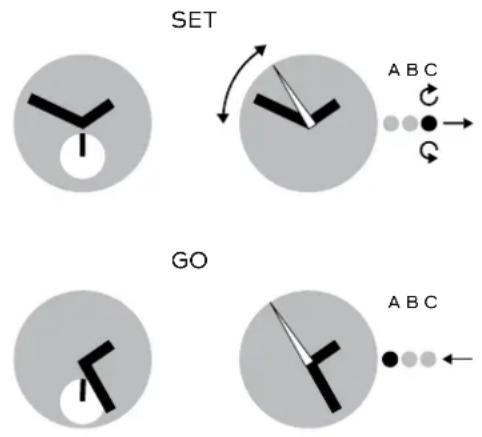
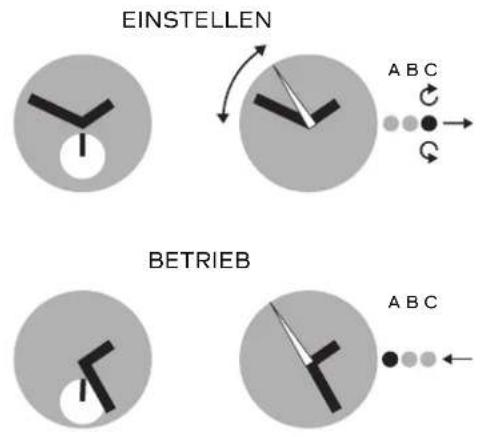
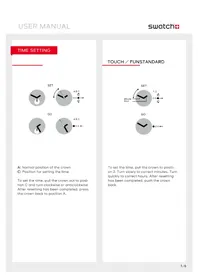
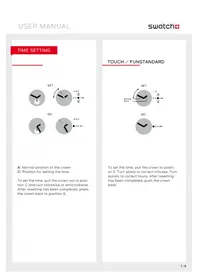
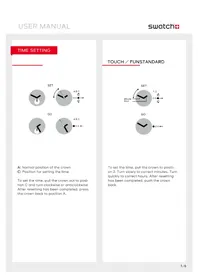
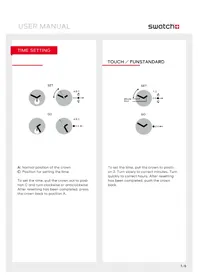
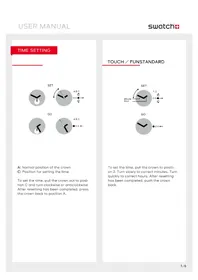
A: Normal position of the crown
C: Position for setting the time
To set the time, pull the crown out to position C and turn clockwise or anticlockwise. After resetting has been completed, press the crown back to position A.
TOUCH / FUNSTANDARD
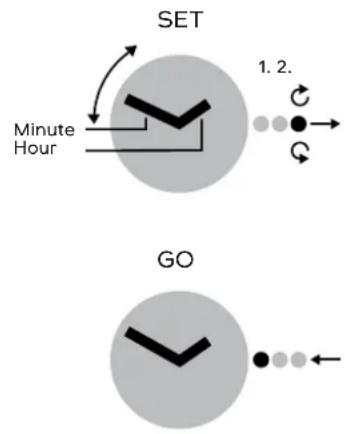
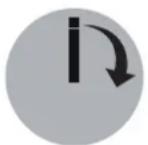
To set the time, pull the crown to position 2. Turn slowly to correct minutes. Turn quickly to correct hours. After resetting has been completed, push the crown back.
DATE OR DAY SETTING
STANDARD
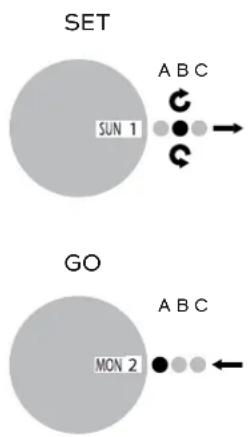
To set the date, pull the crown out to position B, and turn anticlockwise. To set the day, turn the crown in a clockwise direction. After resetting has been completed, press the crown back to position A.
READJUSTMENT
TOUCH / FUN

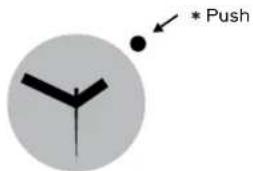
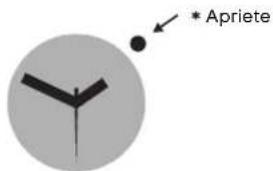
Push crown for 5 seconds. If both hands go to 12 o'clock, test is ok. Push crown again and hands go back to time.
If hands are not exactly at 12 o'clock, pull crown to position 2. Turn clockwise to readjust hour hand. Turn counter clockwise to readjust minute hand. Push crown back and hands turn back to show time.
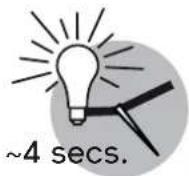
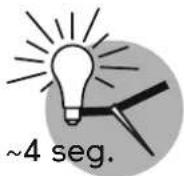
LOOMI FUNCTION: DISPLAY
TOUCH LOOMI
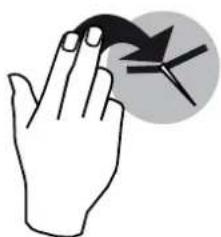
TOUCH YOUR SWATCH
natural_image
Illustration of a hand holding a bird, with a circular arrow symbol pointing to it (no text or symbols present)LOOMI ON
LOOMI
LIGHT FUNCTION
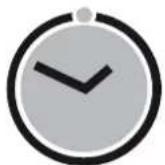
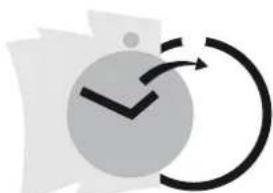
POP

POP-IN
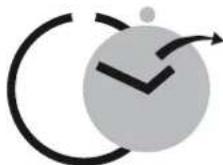
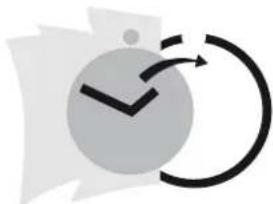
POP-OUT
natural_image
Abstract graphic with a clock icon and curved arrows, no text or symbols presentPOP ON CLOTHES

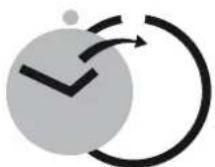
Note: Wear your Swatch simply with its band or try „popping“ it directly onto your clothes.
TOUCH ALARM
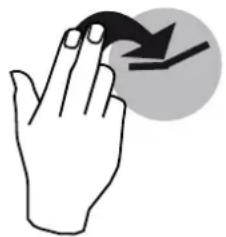
SHOW ALARM TIME
natural_image
Simple line drawing of a hand with fingers and a curved arrow, no text or symbols present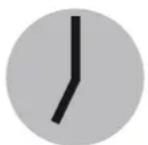
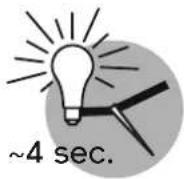
\~4 secs.
Touch your Swatch.
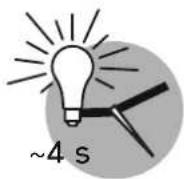
Hands move to show alarm time for approx. 4 seconds.
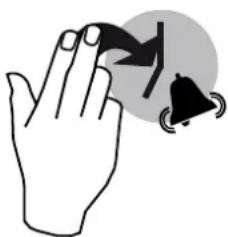
STOP ALARM
natural_image
Illustration of a hand holding a triangular object with a bell symbol nearby (no text or labels)Touch your Swatch to stop alarm.
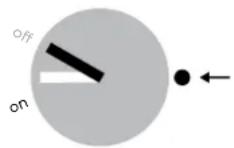
ALARM ON/OFF
...CHANGE ON/OFF

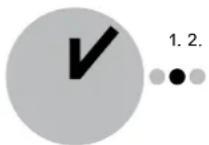
SHOW LAST ALARM
...SET NEW ALARM
GO

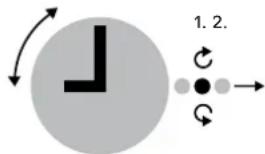
Switch alarm on/off and set alarm time Press crown and hands go to actual mode on or off.
Press crown again to change mode.
Pull crown to position 1 and the hands go to the last alarm time.
To set a new alarm time, turn crown (turn slowly = minutes, turn quickly = hours).
Then push crown back and hands turn back to time and alarm mode will be "on".
ALARM DEMO
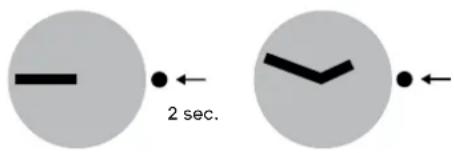
Press crown for 2 seconds to start alarm demo.
To stop, press crown again.
IMPORTANT: When the hands do not show correctly ON-OFF (alarm mode), the Touch Alarm must be adjusted (e.g. after battery change or a hard knock).
TOUCH GAME
natural_image
Illustration of a hand with fingers and a curved arrow, no text or symbols presentTouch your Swatch.

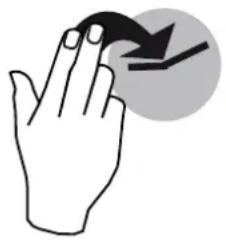
Hands come together at 12 o'clock and start to rotate at least on full turn.

IMPORTANT: If hands are not exactly at 12 o'clock, they have to be readjusted.
\~4 secs.
Hands stop by accident and show the result of your game for some seconds... ...then, hands turn back to time.
SCUBA FUNCTION: ELAPSED TIME
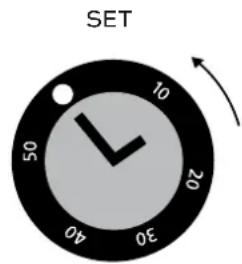

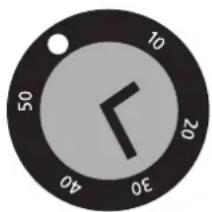
Using the adjustment ring
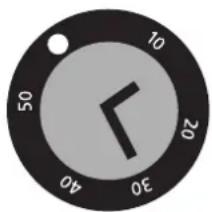
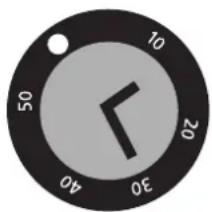
For setting the start time and duration of an activity, line up the marker on the adjustment ring with the minute hand. Timing starts at the time indicated by the marker. The elapsed time is indicated by the minute hand pointing the number on the adjustment ring.
WARNING NOTE
IMPORTANT: After being submerged in salt water, the Scuba 200 Chrono should always be rinsed with fresh water.
CAUTION: The Irony Scuba 200 Chrono is not a professional diving watch.
ZEIT EINSTELLEN
TIPPEN SIE AUF IHRE SWATCH
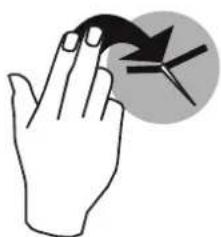
natural_image
Illustration of a hand holding a small object with a circular arrow symbol (no text or labels)LOOMI GEHT AN
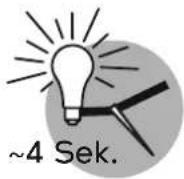
LOOMI
BELEUCHTUNG
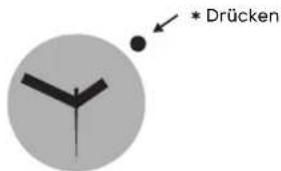
POP
natural_image
Abstract graphic with a clock icon and curved arrows, no text or symbols present.natural_image
Simple line drawing of a hand pressing a button with an arrow symbol (no text or labels)
\~4 Sek.
natural_image
Illustration of a hand holding a finger with two triangular warning symbols (no text or labels)natural_image
Simple line drawing of a hand with an arrow indicating clockwise motion (no text or symbols)natural_image
Simple analog clock face showing 10:30 (no text or numbers beyond clock face and arrow)ABLESEN
natural_image
Circular dial with a black hand pointing down to 30, showing time (no text or symbols beyond numbers)natural_image
Simple line drawing of a hand holding a small object with an arrow symbol (no text or labels)LA LOOMI S'ALLUME
LOOMI
LUMIÈRE
POP
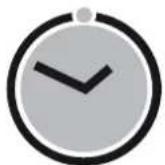
INSÉRER
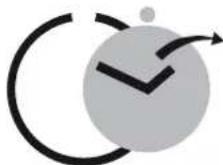
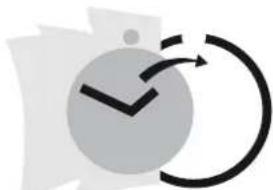
RETIRER
natural_image
Abstract graphic with a checkmark inside a circle and curved arrow, no text or symbols present.FIXER AUX VÊTEMENTS
natural_image
Simple line drawing of a hand with a curved arrow pointing downward (no text or symbols)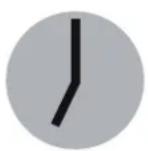
\~4 s
natural_image
Illustration of a hand holding a finger with a circular button containing triangular arrows (no text or symbols)natural_image
Simple line drawing of a hand with a finger pointing at a circular button containing a downward arrow (no text or symbols)natural_image
Simple analog clock face showing 10:30 (no text or numbers beyond clock face and arrow)LIRE

natural_image
Circular dial with a black hand pointing down to 30, showing time (no text or symbols beyond numbers)LOOMI-FUNCTIE: SCHERM
TOUCH LOOMI
RAAK JE SWATCH AAN

natural_image
Simple line drawing of a hand holding a bird, with a circular arrow symbol above (no text or labels)LOOMI ON
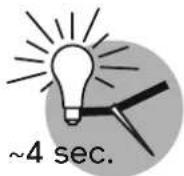
LOOMI
LICHT-FUNCTIE
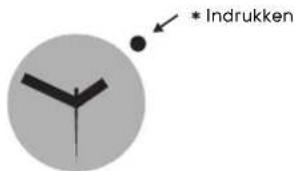
POP
ERIN DRUKKEN
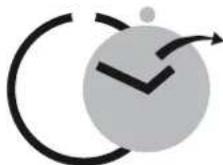
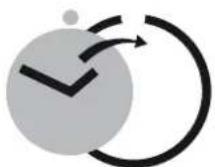
UITWIPPEN

natural_image
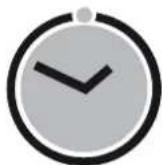
Abstract graphic with a checkmark inside a circle and curved arrow, no text or symbols present.AAN KLEDING BEVESTIGEN
natural_image
Simple line drawing of a hand with a curved arrow pointing downward (no text or symbols)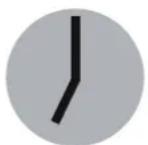
\~4 sec.
Raak je Swatch aan.
natural_image
Illustration of a hand holding a triangular object with a bell icon nearby (no text or symbols)natural_image
Illustration of a hand with fingers and a circular arrow symbol (no text or labels)Raak je Swatch aan.
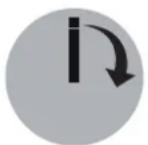
natural_image
Simple analog clock face showing 10:30 (no text or numbers beyond clock numerals)AFLEZEN
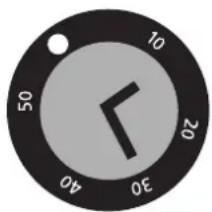
natural_image
Circular dial with a black-and-white clock face showing 10:30 (no text or numbers beyond clock numerals)natural_image
Simple line drawing of a hand holding a bird, with a circular arrow symbol above (no text or labels)LOOMI SE ENCIENDE
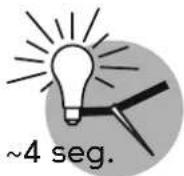
LOOMI
ILUMINACIÓN
POP
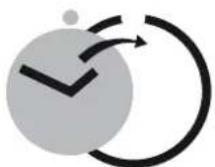
ENGANCHAR

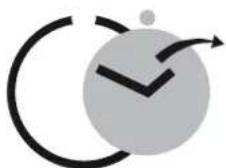
SOLTAR
natural_image
Abstract graphic with a clock icon and curved arrow, no text or symbols presentENGANCHAR EN LA ROPA
natural_image
Simple line drawing of a hand with a curved arrow pointing downward (no text or symbols)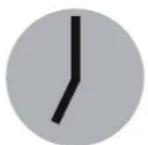
\~4 seg.
natural_image
Illustration of a hand holding a small object with two triangular shapes and a circular background (no text or symbols)Toque su Swatch para detener la alarma.
natural_image
Illustration of a hand with fingers and a curved arrow, no text or symbols presentGolpee ligeramente en su Swatch.
natural_image
Simple analog clock face showing 10:30 (no text or numbers beyond clock face and arrow)LEER
natural_image
Circular dial with a black hand pointing down to 30, showing time (no text or symbols beyond numbers)Uso del aro de ajuste (luneta)
natural_image
Simple line drawing of a hand holding a bird, with a circular arrow symbol above (no text or labels)IL LOOMI SI ACCENDE
LOOMI
POP
INSERISCI
ESTRAI
natural_image
Abstract graphic with a clock icon and curved arrow, no text or symbols presentPINZA SUI VESTITI
natural_image
Simple line drawing of a hand with a curved arrow pointing downward (no text or symbols)
\~4 sec.
natural_image
Illustration of a hand holding a finger with two triangular warning symbols around it (no text or labels)natural_image
Illustration of a hand with fingers and a circular arrow symbol (no text or labels)natural_image
Circular analog clock face with hour and minute hands (no numbers or text)natural_image
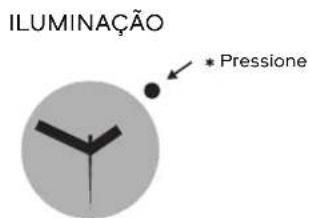
Illustration of a hand holding a bird, with a circular arrow symbol above (no text or labels)LOOMI ACENDE
LOOMI
natural_image
Abstract graphic with a clock icon and curved arrows, no text or symbols presentCOLOCAR NA ROUPA
natural_image
Simple line drawing of a hand with a curved arrow pointing downward (no text or symbols)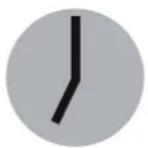
\~4 seg.
Toque o seu Swatch.
natural_image
Illustration of a hand holding a small object with two triangular shapes and a circular background (no text or symbols)natural_image
Illustration of a hand with fingers and a circular arrow symbol (no text or labels)Toque o seu Swatch.

natural_image
Simple analog clock face showing 3:00 (no text or numbers beyond clock face markings)LER
natural_image
Circular dial with a black hand pointing down to 30, showing time (no text or symbols beyond numbers)Uso da catraca (luneta)
- TOUCH / FUNSTANDARD
- DATE OR DAY SETTING
- STANDARD
- READJUSTMENT
- TOUCH / FUN
- LOOMI FUNCTION: DISPLAY
- TOUCH LOOMI
- LOOMI
- POP
- TOUCH ALARM
- TOUCH GAME
- SCUBA FUNCTION: ELAPSED TIME
- Using the adjustment ring
- WARNING NOTE
- ZEIT EINSTELLEN
- LOOMI-FUNCTIE: SCHERM
- Uso del aro de ajuste (luneta)
- Uso da catraca (luneta)
Brand : SWATCH
Model : Brossing GN244
Category : Wristwatch