BC541N - Scale TANITA - Free user manual and instructions
Find the device manual for free BC541N TANITA in PDF.

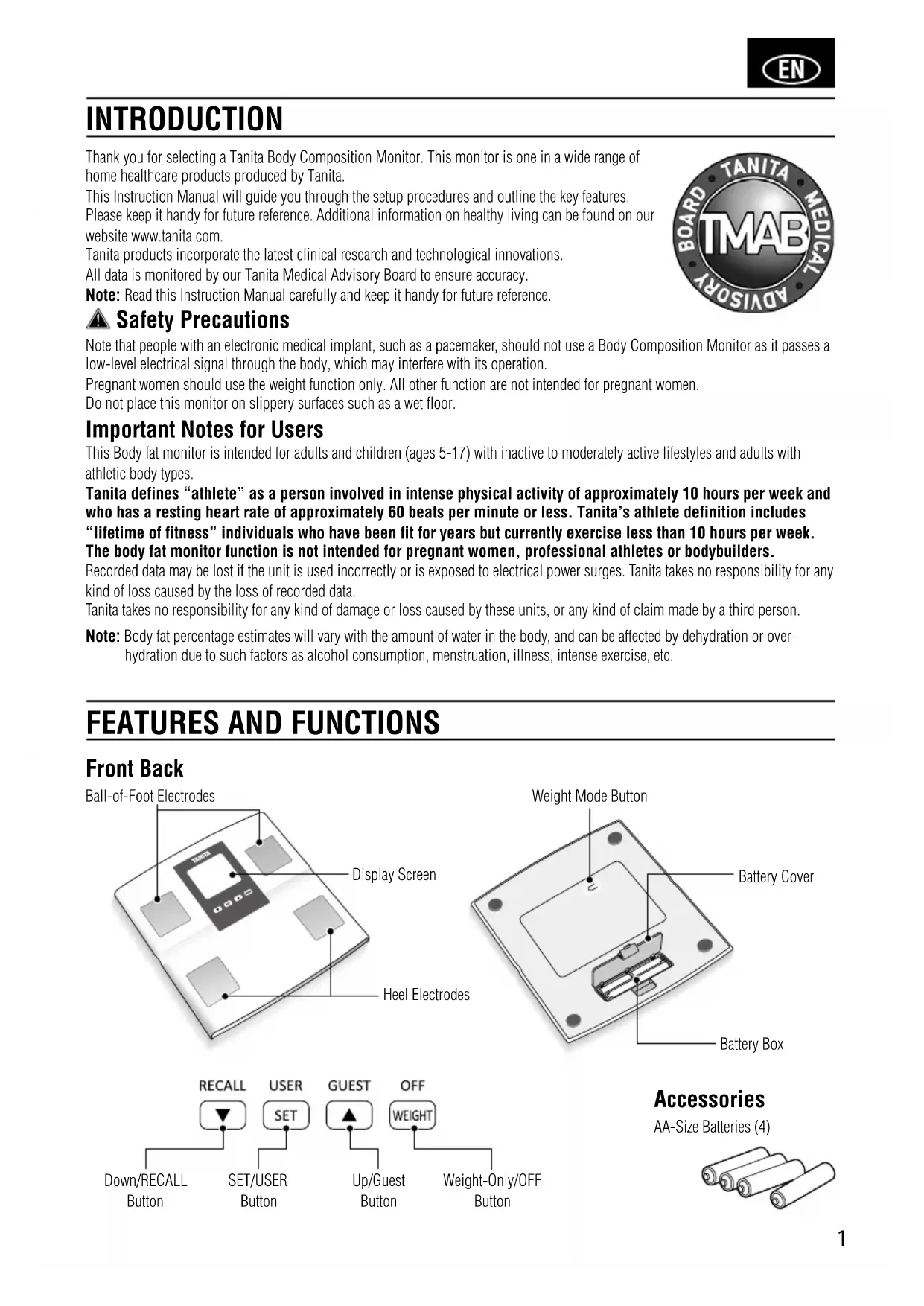


| Product Type | Impedance meter scale |
| Brand | Tanita |
| Model | BC541N |
| Maximum weighing capacity | 150 kg (330 lb / 23 st 8 lb) |
| Weight accuracy | 0.1 kg |
| Body fat percentage accuracy | 0.1 % |
| Number of personal memories | 5 |
| Power supply | 4 AA batteries (included) |
| Power consumption | 60 mA maximum |
| Main functions | Weight, body fat %, muscle mass, bone mass, body water, basal metabolism, metabolic age, visceral fat, body shape assessment |
| Guest mode | Yes |
| Measurement recall | Yes (via SET button) |
| Auto-off | Yes (after inactivity or measurement) |
| Compatible weight units | kg, lb, st-lb (switchable) |
| Dimensions (approx) | Approx 30 x 30 x 5 cm |
| Device weight (approx) | Approx 2 kg |
| Platform material | Tempered glass |
| Contraindications | Pacemaker wearers, pregnant women (except weight function) |
| Maintenance | Clean with a damp cloth; do not immerse. Clean electrodes with alcohol. |
| Included accessories | User manual, batteries |
| Certification | Compliant with directive 2004/108/EC |
Frequently Asked Questions - BC541N TANITA
User questions about BC541N TANITA
0 question about this device. Answer the ones you know or ask your own.
Ask a new question about this device
Download the instructions for your Scale in PDF format for free! Find your manual BC541N - TANITA and take your electronic device back in hand. On this page are published all the documents necessary for the use of your device. BC541N by TANITA.
USER MANUAL BC541N TANITA
Body Composition Monitor
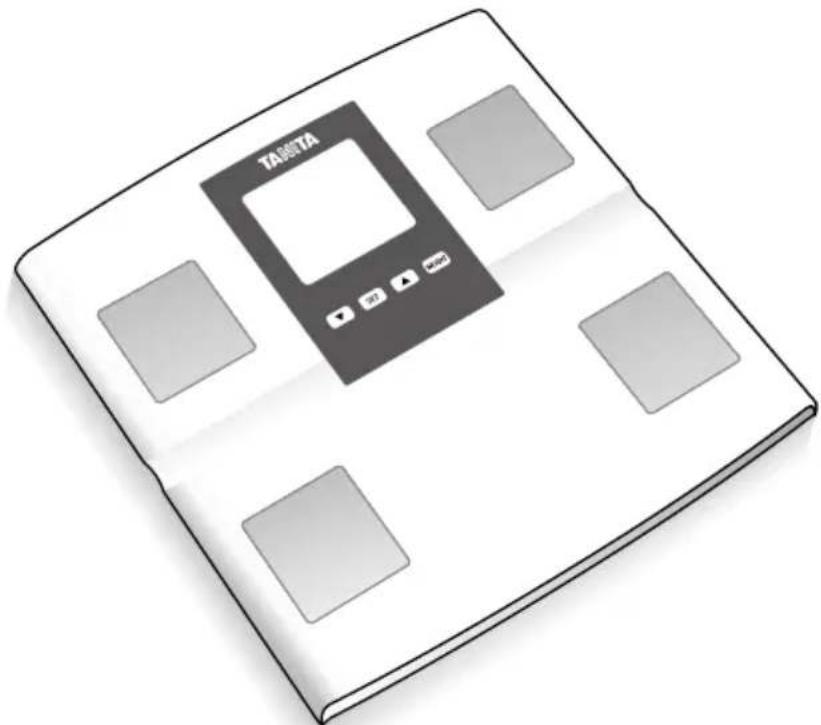
Model: BC-541N
EN Instruction Manual
Read this Instruction Manual carefully and keep it for future reference.
EN Table of Contents
Introduction 1
Features and functions 1
Preparations before use 2
Getting accurate readings 2
Automatic shut-down function 2
Changing the weight mode 3
Setting (resetting) date and time 3
Setting and storing personal data in memory 4
Taking weight and body fat readings ...5
Programming the guest mode 6
Taking weight measurement only 6
Troubleshooting 7
Features and functions 36
Features and functions 43
IIOgROBKa K NcNoJIb3OBAHnIO 44
IonyueHHe ToUhBix NOKa3AHNI 44
Функцяг abTomatuueckoro OTKIOUeHn..44
U3MeHeHnepeXnMaB3BeWnBaHHa 45
UcTaHOBKa (m3MeHeHne) DaTbI N BpeMeHn.....45
BBoIxpaHeHne NnUhblX daHHbIX B NaMaTn 46
B3BeWuBaHne uM3MepeHne yPoBHa XnpoBbIX OTIOKeHHN 47
PpOpaMmPobAHne roTeBOro pexnma.....48
Tolbko B3BWeuBaHne 48
Ponck HncnpabHocte 49
INTRODUCTION
Thank you for selecting a Tanita Body Composition Monitor. This monitor is one in a wide range of home healthcare products produced by Tanita.
This Instruction Manual will guide you through the setup procedures and outline the key features.
Please keep it handy for future reference. Additional information on healthy living can be found on our website www.tanita.com.
Tanita products incorporate the latest clinical research and technological innovations.
All data is monitored by our Tanita Medical Advisory Board to ensure accuracy.
Note: Read this Instruction Manual carefully and keep it handy for future reference.

Safety Precautions
Note that people with an electronic medical implant, such as a pacemaker, should not use a Body Composition Monitor as it passes a low-level electrical signal through the body, which may interfere with its operation.
Pregnant women should use the weight function only. All other function are not intended for pregnant women.
Do not place this monitor on slippery surfaces such as a wet floor.
Important Notes for Users
This Body fat monitor is intended for adults and children (ages 5-17) with inactive to moderately active lifestyles and adults with athletic body types.
Tanita defines "athlete" as a person involved in intense physical activity of approximately 10 hours per week and who has a resting heart rate of approximately 60 beats per minute or less. Tanita's athlete definition includes "lifetime of fitness" individuals who have been fit for years but currently exercise less than 10 hours per week.
The body fat monitor function is not intended for pregnant women, professional athletes or bodybuilders.
Recorded data may be lost if the unit is used incorrectly or is exposed to electrical power surges. Tanita takes no responsibility for any kind of loss caused by the loss of recorded data.
Tanita takes no responsibility for any kind of damage or loss caused by these units, or any kind of claim made by a third person.
Note: Body fat percentage estimates will vary with the amount of water in the body, and can be affected by dehydration or overhydration due to such factors as alcohol consumption, menstruation, illness, intense exercise, etc.
FEATURES AND FUNCTIONS
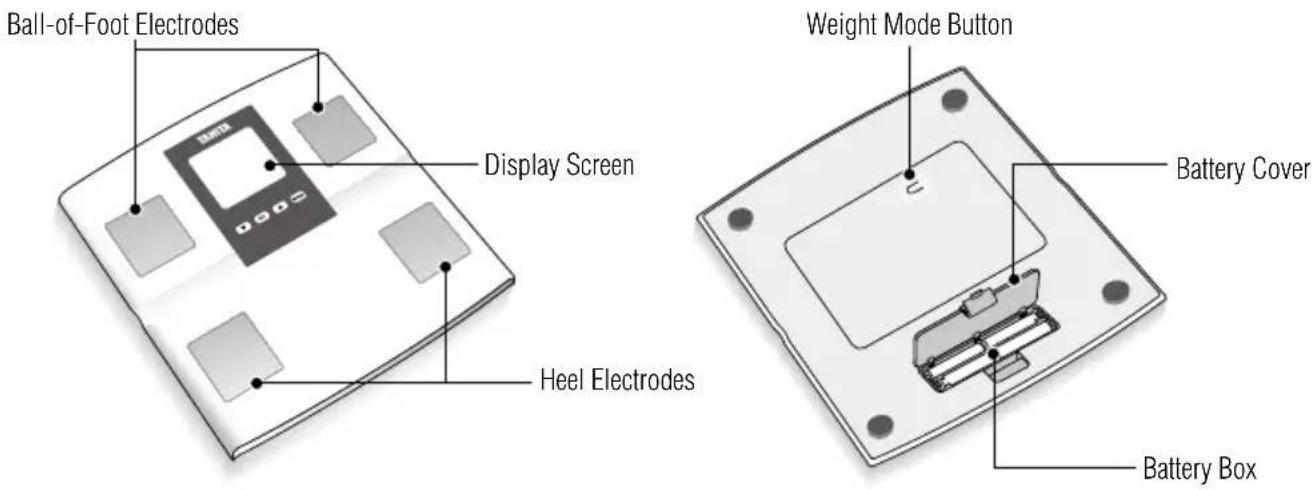
Front Back
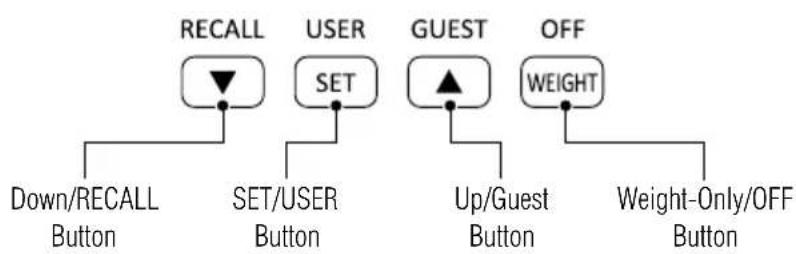
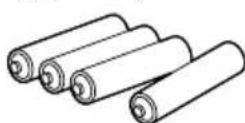
Accessories
AA-Size Batteries (4)
PREPARATIONS BEFORE USE
Inserting the Batteries
Open the battery cover on the back of the measuring platform. Insert the supplied AA-batteries as indicated.
Note: Be sure that the polarity of the batteries is set properly. If the batteries are incorrectly positioned the fluid may leak and damage floors. If you do not intend to use this unit for a long period of time, it is advisable to remove the batteries before storage. Please note that the included batteries from factory may have decreased energy levels over time.
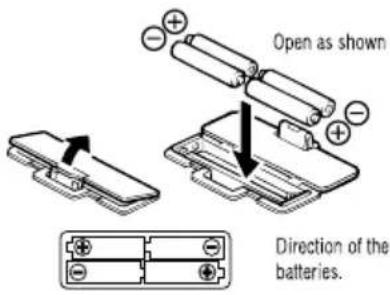
Positioning the Monitor
Place the measuring platform on a hard, flat surface where there is minimal vibration to ensure safe and accurate measurement.

Note: To avoid possible injury, do not step on the edge of the platform.
Handling Tips
This monitor is a precision instrument utilizing state-of-the-art technology.
To keep the unit in the best condition, follow these instructions carefully:
- Do not attempt to disassemble the measuring platform.
- Store the unit horizontally, and place it so that the buttons will not be pressed accidentally.
- Avoid excessive impact or vibration to the unit.
- Place the unit in an area free from direct sunlight, heating equipment, high humidity, or extreme temperature change.
- Never submerge in water. Use alcohol to clean the electrodes and glass cleaner (applied to a cloth first) to keep them shiny; avoid soaps.
- Do not step on the platform when wet.
- Do not drop any objects onto the platform.
- Do not jump onto or off the unit.
GETTING ACCURATE READINGS
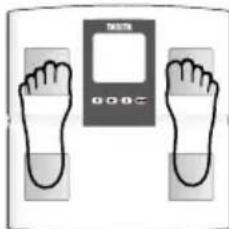
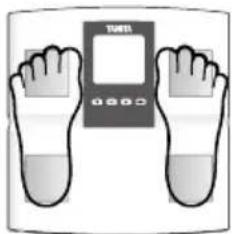
Heels centered on electrodes

Toes may overhang measuring platform
Note: An accurate reading will not be possible if the soles of your feet are not clean, or if your knees are bent or you are in a sitting position.
To ensure accuracy, readings should be taken without clothing and under consistent conditions of hydration. If you do not undress, always remove your socks or stockings, and be sure the soles of your feet are clean before stepping on the measuring platform.
Be sure that your heels are correctly aligned with the electrodes on the measuring platform. Don't worry if your feet appear too large for the unit accurate readings can still be obtained if your toes overhang the platform.
It is best to take readings at the same time of day. Try to wait about three hours after rising, eating, or hard exercise before taking measurements.
While readings taken under other conditions may not have the same absolute values, they are accurate for determining the percentage of change as long as the readings are taken in a consistent manner. To monitor progress, compare weight and body fat percentage taken under the same conditions over a period of time.
AUTOMATIC SHUT-DOWN FUNCTION
The automatic shut-down function shuts off the power automatically in the following cases:
- If you interrupt the measurement process. The power will shut down automatically within 30 seconds depending upon the type of operation.
- During programming, if you do not touch any of the keys or buttons within 60 seconds.*
After you have completed the measuring process.
CHANGING THE WEIGHT MODE
Note: For use only with models containing the weight mode switch.
You can change the weight unit by using the switch on the back of the scale.
Press the Weight-only button when the display is blank. When "0.0" appears in the screen, press the Weight Mode button on the underside of the unit to switch the unit in which weight is displayed.
Note: If weight mode is set to pounds or stone-pounds, the height programming mode will be automatically set to feet and inches.
Similarly, if kilograms is selected, height will be automatically set to centimeters.
SETTING (RESETTING) DATE AND TIME
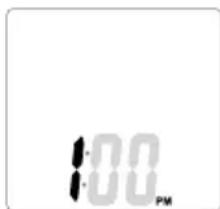
1. Set Date
Insert batteries into the scale and then press any button to start the Year setting. Press the Up/Down buttons to set year and then press the SET button. The unit will beep once to confirm.
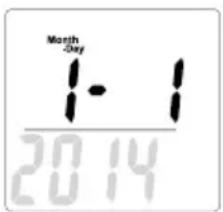
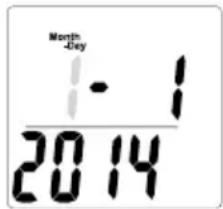
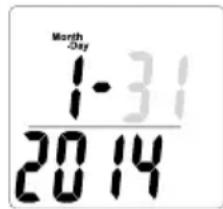
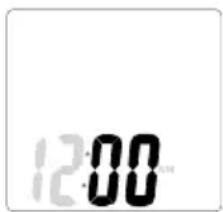
2. Set Hour
Press the Up/Down buttons to set hour and then press the SET button.
The unit will beep once to confirm.
3. Set Minute
Press the Up/Down buttons to set minute and then press the SET button.
The unit will beep twice to confirm the programming.
The power will then shut down automatically.
Note:
- After you replace the batteries or if you want to reset date and time, press and hold the Arrow (recall) button to begin the date and time programming process. Replacing the batteries will cause the loss of date and time settings.
- 60 seconds or more of inactivity will cause automatic shut off during this process. No data will be saved as a result.
- If you make a mistake or wish to turn the unit off before you complete the programming, press the OFF button to turn the unit off. No data will be saved as a result.
SETTING AND STORING PERSONAL DATA IN MEMORY
The unit can be operated only if data has been programmed into one of the personal data memories.
1. Turn on the Power
Press the SET button to turn on the unit.
The unit will beep to confirm activation, the Personal data number will be displayed, and the display will flash.
Note: If you don't operate the unit for 60 seconds after the unit has been turned on, the unit will turn off automatically.
Note: If you make a mistake or want to turn the unit off before you have finished programming it, press the OFF button to force quit.
2. Select a Personal data Number
Press the Up/Down buttons to select a Personal data number (1, 2, 3, 4 and 5). Once you reach the Personal data number you wish to use, press the SET button. The unit will beep once to confirm.
3. Set your Birthday
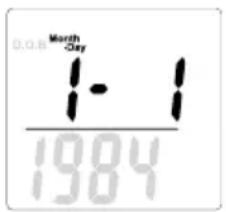
Set the date of your birthday (Year / Month / Day) using the Up/Down buttons. Press the SET button to confirm at each programming. The unit will beep once to confirm.
Note: The range of age is from 5 - 99.
4. Select Female or Male
Use the Up/Down buttons to scroll through Female (♂) or Male (♀) Female/Athlete (/♂) and Male/Athlete (/♂) settings, then press the SET button. The unit will beep once to confirm.
5. Specify the Height
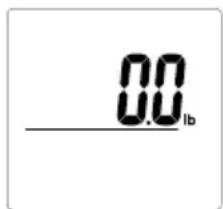
The display defaults to 5^70^ (170 cm) (range of height is from 3^0.0^ - 7^3.0^ or 90cm - 220cm ). Use the Up/Down buttons to specify Height and then press the SET button. The unit will beep once to confirm. The display shows the personal data one time to confirm, and then the display shows "0.0" and is ready for measurement.
6. Measuring your weight and body fat
Step on to the scale after "0.0" is shown on display within 30 seconds.
Do not step off until Body fat % in shown.
The readings will be shown for 40 seconds.
The unit will then shut off and the readings will be stored in the memory.
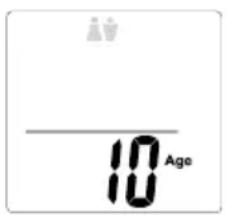
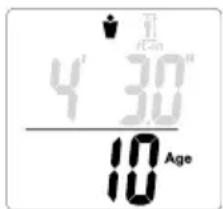
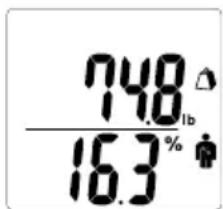
Note: If you step onto the scale before "0.0" appears the display will show "Error" and you will not obtain a reading. Furthermore, if you do not step onto the measuring scale within about 30 seconds after "0.0" appears, the power is shut-off automatically. Please try the setting and storing personal data process again.
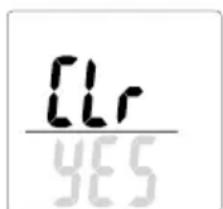
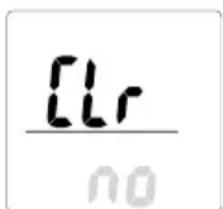
Note: If you change the birthday and/or gender, the unit will show "CLr".
If you select "YES" using the Up/Down buttons, the existing personal data will be deleted.
If you select "no" using the Up/Down buttons, no new data will be saved (existing data will be unchanged) then the unit will shut off.
TAKING WEIGHT AND BODY FAT READINGS
After programming your personal data you are ready to take a reading.
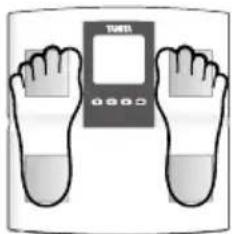
1. Step onto the scale
Step onto the scale while the scale is off, the scale turns on automatically and starts measuring.
2. Get Your Readings
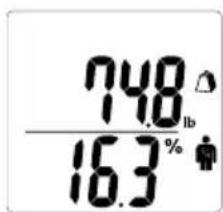
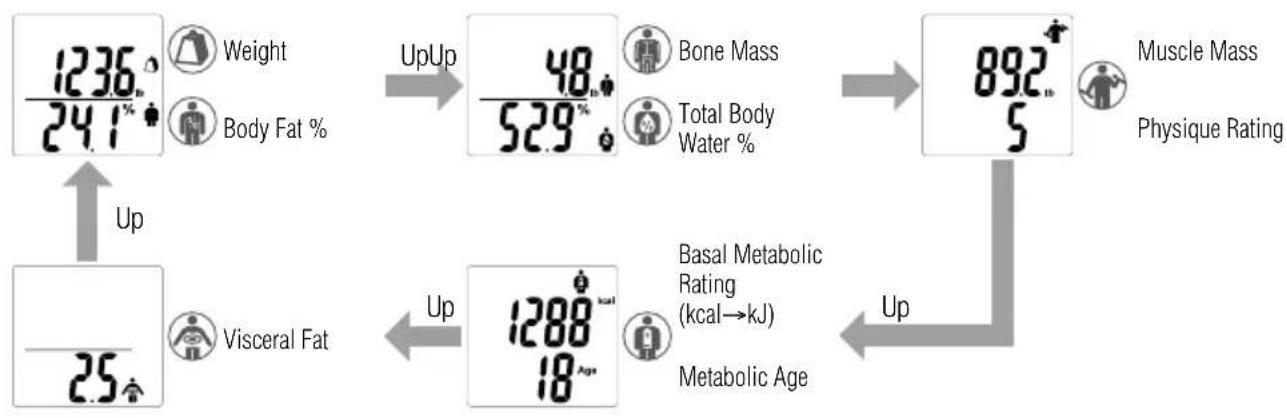
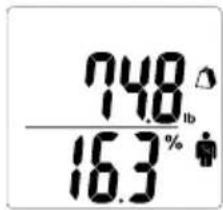
After the measurement is taken, readings will be automatically displayed in the order listed below. After the last result reading is displayed, the weight and Body Fat % reading will again appear, then the unit will automatically shut off.
The user may use the Up button to scroll thru the different results.
For advanced scrolling, the user may press and hold the Up button.
Upon reading the desired readings, release the button to view the result, readings will appear for 40 seconds before the unit automatically shuts off.
If the wrong personal number appears on the display.
You can change the personal number by using the SET button.
Press the SET button until your personal number and profile appears.
After you select your correct personal number and wait for 4 seconds, the display will show your correct readings automatically.
The readings will be stored in your personal number memory.
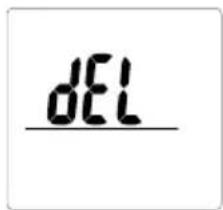
If you select "dEL", no readings will be stored in memory.
Note: For children (age 5-17), the unit will only display the Weight and the Body Fat %.
3. Recall Function
To obtain previous reading press Recall button while the readings are being displayed.
The following result of previous readings will be displayed by using the Up button.
Weight Physique Rating Visceral Fat
Body Fat % Basal Metabolic Rating
Total Body Water % Metabolic Age
- Muscle Mass - Bone Mass
Press Recall button again to go back to the current result display.
Note: For children (age 5-17), the unit will only display the Weight and the Body Fat %.
Note: Do not step off until Body fat % in shown.
PROGRAMMING THE GUEST MODE
Guest mode allows you to program the unit for a one-time use without reading a personal data number.
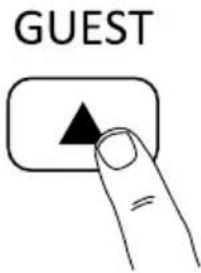
Press the Guest button to activate the unit. Then follow the steps: Set Age, Select Female or Male, and Specify Height.
Step onto the scale after "0.0" is shown on the display. Your weight will be shown first, continue standing on the scale until the body fat % reading is shown on the display. The reading will be shown for 40 seconds.
Note: Do not step off until Body fat % in shown.
Note: If you step onto the scale before "0.0" appears the display will show "Error" and you will not obtain readings.
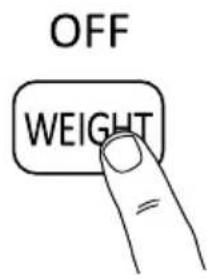
Press the Weight-only button. After 2 or 3 seconds, "0.0" will appear on the display and the unit will beep. When "0.0" appears on the display, step onto the scale. The body weight value will appear. The display will light for about 20 seconds, and then the power will automatically turn off.
TROUBLESHOOTING
If the following problems occur ...then...
- A wrong weight format appears followed by kg, lb, or st-lb
Refer to "Changing the Weight Mode" on p.3. - "Lo" appears on the display, or all the data appears and immediately disappears.
Batteries are low. When this message appears, be sure to replace the batteries immediately, since weak batteries will affect the accuracy of your measurements. Change all the batteries at the same time with new AA-size batteries.
Note: Your settings will not be erased from the memory when you remove the batteries.
- "Err" appears while measuring.
Please stand on the platform keeping movement to a minimum.
The unit cannot accurately measure your weight if it detects movement.
The Body Fat Percentage is more than 75% , readings cannot be obtained from the unit.
- The Body Fat Percentage reading does not appear or "----" appears after the weight is measured.
Your personal data has not been programmed. Follow the steps on p.4.
Make sure socks or stockings are removed, and the soles of your feet are clean and properly aligned with the guides on the measuring platform.
- "OL" appears while measuring.
Reading cannot be obtained if the weight capacity is exceeded.
Specifications
BC-541N
Weight Capacity
150 kg (330 lb) (23st 8 lb)
Weight Increments
0.1 kg (0.2 lb) (0.2 lb)
Body Fat Increments
0.1%
Personal Data
5 memories
Power Supply
4 AA batteries (included)
Power Consumption
60 mA maximum
Measuring Current
50 kHz, 6.25 kHz, 100 μA
Notice:
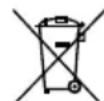
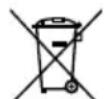
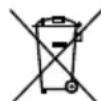
These marks can be found out on contaminant-containing Batteries: Pb Pb = Battery contains lead,
Cd Cd = Battery contains cadmium,
Hg Hg = Battery contains mercury.

Not allowed to mix batteries with consumer wastes!
As consumer you are legally bound to return used or discharged batteries. You can deposit your old batteries at the public collecting points in your town, or wherever the corresponding batteries are sold and specifically marked collecting boxes have been set up. In case of scrapping the apparatus, the batteries should be removed from it and deposited at the collecting points as well.

The device features radio interference suppression in compliance with EC regulation 2004/108/EC
EINLEITUNG
0.1 kg (0.2 lb) (0.2 lb)
50 kHz, 6.25 kHz, 100 μA
Hinweis:
Piles AA (4) (fournies)
AVANT UTILISATION
Insertion des piles
0.1 kg (0.2 lb) (0.2 lb)
Piles AA (4) (fournies)
50 kHz, 6.25 kHz, 100 μA
Remarque:
0.1 kg (0.2 lb) (0.2 lb)
Lichaamsvet Increment
0.1%
50 kHz, 6.25 kHz, 100 μA
Opmerking:
0.1 kg (0.2 lb) (0.2 lb)
50 kHz, 6.25 kHz, 100 μA
Avviso:
FEATURES AND FUNCTIONS
0.1 kg (0.2 lb) (0.2 lb)
Incrementos de grasa corporal
0.1%
Datas personales
5 memorias
Alimentación
4 pilas de時間 AA (incluidas)
Consumo de energia
Maximo de 60 mA
50 kHz, 6.25 kHz, 100 μA
Nota:
PpmeaHHe: 4To6bI H36eKaTb BO3MOXhBIX TpaBM, He BCTaBaIe Ha KpaIIaTΦoMpbl.

Pekomehdaun no o6paueHnO c np6opom
HaHHbMOHHTOPABJIETCRIpeUN3MOHHbIMIIN6OpOM,C03aHbIMIO COBpeMeHOHTEXHOJIOIM
YtobcOeepKaTbPnB6OpBONTMMAJIbHOMCCTOAHM,CNyET HeyKOCHHTeBHO CIEoBOaTbpNMBODMOH HKe IHCTpyKm.
He nbTaBcpa36npaTbN3MePntenbHynoHnPaTphiomy.
XpaHnB np60B rOpN30HTaNbHOM CoToAHm H pa3MeaTa bero TaKMbOpa3OM, YTO6bIMckHouTHcnyAHHoe HAXATME KHOJOK.
06epeRaTb np6op 036b10uHbix ydpabHbIX N Bn6paunHOHBIX Harpy3OK.
- Yctahabmbatb npnbop B MeCTax, 3aunuHHeBx OT Bo3eJCTBnnpAbx COIHeuHbix LyueB, Bdann OT HarpBeBATEbHbIX npnbopOB INe NCKIOUHTc BbCOKA BAAKHOCTb NKTpeMaJIbHbIE Kone6aHn TEMnepaTpybl.
HnB Koem Cnyae He nporpykaTb npmbop B BOy. DnO uCTKn 3eKtpoDB NOB NtB3OBaTbCnptom, a nn npuaHnM M6necka - OuCTNTenEM dnn CTekon, PpeBaHTeBHO HaOHcMbIM HA KAHb; NCKIOUHTb NCIOB3OBaHMe Mbna.
He BCTaBaTb Ha nlaTphiOpMy MOKpbIM CtyHAM.
06epeTaB natafoMpMy ot naHeHa Hee npEMeTOB.
He 3anpblnBaBte HmHcnpblnBaTe CytpoCTBa.
BCTaHbTe Ha BcBi BBkIIOeHHOM COCToAHm, OHVI BKIOUaTcA bATOMaTnueeCKM nHaHyT mMepeHHe.
2. 03HaKOMJIeHHe cpe3yIbTaTaMn
Iocne n3MepeHnpe3yNtBtBtABTOMaTnueckn OTo6pa3rTaB NopdKe, yKa3aHHOM BHN3y:
IocneToro, Ka np6op OTO6paNT NocneHm pe3yNbTaT, Ha DCnnee CHoBa NOBRTcpe3yNbTaTb B3BeWnBAHH IpoceH JnpaBOPraHn3Me, Nocne TTOY CToPOCTBO AOTOMaTNUeCKN OTKIOHTCA.
Ja nponuCTbBAHnpe3yntbTaTOB nCIOJIb3yTe KnaBmU "Up".
Дускор�ноги польстывим HaЖмITE y dyepKmbaite KnaBmUp"Up".
IINI npocmoTpa Bb6paHnO pe3yNbTaTa OTNcyTHe KhoNky, noKa3aHn 6dyT OTbpaXaTbcB TteHne 40 cekyH, nocne yero yCTPOB ABOMTMAHTHECKN OKJIOUHTCA.
Ecn HeBepnblnHbHnHmOp npOraBnTeHa nCnnee
BbMoXeTe N3MeHHTb IINuHbH HOMep PnI NMOOJI KHOJIKK YCTaHOKBa.
HaKMMTe ydeepxmbaTe KnaBnSy «YCTAHOBKa» Do tex nop, noka Ha kpaHe He NoPARCTBaN NmHbIe daHHbIe HOMep.
Iocne toro, KaB BbBbepete npabnHbHmHbHm Homep nnooxdote 4 ckyhbl, Ha mctie aTOMaHTeCKn IOBRTCA Baun BepHbe nokazatenn.
OHNb6yDt coXpaHeHbB nAmTn noD BaWIM JINYHBM HOMePOM.
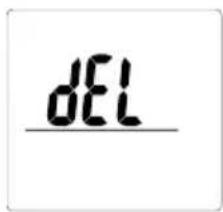
EcnBbHaxMeTeKnabMnuyDel》,Baunnnhbe daHHbte he bdyTcOxpaHeHb BNamrTm.
PpmeaHne: y deten (5-17 net) np6opn3mepnT onbko Bec n npoent Knpa B opraHn3Me.
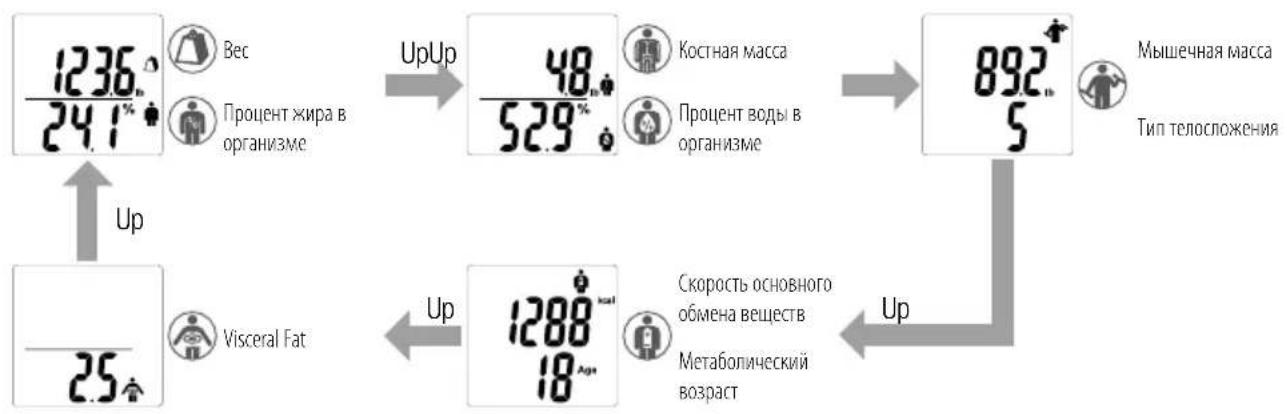
3.ФункцяЗаюнHaHnA
IINB03BpTaHa HINCINIE INPebdyuix NOKaAHn HAKMITE KNAHmY"PaMTB"(Recall") B TO BPEM, KOJa pe3yIbTaTb N3MepeHn OTobpaKaOTcH HaKpaHe. Pe3ynbTaTb INPebdyuix N3MepeHn NOBtcr Ha INCnEe pHn HAKaTm KHOIOK "Up".
Bec TnTenoocKeHH BHyTeHHnn
-ПюеHTжпаВорогИЗмE -СКоростьОсвовноOBMeHaBEшUCTB
-ПюцентВовыВороганизм -Метабонческь Воррст
MbueeHaraMacca KocHaMaCCa
HaKMMTe Ha KnaBmUy "TamaTb" ("Recall") eue pa3, uTo6bI BepHyTbC K OTo6paXeHHIO TeyuHxpe3YbTaTOB.
PpmeaHne: y deTe (5-17 ne) ycTpoiCTBO 6yed n3MepeTb TOnbKO Bec n npoeeHT Knpa B opraHn3Me.
PpmeaHne: He cxoTe c nlaTphiOpMbI, noka He noBtca 3HaueHne npoentHO rOepeKHaHn Jnpa B Te ne (Body Fat %).
ПОГРAMMИPOBAHNE ГOSTEBОТО PEXIMMA
TcB0npeKIMnO3BnIeT3aInpGpAMMnPOBaTByCTPoiCTBO DnAODHopa3oBOrIO CnOJIb3OBAHN,6e3 npMeHeHH COxPAEHHHBX B nAMATNIJHbIX daHHbIX.
HaxMMTE KNONKY "Gocb" ("Guest"), YTO6b BKNIOHTb yCTPOINCTBO. 3aTEM BbINONHITe cIeNIOUne DeiCTBnR: BBeINTe BO3pact, non n poct.
BCTaHbTe Ha BeCb Nocne TOro, KaK Ha KpaHe NoaBtca HAdnncb "0.0". CnepBa npmbop Bdact pe3yNbTaTb B3BeuWbHa, OCTaBAItecb Ha Becax, noka Ha dmCpnee He oTo6paNTcA IpOeHT XmP a B opraHImMe. Pe3yNbTaTb 3aMepob bdyT BbcBvMaTbCa B TeueHne 40 ckyHd.
PpmeaHHe CxOuTe c nPaTOpMbI Do Tex nop, noka np6op He nokKaJET npoCenT Knpa.
PpmeaHHe: Ecm BbBCTaHETe Ha BcBIO IOIPOABIEHIN INIAKauN "0.0", np6op Bbydact coo6ueHne "Oun6ka" ("Error"), H BbI He noluyte pezylbTaTb N3MepeHn.
TOJIbKO B3BELLBAHNE
HaxMMTE KONKY "ToIbKO B3BSeuBaHHe" ("Weight-only"). Hepez 2-3 cekyHbHa kpaHne noaBtca HnAinCb "0.0", n np6op m3dact 3bykoBo CnHah. Pocne noaBHeHn Hyne BCTaHbTe Ha nnaTfOpMy. Ha dncnnee OTO6p3ntcBaaBec.
Pe3yNbTaB3BcUHbAHMa6ydtOCTaBaTbCnHa3KpaHe BTeChnE np6n3ntenbHO 20 ckyHn, nocne yero nHTaHn ABToMaTHueCKN OKIOuHTCA.
ПОИСК HЕЦРABHOCTEД
Ecn npocxodnt yka3aHHoe hapyuheHne ...To...
Becn3MepaetcB HennpaBbHbIX eunHuaX -KNorpaMMbl, yHTbl nTcTohybl.
06paTnTeBck pa3dny W3MeHeHmpeKIMMa B3BeWbHaHm'Ha cTp.45.
Ha nncnnee noaBnaTeTcra "Lo", n6o npocxoHt MoneHTaJIbHOe Ncye3HOBeHne BCEx DaHHbIX.
PaPaeHb6aTaeKn. KOrda NoRBAeTc DaHHoe Coo6ueHne, He3aMeDInTeBbHO 3aMeHtE 6aTapeKN, NocKoiBky pa3paeeHHbe 6bataepKn CHNkaHOT TOHOCb
IONYaEmbixpe3yIbTaTOB h3MepeHm. 3aMeHy BEx hMeIOUxC6 bataeek Ha HOBle IpoN3BOIDte OHOBPeMeHHO.
PnmeHn:3BneHne6aTapeek He npBouNT K TnpAHIO NpIb30BaTeNbCKHX HaCTpoE, 3aIImCaHHbx B nAmTaB.
BoBpMaH3MepeHnNoAeTcCoO6eHne "Err".
IocTapaTaeBHe IeWeBeJIbTBcA,IOKa CTOnTe HaIIaTΦoPMe.
PnB6p He MoKcT ToHn N3MepuB BaW Bec, eCIN OH o6hApyKbAe TWeBeJIeHHe.
IpoeHTHOe coepkainHe knpa B Tene npebblaaet 75%, n pnp6op He cnoocob H bdaTb pe3yntbTa.
He noBraTeTc 3NaueHne npoceTHoro codepxahnua Knpa B Tepe N6o NoBbIeTc"----" nOce H3MepeHna Beca.
He 3anporpammmnpoBaHb Baun npepcoHaBhble daHhle. BblnoHnTe 7aHn no n.46.
Y6eHNTecb,HTO CHaTb HOCKn (nun ykn), a nOoBbBaunx CTyInHe NcTbN nPpABuNbHO BbyPoBHeHb NnHaPiabNAIOOM Ha 3MePntBhoNnTafopeM.
BoBpemn3MpeHnnnoBnIeTcN"OL".
Pe3yIbTaT He MoKet 6bIt bNoYeh BBnD y npBbIeHn BepxHero npEena Beca.
Texnueckne xapaKTePncTnKn
BC-541N
PpeIeNbHO donyctmblBec
150 kg (330 lb) (23st 8 lb)
Wan npupaueHnBeca
0.1 kg (0.2 lb) (0.2 lb)
Wan npupaenna coepkaa Hkpab Tene
0.1%
PepcohaNbhe daHbIe
5yueeknamMATI
NCTOCHNK NITAHNA
50 kHz, 6.25 kHz, 100 μA
3aMeuHHe:
Takne o603aHHeHnCToAHT Ha 6aTapeKax, cOePkaux 3aFpa3Hauuie BEueCTBa:
PbPb=BatapeKaCoepKntCBnHeu
Cd Cd = BaTapeiKa coIepKmT KaDMn
HgHg=baTapeiKa coepKm pTyb

Helen3cmeunBaTb6aTapeKnC pyrUmN 6bITOBbIM NTxOdaM.
KaIIOpe6HtEnB, BbI O63aHbI CNEIOBaTb PpABINAM B6paCsbBAHmB OTxOdbI Otpa6oTaHHbIX pa3PRAKeHHbIX 6Baapeek. MoXHO B6paCsbAIBCTapBie 6aTapeK IN BOMMYAHbHbI MycOpoc6OpHNIK B CBOEM TROPOE NIM CdaBaTB IN HA NYHKTB IPODAHX COOTBETCTByUOuix 6Baapeek npn ycIOBUN, TOB E3NX MeCTAX IMEHTCR CNEuaJIbHBe MapKINPOBaAHbHE KOHTeHepbI DII BA7abeepk. ECIN B OTxOdbI B6paCsbBAeTCB BeCb npV6op, Heo6xoJIMN M3BNeKATb N3 HTo B aTepeKIN B6paCsbAIBTx B MeCTa CdaHn OTxODbY, Yka3aHHBe BVIIe.

JaHHe yCTpoCTBO oecneuBaET noaBnEHe paDnONOMex cornaCHO
InpeKtMBe EC 2004/108/EC.
Manufacturer
TANITA Corporation
1-14-2, Maeno-Cho, Itabashi-ku,
Tokyo, Japan 174-8630
Tel: +81(0)-3-3968-7048
Fax:+81(0)-3-3968-2661
www.tanita.co.jp
ISO 9001 Certified
TANITA Health Equipment H.K. Ltd.
Unit 301-303 3/F Wing On Plaza,
62 Mody Road, Tsimshatsui East,
Kowloon, Hong Kong
Tel: +852-2834-3917
Fax:+852-2838-8667
www.tanita.asia
TANITA Corporation of America Inc.
2625 South Clearbrook Drive
Arlington Heights, IL 60005 USA.
Tel:+1-847-640-9241
Fax:+1-847-640-9261
www.tanita.com
TANITA (Shanghai) Trading Co. Ltd.
Room 8005, 887 Huai Hai Zhong Lu, Shanghai
The People's Republic of China
Tel: +86-21-6474-6803
Fax:+86-21-6474-7901
www.tanita.com.cn
Representative
TANITA Europe B.V.
Hoogoorddreef 56-E
1101 BE Amsterdam
The Netherlands
Tel: +31-20-560-2970
Fax:+31-20-560-2988
www.tanita.eu
TANITA India Private Limited
A-502, Mittal Commercia,
Off. M.V. Road (Andheri Kurla Road),
Marol, Andheri - East
Mumbai, India 400 059
Tel: +91-22-3192-6107
Fax:+91-22-2859-9143
www.tanita.co.in

- Body Composition Monitor
- Model: BC-541N
- EN Instruction Manual
- EN Table of Contents
- INTRODUCTION
- Safety Precautions
- Important Notes for Users
- FEATURES AND FUNCTIONS
- PREPARATIONS BEFORE USE
- Inserting the Batteries
- Positioning the Monitor
- Handling Tips
- GETTING ACCURATE READINGS
- AUTOMATIC SHUT-DOWN FUNCTION
- CHANGING THE WEIGHT MODE
- SETTING (RESETTING) DATE AND TIME
- Set Date
- Set Hour
- Set Minute
- Note:
- SETTING AND STORING PERSONAL DATA IN MEMORY
- Turn on the Power
- Select a Personal data Number
- Set your Birthday
- Select Female or Male
- Specify the Height
- Measuring your weight and body fat
- Do not step off until Body fat \% in shown.
- TAKING WEIGHT AND BODY FAT READINGS
- Step onto the scale
- Get Your Readings
- If the wrong personal number appears on the display.
- Recall Function
- PROGRAMMING THE GUEST MODE
- TROUBLESHOOTING
- If the following problems occur ...then...
- Specifications
- Weight Capacity
- Weight Increments
- Body Fat Increments
- Personal Data
- Power Supply
- Power Consumption
- Measuring Current
- Not allowed to mix batteries with consumer wastes!
- EINLEITUNG
- AVANT UTILISATION
- Insertion des piles
- Lichaamsvet Increment
- Incrementos de grasa corporal
- Datas personales
- Alimentación
- Consumo de energia
- Pekomehdaun no o6paueHnO c np6opom
- 03HaKOMJIeHHe cpe3yIbTaTaMn
- Ecn HeBepnblnHbHnHmOp npOraBnTeHa nCnnee
- 3.ФункцяЗаюнHaHnA
- ПОГРAMMИPOBAHNE ГOSTEBОТО PEXIMMA
- TOJIbKO B3BELLBAHNE
- ПОИСК HЕЦРABHOCTEД
- Ecn npocxodnt yka3aHHoe hapyuheHne ...To...
- Helen3cmeunBaTb6aTapeKnC pyrUmN 6bITOBbIM NTxOdaM.
- Manufacturer
- TANITA Corporation
- TANITA Health Equipment H.K. Ltd.
- TANITA Corporation of America Inc.
- TANITA (Shanghai) Trading Co. Ltd.
- Representative
- TANITA Europe B.V.
- TANITA India Private Limited
Brand : TANITA
Model : BC541N
Category : Scale