Osiris - Iron PALSON - Free user manual and instructions
Find the device manual for free Osiris PALSON in PDF.


| Product type | Steam iron |
| Brand | PALSON |
| Model | Osiris (Cod. 30591) |
| Soleplate | Metallic |
| Water tank | With maximum level indicator |
| Steam functions | Steam burst and spray |
| Self-cleaning | Yes, self-cleaning button |
| Anti-drip system | Yes |
| Anti-scale filter | Integrated |
| Power cord | Anti-tangle system |
| Handle | Non-slip |
| Temperature indicator | Yes, light indicator |
| Safety | Safety thermal fuse |
| Maintenance | Clean soleplate with damp cloth and vinegar; monthly self-cleaning |
| Storage | Upright position, empty tank |
| Environment | Recycling at collection point |
| Warranty | See www.palson.com |
Frequently Asked Questions - Osiris PALSON
User questions about Osiris PALSON
0 question about this device. Answer the ones you know or ask your own.
Ask a new question about this device
Download the instructions for your Iron in PDF format for free! Find your manual Osiris - PALSON and take your electronic device back in hand. On this page are published all the documents necessary for the use of your device. Osiris by PALSON.
USER MANUAL Osiris PALSON
natural_image
Color palette bar with grayscale shades and a central crosshair (no text or symbols)



natural_image
Two horizontal bar segments with grayscale shades and a central crosshair symbol (no text or labels)

E ESPAÑOL 2
GB ENGLISH 7
F FRANÇAIS 12
AR اللغة العربية 17
RU РУССКИЙ 22
©SIRIS
Our products have been developed to meet the highest standards of quality, functionality and design. We hope you enjoy your new OSIRIS steam iron from PALSON.
CONNECTING TO THE MAINS
The appliance should only be connected to a grounded power outlet installed according to regulations.
IMPORTANT SAFETY INSTRUCTIONS
- Do not leave the iron unattended when plugged in. Always unplug the appliance from the socket even if you are out of the room for only a short period of time.
- Do not use the iron if the cord is damaged, or if the iron has fallen to the ground or is damaged. To avoid the risk of electric shock, do not disassemble the iron, take it to an authorised technical service for review and repair. Incorrect assembly could cause electric shock during use.
- The iron should be used and stored only on hard, stable surfaces.
- To avoid any danger, repairs to this appliance or replacement of the power cord should only be carried out by an authorised technical service. If you need to repair the iron, please send it to an authorised technical service.
- Before cleaning the iron, make sure that it is unplugged from the power source and is completely cold.
- To avoid electric shock, do not immerse the appliance in water or clean it with water.
- This product is not for use by children or other persons without assistance or supervision if their physical, sensory or mental condition hinders its safe use. Children should be supervised to ensure that they do not play with the product.
- Children should not carry out any cleaning or maintenance on the iron unless supervised by an adult.
- Make sure that children cannot touch the hot iron and cannot pull the cord.
- Precaution: keep packaging materials away from children, as these are a source of danger, e.g. suffocation.
- The base should only be placed on heat-resistant surfaces, never next to hot surfaces (e.g. electric plates or near gas).
- Do not allow the power cord to come into contact with hot surfaces. Do not wind the power cord (14) around the appliance.
- Always remove the plug from the socket after use.
BEFORE USING THE APPLIANCE FOR THE FIRST TIME
- Check that the voltage corresponds to the local power supply before plugging in the appliance.
- Remove any stickers and the protective cover on the base.
- Use the iron for the first time on a damp cloth to remove any residue from the base.
This garment cannot be ironed
 | ||||
| Label meaning | Type of fabric Temperature Steam selector | |||
 | SyntheticPolypropylenePolyurethaneAcetateTriacetateMetallicNylonPolyesterModalViscoseSilk | MIN | Dry | |
 | Wool | MAX | Max. steam | |
 | Cotton | |||
| Linen | ||||
SETTING THE TEMPERATURE
- Check the garment label before selecting the temperature.
- Iron garments that require a lower temperature first.
- Set the temperature to that indicated on the garment label.
- Before ironing the garment, test on a small, non-visible area of the garment first.
- Before starting to iron, be careful to correctly select the temperature to avoid potential damage to garments as a result of using too high a temperature.
- Place the iron on its support and turn the temperature selector (8) to minimum.
- Select the desired temperature by turning the temperature selector (8).
- The light will come on when the iron starts to heat up. Once it has reached the selected temperature, the temperature indicator light (9) will go out.
- The light will go on and off, maintaining the desired temperature.
- IMPORTANT: The steam iron has an in-built thermal safety fuse to protect the iron from overheating.
BEFORE CLEANING THE APPLIANCE
- Do not pull the power cord when removing the plug from the socket.
- No liability will be accepted for damage resulting from improper use, or if these instructions have not been followed.
- This appliance is intended for domestic or similar uses, such as:
• Shops and similar working environments, offices, etc. - Customers of hotels, motels, etc. and similar establishments.
STEAM SELECTOR SWITCH
With the steam function activated, an additional blast of steam will be released from the base.
FILLING WITH WATER
Fill the water tank before using the steam blast function (7). Remove the plug from the socket before filling the tank.
- It is recommended to use softened water to prevent the build-up of limescale in the tank.
- Turn the temperature selector (8) to the desired position.
- Open the water fill lid (4) completely and then add the water, taking care not to go over the "MAX" level.
- Before plugging in the iron, check that no water has spilt on the outside.
- Plug in the iron.
ANTI-LIMESCALE FILTER
The incorporated anti-limescale filter reduces the build-up of limescale produced while steam ironing, thus prolonging the useful life of your iron. However, note that the anti-limescale filter will not completely prevent the natural process of limescale build-up in the iron.
ANTI-DRIP SYSTEM
In conventional steam irons water can drip from the base if the temperature selected is too low. This may cause staining on the garment. The Orisis steam iron has been designed with an anti-drip system which functions at low temperatures. You may hear a "click" when using the anti-drip system, especially when the iron is heating up or cooling down. This is perfectly normal and indicates that the system is functioning correctly.
The anti-drip system will stop automatically when the metal base of the iron is cold.
GENERAL INFORMATION ABOUT THE IRON
Always check the label with ironing instructions.
- Meaning of the ironing symbols:
• Synthetics (low temperature)
• Wool (medium temperature)
... Cotton and linen (high temperature) - These symbols can also be found on the temperature selector (2) of the steam iron in the form of dot symbols.
- Follow the symbols in the table and start at the lowest temperature.
- Follow the table of delicates or, if you are not sure about the fabric, test on a non-visible part of the article, e.g. on the inside seam. Start with the lowest temperature.
- If the clothes have been tumble dried, select the "dampen for ironing" programme to make ironing easier.
ADVICE BEFORE USING THE IRON FOR THE FIRST TIME
- Some parts of the iron have been lightly greased and so the iron may release a little smoke when plugged in for the first time. This will stop after a while.
- Before using the iron for the first time, remove the plastic protection from the base (if there is one). Clean the base (1) with a soft cloth.
- Keep the base clean. Do not iron over metal objects (e.g. buttons, zips, etc.).
- 100% pure wool fibres can be ironed with the appliance set to steam position. Preferably, select a position with a lot of steam and use a dry cloth for ironing.
IRONING WITH SUPER STEAM AND SPRAY
To iron thick and/or creased fabrics, you can get an extra shot of steam by pressing the steam blast button (7), or a mist of water by pressing the spray button (6).
NOTE: Pause for about 5 seconds between each jet of steam to avoid the iron cooling down and to prevent possible dripping.
SELF-CLEANING (1)

This function removes mineral deposits that may build up in the steam chamber. Carry out cleaning approximately once a month, depending on the alkalinity of the water you use.
Fill the water reservoir.
Place the iron in an upright position and plug it in.
Set the temperature control to the "MAX" position.
Wait until the pilot light goes out at least twice.
Turn the temperature control to the "MIN" position and unplug the iron.
Hold the iron in a horizontal position over the sink.
Press the SELF-CLEANING button.
Boiling water, steam, and limescale deposits will come out through the steam outlets in the base.
Set the steam control to minimum, place the iron in an upright position and wait for it to cool down before cleaning the base.
NOTE: To avoid burns, exercise extreme precaution when carrying out this function.
CARE AND CLEANING
- Avoid scratching the base of the iron, do not iron over buttons, metal fasteners or hard surfaces.
- Any residue on the base can be removed with a cloth moistened in a water and white vinegar solution, or any other non-abrasive product, when the base is warm.
- The outer surface can be cleaned with a damp cloth, avoiding the use of solvents and abrasive products.
- Do not use the spray when ironing silk garments. It may leave water stains.
- Avoid contact with the steam to prevent burns.
- Do not put chemical products, perfumes or detergents into the water tank.
• The iron should be stored in an upright position with the tank empty. - Do not put vinegar or other descalers in the water tank.
STORAGE
- Turn off the steam iron, unplug it and allow it to cool completely.
- Pour out any remaining water through the fill hole (4).
- Turn the temperature selector (8) to the minimum position.
- To avoid damage to the base (1), store the steam iron in a vertical position on its support.
ENVIRONMENT
Do not throw the appliance out with normal household waste if it is broken; take it to an official collection point for recycling. In this way you contribute to protecting the environment.



GUARANTEE AND SERVICE
If you need a service or information, or you have a problem, please visit our website www.palson.com or contact your distributor.
Thank you for your confidence in choosing one of our products.
F
natural_image
Color palette bar with grayscale shades and a central crosshair symbol (no text or labels)

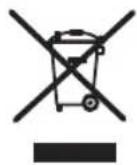
Disposal of old Electrical & Electronic Equipment (Applicable throughout the European Union and other European countries with separate collection programs)
This symbol, found on your product or on its packaging, indicates that this product should not be treated as household waste when you wish to dispose of it. Instead, it should be handed over to an applicable collection point for the recycling of electrical and electronic equipment. By ensuring this product is disposed of correctly, you will help prevent negative consequences to the environment and human health, which could otherwise be caused by inappropriate disposal of this product. The recycling of materials will help to conserve natural resources. For more detailed information about the recycling of this product, please contact your local city office, household waste disposal service or the retail store where you purchased this product.


- ©SIRIS
- CONNECTING TO THE MAINS
- IMPORTANT SAFETY INSTRUCTIONS
- BEFORE USING THE APPLIANCE FOR THE FIRST TIME
- SETTING THE TEMPERATURE
- BEFORE CLEANING THE APPLIANCE
- STEAM SELECTOR SWITCH
- FILLING WITH WATER
- ANTI-LIMESCALE FILTER
- ANTI-DRIP SYSTEM
- GENERAL INFORMATION ABOUT THE IRON
- ADVICE BEFORE USING THE IRON FOR THE FIRST TIME
- IRONING WITH SUPER STEAM AND SPRAY
- SELF-CLEANING (1)
- CARE AND CLEANING
- STORAGE
- ENVIRONMENT
- GUARANTEE AND SERVICE
- F
Brand : PALSON
Model : Osiris
Category : Iron