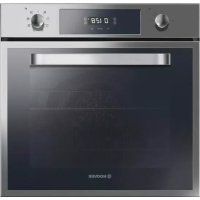
HOOVER HOE3174INE - Oven

HOE3174INE - Oven HOOVER - Free user manual and instructions

Find the device manual for free HOE3174INE HOOVER in PDF.

English EN Download 💬 AI Question 10 questions ⚙️ Specs
📄

Document temporarily unavailable

The manual is currently being transferred to our new server. It will be accessible again in a few hours. Thank you for your patience.

Pick your language and provide your email: we'll send you a specifically translated version.
Product type Built-in oven
Brand Hoover
Model HOE3174INE
Dimensions (W x H x D) Approximately 595 x 595 x 575 mm
Weight Approximately 30 kg
Power supply 220-240 V, 50/60 Hz
Maximum power Approximately 3 kW (check the label)
Energy class Not specified in the manual
Installation type Built-in
Number of functions 8
Cooking modes Natural convection, Forced air, Bottom heat, Grill, Turbo grill, Pizza, Cook Light, Defrost
Special functions U-COOK with Vario-Fan, Softper, SprinterF, U-SEE (14 LED), Aquactiva
Lighting 14 high-quality white LEDs (class 1M)
Cleaning Aquactiva (steam), manual cleaning with sponge and soapy water
Child safety Yes (key lock by pressing and holding for 5 seconds)
Cavity material Enamel
Door material Glass (Wide Door)
Provided accessories Simple grid, dish-holder grid, drip tray, pizza set (depending on model), flat grill with handle
Timer Audible and auto shut-off (programmable up to 120 min)
Clock Touch control

Frequently Asked Questions - HOE3174INE HOOVER

How to set the time on the HOOVER HOE3174INE oven?
After installation or power outage, the display flashes. Press the central key once, then use the '+' and '-' keys to adjust the time. Release the keys. The oven only works if the clock is set.
How to use the audible timer?
Turn the timer knob to the desired time (max 120 min). Once the time is up, a beep sounds. Turn off the oven manually.
How to program the oven to switch off automatically?
Use the 'Cooking time' function: press the central key twice, set the duration with '+' and '-', then select the cooking function. The oven switches off automatically at the end.
What is the Aquactiva function and how to use it?
Aquactiva uses steam to clean the walls. Pour 300 ml of water in the center of the cavity, select the natural convection or bottom heat program, set the temperature to the Aquactiva symbol (000) and let it act for 30 minutes. Then turn off, let cool, and wipe with a clean cloth.
How to activate child safety?
Press and hold the central key for at least 5 seconds until the display shows 'STOP' and the programmed time. All functions are then locked. To deactivate, repeat the same operation.
What accessories are provided with the oven?
Depending on the model, the oven may be supplied with a simple grid, a dish-holder grid, a drip tray, a pizza set, and a flat grill with handle. Refer to chapter 1.8 of the manual for more details.
What type of cleaner to use for the inside of the oven?
Use lukewarm water with a little soap and a non-abrasive sponge. Absolutely avoid abrasive products, metal scrapers, and steam cleaners. For the walls, the Aquactiva function is recommended.
How to replace the oven lighting bulb?
Disconnect the oven electrically before any intervention. Oven bulbs are specific and designed to withstand high temperatures. Contact a professional for replacement.
Why does a smoke smell occur during first use?
This is normal: it comes from the first heating of the insulation panels. Wait for the smoke to stop before cooking food. Ventilate the room if necessary.
What are the safety instructions for children?
Accessible parts become very hot. Keep children at a safe distance, especially from the glass door. Do not let children clean or play with the appliance without supervision.

User questions about HOE3174INE HOOVER

0 question about this device. Answer the ones you know or ask your own.

Ask a new question about this device

The email remains private: it is only used to notify you if someone responds to your question.

No questions yet. Be the first to ask one.

Download the instructions for your Oven in PDF format for free! Find your manual HOE3174INE - HOOVER and take your electronic device back in hand. On this page are published all the documents necessary for the use of your device. HOE3174INE by HOOVER.

USER MANUAL HOE3174INE HOOVER

Manual assistant
Powered by Anthropic
Waiting for your message
Product information

Brand : HOOVER

Model : HOE3174INE

Category : Oven