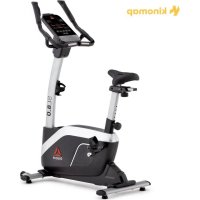
SL8.0 - Exercise bike Reebok - Free user manual and instructions
Find the device manual for free SL8.0 Reebok in PDF.


User questions about SL8.0 Reebok
0 question about this device. Answer the ones you know or ask your own.
Ask a new question about this device
Download the instructions for your Exercise bike in PDF format for free! Find your manual SL8.0 - Reebok and take your electronic device back in hand. On this page are published all the documents necessary for the use of your device. SL8.0 by Reebok.
USER MANUAL SL8.0 Reebok
SL8.0 Elliptical USER MANUAL

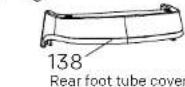
PARTS:
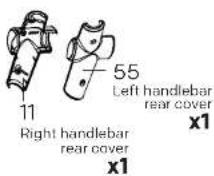
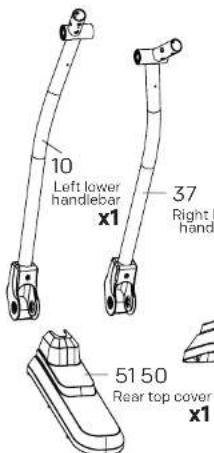
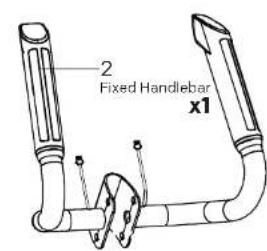
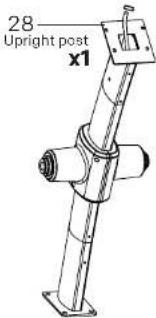
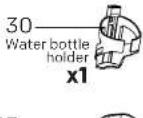
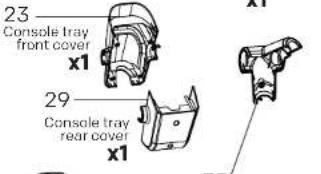
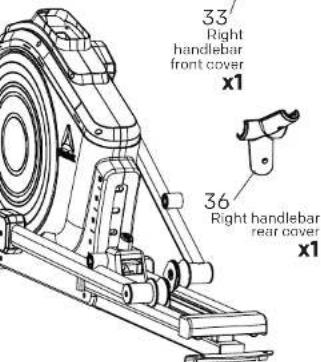
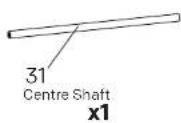


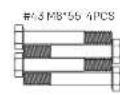
HARDWARE PACK:
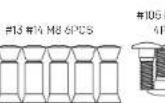
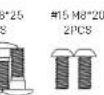


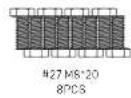
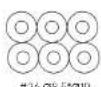
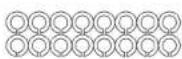
2101758254PC8


16P0S
2000000000000000000000000000000000000000000000000000000000
2 SL8.0 Elliptical-UserManualwww.rebokfitness.info 3
SL8.0 Elliptical USER MANUAL

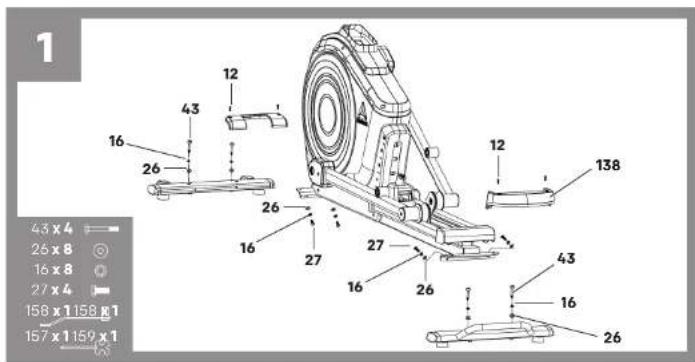
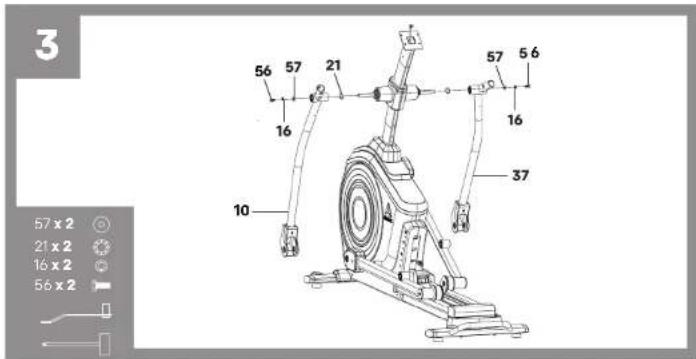
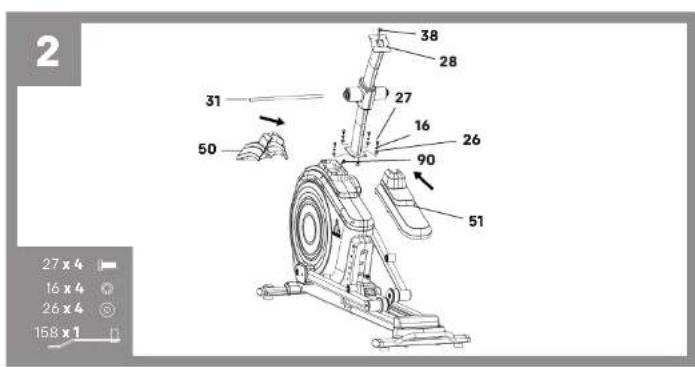
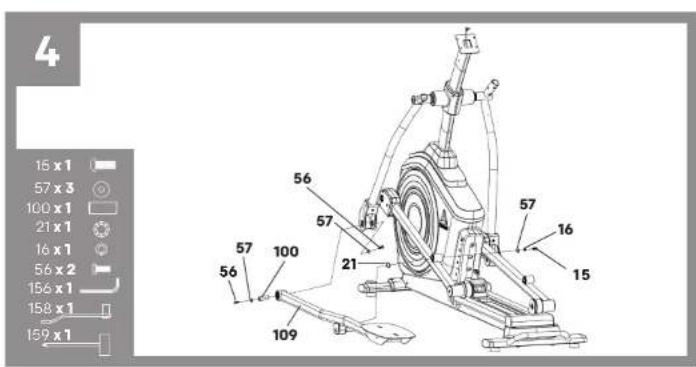
SL8.0 Elliptical USER MANUAL

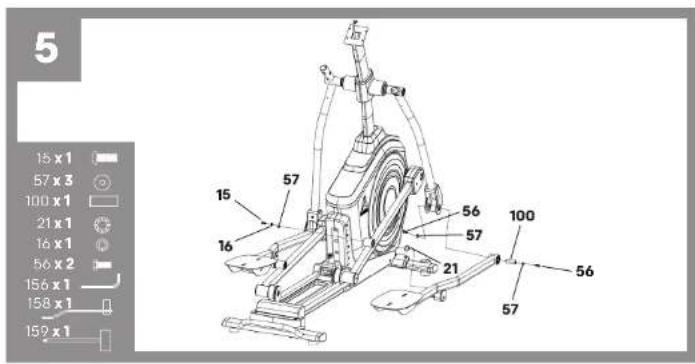
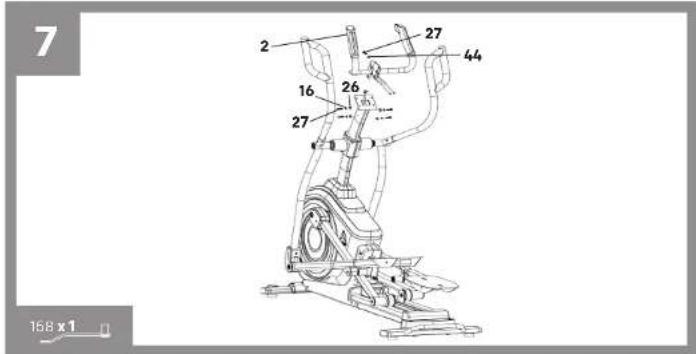
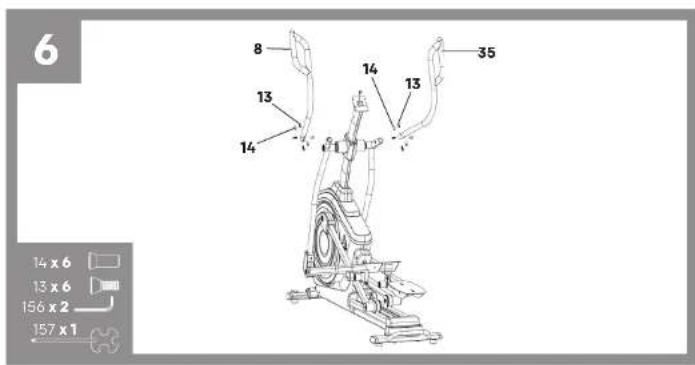
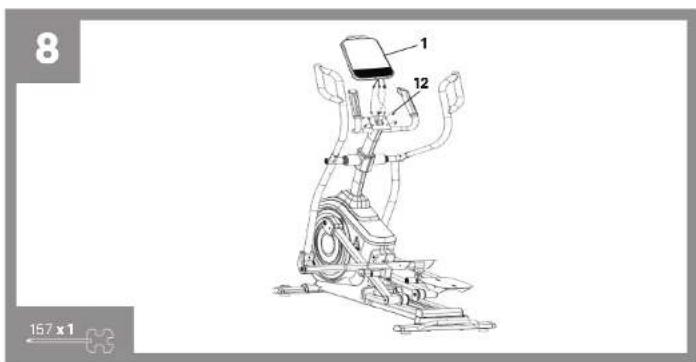
SL8.0 Elliptical USER MANUAL

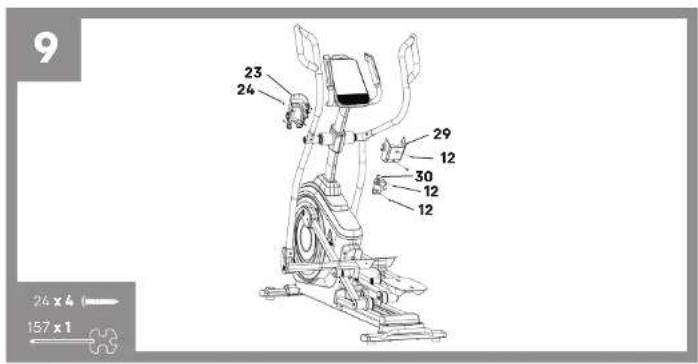
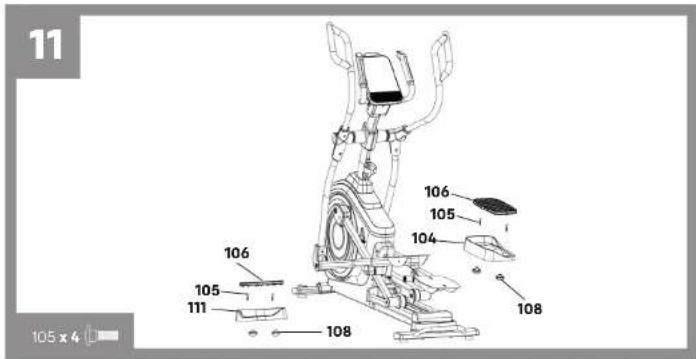
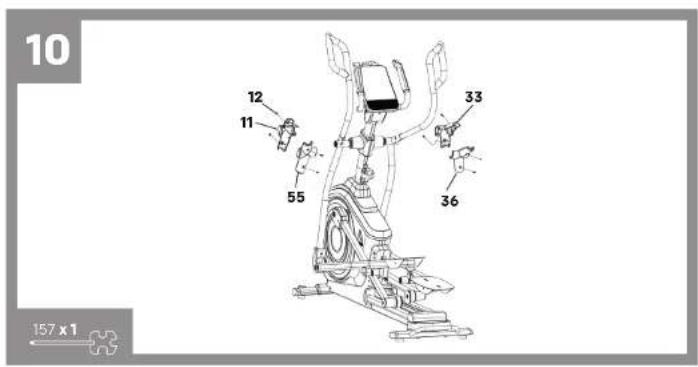
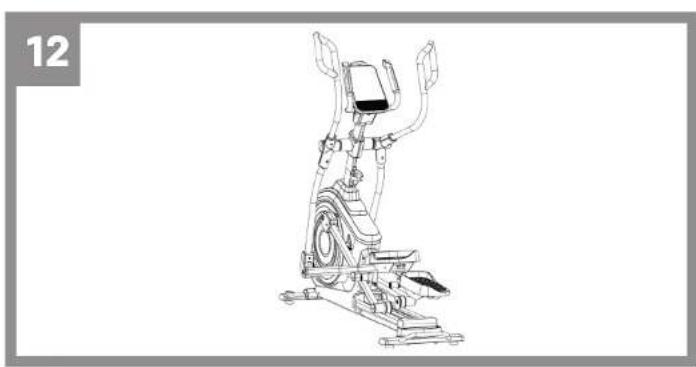
SL8.0 Elliptical USER MANUAL

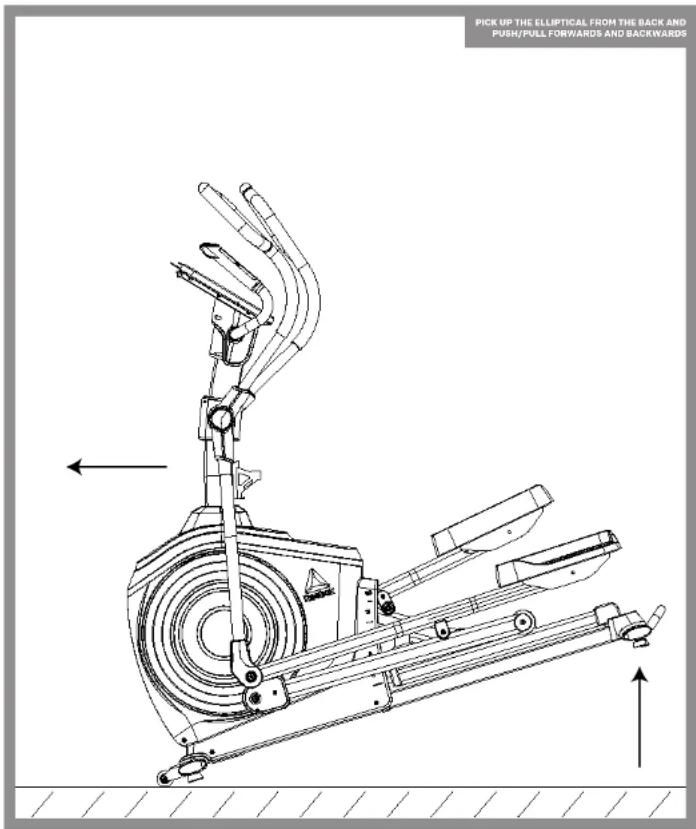
MOVING THE ELLIPTICAL
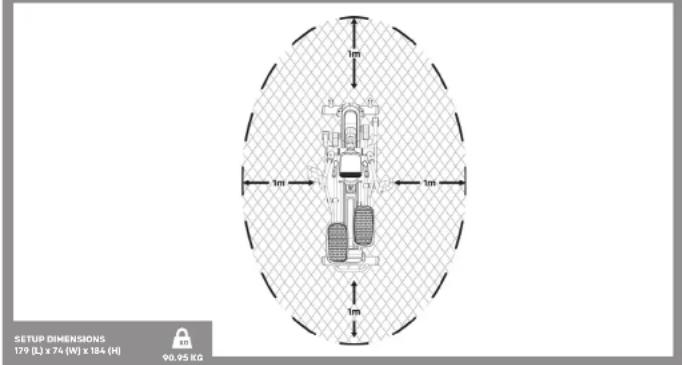
Allow for a minimum space of 1m around the elliptical when in operation.
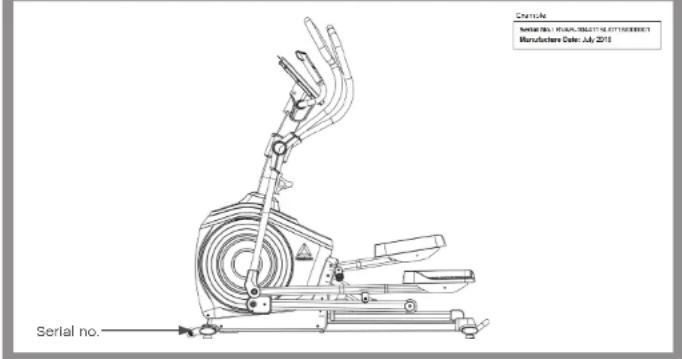
Serial no. is located on the base of the elliptical.
SL8.0 Elliptical USER MANUAL


Find out more at:
resilok.com/resilok-app
Search: resilok.com/Resilok

Bluetooth


WEEE open this symbol on a product means that the amount is deducted by European Directive 70/19/85, FR. The Luxembourg's wordmark and labels are registered trademarks by Luxembourg authorities. This is an indication that the brand names by itself are international under ILO codes. See Figure 4.3 for international declarations that this product is in compliance with the extent of impairment and after recent problems of its use.

www.reebokfitness.info/product-support
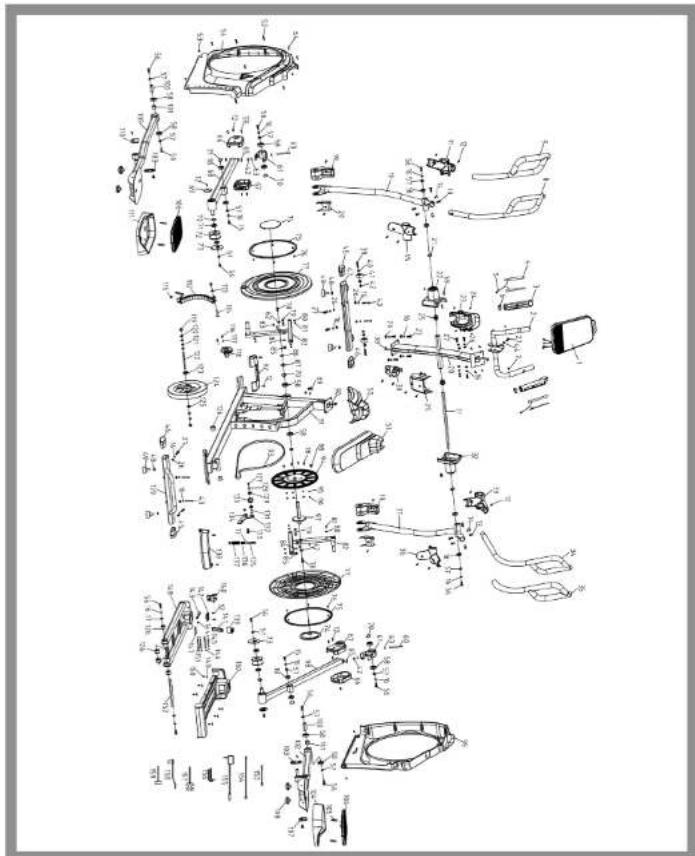
SL8.0 Elliptical USER MANUAL

| Description Spec. QTY | ||
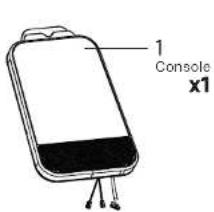
| 1 | Console | 1 |
| 2 | Fixed Handlebar | 1 |
| 3 | Hand Pulse | 2 |
| 4 | Hand Pulse Plate | 4 |
| 5 | Hand Pulse Wire | 2 |
| 6 | Hand Pulse Trim Ring | 2 |
| 7 | Screw | ST4.8*12 |
| 8 | Left Upper Handlebar | 1 |
| 9 | Left Handlebar Trip Plastic | 1 |
| 10 | Left Lower Handlebar | 1 |
| 11 | Left Handlebar Front Cover | 1 |
| 12 | Screw | M5*12 |
| 13 | Taper Screw | M8*16 |
| 14 | Taper Screw | M8*20*12 |
| 15 | Screw | M8*20*2 |
| 16 | Spring Washer | CS |
| 17 | Flat Washer | C8*222 |
| 18 | Bearing | 6003 |
| 19 | Footplate Tube Front Cover | 2 |
| 20 | Footplate Tube Rear Cover | 2 |
| 21 | Waves Washer | ∅175°03'0.3T |
| 22 | Center Shaft Left Cover | 1 |
| 23 | Conceal Tray Front Cover | 1 |
| 24 | Screw | ST2*20L |
| 25 | Plastic Socket | ∅17*331.8 |
| 26 | Foot Washer | ∅8*219*2T |
| 27 | Screw | M8*20 |
| 28 | Upright Post | 1 |
| 29 | Conceal Tray Rear Cover | 1 |
| 30 | Water Bottle Holder | 1 |
| 31 | Center Shaft | ∅17*430L |
| 32 | Center Shaft Right Cover | 1 |
| 33 | Right Handlebar Front Cover | 1 |
| 34 | Right Upper Handlebar | 1 |
| 35 | Right Handlebar Dip Plastic | 1 |
| 36 | Right Handlebar Rear Cover | 1 |
| 37 | Right Lower Handlebar | 1 |
| 38 | Upper Cable | 1 |
| 39 | Screw | M8*0L*8BL |
| 40 | Bearing | 608 222 |
| 41 | Transport Wheel | 2 |
| 42 | Nylon Nut M8.5 | 2 |
| 43 | Screw | M8*55 |
| 44 | Semiconductor Washer | ∅8*019*2T |
| 45 | Foot Tube Left End Cap | 2 |
| 46 | Foot Tube Right End Cap | 2 |
| No. | Description Spec. QTY | |
| 47 | Front Foot Tube | 1 |
| 48 | HEX Nut | M10*8T |
| 49 | Foot Pad | M10*PL5*23L |
| 50 | Front Top Cover | 1 |
| 51 | Rear Top Cover | 1 |
| 52 | Pillar | 3 |
| 53 | Screw | 5/16"3/4" |
| 54 | Upper Chain Cover (L1) | 6 |
| 55 | Left Handlebar Rear Cover | 1 |
| 56 | Screw | M3*FL25*20L |
| 57 | Flat Washer | 08*025*2T |
| 58 | Bearing | 600% |
| 59 | Screw | S12.9*20L |
| 60 | Screw | M3*FL25*88L |
| 61 Universal Joint | 2 | |
| 62 Flat Washer | 08*022*2T | 2 |
| 63 Flat Washer | 08*025*2T | 4 |
| 64 Nylon Nut | M8 | 2 |
| 65 Universal-Joint Sleeve | 2 | |
| 66 Roller Wheel Fixed Tube Outer Cover | 2 | |
| 67 Roller Wheel Fixed Tube Inner Cover | 2 | |
| 68 Left Roller Wheel Fixed Tube | 1 | |
| 69 Roller Wheel Fixed Tube End Cap | 2 | |
| 70 Wave Washer | 020.1*027*0.3T | 4 |
| 71 Bearing | 6004 | 4 |
| 72 Roller Wheel | 2 | |
| 73 Roller Positioning Place | 2 | |
| 74 Turnplate Cover | 2 | |
| 75 Turntable Trim Strip | 2 | |
| 76 Screw | ST29*8L | 12 |
| 77 Turnplate | 2 | |
| 78 Screw | M6*PL0*16L | 6 |
| 79 Screw | M10*PL5*5L | 2 |
| 80 Screw | ST3.9*16L | 6 |
| 81 Screw | ST3.9*16L | 6 |
| 82 Turnplate Rack | 2 | |
| 83 Stop Block | 06*06 | 2 |
| 84 Flat Washer | 010.5*021*2T | 2 |
| 85 Nylon Nut M10 | 2 | 2 |
| 86 C Shoe Clasp | 020 | 2 |
| 87 Flat Washer | 020.3*030*0.5T | 2 |
| 88 Torndal Coarse | 1 | |
| 89 Sensor Bar Fixed Seat | 1 | |
| 90 Lower Cable | 1 | |
| No. | Description Spec. QTY | |
| 97 | Frame 1 | |
| 92 | Front Foot Tube Cover 1 | |
| 93 | Sett | R00 1 |
| 94 | Belt Pulley | C0330 1 |
| 95 | Spring Washer | O6L*1.6T 6 |
| 96 | Nylon Nut M6 1 | |
| 97 | Crank Axle | C020 1 |
| 98 | Right Roller Wheel Fixed Tube 1 | |
| 99 | Lower Chain Cover (1) | |
| 100 | Footplate Tube Connecting Shaft | C020*50 2 |
| 101 | Footplate Tube Bearing Block Sleeve | C025*20.3 2 |
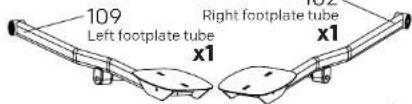
| 102 | Right Footplate Tube | |
| 103 | Footplate Tube Spindle Cover | |
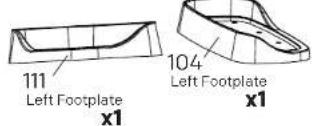
| 104 | Right Footplate | |
| 105 | Damage Bolts | M5*25 4 |
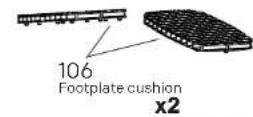
| 106 | Footplate Cushion | |
| 107 | Footplate Tube Right End Cap | |
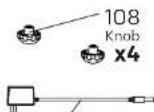
| 108 | Knob | M5 4 |
| 109 | Left Footplate Tube | |
| 110 | Footplate Tube Left End Cap | |
| 111 | Left Footplate | |
| 112 | Magnetic System | |
| 113 | Flat Washer | C08*5*01*2T 1 |
| 114 | HEX Screw | M5*5L*025L 1 |
| 115 | Magnetic System Spring | |
| 116 | HEX Screw | M5*0.8*12L 4 |
| 117 | Spring Washer | C08 2 |
| 118 | Motor | |
| 119 | Nut | 3/8*26*7T 2 |
| 120 | HEX Nut | 3/8*26*3.8T 4 |
| 121 | Screw | C010*015*8*6 2 |
| 122 | Flywheel Axle | 3/8*26*130L 1 |
| 123 | Boaming 6300 | 1 |
| 124 | Flywheel | C020*32W 1 |
| 125 | Boaming | C900 1 |
| 126 | Powder Metallurgical Bushing | C031*047*15.5 6 |
| 127 | Screw | H0*10 1 |
| 128 | Fat Washer | C05*5*03*1.5T 1 |
| 129 | Searing | C000 2 |
| 130 | Idler Wheel | C40*20L 1 |
| 131 | Wave Washer | C010.2*03*10.3T 1 |
| 132 | Idler Plate |
| No. | Description Spec. QTY | |
| 153 | Screw | M8*11.25*25*30*18L 1 |
| 154 | Flat Washer | C06*5*025*2T 1 |
| 136 HEX Screw | M6*100L*950 1 | |
| 136 | Screw | C04*4*30L(MR) 1 |
| 137 | iler Spring | C02*04*2N 1 |
| 138 | Rear Foot Tube Cover | 1 |
| 139 | Rear Foot Tube | 1 |
| 140 | Incline Rotary Seat | 1 |
| 141 | Incline Button Push Rod | 1 |
| 142 | Incline Button Bushing | 1 |
| 143 Bolt | C04.5*108.5L 1 | |
| 144 | Latch Spring | 1 |
| 145 | Incline Rotary Seat Fixed Pin | C08*70L 2 |
| 146 | C Shape Clasp | C8 8 |
| 147 | Up Plastic Sheath | 1 |
| 148 | Slide Rail | 1 |
| 149 | Flat Washer | C04.5*08*15T 6 |
| 150 | Screw | ST3.9*10L 6 |
| 151 | Incline Rotary Seat Stop Pin | C08*45.5L 2 |
| 152 | Slide Spindle | C07*200L 1 |
| 153 | Lower Induction Wire | 1 |
| 154 | DC Wire | 1 |
| 155 | Adaptor | 1 |
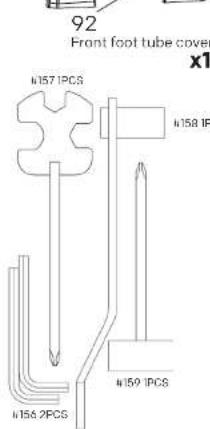
| 156 | HFX Wrench | 6mm 2 |
| 157 | Harpoon Wrench | 13.15 17 1 |
| 158 | Large Socket Wrench | 13.15 1 |
| 159 | Socket Wrench | 13.15 1 |
| 160 | Incline Cover | 1 |
SL8.0 Elliptical USER MANUAL

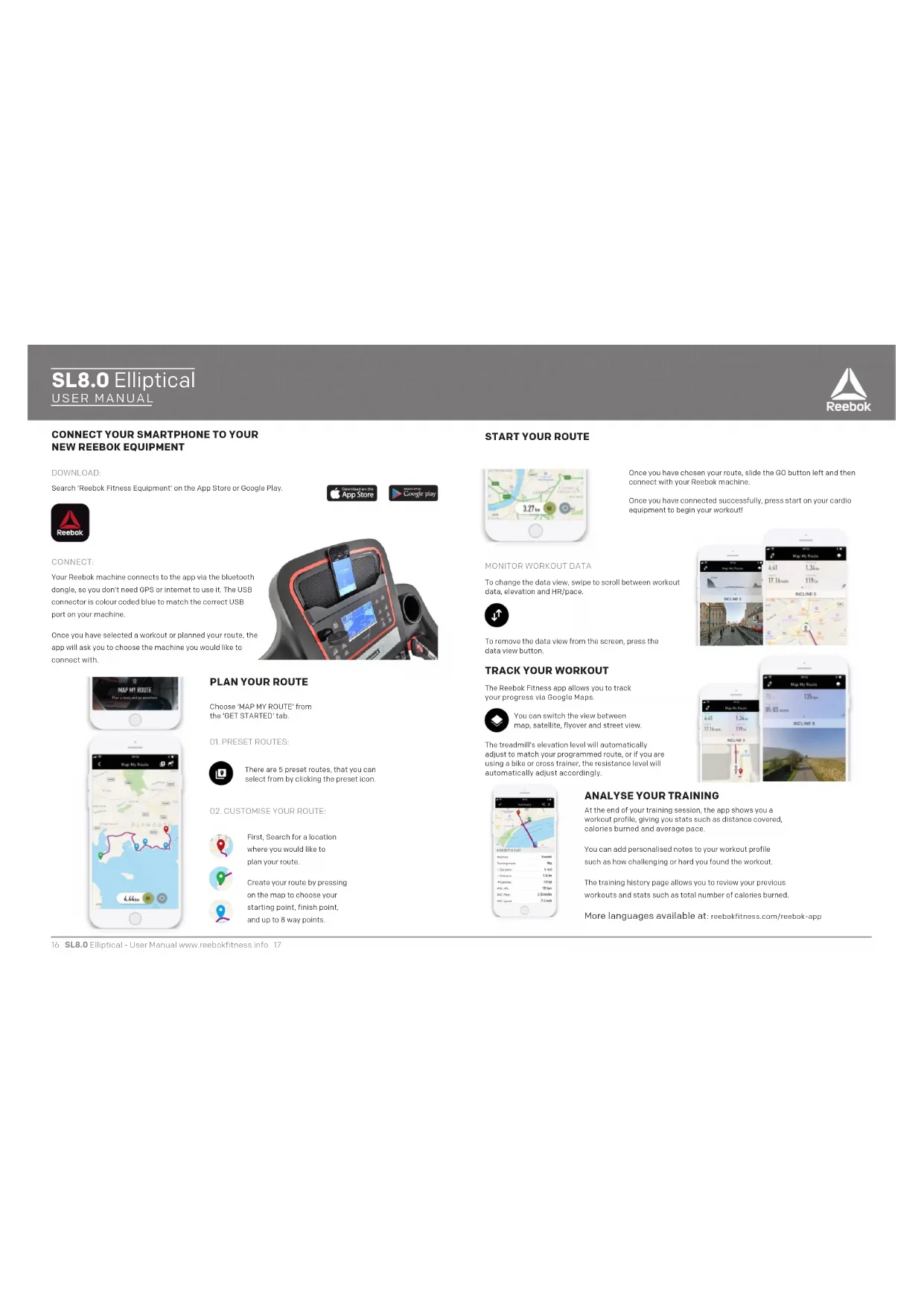
CONNECT YOUR SMARTPHONE TO YOUR NEW REEBOK EQUIPMENT
DOWNLOAD:
Search 'Reebok Fitness Equipment' on the App Store or Google Play.

CONNECT:
Your Rreebok machine connects to the app via the bluetooth dongle, so you don't need CPS or internet to use it. The USB connector is colour coded blue to match the correct USB port on your machine.
Once you have selected a workout or planned your route, the app will ask you to choose the machine you would like to connect with.
PLAN YOUR ROUTE
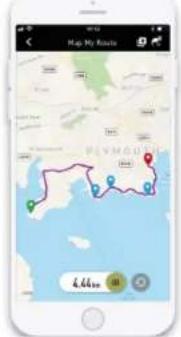
Choose 'MAP MY ROUTE' from the 'GET STARTED' tab.
01.PRESET ROUTES:

There are 5 preset routes, that you can select from by clicking the preset icon.
02.CUSTOMISEYOUR ROUTE:


First, Search for a location where you would like to plan your route.
Create your route by pressing on the map to choose your starting point, finish point, and up to 8 way points.


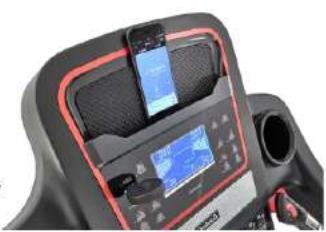
START YOUR ROUTE
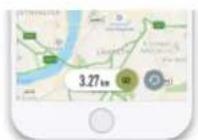
Once you have chosen your route, slide the CD button left and then connect with your Roobok machino.
Once you have connected successfully, press start on your cardio equipment to begin your workout!
MONITOR WORKOUT DATA
To change the data view, swipe to scroll between workout data, elevation and HR/pace.

To remove the data view from the screen, press the data view button.
TRACK YOUR WORKOUT
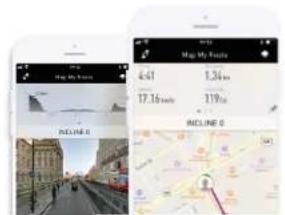
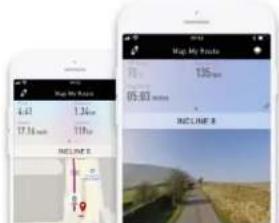
The Reebok Fitness app allows you to track your progress via Google Maps.

You can switch the view between map, satellite, flyover and street view.
The treadmill's elevation level will automatically adjust to match your programmed route, or if you are using a bike or cross trainer, the resistance level will automatically adjust accordingly.
ANALYSE YOUR TRAINING
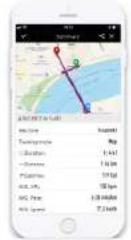
At the end of your training session, the app shows you a workout profile, giving you stats such as distance covered, calories burned and average pace.
You can add personalised notes to your workout profile such as how challenging or hard you found the workout.
The training history page allows you to review your previous workouts and stats such as total number of calories burned.
More languages available at: rocbokfitness.com/rocbok-app
SL8.0 Elliptical USER MANUAL


ENGLISH
BUTTON FUNCTIONS
Start: To start or stop exercise.
Recovery: To test heart rate recovery.
Fan: Press this button to start/stop the fan.
Reset: Used to reset the functions at any time. Please note STOP must be pressed before RESET.
Enter Used to confirm a setting or selection.
+Adjust function value up.
Adjust function value down
OPERATION PROCEDURE
When the power supply is connected to the machine the console will power on and make a beep sound. The screen will display KM and then enter UO mode.
Prss + / - to select user (UQ-U4) and press ENTER. Input user information (sex, age, height and weight) using + / - and ENTER.
Press +/- to select desired mode, then press ENTER. Press +/- to set function values and START to begin exorcise.
To reset all data, press START to stop the workout then hold RESET.
MODE
Manual: Press +/- buttons to set desired time/distance/calorie/HR then press START to begin exercise. Press +/- to adjust resistance level during exercise.
Program: Select from 12 pre-set programs in which the machine will adjust resistance automatically during the workout.
Watt: Select desired watt value 10-350 and press the START button to begin workout.
U1-U4: User can create and store their own resistance program on the console for a personalised workout
H.R.C (HEART RATE CONTROL)
Press between 55%, 75%, 90% and TAG.
TAG is the users preferred TARGET HEART RATE to work out to. This can be altered before the exercise is started.
Maximum users heart rate is worked out at 220 - age = total TARGET HEART RATE This is the maximum your heart rate (MHR) should be. You can then work out at 55%, 75% or 90% of this. For example, 220 - 25 (users age) = 195 MHR, from here you can work out at the desired %.
Press ENTER to confirm
During the workout, resistance will be automatically changed.
RECOVERY
Pros RECOVERY then place hands on pulse sensors. Console will countdown from 1 minute and HR symbol will flash. Console will then display HR recovery level:
F1-Excellent
F2- Very Good
F3-Gcdd
F4-Satisfactory
F5-Below Average
F6-Poor
MP3
Plug in your device to the MP3 cable to play music through the console.
NOTE
This computer is powered by a 9V power adaptor. DO NOT USE ANY OTHER ADAPTER WITH THE MACHINE.
POWERSAVING
This product is manufactured in compliance with the Frp Regulations and is fitted with a power saving mode which will activate the machine in inactive for a period of 4 minutes. Console will automatically turn off and display temperature. Press any button to turn on console.
SL8.0 Elliptical USER MANUAL


DANISH
KNAPPEFUNKTION
START:For at starte ell stoppe treeningen.
RESTITUTION: For at tjekke restitution af hjertefrekvensen.
BLAESER: Tryk pa knappen for at taende alle slukke for blaeseren.
SL8.0 Elliptical USER MANUAL


GERMAN
TASTENFUNKTIONEN
SL8.0 Elliptical USER MANUAL

#
SPANISH
Pulse+entre 55%,75%,90%yTAG.
SL8.0 Elliptical USER MANUAL


FRENCH
FONCTION DES TOUCHES
SL8.0 Elliptical USER MANUAL


ITALIAN
SL8.0 Elliptical USER MANUAL


JAPANESE
夕機能
SL8.0 Elliptical USER MANUAL


KOREAN
号
到书
“司”
贝“i贝藥上口建樂子日
RESET(2)用卡号卡号卡号卡号卡号卡号卡号卡号卡号卡号卡号卡号卡号卡号卡号卡号卡号卡号卡号卡号卡号卡号卡号卡号卡号卡号卡号卡号卡号卡号卡号卡号卡号卡号卡号卡号卡号卡号卡号卡号卡号卡号卡号
贝贝
在同日
十
一
圣洁克付
吉如用国国国的
+/- 論 10000000000000000000000000000000000000000000000000000000000000000
韵。
ENTER()
+/- 皂皂韵如习即半云电电电电电电电电电电电电电电电电电电电电电电电电电电电电电电电电电电电电电电电电电电电电电电电电电电电电电电电电电电电电电电电电电电电电电电电电电
I
日
RESET(2)
华
李乐文华
+/- 論 1.00000000000000000000000000000000000000000000000000000000000000000
1
严品工
12
国
10-350号
言援云音韵是,
U1-U4
运韵皂葬凿皂
孟召宁圣剑
SL8.0 Elliptical USER MANUAL


NORWEGIAN
KNAPPFUNKSJON
START: "Paina tasta kaynistaaksesi, hihna alkaa likkua."
BEDRING: For a lste bedring av hjerteslagene.
PUHALLIN: Kaynnista tai pysayta puhalin painamalla-painiketta
TILBAKESTILLING: BrukEs til a tibakestile funksjonene nar som halst. Merk: Du ma fryke pa STOP fer RESET. Enter: BrukF for abkafte en instilling alter et uvalg
+:Juslerfunksjonsverdien app
-:Juster funksjonsverdienned
BRUKSMATE
SL8.0 Elliptical USER MANUAL

PORTUGUESE
FUNCOES DOS BOTOES
SL8.0 Elliptical USER MANUAL


RUSSIAN
KIOHKHUYJbTAYHPABJEHH
CTAPT Ha aIIO n 3epe mne HpOBKn.
BOCCTAHOBIEHHe Hmocnncnecypoeha nocctahnoJcHnnyIbca.
IOBHMHPEKIM HxMTeKnoNyIxctapTaHnOCTaHO
Pamrro ngo hmo rpo ckmna
CBPOC C6poc snaeennn npametpon. Hepen, c6pocm
HcooXoOnmHaXaTbKhoNkYSTOP(cToI).
BcI KcnoNbSyetc dI IIOepeHnHa cTpoE nn H6opa.
+crny1nDOKKa 3aueHna HapcMCTpaDcpx
PeryI npOBKa 5NaueHnHa npaMeTpaBn3.
OKC11NYATAH
IINIOZKIOHCHNHTAHNHEKTPOXHOYKcoHbDIOXUOCTcHNOUaTc TBOKONCnTHKaHsBepaHeoTOOpaAsTeRKM.02HnthepeMeM10
HaeMnE+/-mB50a nIbOeTaON(U0-U4).3aTcEMENTER(BBO)πx
noHTBepnBn,HcncTe aanBnNoBbOnTaNn(no,BoepctpoctnB
cnnoBbOy+/-nENTER(BBO)
HMMrTe+JnnaBm6opanyhnopeMnA aTaemNTER(BBOU)nn HnntBCpOCHn.11KMMrTe-1nnyyctahOnKnHauchnHaapemcTpo,2 8atemSTART(OTAPT),vro6bnaahtynpaehnnc
IaXcBopocnCoxnApemctpoDnHxmUoSTARTCTAPTIaXscOctanohOn TepennpKx, aTaTeKnxHxnnTcynyxcPnndaeRSETCbPOC.
PEKHN
PyKnoepKnnIaHnntcKaKnKn/-/IaXyctaHooKnxCtceoPurocmN/ nTcTaanHnIIKaIOpHnIR (vactoTnyLbIc), a sTeeSSTART (CTAPIT), qTo61 hauatbyupnKncn. IaHnntc 己 / - ,uTo6BocptpcryHnpobataypoebco npcoptpncnngnnpocnpck
IPOPAMMBTPEHIXPOBKN Bb6epntc0nH312 npcyctanoeHHx
STARTCTAPTTTOOHHHAAATPTPCHHPPOK
U1 U4 Hb0eTe5 MoKc TccaaBt HcoxpaHtNa KhoCn CooceCtChHy npaMMy mochchHc conpoTHCHHn Hn HnDnayyA13nTpeHnpOBKK.
PEKHM.H.R.C.(KOHTPOJBYACTOTBILYIBCA)
11kmnre/-2nBm6oopa 58,78,90% n2TAG (nncnbnhaueTcTaHbck
TAG-epocnbHmNybc,0aHHm
H071308A T6X-2T03H05E
HCHHTH HCHH HJHOM TPOHOPK
MaekmepnnoohyctnnnypeBnKcTcaHooopmye:220-
=6HnTHR,1cJeySTonvscxatbTTOBnHyApCpNpTnSOT
H
1
10000000000000000000000000000000000000000000
1000-25=107
MRCCHM 15H0DnHycHmHnIyABCOCCT3Bact:220-25=193.523HRH
Hn Hn Hn Hn Hn Hn Hn Hn Hn Hn Hn Hn Hn Hn Hn Hn Hn Hn Hn Hn Hn Hn Hn Hn Hn Hn Hn Hn Hn Hn Hn Hn Hn Hn Hn Hn Hn Hn Hn Hn Hn Hn Hn Hn Hn Hn Hn Hn Hn Hn Hn
11 2KMTC KHOUKY ENTER
IooepmaTpeKpOeKcoOpOTBnEeHne6ydtNmchstbcABTOMaTH
BOCCTAHOBJEHHE
RECOVERY 1BOCCTAUUBELHNEHNNOKNTCANKNHSSCHOPN
Hbca.KoHcOJI HsueeTo 06paTHmnoTocetOT MnHyTe,cmnnoJTR
(actotarhybca)5ynturatB.SatemkoroebotocepahtypodcnnoctocanobnncnHUR(actotarhybca);
F1-Ⅱepeocxua
F2-QeHbXoo
F3-Xopmo
F4=YnnpTnppTcH
E=11
F0-1n
MP3
118nocpno2eBnmaynyshnuepeKoHc0bncnKaHnHTecpcbc yctpocttloKkaCtoMP3.
PIMMEAHN
Iyabuyuuee HnoknncctcKcetncpe6Jokntanua Ta npanpaeonHHCIOHJQoATbPYPNE
SL8.0 Elliptical USER MANUAL


SWEDISH
KNAPPFUNKTION
TAG (Target Heart Rate) are anandarens ONSKADE PUL SFRKVFNS for training. Dena kan andras innan passct Inkds.
Anvandarens maxpuls beriknsscm 220 - Aider = total CNSKAD PUPI SFRKEVFNSS. Detta a rvi dnn maxpuls bor varu.Dukan sodan trana 55 %,75% cllor 90 % ovenna. Expecip: 220-25 (anvandarens Aider) = 1951 maxpuls.Med utgangspunkt frndetta varden du tna med nskad procentuell intensitet.
Donna dator drives mod on 9 V stromadapter, ANVAND INTE NAGON ANNAN ADAPTER TILLSAMMANS MED MAGKINEN.
ENERGISPARLAGE
SL8.0 Elliptical USER MANUAL


CHINESE (SIMPLIFIED)
按钮功能
1.开始或者停止训练
复原测试心率恢复情况
风扇按按钮启动或停止风扇
SL8.0 Elliptical USER MANUAL


TURKSIH
DÜGME FONKSİYONU
BASLAT: Antrenmani baslatmak vya durdurnak icin.
GERI YUKLEME: Kaip hizu telafisini test etmok icn.
For product information or service please contact:
UK: RFE Europa Ltd. 8 Clarendon Drive, Wymbush, Milton Keynes, MK8 8ED.
Customer Service: Tel: +44 (0)800 440 2459 Email: techsupport@rfeinternational.com
Europe: serviceeuropa@rfeinternational.com
Spain: serviciotechnico@rfeinternational.com
APAC (excluding Australia): RFE Asia Pacific, 2608-1609, 1 Hung To Road, Kwun Tong, Kowloon, Hong Kong. Email: techsupportapac@rfeinternational.com
Australia: techsupportaustralia@rfeinternational.com
USA: RFE Sporting Goods Inc., 1300 Smith Road, STE 104, Austin, Texas, 78721, USA.
Email: techsupportusa@rfeinternational.com