AIRSS21065 - Air Conditioning Sogo - Free user manual and instructions
Find the device manual for free AIRSS21065 Sogo in PDF.


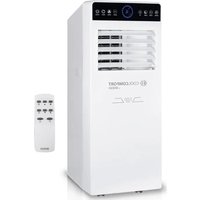
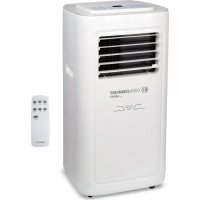
| Brand | Sogo |
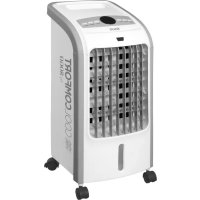
| Model | AIRSS21065 (SS-21065) |
| Type | Air cooler (evaporative air conditioning) |
| Power supply | 220-240 V ~ 50/60 Hz |
| Power | 80 W |
| Airflow | 300 m³/h |
| Noise level | ≤ 55 dB |
| Air ejection speed | 8.6 m/s |
| Water tank capacity | 4.0 L |
| Max. cooling area | 12.5 m² (125 sq ft) |
| Fan speeds | 3 (Low, Medium, High) |
| Timer | Programmable shutdown from 0.5 to 7.5 h |
| Oscillation function (Swing) | Yes (air circulation) |
| Ventilation modes | Natural, Sleep |
| Cooling function | Yes (with water pump and wet curtain) |
| Included accessories | 2 ice packs, casters with brake |
| Air filter | Washable (regular cleaning recommended) |
| Wet curtain (pad) | Humidified paper, removable and washable |
| Maintenance | Clean filter, wet curtain and tank regularly |
| Safety | Automatic shut-off in case of tipping (mentioned), protection against instability |
| Repairability | Spare parts available from after-sales service (www.sogosat.com) |
| Compliance | Low Voltage Directive, EMC, WEEE, Ecodesign |
Frequently Asked Questions - AIRSS21065 Sogo
User questions about AIRSS21065 Sogo
0 question about this device. Answer the ones you know or ask your own.
Ask a new question about this device
Download the instructions for your Air Conditioning in PDF format for free! Find your manual AIRSS21065 - Sogo and take your electronic device back in hand. On this page are published all the documents necessary for the use of your device. AIRSS21065 by Sogo.
USER MANUAL AIRSS21065 Sogo
natural_image
White outdoor air conditioner unit with cooling fins and wheels, no visible text or symbols on the device itself.
Climatizador de aire portátil Portable air cooler Rafraîchisseur d'air Refrigerador do ar portátil Tragbarer Luftkühler Raffreddatore d'aria portatile
Caution: please read and preserve these important instructions
Filtro de aire
Parte trasera
Panel de control
natural_image
Hand placing a grid on a dark rectangular object (no visible text or symbols)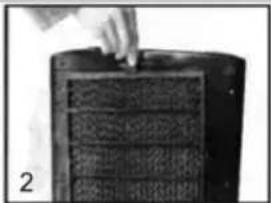
natural_image
Close-up of a hand pressing down on a textured surface next to a cylindrical object (no visible text or symbols)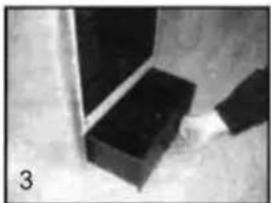
natural_image
Close-up of a black rectangular block with a vertical rod inserted, no visible text or symbols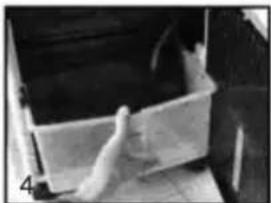
natural_image
Interior view of a white plastic cabinet with a hand holding the lid (no visible text or symbols)Dear consumer, Please read these instructions carefully before use in order to avoid damage due to incorrect use and to better understand the functions of this product. Please pay particular attention to the safety guide.
If you pass the device on to a third party, these Operating Instructions must also be handed over.
Please keep them for future references.
A copy of this instruction manual in various languages is available on our website: www.sogo.es..
IMPORTANT SAFEGUARDS:
- Use as per the rating voltage on the product.
- Do not repair or remake the appliance by yourself, it should be repaired by a qualified technician.
- Do not operate the appliance with wet hands, in order to avoid a shock hazard.
- If the supply cord is damaged, it must be replaced by the manufacturer, its service agent or similarly qualified persons in order to avoid a damage or hazard.
- When the appliance is not in use, switch off and unplug it.
- Do not insert foreign things to air outlets and inlets, in order to avoid damage.
- Do not use the appliance near explosive and combustible gas. Avoid long-term direct solar radiation.
- Use the appliance only on a flat surface.
- Do not use outdoors.
- The level of water tank should not be over “MAX” scale at any time, when humidifying, the total level of water tank should not be below “MIN” scale.
- After adding water to the water tank, do not tilt or knock over it when you put or move. If you want to move, please push slowly from the side, in order to
avoid spilling.
- Do not tilt over the appliance. If it is toppled over and there is some water in the body, should unplug the power supply first. Then send it to the repair department or after-sales service and overhaul the appliance.
- Do not cover the air vent.
- Clean the appearance with a lightly damp cloth. Do not use any type of detergents or solutions. Do not rinse the appliance.
- Do not make air outlets and inlets near the wall or curtain.
- Do not knock or shake the body when using, otherwise it may cause stop automatically.
- The water in tank will easily metamorphose and has odor in summer, please renew the water frequently.
- This appliance is not intended for use by persons (including children) with reduced physical, sensory or mental capabilities, or lack of experience and knowledge, unless they have been given supervision or instruction concerning use of the appliance by a person responsible for their safety.
- Children should be supervised to ensure that they do not play with the appliance.
- To avoid the risk caused by instability of unit, you must fix the castors firmly according to manual book.
- Should it be necessary to move the unit after the water has been added, roll gently to the required position and activate the bracket of the castors.
- The power cord is with "Y" type connection and it must be changed by professional technicians if necessary.
- This appliance can be used by children aged from 8
years and above if they have been given supervision or instruction concerning use of the appliance in a safe way and understand the hazards involved. Children shall not play with the appliance. Cleaning and user maintenance shall not be made by children unless they are older than 8 years and supervised.
- Keep the appliance and its cord out of reach of children aged less than 8 years.
- Do not use this appliance with a programmer, counter or another device which can automatically turn it on because if the appliance is covered or incorrectly positioned there is a danger of fire.
Assembling castors:
Put the appliance on a flat surface, take out the wrench from foam box, then assemble the castors.
Attention: the back castors are with brake, but the front ones are without. (map 1)
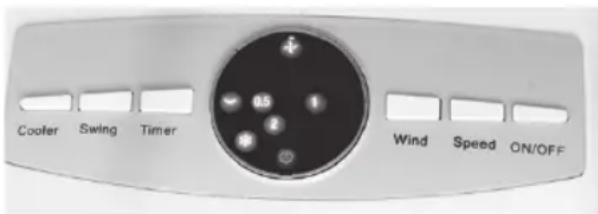
Function Control Panel
1. "ON/OFF" button
- Press the button to start the unit, the indicator "LOW" will appear on the control panel and the air cooler will start working at low speed.
- Press the button again to switch of the unit.
2. "SPEED" button
- There are three speed settings Low, Medium and High. When the unit is switched on, it starts at low speed. Press the speed button to select the required speed. Based on the selection, the Low, Medium or High indicator will appear on the control panel.
3. "WIND" button
- It has two settings Sleep and Nature. If this function is activated the air flow will keep changing continuously. If this function is deactivated the air flow will be continuous based on the selected speed.
4. "TIMER" button
- Off timer can be programmed using this button from 0.5 hr to 7.5 hr. Pressing each time the button will increase the off timer by 0.5hr. On the control panel, digits will appear to indicate if timer is activated.
5. "SWING" button
- Press the button, the indicator "SWING" appears on the control panel and the vertical bars will start moving to circulate air.
6. "COOLER" button
- Press the button when air cooler is working, the indicator “COOL” will appear on the control panel.
How to fill water in the water tank
Pull out the water tank from the bottom of the back side after opening the lock. Fill the tank with 1/3 of water.
Please note the display of water level while pouring in the water.
The water level of water tank must be less than "max." and more than "min" when cooling function needs to be activated.
The frozen ice boxes (or ice) can be inserted in the water tank to make the air even cooler.
Warning:
The water level of water tank must be less than "MAX" after ice boxes (or ice) is inserted in the water tank.
natural_image
Four-panel image showing a hand holding a tool near a dark object, with no visible text or symbols.How to use ice boxes
Ice box can be filled with water and kept in the refrigerator. Once the water inside the icebox is converted to ice, Insert the icebox in the water tank of the air cooler. This will make the water inside the tank cooler and air output will be cooler than normal air. It comes with two iceboxes so that one box can be place in the fridge and the other one in the water tank.
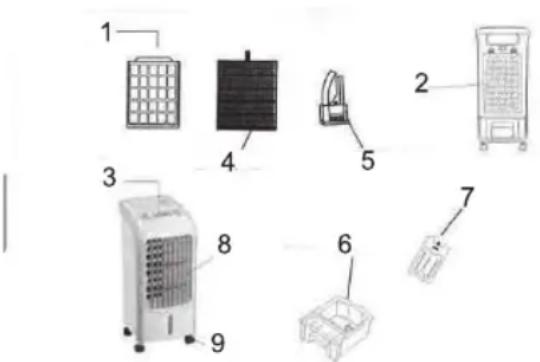
1 Air Filter
2 Back side
3 Control panel
4 Wet Curtain paper
5 Water pump
6 Water tank
7 Icebox
8 Outlet
9 Casters with lock
Cleaning
natural_image
Hand placing a grid on a dark rectangular object, possibly a container or machine component (no visible text or symbols)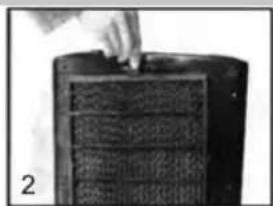
natural_image
Close-up of a hand pressing down on a textured cylindrical object (no visible text or symbols)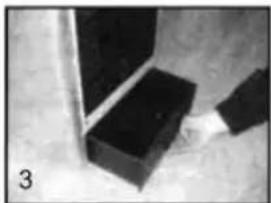
natural_image
Close-up of a black rectangular block with a vertical rod inserted, next to a small metallic object (no visible text or symbols)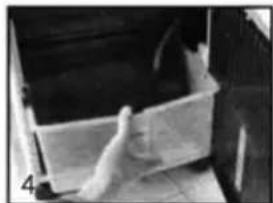
natural_image
Interior view of a kitchen appliance with a hand placing a white plastic container (no visible text or symbols)- Clean air filter:
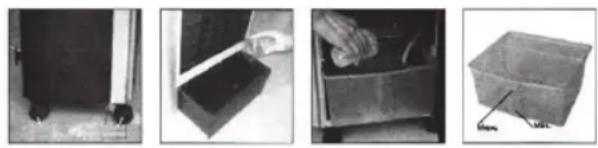
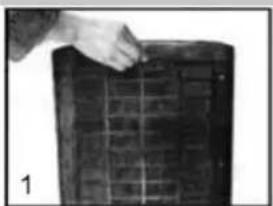
Pull off the plug, and unscrew the air filter using screw driver. Take it out by pressing two buttons by hand. Clean air filter by neutral cleaner or soft brush and then clean it by water.
Clean the wet curtain paper:
Make sure the unit is unplugged. After cleaning the air filter, take out the wet curtain paper from the air cooler. Clean it with water or with some cleaner and soft brush. Don't rub it forcefully, as it can damage the wet curtain paper.
Important:
In order to avoid leak, wet curtain paper must be installed smoothly.
- Clean water tank:
Make sure the unit is unplugged. Take the water tank out after unlocking it. Please note, the tank would not come out completely as the water pump is attached to it. Wipe it with the clean towel and little cleaner. Then clean it with water.
Mounting back all the parts
Once all the cleaning is done, close the water tank and lock it. Place back the wet curtain paper. If you don't put it correctly, it won't fit in.
There is only one way you can place it so don't force if it doesn't fit in. Just flip it and try again.
Once it is correctly placed, put back the air filter and close it with the screw.
- Clean the housing:
Wipe off the housing by neutral cleaner and soft cloth.
Important:
While cleaning the air cooler, the user must pull off the plug and cut off the power. Control panel cannot be into water.
Technical Specification:
| Model No: SS-21065 | |
| Voltage / Frequency 220 – | 240V ~ 50/60Hz |
| Input Power 80W | |
| Air Flow 300m3/hr | |
| Noise level <= 55Db | |
| Air Throw Distance 8.6 m/s | |
| Tank Capacity 4.0L | |
| Cooling Capacity 12.5m2 | (125 sq ft) |
natural_image
Hand placing a grid on a dark rectangular object (no visible text or symbols)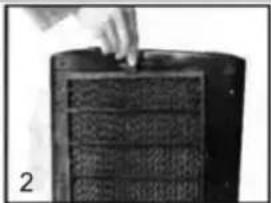
natural_image
Close-up of a hand pressing down on a textured, dark object with grid lines (no visible text or symbols)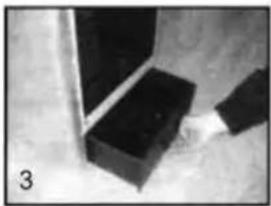
natural_image
Close-up of a black rectangular block with a metallic rod inserted, no visible text or symbols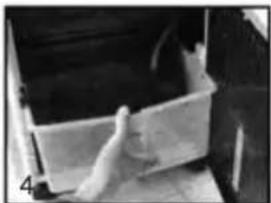
natural_image
Interior view of a storage or docking room with a hand holding a container (no visible text or symbols)natural_image
Hand placing a grid on a dark rectangular object (no visible text or symbols)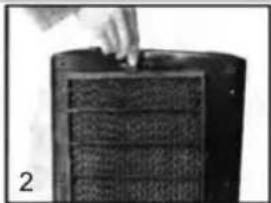
natural_image
Close-up of a hand pressing down on a dark textured surface, possibly a filter or material sample (no visible text or symbols)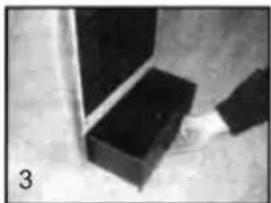
natural_image
Close-up of a black rectangular block with a ruler inserted, no visible text or symbols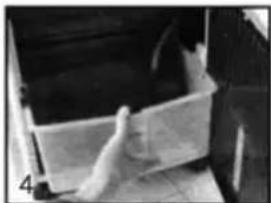
natural_image
Interior view of a white plastic cabinet with a hand inserting a component (no visible text or symbols)natural_image
Hand placing a grid on a dark rectangular object (no visible text or symbols)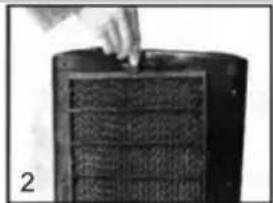
natural_image
Close-up of a hand using a tool to press or inspect a textured surface on a dark cylindrical object (no visible text or symbols)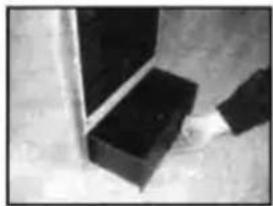
natural_image
Close-up of a hand holding a black rectangular block next to a vertical pole (no visible text or symbols)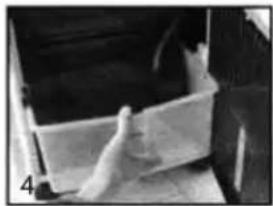
natural_image
Interior view of a white plastic container with a hand holding a small object, no visible text or symbolsnatural_image
Hand placing a grid on a dark rectangular object (no visible text or symbols)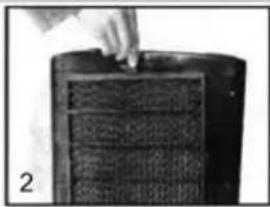
natural_image
Close-up of a hand using a tool to press or inspect a textured surface on a dark cylindrical object (no visible text or symbols)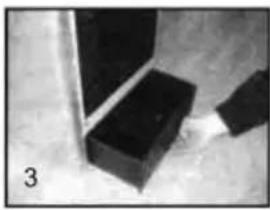
natural_image
Close-up of a black rectangular object with a vertical rod inserted, possibly part of a mechanical or architectural component (no visible text or symbols)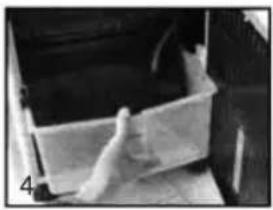
natural_image
Interior view of a vehicle showing a white rectangular container with a hand placed inside (no visible text or symbols)DECLARATION OF CONFORMITY
This device complies with Low Voltage Directive 2014/35/EC, Electromagnetic Compatibility Directive 2014/30/EU, Directive 2011/65/EU on the restriction of the use of certain hazardous substances in electrical and electronic equipment and Directive 2009/125/EC on the eco-design requirements applicable to energy-related products.

DÉCLARATION DE CONFORMITÉ
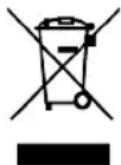
This symbol means that in case you wish to dispose of the product once its working life has ended, take it to an authorised waste agent for the selective collection of waste electrical and electronic equipment (WEEE)
Imported by:
Sanysan Appliances S.L, NIF: B98753056, C/ Barcas 2, 2
46002 Valencia, Spain
Product made in P.R.C. – Designed by SOGO based on the European Quality Standards
Customer Service: www.sogosat.com / sogosat@sogosat.com / 0034 902 222 161