K5748 - Wristwatch Calypso - Free user manual and instructions
Find the device manual for free K5748 Calypso in PDF.

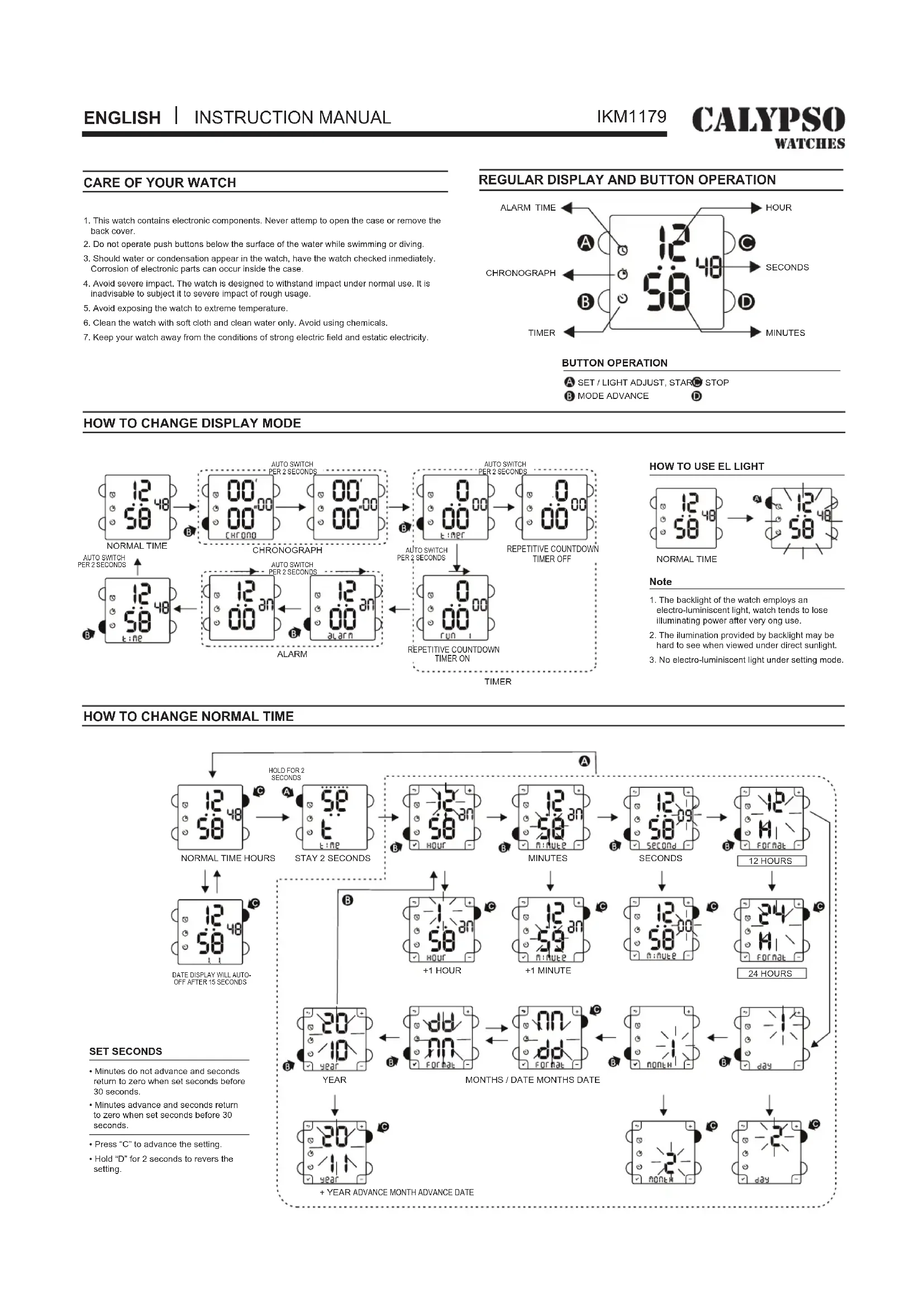


| Product type | Digital watch |
| Brand | Calypso |
| Model | K5748 |
| Display | Digital LCD |
| Main functions | Time, date, stopwatch, alarm, timer, electroluminescent backlight |
| Water resistance | Not waterproof – avoid any contact with water |
| Power | Button cell battery (type CR2016 or equivalent) |
| Battery life | Approximately 2 years |
| Case dimensions | Approximately 40 mm diameter |
| Thickness | Approximately 10 mm |
| Weight | Approximately 50 g |
| Case material | Plastic resin |
| Strap | Resin, adjustable length |
| Glass | Mineral |
| Backlight | Electroluminescent (EL) |
| Accuracy | +/- 30 seconds per month (estimated) |
| Operating temperature | -10°C to 50°C |
| Warranty | 2 years |
| Maintenance | Clean with a soft cloth and clean water; avoid chemicals (soap, etc.) |
| Repairability | User-replaceable battery; other parts not repairable |
Frequently Asked Questions - K5748 Calypso
User questions about K5748 Calypso
0 question about this device. Answer the ones you know or ask your own.
Ask a new question about this device
Download the instructions for your Wristwatch in PDF format for free! Find your manual K5748 - Calypso and take your electronic device back in hand. On this page are published all the documents necessary for the use of your device. K5748 by Calypso.
USER MANUAL K5748 Calypso
MANUEL D'INSTRUCTION
BETRIEBSANLEITUNG
MANUAL DE INSTRUÇÕES
CUIDADO DE SU RELOJ
- This watch contains electronic components. Never attempt to open the case or remove the back cover.
- Do not operate push buttons below the surface of the water while swimming or diving.
- Should water or condensation appear in the watch, have the watch checked immediately. Corrosion of electronic parts can occur inside the case.
- Avoid severe impact. The watch is designed to withstand impact under normal use. It is inadvisable to subject it to severe impact of rough usage.
- Avoid exposing the watch to extreme temperature.
- Clean the watch with soft cloth and clean water only. Avoid using chemicals.
- Keep your watch away from the conditions of strong electric field and estatic electricity.
REGULAR DISPLAY AND BUTTON OPERATION

BUTTON OPERATION
A SET / LIGHT ADJUST, START STOP
B MODE ADVANCE D
HOW TO CHANGE DISPLAY MODE
![graph TD A["NORMAL TIME"] --> B["CHRONOGRAPH"] B --> C["ALARM"] C --> D["REpetition COUNTDOWN TIMER ON"] D --> E["Repetitive COUNTDOWN TIMER OFF"] E --> F["AUTO SWITCH PER 2 SECONDS"] F --> G["12:00 CHRONO"] G --> H["12:00 CHRONO PER 2 SECONDS"] H --> I["12:00 CHRONO PER 2 SECONDS"] I --> J["12:00 C…](/content/2026/03/463355/images/fc17450d4c0f63f28fb3a54e0e175577aa700001acb6151262f51ca84d9e467d.jpg)
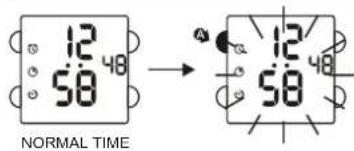
HOW TO USE EL LIGHT
Note
-
The backlight of the watch employs an electro-luminiscent light, watch tends to lose illuminating power after very ong use.
-
The illumination provided by backlight may be hard to see when viewed under direct sunlight.
-
No electro-luminiscent light under setting mode.
HOW TO CHANGE NORMAL TIME
![graph TD A["NORMAL TIME HOURS"] --> B["STAY 2 SECONDS"] B --> C["MINUTES"] C --> D["SECONDS"] D --> E["12 HOURS"] E --> F["24 HOURS"] F --> G["MONTHS / DATE MONTHS DATE"] G --> H["+ YEAR ADVANCE MONTH ADVANCE DATE"] subgraph SET SECONDS I["• Minutes do not advance and seconds return to zero when set…](/content/2026/03/463355/images/8e304c34b9522fef946fe04b5d4dee82d1970196c610feef88146b65ba9e2c1e.jpg)
SET SECONDS
- Minutes do not advance and seconds return to zero when set seconds before 30 seconds.
• Minutes advance and seconds return to zero when set seconds before 30 seconds. - Press "C" to advance the setting.
- Hold "D" for 2 seconds to revers the setting.
HOW TO USE THE CHRONOGRAPH
![graph TD A["NORMAL TIME"] --> B["12/48 58"] B --> C["00' 00 CHRONOGRAPH"] C --> D["START"] D --> E["02' 31 SPLIT"] E --> F["02' 33 0233"] F --> G["02' 33 0233"] G --> H["LAP"] H --> I["02' 33 0233"] I --> J["02' 33 0233"] J --> K["STOP SECOND LAP COUNTING STOP STAY 2 SECONDS"] K --> L["HOURS 1/100 S…](/content/2026/03/463355/images/d12484ffcd989ecf7282ea5c2437f6be02f0e0e218aa1e29ba5d562b19792f50.jpg)
HOW TO USE TIMER
![graph TD A["When timer has expired, the alarm (BI-BI-BI) lasting 10 seconds may be silenced by pressing any button."] --> B["NORMAL TIME"] B --> C["TIMER"] C --> D["STAY 2 SECONDS"] D --> E["SET HOURS"] E --> F["SET MINUTES"] F --> G["SET SECONDS"] G --> H["REPETITIVE COUNTDOWN TIMER OFF"] H --> I["…](/content/2026/03/463355/images/8ef67d6220f5e981e78002b76be65a2de98f156566bbd1aaa9a34e55a843e859.jpg)
HOW TO USE ALARM-1 AND CHIME DISPLAY
![graph TD A["NORMAL TIME"] --> B["12 an\n00\nalarm"] B --> C{HOLD FOR 2 SECONDS} C --> D["5E\nt\nalarm"] D --> E["STAY 2 SECONDS"] E --> F["0\nFF\nalarm"] F --> G["ALARM OFF"] G --> H["12 an\n00\nhour"] H --> I["+1 HOUR"] I --> J["12 an\n00\nhour"] J --> K["MINUTES"] K --> L["12 an\n00\nhour"] L -->…](/content/2026/03/463355/images/d807f959a15bf3c5b94b35e281329ef36b1bda072ac1ca95543d9dfcc7410650.jpg)
ENTRETIEN DE VOTRE MONTRE
COME REGOLARE L'ALLARME
![graph TD A["ORA NORMALE"] --> B["12-an alarm"] B --> C["TRASCORSI 2 SECONDS, CAMBIA LA VISUALIZZAZIONE"] C --> D["ALLARME"] D --> E["ALLARME ATTIVATA / DISATTIVATA"] E --> F["50 an alarm"] F --> G["PAUSA 2 SECONDS"] G --> H["ALLARME DISATTIVATA"] H --> I["ORE"] I --> J["12-an HOURS"] J --> K["MINUTI…](/content/2026/03/463355/images/046e996b43550817b4aed910917a67d9c2e2a3f8bc9e0b47233d42eba98484ed.jpg)
CUIDADOS A TER COM O SEU RELÓGIO
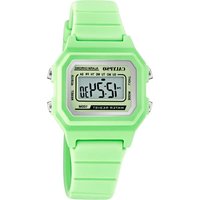
Brand : Calypso
Model : K5748
Category : Wristwatch