Amplitude ARF - Remote control toy ROBBE - Free user manual and instructions
Find the device manual for free Amplitude ARF ROBBE in PDF.


User questions about Amplitude ARF ROBBE
0 question about this device. Answer the ones you know or ask your own.
Ask a new question about this device
Download the instructions for your Remote control toy in PDF format for free! Find your manual Amplitude ARF - ROBBE and take your electronic device back in hand. On this page are published all the documents necessary for the use of your device. Amplitude ARF by ROBBE.
USER MANUAL Amplitude ARF ROBBE
Instructions and User Manual
natural_image
Two countries: Germany and the United Kingdom, each represented by its national flag design (no text or symbols beyond country names)
V1 04/2019

natural_image
Exterior view of a modern office building (no signage)03
natural_image
Close-up of a textured brown strip with a small yellow object on the left side (no text or symbols visible)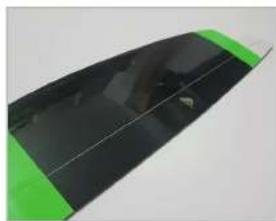
natural_image
Close-up of a green and black electronic device casing (no visible text or symbols)HÖHENRUDER
ARF
natural_image
Close-up of a black plastic electronic component with green and black markings (no visible text or symbols)ARF
natural_image
Close-up of a pen tip with a pointed tip and a small protrusion (no text or symbols visible)02
ARF
natural_image
Close-up of hands holding a small electronic component with a yellow and black part, partially connected to a wire (no visible text or symbols)04
natural_image
Close-up of a black mechanical component with a white circular base and a small hole, placed on a plain surface (no text or symbols visible)ARF
natural_image
Close-up of a digital caliper measuring a metric (no visible text or symbols on the scale)ARF
natural_image
Close-up of a black electronic device with a green lightning bolt on its side (no visible text or symbols)ARF
natural_image
Close-up of a black mechanical component with a green lightning bolt decoration (no text or symbols visible)ARF
natural_image
Close-up of a dark, reflective surface with a small yellow object and a white rod inserted (no text or symbols visible)ARF PNE
natural_image
Close-up of a red and black electrical connector with wires, no visible text or symbolsARF PNF
natural_image
Close-up of a hand using a tool to cut a black tip, with a small dark object nearby (no text or symbols visible)ARF PNF
natural_image
Close-up of a black plastic object with a small mark and label '130mm' on the side (no readable text or symbols beyond the label)
ARF PNF
natural_image
Close-up of a hand using a pen to cut a green L-shaped object (no text or symbols visible)ARF
natural_image
Close-up of a black mechanical component with a white circular base and a small metallic part attached (no visible text or symbols)ARF
natural_image
Close-up of a small electronic component with wires on a green surface (no visible text or symbols)ARF
natural_image
Metal mechanical component with two cylindrical ends and a central shaft (no text or symbols visible)ARF
natural_image
Close-up of a black mechanical component with a white connector and red wire tied with string (no visible text or symbols)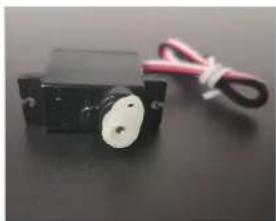
natural_image
Close-up of a black mechanical component with a white circular end and red wire, no visible text or symbols.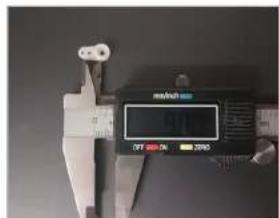
natural_image
Close-up of a green plastic surface with a small dark square indentation, no visible text or symbolsARF
natural_image
Close-up of a green electronic component with a blue integrated square and metal contacts (no visible text or symbols)ARF
natural_image
Close-up of a green plastic component with a small blue square hole (no text or symbols visible)ARF
natural_image
Close-up of a black mechanical component on a dark surface, with no visible text or symbols.08
natural_image
Close-up of a small blue square object on a green and black background (no text or symbols visible)ARF
natural_image
Close-up of a black electronic component with green and orange wires, no visible text or symbolsARF
natural_image
Close-up of a black electronic device with red and black markings, possibly a battery or connector (no visible text or symbols)ARF PNP

03
ARF PNP

natural_image
Close-up of hands holding a small black circular object with a yellow bottle labeled 'UH' (no additional text or symbols visible)ARF PNP

natural_image
Green 3D object with a small protrusion on top surface, no visible text or symbols
natural_image
Close-up of a green surface with a small rectangular patch, no visible text or symbolsARF PNP

Instructions and User Manual
AMPLITUDE
GENERAL INFORMATION
- The model is designed for the components specified by us. Unless otherwise stated, servos and other electronic components are designed for standard supply voltage. Recommended cell count for Lipo batteries also refers to standard Lipos voltage of 3.7V per cell. If you use other servos, a different motor and controller, batteries, or propellers, please make sure they fit first. In the event of deviations, corrections and adjustments must be made by yourself.
- Before starting construction, always put the servos into neutral. To do this, switch on the remote control and move the joysticks and trim buttons (save the one for the throttle) to the middle position. Connect the servos to the corresponding outputs of the receiver and supply them with a suitable power source. Please observe the connection diagram and the operating instructions of the remote control system manufacturer.
- Do not leave your model in the blazing sun or in your vehicle for long periods of time. Too high temperatures can lead to deformation/distortion of plastic parts or blistering of covering foils.
- Before the first flight, check the wing symmetry, tail unit and fuselage. All parts of the model should have the same spacing from the left and right wing or tail plane to the centre of the fuselage or the same angle.
- If necessary, rebalance the propellers if vibrations are noticeable when the motor is running up.
- Bubble formation in the covering foils normal to a certain extent due to temperature and humidity differences and can be easily eliminated with a foil iron or hairdryer.
- For models in shell construction („full GFRP/CFRP”), burrs may occur at the seams due to the production process. Carefully remove them with fine sandpaper or a file.
GENERAL SAFETY INFORMATION
- Be sure to read the safety instructions carefully before operating your model.
• Always follow the procedures and settings recommended in the instructions. - If you are using remote-controlled model aircraft, helicopters, cars or ships for the first time, we recommend that you ask an experienced model pilot for help.
- Remote-controlled models are not toys in the usual sense and may only be used and operated by young people under 14 years of age under the supervision of adults.
• Their construction and operation requires technical understanding, careful craftsmanship and safety-conscious behaviour. - Mistakes or negligence during construction, flying or driving can result in considerable damage to property or personal injury.
- Since the manufacturer and seller have no influence on the proper construction/assembly and operation of the models, these risks are expressly pointed out and any liability is excluded.
- Propellers on aircraft and all moving parts in general pose a constant risk of injury. Avoid touching such parts at all costs.
- Note that motors and controllers can reach high temperatures during operation. Avoid touching such parts at all costs.
- Never stay in the danger area of rotating parts with electric motors with connected drive battery.
• Overcharging or incorrect charging can cause the batteries to explode. Make sure the polarity is correct. - Protect your equipment and Models from dust, dirt and moisture. Do not expose the equipment to excessive heat, cold or vibration.
- Use only recommended chargers and charge your batteries only up to the specified charging time. Always check your equipment for damage and replace defects with original spare parts.
- Do not use equipment that has been damaged or got wet due to a fall, even if it is dry again! Either have it checked by your specialist dealer or in the Robbe Service or have it replaced. Hidden faults can occur due to wetness or a crash, which lead to a functional failure after a short operating time.
- Only the components and accessories recommended by us may be used.
- Do not make any changes to the remote control which are not described in these instructions.
SAFETY INSTRUCTIONS FOR CONTROLLERS
- Observe the technical data of the controller.
- Observe the polarity of all connection cables.
- Avoid short circuits at all costs.
• Install or package the regulator so that it cannot come into contact with grease, oil or water. - Ensure adequate air circulation.
- Never reach into the turning circle of the propeller during start-up Risk of injury
Important information:
The receiver system is powered by the built-in BEC system of the controller.
For commissioning, always move the throttle stick to the „Motor off" position and switch on the transmitter. Only then connect the battery. To switch off always disconnect the connection battery motor controller, first then turn off the transmitter. During the functional test, move the servos of the rudders to neutral position with the remote control (stick and trimming lever on the transmitter to the middle position). Please make sure to leave the throttle stick in the lowest position so that the engine does not start. For all work on
to the parts of the remote control, motor or controller, follow the instructions supplied with the units. Also read the instructions of the battery and the charger carefully before commissioning.
Check the engine mounting bolts in the fuselage regularly for tightness.
Attention, danger of injury!
• Always keep a safe distance from your model aircraft.
• Never fly over spectators, other pilots or yourself.
• Always perform flight figures in a direction away from the pilot or spectators.
• Never endanger people or animals.
• Never fly near power lines or residential areas.
- Do not operate your model near locks or public shipping.
- Do not operate your model on public roads, motorways, paths and squares, etc., but only in approved locations.
• Do not operate the model in thunderstorms.
- Before each flight, check your remote control system for sufficient function and range.
- After flying, remove all batteries from the model.
Do not „aim“ the transmitter antenna at the model during operation. In this direction, the transmitter has the lowest radiation. The best position of the antenna is to the side of the model.
Use of devices with image and/or sound recording function:
If you equip your model with a video or image recording device (e.g. FPV cameras, action scams etc.) or the model is already equipped with such a device at the factory, please note that you could violate the privacy of one or more persons by using the recording function. An overflight or driving on private ground without the appropriate permission of the owner or approaching private ground can also be regarded as an invasion of privacy. You, as the operator of the model, are solely and fully responsible for your actions.
In particular, all applicable legal requirements must be observed, which can be found in the roof associations or the relevant authorities. Failure to comply can result in substantial penalties.

Instructions and User Manual
CONFORMITY

Modellbau Lindinger GmbH hereby declares that this device complies with the essential requirements and other relevant regulations of the corresponding CE directives. The original declaration of conformity can be found on the Internet at www.robbe.com, in the detailed product view of the respective device description or on request. This product can be operated in all EU countries.
DISPOSAL
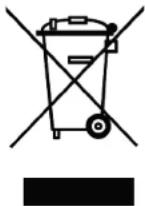
This symbol means that small electrical and electronic devices must be disposed of at the end of their useful life, separated from the household refuse. Dispose of the device at your local municipal collection point or recycling centre. This applies to all countries of the European Union and other European countries with a separate collection system.
WARRANTY
Our articles are equipped with the legally required 24 months warranty. Should you wish to assert a justified warranty claim, always contact your dealer, who is responsible for the warranty and the processing. During this time, any functional defects that may occur, as well as manufacturing or other problems, will be rectified. Material defects corrected by us free of charge. Further claims, e.g. for consequential damages, are excluded. The transport to us must be free, the return transport to you is also free. Freight collect shipments cannot be accepted. We cannot accept liability for transport damage and loss of your consignment. We recommend appropriate insurance.
To process your warranty claims, the following requirements must be met:
- Attach the proof of purchase (receipt) to your shipment.
- The units have been operated in accordance with the operating instructions.
- Only recommended power sources and original robbe accessories have been used.
- There is no moisture damage, external interference, reverse polarity, overloading or mechanical damage.
- Attach relevant information for finding the fault or defect.
INSURANCE
Ground-based models are usually covered by personal liability insurance. Additional insurance or extension is required for aircraft models. Check your insurance policy (private liability) and take out suitable insurance if necessary.
AMPLITUDE
DISCLAIMER
Modellbau Lindinger GmbH cannot monitor compliance with the assembly and operating instructions or the conditions and methods for installation, operation, use and maintenance of the model components. Therefore, we accept no liability for losses, damage or costs arising from or in any way connected with incorrect use and operation. To the extent permitted by law, the obligation to pay damages, irrespective of the legal grounds, shall be limited directly to the invoice value of the claims arising from the event causing the damage.
DISTRIBUTOR

Phone: +43(0)7582/81313-0
Mail: info@robbe.com
UID No.: ATU69266037
„robbe Modellsport“ is a registered Trademark by Modellbau Lindinger GmbH
Errors, misprints and technical changes reserved.
Copyright 2019
Modellbau Lindinger 2019
Copy and reprint only with our permission.
Service-Address
Contact your Dealer or:
service@robbe.com, +43(0)7582-81313-0
www.robbe.com

Instructions and User Manual
PREFACE
Congratulations on your purchase of the new AMPLITUDE!
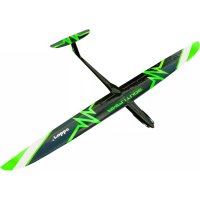
The AMPLITUDE is a high-quality FRP hotliner with a dynamic flight envelope. It can be flown within a broad speed range. There are various ways of constructing the model, depending on your preferences. Therefore the solutions stated in this manual should only be considered as recommendations. For the most part, the PNP (plug and play) version is already pre-assembled.
The ARF version (almost ready to fly) requires modeling experience and basic technical knowledge in construction. Thus there are different ways to achieve a model with good flight skills.
This is why most steps are explained in the manual but not necessarily shown in the pictures.
PLEASE READ THIS MANUAL CAREFULLY BEFORE YOU START ASSEMBLING THE MODEL.
FLIGHT INSTRUCTIONS
- Before the first flight, observe the instructions in the "Safety Instructions" section.
- When flying the model, you should choose a day with as little wind as possible
- A large, flat area without obstacles (trees, fences power lines etc.) is suitable for the first flights.
- Please carry out a functional test of the drive train / power set and remote control.
- After assembling the model on the airfield, check once again that all model components such as wing, tail units, wing mounts, engine, linkages, etc. are firmly and properly fastened.
- For a hand start a helper should be present, who can throw the model with enough thrust into the air.
• The start usually takes place against the wind. - Do not stall the model near the ground
- Do not initiate tight turns in the immediate vicinity of the ground.
- Check the reactions of the model to the rudder deflections. If necessary, adjust after landing to increase or decrease the deflections accordingly.
- The minimum flight speed must be at an adequate safety altitude.
- Initiate the landing with sufficient speed
SAFETY INSTRUCTIONS FOR RECHARGEABLE BATTERIES
- Do not immerse the battery in water or other liquids.
- Do not heat, throw into fire or microwave.
- Do not short-circuit or charge with reversed polarity
- Do not expose, deform or throw the battery
- Do not solder directly on the battery
- Do not change or open the battery
- Only charge the battery with suitable chargers, never connect it directly to a power supply unit.
- Never charge or discharge the battery or charger on a flammable surface.
- Never leave the battery unattended during charging or discharging processes.
- Never charge or discharge the battery in direct sunlight or near heaters or fire.
- Do not use the battery in places subject to high static discharge.
All this can cause the battery to be damaged, explode or even catch fire!
- Keep the battery away from children
- Keep leaked electrolyte away from fire, as it is highly flammable and may ignite.
- The electrolyte liquid should not get into the eyes, if it does, rinse immediately with plenty of clear water and then see a doctor.
• The electrolyte liquid can also escape from clothes and other objects with a lot of water or washed off.
- Observe the safety instructions of the battery manufacturer and the charger manufacturer.
AMPLITUDE
TECHNICAL DATA
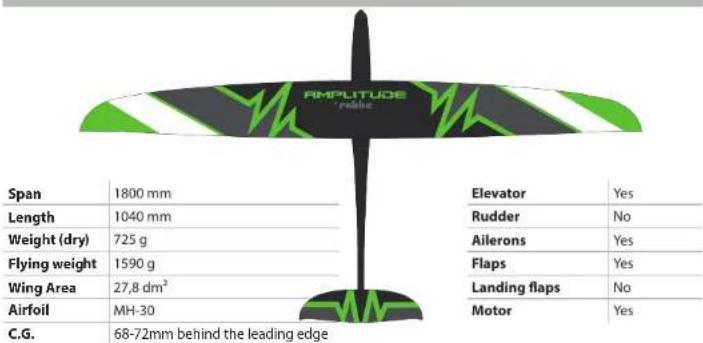
BOX CONTENT / NEEDED ACCESSORIES
| ARF PNP | ||
| Motor not included Robbe X36-800 (included) | ||
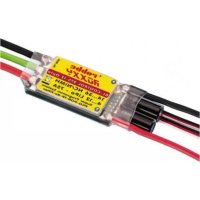
| ESC not included from RoControl 6-60 (not included) | ||
| Battery not included 4S 3200-4000mAh (not included) | ||
| Servo ELE not included 1x Robbe FS-155 BB MG HV (included) | ||
| Servo RUD not included - | ||
| Servo AILE not included 2x Robbe FS-155 BB MG HV (included) | ||
| Servo FLAP not included 2x Robbe FS-155 BB MG HV (included) | ||
| Servo LANDING FLAP not included - | ||
| Servo cable not included 3x 50cm, 2x 20cm, 4x 25cm MPX-JR Plug (included) | ||
| Landing gear not included No | ||
| MULITlock not included No | ||
| MPX plugs Yes (not included) - | ||
| Adhesives | UHU Por (not included) | - |
| Epoxy resin Yes (not included) - | ||
| Locking screw | Yes (not Included) | - |
| Velcro strap | not Included | Yes |
| Spinner | not included Alu Turbo Spinner 38mm (included) | |
| Propeller | not included 12x8" CAM Prop (included) | |
| TX | min. 5 channels (not included) | min. 5 channels (not included) |
| RX | min. 7 channels (not included) | min. 7 channels (not included) |
THE HORIZONTAL STABILIZER
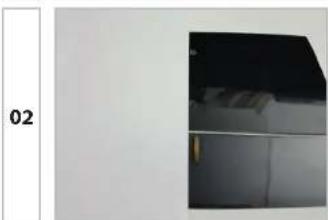
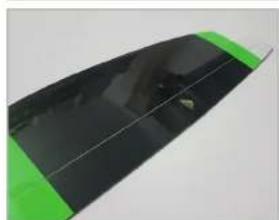
ARF Mark the center of the elevator on the bottom.
natural_image
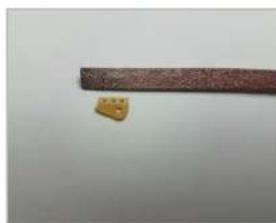
Exterior view of a modern office building (no signage)ARF Milling a small slot 2mm eccentrically to accommodate the rudder horn of about 10x1.8mm, starting about 6mm from the edge to the sealing lip in the rudder blade. Be careful not to damage the top side!
03
natural_image
Close-up of a small, textured object with three small protrusions on a brown textured surface against a plain background (no text or symbols visible)ARF
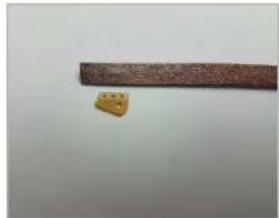
Grind the elevator horn on both sides and glue it with thickened 24h epoxy resin or Uhu Endfest 300. The bore points backwards, so you got a distance from the bore to beginning of the elevator of 12mm!
natural_image
Close-up of a green and black electronic device casing (no visible text or symbols)FUSELAGE
natural_image
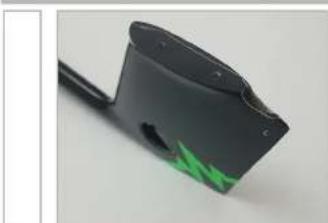
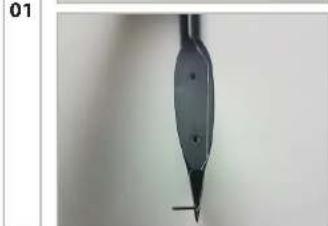
Close-up of a black plastic electronic component with a green triangular marking on its side (no text or symbols visible)ARF First, cut the opening for the elevator linkage.
natural_image
Close-up of a black pen tip with a pointed tip and a small mark, against a plain background (no text or symbols visible)02

ARF
Sand the surface in the elevator servo housing with sand paper.
03
natural_image
Close-up of hands holding a small electronic component with wires in the background (no visible text or symbols)ARF
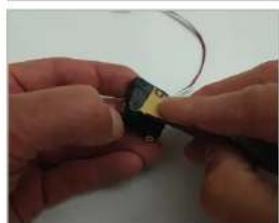
Remove (cut) the brackets from the servo housing. Then shrink wrap the servo in shrink tubing, and sand the tubing to guarantee a smooth surface. Plug in an extension cable and lead it forward in the fuselage.
FUSELAGE
04
natural_image
Close-up of a black mechanical component with a white circular base and a small protrusion on the left (no text or symbols visible)ARE
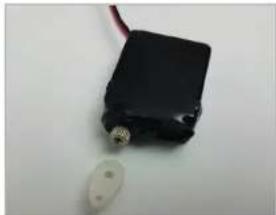
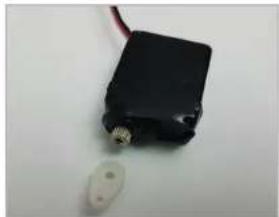
Now mount a shortened servo arm with a bore distance of 5-6mm in 90° position on the servo. Make sure the servo is in the neutral position before doing so.
05
natural_image
Close-up of a metal measuring instrument with a digital caliper showing measurement (no visible text or symbols)ARF
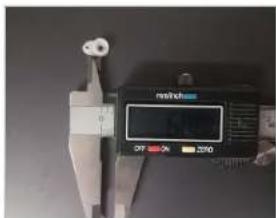
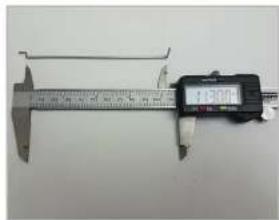
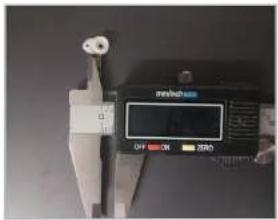
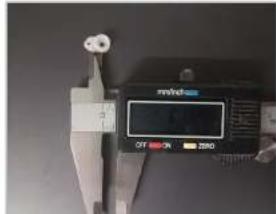
Make a linkage with Z-bend and 90° angle. The shaft distance is 115mm. Make sure that the linkages are rotated 90° to each other!
06
natural_image
Close-up of a black handheld device with green lightning bolt pattern (no visible text or symbols)ARF
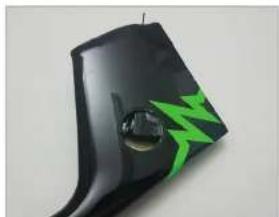
Now thread the linkage suspended in the servo into the fuselage and out through the outlet. Connect the servo wire to the extension and pull it into the front of the fuselage.
07
natural_image
Close-up of a black mechanical component with green lightning bolt decoration (no text or symbols visible)ARF
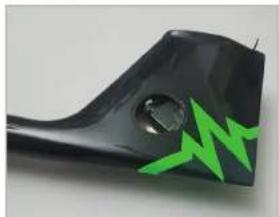
Glue the servo with thickened 24h epoxy and fix it roughly.
08
natural_image
Close-up of a black surface with a small yellow object attached, possibly a tool or component (no visible text or symbols)ARF PNP

09

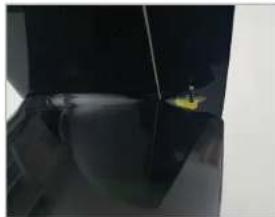
Hook the elevator horn into the linkage and mount the elevator to the fuselage with the M3 countersunk screws.
10
natural_image
Close-up of a small electronic component with red and black wires, no visible text or symbolsARF
Due to the fastened neutral position elevator and the servo horn in 90° position, the final position of the servo is now automatically obtained. The servo axis should be 90° to the linkage. Also make an adhesive connection from the servo to the fuselage opening. This increases the stability greatly. Wait until the resin has fully cured.
11

ARF PNP

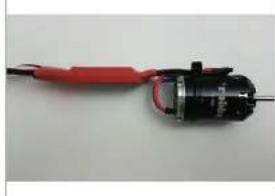
Solder the esc with the cables of the motor as shown in the picture. If your controller does not have a programmable direction reversal, please check the direction of rotation in advance and change it if necessary by replacing two cables!
-
ARF PNP

Insulate the solder joints with shrink tubing and fix the cables to the motor using a cable tie.
robbe
Modelleport
Instructions and User Manual

The entire drive train can now be inserted behind the bulkhead in the fuselage. Attach the motor with the M3x6 screws. Controller, battery and receiver can be fixed with Velcro. The receiver finds its place in the rear fuselage part and should be well padded installed.

For later adjustment of the center of gravity, the battery may vary in position. Only after accurately determining the center of gravity do you make a mark on the battery and the fuselage wall so that the center of gravity remains reproducible.
AMPLITUDE
natural_image
Two-step photo showing a hand using a knife to cut a small black plastic object, with no visible text or symbols.
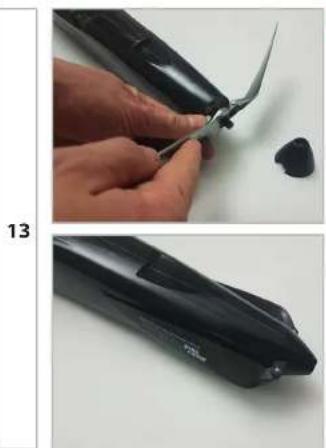
Mount the airscrew center section with propeller blades on the motor shaft. Pay attention to a firm but sensitive tightening of the nut. This is an aluminum thread!
WINGS
natural_image
Close-up of a hand holding a green plastic sheet with a small cutout, no visible text or symbols
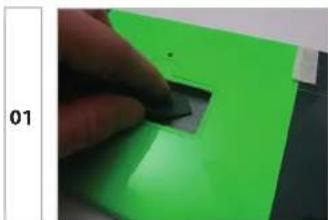
Sand the surface in the servo housings with sand paper.
natural_image
Two-panel image showing a black mechanical component and a green electronic device with wires, both on a white surface (no text or symbols visible)
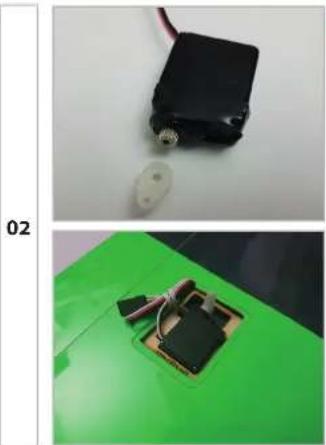
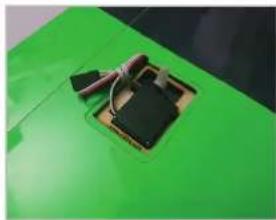
Remove (cut) the brackets from the servo housing. Then shrink wrap the servo in shrink tubing, and sand the tubing to guarantee a smooth surface. Plug in an extension cable and guide it through the opening in the center of the wing. Optionally, you can also install the wing servos with our Robbe servo installation frames. These are then easier to dismantle for maintenance purposes.
natural_image
Close-up of a green electronic component with black and white wires on its surface (no visible text or symbols)WINGS
03
ARF
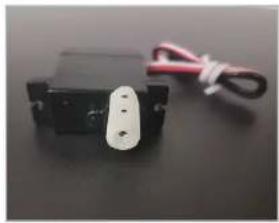
Now mount the servo arms in 90° position on the previously neutral servo. Drill a hole in the aileron servo arm at a distance of approx. 9mm from the output to 1.6mm. For flap servo arm select a bore distance of approx. 6mm. The servo arm is screwed on one tooth forward (towards the leading edge).
natural_image
Close-up of a small black mechanical component with a white connector and red cord tied with string (no visible text or symbols)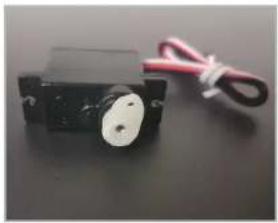
natural_image
Close-up of a small black mechanical component with a white circular end and red cord, no visible text or symbols.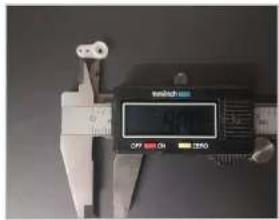
natural_image
Metal electrical connector with three leads (no text or symbols visible)ARF
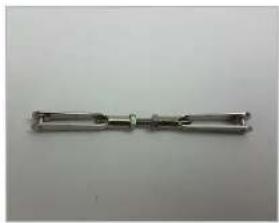
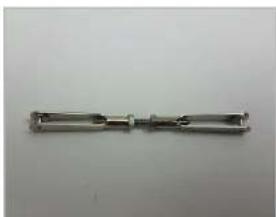
Now make two 43mm long linkages for the ailerons from the M2 clevises, nuts and threaded rods. For the flaps take the linkage with Z-bend and clevis.
05
natural_image
Close-up of a hand holding a small object on a green surface, with a dark square containing a textured substance (no text or symbols visible)ARF
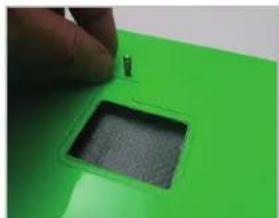
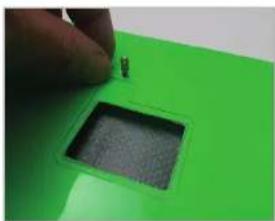
Screw the brass rudder horns with thread locking compound into the threads in the rudders. Then hook the linkage into the holes on the rudder and servo levers.
06
natural_image
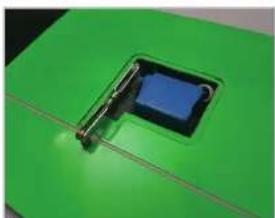
Close-up of a small electronic component with a blue square body mounted on a green base, no visible text or symbols.ARF
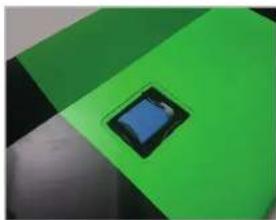
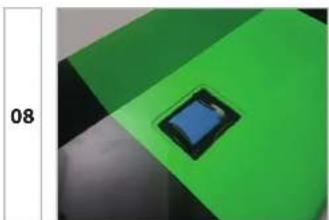
Now glue both aileron servos with slightly thickened epoxy resin. The exact position is now determined by the neutrally fastened rudder blade, the 90° servo lever and the rod length.
07
natural_image
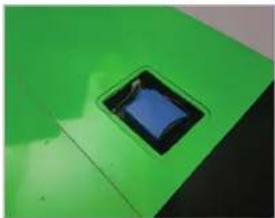
Close-up of a green plastic component with a small blue square hole (no text or symbols visible)ARF
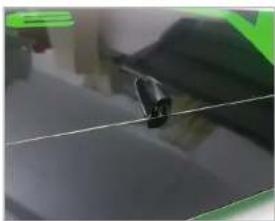
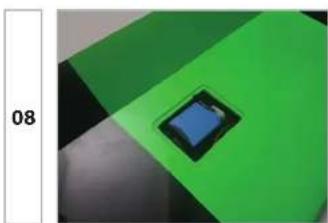
The flaps are cross-jointed in the classic way, i.e. from the underside of the wing to the top. Now make two 44mm long linkages for the flaps from the short Z-booms and M2 clevises. The gluing is done in the same way as for the allerons, but now the servo arm is slightly tilted forward in the electronic neutral position.
natural_image
Close-up of a black mechanical component on a dark surface, with no visible text or symbols.robbe
Modelleport
natural_image
Close-up of a small blue square component on a green and black background, with no visible text or symbols.Instructions and User Manual
ARF
This way a mechanical locking is achieved during full deflection downwards by the linkage running in line with the servo arm.
AMPLITUDE
natural_image
Close-up of a black electronic component with a green and blue outline, no visible text or symbolsARF
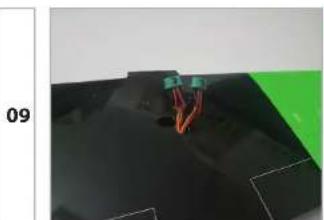
For electrical connection between fuselage and wing, please use the reliable 6-pin multiplex plugs and sockets and solder them to the ends of the servo cables and the corresponding opposite side to the receiver. Ensure clean and correct soldering and insulation.
INSTALLATION AND TUNING PROCESS, ARF/PNP
natural_image
Simple diagram of a device with two circular elements and directional arrows, no text or symbols present.
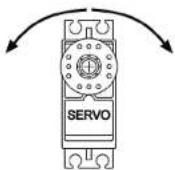
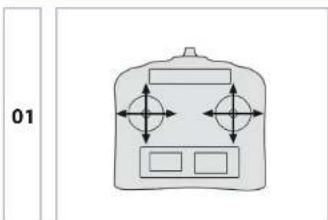
Turn on the transmitter using the preset model memory and connect the battery. Also connect the wing cables to the receiver.
natural_image
Close-up of hands holding a small black object with a yellow label showing 'UH' (no readable text or symbols on the object itself)ARF

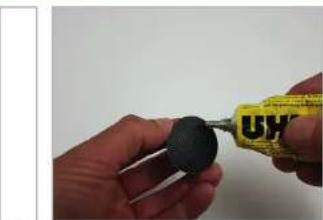
Finally, the servo covers are glued with UHU Por.
natural_image
Close-up of a black electronic device with red leads and a visible 'EVO 15' label, no readable text or symbols beyond the label.
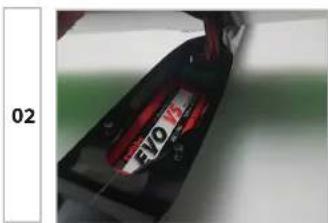
Mount the wing on the fuselage. Make sure that no cables are trapped between the fuselage and the wing!
04
natural_image
Green 3D object with a T-shaped cutout and horizontal lines, no visible text or symbols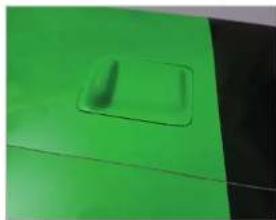
natural_image
Close-up of a green plastic surface with a small rectangular indentation (no text or symbols visible)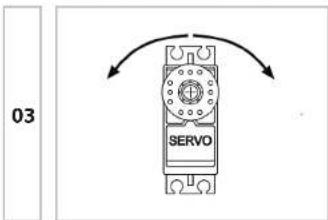

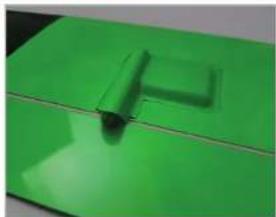
First, as far as possible, adjust all rods mechanically. Then, the control and adjustment of the servo directions and travel ways as shown in the table below.
ARF

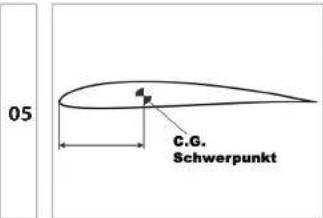
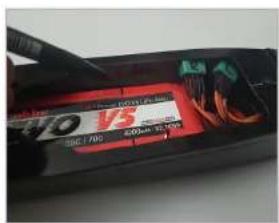
The center of gravity (CG) is 68-72mm behind the leading edge. For beginner-compatible flight behavior, first set the center of gravity to 68mm by moving the battery. For performance-optimized Hotliner behavior, the center of gravity can slowly be moved further back.

Instructions and User Manual
AMPLITUDE
06
ARF PNP
Later mark the exact position of the CG on the battery and fuselage, as well as the aileron servo plugs.
CONTROL THROWS
| Function Normal Speed Thermal Landing | ||||
| Elevator +/- 5/3 mm; 20% Expo --- 1mm | ||||
| Rudder ---- | ||||
| Ailerons +/- 12/8 mm; 35% Expo --- + 10 mm | ||||
| Flaps ---- 23 mm |
ENDING
Now look for a day with suitable weather conditions for the first flight. With the recommended settings you should prevent any bad surprises. We recommend, at least on the first flight, to make the start with a starting helper.
We wish you lots of fun and fast flying hours with your new hotliner and always happy landings!
SPARE PARTS
| Spare Part item Number | |
| Fuselage Amplitude ARF w/o elektronic 263701 | |
| Wing set Amplitude ARF w/o servos 263702 | |
| Stabilizer Amplitude ARF | 263703 |
FOR YOUR NOTES
INFORMATIONS GÉNÉRALES
Email: info@robbe.com
natural_image
Close-up of a small, textured object with three small holes placed next to a horizontal brown bar (no text or symbols visible)ARF
natural_image
Close-up of a black and green curved object with a small circular mark on the side (no text or symbols visible)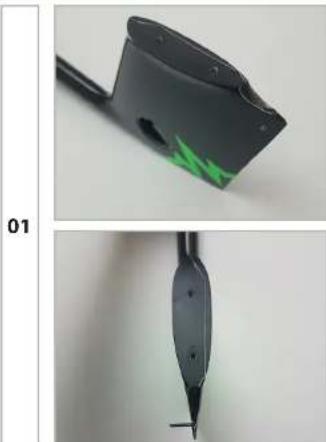
natural_image
Two black pen tip designs, one with green highlight and the other with a pointed tip (no text or symbols visible)ARF
natural_image
Close-up of hands holding a small electronic component with wires in the background (no visible text or symbols)ARF
natural_image
Close-up of a black mechanical component with a white circular base and a small hole, labeled '04' on the left (no other text or symbols visible)ARF
natural_image
Close-up of a vernier caliper measuring a metric (no visible text or symbols on the scale)ARF
natural_image
Close-up of a black electronic device with a green lightning bolt and droplet, labeled '06' on the left (no other text or symbols)ARF
natural_image
Close-up of a black mechanical component with green lightning bolt decoration (no text or symbols visible)ARF
natural_image
Close-up of a dark, reflective surface with a small yellow object on the right side (no text or symbols visible)ARF

natural_image
Close-up of a red and black electrical component with wires, no visible text or symbolsARF

natural_image
Two-step photo showing a hand using a pair of scissors to cut a small black object, with no visible text or symbols.
natural_image
Close-up of a hand holding a green L-shaped object with a small mark, next to a dark surface (no text or symbols visible)
natural_image
Two views of a small electronic device with wires and a circular component, placed on a green surface (no visible text or symbols)ARF
natural_image
Close-up of a black mechanical component with a white connector and red wire, no visible text or symbols.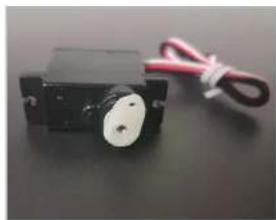
natural_image
Close-up of a black mechanical component with a white circular end and red wire, no visible text or symbols.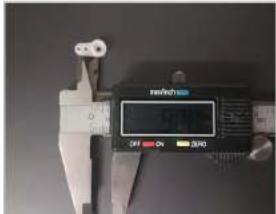
04
natural_image
Metal mechanical component with two slots and a central hole (no visible text or symbols)ARF
natural_image
Close-up of a hand holding a small black object on a green surface, with a dark square hole in the center (no text or symbols visible)ARF
natural_image
Green electronic component with a blue internal structure and metallic brackets (no visible text or symbols)ARF
natural_image
Close-up of a green surface with a small blue square opening, no visible text or symbolsARF
natural_image
Close-up of a black plastic object on a dark surface, possibly a tool or component (no visible text or symbols)robbe
Modellsport
natural_image
Close-up of a small blue square object on a green and black background, no visible text or symbolsnatural_image
Close-up of a black electronic component with green and orange wires, no visible text or symbolsARF
natural_image
Diagram of a device with four directional arrows indicating orientation, no text or symbols presentARF PNF
natural_image
Close-up of hands holding a small black object with a yellow tape measure labeled 'UH' (no additional text or symbols visible)ARF PNF

natural_image
Green 3D object with a T-shaped cutout and shadow, no visible text or symbols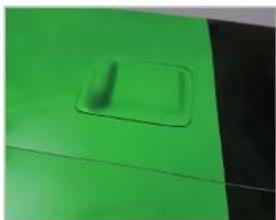
natural_image
Close-up of a green surface with a small rectangular patch, no visible text or symbols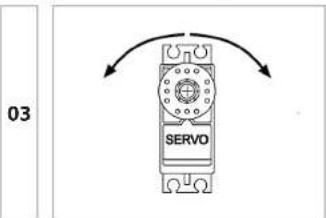
ARF
service@robbe.com, +43(0)7582-81313-0
www.robbe.com
robbe
Modellsport