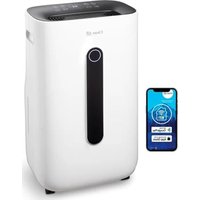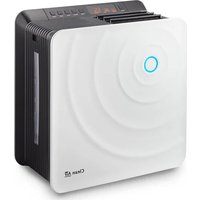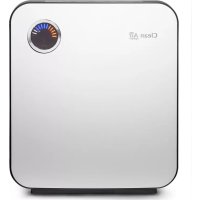
CA807 - Humidifier Clean Air Optima - Free user manual and instructions
Find the device manual for free CA807 Clean Air Optima in PDF.



| Product type | 2-in-1 Air Washer (humidification and air purification) |
| Brand | Clean Air Optima |
| Model | CA-807 |
| Dimensions (L x W x H) | 391 x 238 x 444 mm |
| Weight | 6.9 kg |
| Power supply | AC 220-230 V, 50 Hz |
| Power consumption | 344 W (fast humidification) / 44 W (natural) |
| Humidification performance | 400 ml/h (fast) / 200 ml/h (natural) |
| Tank capacity | 5 liters |
| Autonomy | 12 h (fast) / 25 h (natural) |
| Recommended area | 70 m² / 175 m³ / 750 ft² |
| Programs | Sleep, Baby, Auto, Health |
| Functions | Fast humidification, timer, humidity display, auto shut-off when tank empty |
| ECO-AIR PLUS filter | Captures particles, pollutants, odors; replace every 6 months |
| Nano-silver filter | Antibacterial for water; replace every 12 months |
| Rotor | Humidification discs with antibacterial coating |
| Tank cleaning | Daily: shake with fresh water; full cleaning 2 times/week |
| Rotor cleaning | 2 to 3 times per week with sponge and warm water (< 40°C) |
| Filter cleaning | Vacuum or brush 1 time/week; do not wash with water |
| Safety | Automatic shut-off if tank empty, water level detection, overheat protection |
| Warranty | 2 years |
| Customer service | Clean Air Optima France, www.cleanairoptima.fr |
Frequently Asked Questions - CA807 Clean Air Optima
User questions about CA807 Clean Air Optima
0 question about this device. Answer the ones you know or ask your own.
Ask a new question about this device
Download the instructions for your Humidifier in PDF format for free! Find your manual CA807 - Clean Air Optima and take your electronic device back in hand. On this page are published all the documents necessary for the use of your device. CA807 by Clean Air Optima.
USER MANUAL CA807 Clean Air Optima
2in1: Air purifying & Air humidifying
User's Manual
CA-807
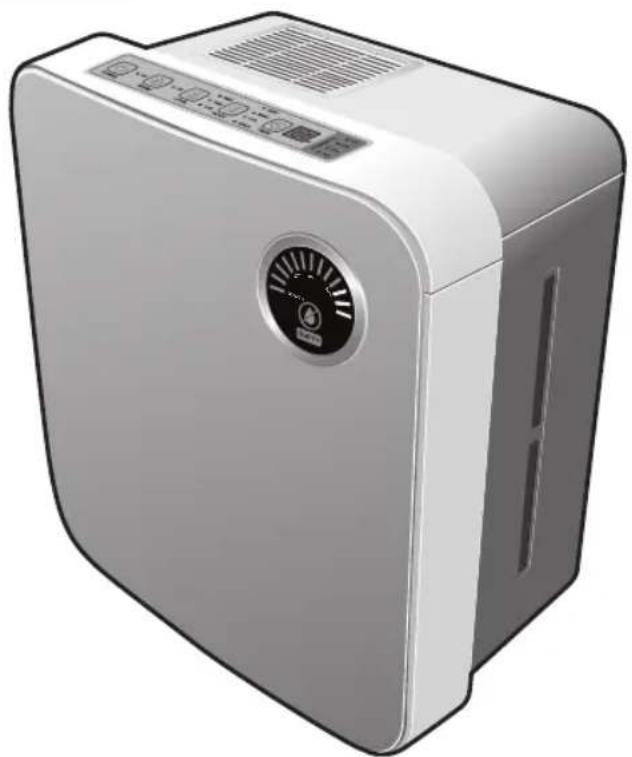
natural_image
Exterior view of a modern air purifier unit with control panel and ventilation grille (no text or symbols visible)
natural_image
Color palette bar with grayscale swatches and a central crosshair (no text or symbols)
Product Specification
| Product Name | Clean Air Optima CA-807 |
| Rated Voltage and Frequency 220V - 230V | |
| Rated Power Consumption | 344W(Rapid humidifying) / 44W(Natural humidifying) |
| Mode | Artificial Intelligence, Sleep, Baby, Health protection |
| Humidity | 400ml/h(Rapid humidifying) / 200ml/h(Natural humidifying) |
| Water Tank Volume | 5 Liter |
| Continuous Humidifying | 12h(Rapid humidifying) / 25h(Natural humidifying) |
| Suitable for rooms up to | 70m^2 / 175m^3 / 750ft^2 |
| Weight | 6.9kg |
| Dimension(mm) | 391(Width)x238(Length)x444(Height) |
※ There may be a little change in dimension to improve the performance of product.
Contents
Before using Caution for the Safety 04
Name and Function of each part ...... 10
Using How to install 12
Preparation before using 13
Notice 14
How to use 15
How to clean 19
Before reporting If regarded as the trouble 23
the trouble
Service Guide Guide to the compensation for the customers' damage / About Paid Service 26
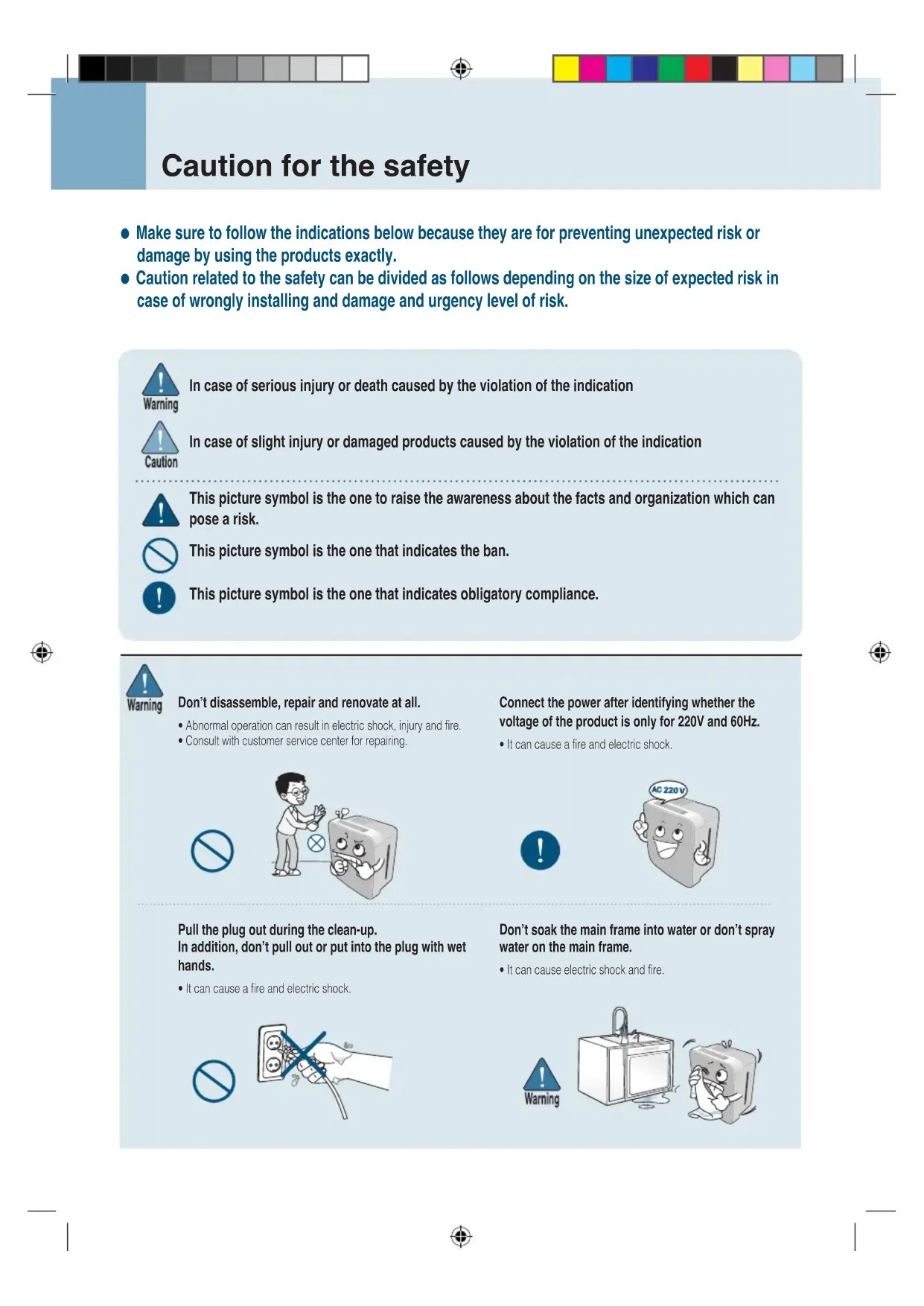
Caution for the safety
● Make sure to follow the indications below because they are for preventing unexpected risk or damage by using the products exactly.
- Caution related to the safety can be divided as follows depending on the size of expected risk in case of wrongly installing and damage and urgency level of risk.

In case of serious injury or death caused by the violation of the indication

In case of slight injury or damaged products caused by the violation of the indication

This picture symbol is the one to raise the awareness about the facts and organization which can pose a risk.

This picture symbol is the one that indicates the ban.

This picture symbol is the one that indicates obligatory compliance.

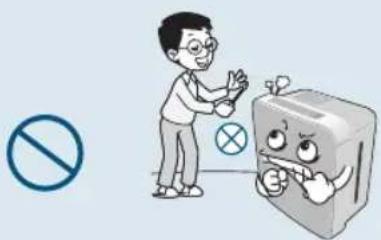
Don't disassemble, repair and renovate at all.
• Abnormal operation can result in electric shock, injury and fire.
- Consult with customer service center for repairing.
natural_image
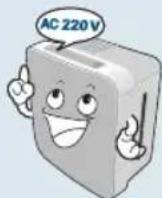
Illustration of a person standing next to a refrigerator with a crossed-out valve, accompanied by a no-smoking symbol (no text present)Connect the power after identifying whether the voltage of the product is only for 220V and 60Hz.
• It can cause a fire and electric shock.

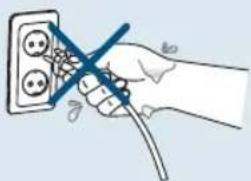
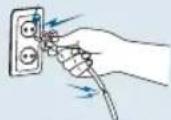
Pull the plug out during the clean-up. In addition, don't pull out or put into the plug with wet hands.
• It can cause a fire and electric shock.

natural_image
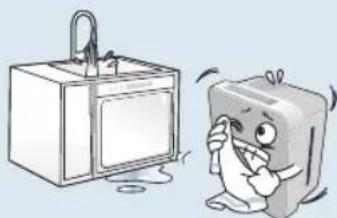
Hand holding a wire with a screwdriver inserted into an electrical socket (no text or symbols visible)Don't soak the main frame into water or don't spray water on the main frame.
• It can cause electric shock and fire.

natural_image
Cartoon illustration of a kitchen sink and a smiling refrigerator (no text or symbols)
Warning
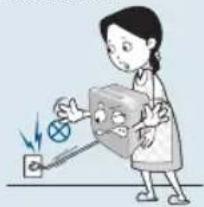
Don't move the humidifier during its use. Don't use it when electrical cord or power plug is
- It can cause errors or electric shock.

natural_image
Illustration of a person using a power plug to test electrical conductivity (no text or symbols present)damaged or the electric outlet is loose.
- It can cause electric shock, electric short and fire. In case of damaged power cord, inquire it to the place you bought it and customer service center and exchange it with other product.

Don't put foreign objects such as fingers or metal somewhere into discharge port and suction port.
- In particular, be careful for children not to put their fingers into the part because children can be hurt.

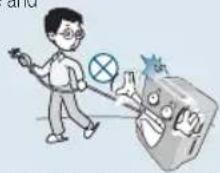
Don't damage, process, bend by force, pull, twist or tie the cord line. And don't put heavy things over or put heavy things into cord.
- Damaged cord can cause fire and electric shock.

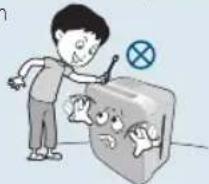
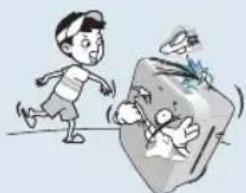
Don't let infants go closer to, touch or manipulate the product.
- It can cause electricity or injury.

natural_image
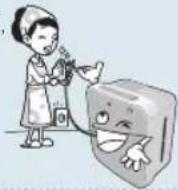
Cartoon illustration of a boy running away from a large box with broken items, no text or symbols presentWhen pulling the plug out, don't hold the cord and make sure to pull the plug out after holding the front of plug. And use it after cleaning up dirt or foreign object in power plug.
- It can cause electric shock or short, triggering fire.

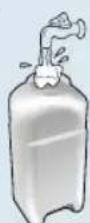
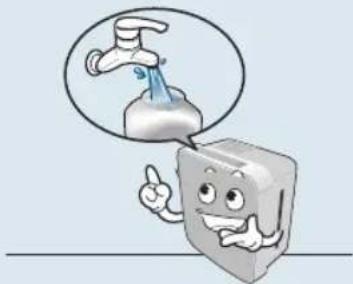
Replace the water of the tank with new water.
- Keep the water tank clean by cleaning it up daily and put tap water into water tank.
- You can use tap water.
- Using the product without clean-up can be a major cause of bad smell with fungi or various germs prospering.

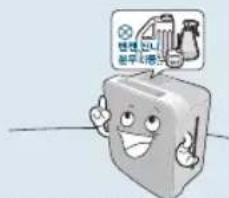
Don't cleaning it with benzene and thinner or don't spray pesticide.
- It can cause the crack, electric shock and fire.

Don't keep the product in the place where direct rays or heater can reach.
- It can cause the deformity.
smearing and discoloration.

natural_image
Cartoon illustration of a washing machine with a hand washing it, next to a window and a potted plant (no text or symbols)Don't put water into nebulizer
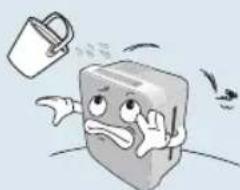
- It can cause errors or injury, fire and electric shock.

natural_image
Cartoon illustration of a book character with a watering can and a bird flying nearby (no text or symbols)Caution for the safety

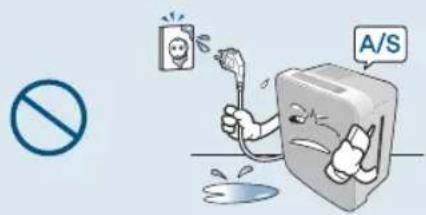
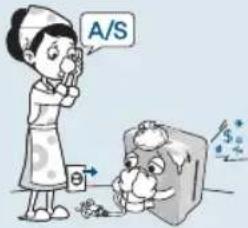
When water is put into power supply part, pull the plug out and contact with service center.
- It can cause electric shock and fire.
text_image
Safety warning illustration showing a person using a tool to prevent a broken surface, with a 'A/S' sign and no prohibition symbol.When noise, burning smell and smoke come from the product, immediately cut off the power and contact with service center.
- It can cause the deformity or discoloration.

text_image
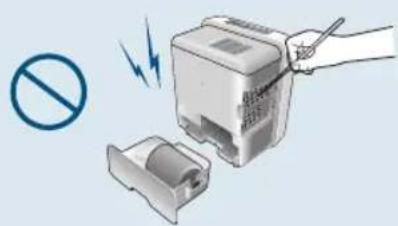
A/S θ $Don't put other foreign subject such as metal into the product inside.
• It can cause electric shock and injury.
natural_image
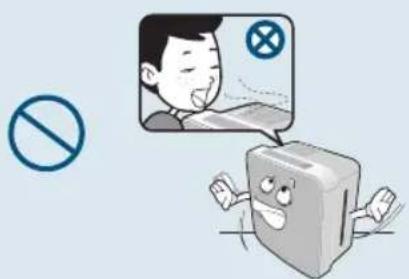
Illustration of a hand using a handheld device to press a battery into a rack, with no visible text or symbols.Don't take in the humidity from the product directly.
text_image
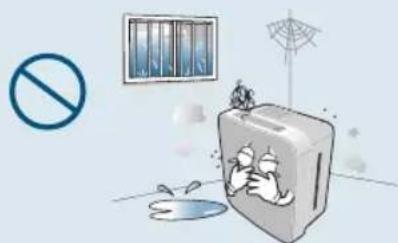
Illustration showing a person reacting to a computer monitor screen with a prohibition symbol, next to a crossed-out 'No' symbol.Don't install it in the place which is wet, dirty and the place where water or rainwater can be splashed.
- It can cause electric shock and fire.
natural_image
Illustration of a firecracker with smoke and debris, no text or symbols presentDon't use it with the power plug of various products put into one electric outlet at the same time.
- It can cause errors and fire.

natural_image
Illustration of a cartoon vacuum cleaner, phone receiver, and book with no visible text or symbolsWhen cleaning up, cut off the power and clean it up after the fan stops swinging.
• It can cause electric shock and injury.
natural_image
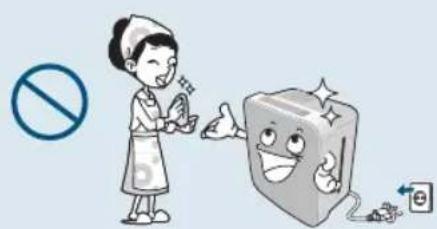
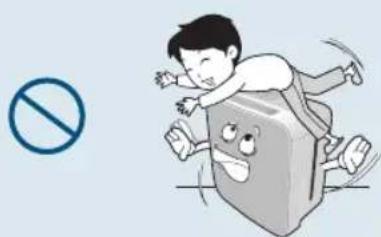
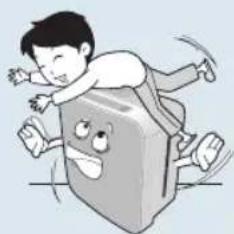
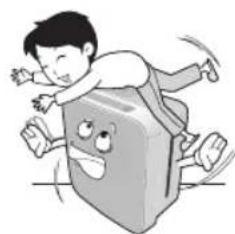
Illustration of a nurse giving a thumbs-up next to a smiling cube character, with no text or symbols present.Don't sit on or lean against the body frame.
- It can cause the damage.
natural_image
Cartoon illustration of a child running away from a large book with a smiling face, next to a blue prohibition symbol (no text present)
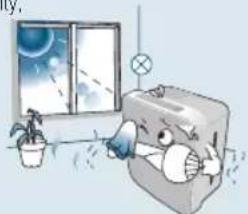
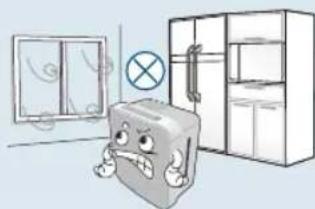
Don't use it in a place where wind blows from window and air conditioner. Avoid the place where humidity from the product can contact with ceiling, wall, furniture, electronic appliance directly.
- It can cause the sensor of the humidity not to work.

natural_image
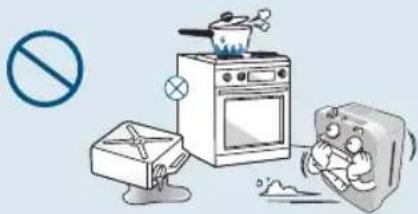
Cartoon illustration of a book character with a crossed-out box, standing in front of a window and cabinet (no text or symbols)Don't put combustibles, burning cigarette, incense near the product.
- It can cause a fire.
natural_image
Illustration of a kitchen scene with an oven, a stove, a washing machine, and a plate with steam rising (no text or symbols)Don't use the product when pesticide of indoor smoking or fuming type is used.
- As the material cumulated in the product can be emit from discharge port, it can harm the health.

natural_image
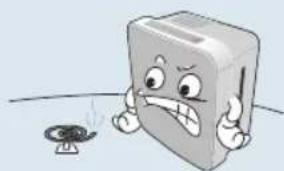
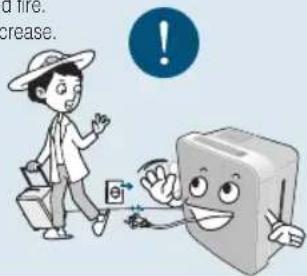
Cartoon illustration of a sad book character with a small lamp nearby (no text or symbols)When it is not used for a long time, pull the plug out and dump the water remaining in body frame such as water tank.
• It can cause electric shock and fire.
• Fungi or various germs may increase.
text_image
Cartoon illustration showing a person walking with a computer and a smiling computer, with warning symbols and partial text visible.When noise, burning smell and smoke come from the product, immediately cut off the power and contact with service center.
- It can cause deformity or discoloration.

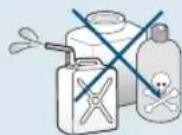
Chlorine, acid type and others
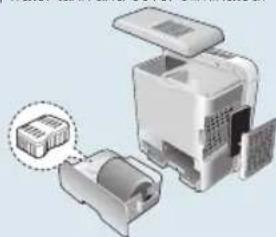
Make sure to put the parts into the original place after clean-up. (Refer to from 19 to 22 page)
- Don't operate it with humidity filter (Rotor), ECO-Air Plus filter, Nano-Ziver Filter, water tank and cover eliminated. It can cause errors.

natural_image
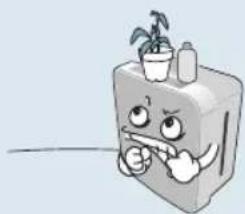
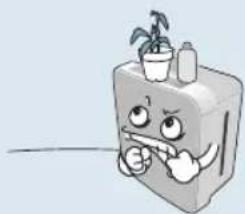
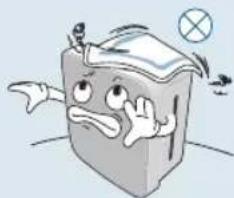
Diagram of a device with an open lid and internal components, showing no visible text or symbols.Don't put things over the product.
- It can cause injury, electric shock and errors.

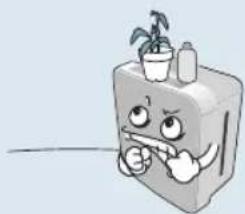
natural_image
Cartoon illustration of a smiling refrigerator with a potted plant on top (no text or symbols)Install the product on the floor which is strong and flat.
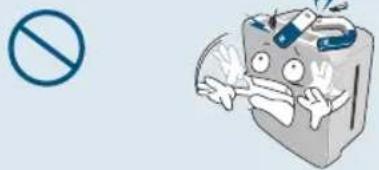
- It can cause the product fallen or water spilt. Falling product can cause water inside to overflow and it can cause fire or electric shock.

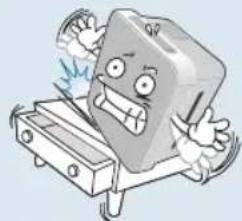
natural_image
Cartoon illustration of a smiling book character cutting through a saw (no text or symbols)Caution for the safety

Don't use damaged water tank with no change.
- It can cause water to drop from the product or water to overflow in the water tank, triggering electric shock and errors.
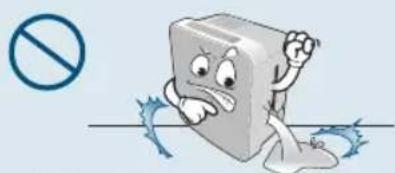
natural_image
Cartoon illustration of a book character with a sad expression, standing on a horizontal line with a blue prohibition symbol nearby (no text or symbols on the figure itself)Don't drink the water remaining in the body frame such as water tank.
- It can cause water quality to be worse and cause another unexpected accident.

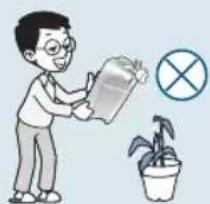
natural_image
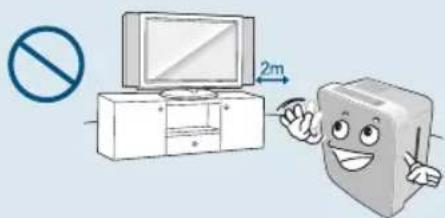
Illustration of a person watering a potted plant with a watering can and a crossed-out symbol (no text or labels)Don't use it near the place where magnetic field is strong such as microwave or TV.
• It can cause the sensor not to work properly.
text_image
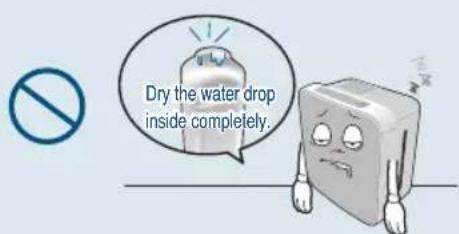
Illustration showing a computer setup with a monitor and a cartoon book character pointing at 2 meters, accompanied by a no-smoking symbol.When the product is not used, don't keep it for a long time with water kept in water tank.
- Fungi or various germs may increase.
text_image
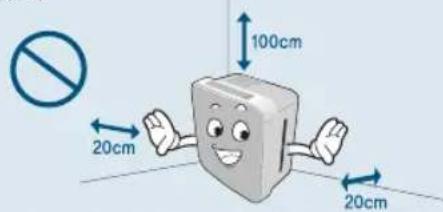
Dry the water drop inside completely.When using the product, don't use with the side with filter and wall facing.
- If the room is not ventilated well, the poor performance can cause fire.
text_image
100cm 20cm 20cmDon't block the discharge port.
- Don't block the discharge port with curtain or towel. It can cause errors.
natural_image
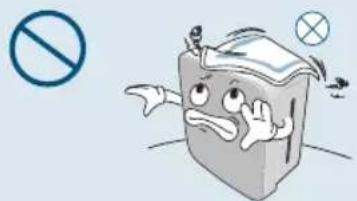
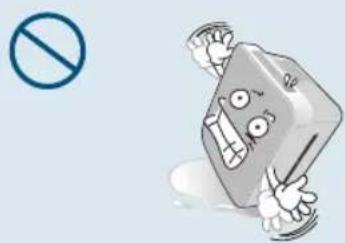
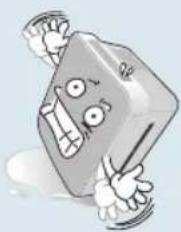
Cartoon illustration of a book character with a surprised expression and a no-smoking symbol (no text or symbols present)Don't fall the body frame.
- Use after pull the plug of falling product out and dry it well.
natural_image
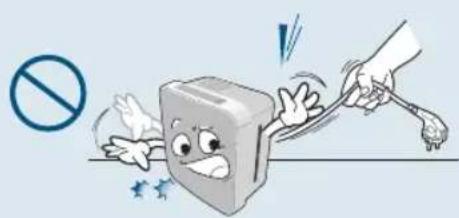
Cartoon illustration of a smiling rectangular object with arms and legs, holding a phone symbol (no text or numbers present)Don't move the product by pulling power cord.
• It can cause electric shock and fire.
natural_image
Cartoon illustration of a book character being struck by a hand using a tool, with no text or symbols present.
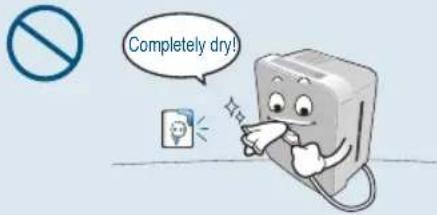
Use it after drying completely when water is put into the power supply part.
• It can cause electric shock and fire.
text_image
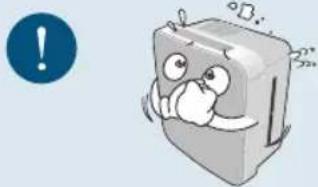
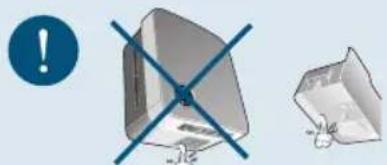
Completely dry!Dump the water remaining in body frame such as water tank during its move.
- Moving the product with water remaining in the body frame can cause water to overflow
natural_image
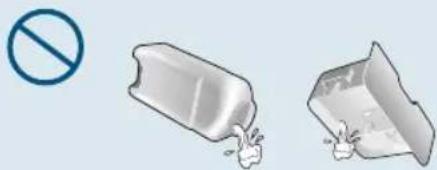
Cartoon illustration of a book character with a surprised expression, accompanied by a blue circular icon with an exclamation mark (no text or symbols on the book itself)Don't drain water remaining in the water tank by holding body frame and drain water by eliminating water tank.
• Water putting into body frame can cause errors.
natural_image
Illustration of a 3D cube with crosshair and a separate 2D cube, no text or symbols presentUse clean tap water rather than water hot at 40^ C or contaminated with salt, detergent and drug.
• Using water of over 40^ C can cause errors of product.

natural_image
Cartoon character shaped like a book with a faucet, giving a thumbs-up gesture (no text or symbols)Dump water in case of the concern for freezing.
- When it can be frozen, dump water remaining in body frame such as water tank. Frozen product can cause errors.
natural_image
Illustration of two broken containers with a no-smoking symbol nearby (no text or labels)Don't put magnet or metal over the body frame.
- It can cause errors.
natural_image
Cartoon illustration of a smiling food item with a prohibition symbol (no text or labels)Clean it up on a regular basis.
- Clean it up according to 'How to clean up'. (Refer to from 19 to 22 pages)
- Serious contamination can cause increasing fungi, bad smell, and low humidity.

natural_image
Cartoon illustration of a smiling book character with a hand cleaning it, next to a blue circular icon with an exclamation mark (no text or symbols on the book itself)Don't use for the special purpose of preservation and business such as food, art work and academic journal.
- It can cause low quality.
natural_image
Illustration of a prohibited sign, a wine glass with red liquid, and a money bag with hands covering its face (no text or symbols)Name and Function of each part
Name of front side and inside part
text_image
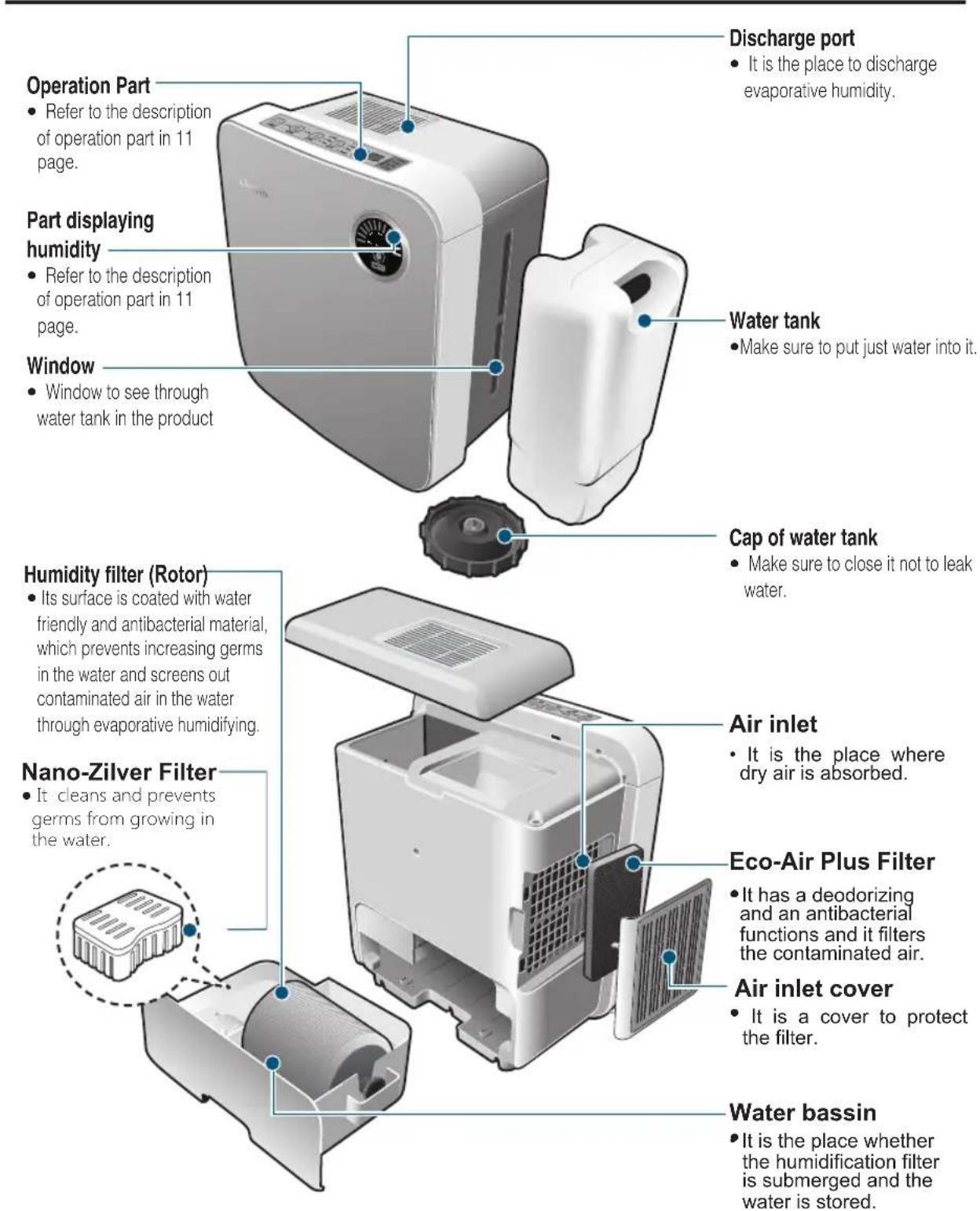
Operation Part • Refer to the description of operation part in 11 page. Part displaying humidity • Refer to the description of operation part in 11 page. Window • Window to see through water tank in the product Discharge port • It is the place to discharge evaporative humidity. Water tank • Make sure to put just water into it. Cap of water tank • Make sure to close it not to leak water. Humidity filter (Rotor) • Its surface is coated with water friendly and antibacterial material, which prevents increasing germs in the water and screens out contaminated air in the water through evaporative humidifying. Nano-Zilver Filter • It cleans and prevents germs from growing in the water. Air inlet • It is the place where dry air is absorbed. Eco-Air Plus Filter • It has a deodorizing and an antibacterial functions and it filters the contaminated air. Air inlet cover • It is a cover to protect the filter. Water bassin • It is the place whether the humidification filter is submerged and the water is stored.


Operation Part
text_image
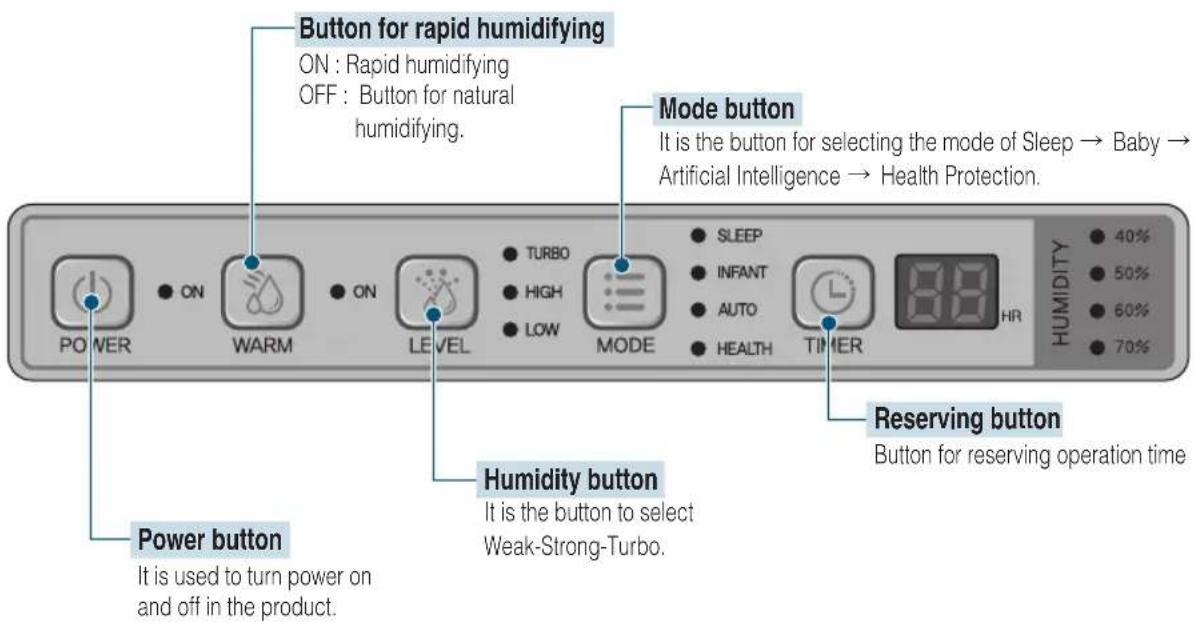
Button for rapid humidifying ON : Rapid humidifying OFF : Button for natural humidifying. Mode button It is the button for selecting the mode of Sleep → Baby → Artificial Intelligence → Health Protection. Power button It is used to turn power on and off in the product. Humidity button It is the button to select Weak-Strong-Turbo. Reserving button Button for reserving operation time
Part for displaying humidity
gauge
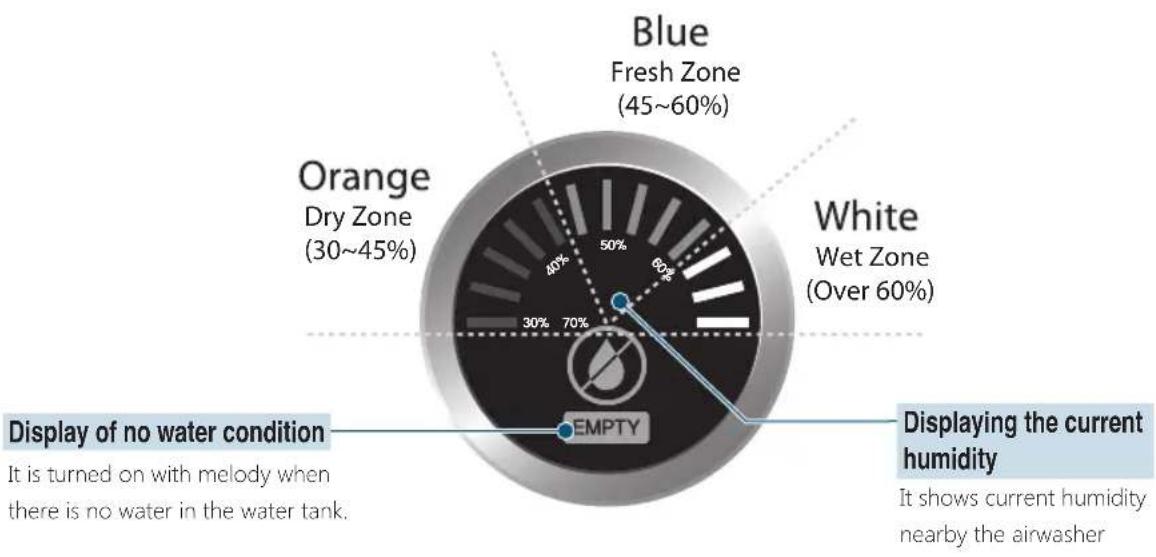
| Zone | Value (%) | |---|---| | Blue Fresh Zone | 45~60 | | White Wet Zone | Over 60 | | Orange Dry Zone | 30~45 | | Empty | Not labeled (implied by visual fill) | | Display of no water condition | It is turned on with melody when there is no water in the water tank. |How to install
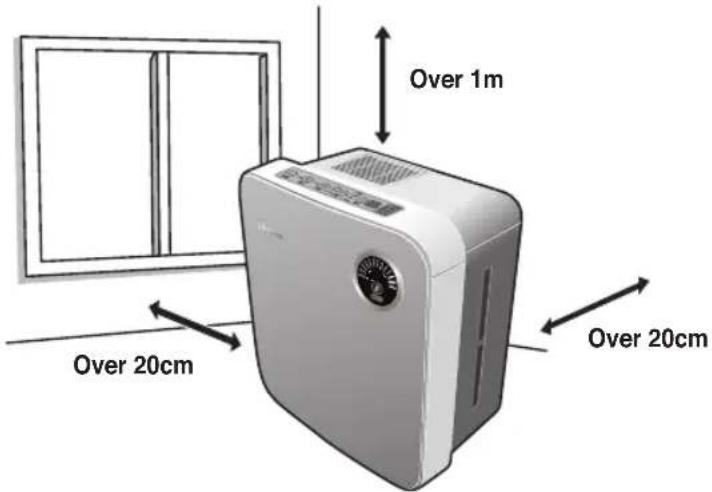
- The body frame is recommended to install in the place where the floor is strong and flat and the air is circulated well.
▶ If the body frame is installed facing the center of the room, more effective air flow can be created.
• Over 1m from the ceiling
• Over 20cm of left and right direction from the wall
- 30cm of the front

Don't block the filter in the side.
text_image
Over 1m Over 20cm Over 20cm
- When the body frame moves or is used for a long time, pull the plug out and dump the water from the water tank. (It can cause water to overflow and fungi and various germs to increase.)
- Don't use it with the body frame leaning. It can lead to not working or overflowing.
- Don't install in a condition which can cause suction port or discharge port.
• Install it in a interval of over 2m in AV device such as TV or radio. (It can cause noise if it is close.) - In a place where electronic wave can be created such as speaker or electronic cooker, sensor for water level cannot work and the time of water supply cannot be told exactly.
- Don't use it next to the place with direct light and heater. It can cause the body frame to be deformed or discolored.
• Install it in a flat place. If it is installed in a slanted place, water sensor can work and the product can stop working.
- Use it indoor with low humidity.
If humidity nearby is high due to the characteristics of the product, the humidity can be reduced.
Caution before using
Using

Don't put combustibles into the water tank. It can cause it to burn.
How to supply water
- Use it clearly at all times by replacing water with clean water daily.
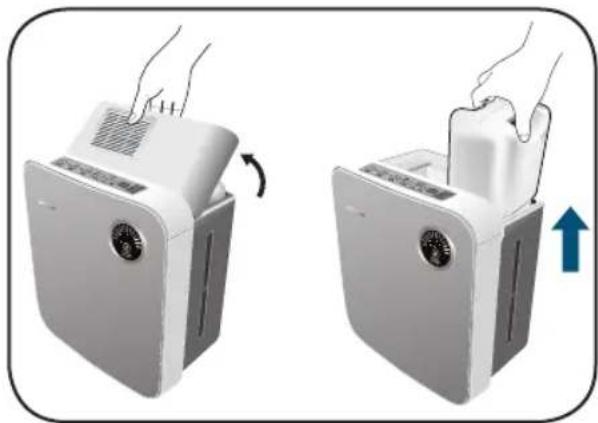
① Open the cap of the water tank and remove the water tank.
② Open the cap of the water tank and put tap water in it.
- In case of separating the water tank part, at first remove the water tank.
natural_image
Two-step illustration of a hand using a filter device to lift or remove a surface, showing the process with no text or symbols.
text_image
Opening③ Close the cap of water tank.
• Make sure to close the cap.
④ Close the cover of water tank after the water tank is put into the body frame.
- Insert it in the direction of the part displaying in water tank handle and install it from the front in installing the cover of the water tank.

text_image
Close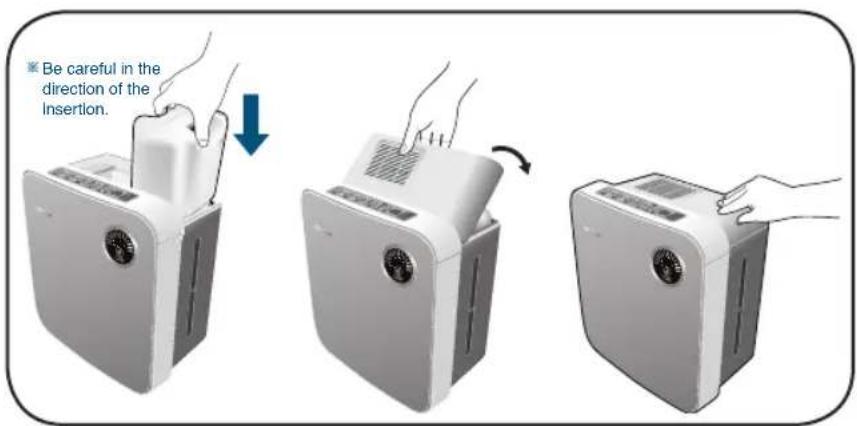
text_image
Be careful in the direction of the Insertion.
- Make sure to use tap water of less than 40^ .
- Don't use water containing chemical agent, dirty water, or detergent. • It can cause the deformity and errors.
Notice
Evaporative humidifying system
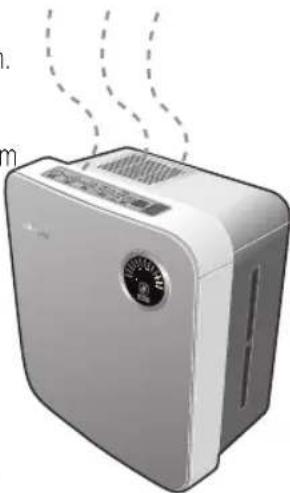
- Steam cannot be seen.
- As it is natural evaporative type without boiling water, the increase cannot be seen.
● The wind coming from ventilator is not warm.
- As the air taken in during the evaporation gets rid of the heat, the wind coming from the ventilator is not warm. Depending on the size of the room, it can be felt cold.
● Rapid humidifying can be set.
- If rapid humidifying is set, humidity can increase by the method of Hybrid.
● Depending on the temperature or humidity, humidity can be changed.
- In case of high room humidity or low temperature, the humidity can change.
- During the operating Manual Mode, if it operates for over 2 hours at over 70% of humidity, humidity can be changed into Weak condition and it operates. (If the humidity is at less than 60% during the operation, it can return to the normal condition.)
natural_image
Illustration of a white air purifier with digital display and fan (no text or symbols)Operating sensor
● Depending on the humidity nearby, it can work automatically.
- During the operation, the sensor can keep the optimal humidity in a mode set by sensing current humidity nearby.
- Even in the same indoor, the humidity can be displayed differently depending on the temperature difference or air flow.
- During the initial operation, it can take several minutes to sense the humidity of the near surrounding.
Displaying room humidity
- It displays the current condition of room humidity in near surrounding.
- It can display the humidity measured by humidity sensor in the body frame with 3 colors.
- It can display the humidity with humidity sensor in the body frame; Orange in dry, Blue in proper humid, White in excessive humid.
- Humidity can be different depending on the place because of temperature difference and air flow.
- It can be different from that of other humidifiers.
- Shortly after the operation, it can be influence by temperature or humidity. So it takes a little time for the displaying of humidity to be stabilized.
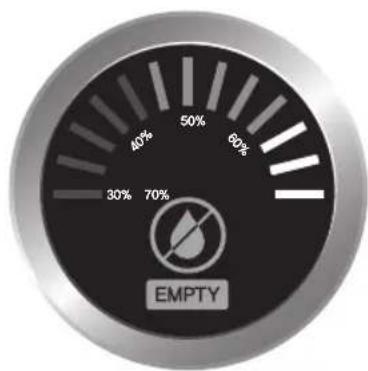
gauge
| Level | Value | |-------|-------| | 1 | 30% | | 2 | 70% | | 3 | 40% | | 4 | 50% | | 5 | 60% | | 6 | 70% |How to use
Using
Button for Operation Part

text_image
POWER ON WARM ON LEVEL TURBO HIGH LOW MODE SLEEP INFANT AUTO HEALTH TIMER HR 40% 50% 60% 70% HUMIDITY● Put water tank into the body frame.
※It takes about 40 seconds to fill water tank with water after water tank is put into the body frame. Pressing power button with water not filled into water bassin can lead to turning off the display of no water and not working product.
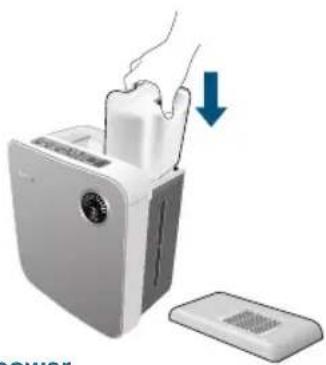
natural_image
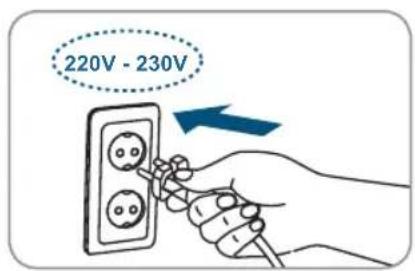
Illustration of a white appliance with a hand inserting into it, showing a blue downward arrow and a separate flat base (no text or symbols)- If power plug is inserted into the outlet for 220V - 230V and power button is pressed, the product can work along with melody.
- Initial setting is kept at [Manual mode/Humidity-Turbo-Co].
• After putting the plug in, create the clean indoor surrounding according to the method of using operation part. - If you don't use it, keep it with plug pulled out.
text_image
220V - 230V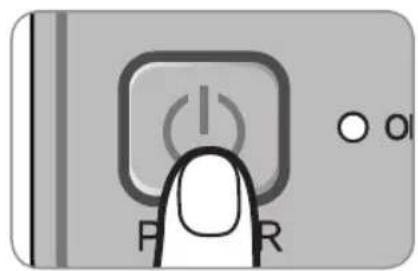
text_image
P R o o
Notice
- Remove the water in the tank completely when not using it for a long time.
- If you feel that the air in the discharge port is cold or the water in the tank is seriously reduced, you can feel it in the condition that water is cold or the humidity nearby is high. If you use Rapid Humidity, the humidity can increase by about twice.
How to use
Humidity control

Notice
- In case of less than 30% of initial indoor humidity, select 'Turbo' with the button of humidity and set a rapid humidity. Then you can increase indoor humidity fast.
- Initial setting is kept at Turbo.
- Press the button of humidity (Level) and control humidity.
- Press the button of humidity (Level) and Weak → Strong-Turbo can be displayed repeatedly.
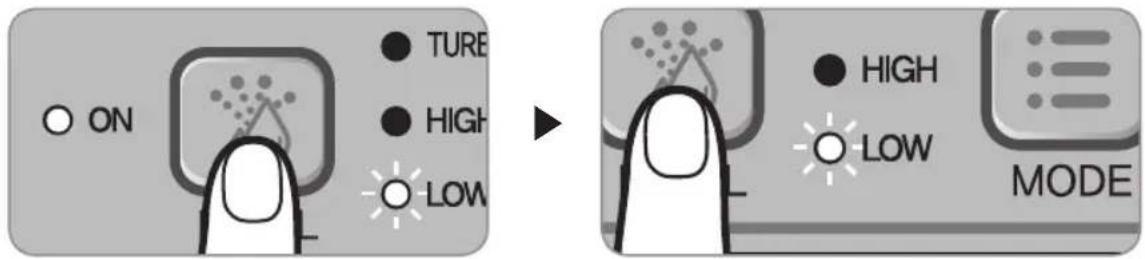
text_image
ON TURE HIGH LOW → HIGH LOW MODEHow to use 'Mode'
- Press the Mode button.
- It can be operated in the order of Sleep → Infant → Artificial intelligence → Health protection-Manual.
- Press [Humidity][Mode] button and return it to the Manual Mode.
- If the current humidity is higher than the proper indoor humidity, it can stop humidifying and the fan can work at the Weak condition.
1. Sleep mode
It can be in the condition of low noise which is appropriate to the sleep.
※ All LED OFF and Sleep LED is turned on. Humidity amount works at the 'Weak' operation.
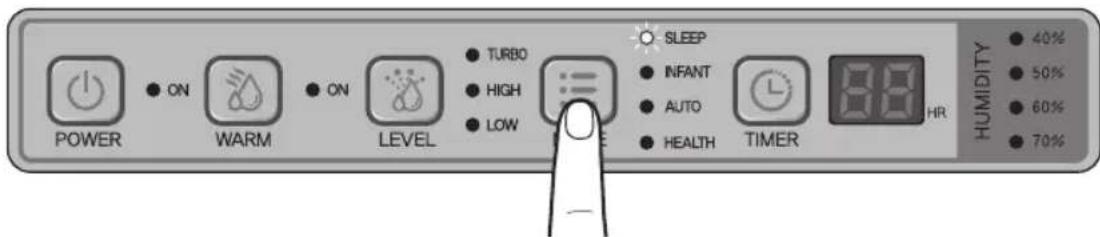
text_image
POWER ON WARM ON LEVEL TURBO HIGH LOW SLEEP INFANT AUTO HEALTH TIMER HR 40% 50% 60% 70% HUMIDITY2. Baby Mode
- To keep 66% , humidity proper for baby, the Weak and Strong operation of humidifying can be repeated.

text_image
POWER ON WARM ON LEVEL TURBO HIGH LOW SLEEP INFANT AUTO HEALTH TIMER HR HUMIDITY 40% 50% 60% 70%3. Artificial intelligence mode
- To keep 55%, humidity proper for infants, the Turbo, Strong and Weak operation of humidifying can be repeated.

text_image
POWER ON WARM ON LEVEL TURBO HIGH LOW SLEEP INFANT AUTO HEALTH TIMER 80 HR HUMIDITY 40% 50% 60% 70%4. Health Protection Mode
- To keep proper humidity for preventing cold and protecting skin, the Turbo, Strong, and Weak operation of humidifying can be repeated.
- The humidity controlled depending on the temperature nearby can be changed.
- At 10-40°C, the humidity to be kept can be changed to 50-70%.

text_image
POWER ON WARM ON LEVEL TURBO HIGH LOW SLEEP INFANT AUTO HEALTH TIMER HR 40% 50% 60% 70% HUMIDITYHow to use Rapid Humidity (Warm)
- Use it by pressing Rapid Humidity (Warm) if you want fast humidity
- It is possible to keep environment clean with humidity increasing by twice.
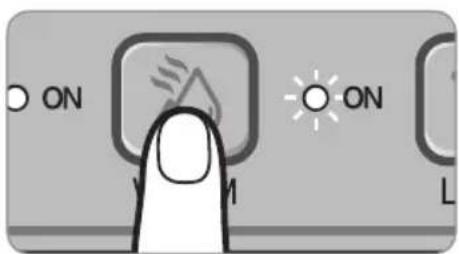
text_image
ON ON LHow to use
How to use 'Reserving Time'

Notice
- Reserving Time can be operated in all modes and in changing mode, Reserving Time can be cancelled.
- Reserve the operation time you want by pressing the button for reserving time.
- Press the button for reserving time [Co(continuing) → 1 → 2 → 3 → 4 → 5 → 6 → 7 → 8 → Co (continuing)] can be repetitively displayed.
- In case of set time, humidity stops automatically and standby condition with power LED turning on can be kept.
- It the water is running out, No Water is displayed with melody and humidifying stops.
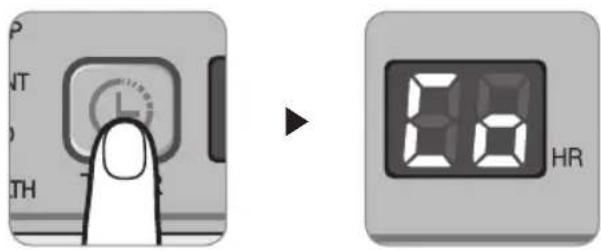
text_image
Diagram showing a finger pressing a timer next to an LCD display showing 80 and 120 respectively, with partial text labels visible.Displaying the current humidity
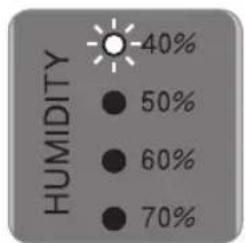
- Depending on the current humidity, LED displaying the current humidity of operation part is turned on.
- Depending on the current humidity, the humidity can be displayed on the part to display humidity.
Operation part
text_image
HUMIDITY -40% 50% 60% 70%- 40% is displayed in case of less than 49% current humidity.
- 50% is displayed in case of 50-69% current humidity.
- 60% is displayed in case of 60-69% current humidity.
- 70% is displayed in case of more than 70% current humidity.
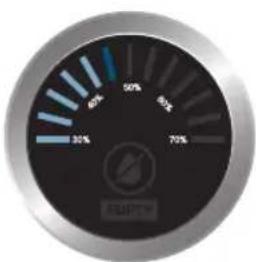
Part to display humidity
gauge
| Value | |---| | 30% | | 50% | | 70% |- The range to display LED Bar per one level is as follows;
| 30% range | 40% range | 50% range | 60% range |
| 30%~33% | 40%~43% 50 | %~53% 60% | ~63% |
| 34%~36% | 44%~46% 54 | %~56% 64% | ~66% |
| 37%~39% | 47%~49% 57 | %~59% 67% | ~69% |
How to clean
Using

Make sure to pull the plug out.
※ Make sure to clean up regularly. If the pollution is serious, it can cause the product to lower the performance or to be broken down and the smell to be emitted.
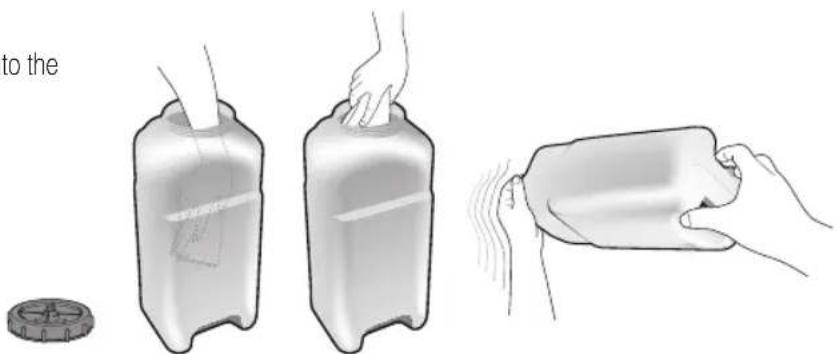
Water tank (every day)
● Shake the water tank filled with water 4 or 5 times after closing the cap of the water tank.
- Don't add chemical agents.
- Clean up often by putting hands into the water tank.
natural_image
Illustration of a hand holding a plastic container with a lid, showing three stages: pressing, handling, and holding a wrapped container (no text or symbols)Body frame (if contaminated)
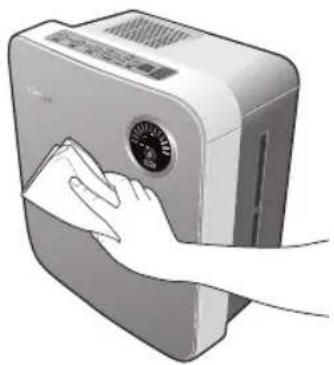
- Wipe it out after wetting and wringing out soft cloth by diluting the concentration of neutral detergent for kitchen. Lastly wipe it out with dry towel.
- Don't use benzene, thinner, alkaline detergent, and powdered detergent to prevent deformity and discoloration.
natural_image
Illustration of a hand cleaning a washing machine with a cloth (no text or symbols visible)ECO-Air Plus filter
It's is recommended to clean it once a week for more pleasant humidification.
■ Remove dust on the surface of ECO-Air Plus Filter using a cleaner or a soft brush.
- Do not clean the ECO-Air Plus filter with water. If it is cleaned with water, it may lead to bad performance.
- Do not use it without the ECO-Air Plus filter.
- Exchange the Nano-Zilver filter 1x per year
Exchange the ECO-Air Filter 1x per 6 months
Where to order?
https://www.cleanairoptima.com/accessoires/mg/44/
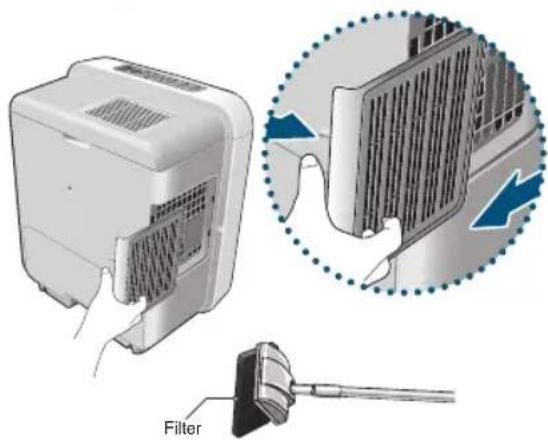
text_image
FilterHow to clean up
Clean water tank part twice in a week.
- If you don't remove the water from water tank after using and the condition is left, the color of the water is changed or the water stinks.
① Remove the cover of water tank.
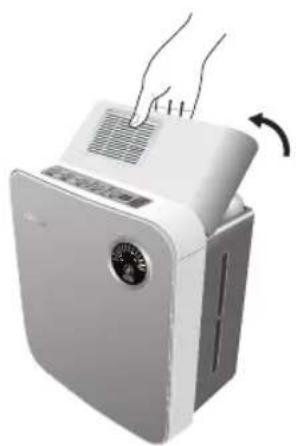
natural_image
White appliance with a fan and ventilation grille, showing hand pressing down (no text or symbols visible)② Remove water tank.
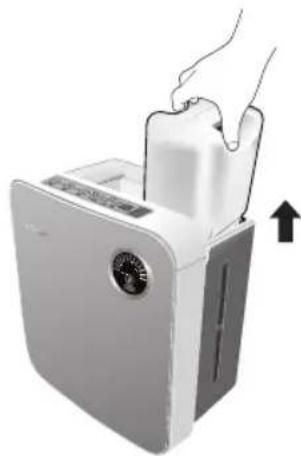
natural_image
Illustration of a white appliance with a hand inserting a fan into it, showing a black arrow indicating upward motion (no text or symbols)③ Pull water tank out.
- Pull water tank at first and remove water bassin part.
- When pulling water tank part, don't remove it by leaning it.
- If you remove water tank by leaning it, it can cause water to overflow the water tank part, which can trigger the danger of electric shock, injury and fire.
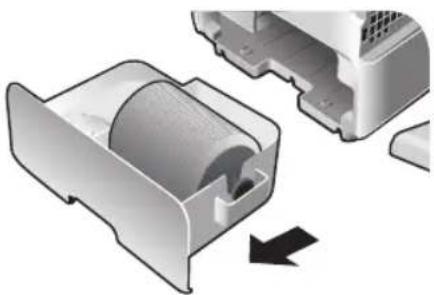
natural_image
3D illustration of a mechanical component with a curved internal structure and an arrow indicating rotation (no text or symbols)④ Pull humidifying filter (Rotor) and Nano-Zilver filter
- When humidifying filter (Rotor) is contaminated, clean it up by referring to 22 page.
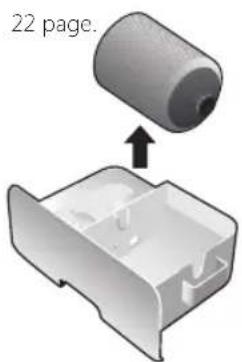
text_image
22 page.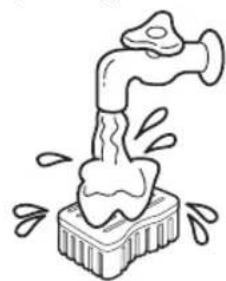
natural_image
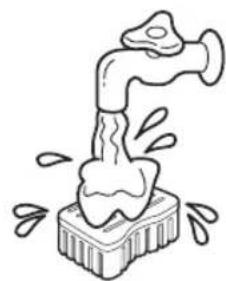
Simple line drawing of a faucet pouring liquid into a container with bubbles (no text or symbols)- Wash Nano-Zilver filter with flowing water.
⑤ Dump the water in the water bassin
• Make sure to dump the water after removing humidifying filter (Rotor) and Nano-Zilver filter
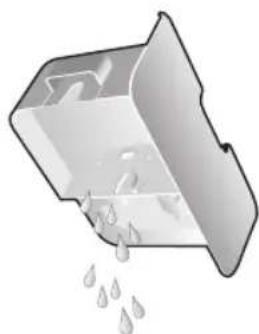
natural_image
Illustration of a container with liquid droplets falling out (no text or symbols)⑥ Clean the water bassin part with a soft sponge and assemble it in the adverse order.
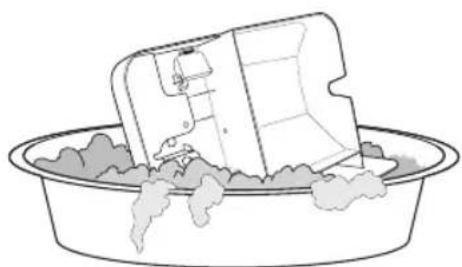
natural_image
Simple line drawing of a washing machine inside a basin with steam rising (no text or symbols)▶ Install in the order below when the sensor of water level is missing.
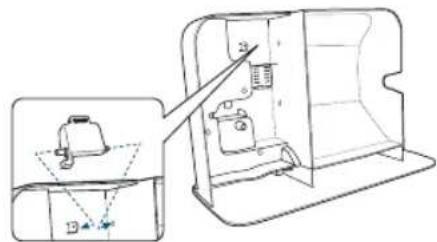
text_image
Technical diagram showing a device interior with labeled parts and a zoomed-in view of the front panel.① Lay the sensor of water level at the bottom of protrusion.
② Insert the axis of water level sensor into the hole of water tank part.
③ Insert the axis of water level in opposite side into the hole of water tank part.
⑦ Install water bassin part into the body frame after putting humidifying filter (Rotor) in.
- Identify the direction of the insertion in installing the humidity filter into water tank part.
- Put water bassin part into the body frame until 'bang' sounds. (It doesn't operate in case it can be put in completely.)
• after the water bassin is put in first, the water tank can be installed.
⑧ Install water tank and water tank cover into the body frame.
- Identify the direction of putting water tank and install it.
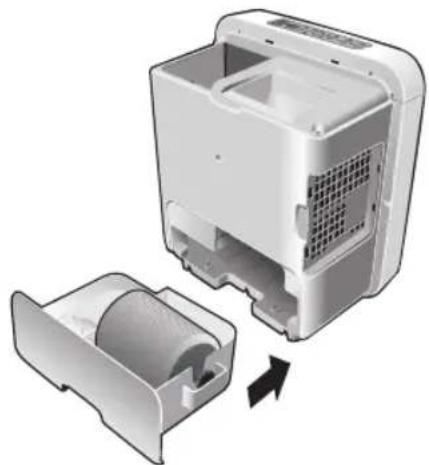
natural_image
3D rendering of a white appliance with internal components and a separate open casing, showing internal structure and part assembly (no text or symbols)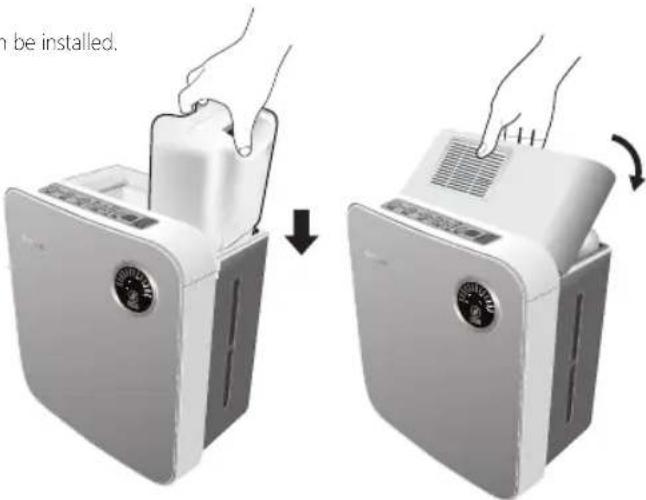
text_image
n be installed.Clean the humidification filter (Rotor) 2 - 3 per week

Notice
Depending on water quality, water moss can be gathered. Clean it up in case of serious contamination. Don't use benzene, thinner, alkaline detergent, detergent for removing fungi and powdered detergent.
※ Refer how to remove humidifying filter (Rotor) from water tank part to 20 page.
① Disassemble humidifying filter (Robert) out with soft sponge after
soaking humidifying filter into water.
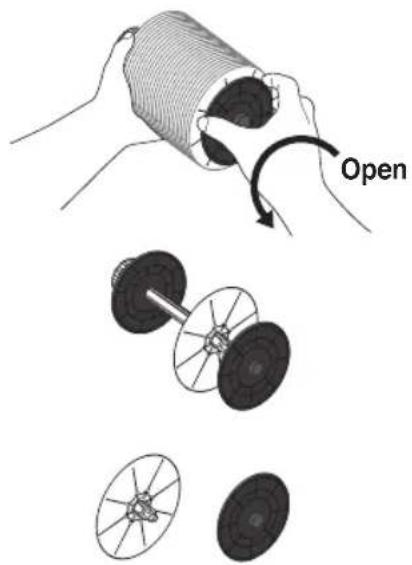
natural_image
Illustration showing a hand holding a cylindrical object with an open operation, alongside two views of a mechanical component (no text or symbols present)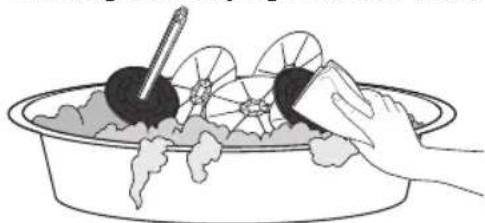
natural_image
Illustration of hands cleaning a bowl with food items (no text or symbols)[How to clean up humidifying filter]
If the stain is not removed, soak the tank for 3 hours in tepid water (less than 40^ C) where neutral detergent is dissolved and rinse it enough with clean water. (When boiling or washing in a boiling water, the product can be deformed.)
▶ When there is difficulty in removing water scum of evaporative filter, wash the filter with citric acid.
- Put about 30g (3 large spoons) of citric acid and mix citric acid in a container with 1.5 liter of warm water.
③ Assemble humidifying filter (Rotor).
① Insert humidifying filter in a groove of axis.
![Clean Air Optima CA807 - [How to clean up humidifying filter] - 1](/content/2026/03/460682/images/bce9ef95773cefca13714e3e95889ac1eae64ac29416d7db5859ef16691c2209.jpg)
text_image
Close② Close the filter after inserting right board into the axis
④ After installing humidifying filter (Rotor) into water bassin, install water tank and water tank cover into the body frame.
- Make sure to put water tank part and install the water tank. ② Install water tank and water tank cover.
![Clean Air Optima CA807 - [How to clean up humidifying filter] - 2](/content/2026/03/460682/images/c2a085f12ef74e12bbd789a88d61993e064b0b0afffd2ab7841a2fd7a28fcfb2.jpg)
text_image
① Install humidifying filter and water tank part.What if you think there are errors?
Using

▶ If you think there is an error even after the check as follows, stop using to prevent the accident. And then pull the plug out and contact with customer service center. Tel: +49(0)5921 878-121
▶ Don't repair it by yourself because it is a risk to repair the product at home. E-mail: info@optima-luftreiniger.de
| Cases Check as follows | Reference Page | |
| Not working | Is the plug inserted into electrical outlet? | |
| Is the water tank part in the back installed well?→Make sure to install it. | 21P | |
| Is the lamp to supply water turned on?→Make sure to install the water tank part in the back.→Fill the water tank with water. | 15P | |
| Turning the lamp for complementing water on | Is the water tank containing water?→Fill the water tank with water. | 13P |
| Is the water tank part missing?→Insert the water tank part to the end. | 21P | |
| Is sensor of water level missing?→Install the sensor of water level. | 21P | |
| Leaking water | Is the cap of water tank closed well?→Check the cap of water tank. | 13P |
| Is the body frame leaned?→Use the body frame in a flat place. | 12P | |
| Inside water tank staining with powder | It is the material accumulated with dirt or hard material due to the long term use.→Make sure to clean up periodically. | 19~22P |
| Sounding operation even in stopping condition | Is splashing sound heard?→It comes from the water tank by filling water. (it is not error) | |
| A little humidity | If the indoor humidity is high or temperature is low, the humidity can be reduced. | 14P |
| Is air filter closed?→Depending on how to clean up, clean up and use the device. | 19P | |
| You can feel that humidity is low during its use in a spacious place. | ||

Environmental information
This product may not be disposed at the end of his life with normal household waste but must be brought to a collection point for the recycling of electrical and electronic equipment. The symbol indicates this on the product the instruction manual or the packaging.
The materials are reusable in accordance with their labeling. y recycling material recycling or other forms of utilizing old devices you make an important contribution to protecting our environment
Please as for the appropriate disposal center at the town hall.
Service
rr
Clean Air Optima ensures your airwasher from defects in materials and / or wormanship for up to two years after initial purchase. If material or manufacturing faults occur they are solved by Clean Air Optima or Clean Air Optima provides a replacement device with the same or better properties. The guarantee covers any damage caused by carelessness in handling accident abuse lac of cleaning and maintenance or other use that is not obviously compatible with the information in these instructions for use instructions for use. Furthermore the general commercial law does. e recommend in case of failure along with the original sales receipt plus brief description of the defect found return the instrument. Ta e in this case your supplier or if that is not possible with Clean Air Optima contact. If the defect in the device to something other than material and / or wormanship be due processing or repair costs will be billed.
Clean Air Optima ermany mb
Enschedestraße 14
48529 Nordhorn
ermany
natural_image
Exterior view of a modern air purifier unit (no visible text or symbols)Product Specifications
natural_image
Illustration of a person using a vending machine to stop a phone, with a no-smoking symbol nearby (no text or labels)natural_image
Hand using a power cord to wire out three socket socket (no text or symbols visible)natural_image
Cartoon illustration of a refrigerator with a handle and a smiling face, next to it (no text or symbols)
natural_image
Illustration of a person using a power plug to test electrical conductivity (no text or symbols)natural_image
Cartoon illustration of a boy running away from a large box with a broken bag (no text or symbols)natural_image
Cartoon illustration of a washing machine with a potted plant nearby (no text or symbols)natural_image
Cartoon illustration of a smiling book character holding a sign with icons (no text or symbols present)natural_image
Cartoon illustration of a distressed rectangular object with a briefcase and arrow, no text or symbols presentnatural_image
Illustration of a hand inserting a battery into a plastic housing with a lightning bolt indicating compression (no text or symbols)natural_image
Cartoon illustration of a smiling refrigerator with arms and legs, accompanied by a thought bubble showing a person sleeping (no text or symbols present)natural_image
Illustration of a large box with scattered items and a spiderweb above, no text or symbols present.natural_image
Illustration of a cartoon-style office scene with a vacuum cleaner, phone, and computer (no text or symbols)natural_image
Illustration of a nurse pointing at a smiling book with sparkles (no text or symbols)natural_image
Cartoon illustration of a boy riding a heavy object while sitting on its back, with a smiling face and motion lines (no text or symbols)
Caution
text_image
at de sensornatural_image
Illustration of a kitchen scene with an oven, a refrigerator, and a microwave (no text or symbols)natural_image
Cartoon illustration of a smiling book character holding a pen, with a small bowl nearby (no text or symbols)
natural_image
Cartoon illustration of a distressed, anthropomorphic device with a potted plant on top (no text or symbols)natural_image
Cartoon illustration of a smiling book character emerging from a mechanical device (no text or symbols)natural_image
Cartoon illustration of a book character with a sad expression, standing on a horizontal line with a blue prohibition symbol nearby (no text or symbols on the figure itself)natural_image
Illustration of a person watering plants with a crossed-out symbol (no text or labels)natural_image
Cartoon illustration of a book character with arms and facial expression, no text or symbols presenttext_image
Illustration showing a computer setup with a monitor and a cartoon character pointing at 2 meters, accompanied by a no-smoking symbol.natural_image
Cartoon illustration of a smiling book character holding a pencil, with expressive eyes and a mouth (no text or symbols)text_image
Dry the water drop inside completely.natural_image
Cartoon illustration of a book character being struck by a hand using a tool, with no text or symbols present.text_image
(Completely dry.) Hinatural_image
Cartoon illustration of a distressed rectangular object with arms and legs, surrounded by lightning bolts and a magnet (no text or symbols)natural_image
Two-step illustration of a hand using a fan-shaped device to lift or press the air, showing airflow and change (no text or symbols)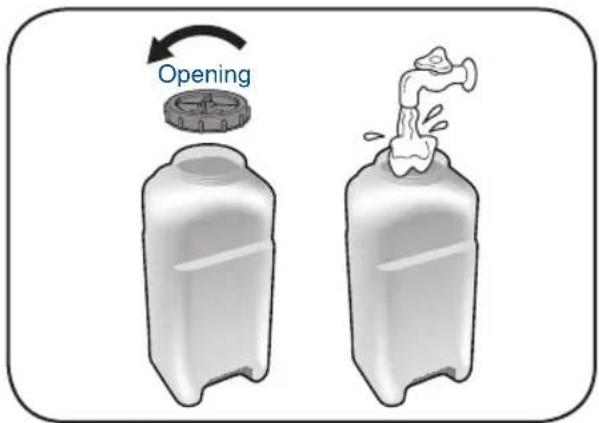
text_image
Openingnatural_image
Illustration of a white portable air conditioner unit with a digital display and cooling fan (no text or symbols visible)Operationele sensor ygrostaat
natural_image
Illustration of a white appliance with a hand inserting a plug into it, showing a blue downward arrow (no text or symbols)text_image
ON TURE HIGH LOW ▶ HIGH LOW MODEtext_image
P NT S TH 8.0 HRtext_image
HUMIDITY 40% 50% 60% 70%pie
| Segment | Percentage (%) | |---|---| | Segment 1 | 30 | | Segment 2 | 40 | | Segment 3 | 50 | | Segment 4 | 60 | | Segment 5 | 70 |- Vochtigheidsindicator
| 30% peil | 40% peil | 50% peil | 60% peil |
| 30%~33% | 40%~43% 50 | %~53% 60% | ~63% |
| 34%~36% | 44%~46% 54 | %~56% 64% | ~66% |
| 37%~39% | 47%~49% 57 | %~59% 67% | ~69% |
Reinigen
ebrui

natural_image
Illustration of a hand cleaning a washing machine with a cloth (no text or symbols visible)ECO-AIR PLUS Filter
natural_image
White appliance with a fan and ventilation grille, showing hand pressing down (no text or symbols visible)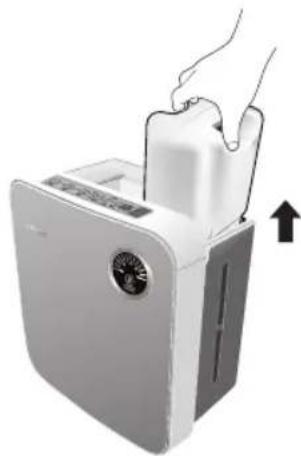
natural_image
Illustration of a hand inserting a fan into a white appliance with a circular vent, showing airflow direction (no text or symbols)natural_image
3D rendering of a mechanical component with a curved internal structure and an arrow indicating direction (no text or symbols)natural_image
3D diagram showing a cylindrical component being inserted into a plastic housing (no text or symbols)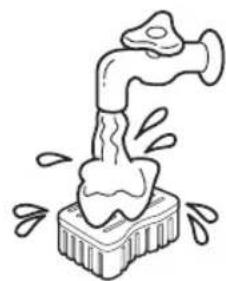
natural_image
Simple line drawing of a faucet pouring liquid into a container with bubbles (no text or symbols)natural_image
Illustration of a container with liquid droplets falling out (no text or symbols)natural_image
Line drawing of a washing machine inside a basin with steam rising (no text or symbols)natural_image
3D illustration of a white appliance with internal components and a separate open casing, showing internal structure and part movement (no text or symbols)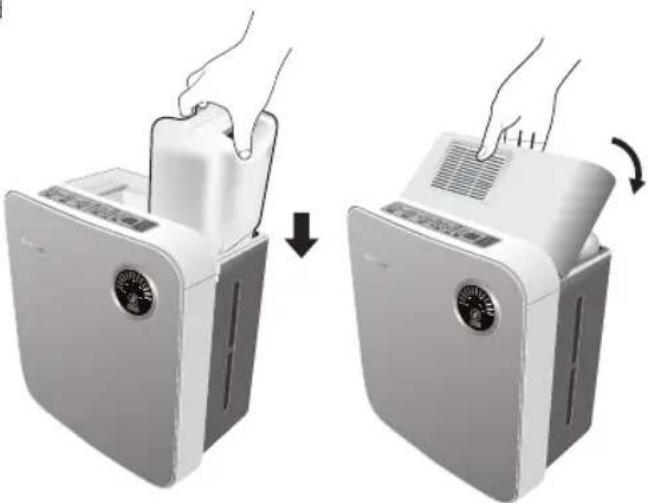
natural_image
Two-step illustration of a hand placing a small appliance into a white refrigerator, showing the process (no text or symbols)Reiniging
natural_image
Illustration of hands cleaning a bowl with food items (no text or symbols)info@cleanair-online.nl
www.cleanair-online.nl
Clean Air Optima®
Clean Air Optima®
er
natural_image
Exterior view of a modern air purifier unit (no visible text or symbols)Produktbeschreibung
natural_image
Illustration of a person using a vending machine to stop a phone, with no visible text or symbolsnatural_image
Hand holding a wire with three socket connectors, no text or symbols visiblenatural_image
Cartoon illustration of a smiling refrigerator next to a washing machine (no text or symbols)
Warning
natural_image
Illustration of a person using a power tool to interact with a battery (no text or symbols present)natural_image
Cartoon illustration of a boy running away from a large box with a child flying nearby (no text or symbols)natural_image
Cartoon illustration of a smiling book character holding a sign with icons (no text or symbols present)natural_image
Cartoon illustration of a distressed box character with a potted plant nearby, no text or symbols presentnatural_image
Cartoon illustration of a block character with a falling container and a bird flying nearby (no text or symbols)natural_image
Illustration of a hand using a power tool to press a battery into a plastic housing (no text or symbols visible)natural_image
Cartoon illustration of a smiling refrigerator with arms and legs, accompanied by a thought bubble showing a person sleeping (no text or symbols present)natural_image
Illustration of a baby in a baby bottle with a spiderweb above, surrounded by floating objects and a window (no text or symbols)natural_image
Cartoon illustration of a vacuum cleaner, phone, and notebook with a smiling face (no text or symbols)natural_image
Illustration of a nurse interacting with a smiling book and phone, no text or symbols present
natural_image
Cartoon illustration of a boy riding a heavy object while sitting on its shoulders, with a smiling face and motion lines (no text or symbols)
Caution
natural_image
Illustration of a kitchen setup with a stove, oven, toaster, and blender (no text or symbols)natural_image
Cartoon illustration of a sad book character with arms and legs, standing next to a small object (no text or symbols present)
natural_image
Cartoon illustration of a distressed, anthropomorphic device with a potted plant on top (no text or symbols)natural_image
Cartoon illustration of a book character with a sad expression, standing on a horizontal line with a blue prohibition symbol nearby (no text or symbols on the figure itself)natural_image
Illustration of a person watering plants with a prohibition symbol (no text or labels)natural_image
Cartoon illustration of a book character with arms and facial expression, no text or symbols presentnatural_image
Cartoon illustration of a smiling book character holding a pencil, with arms raised (no text or symbols)text_image
Dry the water drop inside completely.natural_image
Cartoon illustration of a book character being struck by a hand using a tool, with no text or symbols present.
Caution
natural_image
Illustration of two plastic containers with a prohibition symbol (no text or labels)natural_image
Cartoon illustration of a smiling book character with expressive eyes and a surprised expression, accompanied by a blue circular icon with an exclamation mark (no text or symbols on the book itself)natural_image
Cartoon illustration of a food item with a 'no' symbol and waving hands (no text or symbols present)natural_image
Three abstract 3D geometric shapes with blue cross marks, one large and one small, against a dark background (no text or symbols)natural_image
Cartoon illustration of a smiling toothbrush character with a blue circular icon containing an exclamation mark (no text or symbols on the character itself)natural_image
Illustration of a prohibited sign with wine glasses and a distressed ice cube, no text or symbols present.natural_image
Two-step illustration of a hand using a microwave oven to press down or expand the lid (no text or symbols present)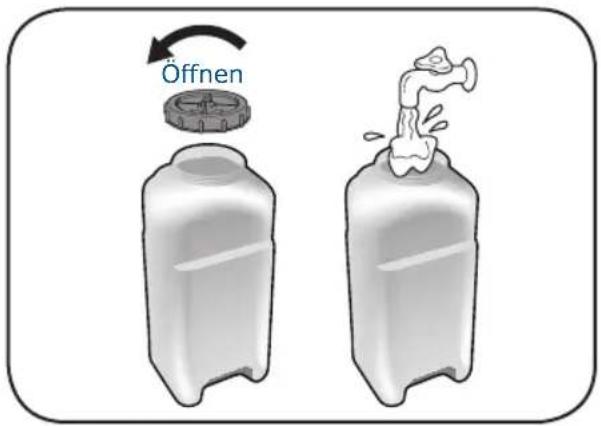
text_image
Öffnennatural_image
Illustration of a white air purifier with a digital display and control panel (no text or symbols)gauge
| Value | |-------| | 30% | | 70% | | 40% | | 50% | | 60% |Verwendung
Gebrauch
Einstellungen

text_image
POWER ON WARM ON LEVEL TURBO HIGH LOW MODE SLEEP INFANT AUTO HEALTH TIMER HR 40% 50% 60% 70% HUMIDITYnatural_image
Illustration of a white electronic device with a hand inserting a plug into it, showing a blue arrow indicating compression or disassembly (no text or symbols present)text_image
P NT S TH 8.0 HRpie
| Segment | Value (%) | |---|---| | Segment 1 | 30 | | Segment 2 | 45 | | Segment 3 | 60 | | Segment 4 | 70 |natural_image
Two identical containers with hands holding a tray, showing internal shading (no text or symbols)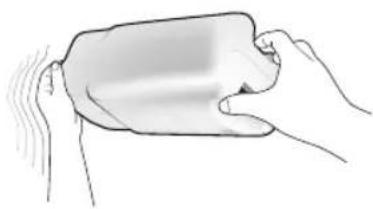
natural_image
Illustration of hands holding a rounded rectangular object with motion lines indicating movement (no text or symbols)natural_image
Illustration of a hand cleaning a washing machine with a cloth (no text or symbols visible)natural_image
Diagram of a container with liquid droplets falling into it, no text or symbols presentnatural_image
Line drawing of a washing machine inside a basin with steam rising (no text or symbols)text_image
Technical diagram showing a device interior with labeled parts and an arrow indicating direction of movement or assembly.natural_image
Three-step diagram showing a device's internal structure and airflow, with no visible text or symbols.Reinigung
natural_image
Illustration showing a hand holding a coiled tube being twisted, with three separate diagrams of mechanical components (no text or symbols)natural_image
Illustration of hands cleaning a bowl with food items (no text or symbols)natural_image
Exterior view of a modern air purifier unit with control panel and ventilation grille (no text or symbols visible)natural_image
Illustration of a person standing next to a refrigerator with a crossed-out door, accompanied by a no-smoking symbol (no text present)natural_image
Hand holding a wire with three socket connectors, no text or symbols visiblenatural_image
Cartoon illustration of a washing machine and a smiling bag (no text or symbols)
Warning
natural_image
Illustration of a child using a power tool to interact with a box (no text or symbols present)natural_image
Cartoon illustration of a boy running away from a large box with broken legs (no text or symbols)natural_image
Cartoon illustration of a washing machine with a potted plant and window, no text or symbols presentnatural_image
Cartoon illustration of a book character with a watering can and flying birds (no text or symbols)natural_image
Illustration of a printer with a stopper and a battery, no text or symbols presentnatural_image
Cartoon illustration of a person shouting while holding a device, with a thought bubble showing a crossed-out symbol (no text or numbers present)natural_image
Illustration of a prohibited sign, a window, and a cartoon character inside a container with a spiderweb (no text or symbols)natural_image
Illustration of a cartoon vacuum cleaner, phone receiver, and cleaning tools (no text or symbols)natural_image
Illustration of a nurse giving a thumbs-up next to a smiling book with a sparkle, accompanied by a no-smoking symbol (no text present)
natural_image
Cartoon illustration of a boy riding a large book while holding a smiling face (no text or symbols)
Caution
natural_image
Illustration of a kitchen scene with a stove, oven, toaster, and laundry unit (no text or symbols)natural_image
Illustration of a computer printer with an open lid and internal components, showing no text or symbols.natural_image
Cartoon illustration of a sad book character with a small lamp nearby (no text or symbols)
natural_image
Cartoon illustration of a smiling refrigerator with a potted plant on top (no text or symbols)natural_image
Cartoon illustration of a smiling book character holding a tool, with no visible text or symbols.natural_image
Cartoon illustration of a book character with a sad expression, standing on a horizontal line with a blue prohibition symbol nearby (no text or symbols on the figure itself)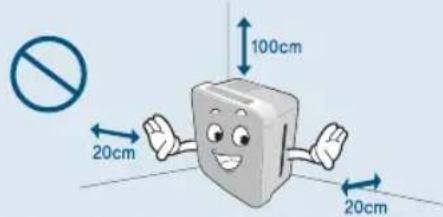
text_image
100cm 20cm 20cmnatural_image
Illustration of a person watering plants with a prohibition symbol (no text or labels)
natural_image
Cartoon illustration of a book character with arms and facial expression, no text or symbols presenttext_image
Illustration showing a computer setup with a monitor and a smiling 3D cube, accompanied by a no-smoking symbol.
natural_image
Cartoon illustration of a smiling book character holding a pencil, with arms raised (no text or symbols)text_image
Dry the water drop inside completely.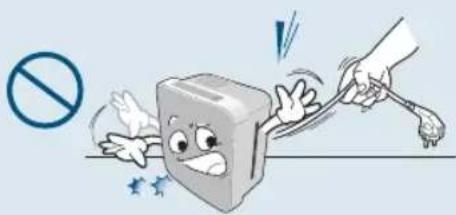
natural_image
Cartoon illustration of a book character being struck by a hand using a tool, with no text or symbols present.
Caution
text_image
Completely dry!natural_image
Cartoon illustration of a smiling book character with exclamation mark (no text or symbols on the book itself)natural_image
Three 3D geometric shapes with blue X marks and a warning symbol (no text or labels)natural_image
Illustration of two broken containers with a no-smoking symbol nearby (no text or labels)natural_image
Cartoon illustration of a smiling food item with a prohibition symbol (no text or labels)natural_image
Cartoon character shaped like a cube with a faucet icon above, pointing upward (no text or symbols)
natural_image
Two-step illustration of a hand inserting a fan into a device, showing the process from left to right (no text or symbols)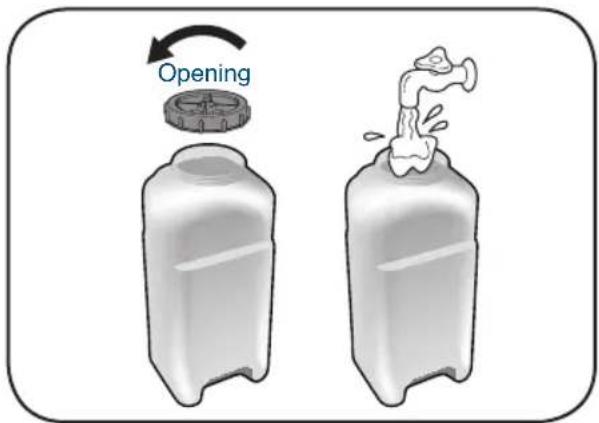
text_image
Openingnatural_image
Illustration of a white electronic device with a dial and control panel, emitting exhaust smoke (no text or symbols visible)gauge
| Level | Value | |-------|-------| | 1 | 30% | | 2 | 70% | | 3 | 40% | | 4 | 50% | | 5 | 60% | | 6 | 70% |Application
Utilisation
Réglage

text_image
POWER ON WARM ON LEVEL TURBO HIGH LOW MODE SLEEP INFANT AUTO HEALTH TIMER HR 40% 50% 60% 70% HUMIDITYtext_image
ON ● TURE ● HIGH ○ LOW ▶ ● HIGH ○ LOW MODEtext_image
P NT TH TIMER → 8.0 HRnatural_image
Illustration of a hand cleaning a washing machine with a cloth (no text or symbols visible)Filtre ECO-AIR PLUS (en cas de saleté)
natural_image
White appliance with a fan and ventilation grille, showing hand pressing down (no text or symbols visible)natural_image
Illustration of a hand inserting a small fan into a white appliance with a circular vent (no text or symbols visible)natural_image
3D diagram of a mechanical component with a curved internal structure and an arrow indicating rotation (no text or symbols)natural_image
3D diagram showing a cylindrical component being inserted into a plastic housing (no text or symbols)