ManualGo.com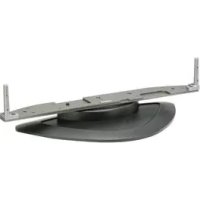
TYST08K - TV PANASONIC - Free user manual and instructions
Find the device manual for free TYST08K PANASONIC in PDF.



Download the instructions for your TV in PDF format for free! Find your manual TYST08K - PANASONIC and take your electronic device back in hand. On this page are published all the documents necessary for the use of your device. TYST08K by PANASONIC.
USER MANUAL TYST08K PANASONIC
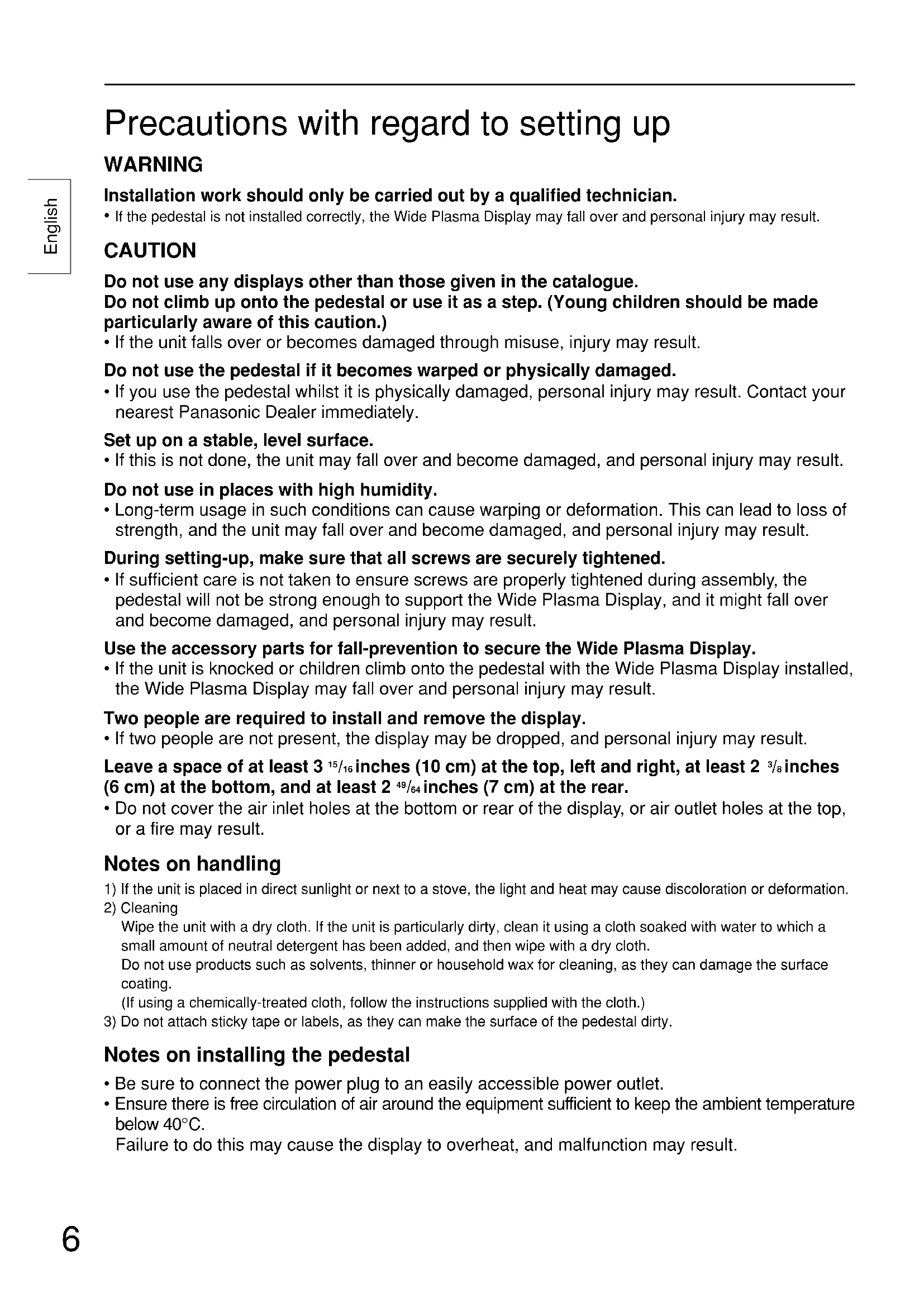
Precautions with regard to setting up WARNING Installation work should only be carried out by a qualified technician.
- If the pedestal is not installed correctly, the Wide Plasma Display may fall over and personal injury may result. CAUTION Do not use any displays other than those given in the catalogue. Do not climb up onto the pedestal or use it as a step. (Young children should be made particularly aware of this caution.)
- If the unit falls over or becomes damaged through misuse, injury may result. Do not use the pedestal if it becomes warped or physically damaged.
- If you use the pedestal whilst it is physically damaged, personal injury may result. Contact your nearest Panasonic Dealer immediately. Set up on a stable, level surface.
- If this is not done, the unit may fall over and become damaged, and personal injury may result. Do not use in places with high humidity.
- Long-term usage in such conditions can cause warping or deformation. This can lead to loss of strength, and the unit may fall over and become damaged, and personal injury may result. During setting-up, make sure that all screws are securely tightened.
- If sufficient care is not taken to ensure screws are properly tightened during assembly, the pedestal will not be strong enough to support the Wide Plasma Display, and it might fall over and become damaged, and personal injury may result. Use the accessory parts for fall-prevention to secure the Wide Plasma Display.
- If the unit is knocked or children climb onto the pedestal with the Wide Plasma Display installed, the Wide Plasma Display may fall over and personal injury may result. Two people are required to install and remove the display.
- If two people are not present, the display may be dropped, and personal injury may result. Leave a space of at least 3
/16 inches (10 cm) at the top, left and right, at least 2
/8 inches (6 cm) at the bottom, and at least 2
64 inches (7 cm) at the rear.
- Do not cover the air inlet holes at the bottom or rear of the display, or air outlet holes at the top, or a fire may result. Notes on handling 1) If the unit is placed in direct sunlight or next to a stove, the light and heat may cause discoloration or deformation.
Wipe the unit with a dry cloth. If the unit is particularly dirty, clean it using a cloth soaked with water to which a small amount of neutral detergent has been added, and then wipe with a dry cloth. Do not use products such as solvents, thinner or household wax for cleaning, as they can damage the surface coating. (If using a chemically-treated cloth, follow the instructions supplied with the cloth.)
3) Do not attach sticky tape or labels, as they can make the surface of the pedestal dirty.
Notes on installing the pedestal
- Be sure to connect the power plug to an easily accessible power outlet.
- Ensure there is free circulation of air around the equipment sufficient to keep the ambient temperature below 40°C. Failure to do this may cause the display to overheat, and malfunction may result.7 English Attach the poles Parts for assembly Short screws .... 4 Long screws .... 4 Poles ............... 2 Binding strap .... 1 Pedestal ............... 1 Base Pedestal Pole Pole Stamped mark Stamped mark Align the stamped marks. Align the stamped marks. Short screws Short screws Short screws Short screws For 42-inch/50-inch For 37-inch Securely attach both left and right poles to the top face of the base as shown below using short screws . PedestalEnglish
Attach to the display console
1. Attach the connection cables to the display.
2. Insert the poles into the holes
in the display console.
3. Fasten with screws
- Place clean blankets or similaron a level floor or table,and placethe display on top of them facing down. Rear of display Blankets, softcloths or similar.Display console Cable Binding Instructions Bind all cables to the PDP base with the supplied binding strap. While ensuring there is sufficient slack in the cord to minimize stress,firmly bind all cables with the supplied binding strap.Binding the CablesPass the binding strapthrough the strap anchor.Pull.Bundle allcables tidily. Unbinding the Cables Pull.Pull clip.Binding strapCablesStrap anchorLong screwsLong screwsModel no. labelPosition the side of the pedestal with the modelno. label to the rear. Push the assembly into thedisplay until it stops.Securely fasten using long screws .* Work on a level and stable surface.
Display console Display console Display consoleDiagrams appearing on each page are merely illustrative examples; actual products may differ slightly from those shown.9 English Tip-prevention parts Black screws
Bands.........2 screws.........2 screws With separately installed speakers Speaker attachment screws Clamps Clamps screws Bands Band Front face Preparation Without separately installed speakers Clamps Black screws Fastening method Wood screws Wood screws Locate the wood screw at the center of the material width. Clamps........4 Secure the console to prevent tipping
1. Attaching to a TV stand
2. Attaching to a wall
Securely attach to a wall, pillar or similarly solid structural feature using separately- obtained products such as cords or chains of adequate strength.Deutsch