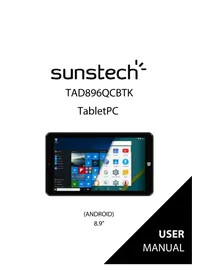
TAD 896 QCBTK - Tablet Sunstech - Free user manual and instructions
Find the device manual for free TAD 896 QCBTK Sunstech in PDF.



| Product Type | 2-in-1 touchscreen tablet with detachable keyboard |
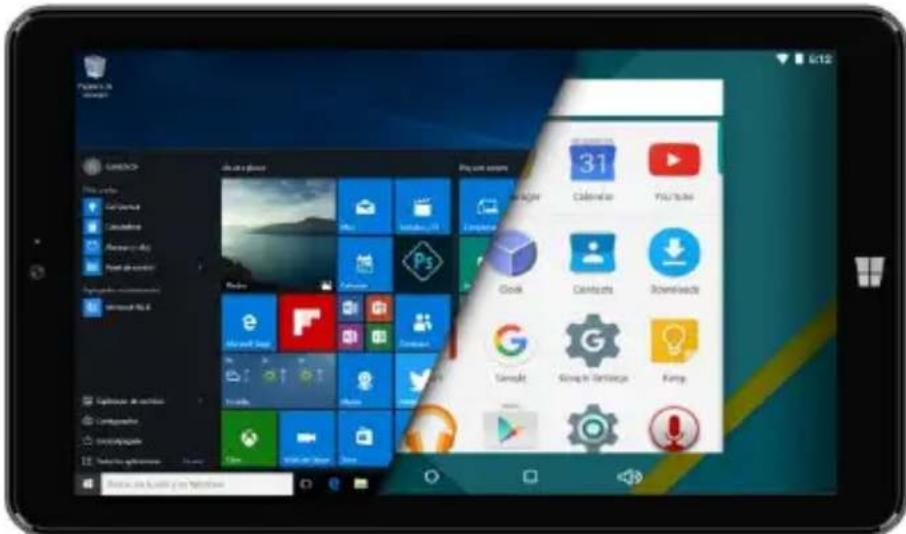
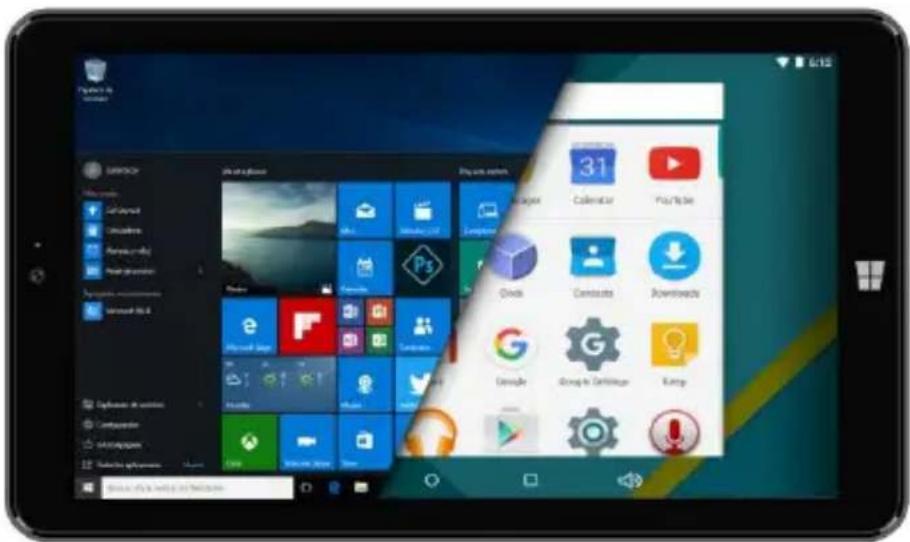
| Operating System | Android 5.1.1 and Windows 10 (dual boot) |
| Screen | 8.9-inch IPS capacitive multitouch (1280x800 pixels) |
| Processor | Intel Atom 3735F (Quad Cortex X86 @ 1.33 GHz) |
| RAM | 2 GB DDR |
| Internal Storage | 32 GB (eMMC) |
| Expandable Storage | MicroSD up to 32 GB (not included) |
| Battery | 5000 mAh lithium-ion rechargeable via 5V/2A adapter |
| Cameras | Front 2 MP, rear 2 MP |
| Wireless Connectivity | Wi-Fi 802.11 b/g/n, Bluetooth |
| Ports and Connectors | Micro USB 2.0 (OTG), 3.5 mm headphone jack, MicroSD slot |
| Audio | Built-in speaker, built-in microphone, headphone output |
| Sensors | Ambient light sensor, accelerometer (auto-rotation) |
| Keyboard | Detachable physical keyboard included, connection via magnets and connector |
| Dimensions (approx.) | Approximately 230 x 150 x 10 mm (without keyboard) |
| Weight (approx.) | Approximately 450 g (tablet only) |
| Power Supply | Included 5V/2A power adapter, Micro USB cable |
| Security | Screen lock (pattern, PIN code, Microsoft password) |
| Maintenance and Cleaning | Use a soft, dry cloth. Avoid liquids, dust, and extreme temperatures. |
| Spare Parts and Repairability | Battery and screen not user-replaceable. Repair by an authorized center. |
| Package Contents | Tablet, keyboard, power adapter, Micro USB cable, OTG cable, warranty card, manuals. |
Frequently Asked Questions - TAD 896 QCBTK Sunstech
User questions about TAD 896 QCBTK Sunstech
0 question about this device. Answer the ones you know or ask your own.
Ask a new question about this device
Download the instructions for your Tablet in PDF format for free! Find your manual TAD 896 QCBTK - Sunstech and take your electronic device back in hand. On this page are published all the documents necessary for the use of your device. TAD 896 QCBTK by Sunstech.
USER MANUAL TAD 896 QCBTK Sunstech
Roadsafetycomesfirst 2
Interference 2
Qualifiedservice 2
Batteries, chargers, and other accessories 2
Keepyourdevicedry 3
Glassparts 3
INTRODUCTION 3
PackageContent 3
KeysandParts 4
GETSTARTED 5
PowerOn 6
PowerOf f. 7
OSSelector 7
Firstinstallation 8
HomeScreen 9
SettingsMenu 11
HowtoUse TF card. 12
Removing TF car.d. 12
Howtoconnectwithcomputer 12
ConnectionInternet 13
Camera. 14
SPECIFICATIONS 16
TAKE CARE OF YOUR DEVICE 16
SAFETYPRECAUTIONS
Readthesesimpleguiderlines.Notfollowingthemmaybedangerousorillegal.
Switchoffinrestrictedareas
Switchthedeviceweoffwhenmobile TAD896QCBTKuseisnot allowedorwhenitmaycauseinterferenceordanger,for example,inaircraft,inhospitalsornearmedicalequipment, fuel,chemicals,orblastingareas.Obeyallinstructionsin
restrictedareas.
Roadsafetycomesfirst
Obeyalllocallaws. Always keep your hands free to operate the vehicle while driving. Your first consideration while driving should be road safety.
Interference

Allwirelessdevicesmaybesusceptibletointerference,which couldaffectperformance
Qualifiedservice

Onlyqualifiedpersonnelmayinstallorrepairthisproduct.
Batteries, chargers, and other accessories

Useonlybatteries,chargers,andotheraccessoriesapproved byS805Gforusewiththis device. Third-partychargersthatcomplywiththeIEC/EN
62684standard, and that can connect to your devicemic microUSB connector, maybe compatible. Donot connect incompatible products.
Keepyourdevicdry

Yourdeviceisnotwater-resistant.Keepitdry.
Glassparts

Thedevicescreenismadeofglass. Thisglasscanbreaki f the deviceisdroppedonahardsurfaceorreceivesasubstantial impact.lftheglassbreaks,donottouchtheglasspartsofthe deviceorattempttoremovethebrokenglassfromthedevic. Stopusingthedevicestuntiltheglassisreplacedbyqualified cepersonnel.
INTRODUCTION
PackageContent
Beforeuseyournewdevice,checkthatthecontentofthepackageandmakesure thatisthesameasthefollowingitems:
TAD896QCBTK
Keyboard
- DCA adaptor
- MicroUSBcable
OTGCable
WarrantyCard
- UserManuals(AndroidandWindows)
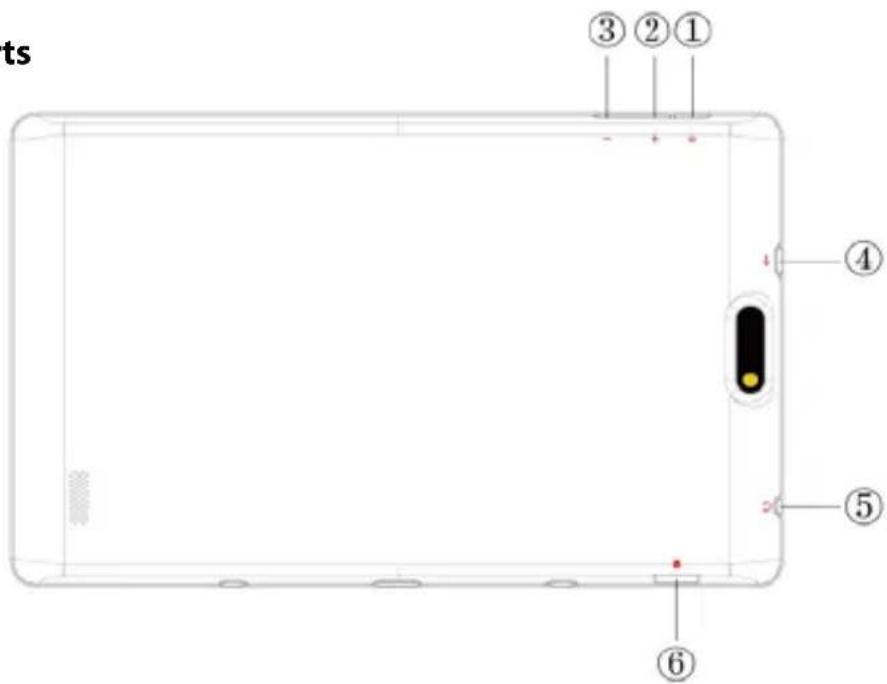
KeysandParts
| Namefunction | |
| 1.PowerPressandholdtoturnnon/offthettablet;shortlypresstoactivatestandby. | |
| 2.VOL+Pressthebuttonoincreasethevolume | |
| 3.VOL-Pressthebuttonodecreasethevolume. | |
| 4.USBOTGPortTAD896QCBTKconnection/peripheralconnectionthroughOTG cable(foreamplekeyboard,USBdevice)/batterycharge through the supplied adaptor | |
| 5.EarphonejackConnectearphonetothisstandard3.5mmjack | |
| 6.MicroSDinputInsertamicroSDcard(upto32GB) | |
GETSTARTED
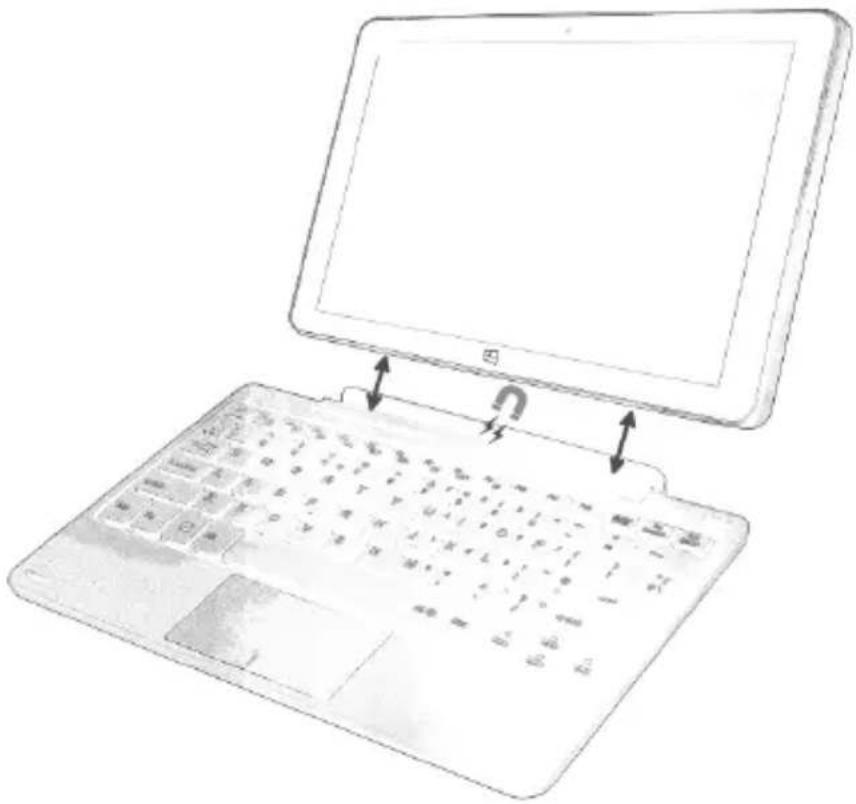
Thefirststep(optional)willbeconnectthekeyboardaccessoriestothe
TAD896QCBTK.Youhavencomecoincidethekeyboardconnectortothebaseof thetabletwhichhasamagnetsinordertofacilitatetheheadjust.
ChargeyourTAD896QCBTK
Yourbatteryhasbeenpartiallychargedatthefactory, butyoumayneedtorecharge itbeforeyoucanswitchtheTAD896QCBTKonforthefirsttime.
MakesureyouusetheoriginalUSBBchargertochargeyourTAD896QCBTKorany chargertotallycompatible(sameconnector,VandmA).
- FirstconnecttheUSBcabletothecharger, and plug the charger into a wall outlet, and then connect themicro-USBendofthecable toyourTAD896QCBTK.
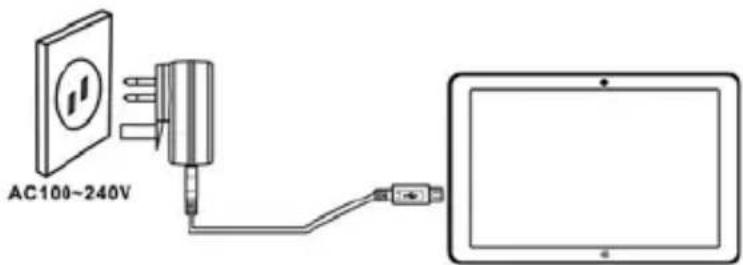
- Whenthebatteryisfull, disconnect the charger from the TAD896QCBTK, then from the walloutlet.
Youdon'tneedtocharge the battery for aspecific length of time, and you can use the TAD896QCBTK while it's charging.
If the battery is completely discharged, it may need to charge for 20 minutes before you can use your TAD896 QCBTK. The charging indicator may not be displayed in this time.
Firststartup
PowerOn
PressandholdthePOWERbuttonduring5secapproximatelyandthedisplaywill poweronandshowtheSUNSTECHlogo.
PowerOff
Pressandholdthepowerkeyuntilthefunctionoffwillappear,thenselectOKto confirm.
OSSelector
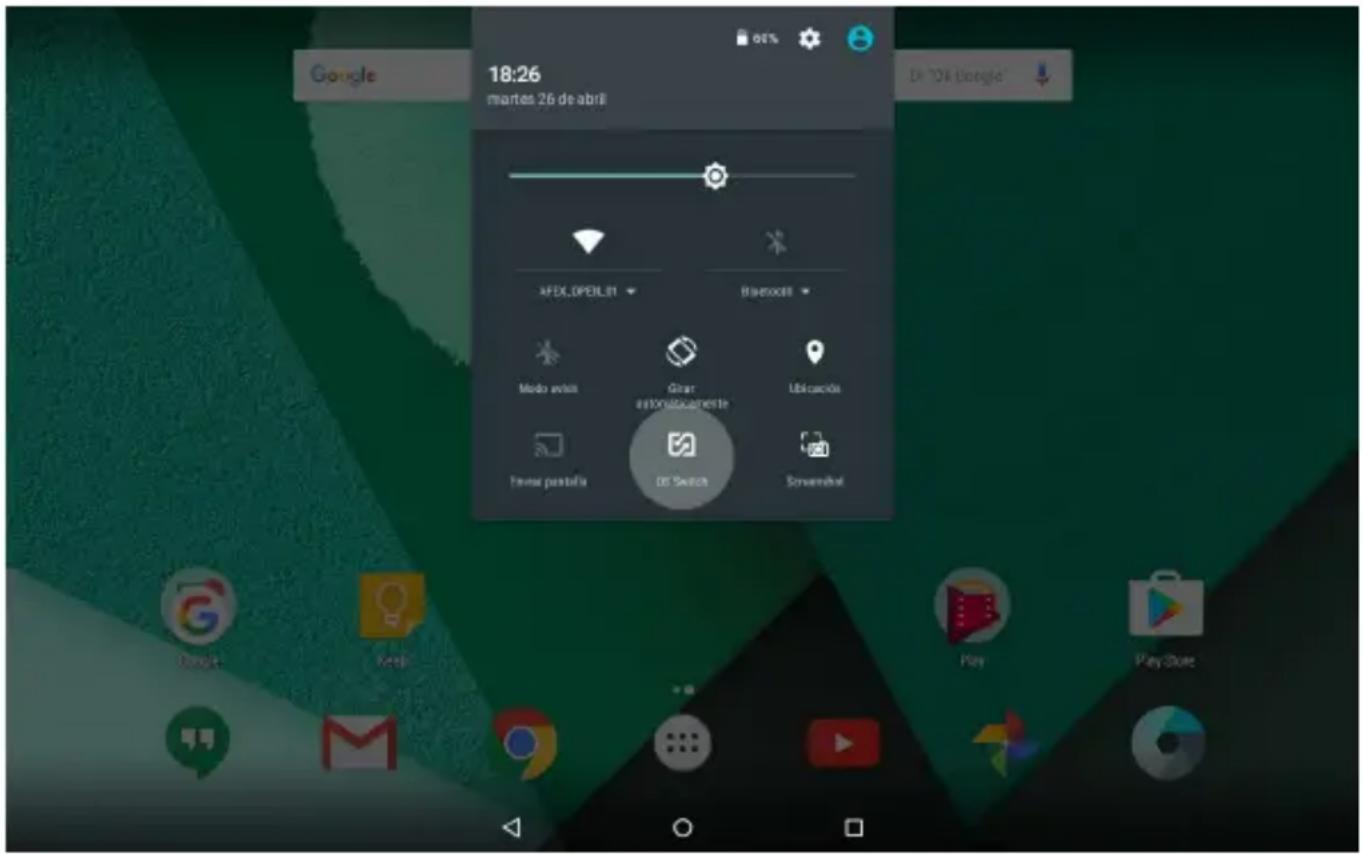
Ifyoudon'tseetheOSselector,youcanforceit.ThesystemalwaysturnsusingthelastusedSO.IfyouwanttochangedeOSyoucandothisfromaqquickoptioninsideWindowsorAndroid,orfromthebeginning.
Whenthedevicewisepoweredoff,youonlyhavetopressandholdPOWERRandVOL+ untilthescreenlights,thenreleasethepowerandholdtheVOL+untilthetwoOS
logoswillappear.

Firstinstallation
OnthefirstPOWERNonAndroidmode,aeasystepbystepofconfigurationwill appear.Onlyfollowtheinstructionsthatwillappearthedisplayinorderto completetheconfigurationofyournewdevice.
LockScreen
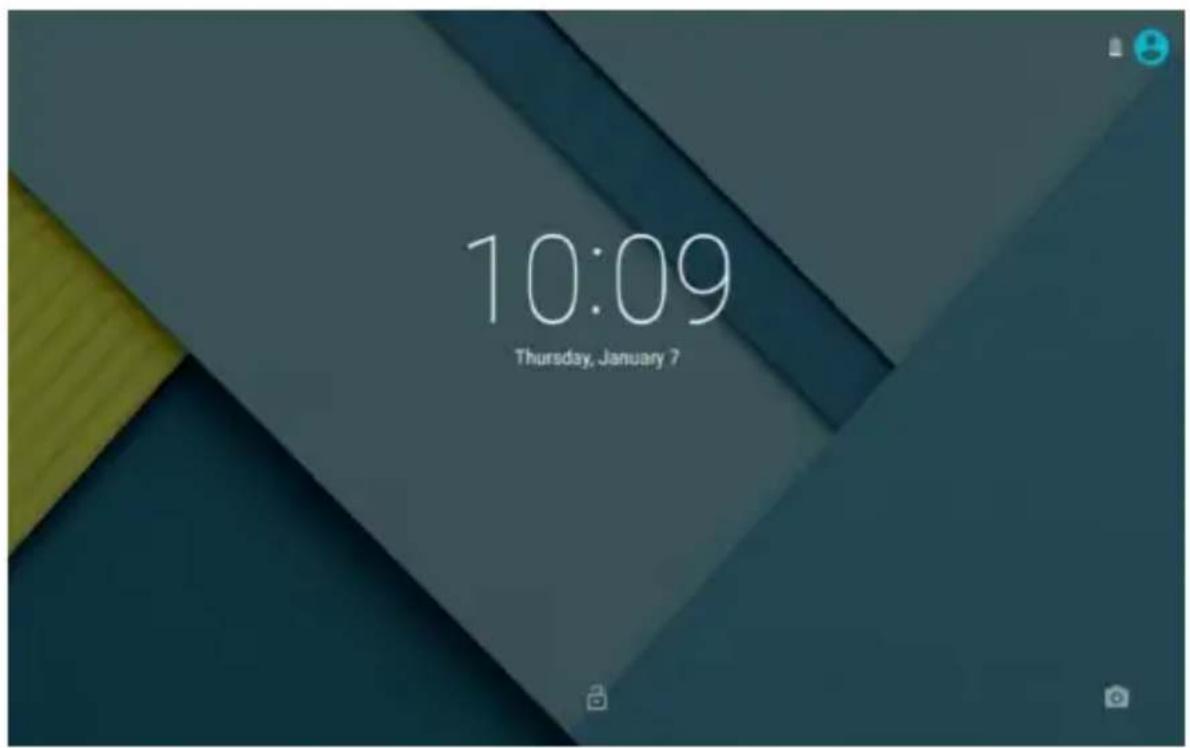
Inordertounlockthescreenyouonlyhavetodragupthepadlock. Also, inthis screenyouwillsethenotificationsthatyouhavereceivedfromyourinstalledapps, andthetime-date.
HomeScreen
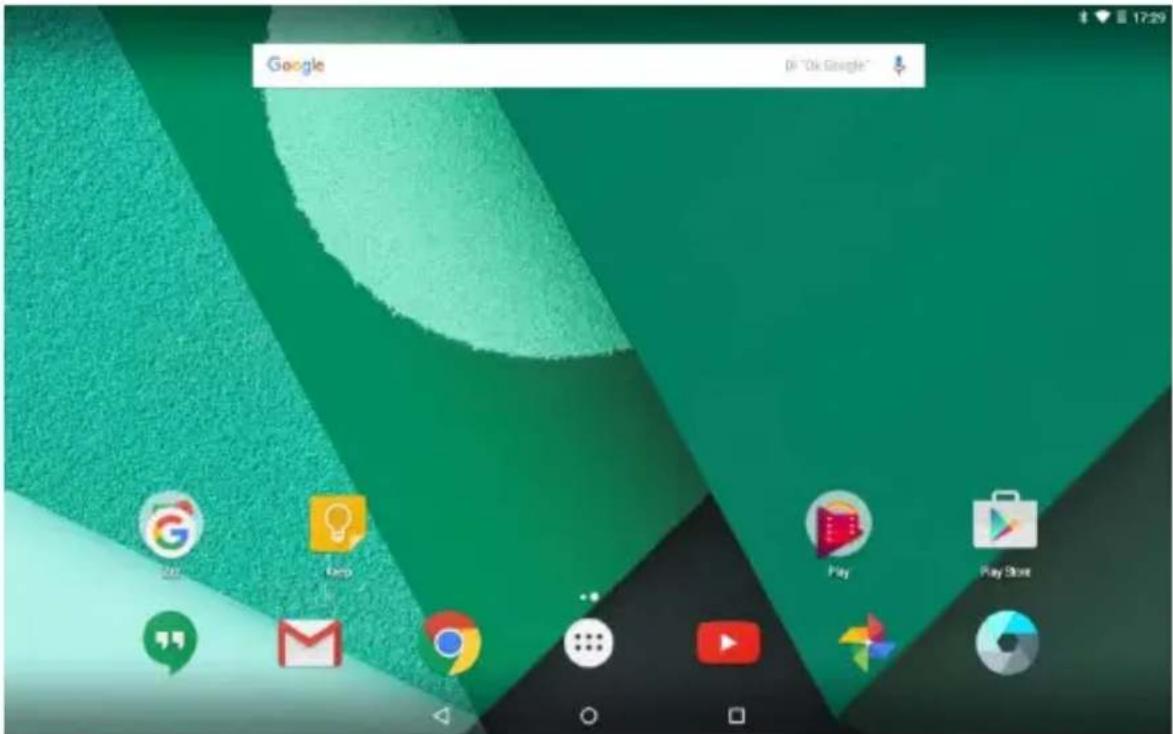
The Homescreenwilllooksimilartothepicturebelow.Itisactuallyfivescenes,each ofwhichcanhaveadifferentlayoutoficons.Toswitchbetweenscreens,simplyslide yourfingerlefttorrightacrossthedisplay.
Thestatusbarandnavigationbuttonsarealwaysvisible,nomatterwhichHome screenyoucancurrentlyviewing.
TheDesktopcontainsshortcutstoyourmost-usedapplicationsandwidgets TouchthescreenicontoquicklysearchtheWorldWideWebusingGoogle.
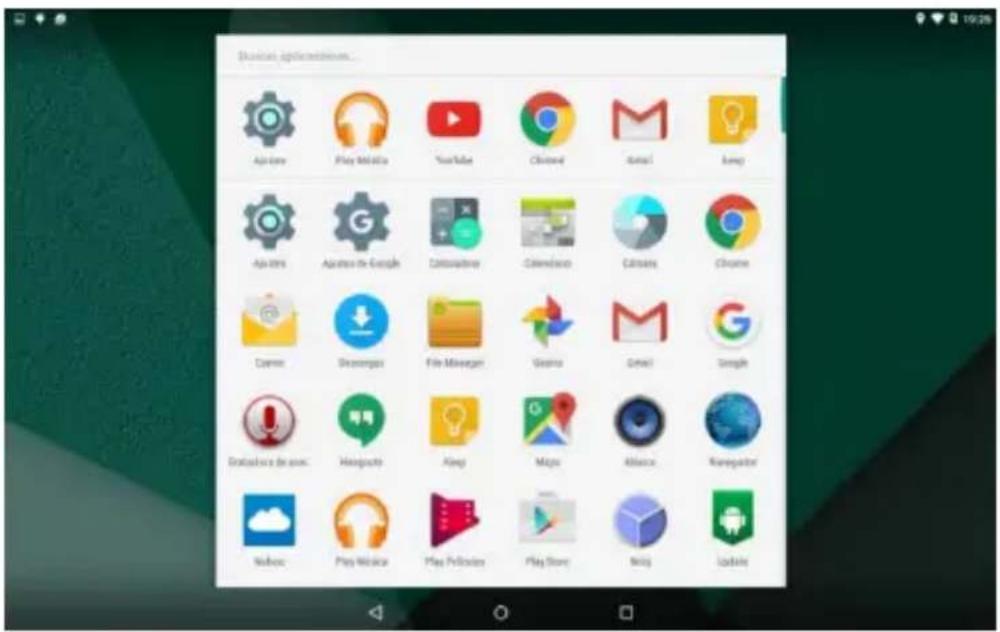
TheiconwilllaunchtheApplicationmenu.
Thestatusbardisplayssysteminformation,suchascurrenttime,wireless connectivityandbattery.Touchtoexpandthestatusbarformoredetailed information.
The buttonmovesbackonesteptothepreviousmenu/page.
The buttonsreturnsimmediatelytotheAndroiddesktop.
The buttonshowsamenuofrecentlyopenedapplications.
SettingsMenu
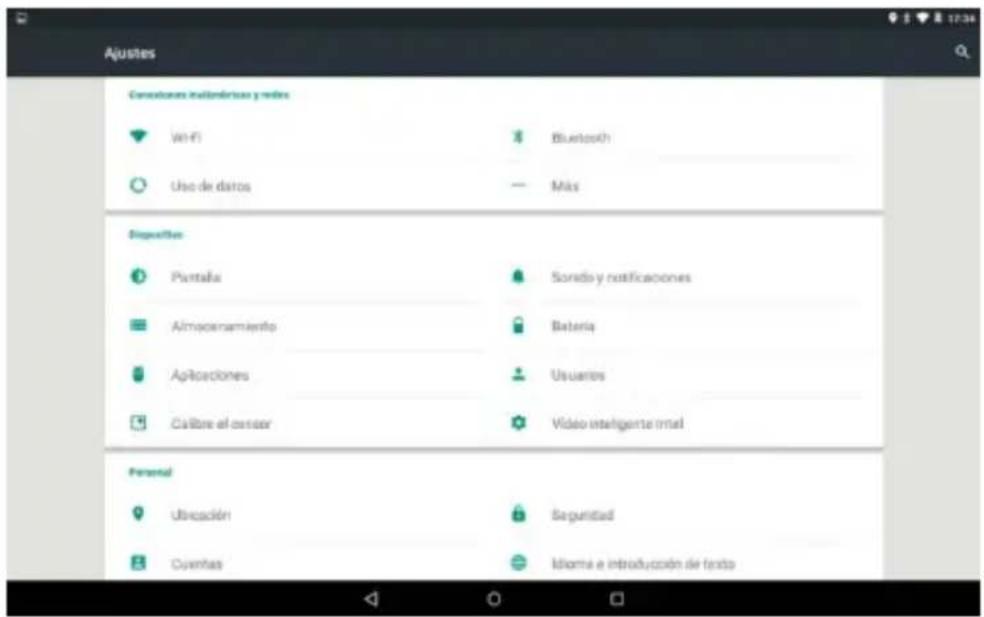
ThesettingsmenuallowsyoutoadjustTabletsystemconfiguration.Tochange settings:
- Touch the "Settings" menu icon on the Application menu. The Settings menu will open.
- Guide your fingerupordowntheleftside of thescreen oscrollthroughelistof availablecategories.
- Touchacategorytitleoviewfurtheroptionsontherightsideofthescreen.
Wi-Fi- Connectto/disconnectfromwirelessnetworks,viewconnection statusDatausage-Enable/disablingmobiledata,viewcurrentusage,setmobiledata limit(note:thisfunctionisavailableonlyondevicessuppliedwith3Gcard)Sound-Changevolume,touchsound,screenlockingsetetc
Display - Change brightness, wallpaper, sleep settings, font size etc
Storage - Manage NANDand MicroSDcard, view available capacityetc
Battery - See battery status and powered-on time Apps - Manage application runningservicesetcAccounts- Manageaccountsetc
Apps- Manage applications, running servicesetc
USERS&PROFILES -Tocreateanewuserandprofiles.
Accounts&sync -Switchsynchronizationon/off,manageaccountsetc
Locationservices -Changeapproximate locationdetection,improves an
Security - Changescreenlocktype, encryption, password, credentialst
Language&input Selectlanguage,addtothedictionary,editonscreenkeyboard settings,vocalsearch,etc
Backup&reset -Backup&restoredata,performfactoryreset,etc
Date&time -Setdate,timezone,time,clockformatetc
Accessibility - Set up target text, auto-rotates screen, speak passwordetc
Abouttablet - Information about your Android device
HowtoUseTFcard
1.InserttheTFcardintotheTFcardslot.GentlypushTFcardintoslotuntilitclicks intoplace.
2. Promptwillbeseenonthescreenshotaying"PreparingSDcard"
RemovingTFcard
1.CloseallapplicationsanddocumentswhichhavebeenopenedfromtheTFcard.
2. Select "Setting" and find "Storage" then click "UnmountSDcard".
3.Apromptwillbeseenonthescreenshotaying"SDcardsafetoremove"
4.GentlypresstheTFcardremoveandpullouttheTFcard.
Note:InserttheTFcardincorrectposition;otherwiseitwilldamagethecardandtheslot.
Howtoconnectwithcomputer
1.UseUSBcabletoconnectwiththecomputer_SystemwillnoticeUSBconnectedon bottomofscreen.
2. PressUSBconnectedonthetopbar, thenselectTurnonUSBstorage, selectOK.
3. ThentheUSBconnectionhasbeensuccessfully.
Note:TurnonyourTabletbeforeconnecttheTabletoPCbyUSBcable.
ConnectionInternet
Wireless:
- Select "Settings"
2.Select"Wi-Fi"andslideOFFtoONstatus.

- All detected wireless networksin the area will be listed, Clicktoselect desired wireless connection.
- Enter WEPkeyornetworkkeyifnecessary.
5.Onceconnectedtoawirelessnetwork,settingswillbesaved
6.Wirelessiconwillappearonthetaskbarwhenconnectedsuccessfully.
Note:whenthetabletdetectstthesamewirelessnetworkinthefuture,thedevicewill connecttothenetworkautomaticallywithsamepasswordrecord.
WebBrowsing
Connecttotheinternetandlaunchthebrowser.
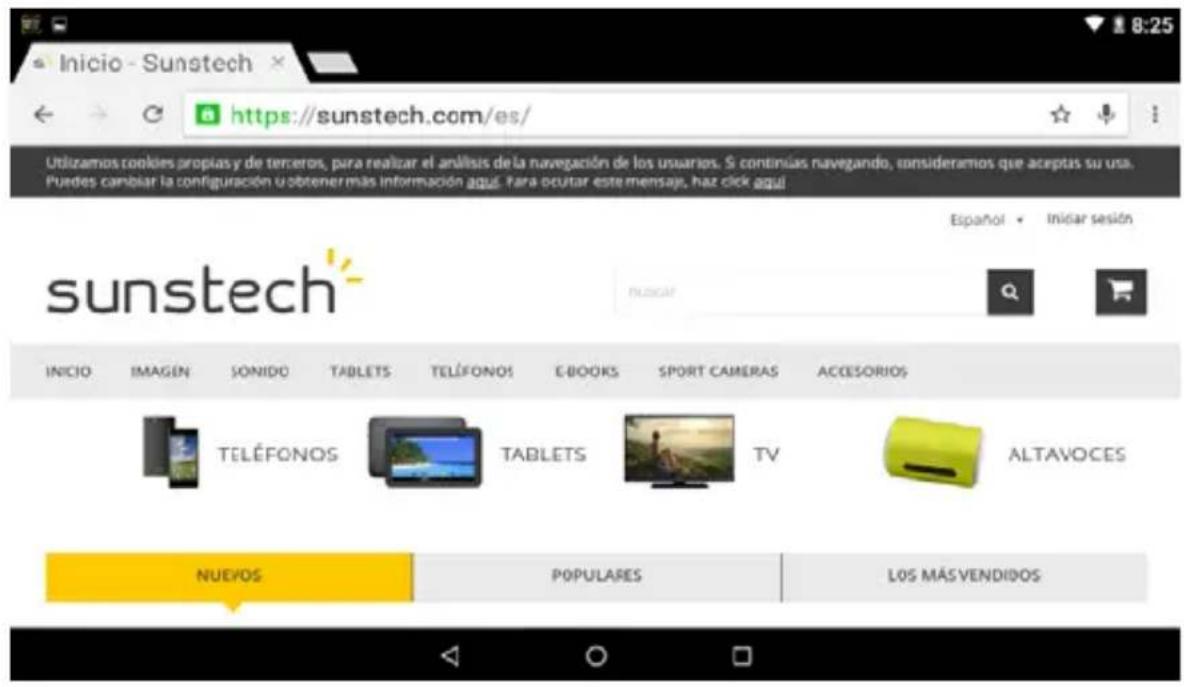
Camera
Touchtheicontoentercameramodeandtheinterfaceisshownasfollows:
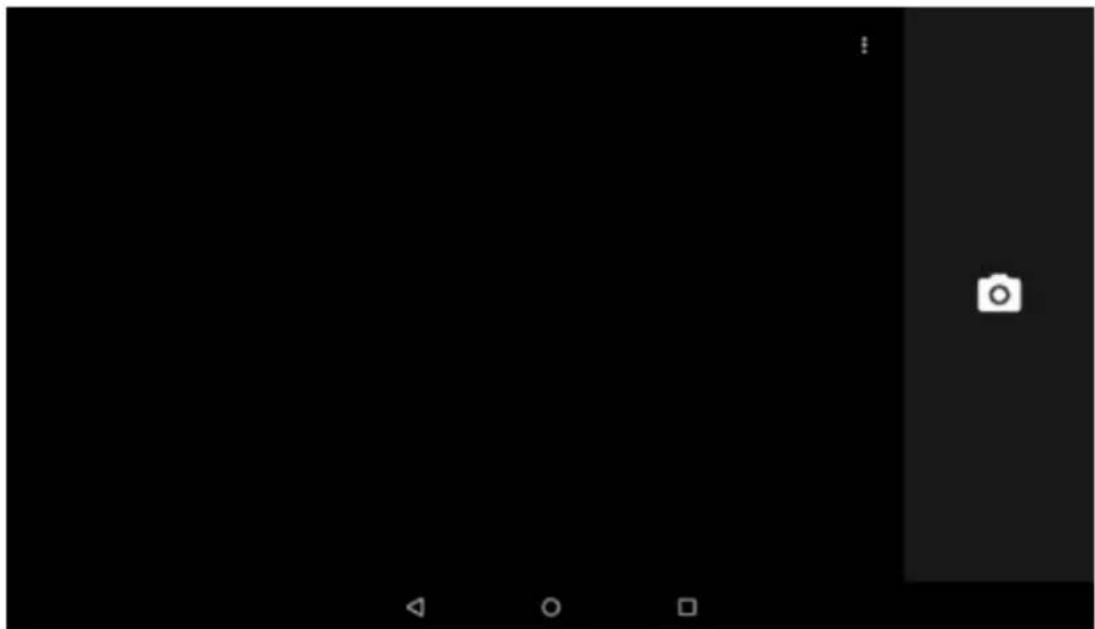
- Touchtheiconinthemddletotakephoto
2.Slidefromlefttorighttochangetocamerarecordingmode.
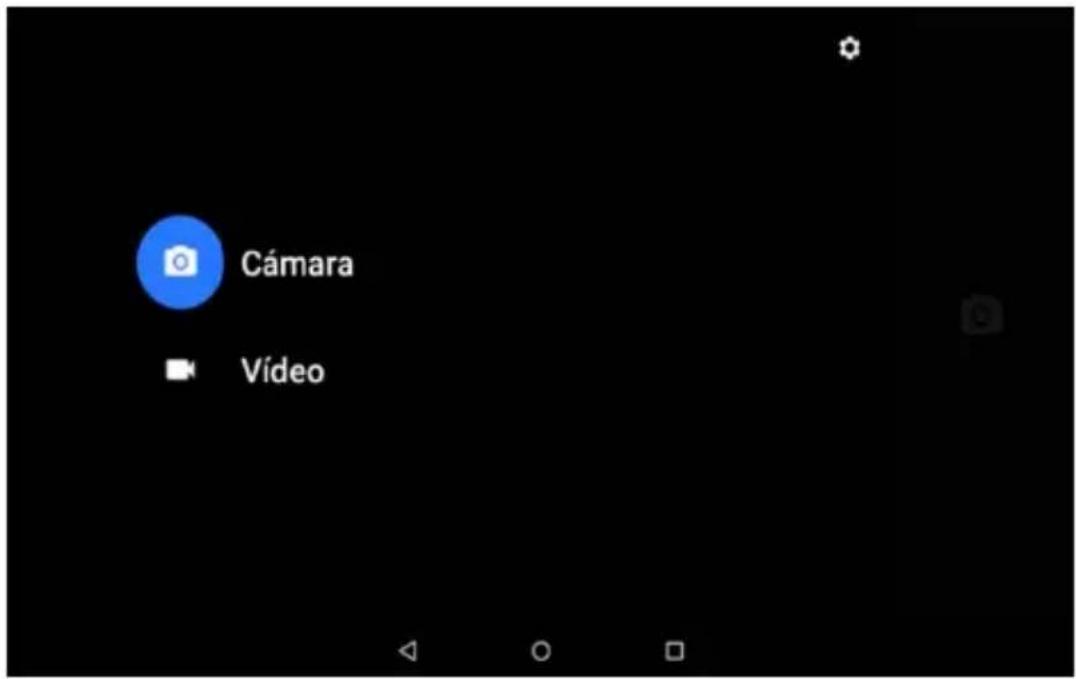
3.UsetheappPhotostoseeimagesandphotos.
SPECIFICATIONS
OperatingSystem:Android5.1.1/WINDOWS10
Display: 8.9inchIPS1280x800capacitivemulti-touchscreen
CPU: Intel3735F&QuadCortexX86@1.33GHZ
RAM: 2GBDDR
GPU: IntelHDGraphicsGen7
InternalStorage: 32GB
ExpansionMemory: MicroSDcardupto32GB(notsupplied)
Built-InWireless: 802.11b/g/n
Frontcamera 2MP, backcamera 2MP.
Battery: 5000mAhAC
Adapter: DC5V-2A
MicroUSB2.0/OTG
Outputheadphones.
Built-inmicrophone.
MadeinChina
TAKECAREOFYOURDEVICE
Handleyourdevice,battery,chargerandaccessorieswithcare.Thefollowing suggestionshelpyoukeepyourdeviceoperational.
- Keep the device dry. Precipitation, humidity, and all types of liquid can contain minerals that corrode electronic circuits. If your device gets wet, let the device dry.
- Donotuseorstorethedeviceindustyordirtyareas.
- Donotstorethedevicephighbhtemperatures.Hightemperatures thedeviceorbattery.
- Don't store the device in cold temperatures. When the device was normal temperature, moisture can form insidethed device and damage it.
- Donotopenthedevicetherotherthanasinstructedintheuserguide.
- Unauthorized modifications may damage the device and violate governing radiodevices.
- Donotdrop,knock,orshakethedevice.Roughhandlingcanbreak
-Onlyuseasoft,clean,dryclothtocleanthesurfaceofthedevic. - Donotpaintthedevice.Paintcanpreventproperoperation.
- Keep the device away from magnetsormagnetic fields.
sunstech
TAD896QCBTK
TabletPC
(WINDOWS)
8.9"
USER
MANUAL
CONTENTOFUSERMANUAL
SAFETYPRECAUTIONS 2
Switchoffinrestrictedareas 2
Roadsafetycomesfirst 2
Interference 2
Qualifiedservice 2
Batteries, chargers, and other accessories 2
Keepyourdevicedry 3
Glassparts 3
INTRODUCTION 3
PackageContent 3
KeysandParts 4
GETSTARTED 5
Chargeyour TAD896QCBTK. 5
PowerOn 6
PowerOf f. 6
OSSelector 7
8
Workingmodes 10
QuickSettings 12
Applications. 13
SPECIFICATIONS 17
TAKE CARE OF YOUR DEVICE 17
DECLARATION OF CONFORMITY 43
SAFETYPRECAUTIONS
Readthesesimpleguiderlines.Notfollowingthemmaybedangerousorillegal.
Switchoffinrestrictedareas
SwitchthedevicenoffwhenmobileTAD896QCBTKuseisnot allowedorwhenitmaycauseinterferenceordanger,forexample, inaircraft,inhospitalsornearmedicalequipment,fuel,chemicals, orblastingareas.Obeyallinstructionsinrestrictedareas.
Roadsafetycomesfirst

Obeyalllocatedlaws.Alwayskeepyourhandsfreetooperatethe vehiclewhiledriving.Yourfirstconsiderationwhiledrivingshould beroadsafety.
Interference

Allwirelessdevicesmaybesusceptibletointerference,whichcould affectperformance
Qualifiedservice

Onlyqualifiedpersonnelmayinstallorrepairthisproduct.
Batteries, chargers, and other accessories

Useonlybatteries,chargers,andotheraccessoriesapprovedby S805Gforusewiththis device.Third-partychargersthatcomplywiththeIEC/EN62684 standard,andthatcanconnecttoyourdevicemicicroUSBconnector, maybecompatible.Donotconnectincompatibleproducts.
Keepyourdevicdry

Yourdeviceisnotwater-resistant.Keepitdry.
Glassparts

Thedevicesscreenismadeofglass.Thisglasscanbreakifthedevic
eisdroppedonahardsurfaceorreceivesasubstantialimpact.Ifthe
glassbreaks,donottouchtheglasspartsofthedevicereattempto
removethebrokenglassfromthedevic. Stopusingthedevicuntil
theglassisreplacedbyqualifiedservicepersonnel.
INTRODUCTION
PackageContent
Beforeuseyournewdevice,checkthatthecontentofthepackageandmakesure thatisthesameasthefollowingitems:
TAD896QCBTK
Keyboard
- DCA adaptor
- MicroUSBcable
OTGCable
WarrantyCard
- UserManuals(AndroidandWindows)
Manual
TAD896QCBTK
English
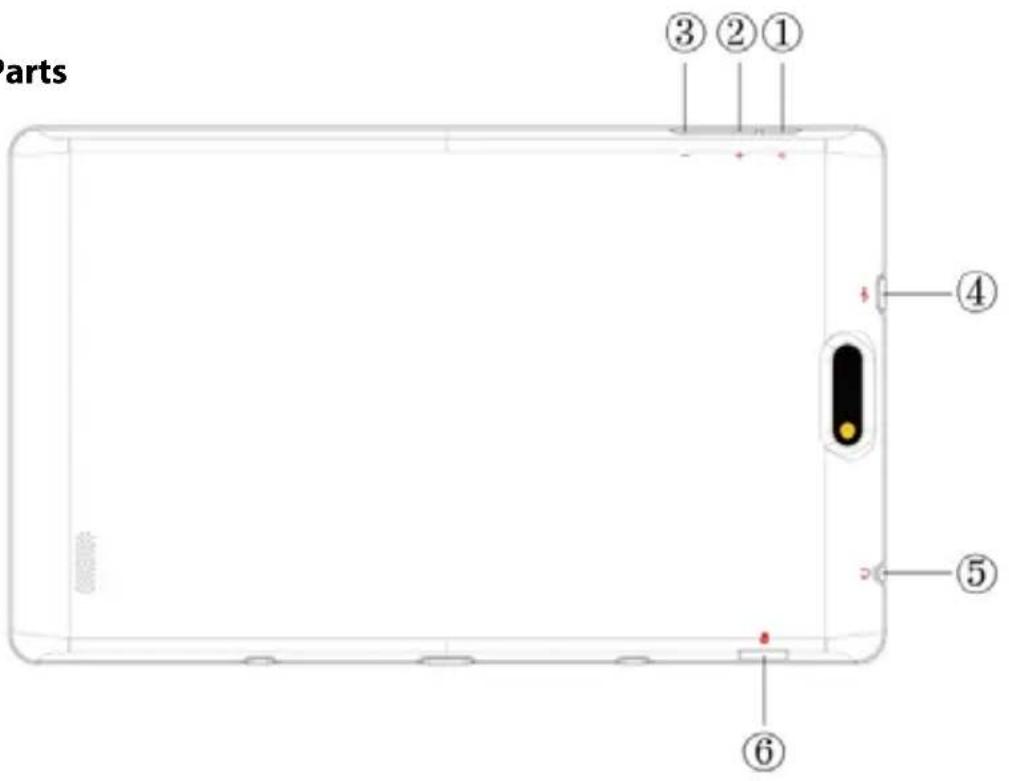
KeysandParts
| Namefunction | |
| 1.PowerPressandholdoturnnon/offthetetable;shortlypresstoactivate standby. | |
| 2.VOL+Pressthebuttonontoincreasethevolume | |
| 3.VOL-Pressthebuttonontodecreasethevolume. | |
| 4.USBOTGPortTAD896QCBTKconnection/peripheralconnectionthrough OTG cable(foreamplekeyboard,USBdevice)/batterycharge through the supplied adaptor | |
| 5.EarphonejackConnectearphonetothisstandard3.5mmjack | |
| 6.MicroSDinputInsertamicroSDcard(upto32GB) |
GETSTARTED
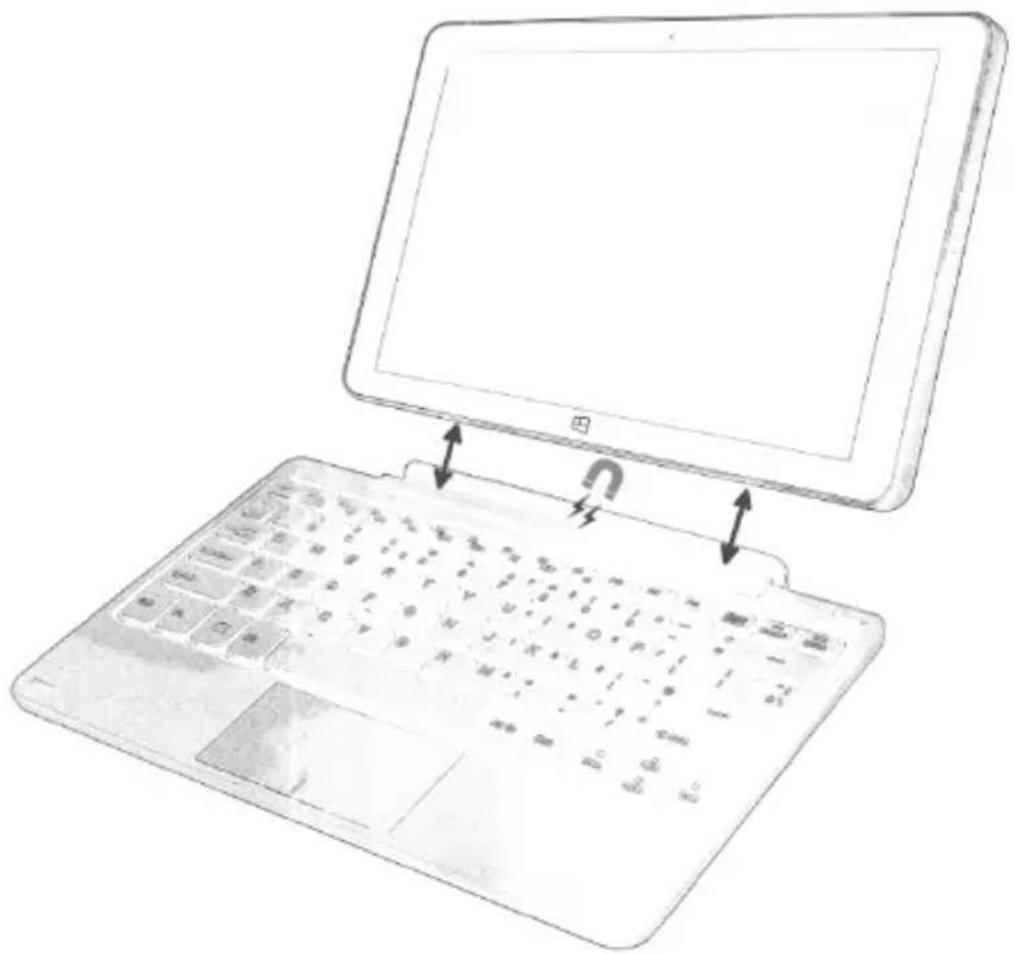
Thefirststep(optional)willbeconnectthekeyboardaccessoriestothe
TAD896QCBTK.Youhavencomecoincidethekeyboardconnectortothebaseof thetabletwhichhasamagnetsinordertofacilitatetheheadjust.
ChargeyourTAD896QCBTK
Yourbatteryhasbeenpartiallychargedatthefactory, butyoumayneedtorecharge itbeforeyoucanswitchtheTAD896QCBTKonforthefirsttime.
MakesureyouusetheoriginalUSBBchargertochargeyourTAD896QCBTKorany chargertotallycompatible(sameconnector,VandmA).
- FirstconnecttheUSBcabletothecharger, and plug the charger into a wall outlet, and then connect the micro-USBbendofthecable to your TAD896QCBTK.
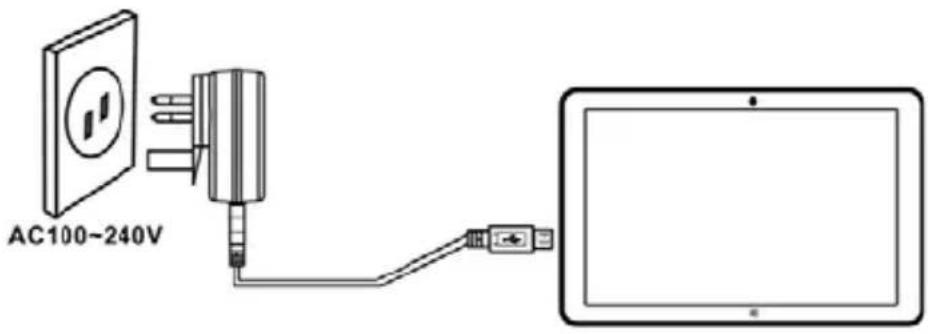
- Whenthebatteryisfull, disconnect the charger from the TAD896QCBTK, then from the walloutlet.
Youdon'tneedtochargethebatteryforaspecificlengthoftime, andyoucanuse theTAD896QCBTKwhileit'scharging.
If the battery is completely discharged, it may need to charge for 20 minutes before you can use your TAD896 QCBTK. The charging indicator may not be displayed in this time.
Firststartup
PowerOn
PressandholdthePOWERbuttonduring5secapproximatelyandthedisplaywill poweronandshowtheSUNSTECHlogo.
PowerOff
Pressandholdthepowerkeyuntilthefunctionoffwillappear,thenselectOKto confirm.
OSSelector
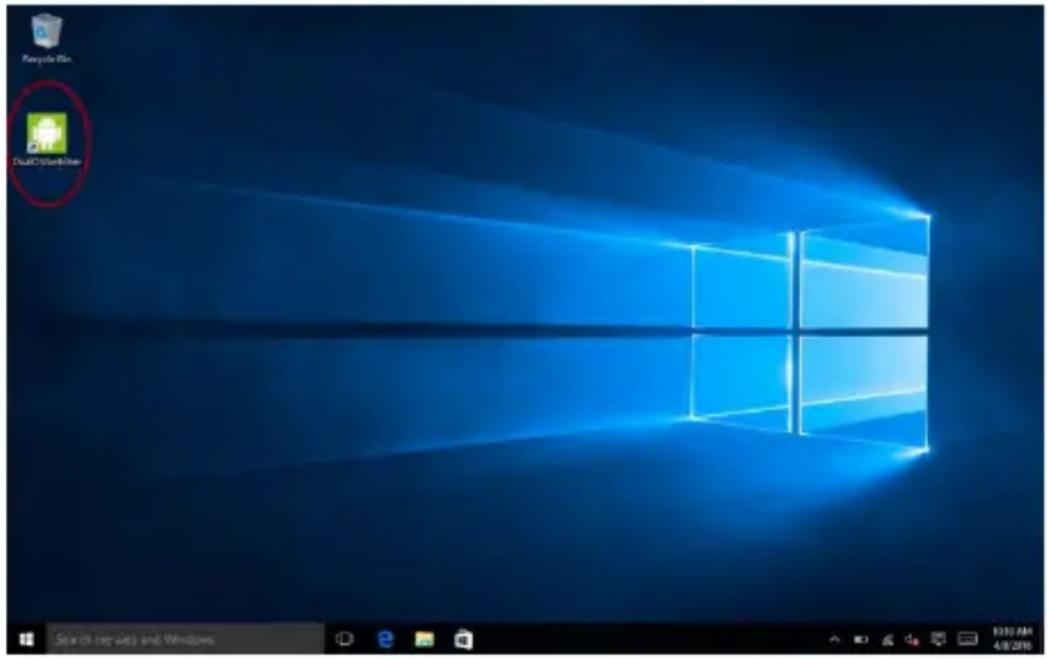
Ifyoudon'tseetheOSselector,youcanforceit.ThesystemalwaysturnsusingthelastusedSO.IfyouwanttochangedeOSyoucandothisfromaqquickoptioninsideWindowsorAndroid,orfromthebeginning.
Whenthedevicewisepoweredoff,youonlyhavetopressandholdPOWERRandVOL+ untilthescreenlights,thenreleasethepowerandholdtheVOL+untilthetwoOS
logoswillappear.

Firstinstallation
ThefirsttimethatyouusetheTAD896QCBTKyouwillhavetopassthefirst
installationassistance.Onlyfollowthedetailedstepsuntilitends.
MicrosoftAccount
Duringthefirstinstallation,thesystemwillaskyouaboutaMicrosoftAccount.Witha
Microsoftaccount,youcanaccessMicrosoftserviceswithasingleusernameand
passwordonyourcomputerorTAD896QCBTK.Youcanalsousthesesameusername
andpasswordonyourXbox.
WithyourMicrosoftaccount,youcan,forexample:
- Download content from Store
- Backupourcontacts
- Upload,store,andsharepicturesanddocuments.
- Backup yourTAD896QCBTKonSkyDrive.
PlayXboxgames - Get your avatar and gaming achievements on your TAD896QCBTK,
themwhenyouplaygamesonyourTAD896QCBTK
- Keep track of and lock your lost TAD896QCBTK with Find My TAD896
- Getfeeds from social networking services to your Peoplehub
If youdon'thavea Microsoft Account, you can omit this step and register later.
LockScreen
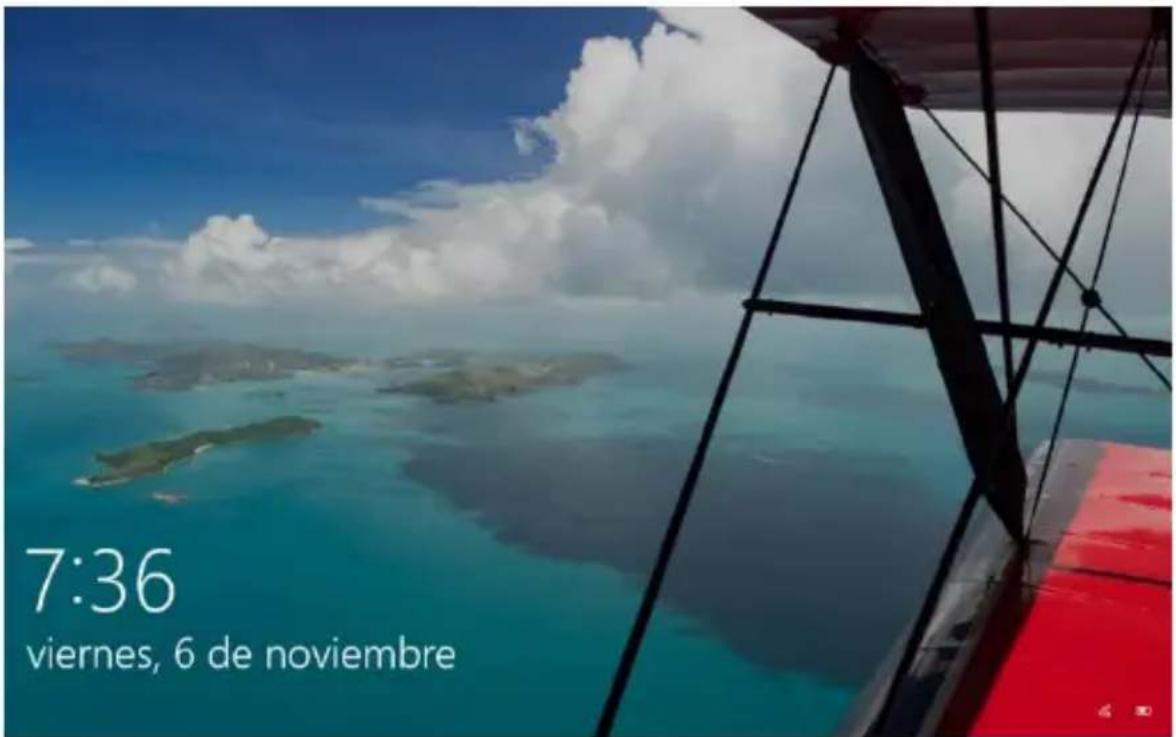
ThenewLockScreenofwindowswillshowthetime, dateandoneimagefromyourgalleryorrandomimage.
TolockthescreenyouonlyhavenotopressPowerbuttononceorusingacombination fromkeyboardwiththekeysWIN+L.
Inthisscreenlockwewillcantoconfigurenotificationsandmorequickaccessfrom thesectionSettings-System-Notificationsandactions.
Tounlockthescreenyoucanpressanykeyordragonthescreenfromdowntoup.
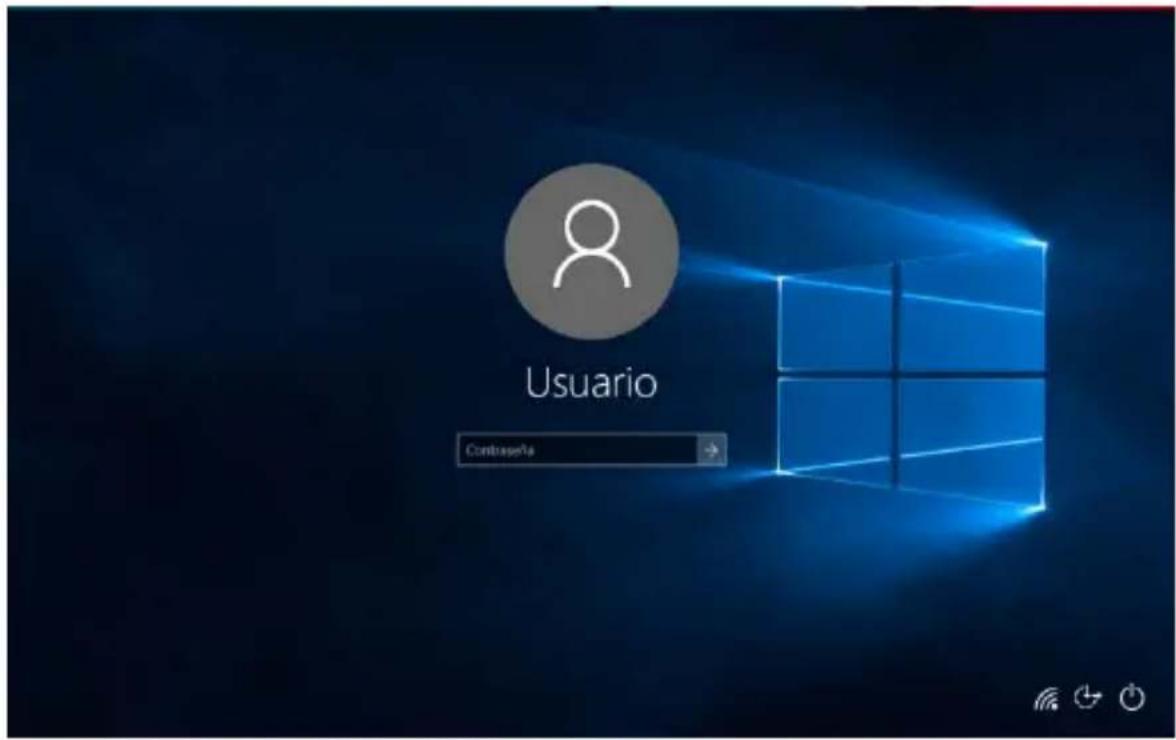
If you have configured a Microsoft Account, your password will be required in order to tounlockit.
Workingmodes
YoucanworkwiththisTAD896QCBTKusingtwodifferentmethods
-Tablemode
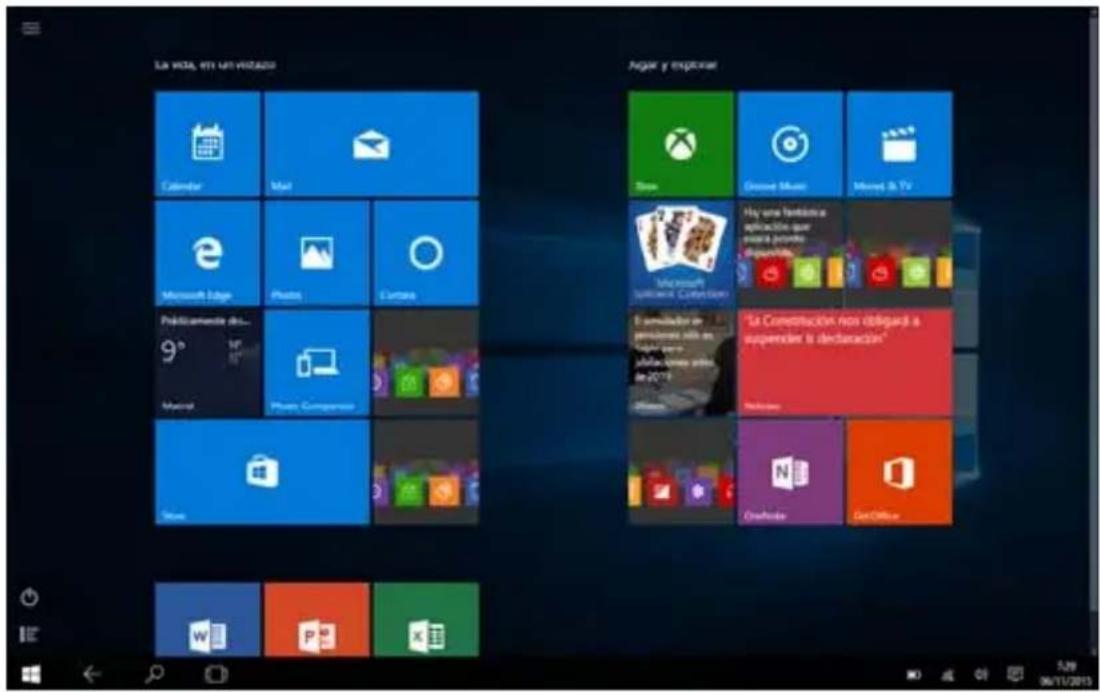
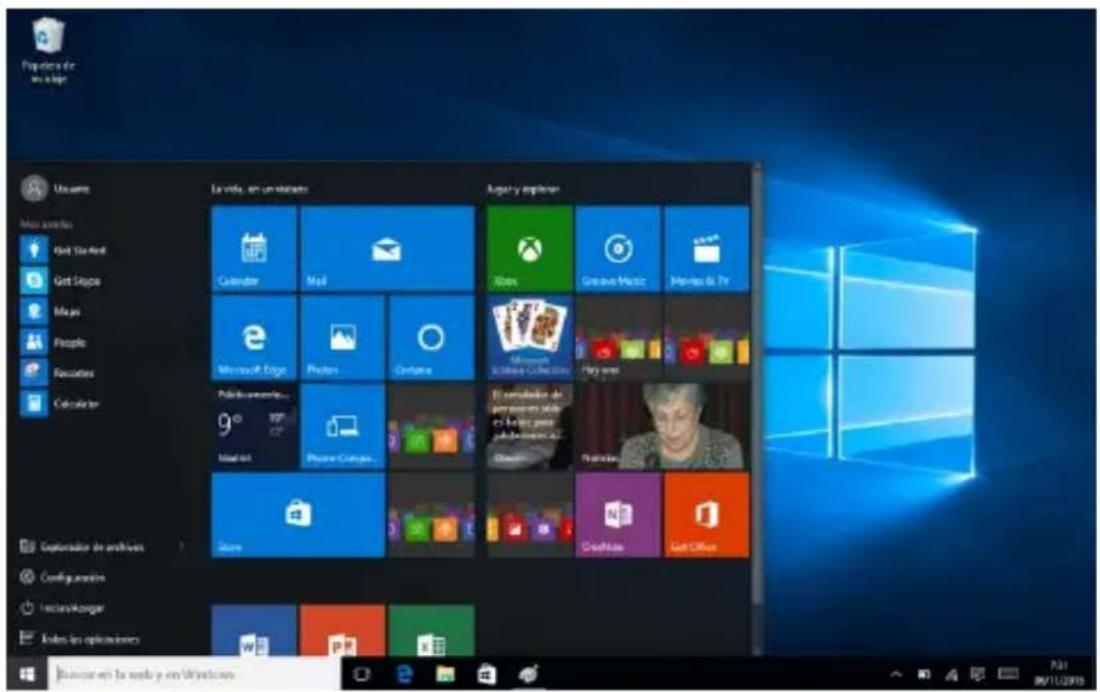
-PCmode desktop)
You can change between the modes when you want. You only have to drag from right side of the table to the center and the quick settings will appear.
QuickSettings
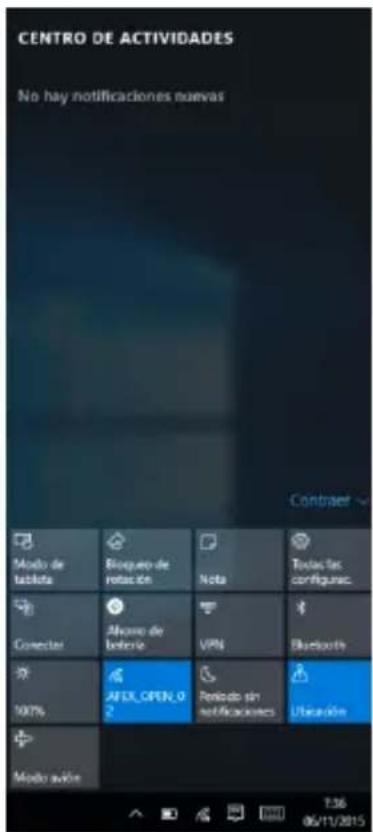
Tablemode
AlternatebetweenablerPC(sedtop)mode.
Rotationlock
Enableordisabletherotationofthescreen.
Note
QuickAccesssto OneNote andtakequicknotes.
AllSettings
Accessstothesystemsettings.
Connect
Sendthecontentofthedevicetotheothercompatible device,forexampleacompatibleTV.
BatterySaver
Enableordisablebatteryersaberfunction.
VPN
ConfigureyourinternettroughaVPN
Bluetooth
EnableordisableBluetoothfunction.
Brightness
Changethebrightnessofthescreeninordertoadaptitto thebatterylifeorthelightconditions.
Wi-Fi
ConnecttoaWiFiAccesspoint.
QuietHours
Theevicedoesn'tshownnotificationswhenitisactivated.
Location
EnableordisabletheGPS(ifthesystemhasthisfunction)
orthoassistedlocationbythenet.
Activateordeactivateallnetworkfunctionsofthedevic.
Airplanemode
Thisfunctioncansavelotofbatteryifyouarenotusing networksfunctions.
The upper part of these options is "ACTIONCENTER" and there is wherewewill see all thenotificationsthatwewillreceive.
Applications
Windows10 comes with many basic applications and other applications. Such as contacts, messages, photos and messagesthat application allows you to efficiently complete the necessary tasks, and collaborate, and let all become simple.
Office365
Office 365
中
MicrosoftOfficeisstilltheofficesuiteparexcellenceandyourTAD89QCBTKcanwork andenjoyallyourOfficeprogramsforfreeforamonth. Afterthistimecanchooseto extendyoursubscriptiontocontinueenjoyingOfficeorevenifyouwishtopurchase MicrosoftOfficecompletely.
MicrosoftEdge

Microsoft
Edge
MicrosoftEdgeisthenewMicrosoftbrowser.WithEdgeyouwillnavigatequickly andsafely,takenotesonthescreenandbemoreproductive.
OneDrive

OneDrive
OneDriveisoneofthereferencecloudstoragesservicetodayandfromwhichyoucan haveallyourdocumentsandphotosalwayssafeandavailweveryougo.One DriverunsonWindows,Android,iOS,MacOSXandXboxsowearesurethatwecan useinwhateveryourhandhelddevice.
Skype

WithSkypeyoucanbeconnectedwithallyourfriendsandmakecallsandvideocalls easy,fastandalwayswiththehighestqualityform.
Xbox

XBOX
XboxapplicationwillallowaccessstoalargecatalogogeframesonyourFNACONEand Windows10.
AlsoifyouhaveanXboxOnemayhaveextrafeaturesssuchascontrolyourconsoleremotelyorevenplaywithyourTAD896QCBTKanywhereinthehousewhilethe
XboxOnemanagesitall.Thisfunctionalityonlyrequires thatTAD896QCBTKisonthesameWi-FinetetworkastheXboxOne;alsodonotneedhighspeedInternetbecauseitisnotsupportedbythistechnology,simplytheyneedtobecconnectedtothesameselocalnetwork.
GrooveMusic

Groove
WithGrooveMusicwillhaveoneofthebestmusiccatalogsanddiscoverhowto enjoymusicinanintuitiveandcomfortable,fullyadaptedtotheirmusicaltastes. GrooveMusicisavailableforWindows,Android,IphoneandXboxthusenjoyyour musicwhereveryougo.
Thisservicehasafree30daytrial,afterwhichrequiresasubscriptionnotincluded withthisdevice.
Cortana

Hi. I'm Cortana.
Cortanaisthenewintelligentassistant.
Cortanawillhelpyoutofindthingsoninyourdevice,administratethecalendar, realizetrackingofshipping's,chatwithyouandjokeswithyou.Themoreyouuseit betterandmorepersonalizedwillbetheexperience.
Besides all the software discussed above with your TAD896 QCBTK and Windows 10 can install your favorite programs and enjoy comfortable workspace and leisure without being miss anything.
Touchscreennavigation
Useyourfingerstomanipulateicons,.buttons,.menu,.theonscreenkeyboard,.and otheritemsonthetouchscreen.Youcanalsochangethescreen'sorientation.
Toselectoractivatesognteodhit.
To typesomething, such as a name, password, or seajusttotehwhere you wanttotype.
A keyboardwillpopuponscreen,allowing youtotype.
Touchgestures
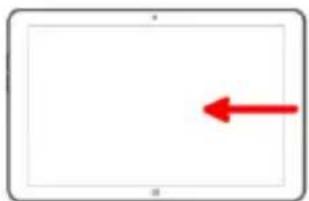
Openthequicksettingsandactioncenter
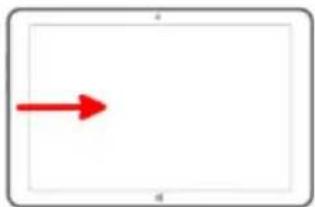
Showsopenappsinordertochangeor closetthem.
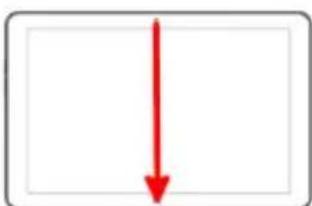
ClosetheactiveAPP.TABLETMODEONLY.
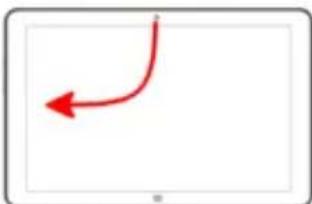
Splitscreen.Putontheleftside
application.TABLETMODEONLY.
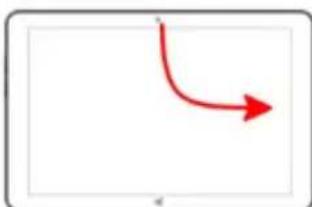
Splitscreen.Applicationputontheright side.TABLETMODEONLY.
PressandholdRightorsequondarybutton.
SPECIFICATIONS
OperatingSystem:Android5.1.1/WINDOWS10
Display: 8.9inchIPS1280x800capacitivemulti-touchscreen
CPU: Intel3735F&QuadCortexX86@1.33GHZ
RAM: 2GBDDR
GPU: IntelHDGraphicsGen7
InternalStorage: 32GB
ExpansionMemory: MicroSDcardupto32GB(notsupplied)
Built-InWireless: 802.11b/g/n
Frontcamera 2MP, backcamera 2MP.
Battery: 5000mAhAC
Adapter: DC5V-2A
MicroUSB2.0/OTG
Outputheadphones.
Built-inmicrophone.
MadeinChina
TAKECAREOFYOURDEVICE
Handleyourdevice,battery,chargerandaccessorieswithcare.Thefollowing suggestionshelpyoukeepyourdeviceoperational.
- Keep the device dry. Precipitation, humidity, and all types of liquid can contain minerals that corrode electronic circuits. If your device gets wet, let the device dry.
- Donotuseorstorethe deviceindustyordirtyareas.
- Donotstorethedevicephighbhtemperatures.Hightemperatures thedeviceorbattery.
- Don't store the device in cold temperatures. When the device was normal temperature, moisture can form insidethedeviceland damageit.
- Donotopenthedevicethertherthanasinstructedintheuserguide.
- Un authorized modifications may damage the device and violate governing radiodevices.
- Donotdrop, knock, or shakethe device. Roughhandling can break
-Onlyuseasoft,clean,dryclothtocleanthesurfaceofthedevic. - Donot paint the device. Paint can prevent proper operation.
- Keep the device away from magnetsormagnetic fields.
WARRANTYCARD EUROPEANWARRANTY
1.General
Thiswarrantyis granted without prejudice andinadditiontothe recognizedrightsforthecusumervis-à-visthesellerprovidedinthe Royal Legislative Decree of 16 November, approving the restated text of the GeneralLawfortheProtectionofConsumersandUsersandother complementary legislation. Therefore, the recognized legal rights for the consumer are not limited or excluded according to the relevant Regional, NationalorEuropeanlegislation.
ThiswarrantyshallbevalidinaltheEuropeanUnionMemberStateswith the limitations that legally correspond in the country in which they are intended to be implemented in accordance with their implementinglegislation.
Notwithstanding the foregoing, SUNSTECH shall respect the rights and limitations related to the product warranty that legally correspond in each of the States listed in the Attachment in accordance with their implementation legislation for any product provided that it is intended for the EU market and has been purchased or used by the consumer or user within the EEA.
2./legalWarranty
This SUNSTECH product has a two (2) year warranty counting from the date of delivery and/or purchase. During the above timeframe, SUNSTECH shall beholdresponsibleforanylackofconformityoftheproductinrelationto thecontractinaccordancewiththeprovisionsoftheLawfortheProtection of ConsumersandUsers,that shallentitlethconsumerto request the repair or replacement of the product, unless one of these options is objectively impossible or disproportionate.
Accordingly, theremedy (i.e. therepairorreplacement) shall be deemed to be disproportionate if it imposes unreasonable costs on the seller. In order to determine this, the following shall be considered: (i) the value of the product if there were no lack of conformity; (ii) the relevance of the lack of conformity; and (iii) if the other form of remedy could be carried out without major inconvenience to the consumer and user. To
determine
whether the costs are unreasonable, the costs incurred by one form of remedy must be significantly higher than the costs corresponding to the other form of remedy.
Inaddition, the consumer may choose between requesting areduction in the price or terminating the contract, if he is not entitled to demand the repair or replacement of the product and whenever these actions would not be completed within a reasonable timeframe and would cause more inconvenience to the consumer and user. However, the termination shall not take place where the lack of conformity is minor.
Boththerepairandthereplacementoftheproductasresultofthe product'slackofconformityshallbefreeofchargeforthecosumerand user,includinglabourandmaterials.
Inanycase, repairs under warranty shall be carried out by SUNSTECH's Official Technical Assistance Serviceorits authorized distributors.
3 CONDITIONSforthewarrantytobee exercised
Toexercisethelegalandcommercialwarranty,itisnecessarytyosubmit documentaryevidencesshowingthedeliveryand/orpurchasedateofthe product,whethertheinvoice,receipt,deliverysliporsealedandddated warrantycard.Documentswithwhichhavebeentamperedwithorfalsifiedwill notbeaccepted.
TheconsumershallcontactSUNSTECH'sCustomerServiceTeamusingthe website(underthesupportsection) andwillbeinformedaboutwhataction to take. At that time, the consumer shall have to provide a clear description of the malfunction or the lack of conformity of the product with the contract.
In any case, repairs under the warranty shall be carried out by SUNSTECH's Official Technical Assistance Servicesoritsauthorizeddistributorssothat SUNSTECHcanbe heldresponsibleunderthelegaland/orcommercial warranty.
4.+ections
The warranty does not foresee or include periodic maintenance or product
installationrevisions.
Inaddition, the product will not be considered as lacking conformity in relation to the contract and therefore, it will not be recovered by the legal or commercial warranty when:
- Thelackofconformitycorrespondstoadiscrepancywiththesafety standardsorthelocalornationaltechniquesofadifferentcountryto theoneitwasoriginallydesignedandproducedin;
- Thisproductoranyofitsidentificationfeatures(numberofseries, etc.)havebeenpartiallyorcompletelyopened,assembled, unassembled,handledand/orrepairedbyapersonnotpartof SUNSTECH's Official Technical Assistance Services team or its authorized distributors
- Thelackofconformityisresultofanincorrectinstallation(exceptif the installation has been carried out by one of SUNSTECH's authorized sellersorunderitsresponsibility,orbytheconsumerfollowing SUNSTECH's installation instructions) or an abusive or inadequate use of the product, including but not limited to, a usage that is not in accordance to the normal purpose of the product or the directions for useandmaintenance,asdefinedbySUNSTECH;
- Thelackofconformityhasbeenancausedbyacomputervirus, an action oramanipulationofpasswords,softwareinstallation, manipulation or reinstallation, etc.;
- Thelackofconformityisduetotheseuseofaccessories,chargersor consumablesthatarenotSUNSTECHoriginalsandthereforenot designedforthatproduct;
- The lack of conformity is due to the use of any third party software or applicationthatmodifies, changesoradaptsthesoftware thatwas approvedand/orincludedbySUNSTECHintheproduct;
- Thelackofconformityisaresultofdownloadingorusingthird partymultimedia servicesand/orcontentsavailableoraccessible through the product;
- Damages in or through the battery, which are due to it being overcharged, are produced;
- Any of the box seals or battery cells have been damaged, or there is clearevidencethatshowthesewerehandled;and/or
The product damages are caused by any
unforeseeableorforcemajeurcircumstances, especially,lightning,water,fire,applyingincorrect voltageoranyothercausethatisnotduetotheproduct manufacturingordesign.
UndernocircumstanceswillSUNSTECHbeheldresponsibleforthelossofany datastoredintheproduct.Theconsumerwillbeheldresponsibleforanyback-up copiesandtheprotectionofanydatafromloss,damageordestruction.
Noneofthewarrantiesincludedherecoverthereplacementofparts,duetoware orruptureofmechanisms,rubber,boxesand/orplastic,aswellasanyaesthetic damageresultingfromthenormaluseoftheproduct,foreample,ifthescreen losesitssshinenwiththeuseoftheproduct.Inthesameway,thewarrantiesdonot coveranytypeofdamageproducedduringthetransportationoftheproduct (including but not limited to aesthetic damage, blows, lines, scratches, stains, dents, etc.) in which case the applicable provisions under SUNSTECH's general contractconditionswillapply.
For further information go to www.sunstech.com
Youcanalsocontact:
AFEXSUNS,S.A.
Metall,6-8
informationsectionofthisguide.
When you hold the product or use it on your body, maintain a distance of 1.5cm from your body to ensure the
Thisdeviceofferscommunicationandentertainmentservicesthatfollow SUNSTECH'shighstandardsandtechnologicalexperience.
- Thecontentmaydifferfromthefinalproductofthesoftwareprovidedby thesuppliersofservicesortransmittersanditissubjecttoalteration withoutpriornotice.
- Thee elementsthatcomewiththedevicelandanyavailableaccessorymay varyaccordinglytheregionorsupplieroftheservices.
- Theelementsprovidedaredesigneduniquelyforthisdeviceandmaynot becompatiblewithotherdevices.
- YoumaypurchaseadditionalaccessoriesatyourlocalSUNSTECH distributor. Ensurethattheyarecompatiblewiththedevicebeforeyou purchasethem.
Otheraccessoriesmaynotbecompatiblewiththedevic. - SUNSTECH is not held responsible for problems of insufficient return or
anychangetotheoperatingsystem'ssoftware.Anyattempttopersonalizetheoperatingsystemmaycausethedeviceretheapplicationstofunctionincorrectly.
Instructionicons

Warning: Situatio nsthatca yourselfforthirdparties.

Precaution: Situations that can cause damages to the device orotherequipment.
Note: Notes, recommendations of use or additional information.
Copyright
Copyright © 2013 Afex suns, S. A.
This guide is protected by international copyright laws.
Reproduction, distribution, translation or transmission of any part of this guide is not allowed under any circumstances or through any means, be it electronic
ormechanic.Thisincludesphotocopies,recordsorstorageinany
informationretrievalandstoragesystems,withoutpreviouswritten
authorizationfromAfexSuns,S.A.
Safetyinformation
Thissectioncontainssafetyinformationformobiledevices.Someofthe
content may not apply to your device. In order to avoid injury to yourself or third parties or damage to the device, read the device's safety information before you use it.

Warning
If you do not comply with these safety regulations and warnings, you maysufferseriousinjuryorevengedeath.
Do not use damaged power cords or connectors or loose sockets.
Unsafe connections may cause an electric discharge or a fire.
Do not touch the power cord if your hands are wet and do not pull the cord to disconnect the charger.
If you do so, you may be electrocuted.
Do not bend or damage the power cord.
If you so do, this may cause an electric discharge.
Do not cause a short-circuit in the charger or the device.
If you do so, this may cause an electric discharge or the device may not function correctly.
Use batteries, chargers, accessories and supplies that have been approved
bythemanufacturer.
Theuseofgenericbatteriesorchargersmayshortentheusefullifeof thedeviceorcauseincorrectfunctioning.Itmayalsocausea fireorthe batterymayexplode.
- OnlyusebatteriesorchargersthathavebeenapprovedbySUNSTECH, specificallydesignedforthedevic. Anynoncompatiblebatteriesand chargersmaycauseseriousphysicalinjuriesordamagethedevice.
- SUNSTECHwillnotbeheldresponsibleforthesafetyoftheuser wheneveraccessoriesupspliesthavenotbeenapprovedbythe brandareused.
Donotcutordropthechargerorthedevice.
Whenhandlingordisposingofthedevicandchargerdosowithcaution.
- Neverthrowthebatteryorthedevicetimetothefire.Neverplacethe batteryorthedevicemonanysourcesofheat,suchas,ovens, microwaves, glasshouses or radiators, etc. If it overheats, the device mayexplode.Followallocalregulationswithregardstodisposingof theusedbatteryordevice.
- Donotsquashthedevicereormakeholesinit.
- Avoid exposing the device to high pressure because this may cause an internal short-circuit and overheating.
Protectthedevic,batteryandchargerinordertostopthemfromgetting damaged.
- Avoidexposingthedevicandbattery tovery highorverylowtemperatures.
- Extremetemperaturesmaydamagethedeviceandreducethe chargingcapacityandthedurationofthedevicelandbattery.
- Avoidthebattery enteringintocontactwithmetalobjects becausethismaycauseaconnectionbetweenthepositiveand
negativeveterinalsofthebatteryanddamageittemporarilyor permanently.
- Neverusedamagedchargersorbatteries.
Donotstorethedevicenornearheaters, microwaves, heatedkitchenepmentormhighpressure containers.
Thebatterymayhaveleakages.
Thedevicemayoverheatandcauseafire.
Donotuseorstorethedevicepinplaceswithalotofdustormaterialtransportedbyair.
Dustorforeignmaterialsmaycausetheventomalfunctionandmay resultinafireoranelectricdischarge.
Safetyinformation
Donotbiteorsuckthedevicethebattery.
- Thismaydamagethedevicerecauseanexplosionorafire.
Childrenandanimalsmaychokeonsmallpieces. - Whenchildrenusethedevicere,ensurethaththeydosocorrectly.
Donotinsertthedeviceorthoaccessoriesprovidedintoyoureyes, earsormouth.
If youdoso, you make chokeorsuffer serious injuries.
Donothandledamagedlithium-ionbatteriesorbatteriesthatshow evidenceofleakage.
Todisposeoflithium-ionbatteriessafely,contactyourclosestaauthorized service centre.
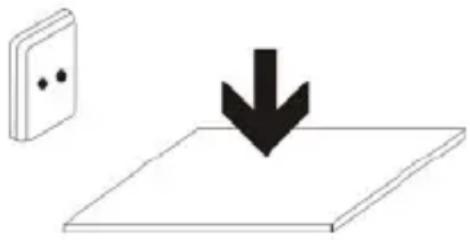
PLUGGABLEEQUIPMENT:thesocket-outlet shallbeinstallednearthequipment and shallbeasilyaccessible.

Precaution
If youdonotcomplywiththeseregulationsand warnings, you maysufferinjuriesorcausematerialdamage.
Donotusethedevicenearotherelectronicdevices.
- Mostelectronicdevicesuseradiofrequencysignals.Thedevicemay interferewithotherelectronicdevices.
- IfyouuseaLTEdataconnection, this may cause an interference with other devices, such as audio equipment and telephones.
Donotusethedeviceinahospital,planeorcarthat maybeaffectedbyinterferencecausedbyradiofrequency.
Ifpossible,avoidusingthedevicatanydistancelowerthan15cm frommapacemaker,becausethedevicemaycauseinterferenceswithit.
- Tominimize anypossibleinterferencewithapacemaker,usethe deviceonlyontheoppositesideofthebodyinrelationtothe positionofthepacemaker.
- If you use medical equipment, contact the manufacturer of the equipment before using the device in order to ascertain whether the equipment will be affected by other radiofrequency emitted by the device.
- Ifelectronicdevicesareusedonaplane,thesemayinterferewiththe electronic navigation instruments. Ensure that the device is turned off duringtake-offandlanding.Aftertake-offyoumayusethedevicemon "airplanemode"aslongasthisisallowedbythecabincrew.
- The electronic devices in your car may malfunction due to the radio interference of the device. Contact them manufacturer for further information.
Do not expose the device to smoke or strong emanations.
If youdoso, you may damage the outside part of the device or cause its malfunctioning.
If you use hearing devices, contact them manufacturer for further information about radio interference.
Theradiofrequencythatthedevicememitsmayinterferewithsomehearingdevices. Before using the device, contact the manufacturer in order to ascertain whether thehearingdevicewillbeaffectedbytheradiofrequencyemittedbythedevice.
Donotusethedevicenearotherdevicesorapparatusesthatemit radiofrequency,suchassoundsystemsorrradiotowers.
Radiofrequencymaycausethemalfunctioningofthedevic.
Turnoffthedevicepotentiallyexplosiveatmospheres.
- Turnoffthedeviceststeadofremoving thebatteryinpotentially explosiveatmospheres.
- Alwaysrespectthestandards,instructionsandwarningsignsin potentiallyexplosiveatmospheres.
- Do not use the device in petrol stations or near fuel or chemicals or in demolition areas.
- Do not store or transport flammable liquids, gases or explosive
materialinthesamecompartmentinwhichdevice,itspartsor accessoriesare.
If you become aware of the device or the battery letting off strange odours, sounds or house smokes out of the device or battery, stop using the device immediately and take it to authorized service Centre.
If youdonotdoso, this may cause a fireorean explosion.
Complywithalthesafetyregulationsand warningsrelatedtotheuseof mobiledeviceswhendrivingavehicle.
Whendriving,yourmainresponsibilityistocontrolthevehiclesafely.lfthelaw doesnotallowmobilephoneusewhendriving,donotusethemobiledevice.For yourandothers'safetyuseyourcommonsenseandrememberthefollowing advice:
- Gettoknownthedevicelanditsoperatingfunctions,likespeededdialling andrecallsystem.Thesefunctionsallowthetimenecessaryytomake andreceivecallstobereduced.
Putthedevicineinaplacewhereitiseasytoreach.Makesurethatyou canaccessstewirelessdevicewithouttakingyoureyesofftheroad.If youreceiveatelephonecallataninconvenienttime, letvoice-mailanswerit. - Stopphonecallswhenthereisheavytrafficorwhenthereareadverse climateconditions.Rain,sleet,snow,iceandheavytrafficcanbevery dangerous.
- Donotjotdownorlookfortelephonenumbers.Jottingdownatakor lookingatyour calendarmaydistractyoufromyourmain responsibility,whichistodrivesafely.
- Dialcarefully andassessthestateofthetraffic.Makephonecallswhen
youarenotmovingorbeforehittingtraffic.Trytoschedulephonecalls whenthecarisparked.
- Donothaveverystressfuloremotionalphonecallsthatmaydistract you.Tellthepersonthatyouarespeakingtothatyouaredrivingand end any conversations that may take away your attention from the road.
Correctuseandmaintenanceofthemobiledevice.
Keepphedevicedry.
- Humidityandliquidsmaydamagethepartsortheeelectroniccircuits ofthedevic.
- Donotturnonthedevicefitiswet.Ifitisalreadyturnedon,turnitoff andtakethebatteryoutimmediately(ifyoucannotturnitoffortake thebatteryout,justleaveitasitis).Afterthis,drythedevicewitha towelandtakeitttotheservicecentre.
- Liquidswillchangethecolourofthelabelwhichindicateshedamage causedbythewaterinsidethedevic. Thedamagecausedbythe water in the device may cancel the manufacturer's warranty.
Placethedevicemonlyonflatsurfaces.
Ifitdrops, the devicemaygetdamaged.
Donotstorethedevicenveryhotorcoldplaces.Itisrecommendedthat youusethedevicattemperaturesbetween5°and35°.
- Donotstorethedevicepinplaceswithveryhightemperatures,suchas insideacarinthesummer.Ifyoudoso,youmaycausethescrentomalfunction,thedevicemaygetdamagedorthobatterymayexplode.
- Donotexposethedevicetodirectsunlightforlongperiodsofttime (forexample,onthedashboardofacar).
- Storethebatteryattemperaturesbetween 0^ and 45^ .
Donotstorethedevicewithmetalobjects,suchascoins,keysandnecklaces.
Thedevicemaygetscratchesorstopworkingproperly.
- If the battery terminals come into contact with metal objects, afire may occur.
Donotstorethedevicenearmagneticfields.
Itispossibleforthedevicetostartmalfunctioningandforthebattery tolosepowerduetobeingexposedtothesefields.
- Cardswithmagneticstripe,suchascreditcards,telephonecards, travelpassesmaygetdamagedduetothemagneticfields.
Ifthedevicereoverheats,stopusingitanditsapplicationsfor awhile.
Prolongedskinexposuretoahotdevicemaycausesymptomsofburningwith lowtemperature,suchasredspotsandpigmentation.
Donotusethedevicefifthebackcoverisnotinplace.
Thebattery maycomeoutofthedevicewhich cancausedamageormalfunctioning.
Ifthedevicehasalamporacameraflash,donotuseit nearpeople'soranimal'seyes.
This may cause atemporary loss of visionordamagetheyes.
Becarefulwhenexposingyourselftointermittentlight.
- Whenyouusethedevice,leavesomelightsturnedoninthebedroom
anddonothavethescrentooclosetoyoureyes.
- Convulsionsorfaintingmayoccurduetoexposuretointermittentlight whenlookingatvideosorplayinggameswithintermittentlightsfor prolongedperiodsofttime.Ifyoufeelunwell,stopusingthedevicem immediately.
- Ifanyoneclosetoyousufferedfromconvulsionsorfaintingwhen usingasimilardevice,visitadoctorbeforeusingthedevic.
- Ifyoufeeldiscomfort,suchasmusclecrampsoryoufeeldisoriented, stopusingthedevicemmediatelyandvisitadoctor.
Toavoideyefatigue,havefrequentsbreakswhenusingthedevic.
Reducetheiskofinjurycausedbyrepetitivemovements.
Whenyoucarryoutrepeatedactions,suchaspressingkeys,drawingcharacters onthetouchscreenorplayingagame,youmayfeeldiscomfortinyourhands, neck,shouldersorotherpartsofthebody.Whenyouusethedeviceduring prolongedperiodsofttime,holditwithrelaxedhands,touchthekeyslightlyand restfrequently.Ifyoucontinuefeelingdiscomfortduringoraftertakingthese steps,stopusingthedevicandvisitadoctor.
Whenyouuseearphones,protectyourhearingandyourears.
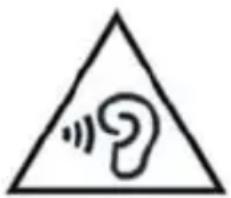
- Excessiveexposure to loudsounds cancausedamagetohearing.
- Exposuretoloudsoundswith you arewalking maydistractyouandcauseanaccident.
Alwayslowerthesoundbeforeconnectingtheearphonestoanaudio
sourceandusethemimumamountofvolumenecessaryarytolistento musicorhaveaconversation.
- Indryenvironments,staticelectricitymayaccumulateinthearphones. Avoid using earphones in dry environments or touch metal objects to discharge the static electricity before connecting the earphones to the device.
- Donotuseaneearphonewhileyouaredrivingorridingvehicle.Ifyou dosoyoumaygetdistractedandcauseanaccidentoryoumaybe subjecttolegalion,dependingonthareawhereyouaredriving.
Use the device with caution while you are walking or moving.
Alwayspayattentiontowhatishappeningaroundyoutoavoid physicalinjurytoyourselfandothers.
- Makesuretheearphonecorddoesn'tgetentangledroundyourarms ornearbyobjects.
Donottakedevicesinyourfrontpocketsorroundyourwaist.
Youmaygetinjuredordamagethedevicefitfalls.
Donotpaintyourdeviceorputanystickersonit.
- Paintandstickerscanobstructthemobilepartsandstopthe devicefromworkingproperly.
- Ifyouareallergictopaintortothemetalpartsofthedevic,youmay getastingyfeeling,eczemaorswelling.lfthishappens,stopusingthe deviceandvisitadoctor.
Donotusethedevicefifthescreeniscrackedorbroken.
Thebrokenglasscancausehandandfaceinjuries.Takethedevicetoan authorizedservicecentretogetitreated.
Installthemobiledevicesandtheequipmentwithcaution.
- Makesurethatthewholemobiledevicererelatedequipmentthat is installedinyourvehicleisassembledsafely.
- Avoidplacing the device and the accessories where the airbag is next to it. Any wireless equipment installed incorrectly can cause serious injuries when the airbags inflate quickly.
Do not allow the product to fall or to be subject to strong impacts.
Thedevicemaygetdamagedormalfunction.
- Ifyoubendordeformitthedevicemaygetdamagedanditsparts maymalfunction.
Guaranteeofthemaximumdurationofthebatteryandcharger.
- Avoidchargingthedeviceforoveraweek,becauseoverchargingcan reduce the battery'sservicelife.
- Withtime, the device will run out of battery (even when it is not being used) and you will need to charge it out.
- Disconnectthechargerfromthepowersourceswhenitisnot beingused.
- Usethebatteryonlyforthepurposeforwhichitwasdesigned.
- Ifyoudonotusethebatteryforalongtime,youmayreduceits servicelifeandperformance.Youmayalsocausethemalfunctioning orexplosionofthebatteryorafire.
- Followalltheinstructionsinthisismanualtoguaranteethelongest service life possible for your device and battery. Any damage or operatingproblemscausedbynotcomplyingwiththe warningsand instructionsmaycancelthemanufacturer'swarranty.
- Withtime, the devicemaywearout. Someparts and repairs are
coveredunderthewarrantyduringthevalidityperiod;however,the damagesordeteriorationcausedbytheuseofaccessoriesnot approvedbythebrandarenotcovered.
Takethefollowinginformationintoaccountwhenusingthedevic.
Useitinaverticalposition,asyouwouldattraditionaltelephone.
- Speakdirectlyintothemicrophone.
- Donotcovertheantennaareawithyourhandsorotherobjects.This maycauseconnectionproblemsorcausethebatterytorundown.
Donotunassembled,changeorrepairthedevic.
- Anyalterationorchangetothedevicemaycancelthemanufacturer's warranty.Ifyouneedtorepairthedevicetakeittoanaauthorized servicecentre.
- Donotdisassembleormakeholesinthebattery, this maycause an explosionorafire.
- Turnoffthedevicebeforeeremovingthebattery.Ifyouremovethe battery while the device is still turned on, this may cause malfunctioning.
Takethefollowinginformationintoaccountwhencleaningthedevice.
UseatowelarRubberclothtocleanthe deviceand the charger.
- Cleanthebatteryterminalswithcottonorwithatowel.
- Donotusechemicalsubstancesordetergents.Ifyoudoso,youmay causediscolorationorcorrosionoftheoutsidepartofthedeviceor youmaycauseanelectricdischargeorafire.
Donotuseitforanyotherpurposeotherthantheoneitwasdesignedfor.
Thedevicemaymalfunction.
Whenyouusethedevicepublic,trynottodisturbothers.
Only allow qualified professionals to carry out the maintenance of your device.
Itispossiblefordamagestooccurandthemanufacurer'swarrantyiscancelledif you allow non qualified personnel to carry out the maintenance of the device.
Be careful when handling SIM cards, memory cards or cables.
- When inserting acardorconnectingacabletothe device, makes sure the cardis inserted correctly or that the cable is connected on the right side.
- Donottakethecardoutwhenthedevicestransferringinformation or ithasaccesssto,becauseyoumaylosedataanddamagethecardor thedevice.
- Protectthecardsfromstrongdischarges,staticelectricityandnoise generatedfromotherelectronicdevices.
- Donottouchthecontactsorthegoldterminalswithyourfingersor withmetalobjects.Ifthecardisdirtycleanitwithasoftcloth.
- Ifyouinsertacardorconnectacableforcefullyorincorrectlyyoumay causedamagetothermultifunctionalsocketorotherpartsoftthe device.
Makesureyouhaveaccessoemergencyservices.
Itispossiblethatinsomeareasorcircumstancesyoumaynotbeabletomake emergencyphonecalls.Beforetravellingtoremoteareasordevelopingcountries, plananalternativeformofcommunicatingwiththeemergencyservices.
Protectyourpersonaldataandavoidconfidentialinformationfrombeing spreadorusedincorrectly.
- Whenyouusethedevicemakesureyoumakeback-upcopiesof importantdata.SUNSTECHwillnotbeheldresponsibleforanylossof data.
- Whenyoudisposeofthedevic,makeaback-upcopyofallthedata andafterre-establishthedevicetoavoidpersonalinformationfrom beingusedinappropriately.
- Readthelicensesscreencarefullywhenyoudownloadapplications.Be especiallycarefulwithapplicationsthathaveaccessstovarious functionsor asignificantamountofyourpersonalinformation.
- Control your accounts frequently to avoid any suspicious or nonauthorized use. If you find any indication of your personal information not being used appropriately, contact your servicesuppliertodelete or change the information in your account.
- Ifyoulosethedevicereoritisstolen,changethe passwordsofyouraccountstoprotectyourpersonalinformation.
- Avoid using applications from unknown sources and block the devicewithapattern,apasswordoraPIN.
Donotdistributematerialprotectedwithcopyright.
Do not distribute material protected with copyright without the authorization of the content owners. If you do so, you may violate copyright laws. The manufacturer will not beholdresponsibleforanylegalproblemcausedbyillegal useofmaterialprotectedbytheuser.
Malwareandvirus
Followthesesuggestionstoprotectthedevicegagainstmalwareandvirus.If youdonotdoso,youmaycauseddamagesorlossofdatathatmaynotbe coveredunderthewarranty.
-
Donotdownloadunknownnapplications.
-
Donotuseunreliablewebsites.
- Deleteanysuspicioustextmessagesoremailsfromunknownssenders.
- Createapasswordandchangeitregularly.
- Deactivatethewirelessfunctions,suchasBluetooth,whenyouarenot usingthem.
- Ifthedevicebehavesstrangely,executeantivirusprogramtodetect a possible infection.
- Executeantivirusprogramonthedevicebeforestarting applicationsandfilesthatyoujustdownloaded.
- Installanti-virusprogramsonyourcomputerand executethemregularlytodetectanypossibleinfections.
- Donoteditheregistrationadjustments or changethedevicessoperatingsystem.
Information about the certification of the Specific Absorption Rate (SAR). THIS DEVICE FOLLOWS INTERNATIONAL STANDARDS OF EXPOSURE TO RADIO WAVES.
Your mobile device is a radio transmitter and receiver. It was designed to not exceed the limits of exposure to radio waves (electromagnetic fields of radiofrequency) recommended by international standards. The standards were developed by an independent scientific organization (ICNIRP) and include a substantial safety margin designed to ensure the safety of all people, regardless of their age or state of health.
The exposure to radio wave standards use a measurement unit known as the Specific Absorption Rate, SAR. The SAR limit for mobile devices is 2W / Kg . The SAR tests are carried out using standard operation positions with the device transmitting at its maximum certified energy level in all frequency bands. The highest SAR amounts under the ICNIRP standards for this device model are:
MaximumSARforthismodelandconditionsunderwhichitregistered
| SARforpositionsnearthehead. | 0.285W/Kg |
| SARforpositionsnearthebody. | 0.0399W/Kg |
Duringtheuse,therealSARvaluesforthisdeviceareusuallyalotlowerfrom thevaluesindicatedpreviously.Thisisduetomaximizingthesystem'sefficiency andtominimidetheinterferencewiththenetwork,theoperationcapacityof yourmobiledevicereducesautomaticallywhenthemaximumpowerisnot neededforthecall.Thelowerthemamountofenergyleavingthedevice,the lowertheSARamountwillbe.
ASARtest was carried out with the device on the body with a distance To comply with theradiofrequencyexposurerquirements, while using the device on the body, the devices shall have to beat least 1.5cm away from the body.
Someorganizations,liketheWorldHealthOrganizationortheFoodandDrug Administration of the United States suggest that if users want to reduce exposure,theycanuseahandsfreeaccessorytomainthewirelessdevicefar awayfromthe headandbodywheninuse,orreduceheamountoftimespent usingthedevice.
Correctdisposal of thisproduct.
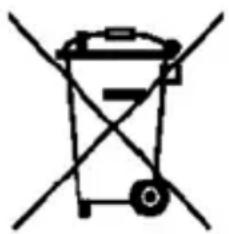
(Electronic devicewaste)
(This applies in countries where recollection systems happen separately).
Thepresenceofthissymbolontheproduct,accessoriesor informationmaterialindicatesthatneithertheproductnor
itselectronicaccessories(suchas,thecharger,helmets,USB cable)shouldbedisposedofwithotherhouseholdwaste.
Toavoidanypossibledamagettotheenvironmentalhealthcausedby uncontrolleddisposalofwaste,separatetheseproductsfromotherwasteand recyclethem.Thisway,youarepromotingthesustainablereuseofmaterial resources.
Individual users can contact the establishment where they purchased the product ortherelevantlocalauthoritiestogetinformationaboutwhereandwhenthey cantakeitinordertosubmitittoecologicalandsaferecycling.
Businessuserscancontacttheirsupplierandcheckthepurchasecontract conditions. This product and its electronic accessories should not be disposed of withothercommercialwaste.
Correctdisposal of thisproduct'sbatteries
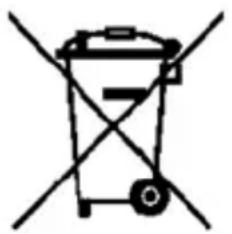
(This applies in countries where recollection systems happen separately).
The presence of this mark on the batteries, manual or productpackagingindicates that when the servicelifeofthe batteries has ended they should not be disposed with otherhouseholdwaste. The chemical symbols Hg, Cd and Pb indicate that the battery has mercury, cadmium lead at levelsalothigherthanthereferencevaluesadmittedbythe 2006/6 Directive of the European Union.
If the batteries are not disposed of correctly, these substances may cause personalinjuryordamagetheenvironment.
Toprotectnaturalresourcesandpromoterecycling,separatethebatteriesfrom otherwasteandrecyclethemthroughthefreecollectionserviceinyourarea.
Exemptionfromresponsibilityclause
Partofthecontentandservicestwhichyouobtainaccessthroughthisdevice belongto third parties and are protected under copyright, patent, or trademark and/or other intellectual property laws. This contentandservices areonlyfor personal use and not commercial use. It is possible that the contentor the services cannot be used if authorized by the contentowner or the supplier of the services. Without prejudice to the aforementioned information, except when expressly authorized by the contentowner or services supplier, you cannot change, copy, reedit, charge, publish, transmit, translate, sell, create derivative works, explore or distribute in any way or by any means the content or the services shownthrough this device.
"THECONTENTANDTHESERVICESOFTHIRDPARTIESAREPROVIDED"ASIS". SUNSTECHDOESNOTGUARANTEETHECONTENTORTHESERVICESPROVIDED, EITHER EXPRESSLY OR IMPLICITLY, FOR NO PURPOSE. SUNSTECH EXPRESSLY RENOUNCES ANY IMPLICIT GUARANTEES, INCLUDING BUT NOT LIMITEDTO,MERCHANTABILITYORSUITABILITYGUARANTEESFORAPURPOSEIN PARTICULAR. SUNSTECH DOES NOT GUARANTEE THE VERACITY, VALIDITY, REPRODUCTION, LEGALITY OR INTEGRITY OF ANY TYPE OF CONTENT OR SERVICEPROVIDEDTHROUGHTHISDEVICEANDUNDERNOCIRCUMSTANCES, INCLUDING NEGLIGENCE, WILL SUNSTECH BE HELD RESPONSIBLE. BOTH IN TERMSOFCONTRACTORPREJUDICETOANYDIRECTORINDIRECT,ACCIDENTAL, SPECIAL OR CONSEQUENTIAL DAMAGES, LAWYERS' FEES, EXPENSES OR ANY OTHERTYPEOFDAMAGEFROMORINRELATIONTOANYTYPEOFINFORMATION INCLUDEDINOR ASARESULTOTHEUSEOFANYTYPEOFCONTENTOR SERVICEBYOURSELFORATHIRDPARTY,THEPOSSIBILITYOFTHEREFERRED DAMAGESISKnown."
Theservicesofthirdpartiesmayceaseorbeinterruptedatanytimeand SUNSTECHdoesnotcarryoutrepresentationsorguaranteesinrelationtothe availabilityofcontentorserviceforanyperiodoftime.Thecontentandservices are transmitted by third parties through networks and transmission locations over whichSUNSTECHhasnocontrol.Withoutlimitingthegeneralityofthisclause, SUNSTECHexpresslyrenouncesanyresponsibilityforanyinterruptionorsuspensionofcontentorserviceprovidedthroughthisdevice.
SUNSTECHisnotresponsibleforcustomerserviceregardingcontentandservices. Any question or request for service regarding content or services should be sent directlytotheservicesandcontentsuppliers.
DECLARATIONOFCONFORMITY
CouncilDirective(s)towhichconformityisdeclared:
Directive(1999/5/EC)-R&TTE
Directive(2004/108/EC)-EMC
Directive(2006/95/EC)-LVD
Directive(2011/65/EU)-RoHS
ApplicationoftheStandards:
EN60950-1:2006+A11:2009+A1:2010+A12:2011+A2:2013
EN62479:2010
EN301489-1V1.9.2
EN301489-3V1.6.1
EN301489-17V2.2.1
EN300328V1.8.1
EN300440-1V1.6.1
EN300440-2V1.4.1
IEC62321:2008
Manufacturer'sname:
AFEXSUNS,S.A.
Manufacturer'saddress:
c/Metal6-8,08110,MontcadaiReixac
Typeofequipment:
TABLET
Trade:
SUNSTECH
Modelno.:
TAD896QCBTK
We, the undersigned, hereby declare under our sole responsibility that the specified equipment is in conformity with the above Directive(s) and Standard(s)
Place:Barcelona
(Signature)
VICTOR Planas Bas.
(Full name)
Date:2-February-2016
General Manager
(Position)
sunstech
TAD896QCBTK
TabletPC
(Android)
8.9"
MANUALDE
USUARIO
CONTENIDODELMANUALDEUSUARIO
GPU:IntelHDGraphicsGen7
Almacenamentointerno: 32GB
Memoriadexpansion: TarjetaMicroSDdehasta32GB(noincluida)
Wirelessincorporado: 802.11b/g/n
Cámaradelantera 2 MP, camaratrasera2MP.
Bateria: 5000mAhAC
Adaptador:DC5V-2A
MicroUSB2.0 / OTG
Auriculares.
Micrófonointegrado
FabricadoenChina
Directiva(1999/5/EC)-R&TTE
Directiva(2004/108/EC)-EMC
Directiva(2006/95/EC)-LVD
Directiva(2011/65/EU)-RoHS
Chargezvote TAD896QCBTK 5
Premier demarrage 6
Miseenmarc he 6
Arrêt. 6
Premiereinsta Ilation 7
Ecrandeverrolage 8
Ecran d'accueil 8
Menude configuration 10
Commentuti liserunecarteSD 11
ChargezvoteTAD896QCBTK
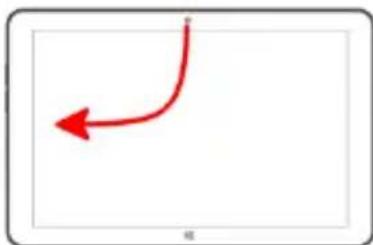
Fermerl'applicationactive.MODETABLETTE UNIQUEMENT.
Directive(2004/108/EC)-EMC
Directive(2006/95/EC)-LVD
Directive(2011/65/EU)-RoHS
Applicationdesnormes:
EN60950-1:2006+A11:2009+A1:2010+A12:2011+A2:2013
EN62479:2010
EN301489-1V1.9.2
EN301489-3V1.6.1
EN301489-17V2.2.1
EN300328V1.8.1
EN300440-1V1.6.1
EN300440-2V1.4.1
IEC62321:2008
Nomdufabricant:
AFEXSUNS,S.A.
Adressedufabricant:
c/Metall6-8,08110,MontcadaiReixac
Typed'équipment:
COMPRIMÉ
MarqueCommerciale:
SUNSTECH
Modèlen°:
TAD896 QCBTK
Directiva(1999/5/EC)-R&TTE
Directiva(2004/108/EC)-EMC
Directiva(2006/95/EC)-LVD
Directiva(2011/65/EU)-RoHS
Aplicações Normas:
EN60950-1:2006+A11:2009+A1:2010+A12:2011+A2:2013
EN62479:2010
EN301489-1V1.9.2
EN301489-3V1.6.1
EN301489-17V2.2.1
EN300328V1.8.1
EN300440-1V1.6.1
EN300440-2V1.4.1
IEC62321:2008
Nomedofabricante:
AFEXSUNS,S.A.


- INTRODUCTION 3
- GETSTARTED 5
- SPECIFICATIONS 16
- TAKE CARE OF YOUR DEVICE 16
- SAFETYPRECAUTIONS
- Switchoffinrestrictedareas
- Roadsafetycomesfirst
- Interference
- Qualifiedservice
- Batteries, chargers, and other accessories
- Keepyourdevicdry
- Glassparts
- INTRODUCTION
- PackageContent
- GETSTARTED
- Firststartup
- PowerOn
- PowerOff
- OSSelector
- Firstinstallation
- LockScreen
- HomeScreen
- SettingsMenu
- HowtoUseTFcard
- RemovingTFcard
- Howtoconnectwithcomputer
- ConnectionInternet
- Wireless:
- WebBrowsing
- Camera
- SPECIFICATIONS
- MadeinChina
- TAKECAREOFYOURDEVICE
- sunstech
- TAD896QCBTK
- TabletPC
- CONTENTOFUSERMANUAL
- SAFETYPRECAUTIONS 2
- SPECIFICATIONS 17
- TAKE CARE OF YOUR DEVICE 17
- DECLARATION OF CONFORMITY 43
- ChargeyourTAD896QCBTK
- Workingmodes
- QuickSettings
- Tablemode
- Rotationlock
- Wi-Fi
- QuietHours
- Location
- Airplanemode
- Applications
- Office365
- Office 365
- 中
- MicrosoftEdge
- OneDrive
- Skype
- Xbox
- GrooveMusic
- Groove
- Cortana
- Hi. I'm Cortana.
- Touchscreennavigation
- Touchgestures
- WARRANTYCARD EUROPEANWARRANTY
- 1.General
- 2./legalWarranty
- Instructionicons
- Copyright
- Safetyinformation
- Warning
- Do not bend or damage the power cord.
- Do not cause a short-circuit in the charger or the device.
- Use batteries, chargers, accessories and supplies that have been approved
- bythemanufacturer.
- Donotcutordropthechargerorthedevice.
- Whenhandlingordisposingofthedevicandchargerdosowithcaution.
- Protectthedevic,batteryandchargerinordertostopthemfromgetting damaged.
- Donotstorethedevicenornearheaters, microwaves, heatedkitchenepmentormhighpressure containers.
- Donotuseorstorethedevicepinplaceswithalotofdustormaterialtransportedbyair.
- Donotbiteorsuckthedevicethebattery.
- Donotinsertthedeviceorthoaccessoriesprovidedintoyoureyes, earsormouth.
- Donothandledamagedlithium-ionbatteriesorbatteriesthatshow evidenceofleakage.
- Precaution
- Donotusethedevicenearotherelectronicdevices.
- Donotusethedeviceinahospital,planeorcarthat maybeaffectedbyinterferencecausedbyradiofrequency.
- Do not expose the device to smoke or strong emanations.
- If you use hearing devices, contact them manufacturer for further information about radio interference.
- Donotusethedevicenearotherdevicesorapparatusesthatemit radiofrequency,suchassoundsystemsorrradiotowers.
- Turnoffthedevicepotentiallyexplosiveatmospheres.
- Correctuseandmaintenanceofthemobiledevice.
- Keepphedevicedry.
- Placethedevicemonlyonflatsurfaces.
- Donotstorethedevicenveryhotorcoldplaces.Itisrecommendedthat youusethedevicattemperaturesbetween5°and35°.
- Donotstorethedevicewithmetalobjects,suchascoins,keysandnecklaces.
- Donotstorethedevicenearmagneticfields.
- Ifthedevicereoverheats,stopusingitanditsapplicationsfor awhile.
- Donotusethedevicefifthebackcoverisnotinplace.
- Becarefulwhenexposingyourselftointermittentlight.
- Reducetheiskofinjurycausedbyrepetitivemovements.
- Whenyouuseearphones,protectyourhearingandyourears.
- Use the device with caution while you are walking or moving.
- Donottakedevicesinyourfrontpocketsorroundyourwaist.
- Donotpaintyourdeviceorputanystickersonit.
- Donotusethedevicefifthescreeniscrackedorbroken.
- Installthemobiledevicesandtheequipmentwithcaution.
- Do not allow the product to fall or to be subject to strong impacts.
- Guaranteeofthemaximumdurationofthebatteryandcharger.
- Donotunassembled,changeorrepairthedevic.
- Takethefollowinginformationintoaccountwhencleaningthedevice.
- Donotuseitforanyotherpurposeotherthantheoneitwasdesignedfor.
- Only allow qualified professionals to carry out the maintenance of your device.
- Be careful when handling SIM cards, memory cards or cables.
- Makesureyouhaveaccessoemergencyservices.
- Protectyourpersonaldataandavoidconfidentialinformationfrombeing spreadorusedincorrectly.
- Donotdistributematerialprotectedwithcopyright.
- Malwareandvirus
- Information about the certification of the Specific Absorption Rate (SAR). THIS DEVICE FOLLOWS INTERNATIONAL STANDARDS OF EXPOSURE TO RADIO WAVES.
- Correctdisposal of thisproduct.
- Correctdisposal of thisproduct'sbatteries
- Exemptionfromresponsibilityclause
- DECLARATIONOFCONFORMITY
- CONTENIDODELMANUALDEUSUARIO
- FabricadoenChina
- ChargezvoteTAD896QCBTK
Brand : Sunstech
Model : TAD 896 QCBTK
Category : Tablet