94502 - Smart Home Goobay - Free user manual and instructions
Find the device manual for free 94502 Goobay in PDF.



| Product type | Radio-controlled socket kit |
| Dimensions (remote control) | 100 x 35 x 20 mm |
| Dimensions (socket) | 95 x 70 x 58 mm |
| Weight (remote control) | 75 g |
| Weight (socket) | 112 g |
| Socket power supply | 230 V ~ 50 Hz |
| Max load | 5 A / 1100 W |
| Remote control battery | LR23A, 12 V |
| Radio frequency | 433.05 - 434.79 MHz |
| Range | 30 m (open area) |
| Number of channels | 4 |
| Protection rating | IP20 |
| Protection class | I |
| Cleaning | Soft, dry cloth, no detergents |
| Safety | Do not open the housing, do not connect in series |
| Replaceable parts | Remote control battery |
| Package contents | Remote control, 3 controlled sockets, instruction manual |
Frequently Asked Questions - 94502 Goobay
User questions about 94502 Goobay
0 question about this device. Answer the ones you know or ask your own.
Ask a new question about this device
Download the instructions for your Smart Home in PDF format for free! Find your manual 94502 - Goobay and take your electronic device back in hand. On this page are published all the documents necessary for the use of your device. 94502 by Goobay.
USER MANUAL 94502 Goobay
natural_image
White electrical wall socket with indicator and remote control (no text or symbols on main components)
BETRIEBSANLEITUNG ....3 USER MANUAL....11 MODE D'EMPLOI ....19 ISTRUZIONI PER L'USO ....27
1 Safety instructions.... 12
1.1 In general 12
1.2 Notes for network separation 12
1.3 Warning levels.... 12
2 Description and Function 13
2.1 Products....13
2.2 Scope of Delivery....13
2.3 Operating Elements 13
2.4 Specifications....14
3 Intended Use 15
4 Remote control 15
4.1 Activating the remote control.... 15
4.2 Replacing the battery.... 15
5 Connecting 15
6 Operating 16
6.1 Setting up the radio-controlled power socket 16
6.2 Control the radio-controlled power socket....16
7 Maintenance, Care, Storage and Transport 17
8 Liability notice....17
9 Disposal Instructions....17
9.1 Devices.... 17
9.2 Batteries....18
10 EU Declaration of Conformity 18
1 Safety instructions
1.1 In general
- Read the user manual completely and carefully before use. The user manual is part of the product and contains important information for correct use.
- Keep this user manual.
The user manual must be available for uncertainties and passing the product.
- Use product, product parts and accessories only in perfect condition.
• Compare the specifications of all used devices to ensure compatibility.
- In case of questions, defects, mechanical damage, trouble and other problems, non-recoverable by the documentation, contact your dealer or producer.
Overload
• Do not plug in a row.
- Never operate irons, heaters and similar devices with risk of fire on radio-controlled sockets.
Risk of electric shock
- Do not open the housing.
- Do not modify product and accessories.
• Installation, assembly, maintenance and repair work must be carried out only by trained electrical specialists.
- Do not short connectors and circuits.

Injury by cutting
• Securepackaging, small parts and insulation againstaccidentaluse.
ation and storage conditions
- Do not rotate, bend or mechanically strain otherwise In inserted state.
- For large temperature differences, wait a few minutes after transport, to take the unit into operation.
- Avoid stresses such as heat and cold, moisture and direct sunlight, vibration and mechanical pressure.

Battery hazards
- Leave leaked, deformed or corroded batteries inside the product and dispose it by appropriate protectives.
The batteries are not replaceable.
1.2 Notes for network separation
The product has no power switch and may be used only in easily accessible outlets to quickly remove it in an emergency and after use.
• Voltage-free only with pulled plug.
- In case of emergency, during thunderstorms and after use, pull the product on its plug housing!
1.3 Warning levels
Warnings against hazards that may result in injuries in case of non-observance.
Warnings against hazards that may result in material in case of non-observance.
2 Description and Function
2.1 Products
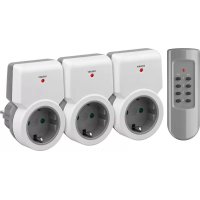
Your product is used to conveniently switch electronic devices to determine their power supply via remote control. The radio-controlled sockets are child proof and come with channel switch and power LED. The remote control has a maximum range of 30 meters and can accommodate up to 4 radio-controlled sockets on and off.
2.2 Scope of Delivery
| Model Scope of delivery | |
| 93997 Remote control, user manual | |
| 94501 Remote control, radio-controlled socket, user manual | |
| 94502 Remote control, 3 radio-controlled sockets, user manual | |
| 94503 Radio-controlled socket, user manual |
Tab.3: Scope of Delivery
2.3 Operating Elements
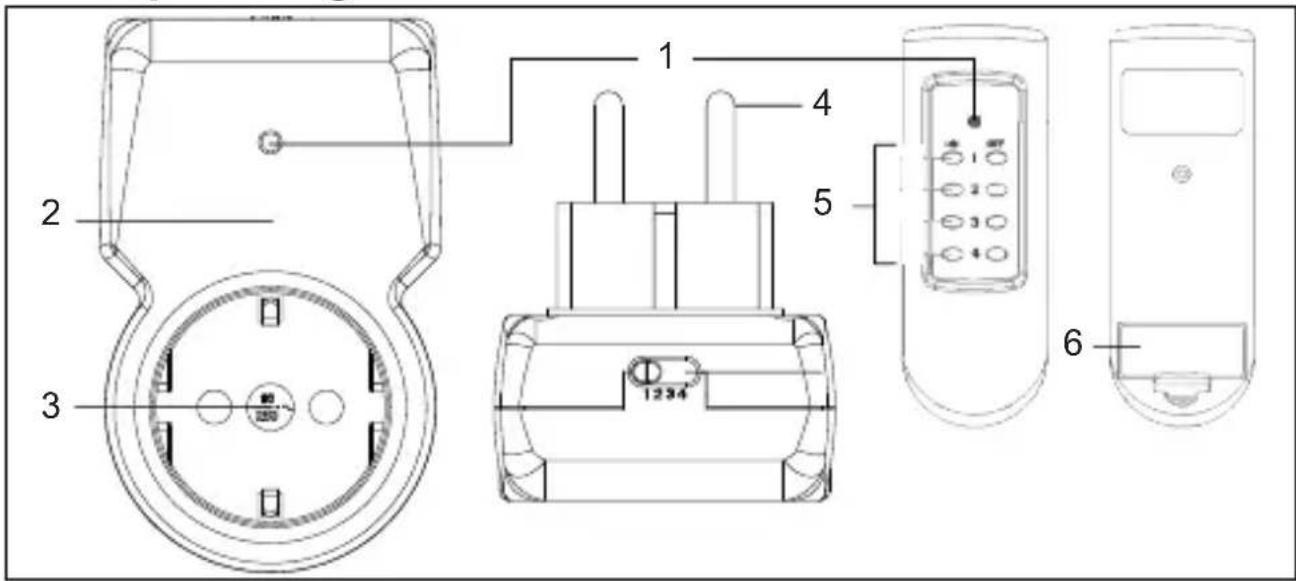
Fig.4: Operating Elements
1 Operation LED 2 Plug housing
3 Earthed socket 4 Safety plug
5 Channel switch 6 Battery compartment
2.4 Specifications
| Model | Radio-controlled socket | Remote control |
| Nominal voltage (V~ @ 50 Hz) 230 | ||
| max. load (A), W (5), 1100 | ||
| Child protection | √; Shutter | |
| Protection class / level I / IP20 | ||
| Switch 1-pole; single load | ||
| Plug type Direct plug-in | ||
| Dimensions (mm) 95 x 70 x 58 100 x 35 x 20 | ||
| Weight (g) 112 75 | ||
| Actuation Transmitter (Micro-Disconnection) | ||
| Pollution degree / Duty-type 2 / S1 | ||
| Rated impulse withstand voltage (V) 2500 | ||
| PTI (V) 175 | ||
| Operating cycles | 1E4 | |
| Fuse | F5AH250V | |
| Display | Operation LED | |
| max. Reach (m) in an open area | 30 | |
| Operating temperature (°C) | 0 ~ +35 | |
| Level of glow wire test (°C) | 850 | |
| Radio frequency range (MHz) | 433.05-434.79 | |
| Radio frequency harmonization (free use) | Europe, Africa, Russia, Belarus, Estonia, Latvia, Lithuania, Moldova, Ukraine, Kazakhstan, Kyrgyzstan, Tajikistan, Turkmenistan, Uzbekistan, Azerbaijan, Georgia, Mongolia | |
| Radio device class | 1; subcategory 20 | |
| Transmission power (mW) | <10 | |
| Battery | LR23A; 12 V | |
Tab.4: Specifications

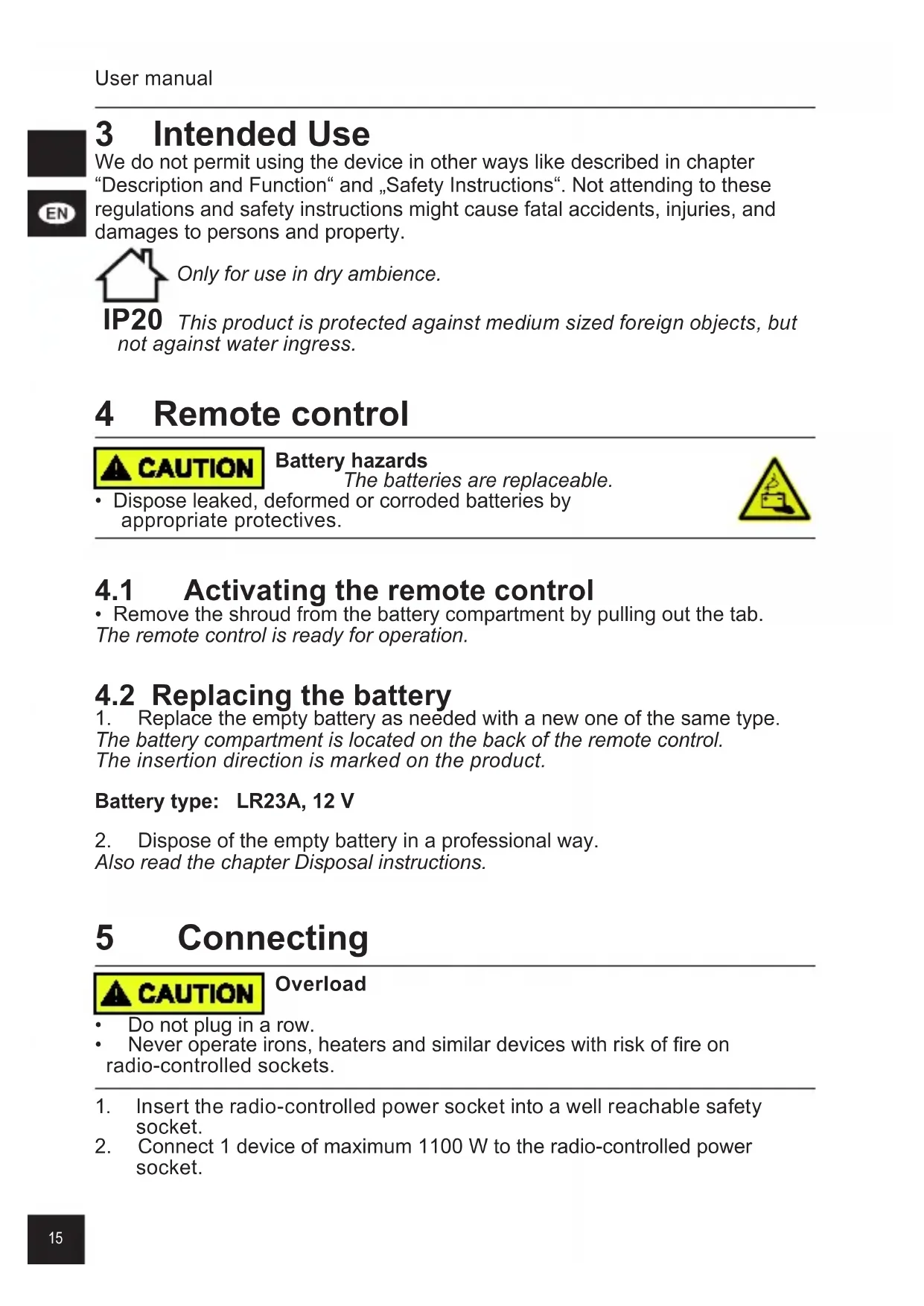
3 Intended Use
We do not permit using the device in other ways like described in chapter "Description and Function" and „Safety Instructions". Not attending to these regulations and safety instructions might cause fatal accidents, injuries, and damages to persons and property.
Only for use in dry ambience.
IP20 This product is protected against medium sized foreign objects, but not against water ingress.
4 Remote control
Battery hazards
The batteries are replaceable.
- Dispose leaked, deformed or corroded batteries by appropriate protectives.
4.1 Activating the remote control
- Remove the shroud from the battery compartment by pulling out the tab. The remote control is ready for operation.
4.2 Replacing the battery
- Replace the empty battery as needed with a new one of the same type. The battery compartment is located on the back of the remote control. The insertion direction is marked on the product.
Battery type: LR23A, 12 V
- Dispose of the empty battery in a professional way. Also read the chapter Disposal instructions.
5 Connecting
Overload
- Do not plug in a row. - Never operate irons, heaters and similar devices with risk of fire on radio-controlled sockets.
- Insert the radio-controlled power socket into a well reachable safety socket.
- Connect 1 device of maximum 1100 W to the radio-controlled power socket.
6 Operating
6.1 Setting up the radio-controlled power socket
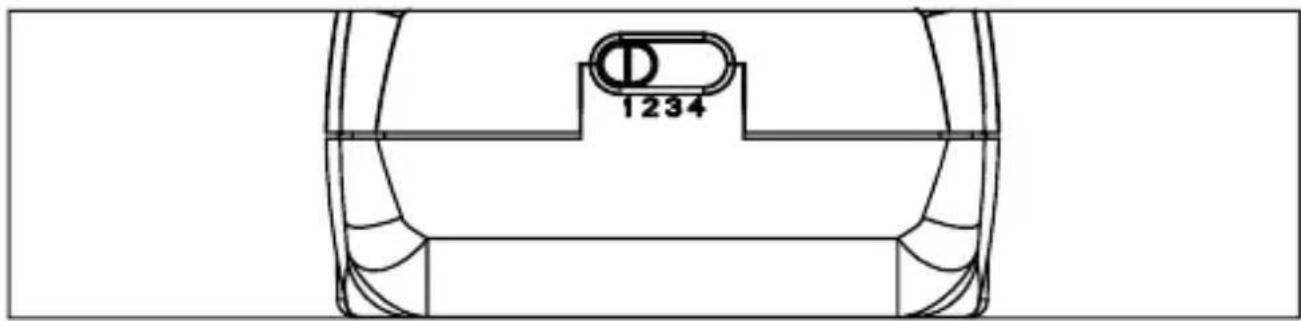
Fig.5: Setting up the radio-controlled power socket
- Set the channel switch of the radio-controlled power socket to a channel from 1 to 4.
- Repeat step 1 for further radio-controlled power sockets, if available.
Up to 4 radio-controlled power sockets are controllable separately via different radio frequencies.
If the same channel is set to two or more radio-controlled power sockets, any number of further radio-controlled power sockets can be controlled per channel.
For this, a good positioning and possibly multiple operations of the respective channel command (ON / OFF) is necessary.
6.2 Control the radio-controlled power socket
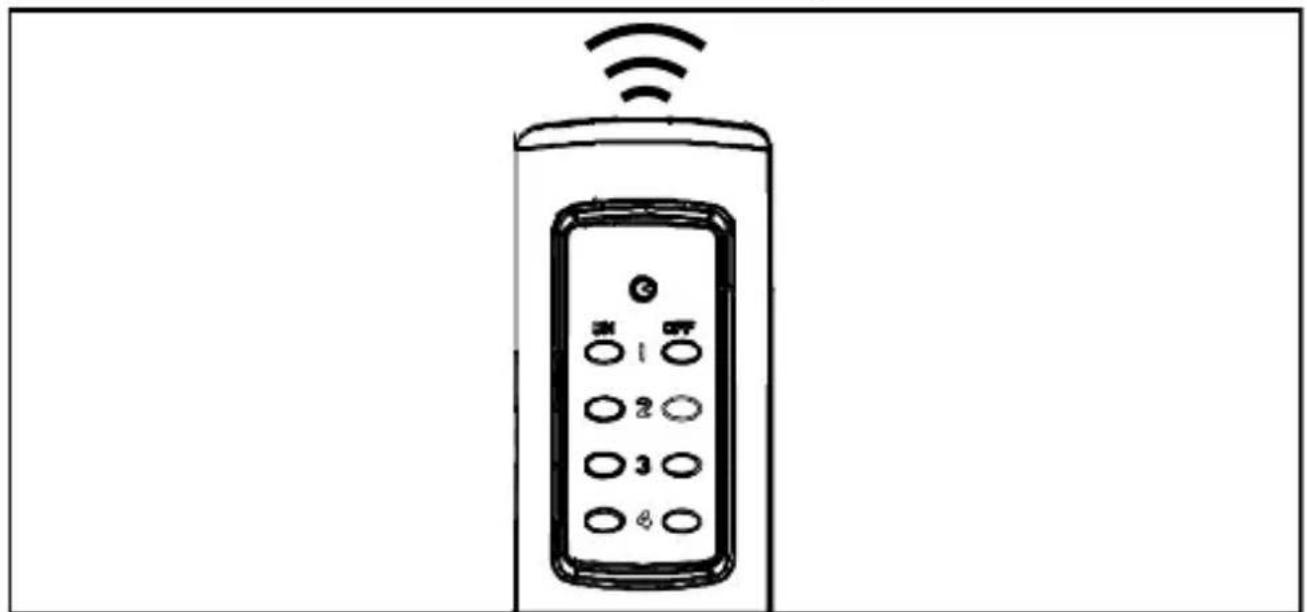
Fig.6: Control the radio-controlled power socket
- Turn the radio-controlled power socket ON or OFF via the channel switches 1-4 of the remote control.
The Operation LED of the radio-controlled power socket lights up when it is turned on.
Voltage is applied.

7 Maintenance, Care, Storage and Transport
The product is maintenance-free.
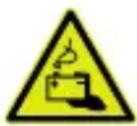
Battery hazards
battery is replaceable.
- Dispose leaked, deformed or corroded batteries by appropriate protectives.

Material damage
- Only use a dry and soft cloth for cleaning.
- Do not use detergents or chemicals.
- Store cool and dry.
- Store the product out the reach of children and in a dry and dust-protected ambience when not in use.
- Remove batteries / rechargeable batteries when not in use.
- Keep and use the original packaging for transport.
8 Liability notice
We reserve the right to printing errors and changes to product, packaging or product documentation.
• See our terms of warranty. These are available in their current form under the given contact details.
Additional GS-relevant notes:
The manufacturer grants this product a 2 year warranty on processing and materials.
Warranty repairs may only be carried out by an authorized customer service.
• Provide the original sales document as proof.
Excluded from this warranty are:
- Normal wear,
- Changes,
- Revisions,
- Damage due to carelessness, foreign influence, areas of application for which the product is not designed or completely or partially dismantled products.
9 Disposal Instructions
9.1 Devices
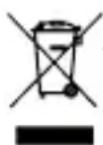
According to the European WEEE directive, electrical and electronic equipment must not be disposed with consumers waste. Its components must be recycled or disposed apart from each other.
Otherwise contaminative and hazardous substances can pollute our environment.
As a consumer, you are committed by law to dispose electrical and electronic devices to the producer, the dealer, or public collecting points at the end of the devices lifetime for free. Particulars are regulated in national right. The symbol on the product, in the user's manual, or at the packaging alludes to these terms. With this kind of waste separation, application, and waste disposal of used devices you achieve an important share to environmental protection.
WEEE No: 82898622
9.2 Batteries
(Rechargeable) batteries must not be disposed of with household waste. Their components have to be supplied separately to the recycling or disposal, because toxic and dangerous ingredients can harm the environment if not disposed of sustainably.
As a consumer, you are obliged to return them at the end of their service lives to the manufacturer, the sales outlet or established for this purpose, public collection points for free. Details regulates the respective country's law. The symbol on the product, the instruction manual and / or the packaging draws attention to those provisions. With this kind of material separation, recovery and disposal of waste (rechargeable) batteries you make an important contribution to protecting our environment.
D-34000-1998-0099
10 EU Declaration of Conformity
CE Hereby Goobay ^® , a registered trademark of Wentronic GmbH ensures, that the mentioned radio system type is conformed to Directive 2014/53/EU. The full text of EU Declaration of Conformity is available at the following Internet address:
https://www.wentronic.de/en/
Fig.7: Eléments de commande
Tab.6: Specifications
https://www.wentronic.de/en/

8 Liability notice....33
https://www.wentronic.it/
Betriebsanleitung
User manual
Mode d'emploi
© by Wentronic Deutschland
Hotline: +49 (0180) 5005882
(0.14 € / minute from German landline)