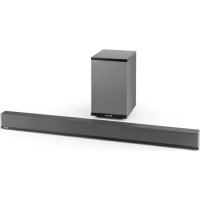
Areal Bar 950 - Soundbar Auna - Free user manual and instructions
Find the device manual for free Areal Bar 950 Auna in PDF.


| Product type | Soundbar with wireless subwoofer |
| Brand | Auna |
| Model | Areal Bar 950 |
| Item number | 10030851 |
| Power supply | 220-240 V~ 50/60 Hz |
| Power consumption | 60 W |
| Signal-to-noise ratio | ≥ 80 dB |
| Speaker impedance | 4 ohms |
| Bluetooth | Band 2402-2480 MHz, power <20 dBm |
| Inputs | USB, AUX, Optical |
| Functions | Bluetooth, USB, AUX, Optical, remote control, equalizer |
| Approximate weight | 2.5 kg (soundbar + subwoofer) |
| Approximate dimensions (LxWxH) | 90 x 10 x 7 cm (soundbar) |
| Maintenance and cleaning | Clean with a dry, soft cloth. Disconnect before cleaning. |
| Safety instructions | Do not expose to water, excessive heat, do not obstruct ventilation openings. |
| Spare parts | Contact customer service for spare parts. |
| Repairability | Entrust any repair to a qualified professional. |
| Warranty | Refer to the warranty conditions provided with the device. |
Frequently Asked Questions - Areal Bar 950 Auna
User questions about Areal Bar 950 Auna
0 question about this device. Answer the ones you know or ask your own.
Ask a new question about this device
Download the instructions for your Soundbar in PDF format for free! Find your manual Areal Bar 950 - Auna and take your electronic device back in hand. On this page are published all the documents necessary for the use of your device. Areal Bar 950 by Auna.
USER MANUAL Areal Bar 950 Auna
Member of Berlin Brands Group
Handwerkerstr. 11
15366 Dahlwitz-Hoppegarten
Deutschland
Berlin Brands Group UK Ltd
PO Box 1145
Oxford, OX1 9UW
United Kingdom
Congratulations on the purchase of your device. Please read the following instructions carefully and follow them to prevent potential damage. We accept no liability for damage caused by disregarding the instructions or improper use. Please scan the QR code to access the latest operating instructions and for further information about the product.
CONTENTS
Technical Data 14
Safety Instructions 15
Device description 17
Remote control 18
Operation 19
Disposal Considerations 20
Declaration of conformity 20
TECHNICAL DATA
| Item number 10030851 | |
| Power supply 220-240 V~ 50/60 Hz | |
| Power consumption 60 W | |
| S/N ratio ≤ 80 dB | |
| Speaker impedance 4 Ohm | |
| BT specifications Frequency band Maximum radio-frequency power | 2402-2480 MHz <20 dBm |
SAFETY INSTRUCTIONS
- Read the operating instructions carefully before putting the device in operation and keep them for future use.
- Make sure that you include the operating instructions when you sell the unit.
- Check whether the voltage of your socket corresponds to the voltage stated on the type plate of the device.
After unpacking the device, check for any transport damage. - Never use the appliance if it is not functioning normally or has been damaged in any way. Switch off the unit, disconnect the power cord from the power outlet and contact customer service.
- Place the unit on a flat, stable surface that is not subject to vibration.
- Never place the unit on uneven or unstable surfaces as this could cause it to fall over or drop.
- The socket you use should be near the appliance and easily accessible.
- If you are unsure about installation, operation or appliance safety, contact customer service.
- Do not expose the unit to extreme temperatures. Place the appliance at a safe distance from heaters and gas and electric ovens.
- Do not expose the device to direct sunlight.
- Do not place hot objects or objects with an open flame, such as candles or night lights, on or near the appliance. High temperatures can melt the plastic and cause a fire.
- To reduce the risk of electric shock, never expose the appliance to rain, moisture or splashing water and do not place objects filled with liquids, such as vases, on it.
- If liquid enters the interior of the unit, serious damage may be caused. Switch off the unit immediately, disconnect the power cord from the power outlet and contact customer service.
- Make sure that the ventilation openings of the device are not blocked by objects such as newspapers, tablecloths, curtains, etc. Failure to do so may cause the unit to overheat, which may damage it and/or shorten its life.
-
Children over 8 years as well as mentally, sensory and physically impaired persons may only use the device if they have been informed in detail about the functions and safety precautions by a supervisor responsible for them beforehand and understand the associated risks.
-
Do not place the unit in a bookcase, built-in cupboard or other enclosed place, as adequate ventilation must be ensured.
- Always unplug the appliance from the mains before connecting/disconnecting other appliances or moving the appliance.
- Unplug the device from the mains socket before a thunderstorm.
- Make sure that all electrical connections (including the mains plug, extension leads and connectors) are made properly, in accordance with the manufacturer's instructions.
- Handle the glass top and/or the doors of the appliance with care.
- Do not use makeshift brackets and never fasten the stands with wood screws. Use only tripods or stands recommended by the manufacturer and install them according to the operating instructions.
- Do not use personal stereos or radios to ensure transport safety.
- When using headphones, do not listen to music at high volumes as this could permanently damage your hearing.
- Do not leave the appliance unattended while it is switched on unless the instruction manual specifically states that the appliance is suitable for unattended use or has a standby mode. Switch off the device immediately and pull the power plug out of the socket to fully switch it off. Make sure that all users of the unit know how this works. For people with physical, sensory or mental limitations, taking special protective measures may be necessary.
- When it comes to electrical appliances, it is better to play it safe and not take any unnecessary risks.
- Ensure that the feet of the unit are not placed on the mains power cable as the weight of the unit could damage the cable and pose a safety hazard.
- Lay the mains power cable so that it cannot become a trip hazard and is not exposed to extreme heat or excessive wear.
Electromagnetic interferences
Do not place other equipment near the unit as this may cause electromagnetic interference. If there is another unit in the vicinity, this could result in noise interference.
DEVICE DESCRIPTION
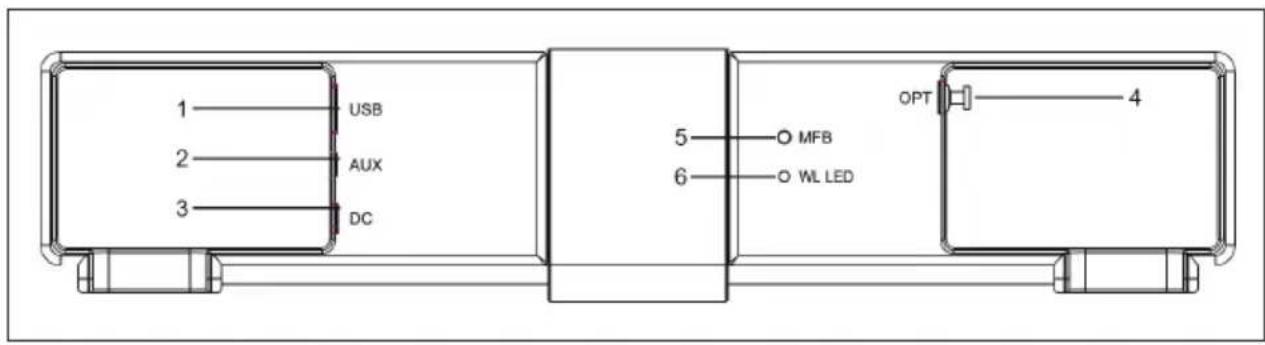
| 1 | USB connection | 4 | Optical connection |
| 2 | AUX connection | 5 | Remote device control wireless connection |
| 3 | DC connection | 6 | LED wireless connection |
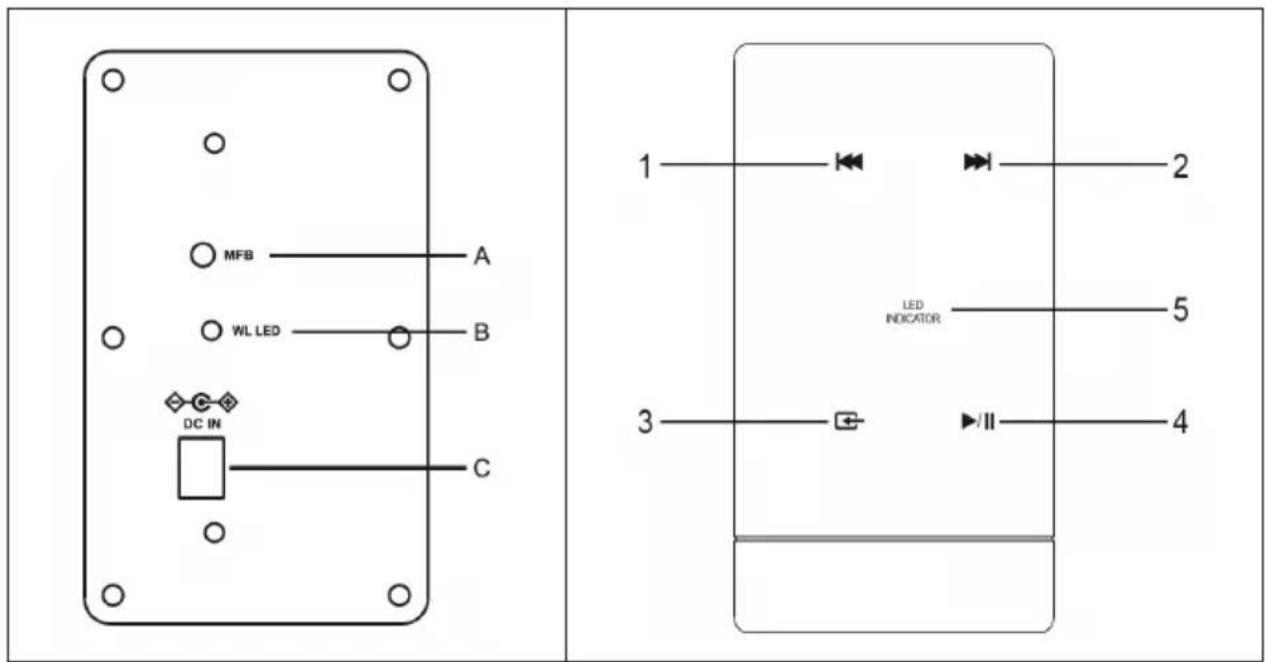
| A | Remote device control wireless connection | 1 | Skip back one track in BT mode. |
| B | LED wireless connection | 2 | Skip forward one track in BT mode. |
| C | DC input | 3 | Source selection: AUX / USB / BT / OPTICAL |
| 4 | Press to select the title in USB mode. | ||
| 5 | LED display | ||
| 1 2 3 4 5 6 7 8 9 10 11 | |
| 1 STANDBY: Switch off the subwoofer | |
| 2 1-0: Selection of the title number | |
| 3 EQ on/off: Audio effect selection | |
| 4 Input: Selection of input source (USB, SD, FM, AUX, BAT) | |
| 5 Volume: Increase or decrease the volume. | |
| 6 Jump back one title | |
| 7 MUTE: Turn off the sound. | |
| 8 100+: Select and play tracks | |
| 9 RPT: Repetition of a title | |
| 10 Title jump forward | |
| 11 Play or pause the title of an MP3 |
OPERATION
- Connect the mains unit to the sound bar and the subwoofer.
- Press the On/Standby button on the unit or on the remote control to switch on the tower.
- Press and hold the remote device control button for 15 seconds. The red LED flashes quickly. When the lamp has stopped flashing and is lit, the sound bar and the subwoofer are connected. The next time the unit is switched on, it will connect automatically.
- Connect external audio sources to the sound bar with an audio cable. The LED changes from red to violet.
- Use the source selection button (3) to select USB mode or optical mode. The LED lamp flashes slowly in red. In optical mode, the LED flashes violet at a high frequency.
- Go to BT mode with the source selection button (3). The LED turns blue and flashes slowly. On your mobile device, select the BT device named Areal Bar 950. When the units are connected, the LED lights up constantly.
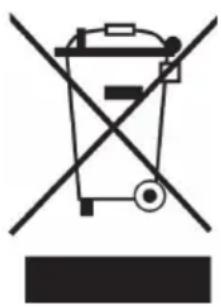
If there is a legal regulation for the disposal of electrical and electronic devices in your country, this symbol on the product or on the packaging indicates that this product must not be disposed of with household waste. Instead, it must be taken to a collection point for the recycling of electrical and electronic equipment. By disposing of it in accordance with the rules, you are protecting the environment and the health of your fellow human beings from negative consequences. For information about the recycling and disposal of this product, please contact your local authority or your household waste disposal service.
This product contains batteries. If there is a legal regulation for the disposal of batteries in your country, the batteries must not be disposed of with household waste. Find out about local regulations for disposing of batteries. By disposing of them in accordance with the rules, you are protecting the environment and the health of your fellow human beings from negative consequences.
DECLARATION OF CONFORMITY
CE UK CA
Manufacturer:
Chal-Tec GmbH, Wallstrasse 16, 10179 Berlin, Germany.
Importer for Great Britain:
Berlin Brands Group UK Ltd
PO Box 1145
Oxford, OX1 9UW
United Kingdom
Hereby, Chal-Tec GmbH declares that the radio equipment type Areal Bar 950 is in compliance with Directive 2014/53/EU. The full text of the EU declaration of conformity is available at the following internet address: use.berlin/10030851
For Great Britain: Hereby, Chal-Tec GmbH declares that the radio equipment type Areal Bar 950 is in compliance with the relevant statutory requirements. The full text of the declaration of conformity is available at the following internet address: use.berlin/10030851
Cher client, chere clientele,
Berlin Brands Group UK Ltd
PO Box 1145
Oxford, OX1 9UW
United Kingdom
Berlin Brands Group UK Ltd
PO Box 1145
Oxford, OX1 9UW
United Kingdom
Berlin Brands Group UK Ltd
PO Box 1145
Oxford, OX1 9UW
United Kingdom
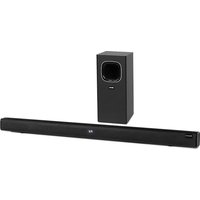
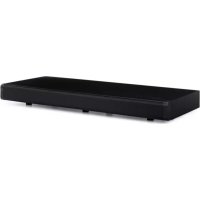
Brand : Auna
Model : Areal Bar 950
Category : Soundbar