
SBCRU220 - Remote control PHILIPS - Free user manual and instructions
Find the device manual for free SBCRU220 PHILIPS in PDF.
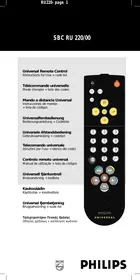



| Product type | Universal remote control |
| Brand | PHILIPS |
| Model | SBCRU220 |
| Dimensions (approx.) | 20 x 5 x 2 cm |
| Weight (approx.) | 100 g |
| Power supply | 2 AAA batteries (RO3/UM4/AAA) |
| Compatibility | TV and VCR |
| Main functions | Code programming, auto search, Shift key for additional functions |
| Number of built-in codes | Over 100 brands |
| Infrared range (est.) | Up to 8 meters |
| Maintenance and cleaning | Clean with a soft, dry cloth |
| Safety | Do not expose to moisture; use only recommended batteries |
| Spare parts and repairability | Contact Philips customer service for any repairs |
| General information | Universal remote control replacing up to 2 original remotes |
Frequently Asked Questions - SBCRU220 PHILIPS
User questions about SBCRU220 PHILIPS
0 question about this device. Answer the ones you know or ask your own.
Ask a new question about this device
Download the instructions for your Remote control in PDF format for free! Find your manual SBCRU220 - PHILIPS and take your electronic device back in hand. On this page are published all the documents necessary for the use of your device. SBCRU220 by PHILIPS.
USER MANUAL SBCRU220 PHILIPS
Instructions for Use + code list
Universal remote control
Instructions for use.. Page 4 Codelist . Page 37 Illustration.
François
Congratulations on your purchase of this Philips SBC RU 220 remote control. The SBC RU 220 is designed for easy operation of most equipment in the home. It can replace up to 2 remote controls of almost any brand, for televisions (TV) and video recorders (VCR), even if the original remote control is lost or broken.
The SBC RU 220 is ready for use with Philips TV, and VCR equipment. To operate equipment from other brands, you have to set up the SBC RU 220 by following 3 easy steps. If the brand of your equipment is known, follow the procedure described in chapter: SETTING UP BY CODE ENTRY
If the brand of your equipment is unknown or not in the code list, you can have the SBC RU 220 do an automatic code search for your equipment. See chapter SETTING UP BY AUTOSEARCH.
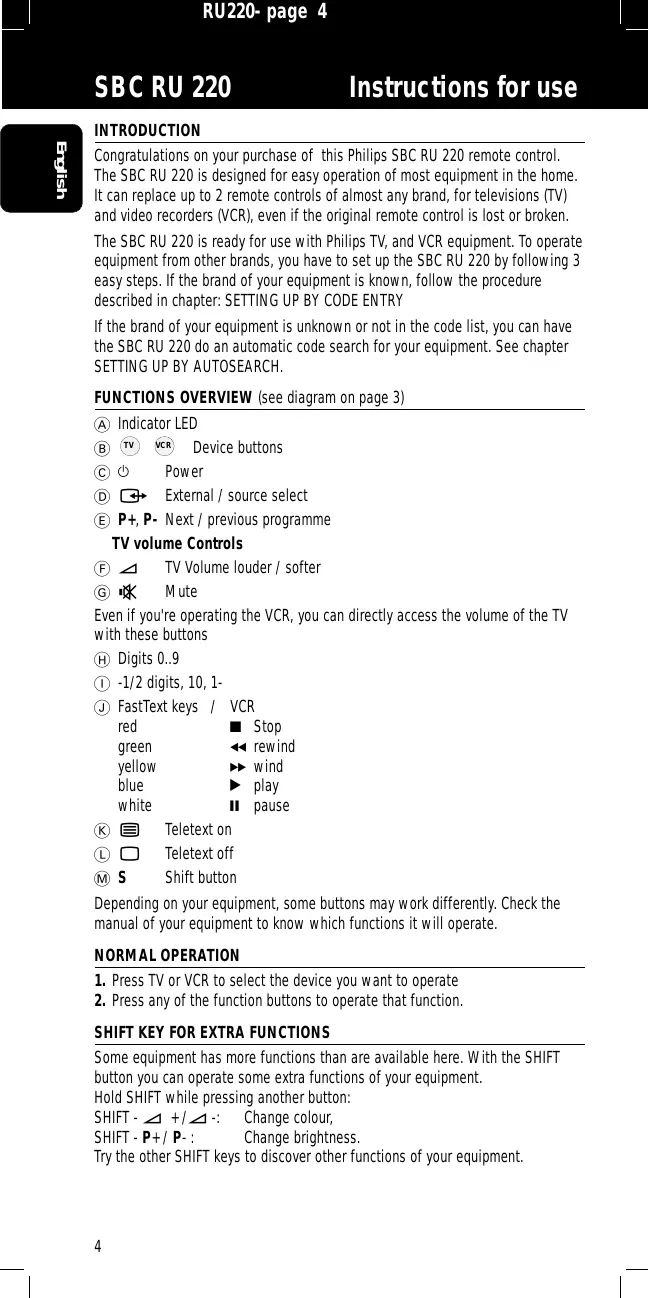
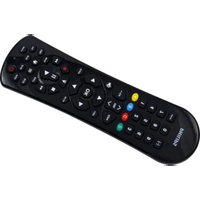
FUNCTIONS OVERVIEW (see diagram on page 3)
(A) Indicator LED (B) TV VCR Device buttons (C) Power External / source select (E) P+ , P- Next/previous programme
TV volume Controls
F TV Volume louder / softer Mute
Even if you're operating the VCR, you can directly access the volume of the TV with these buttons
H Digits 0..9 (1) -1/2 digits, 10, 1- FastText keys / VCR
| red | ■ Stop |
| green | ▲ rewind |
| yellow | ▶ wind |
| blue | ▶ play |
| white | ■ pause |
Teletext on Teletext off M S Shift button
Depending on your equipment, some buttons may work differently. Check the manual of your equipment to know which functions it will operate.
NORMAL OPERATION
- Press TV or VCR to select the device you want to operate.
- Press any of the function buttons to operate that function.
SHIFT KEY FOR EXTRA FUNCTIONS
Some equipment has more functions than are available here. With the SHIFT button you can operate some extra functions of your equipment.
Hold SHIFT while pressing another button:
SHIFT - ◀ + / ◀ : Change colour.
SHIFT - P + / P - : Change brightness.
Try the other SHIFT keys to discover other functions of your equipment.
BATTERIES
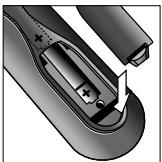
Insert the batteries as indicated in the battery compartment (rear of remote). Only use batteries of type R03, UM4 or AAA. Replace the batteries when required, or at least once a year.
SETTING UP BY CODE ENTRY
Before you set up the SBC RU 220 to operate your equipment, look up the first code for your equipment in the brands list on page 37.
- Press TV or VCR to select the device.
- Press and hold 1 and 3 at the same time for 3 seconds.
- The indicator LED lights up.
- Enter the 3-digit code for your brand with the numerical keys.
- The indicator LED blinks twice to indicate successful set-up.
- Press buttons on the SBC RU 220 to check that the code works on your equipment. If it does, write down this code inside the SBC RU 220's battery lid.
- If the equipment does not respond correctly, try the next code from the code list until the equipment works properly.
- If none of the listed codes work, go to Chapter SETTING UP BY AUTOSEARCH
- Repeat steps 1 to 3 for every piece of equipment you want to operate.
SETTING UP BY AUTOSEARCH
Before you start, make sure the equipment is ready to receive infra-red signals. The equipment must be switched on, there should be no obstacles between you and the equipment, and you should be right in front of the equipment. Before setting up a VCR, insert a tape and start Playback.
- Press TV or VCR to select the device.
- Press and hold 1 and 3 at the same time for 3 seconds.
- The indicator LED lights up.
- Press Power to start the search.
- Every time the LED lights, another code is tested. When the right code for your device is found, the equipment (TV) switches off, or the VCR stops playing. Immediately proceed with step 4.
- Press Power twice to lock the code.
- The indicator LED blinks twice to indicate successful set-up.
Notes
- Turn on the equipment again and press the SBC RU 220's buttons to see if they are working as expected. Some codes are quite similar. If your equipment does not respond correctly, repeat steps 1 to 4 to find a better code. Maximum search time is 8 minutes for TV and 4 minutes for VCR.
READING OUT THE 3-DIGIT BRAND CODE
After using autosearch to set up the SBC RU 220, note the 3-digit code for future use.
- Press the button of the device [TV or VCR] you want to read the code from.
- Press and hold 1 and 6 at the same time for 3 seconds.
The indicator LED lights up.
- Press -/--;
- The LED indicator goes out.
- Press 1:
- the indicator starts to blink; Count the number of blinks for the first digit. Note: if the indicator does not blink, the digit is 0.
- Press 2:
- the indicator starts to blink; Count the number of blinks for the second digit.
- Press 3:
- the indicator starts to blink; Count the number of blinks for the third digit.
- Write down the code inside the SBC RU 220's battery lid.
FREE-PHONE HELP-LINE
If you have any problems with your Philips Universal remote control, please ring our free-phone help-line.
United Kingdom: 0800-968-118
Before calling, note the data of your equipment in the table below.
This makes it easier and faster for us to help you.
Type-numbers can usually be found in the original manual, or on the factory plate on the back of the equipment.
| Device | Brand | Model nr. | RC model nr. | Used code |
| TV | ||||
| VCR |
INTRODUCTION
F Volume TV +/ ⑥ Mute
K Teletext on Teletext off M S SHIFT key
Brand : PHILIPS
Model : SBCRU220
Category : Remote control