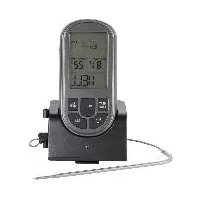
FFGT 433 A1 - Food thermometer FLORABEST - Free user manual and instructions
Find the device manual for free FFGT 433 A1 FLORABEST in PDF.



| Product type | Wireless food thermometer |
| Brand | Florabest |
| Model | FFGT 433 A1 |
| Intended use | Measurement of internal temperature of food (meat, fish, poultry) |
| Power supply (receiver) | 2 AAA 1.5V batteries |
| Power supply (transmitter) | 2 AAA 1.5V batteries |
| Measuring range | 0 °C to 300 °C / 32 °F to 572 °F |
| Wireless range | Approx. 15 m |
| Temperature units | °C or °F (selectable) |
| Functions | Meat type selection, doneness level setting, timer, audible and visual alarm |
| Display | LCD with backlight (blue/red) |
| Temperature probe | With cable, connector |
| Included accessories | Belt clip, Velcro straps, 4 AAA batteries, manual |
| Material | Plastic |
| Maintenance | Clean with a damp cloth, do not immerse |
| Safety | Do not use in microwave or oven; risk of burns |
| Warranty | 3 years |
| Compliance | CE |
Frequently Asked Questions - FFGT 433 A1 FLORABEST
User questions about FFGT 433 A1 FLORABEST
0 question about this device. Answer the ones you know or ask your own.
Ask a new question about this device
Download the instructions for your Food thermometer in PDF format for free! Find your manual FFGT 433 A1 - FLORABEST and take your electronic device back in hand. On this page are published all the documents necessary for the use of your device. FFGT 433 A1 by FLORABEST.
USER MANUAL FFGT 433 A1 FLORABEST
WIRELESS COOKING THERMOMETER
TARGA GMBH
Coesterweg 45
DE-39494 Soest
GERMANY
Last Information Update - Seneste informationsopdatering
Version des Informations - Datum neuewste versie
Operating instructions and safety instructions
OK
-
Intended use 3
-
Package contents 3
-
Description of parts and control elements 3
-
Technical specifications 4
-
Safety instructions 4
-
Copyright 8
7.Before you start 8
7.1 Inserting / replacing the batteries 8
7.2 Connecting the temperature sensor (14) 9
7.3 Selecting the temperature unit 9
- Getting started 9
8.1 Position when in use 10
8.1.1 Receiver (1) 10
8.1.2 Transmitter (13) 10
8.2 Selecting the type of meat (22) / Adjusting the level of cooking 11
8.3 Measuring the core temperature 12
8.4 Cooking chart 13
8.5 Timer function 14
- Cleaning 14
9.1 Storage when not in use 14 - Troubleshooting 15
- Environmental regulations and disposal information 16
- Conformity notes 16
- Warranty and service information .... 17
Congratulations!
By purchasing the FLORABEST FFGT 433 A1 wireless barbecue thermometer, hereinafter referred to as the barbecue thermometer, you have opted for a quality product.
The User's Manual forms part of this product. It contains important information on safety, usage and disposal. Before using the product, please familiarise yourself with all operating and safety instructions. Only use the product as described and for the applications given. If you pass the product on to someone else, make sure to give them all the relevant documents with it.
1. Intended use
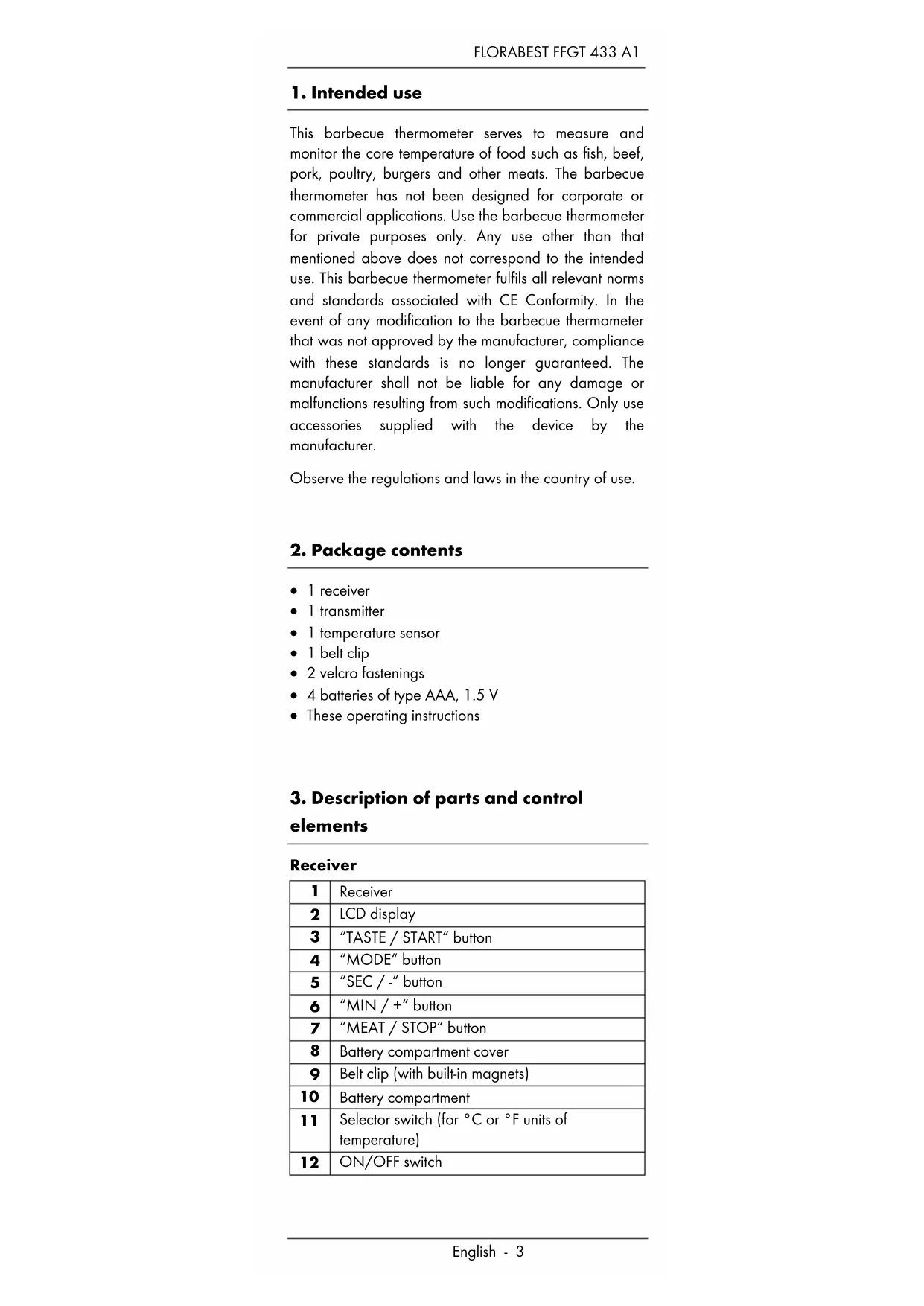
This barbecue thermometer serves to measure and monitor the core temperature of food such as fish, beef, pork, poultry, burgers and other meats. The barbecue thermometer has not been designed for corporate or commercial applications. Use the barbecue thermometer for private purposes only. Any use other than that mentioned above does not correspond to the intended use. This barbecue thermometer fulfils all relevant norms and standards associated with CE Conformity. In the event of any modification to the barbecue thermometer that was not approved by the manufacturer, compliance with these standards is no longer guaranteed. The manufacturer shall not be liable for any damage or malfunctions resulting from such modifications. Only use accessories supplied with the device by the manufacturer.
Observe the regulations and laws in the country of use.
2. Package contents
- 1 receiver
1 transmitter - 1 temperature sensor
- 1 belt clip
2 velcro fastenings
4 batteries of type AAA, 1.5 V
These operating instructions
3. Description of parts and control elements
Receiver
| 1 | Receiver |
| 2 | LCD display |
| 3 | "TASTE / START" button |
| 4 | "MODE" button |
| 5 | "SEC / -" button |
| 6 | "MIN / +" button |
| 7 | "MEAT / STOP" button |
| 8 | Battery compartment cover |
| 9 | Belt clip (with built-in magnets) |
| 10 | Battery compartment |
| 11 | Selector switch (for °C or °F units of temperature) |
| 12 | ON/OFF switch |
Transmitter
| 13 | Transmitter (with built-in magnets) |
| 14 | Temperature sensor (with cable) |
| 15 | Connector (temperature sensor) |
| 16 | Socket (for temperature sensor connector) |
| 17 | Red LED |
| 18 | ON/OFF switch |
| 19 | Battery compartment |
| 20 | Battery compartment cover |
| 21 | Velcro |
LCD display
| 22 | Type of meat |
| 23 | “CURRENT TEMP” display (current core temperature) |
| 24 | Cooking progress |
| 25 | “TARGET TEMP” display (target temperature) |
4. Technical specifications
Receiver
| Power supply 2 batteries: | |
| 1.5 V AAA -Micro LR3- [3 V (direct current)] | |
| Temperature | 0 °C - 300 °C |
| measuring range | 32 °F - 572 °F |
| Transmitting range Approx. 15 m | |
Transmitter
| Power supply 2 batteries: | 1.5 V AAA -Micro LR3- [3 V (direct current)] |
5. Safety instructions
Before you use this barbecue thermometer for the first time, please read the following instructions and heed all warnings, even if you are familiar with handling electric devices. Keep this User Manual in a safe place for future reference. If you sell the barbecue thermometer or give it away, pass on the User Manual at the same time.


This symbol denotes important instructions for the safe operation of the barbecue thermometer and the safety of the user.
This symbol denotes danger for human health from scalding.
This symbol denotes further information on the topic.
This symbol designates products whose physical and chemical composition has been tested and found to be non-hazardous
to health when used in contact with food in accordance with the requirements of Regulation EU 1935/2004.

Hazards for children and persons with disabilities
- Small parts can represent choking hazards. Keep the packaging away from children and persons with disabilities. There is a risk of suffocation.
- This product may be used by children of 8 years and older and by persons with reduced physical, sensory or mental capacities or those persons who have lack of knowledge or experience, as long as they are supervised or they have received instructions regarding the proper use of the product and they understand the associated risks. Children must not play with the product. The product must not be cleaned or maintained by unsupervised children.

General safety instructions
- Never use the product if it is damaged in any way. There is a danger of injury.
- Please note that the consumption of food of animal origin which is not completely cooked through can be damaging to the health.
This is a particular risk for small children, pregnant women and people with a weakened immune system.
- No foreign bodies must penetrate the interior of the device.
- The product may not be exposed to strong vibrations or mechanical strain. This prevents it getting damaged.
- The product does not contain any parts that require maintenance.
- Contact the manufacturer's customer service department if the product becomes damaged, is faulty or you have other problems with it.

Risk of burns
- Always make sure no other persons, children or animals could burn themselves on the product.
- Use protection or oven gloves if you touch the temperature sensor (14) during or after use.
- Improper use of the product can cause injuries.

Risk of damage to property
-
Keep the product and its accessories away from open fires.
-
Never use the product in a microwave or oven.
- Do not kink the transmitter (13) cable.
- The product is not waterproof. Do not use it in the rain and keep the transmitter (13) and receiver (1) away from moist conditions.
- Switch the transmitter (13) and receiver (1) off when not in use.

Hazard from batteries
- Risk of death! Store batteries out of the reach of children. If a battery is swallowed, seek medical attention immediately!
- Insert the batteries with the correct polarity. Refer to the diagram inside the battery compartment (10, 19). Do not attempt to recharge the batteries and do not throw the batteries into a fire. Do not mix different battery types (old and new or carbon and alkaline, etc.).
-
Batteries must never be opened or deformed, as this could result in chemicals leaking out which could cause injuries. If the battery fluid comes into contact with the skin or eyes, rinse immediately with plenty of water and seek medical aid.
-
Remove any batteries which have leaked immediately. Use suitable safety gloves to prevent injuries.
- Remove the batteries when the product is not to be used for an extended period.
6. Copyright
All the contents of this User Manual are protected by copyright and provided to the reader for information only. Copying data and information without the prior explicit written consent of the author is strictly forbidden. This also applies to any commercial use of the contents and information. All texts and diagrams are up-to-date as of the date of printing. Subject to change without notice.
7. Before you start
Remove the barbecue thermometer and all accessories from the packaging and check that the package contents are complete. Remove all protective films. If you notice any damage, do not use the barbecue thermometer and contact the manufacturer's customer service department. We recommend cleaning the temperature sensor (14) before first use.
7.1 Inserting / replacing the batteries
Transmitter (13):
- Switch the transmitter (13) off using the ON/OFF switch (18).
- If the velcro fastening (21) is fitted, remove it.
- Unlock the battery compartment cover (20) and remove it.
- Insert two AAA 1.5V (Micro/R03/LR3) batteries, making sure the polarity is correct. Refer to the diagram inside the battery compartment (19).
- Close the battery compartment (19) by replacing the cover (20). You should hear it click into place.
Receiver (1):
- Switch the receiver (1) off using the ON/OFF switch (12).
- Remove the belt clip (9) from the back by pushing it to the left.
-
Now remove the battery compartment cover (8) by pushing gently down in the direction of the arrow.
-
Insert two AAA 1.5V (Micro/RO3/LR3) batteries, making sure the polarity is correct. Refer to the diagram inside the battery compartment (10).
- Close the battery compartment (10) by replacing the cover (8) and pushing it upwards in the opposite direction to the arrow.
- Now fit the belt clip (9) by placing it on the open side of the guide and pushing it to the right until it clicks into place.
7.2 Connecting the temperature sensor (14)
Insert the connector (15) into the socket (16) on the side of the transmitter (13). When not in use, the temperature sensor (14) can be stored in the holder next to the socket (16).
7.3 Selecting the temperature unit
You can choose between two temperature units ( ^ C and ^ F ). Slide the selector switch (11) in the battery compartment (10) to the desired position.
8. Getting started
- Switch the transmitter (13) on by sliding the ON/OFF switch (18) to the "ON" position. When in use, the red LED (17) flashes about every 4 seconds.
- Now switch the receiver (1) on too by moving the ON/OFF switch (12) to the "ON" position. A signal sounds and the LCD display (2) lights up once briefly with blue backlighting, then red and then blue again.

If the temperature sensor (14) is not connected to the transmitter (13) or there is a fault with the wireless connection between the transmitter (13) and the receiver (1), "---" is displayed as the current temperature on the LCD display (2).
In this case, make sure the connector (15) is inserted correctly into the socket (16) and that the distance between the transmitter (13) and the receiver (1) is not too great. If necessary, switch the transmitter (13) and receiver (1) off for about 3 seconds and then switch them back on again. This should resolve the problem.
8.1 Position when in use

The range of the transmitter (13) is about 15 metres. Make sure the distance between the transmitter (13) and the receiver (1) is not too great. This would mean accurate temperature measurement would not be possible.
8.1.1 Receiver (1)
- You can place the receiver (1) in the transmitter (13).
- You can use the belt clip (9) to affix the receiver (1) to your belt or bag, for example.
- The belt clip (9) has two built-in magnets. This means you can also stick the receiver (1) to a magnetic surface.
8.1.2 Transmitter (13)
- There are two magnets on the bottom of the transmitter (13). This means you can also stick the transmitter (13) to a magnetic surface.
- The velcro fasteners (21) supplied can also be used to attach the transmitter (13) to the handle or base of a barbecue, for example. Use either one or both velcro fasteners (21) as required.

When positioning the transmitter (13), make sure that you can easily reach the food whose core temperature you wish to measure with the temperature sensor (14) cable.
The transmitter (13) is made of plastic. Therefore, do not affix it to parts of the handle which get very hot, e.g. on the barbecue cover or the charcoal dish. This could damage the transmitter (13).
8.2 Selecting the type of meat (22) / Adjusting the level of cooking
- Press the "MEAT / STOP" button (7) to select the type of meat (22). The LCD display (2) shows the selection. Every time the button is pressed, the selection changes, moving through the table below:
| BEEF | |
| LAMB | |
| VEAL | |
| PORK | |
| TURKEY | |
| CHICKEN | |
| HAMBURGER | |
| FISH |
- Once you have selected the type of meat (22), press the "TASTE / START" button (3). Every time the button is pressed, the selection changes, moving through the table below. The current target temperature set is shown on the LCD display (2) under "TARGET TEMP" (25).
| Display Description | |
| WELL | Cooked through |
| M WELL Nearly cooked through | |
| MEDIUM Half cooked through | |
| M RARE Pink | |
| RARE | Bleeding |

Please note:
For health and other reasons, not all options are available for all types of meat.
For example, poultry should always be cooked through. For this reason, only this cooking level is available.
You also have the option of setting the target temperature "TARGET TEMP" (25) manually. Proceed as follows:
- Press and hold the "MODE" button (4) for approx. 3 seconds. A beep sounds and "TARGET TEMP" (25) flashes on the LCD display (2). Use the "MIN / +" (6) and "SEC / -" (5) buttons to change the figure. Press the "MODE" button (4) to apply the target temperatures shown in "TARGET TEMP" (25).
- To cancel the manual selection or select another type of meat, press and hold the "TASTE / START" button (3) for about 3 seconds. Alternatively, you can switch the receiver (1) off and on again using the ON/OFF switch (12).

For low core temperatures, only use meat which is fresh and in excellent condition. Generally, low core temperatures are not suitable for frozen or vacuum-packed meat.
8.3 Measuring the core temperature

The temperature is only measured correctly if no other devices of the same type are nearby and switched on. Otherwise, the current temperature is not shown correctly and uniquely on the display.
- With the transmitter (13) and receiver (1) switched on, guide the point of the temperature sensor (14) into the thickest part of the meat. It makes sense to feed the temperature sensor (14) into the meat from the side, as you can then still turn it.

Avoid contact between the temperature sensor (14) and bones. This can result in an inaccurate temperature measurement. The temperature sensor (14) should also not be inserted into pure fat for the same reason.
- After a short time, the core temperature of the meat is displayed under "CURRENT TEMP" (23). As the food cooks, the temperature rises until it reaches the "TARGET TEMP" (25) set. The LCD display (2) then begins to flash red and a beep sounds with each flash.
- Press the "MEAT / STOP" button (7) to stop the beeping and the temperature measurement.

If you added multiple pieces of the same meat of similar shape and size to the pan or the barbecue at the same time, you can assume that the correct level of cooking has also been achieved for the other pieces as well.
8.4 Cooking chart
The following cooking chart can be used as a guide. The values quoted can differ slightly as a function of the quality of the meat used.
| Type of food / Cooking level | WELL (cooked through) | M WELL (nearly cooked through) | MEDIUM (half cooked through) | M RARE (pink) | RARE (bleeding) |
| BEEF | 82 °C / 179 °F | 75 °C / 167 °F | 71 °C / 159 °F | 66 °C / 150 °F | 63 °C / 145 °F |
| LAMB | 82 °C / 179 °F | 77 °C / 170 °F | 71 °C / 159 °F | 63 °C / 145 °F | |
| VEAL | 82 °C / 179 °F | 74 °C / 165 °F | 70 °C / 158 °F | 63 °C / 145 °F | |
| PORK | 82 °C / 179 °F | 75 °C / 167 °F | 71 °C / 159 °F | ||
| TURKEY | 87 °C / 188 °F | ||||
| CHICKEN | 87 °C / 188 °F | ||||
| BURGER | 75 °C / 167 °F | ||||
| FISH | 63 °C / 145 °F |
8.5 Timer function
If you are not happy with the level of cooking achieved, you can use the timer function to continue cooking the food for a little longer. You do not have to leave the temperature sensor (14) in the meat for this. The procedure is as follows:
- Briefly press the "MODE" button (4) to access the timer function.
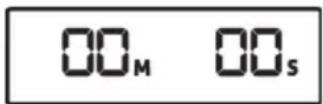
- Select the time you want by pressing the "MIN / + (6) and "SEC / -" (5) buttons. You can also hold the buttons down to make the numbers move faster.
- Press the "TASTE / START" button (3) to start the countdown. The time on the LCD display (2) now counts backwards and you can see the time remaining at any time.
- You can use the "MEAT / STOP" button (7) to pause the countdown, for example to check or turn the food. You can then resume the countdown by pressing the "TASTE / START" button (3).
- When the time is up, the LCD display (2) begins to flash red and a beep sounds with each flash.
- Press the "MEAT / STOP" button (7) to stop the beeping. Otherwise, the beeping stops automatically after about 2 minutes.
9. Cleaning

Always allow the barbecue thermometer to cool completely before cleaning. There is a risk of getting burnt.
- Clean the barbecue thermometer, especially the temperature sensor (14) after every use.
- Do not use solvents or aggressive detergents, brushes with metallic bristles or metallic objects such as knives, spatulas or similar.
- The barbecue thermometer and accessories cannot be washed in the dishwasher.
- Never immerse the barbecue thermometer or accessories in water or other liquids.
- Clean the transmitter (13) and receiver (1) with a slightly moistened, soft cloth. If necessary, use a mild detergent.
- Clean the temperature sensor (14) with a damp cloth and a little washing-up liquid.
- Allow all parts to dry thoroughly after cleaning.
9.1 Storage when not in use
-
If you do not intend to use the barbecue thermometer for an extended period, clean it as described in the previous chapter.
-
Remove the batteries from the transmitter (13) and receiver (1) to prevent leaks.
- Store the barbecue thermometer in a dry, cool, dust-free place.
10. Troubleshooting
Not working
- Are the batteries in the transmitter (13) and/or receiver (1) empty? Insert new batteries where applicable.
The light on the LCD display (2) is dim.
- Are the batteries in the receiver (1) empty? Insert new batteries where applicable.
The red LED (17) on the transmitter does not come on.
- Are the batteries in the transmitter (13) empty?
- Insert new batteries where applicable.
The current core temperature (23) is shown as "---" on the LCD display (2).
- Check that the connector (15) for the temperature sensor (14) is correctly inserted into the socket (16). Insert it properly if not.
- The transmitter (13) and receiver (1) are too far apart. Move them closer together.
- If necessary, switch the transmitter (13) and receiver (1) off for about 3 seconds and then switch them back on again. This should resolve the problem.
The LCD display (2) flashes with red backlighting, shows "HI" and a warning beep sounds.
- The maximum temperature for the temperature sensor (14) has been exceeded. Press the "MEAT / STOP" button (7) to stop the beeping and the measurement.
11. Environmental regulations and disposal information

Devices marked with this symbol are subject to the European Directive 2012/19/EU. All electrical and electronic devices must be disposed of separately from household waste at official disposal centres. Avoid damage to the environment and risks to your personal health by disposing of the device properly. For further information about proper disposal, contact your local council, disposal bodies or the shop where you bought the device.

Respect the environment. Old batteries must not be disposed of with domestic waste. They must be handed in at a collection point for waste batteries. Please note that batteries must be disposed of fully discharged at appropriate collection points for old batteries. If disposing of batteries which are not fully discharged, take precautions to prevent short circuits.

Disposefofallpackaginginan environmentally friendly manner.Cardboard packaging can be taken to paper recycling centres or public collection points for recycling. Any film or plastic contained in the packaging should be taken to your public collection points for disposal.

12. Conformity notes
The product complies with the requirements of the applicable European and national directives. Evidence of conformity has been provided. The manufacturer has the relevant declarations and documentation.
The complete EU Declaration of Conformity is available for download from this link: www.targa.de/downloads/conformity/296049.pdf
13. Warranty and service information
Warranty of TARGA GmbH
This device is sold with three years warranty from the date of purchase. Please keep the original receipt in a safe place as proof of purchase. Before using your product for the first time, please read the enclosed documentation. Should any problems arise which cannot be solved in this way, please call our hotline. Please have the article number and, if available, the serial number to hand for all enquiries. If it is not possible to solve the problem on the phone, our hotline support staff will initiate further servicing procedures depending on the fault. Within the warranty period the product will be repaired or replaced free of charge as we deem appropriate. No new warranty period commences if the product is repaired or replaced. Consumables such as batteries, rechargeable batteries and lamps are not covered by the warranty.
Your statutory rights towards the seller are not affected or restricted by this warranty.

Service

Phone: 020-70490403
E-Mail:
service.GB@targa-online.com

Phone: 01-4370121
E-Mail:
service.IE@targa-online.com

Phone: 027 78 11 03
E-Mail:
service.MT@targa-online.com

Phone: 02-2009025
E-Mail:
service.CY@targa-online.com
IAN:296049

Manufacturer
TARGA
GmbH
Coesterweg 45
DE-59494 Soest
GERMANY
Indholdsfortegnelse
Dette symbol angiver fare for skoldning.
8.1 Position under drug
