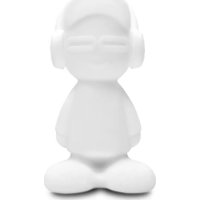
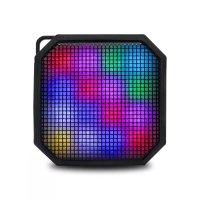
Beat Boy BBL10 - Docking station iDance - Free user manual and instructions
Find the device manual for free Beat Boy BBL10 iDance in PDF.



| Brand | iDance |
| Model | Beat Boy BBL10 |
| Product type | Portable Bluetooth speaker with LED lighting |
| Bluetooth version | 4.2 |
| Bluetooth range | ≤ 10 m |
| Output power | 5 W (magnetic speaker) |
| Frequency response | 80 - 108 kHz |
| Power supply | Rechargeable lithium battery 2000 mAh, 3.7 V |
| Charging | Micro USB port, 5 V / >500 mA mains adapter (not included) |
| Charging time | 4-5 hours |
| Battery life | Approximately 8 hours at normal volume |
| Playback modes | Bluetooth, MP3 (via USB key), Line-in (3.5 mm auxiliary input) |
| Remote control | Infrared, range ≤ 8 m, batteries not included |
| Lighting | Multicolor with Flash, Party, Strobe, Smooth, Fade modes, and brightness control |
| Features | Loop playback (MP3 mode), remote stop, volume and track controls |
| Charging indicator | Red when charging, green when charged |
| Low battery alert | Voice message "low battery" at <10%, sound cut-off at <5% |
| Maintenance | Clean with a dry cloth, do not use near water |
| Safety | Do not open the device, use only specified accessories, unplug during thunderstorms |
| Included accessories | USB charging cable, remote control, user manual |
| Compliance | European directive 2014/53/EU, Class B for radio interference |
| Recycling | Do not dispose of with household waste (crossed-out wheelie bin symbol) |
| Warranty | Void if device is opened |
Frequently Asked Questions - Beat Boy BBL10 iDance
User questions about Beat Boy BBL10 iDance
0 question about this device. Answer the ones you know or ask your own.
Ask a new question about this device
Download the instructions for your Docking station in PDF format for free! Find your manual Beat Boy BBL10 - iDance and take your electronic device back in hand. On this page are published all the documents necessary for the use of your device. Beat Boy BBL10 by iDance.
USER MANUAL Beat Boy BBL10 iDance
WARNING: TO REDUCE THE RISK OF FIRE OR SHOCK, DO NOT EXPOSE THIS PRODUCT TO RAIN OR MOISTURE
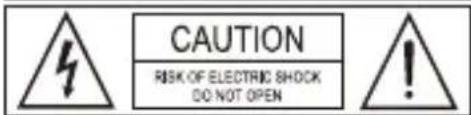
CAUTION TO REDUCE THE RISK OF FIRE OR SHOCK,DO NOT REMOVE COVER OR BACK NO USER-SERVICEABLE PARTS INSIDE REFER SERVICING TO QUALIFIED PERSONNEL

The lightning flash with arrowhead symbol inside an equilateral triangle is intended to alert User of the presence of un-insulated "hazardous voltage" within the product's enclosure, which may be of sufficient magnitude to induce a risk of electric shock to persons

The exclamation mark inside an equilateral triangle is intended to alert user of the presence of the important operating and maintenance (servicing) instructions in the literature accompanying the product.
NOTES:
Please do not attempt to open the back cover or power adapter as opening or removing the covers may expose you to dangerous voltage or other hazards, and it will also cause the restricted servicing to be disabled. There are no user servicing components inside.
NOTES:
This digital apparatus does not exceed the Class B limits for radio noise emissions from digital apparatus as set out in the Radio Interference Regulations of Industry Canada. These limits are designed to provide reasonable protection against harmful interference in a residential installation.
NOTES:
Reorient or relocate the receiving antenna.
■ Increase the separation between the equipment and the receiver
- Connect the equipment into an outlet on a circuit different from that to which the receiver is connected.
Consit the dealer or an experienced radioTV technician for assistance.
IMPORTANT SAFETY INSTRUCTIONS
- Read these instructions.
- Keep these instructions. Heed all warnings.
- Follow all instructions.
- Do not use this apparatus near water.
- Clean only with dry cloth
- Do not block any ventilation openings.
- Install in accordance with the manufacturer's instructions.
- Do not install near any heat sources such as radiators, heat registers, stoves, or other apparatus (including amplifiers) that produce heat.
- Do not defeat the safety of the polarized or grounding-type plug. A polarized plug has two blades with one wider than the other. A grounding type plug has two blades and a third grounding prong. The wide blade or the third prong are provided for your safety purpose. If the provided plug does not fit into your outlet, consult an electrician for replacement of the obsolete outlet.
- Protect the power cord from being walked on or pinched particularly at plugs, convenience receptacles, and the point where they exit from the apparatus.
11 Only use attachments/accessories specified by the manufacturer. - Use only with the cart, stand, tripod, bracket, or table specified by the manufacture, or sold with the apparatus. When a cart is used, use caution when moving the cart/apparatus combination to avoid injury from tip-over. Portable Cart Warning
- Unplug this apparatus during lightning storms or when unused for long periods of time
- Refer all servicing to qualified service personnel. Servicing is required when the apparatus has been damaged in any way such as power-supply cord or plug is damaged, liquid has been spilled or objects have fallen into the apparatus, the apparatus has been exposed to rain or moisture does not operate normally, or has been dropped.
- The apparatus shall not be exposed to dripping or splashing and no objects filled with liquids, such as vases, shall be placed on the apparatus.
16 The battery shall not be exposed to excessive heat such as sunshine, fire or the like. - The MAINS plugs used as the disconnect device, which shall remain readily operable.
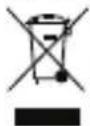
When this crossed-out wheeled bin symbol is attached to a product it means that the products covered by the European Directive 2002/96/EC. Please inform yourself about the local separate collection system for electrical and electronic products. Please act according to your local rules and do not dispose of your old products with your normal household waste. Correct disposal of your old product helps to prevent potential negative consequences for the environment and humanhealth.
This product complies with the requirements of the Europe
Content
1) BTLSDUDE
2) USB Cable
3) Remote controller
4) Instruction Manual
Description of Parts :
1) Handle
2) Speaker
3) Audio input (3.5 mm cable not supplied)
4) USB slot
5) Charge indicator
6) Micro USB charge
7) Power on/off (long press) / BT / MP3/Line in (Short press)
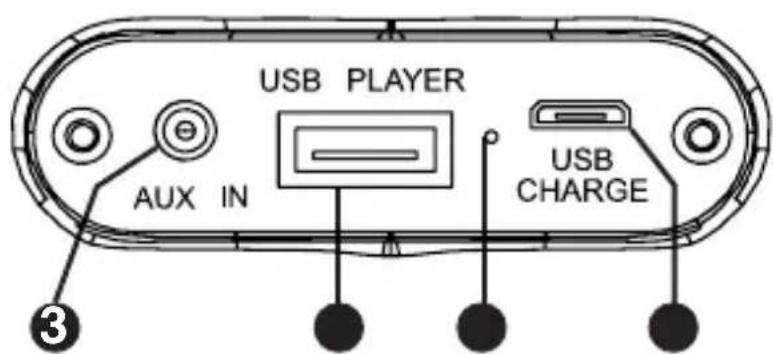
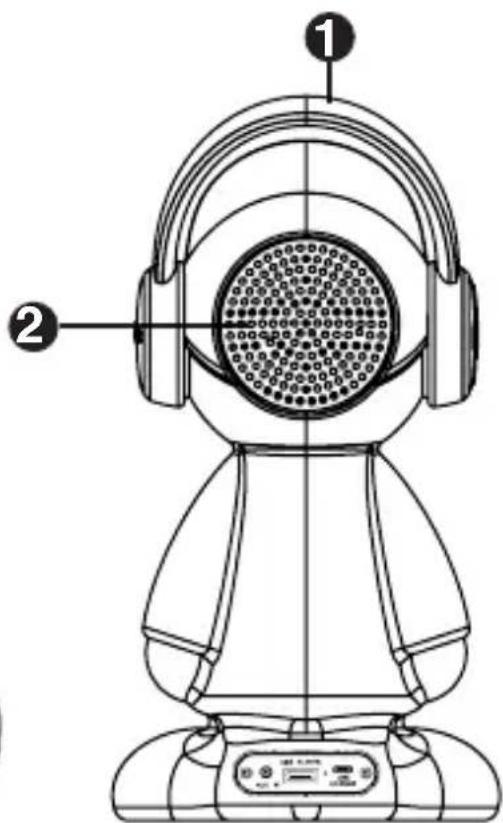
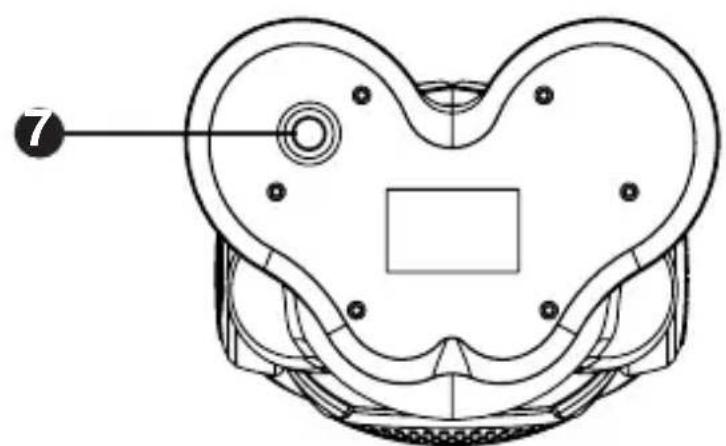
P.2
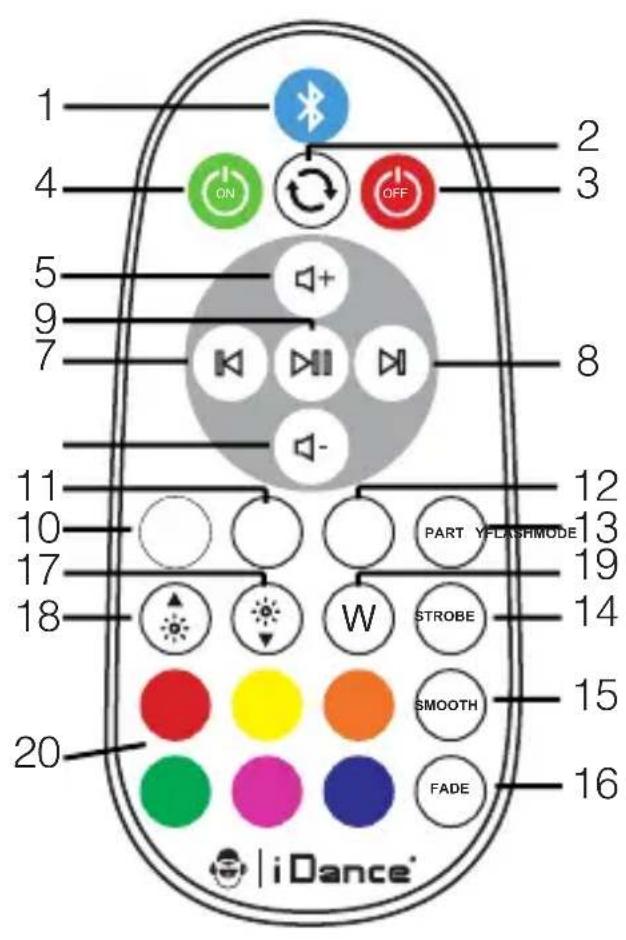
1) Bluetooth key: used to disconnect the current connected Bluetooth device to connect to another Bluetooth device.
2) Loop play key: used to loop the current music, only when the external storage device is available, which is "MP3 mode".
3) Remote Power Off
4) Power on
5) Volume + : Increase playback volume.
6) Volume - : Reduce playback volume.
7) Previous song
8) Next song
9) Pause (invalid in line in mode)
10) Light switch
11) Mode, the default is Bluetooth status, can switch to MP3 and Line in mode
12) FLASH Color light change
13) PARTY Light sync with music
14) STROBE Six colors stroboscopic
15) SMOOTH Colorful gradient change
16) FADE Colorful slow change
17) Increase brightness
18) Reduce brightness
19) White color key
20) Colorful Key
1) ON/OFF
Press the power button (3 seconds) when the power is turned off, and the sound will be displayed "ldance beatboy, Bluetooth mode", and the system is switched on. Press the power button (3 seconds) when the power is switched on, and there is a prompt for "power off", and the system is turned off.
Note: use the power button to turn off the power.
2) Bluetooth connection.
For the first time, the product will need to be manually connected to the Bluetooth. At this point, it will only need to turn on the Bluetooth of the phone to search for "IDance Beatboy", and then click the connection. When you hear the "Connected" note from the speaker, it says that it has been paired successfully. After the first connect, the product will automatically search the matched Bluetooth device in 3 seconds and connect it.
3) Charging
This product has a built-in rechargeable battery. Please fill it with electricity before you use it for the first time. Connect one end of the charging cable to the micro USB slot of the product. One end is connected to the charger of DC 5V for charging, and the red indicator is on when charging. The charging time is about 4-5 hours. When full charge, the red indicator is replaced by a green one.
Note: if you don't use it for a long time, please charge the speaker once every 30 days. The charger is not in the standard range, you can use the standard cell phone charger to charge the product. The charger is output DC 5V, and the current is not less than 500MA.
4) Low electricity prompt
When the battery level is less than 10% , the audio signal "low battery" indicates that the battery is not enough. Please charge it timely. When the battery is less than 5% , the sound will be shut off automatically, please charge it in time and need to wait for the power to reach 10% .
5) LINE IN Music mode
When your mobile phone or computer doesn't have Bluetooth, you can use the 3.5 mm cable end inserted into the headphone jack, another in the product's Line in interface, and then press MODE key switch to Line in, in switch successfully speaker have a "Line in MODE" voice prompt, and then you can play through the speaker.
6) Play USB disk
When you want to play what is in your USB key, you only need to insert the USB key in the USB slot behind the product. Then, press the MODE key till you reach MP3 MODE. The speaker will say 'MP3 MODE'. You can play your music using the remote.
1) Can't boot up or shut down immediately after power on?
The battery is not enough. Please charge it in time. It is recommended to use it at least two hours after charging.
2) Can't switch play mode?
When playing must first determine whether the normal connection, for example: you will need to speaker by Bluetooth mode switch to Line mode, in you need to first Line in the interface with a 3.5 mm cable connected to the device and then switch to correct. Otherwise, when the product detects that you are not connected, it will automatically return to the default Bluetooth mode.
3) Unable to charge (without flashing red light)?
Please use the charging line delivered with the product to check whether your charger specification is DC 5V output and whether the current is greater than 500mA .
4) Red light is always displayed when charging, can't turn to green light?
Please close the speaker off (long press the power button) and charge again.
5) Bluetooth no sound?
b) The volume of the Bluetooth device has been turned on.
6) Infrared remote control no function or remote control distance?
Please replace the infrared remote control battery. Make sure that no obstacle cut the infrared. The distance between remote and the unit must not exceed 8 meters.
| Type Technical specifications | |
| BTLSDUDE Inner magnetic 4 O 5W | |
| Output | 5W |
| Distortion rate | <1% |
| Frequencies | 80 -108Khz |
| Playing Time | The default volume is not less than 8 hours. |
| Play Mode | Bluetooth / Line in / USB |
| Bluetooth version | 4.2 |
| Bluetooth Range | ≤10m |
| Built-in battery | 2000mAh, 3.7V Rechargeable lithium battery. |
| Charger specification | DC5V ±5%, The current is no less than 500ma. |
| Charging time | 4-5hours |
| Infrared remote distance | ≤8m |
AVERTISSEMENT
AVERTISSEMENT:POUR REDVIRELE RISCQDEINCENDIEOU DECHOC ELECTRIQUE,NEXPOSEZPASCEPRODUITA LAPLUOEAU CHUMIDITE
MISE EN GARDE RISQUE DE CHOC ELECTRQUE NE RASOUVR
ATTENION:POUR RÉDUIRE LE RISQUE D'ENCENDTE OU D'ÉLECTROUCTION,NE RETIREP PAS LE COUVERCLE OU L'ARRÊTE,ALCUNCE PIECE REPARABLE PAR L'UTILSATEUR,REFERRER SERVICE AU PERSONNEL,QUALITE


∴ m = 3/11 ;
This product complies with the requirements of the Europe
The undersigned, IDance Co declares that the radio equipment of the Beat Boy type complies with the 2014/53/EU directive.
The complete text is available at www.kdanceaudio.com
Designed by iDance USA. Made in China
WORLD HEADQUARTERS:
IDance H.K
Unit 1,8/F.MG Tower, 133 Hol Bun Road, Kwun Tong, Kowloon, Hong Kong.
UK OFFICE:
IDance Audio U.K.
Graham Lloyd Building, Midland Structures Industrial Estate
Ampthill Road, Bedford MK42 9JU, United Kingdom
EUROPE OFFICE:
IDance Audio Europe H.O.Neesskens B.V.
Salland 9
1948RE, Bevowik
The Netherlands
This product meets the essential requirements of Directive 2014/53/EU http://www.Idanceaudio.com/documentation/declarationofconformity/
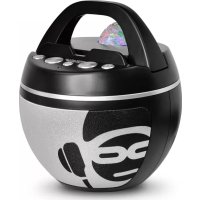
Brand : iDance
Model : Beat Boy BBL10
Category : Docking station