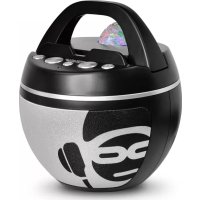
Mini Blaster 2L - Docking station iDance - Free user manual and instructions
Find the device manual for free Mini Blaster 2L iDance in PDF.



| Product Type | Portable Bluetooth Speaker Dock |
| Brand | iDance |
| Model | Mini Blaster 2L |
| Dimensions (L x W x H) | 90 x 90 x 50 mm |
| Weight | Approx. 250 g |
| Speaker | 20 W |
| Battery | Lithium-ion 1200 mAh |
| Playback time | 5 to 7 hours |
| Bluetooth range | Approx. 10 m |
| Bluetooth version | v2.1 |
| Protection rating | IPX4 (splash resistant) |
| Charging input | Micro USB 5 V / 1 A |
| Auxiliary input | 3.5 mm stereo |
| Micro SD card support | Yes, up to 32 GB (FAT32) |
| Supported audio formats | MP3, WAV |
| Main functions | Bluetooth playback, SD card, auxiliary, hands-free, LED lighting |
| LED lighting | Multiple patterns, selectable by button |
| Cleaning and maintenance | Soft dry cloth; for stubborn stains, diluted mild detergent. Do not use solvents. |
| Safety instructions | Do not expose to flames; ensure the housing seal is tight before contact with water. |
| Disposal | Do not dispose of with household waste. Recycle in accordance with WEEE regulations. |
| Country of origin | China |
Frequently Asked Questions - Mini Blaster 2L iDance
User questions about Mini Blaster 2L iDance
0 question about this device. Answer the ones you know or ask your own.
Ask a new question about this device
Download the instructions for your Docking station in PDF format for free! Find your manual Mini Blaster 2L - iDance and take your electronic device back in hand. On this page are published all the documents necessary for the use of your device. Mini Blaster 2L by iDance.
USER MANUAL Mini Blaster 2L iDance
WaterProof Bluetooth Party Speaker with DISCO LIGHT
Safety Instructions
Ventilation and heat sources
Do not place the speaker in direct sunlight or near heat sources such as radiators or fires.
Candles and open flames
Do not place lighted candles or tealights on top of, or at the sides of the speaker. Do not allow any naked flames near the product.
Cleaning and care
Use a soft dry cloth, or for stubborn stains use a soft cloth with a dilute mild detergent. Do not use alcohol-based fluids or abrasive materials.
Care for your battery
Do not store the speaker for extended periods with the battery completely discharged.
Keep the battery charged as much as possible to extend the life of your speaker.
Splashproof Rating
When the rubber case is sealed closed this speaker is rated IPX4 which means it is capable of withstanding splashes of water.
ENSURE THE CASE IS SEATED AROUND THE Sockets BEFORE EXPOSING THE PRODUCT TO WATER SPLASHES.
Safety Information

This appliance complies with European Safety & Electrical Directives
Correct disposal of this Product
Waste Electrical & Electronic Equipment (WEEE)
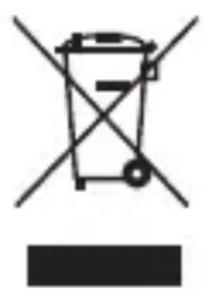
The crossed out wheelie bin is intended to show that this appliance must not be placed with ordinary household waste at the end of its useful life. To prevent
possible harm to the environment or human health from uncontrolled waste disposal, please keep separate from other household waste and recycle it responsibly to promote the sustainable reuse of material resources.
Household users should contact either the retailer where you purchased the product, or their local government office for details of where and how you can take this item for environmentally safe recycling.
Business users should contact their supplier and check the terms and conditions of the purchase contract. This product must not be mixed with other commercial wastes for disposal.

Do not open, or attempt to open, the casing. There are no user-serviceable parts inside. Failure to adhere to the instructions provided will invalidate the warranty.
This product features an internal Lithium-ion battery, please treat with care. Improper charging or use may result in fire, personal injury and damage to property.
Specifications
| Dimensions (mm) 90 x 90 | x 50 |
| Speaker 20W | |
| Battery Lithium-ion 1200mAh | |
| Power Micro USB 5V DC (1A Max) | |
| Playback Time 5-7 hours | |
| Wireless Distance ~10 metres | |
| Bluetooth v2.1 | |
| Micro SD Up to 32GB, format FAT32 | |
| AUX Input Stereo, 3.5mm |
Technical specifications are subject to change without notice. Errors and omissions are exempted. Country of origin: China
OVERVIEW
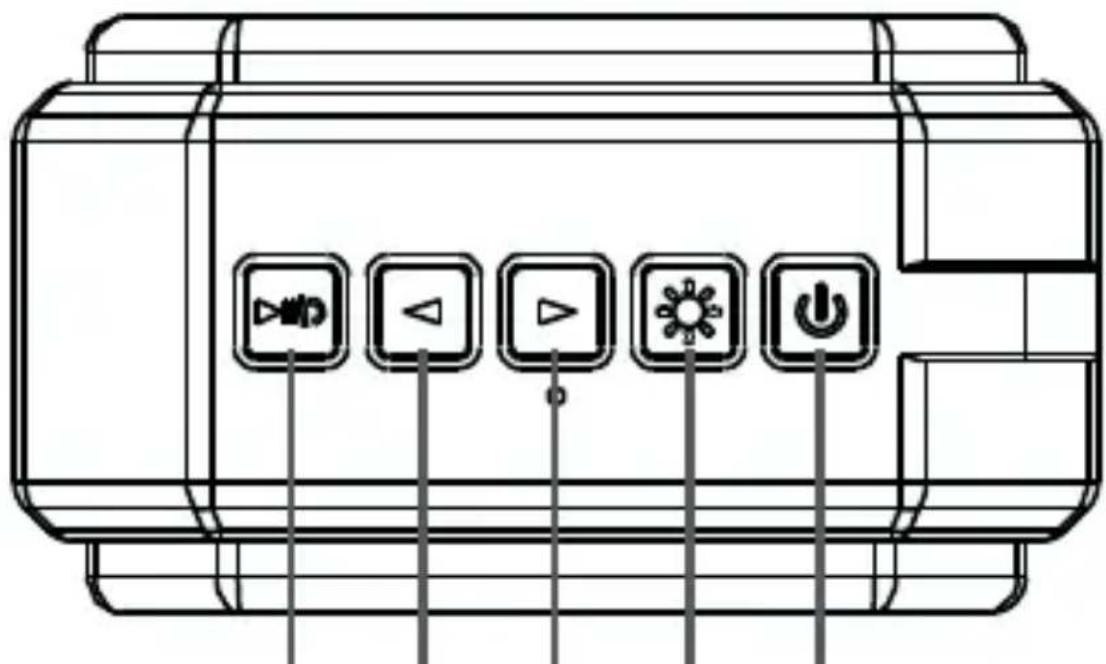
12345
| 1 Play / Pause / Answer |
| 2 Volume Down (hold) / Skip Backward (tap) |
| 3 Volume Up (hold) / Skip Forward (tap)* |
| 4 LED Lights: On & Off (hold) / Cycle Patterns (tap) |
| 5 Power On & Off (hold) |
- When the speaker is powered off this button will activate the LED lights for 15 seconds when pressed.
OVERVIEW
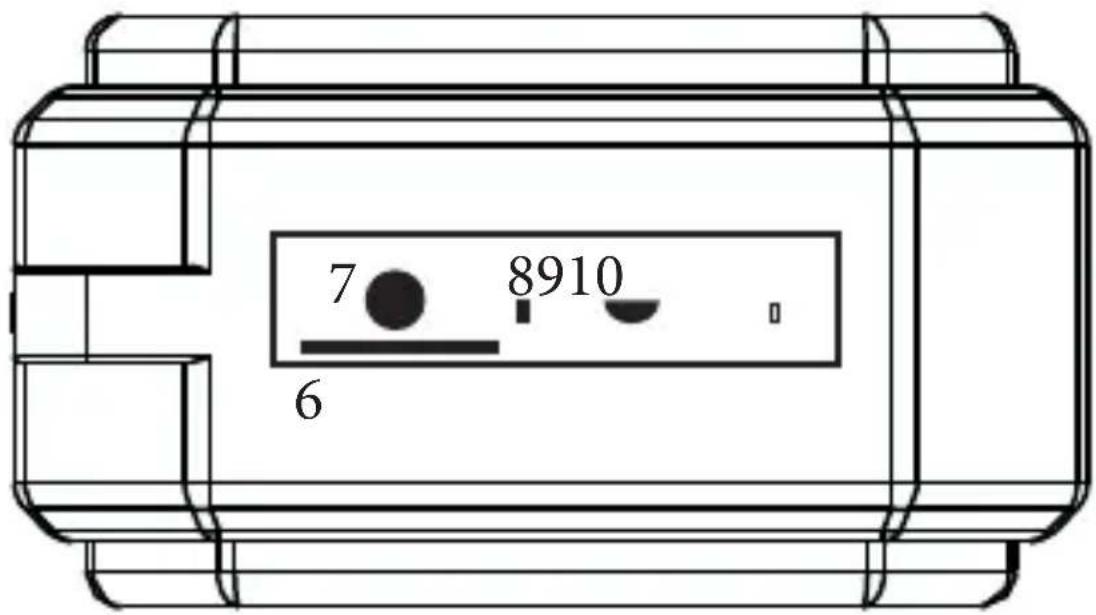
| 6 TF Card: Micro SD memory card (up to 32GB) | |
| 7 AUX Input (stereo, 3.5mm) | |
| 8 Charge Light: Red = Charging, Off = Charged Bluetooth Light: Flash = Waiting, Steady = Paired | |
| 9 Micro USB charging socket (cable supplied) | |
| 10 Reset: Hold down if speaker unresponsive |
Operating your speaker
Your speaker may be partially charged when first switched on. Fully charge until the charge light [8] goes off as soon as possible to ensure you get the best from your battery.
Switching On and Off
To switch your speaker on or off press and hold [5].
Controlling Volume & Playback
Adjust the volume by holding [2] or [3].
When playing from Bluetooth or Micro SD the playback control buttons can be used to control your music.
To play or pause playback short press [1].
Skip forward or back tracks by tapping [2] or [3]. If connected to a compatible smartphone, handsfree calling is possible: To answer a phone call tap [1] and tap again to hang up.
Connect to Bluetooth
When first switched on your speaker will enter pairing mode. Open Bluetooth settings on your player and search for and select "IDance BM2L" to connect to the speaker (0000 if PIN required). The speaker will say "Connected" when pairing is successful.
To restart pairing press and hold [1] until a tone is heard, then continue as above.
Connect to AUX input
Connect a suitable 3.5mm stereo cable to the AUX input to listen to external sources. The input mode will automatically switch to AUX.
Play from Micro SD
Insert a Micro SD card (up to 32GB) into the TF Card slot [6]. The input mode will automatically switch to TF Card. Formats supported: MP3, WAV