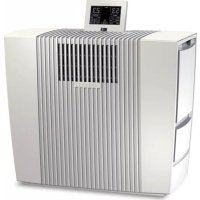
LW60T - Air purifier Venta - Free user manual and instructions
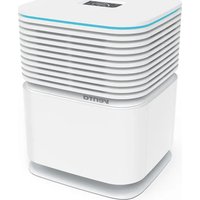
Find the device manual for free LW60T Venta in PDF.



| Product Type | Air Purifier / Humidifier |
| Brand | Venta |
| Model | LW60T WiFi |
| Dimensions (L × H × W) | 61 × 52 × 30 cm |
| Weight | Approximately 13 kg |
| Power Supply | 220-240 V, 50/60 Hz |
| Motor Power | 6 / 8 / 10 / 13 / 19 W (depending on speed) |
| Noise Level | 21 / 28 / 34 / 39 / 43 dB(A) (5 speeds) |
| Humidification Capacity | Up to 150 m² |
| Purification Capacity | Up to 80 m² |
| Water Tank Capacity | 12 L (8 L tank + 4 L basin) |
| Number of Speeds | 5 |
| Wi-Fi Function | Yes (control via Venta app) |
| Display | Interactive screen with humidity indicator, temperature, comfort zone |
| Special Functions | Night mode, auto mode, delayed shutdown, child lock, cleaning program |
| Humidity Adjustment Range | 30 to 70 % (in 5 % increments) |
| Timer | Delayed shutdown: 1, 3, 5, 7 or 9 h |
| Regular Maintenance | Drain and clean tank and basin every 10 to 14 days; replace hygienic disc approximately every 3 months |
| Safety | Child lock, automatic shutdown if tank empty, overheat protection |
| Included Accessories | Remote control, hygienic disc (pre-installed), transport casters |
| Optional Accessories | Scent cartridges, Venta cleaner, replacement hygienic disc |
| Warranty | 2 years (European Union) |
Frequently Asked Questions - LW60T Venta
User questions about LW60T Venta
0 question about this device. Answer the ones you know or ask your own.
Ask a new question about this device
Download the instructions for your Air purifier in PDF format for free! Find your manual LW60T - Venta and take your electronic device back in hand. On this page are published all the documents necessary for the use of your device. LW60T by Venta.
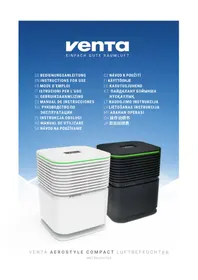
USER MANUAL LW60T Venta
Please note the fold-out pages!
Page 1
FR
Declaration of conformity
The manufacturer / distributor
Name / Anschrift:
Name / adress
hereby declares that the following products
Produktbezeichnung:
Product
Typenbezeichnung:
Type
Seriennummer:
Serial number
LP60:
LPH60:
LW60T: from 16xxxxxxxxx
LW62T: from 16xxxxxxxxx
LW62: from 17xxxxxxxxx
comply with the following EU directives
2014/30/EU EMC
2014/53/EU RED
1/2017
2014/35/EU LVD
The following standards are considered:
EN 55014-1:2006 + A1:2009
- A2:2011 CISPR 14-1:2016
EN 55014-2:2015
CISPR 14-2 (ed.2):2015
ETSI EN 301 489-17 V2.2.1:2012
EN 60335-2-98:2003+A1:05+A2:08
EN 60335-2-65:2003+A1:08+A11:12
EN 60335-1:2012
EN 62233:2008
This EC-declaration becomes invalid if the product is altered or modified without permission.
Place, Date Signature
05
06
06
07
08
A
B
VIELEN DANK!
We are convinced that the Venta Airwasher will exceed your expectations and we hope you enjoy our product.
Please read these operating instructions completely, keep them for later use, and follow the safety instructions.
TABLE OF CONTENTS
Scope of delivery 13
Symbols 13
Safety instructions 14
Intended use 15
Technical data 15
Overview 16
Putting into operation 16
Functions & settings 17
WiFi Setup 18
Venta App 19
Cleaning & maintenance 20
Troubleshooting 21
Accessories 21
Venta Fragrances 21
Aboutyoutprivacy 22
Guarantee 22
Disposal 22
SCOPE OF DELIVERY SYMBOLS
1 × Venta Airwasher LW60T WiFi
1 × Hygiene Disc (pre-assembled)
1 × Remote Control
If any parts are missing or damaged, please contact
service@venta-luftwaescher.de
Please read these operating instructions carefully and keep them for later use.
Attention! Danger of accident and injury as well as property damage possible.
Do not use the appliance outdoors or in damp locations.

SAFETY INSTRUCTIONS
-
This appliance is not suitable for u by children over the age of 8 years and people with restricted physical, sensory, or mental capacities or lack of experience and knowledge unless they are supervised or have received instructions on the use of the appliance and understand the existing hazards.
-
Do not sit on the appliance and do not place any objects on it.
- Do not put any foreign objects into the appliance.
- Do not immerse the appliance in water or any other liquid.
-
Never disconnect the power plug by pulling on the cable or disconnect the power plug from the power supply outlet with wet hands.
-
The appliance is not a toy for children. pulling on the cable or disconnect the power plug from the power supply outlet with wet hands.
-
Keep the appliance and its power cable out of the reach of children under the age of 8 years.
- Improper use can damage the appliance and cause physical injuries.
- Read the operating instructions completely before putting the appliance into operation and keep them for later reference.
The Airwasher should only be operated when it is completely assembled.
- Place the Airwasher on a stable surface which is flat and dry.
- Ensure that the appliance is spaced at least 20 cm away from and 50 cm above any other objects, such as furniture and walls.
-
Set up the device so that it cannot be knocked over, and so that no one can trip over it or its cable.
-
Plug the appliance into suitable pot outlets only - the mains voltage must correspond to the nameplate data on the appliance.
-
Disconnect the power plug from the power supply outlet when the appliance is not in use.
-
Disconnect the power plug bef every cleaning or maintenance operation or transportation of the appliance.
-
Never cover or block the vents to pre
-
Never use the Airwasher if it has damaged power cable.
vent overheating/damage to the appliance.
-
Spare power cables must conf with the type ‘cold device plug with clover leaf coupling IEC 320 C5’
-
Never overfill the Airwasher.
-
Never use the Airwasher if it has been dropped or damaged in any other way.
-
Never transport or overbalance the Airwasher with a filled water basin.
-
Do not add fragrance oil to the water. This may impair the function of the Hygiene Disc.
-
Electrical appliances should only be repaired by professional specialists. Amateur repairs could result in considerable danger to the user.
-
Only use original Venta additives.
- Venta-Luftwäscher GmbH accepts no liability for damage which may be caused by the use of other additives.
INTENDED USE
The Venta Airwasher is a domestic appliance for moistening and cleansing the air in homes, offices and leisure facilities.
The appliance is not suitable for outdoor areas.
Any other use or modification of the appliance is considered to be improper use. The manufacturer is not liable for any damage or injuries resulting from improper use.
Using the appliance for something other than the intended purpose can endanger health and lives. This includes use under the following conditions:
- in rooms or locations where there is risk of explosion and/or where there is an aggressive atmosphere.
- in rooms where there is a high concentration of solvents.
- in the vicinity of swimming pools or other wet areas.
TECHNICAL DATA
| Model LW60T WiFi | |
| Humidifying capacity* up to 150 m² | |
| Purifying capacity* up to 80 m² | |
| Mains voltage 220-240V 50/ | 60Hz |
| Speeds 5 | |
| Sound level ca. 21/28/34/39/43 dB(A) | |
| Dimensions | 61 × 30 × 52cm |
| Weight approx. 13kg | |
| Motor output | 6/8/10/13/19W |
| Water capacity | Total 12L Water tank 8 L + water basin 4 L |
- based on a ceiling height at a max of 2,5 m

OVERVIEW
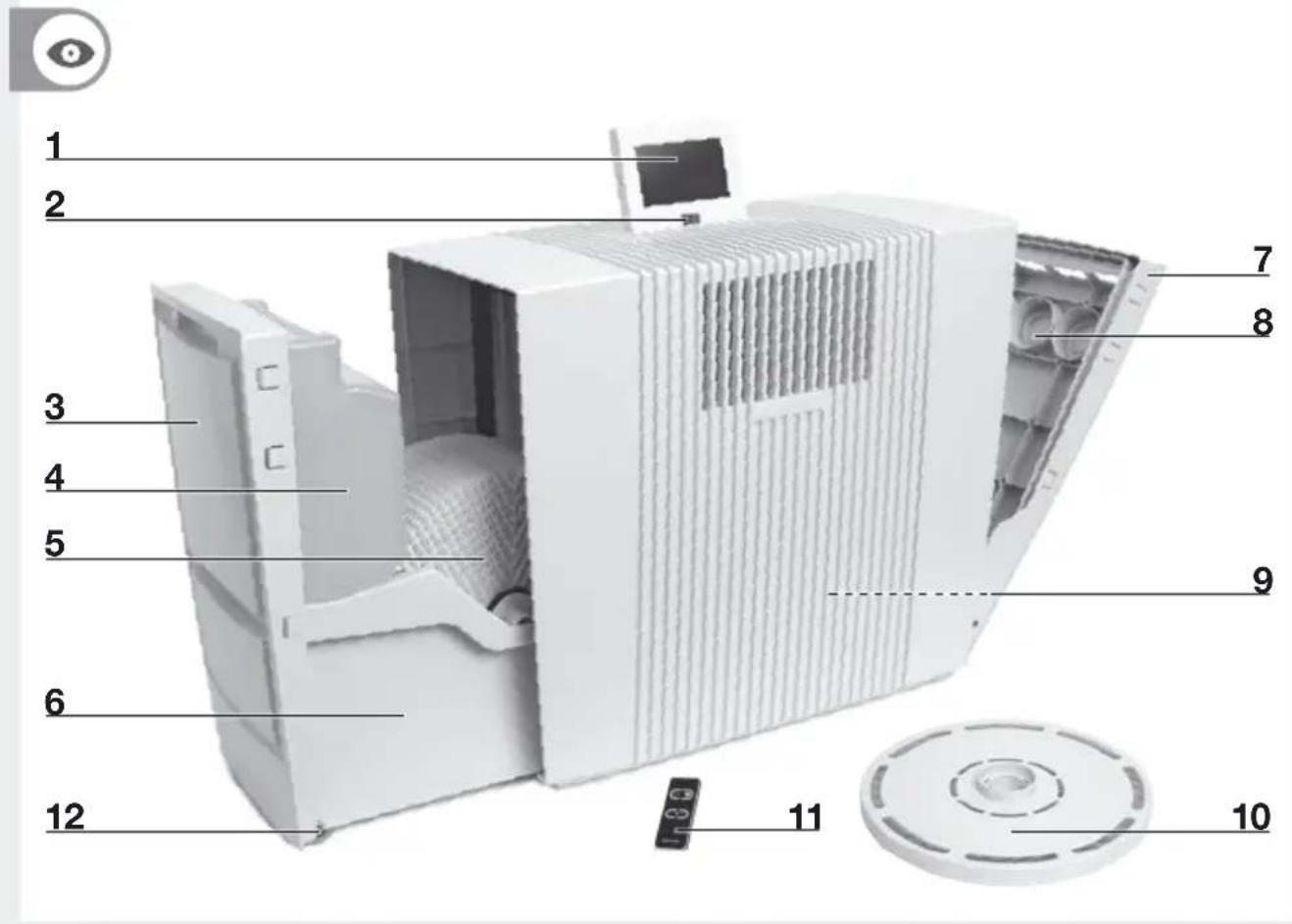
1 Display
2 On/off switch
3 Evaporator compartment
4 Water tank
5 Disc stack
6 Water basin
7 Fragrance compartment
8 Fragrance holder
9 Cable compartment
10 Hygiene Disc (pre-assembled)
11 Remote Control
12 Transportation wheels

Attention! Make sure that the appliance is switched off and the power plug is disconnected.
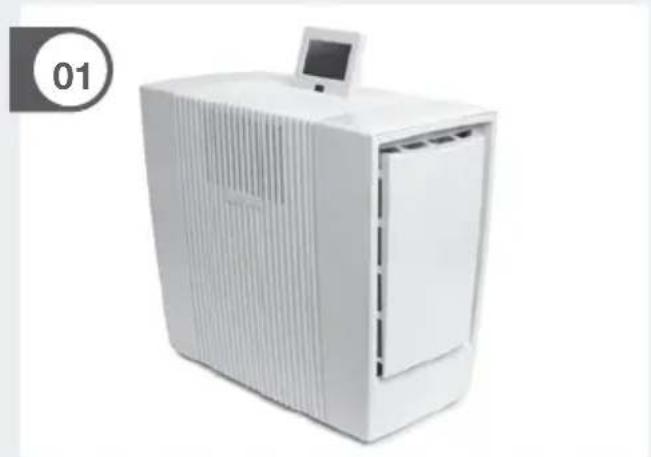
01 Unpack the appliance and set it up.
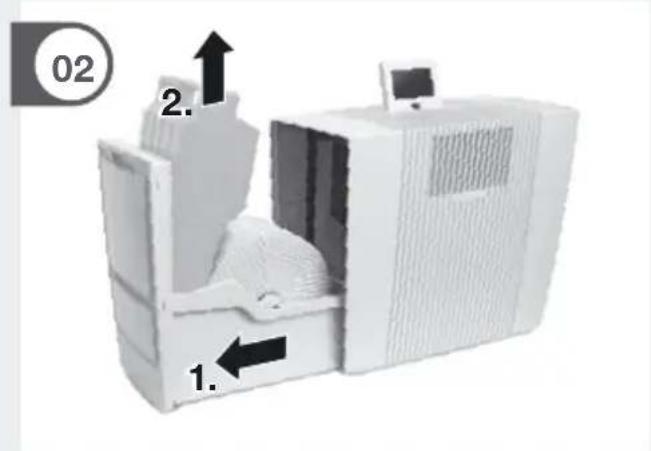
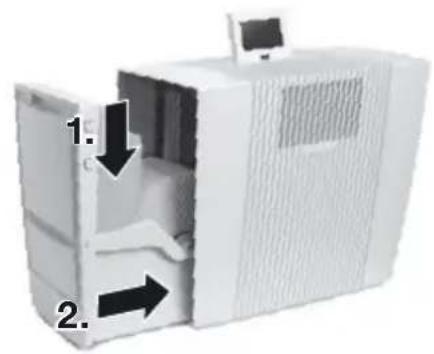
02 Open the evaporator compartment 3 and remove the water tank 4.
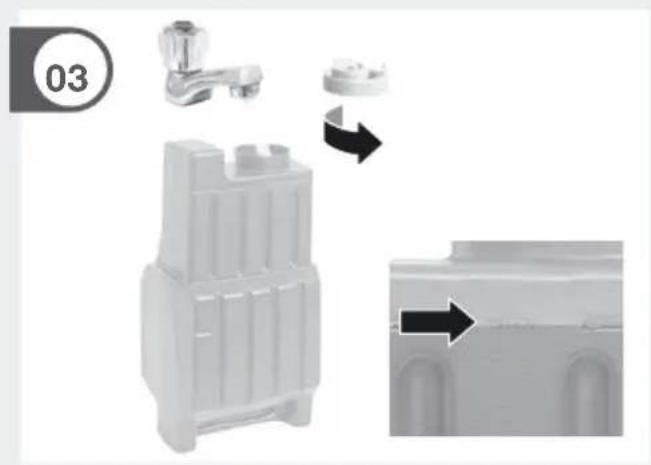
03 Open the water tank 4 and fill up to the MAX marker with water.
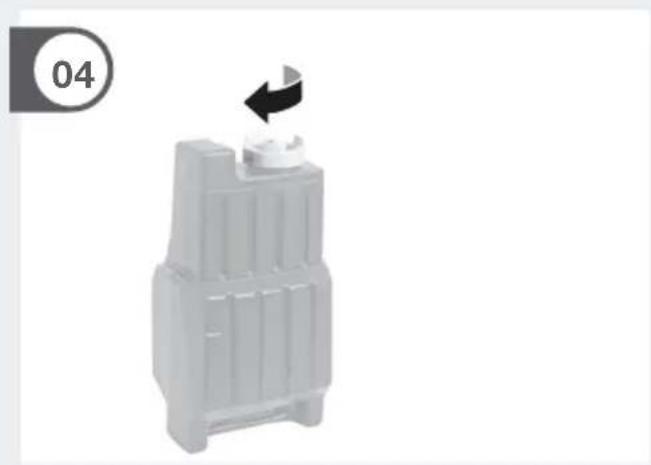
04 Close the water tank 4 securely.
05 Insert the water tank 4 into the water basin 6 and close the evaporator compartment 3.
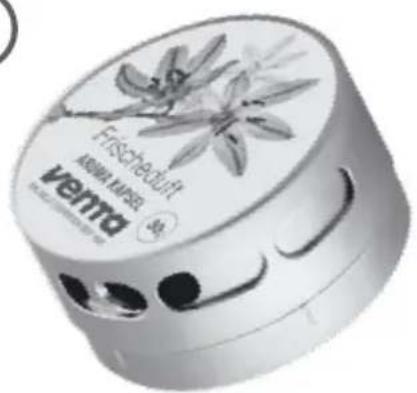
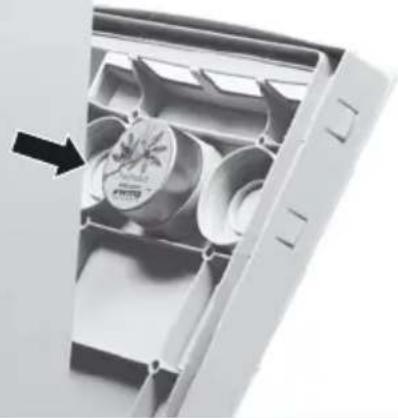
06 Inserting the fragrance: Open the fragrance compartment 7. Twist open the fragrance cap and insert it into the fragrance holder 8. Insert up to three fragrances into the fragrance holder 8. Close the fragrance compartment 7.
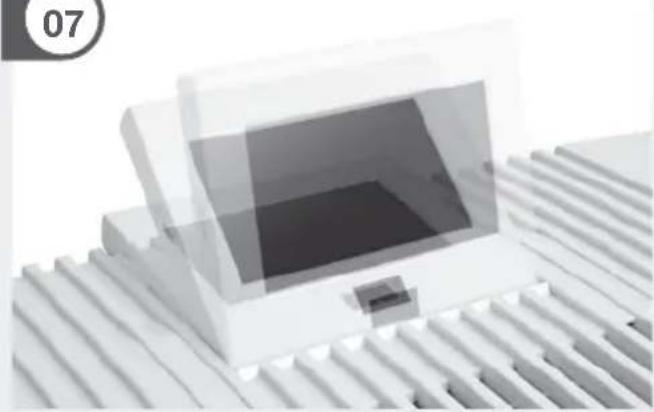
07 The display 1 can be adjusted to three positions.
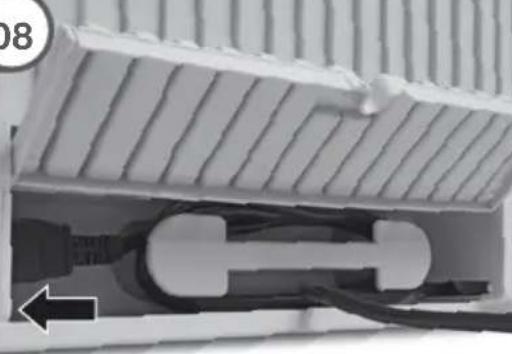
08 The power cable can be adjusted to the desired length by winding it up in the cable compartment 9.
Move the appliance with the transportation wheels 12 to the desired place. Lift the appliance slightly on the right sight.
ATTENTION! The coupling of the mains cable must be plugged firmly into the device! Please remove the protective foil for battery and remote control.
Connect the power plug and switch on the appliance at the on/off switch 2 or with the remote control 11.
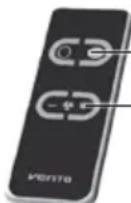
ON/OFF
Set fan stage
ATTENTION! It may take about a minute for the
device to start and for the "Fill Tank" indicator in red or yellow to be extinguished.
A gurgling sound may be heard, but this does not represent a quality defect.

FUNCTIONS, SETTINGS & DISPLAYS
The preferred setting can be selected or changed by briefly touching the respective function.
| Function Setting | ||
| 1 | Air humidity | Display air humidity. |
| 2 | Speed | Fan stage 1 (weak) - 5 (strong). |
| 3 | Humidity | 30 - 70% (in 5% increments) If the specified humidity is reached, the disc stack will not turn. |
| 4 | Timer | OFF / 1 / 3 / 5 / 7 / 9 h (hours) The appliance shuts off automatically after the preset hours have expired. |
| 5 | Temperature / Comfort zone | Temperature: Hold for 3 sec. to switch back and forth between °C and °F. Comfort zone: If the white dot is moving inside the green circle, the relative humidity and room temperature will be in the „comfort zone“ where one can feel comfortable. |
| 6 | Auto | OFF Appliance operates with preset fan stage 1 - 5. ON The appliance automatically regulates the fan stages depending on the air humidity in the room. |
| 7 Sleep mode OFF/ON Appliance reduces the fan stage to 1 and dims the display. The fan power can be manually changed if desired. | |
| 8 Child lock OFF/ON Hold for 3 sec. to activate/deactivate the key lock. | |
| 9 Cleaning | Cleaning program The cleaning process requires (1) 250 ml bottle of Venta Cleaner. Please follow the instructions on the display. Duration approx. 4 h. |
| 10 Notes | Display and confirmation of information messages. |
| 11 WiFi Display and setup of WiFi connection. grey: WiFi disabled green: WiFi connected, local blue: WiFi connected, full access red: WiFi disconnected. Please check the WiFi configuration for network and login data. Follow the instructions on WiFi setup. | |
12 Select your language
WIFI SETUP
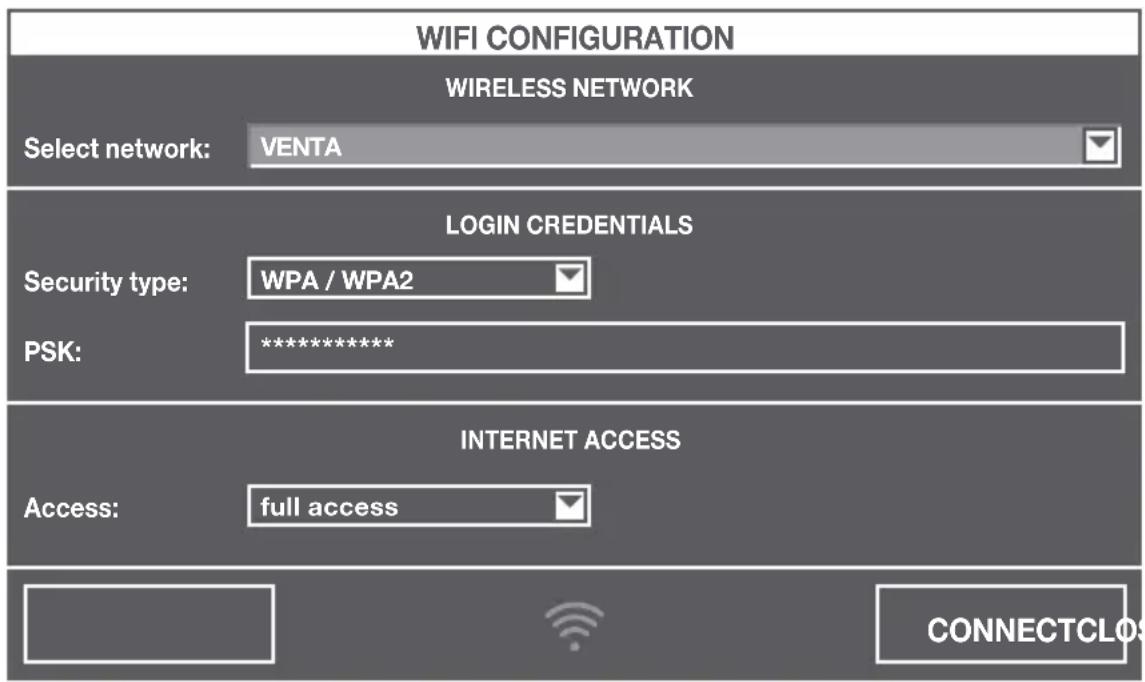
Holding WiFi display 11 for three seconds will bring up the WiFi configuration. Choose your network from the "Select network" drop-down list. The "Security type" is set automatically as soon as the network is selected.
Enter your WiFi password/WiFi security code into the "PSK" field (ASCII input mode) and confirm it with the ENTER key. If your password contains special characters that are not represented on the keyboard, you can generate your entire password as a HEX code at the following website: www.venta-luftwaescher.de
Now enter your generated HEX code into the "PSK" field (HEX input mode) and confirm it with the ENTER key. Under "Access", select the internet access privileges you desire.
full access: Access to all convenience functions in the app.
local access: local access to app use.
To establish a WiFi connection, confirm with the CONNECT button.
Green WiFi display: WiFi connection established (local access)
Blue WiFi display:WiFi connection established (full access)
Red WiFi display: no WiFi connection. Double-check your network
and WiFi password.
Grey WiFi display:WiFidisabled
Actuating the CLOSE button calls up the device's control panel.
WiFi can be enabled or disabled by touching the WiFi display 11 on the appliance. If WiFi is disabled, the appliance will not connect to the Venta app.
VENTA APP
The device functions can be expanded and controlled with the Venta app. The Venta app is available for smartphones and tablets. You can download the Venta app at the following website: www.venta-luftwaescher.de


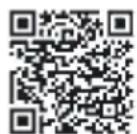
Then follow the instructions on your smartphone/tablet screen.
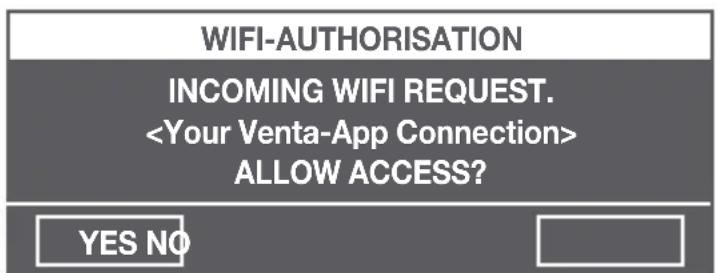
When a connection is being established between the app and the device, a signal tone is emitted. Now confirm connection establishment to your smartphone/ tablet on your device.
| Note/Interval Actions | ||
| A | Fill Tank | Water tank 4 empty, fill with fresh water. Yellow: humidification/purification is still taking place. Red: no humidification/purification is taking place. |
| Cleaning The cleaning process requires (1) 250 ml bottle of Venta Cleaner. Please run the cleaning program by pressing the button CLEANING 9. Please follow the instructions on the display. Duration approx. 4 h. | ||
| Attention! Make sure that the appliance is switched off and the power plug is disconnected. | ||
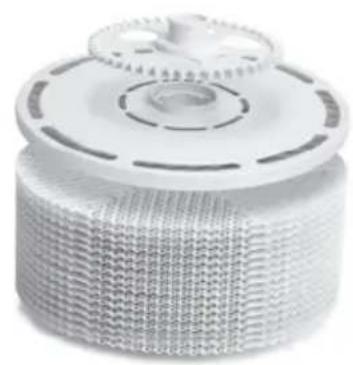
| B | Change Hygiene Disc | Open the evaporator compartment 3. Remove the disc stack 5 and unlock the drive wheel. Remove the Hygiene Disc and replace it. Re-assemble the device and touch the OK indicator in the display again and hold it for 3 seconds until it disappears. The lifespan of the Hygiene Disc is approx. 3 months (with 24/7 operation). The lifespan can be affected by the hardness and quality of the water being used as well as the amount of time the unit is in operation (a reminder will appear on the interactive display). The Hygiene Disc can be disposed with household refuse. |
| The lifespan of the Hygiene Disc is approx. 3 months (with 24/7 operation). The lifespan can be affected by the hardness and quality of the water being used as well as the amount of time the unit is in operation (a reminder will appear on the interactive display). The Hygiene Disc can be disposed with household refuse. | ||
| Recommendation: every 10-14 days | Empty the residual water out of the water tank 4 and water basin 6. Clean the water basin 6 and disc stack 5. Fill the water tank 4 up to the MAX marker with fresh water. | |
Any residue in the water basin and on the disc stack (white, green-yellowish or brown deposits or discolorations) do NOT impair the function of the device.
TROUBLESHOOTING
Problem Solution
Appliance does not function. Connect the power plug.
Connect the power cable coupling to the appliance.
Please contact VENTA customer service if you are unable to eliminate a problem with the help of this information:
Tel. +49 751 5008 88
e-mail: service@venta-luftwaescher.de
ACCESSIONS
Item Packaging unit/(pcs.)
Disk
Hygiene Disc 1 / 3
Cleaner
Venta Cleaner1
Fragrances 3
Accessories can be purchased through participating retailers or directly from Venta Airwasher.
VENTA FRAGRANCES
Distinctive fragrances are specially developed and formulated for Venta Luftwäscher GmbH. These fragrances are made of 100% essential oils and scents inspired by nature.
Application area: use only in the provided fragrance holder of the Airwasher/ Purifier (LW60T WiFi, LW62 WiFi, LW62T WiFi, LP60 WiFi, LPH60 WiFi). Please adhere to the directions in the operating manual. Do not use force to open the Aroma Capsules. Waste disposal: you may dispose of depleted Aroma Capsules in your household waste. Shelf life: After opening, use within 20 days. Dosage: the intensity of the fragrance can be adjusted by turning the fragrance cap.
ABOUT YOUR PRIVACY
Your information will be held by Venta Luftwäscher GmbH for marketing and servicing purposes. If your personal details change, if you change your mind about any of your marketing preferences or if you have any queries about how we use your information, please let us know by contacting Venta Luftwäscher GmbH Weltesstraße 5 88250 Weingarten Germany, or by calling the VentaCare Customer Service: +49 751 5008 88. Or you can email us at service@venta-luftwaescher.de
For more information on how we protect your privacy, please see our privacy policy on www.venta-luftwaescher.de
GUARANTEE
The company Venta-Luftwaescher GmbH gives a 2-year guarantee on defective parts and will recompense any work done on your Airwasher in this case. The area of applicability of the guarantee is within the European Union. For all other countries, the applicability is valid exclusively for the country in which the appliance was acquired. Proof of purchase provides guarantee verification.
DISPOSAL
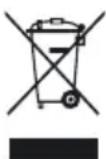
The symbol "crossed-out trash can" requires separate disposal of waste electrical and electronic equipment (WEEE) and of empty batteries. Such equipment may contain dangerous and environmentally hazardous substances. These products should be disposed of at an appropriate collecting
point for recycling electrical and electronic equipment and may not be disposed of with unsorted household waste. Do not dispose of empty batteries in household waste. Take them to special local collection sites. This way you can help to protect resources and the environment. For more information, please contact your local authorities.
Children must not be allowed to play with plastic bags and packaging material as there is danger of injury or suffocation. Store such material safely or dispose of it in an environmentally friendly manner.
MERCI!
INCOMING WIFI REQUEST.
YES NO


Download in de AppStore

ONTDEX HETOP Google Play
9th Floor A Unit Chengying Center,
Laiguangying West Road,
Chaoyang District, Beijing,
Tel.: 400-181-6-181.
Email:venta@ddn-global.com
www.venta365.com
HUNGARY Distributed by
Hungimpex Kft.
Kunigunda utja 60.
H-1037 Budapest
Tel.: +36 1 453 71 00
Fax: +36 1453 71 01
ITALIEN
Distributor: SIA ,BALTIJAS
TIRDZNIECIBAS UZNEMUMS"
Darzauglu iela 1-201
Riga LV-1012, Latvia
Tel.: +371 67790720
info@btu.lv
www.btu.lv
POLAND
Venta-Polen s.c.
ul. Poznańska 37
PL-93-134 Łódź
Tel./Fax: +48 42 681 00 67
www.venta-airwasher.pl
SOUTH AFRICA
EUROCARE Wellness
5 Star Business Park, Unit 2,
Persimmon Close, Honeydew,
Tel: +27 (0) 11 888 3255
Fax: +27 (0) 11 888 9874
info@eurocarewellness.co.za
www.venta-airwasher.co.za
USA
Venta Air Technologies Inc.
US Headquarters
300 N Elizabeth St., Suite 220B
Chicago, IL 60607
Toll Free: 1-888-333-8218
www.venta-usa.com
info@venta-usa.com
ROMANIA
S.C. Life Art Distributie S.R.L.
Bucuresti, Sector 6, Bdul. Timisoara


- PRODUKTBEZEICHNUNG
- PRODUCT
- VIELEN DANK
- TABLE OF CONTENTS
- SCOPE OF DELIVERY SYMBOLS
- SAFETY INSTRUCTIONS
- INTENDED USE
- TECHNICAL DATA
- OVERVIEW
- ATTENTION! MAKE SURE THAT THE APPLIANCE IS SWITCHED OFF AND THE POWER PLUG IS DISCONNECTED
- CONNECT THE POWER PLUG AND SWITCH ON THE APPLIANCE AT THE ON/OFF SWITCH 2 OR WITH THE REMOTE CONTROL 11
- ATTENTION! IT MAY TAKE ABOUT A MINUTE FOR THE
- WIFI SETUP
- VENTA APP
- TROUBLESHOOTING
- PROBLEM SOLUTION
- ACCESSIONS
- ITEM PACKAGING UNIT/(PCS.)
- DISK
- CLEANER
- FRAGRANCES 3
- VENTA FRAGRANCES
- ABOUT YOUR PRIVACY
- GUARANTEE
- DISPOSAL
- MERCI
- HUNGARY DISTRIBUTED BY
- ITALIEN
- POLAND
- SOUTH AFRICA
- USA
- ROMANIA
Brand : Venta
Model : LW60T
Category : Air purifier