WineMaster Touch 382D - Wine cellar CASO - Free user manual and instructions
Find the device manual for free WineMaster Touch 382D CASO in PDF.



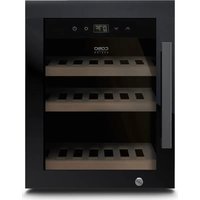
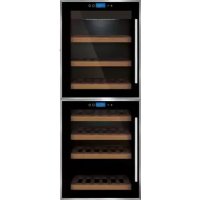
| Product type | Wine cellar |
| Brand | CASO |
| Model | WineMaster Touch 382D |
| Approximate capacity | 38 bottles (7 wooden shelves) |
| Estimated dimensions (W x D x H) | 59.5 x 58 x 84 cm |
| Estimated weight | 50 kg |
| Power supply | 220-240 V ~ 50 Hz, 16 A, cable 1.5 mm² |
| Temperature range | 5 to 20 °C (adjustable per zone) |
| Temperature zones | Dual zone (upper and lower) |
| Display | LED touch screen (display in °C/°F) |
| Touch control | Yes (▲, ▼, Power, Light buttons) |
| Interior lighting | LED, auto-off after 4 hours |
| Shelf material | Wood (7 pieces, removable) |
| Handle | Stainless steel (screw-on) |
| Adjustable feet | Yes (4 feet, including 1 separate) |
| Noise level | Compressor and refrigerant noise (normal) |
| Maintenance | Interior cleaning: warm water and mild detergent; manual defrost at least twice a year |
| Safety | Safety instructions: do not use electrical devices inside, do not damage cooling circuit, do not store explosive substances |
| Spare parts | Use only original replacement parts |
| Repairability | Repairs by a professional authorized by the manufacturer |
| Warranty | Keep original packaging for warranty return |
| General information | Intended use: chilling wine and beverages indoors |
Frequently Asked Questions - WineMaster Touch 382D CASO
User questions about WineMaster Touch 382D CASO
0 question about this device. Answer the ones you know or ask your own.
Ask a new question about this device
Download the instructions for your Wine cellar in PDF format for free! Find your manual WineMaster Touch 382D - CASO and take your electronic device back in hand. On this page are published all the documents necessary for the use of your device. WineMaster Touch 382D by CASO.
USER MANUAL WineMaster Touch 382D CASO
natural_image
Exterior view of a modern kitchen appliance with three shelves and a digital display (no visible text or symbols)
natural_image
Interior view of a modern kitchen appliance with three shelves and a digital display (no visible text or symbols)
natural_image
Interior view of a modern kitchen appliance with tiered shelves and control panels (no visible text or symbols)Braukmann GmbH
Raiffeisenstraße 9
D-59757 Arnsberg
Service-Hotline International:
Tel.: +49 (0) 29 32 / 80 55 4 - 99
Fax: +49 (0) 29 32 / 80 55 4 - 77
eMail: kundenservice@caso-germany.de
8.4 Limitation of liability 25
8.5 Copyright protection....25
9 Safety 25
9.1 Intended use....25
9.2 General Safety information 26
9.3 Sources of danger....26
9.3.1 Risk of fire / flammable materials used. Danger of burns or of explosion....26
9.3.2 Dangers due to electrical power....27
10 Commissioning 27
10.1 Safety information....27
10.2 Delivery scope and transport inspection....27
10.3 Unpacking....28
10.4 Disposal of the packaging....28
10.5 Setup 28
10.5.1 Setup location requirements: 28
10.5.2 Legs/feet 29
10.5.3 The handle installing 29
10.5.4 Wine shelves....30
10.5.5 To remove a shelf 30
10.6 Electrical connection....30
11 Design and Function....31
11.1 Complete overview ....31
12 Operation and Handing ....31
12.1 Operating elements and displays 32
12.2 Rating plate....33
13 Cleaning and Maintenance....33
13.1 Safety information....33
13.2 Cleaning....33
13.3 Moving the appliance....34
14 Troubleshooting....34
14.1 Safety notices....34
14.2 Fault indications and rectification of faults 34
15 Disposal of the Old Device....36
natural_image
Three identical white cylindrical objects with flared ends, arranged horizontally on a gray background (no text or symbols)Normaler
Boden
natural_image
Abstract geometric pattern of three horizontal oval shapes with rounded ends, no text or symbols present.unterer
WineComfort Touch 66
WineComfort Touch 38-2D




WineComfort Touch 66






natural_image
Interior view of an appliance showing a black box with internal components and wiring, no visible text or symbols.Original Operating Manual
WineComfort Touch 38-2D (652)
WineComfort Touch 66 (662)

natural_image
Exterior view of a modern office building (no signage)
natural_image
Interior view of a modern kitchen appliance with tiered shelves and control panels (no visible text or symbols)
natural_image
Interior view of a modern kitchen appliance with three shelves and a digital display (no visible text or symbols)
Please read the information contained herein so that you can become familiar with your device quickly and take advantage of the full scope of its functions.
Your wine refrigerator will serve you for many years if you handle it and care for it properly.
We wish you a lot of pleasure in using it!
8.2 Information on this manual
These Operating Instructions are a component of the WineComfort (referred to hereafter as the Device) and provide you with important information for the initial commissioning, safety, intended use and care of the device.
The Operating Instructions must be available at all times at the device. This Operating Manual must be read and applied by every person who is instructed to work with the device:
- Commissioning • Operation
- Troubleshooting and/or - Cleaning
Keep the Operating Manual in a safe place and pass it on to the subsequent owner along with the device.
8.3 Warning notices
The following warning notices are used in the Operating Manual concerned here.
AGEFAHR DANGER
A warning notice of this level of danger indicates a potentially dangerous situation.
If the dangerous situation is not avoided, this can lead to death or serious injuries.
▶ Observe the instructions in this warning notice in order to avoid the danger of death or serious personal injuries.
▲WARNUNG WARNING
A warning notice of this level of danger indicates a possible dangerous situation.
If the dangerous situation is not avoided, this can lead to serious injuries.
▶ Observe the instructions in this warning notice in order to avoid the personal injuries.
▲VORSICHT ATTENTION
A warning notice of this level of danger indicates a possible dangerous situation.
If the dangerous situation is not avoided, this can lead to slight or moderate injuries.
▶ Observe the instructions in this warning notice in order to avoid the personal injuries.
HINWEIS PLEASE NOTE
A notice of this kind indicates additional information, which will simplify the handling of the machine.
8.4 Limitation of liability
All the technical information, data and notices with regard to the installation, operation and care are completely up-to-date at the time of printing and are compiled to the best of our knowledge and belief, taking our past experience and findings into consideration.
No claims can be derived from the information provided, the illustrations or descriptions in this manual. The manufacturer does not assume any liability for damages arising as a result of the following: • Non-observance of the manual
- Uses for non-intended purposes
- Improper repairs
• Technical alterations, modifications of the device - Use of unauthorized spare parts
Modifications of the device are not recommended and are not covered by the guarantee.
All translations are carried out to the best of our knowledge. We do not assume any liability for translation errors, not even if the translation was carried out by us or on our instructions. The original German text remains solely binding.
8.5 Copyright protection
This document is copyright protected. Braukmann GmbH reserves all the rights, including those for photomechanical reproduction, duplication and distribution using special processes (e.g. data processing, data carriers, data networks), even partially.
Subject to content and technical changes.
9 Safety
This chapter provides you with important safety notices when handling the device. The device corresponds with the required safety regulations. Improper use can result in personal or property damages.
9.1 Intended use
This device is only intended for use in households in enclosed spaces for cooling wine and other beverages. Uses for a different purpose or for a purpose which exceeds this description are considered incompatible with the intended or designated use.
▲WARNUNG WARNING
Danger due to unintended use!
Dangers can emanate from the device if it is used for an unintended use and/or a different kind of use.
▶ Use the device exclusively for its intended use.
▶ Observe the procedural methods described in this Operating Manual.
Claims of all kinds due to damages resulting from unintended uses are excluded.
The User bears the sole risk.
9.2 General Safety information
HINWEIS
PLEASE NOTE
Please observe the following general safety notices with regard to the safe handling of the device.
▶ Examine the device for any visible external damages prior to using it. Never put a damaged device into operation.
▶ If the connection lead is damaged, you will need to have a new connection lead installed by an authorized electrician.
This appliance can be used by children aged 8 years and above and persons with reduced physical, sensory or mental capabilities or lack of experience and knowledge if they have been given supervision or instruction concerning use of the appliance in a safe way and understand the hazards involved.
▶ Children shall not play with the appliance.
▶ Cleaning and user maintenance shall not be made by children without supervision.
▶ Do not use the wine refrigerator for storing foodstuff. The temperature is not cold enough to keep food fresh.
▶ Only qualified electricians, who have been trained by the manufacturer, may carry out any repairs that may be needed. Improperly performed repairs can cause considerable dangers for the user.
▶ Only customer service departments authorized by the manufacturer may carry out repairs on the device during the guarantee period, as otherwise the guarantee entitlements will be null and void in the event of any subsequent damages.
▶ Defective components must always be replaced with original replacement parts. Only such parts will guarantee that the safety requirements are fulfilled.
9.3 Sources of danger
9.3.1 Risk of fire / flammable materials used. Danger of burns or of explosion
⚠GEFAHR
DANGER
There is a danger of burns and explosion due to excess pressure that is created in the event the device is not used properly.
Observe the following safety notices to avoid dangers of burns or an explosion:

Warning: Risk of fire / flammable materials used.
▶ Do not store explosive substances such as aerosol cans with a flammable propellant in this device.
▶ Blowing gas inside the unit is flammable.
▶ Do not damage the cooling circuit of the device.
▶ Do not use electrical devices inside the device.
▶ Do not use mechanical devices or other means to accelerate the defrosting process.
▶ Never use the device to store or dry flammable materials.
▲GEFAHR DANGER
▶ Never clean appliance parts with flammable fluids. The fumes can create a fire hazard or explosion.
▶ Do not store or use gasoline or any other flammable vapours and liquids in the vicinity of this or any other appliance. The fumes can create a fire hazard or explosion.
9.3.2 Dangers due to electrical power
▲GEFAHR DANGER
Mortal danger due to electrical power!
Mortal danger exists when coming into contact with live wires or subassemblies!
Observe the following safety notices to avoid dangers due to electrical power:
▶ Before changing the inner light, turn off the appliance first and then unplug the unit from the wall outlet.
▶ If the connection lead is damaged, you will need to have a special connection lead installed by an authorized electrician.
▶ Do not operate this device if its power cable or plug is damaged, if it does not work properly or if it is damaged or has been dropped. If the power cable is damaged, it will need to be replaced by the manufacturer or his service agency or a similar qualified person, to avoid any dangers.
▶ Do not open the housing on the device under any circumstances. There is a danger of an electrical shock if live connections are touched and the electrical or mechanical structure is altered. In addition, functional faults on the device can also occur.
10 Commissioning
This chapter provides you with important safety notices during the initial commissioning of the device. Observe the following notices to avoid dangers and damages:
10.1 Safety information
▲WARNUNG WARNING
Personal and property damages can occur during commissioning of the device!
Observe the following safety notices to avoid such dangers:
▶ Packaging materials may not be used for playing. There is a danger of suffocation.
▶ Transport, unpack and use two persons to set down the device because of the heavy weight of the device.
10.2 Delivery scope and transport inspection
As a rule, the WineComfort is delivered with the following components:
- Wine refrigerator WineComfort
- 7 wooden shelves
- Operating Instructions with handle and screws (2 handles for 652)
HINWEIS
Please note
▶ Examine the shipment for its completeness and for any visible damages.
▶ Immediately notify the carrier, the insurance and the supplier about any incomplete shipment or damages as a result of inadequate packaging or due to transportation.
10.3 Unpacking
To unpack the device, proceed as follows:
- Remove the device out of the carton and remove the packaging material.
- Your wine refrigerator should only be moved in an upright position.
- Clean the interior surface with lukewarm water using a soft cloth.
- After at least 12 hours, plugging the appliance into the wall outlet, than place wine bottles or beverages in the appliance.
HINWEIS
Please note
▶ Only remove the blue protective film shortly before setting up the device in the location where it will be used, to prevent scratches and dirt accumulations.

10.4 Disposal of the packaging
The packaging protects the device against damages during transit. The packaging materials are selected in accordance with environmentally compatible and recycling-related points of view and can therefore be recycled.
Returning the packaging back to the material loop saves raw materials and reduces the quantities of accumulated waste. Take any packaging materials that are no longer required to “Green Dot” recycling collection points for disposal.
HINWEIS
Please note
▶ If possible, keep the original packaging for the device for the duration of the guarantee period of the device, in order that the device can be re-packaged properly in the event of a guarantee claim.
10.5 Setup
10.5.1 Setup location requirements:
In order to ensure the safe and trouble-free operation of the device, the setup location must fulfil the following prerequisites:
- Place your appliance on a floor that is strong enough to support the appliance when it is fully loaded.
- Locate the appliance away from direct sunlight and sources of heat (stove, heater, radiator, etc.). Direct sunlight may affect the acrylic coating and heat sources may increase electrical consumption.
- Ambient temperature below 16^ or above 38^ will hinder the performance of the appliance.
- This unit is not designed for use in a garage or any other outside installation.
- Do not set up the device in a hot, wet or extremely damp environment or near flammable material.
- The device requires an adequate flow of air in order to operate correctly. Leave a clearance of 15 cm around the appliance.
- Do not cover up any openings on the device and do not block these off.
- The electrical socket must be easily accessible so that the power lead can be disconnected easily, in the case of an emergency.
- The installation and assembly of this device in non-stationary setup locations (e.g. on ships) must be carried out by specialist companies / electricians, provided they guarantee the prerequisites for the safe use of this device.
- For energy saving reasons please ensure that the door is closed when the appliance is turned on.
10.5.2 Legs/feet
There are FOOT (3 bigger feet and 1 small foot).
To level your appliance, adjust the front legs at the bottom of the appliance.
10.5.3 The handle installing
The wine cooler comes with one metal stainless steel handle. To install simply screw them to the door with the supplied screws.

10.5.4
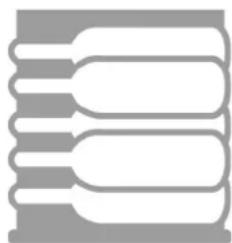
Wine
shelves

natural_image
Three identical white cylindrical objects with black outlines, arranged horizontally on a gray background (no text or symbols)Usual
shelf

natural_image
Abstract geometric pattern with three horizontal oval shapes and rounded ends, no text or symbols present.Lower
shelf
10.5.5 To remove a shelf
Remove all bottles from the shelves. Lift the shelf upwards and the gently pull it out, (eventually untighten the screws).
HINWEIS
Please note
▶ Ensure that the tabs are firmly engaged in place before storing any bottles.
▶ Any of the wine shelves can be removed to accommodate larger bottles.
▶ Spread your bottles out as evenly as possible over the shelves, so weight is not concentrated in one point; and make sure your bottles will not touch the back of the cabinet.
10.6 Electrical connection
In order to ensure the safe and trouble-free operation of the device, the following instructions must be observed for the electrical connection:
- Before connecting the device, compare the connection data (voltage and frequency) on the rating plate with those of your electrical network. This data must agree in order that no damages occur in the device. If in doubt, ask your qualified electrician.
- The electrical outlet must be protected by a 16A safety cut-out switch.
- The connection between the device and the electrical network may employ a 3 meter long (max.) extension cable with a cross-section of 1.5 mm ^2 . The use of multiple plugs or gangs is prohibited because of the danger of fire that is involved with this.
- Make sure that the power cable is undamaged and has not been installed under or over hot or sharp surfaces.
- This unit is not designed to be installed in an RV or used with an inverter.
- The electrical safety of the device is only guaranteed if the device is connected to a properly installed protective conductor system. Operations using an electrical outlet without a protective conductor are prohibited. If in doubt, have the house installation checked over by a qualified electrician.
The manufacturer cannot be made responsible for damages that are caused by a missing or damaged protective conductor.
11 Design and Function
This chapter provides you with important safety notices on the design and function of the device.
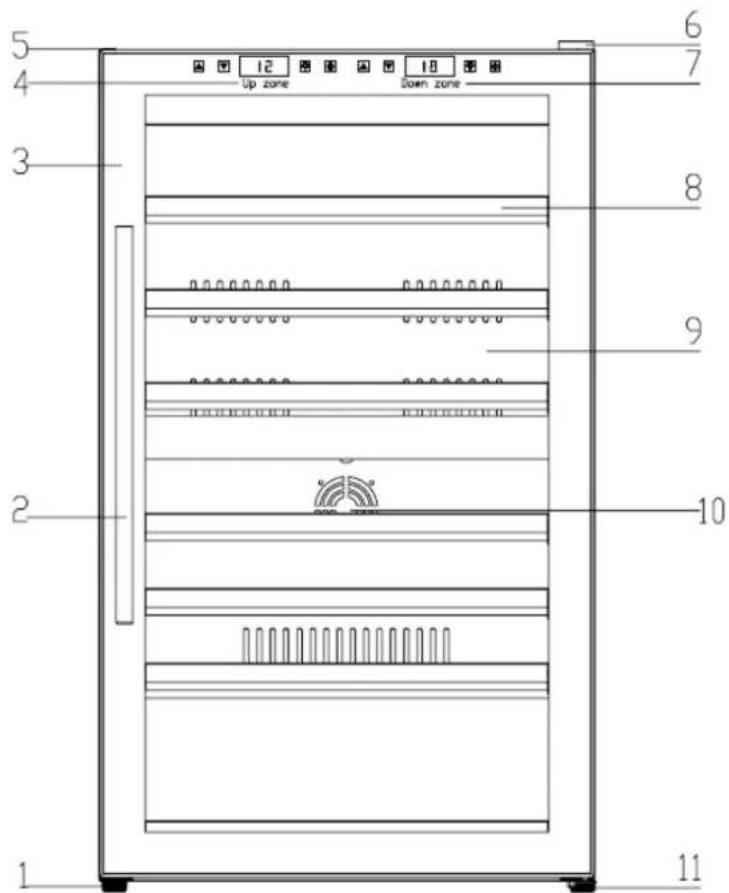
11.1 Complete overview
WineComfort Touch 38-2D
(1) foot (2) door handle
(3) lower door (4) upper door
(5) top cover (6) top hinge cover
(7) upper display (8) shelves (7 pieces)
(9) back cover fan (10) lower display
(11) fan warming (12) adjustable foot
text_image
5 4 3 2 1 6 7 Up zone Down zone 8 9 10 1112 Operation and Handing
This chapter provides you with important notices with regard to operating the device.
text_image
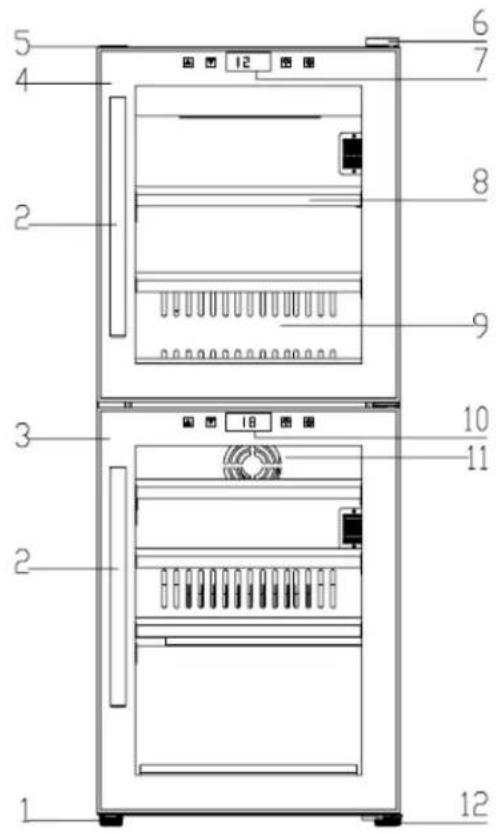
1 2 3 4 5 6 7 8 9 10 11 12WineComfort Touch 66
(1) Foot (2) Door handle
(3) Door frame (lockable)
(4) Display (top)
(5) Top cover (6) Hinge Cover
(7) Display (down)
(8) wooden shelves (7 pieces)
(9) Back ventilation board
(10) Outlet for cold air
(11) Foot (adjustable)
12.1 Operating elements and displays
The device transmits the following signal sounds as an acoustic feedback signal:
HINWEIS
Please note
▶ Use the buttons ▲ and ▼ to set the temperature for the two top shelves in the range of 5-20°C.
▶ Temperature recommendations: Red wine: 12°C – 16°C and white wine 6°C – 10°C.
The display indicates the average temperature of the appliance at the moment.
▶ When both - up and down zone - are working, the temperature of upper zone must be lower than or equal to the temperature of down zone.
▶ Due to the technical structure of the device the level of energy efficiency is higher if a colder or the same temperature is set in the upper zone compared to the lower zone.
WineComfort Touch 38-2D

text_image
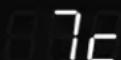
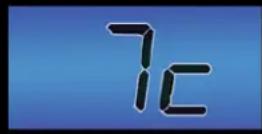
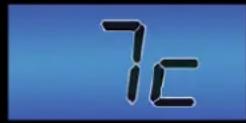
Control panel icons with symbols: play triangle, down arrow, 7c timer, lightbulb, and power buttonIf you press the power button of : Upper zone -> the device is switched on Down zone -> the down zone is switched on/off
When the LED lights the device is working.
You can set the temperature as your desire by pressing the buttons “▲” and “▼” on the panel to adjust the temperature by 1°C among 5-20°C.
You can tune the interior light on or off by pressing the "Light" button. The light will switch off automatically after 4 hours to save energy.
Pushing“▲” and “▼” both for 5 seconds, then, temperature display mode will be exchange between °C and °F.
WineComfort Touch 66

text_image
+ - 7c Ⓞ ① + - 18c Ⓞ ①
By pressing the button Power you switch on the two zones on the keyboard: With the left keyboard you control the upper zone, with the right keyboard you control the lower zone. When the LED lights the device is working. You can set the temperature as your desire by pressing the button. There are press-button on the panel + and - to adjust the temperature by 1°C among 5-20°C.
You can tune the interior light on or off by pressing the "Light" button.

The light will switch off automatically after 4 hours to save energy. Pushing the temperature key + and – both for 5 seconds, then, temperature display mode will be exchange between °C and °F.
The temperature in the device depends on the room temperature, the quantity of bottles and the chosen temperature. Please note that your device is intended to cool wine. The maximum temperature that can be reached inside the device cannot be significantly ABOVE the ambient temperature at the setup location.
12.2 Rating plate
The rating plate with the connection and performance data can be founded on the back of the device.
13 Cleaning and Maintenance
This chapter provides you with important notices with regard to cleaning and maintaining the device. Please observe the notices to prevent damages due to cleaning the device incorrectly and to ensure trouble-free operation.
13.1 Safety information
▲VORSICHT Attention
Please observe the following safety notices, before you commence with cleaning the device:
▶ Prior to commissioning, clean the appliance thoroughly.
▶ Switch the wine cabinet off prior to cleaning it and unplug the plug from the wall power outlet. Remove all content.
▶ Do not use any aggressive or abrasive cleaning agents or solvents.
▶ Do not scrape off stubborn dirt with hard items.
13.2 Cleaning
◆ Interior space
Wash the inside with a damp cloth soaked in lukewarm water and a bit of mild detergent.
Tip for neutralisation of odors: Wash the inside with a damp cloth soaked in lukewarm water and baking soda solution. The solution should be about 2 tablespoons of baking soda to a quarter of water. After cleaning the interior space, leave the oven door open until the interior of the device is completely dry.
◆ Door gasket
Be sure to keep the door gasket clean to keep the unit running efficiently.
Cabinet
The cabinet should be cleaned with a mild detergent and warm water.
Use a soft, damp cloth for drying.
◆ Vent opening
Dust or anything else may block the vent and hinder the cooling efficiency of the appliance. Vacuum the vent if necessary.
◆ Container for condensed water (K)
Remove regularly the condensed water with a sponge from the container for condensed water. The container is located on the back side of the device at the right bottom.
◆ Manual defrosting
Please defrost the device at least every 6 months. When you open the door of the

natural_image
Interior view of an electronic device showing internal components including a transformer, wiring, and a labeled component 'K' (no readable text or symbols beyond labels)device frequently, you need to perform the defrosting more often. Turn off the power but do not unplug the power plug. Let the appliance then defrost manually. Pay attention to the container for condensed water(K) and remove the condensed water during the defrosting.
13.3 Moving the appliance
Turn off the appliance first and then unplug the unit from the wall outlet. Remove all content. Shurely tape down all lose items inside your appliance. Tape doors shut. Be sure the wine refrigerator stays in the upright position during transportation.
14 Troubleshooting
This chapter provides you with important notices with regard to operating the device. Observe the following notices to avoid dangers and damages:
14.1 Safety notices
▲VORSICHT Attention
▶ Only qualified electricians, who have been trained by the manufacturer, may carry out any repairs on electrical equipment.
▶ Improperly performed repairs can cause considerable dangers for the user and damages to the device.
14.2 Fault indications and rectification of faults
The following table assists in localizing and rectifying minor faults.
Fault Possible Cause
| Wine refrigerator do not operate. | Not plugged in using different voltage. The circuit breaker tripped or a blown fuse. |
| Your device is not cold enough or it does not reach the adjusted temperature: | Check the temperature control setting.External environment may require a higher setting.The door is open too often. The door is not closed completely.The door seal does not seal properly.The wine refrigerator does not have the correct clearance.Defrost the device. |
| The light does not work. Check the service center. | |
| Vibrations. | Check to assure that the wine refrigerator is level. |
| The wine refrigerator seems to make to much noise | The wine refrigerator is not level.Check the fan. |
| The door will not close properly. | The wine refrigerator is not level.The door is reversed and not properly installed.The seal is weak. The shaves out of position. |
| LED could not display. Main control board does not work.PCB Problem. There is some problem with the plug. | |
| LED display error - Lo | Weak quality of display.Temperature point is out off. Contact the service center. |
| Buttons are not functional. Temperature controller panel is damaged. | |
| Compressor will not start | Room temperature is lower than desired temperature. |
| Compressor re-start | Compressor will stop working when cooling system in the cabinet reaches presetting temperature, and re-start working until the desired temperature is achieved.Allow a minimum 5 minute interval before re-starting. |
| Dew on the surface of cabinet : | The surface of wine cabinet especially the glass door appear some frost if item in a damp room. This is due to the moisture in the air coming into contact with the cabinet. Please wipe it away with dry cloth. |
| Liquid sound | (1) The sound of compressor when starts or stops working.(2) The flowing sound of refrigerant in the refrigeration system.(3) The evaporating sound of refrigerant in the evaporator. |
| Condensation formed inside the cabinet | Under the environment with high level of humidity or the door of wine cabinet has been left open for a long period or opened frequently, wipe off the door and walls and leave the door closed as long as possible. |
Error code E2 Desired temperature is not reached.
If necessary defrost the device (Please follow the hints for manual defrosting in chapter cleaning).
▲VORSICHT Attention
▶ If you are unable to solve the problem with the steps shown above, please contact Customer Service.
15 Disposal of the Old Device
Old electric and electronic devices frequently still contain valuable materials.
However, they also contain damaging substances, which were necessary for their functionality and safety. If these were put in the non-recyclable waste or were handled incorrectly, they could be detrimental to human health and the environment. Therefore, do not put your old device into the non-recyclable waste under any circumstances.
HINWEIS Please note
▶ Utilise the collection point, established in your town, to return and recycle old electric and electronic devices. If necessary, contact your town hall, local refuse collection service or your dealer for information.
▶ Ensure that your old device is stored safely away from children until it is taken away: Before you throw away your old refrigerator take off the doors and leave the shelves in place, so that children may not easily climb inside.
▶ Blowing gas inside the unit is flammable. The disposal of this flammable material should be in accordance with national regulations.
natural_image
Exterior view of a modern kitchen appliance with three shelves and a digital display (no visible text or symbols)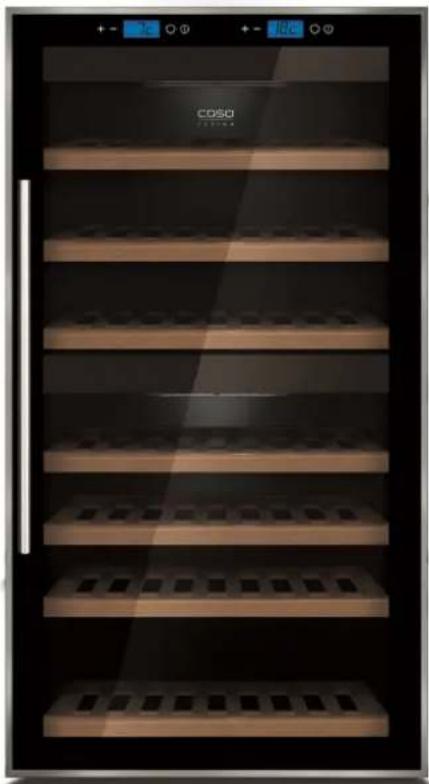
natural_image
Exterior view of a modern refrigerator with multiple shelves and display panels (no visible text or symbols)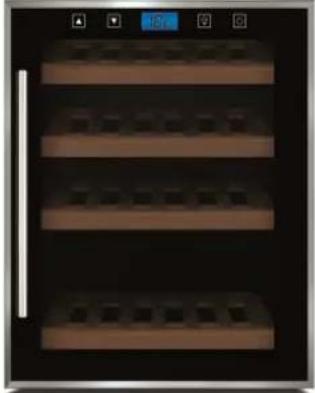
natural_image
Interior view of a kitchen appliance with three shelves and a blue indicator light (no text or symbols visible)
natural_image
Abstract geometric pattern with three horizontal oval shapes and rounded ends, no text or symbols present.WineComfort Touch 38-2D
WineComfort Touch 66
WineComfort Touch 38-2D

text_image
7cWineComfort Touch 66

text_image
+ - 7c Ⓞ ① + - 18c Ⓞ ①natural_image
Interior view of an electronic device showing internal components including a black box labeled 'K', wires, and a copper connector (no readable text or symbols beyond labels)natural_image
Interior view of a modern kitchen appliance with digital display and 'COSO' branding (no readable text beyond branding)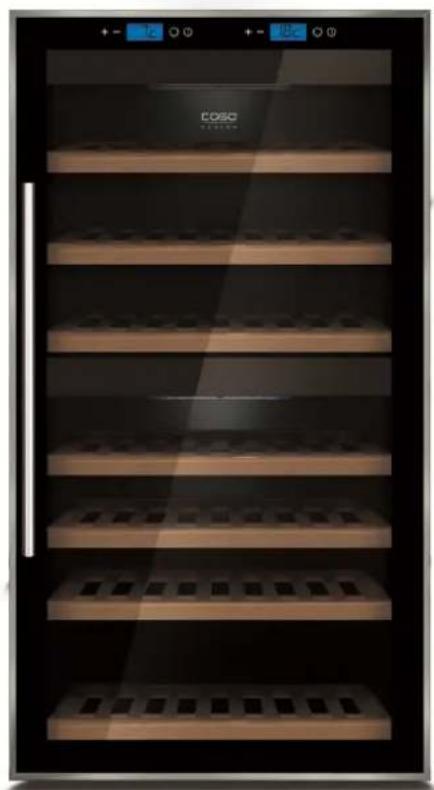
natural_image
Exterior view of a modern glass-walled refrigerator with multiple shelves and control panels (no visible text or symbols)
natural_image
Interior view of a double refrigerator with four shelves and a digital display (no visible text or symbols)
natural_image
Three identical white cylindrical objects with black outlines, arranged horizontally on a gray background (no text or symbols)Ripiani
normale

natural_image
Abstract geometric pattern of three parallel rounded rectangles with horizontal lines, no text or symbols present.Ripiani
WineComfort Touch 38-2D
WineComfort Touch 66
WineComfort Touch 38-2D


WineComfort Touch 66
natural_image
Interior view of an electronic device showing internal components including a black box, wiring, and a labeled component 'K' (no readable text or symbols beyond labels)natural_image
Exterior view of a modern kitchen appliance with digital display and visible 'COSO' branding (no text or symbols on main body)
natural_image
Exterior view of a modern kitchen refrigerator with tiered shelves and display screens (no visible text or symbols)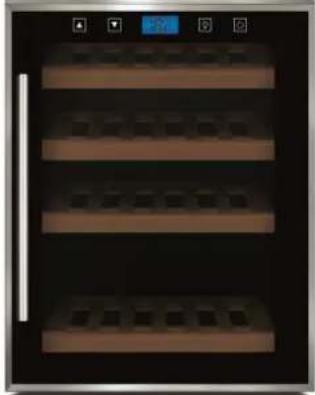
natural_image
Interior view of a modern kitchen appliance with three shelves and a digital display (no visible text or symbols)
natural_image
Simple line drawing of a vertical pipe or tube inside a circle, with an arrow pointing to the pipe (no text or symbols)
natural_image
Simple line drawing of a vertical structure with arrows indicating direction, enclosed in a circle (no text or symbols)natural_image
Simple line drawing of a circular object with a vertical line and a small circle at the bottom (no text or symbols)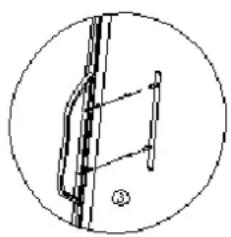
natural_image
Simple line drawing of a mechanical or architectural component inside a circle (no text or symbols)natural_image
Three identical white cylindrical objects arranged horizontally on a gray background (no text or symbols)Estante
normal

natural_image
Abstract geometric pattern with three horizontal oval shapes and rounded ends, no text or symbols present.Estante
WineComfort Touch 38-2D
WineComfort Touch 66
WineComfort Touch 38-2D

text_image
7cWineComfort Touch 66

text_image
+ - 7c Ⓞ ① + - 18c Ⓞ ①
natural_image
Interior view of an electrical enclosure showing wiring, components, and a central transformer (no visible text or symbols)natural_image
Exterior view of a modern kitchen appliance with three shelves and a digital display (no visible text or symbols)
natural_image
Exterior view of a modern kitchen refrigerator with multiple shelves and display panels (no visible text or symbols)
natural_image
Interior view of a double-door refrigerator with tiered shelves and a digital display (no visible text or symbols)
▲WARNUNG WAARSCHUWING
natural_image
Simple line drawing of a vertical pipe or tube with an arrow pointing to it, enclosed in a circle (no text or symbols)
natural_image
Simple line drawing of a vertical structure with arrows indicating direction, no text or symbols presentnatural_image
Simple line drawing of a circular object with a vertical line and a small circle at the bottom (no text or symbols)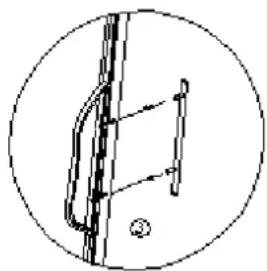
natural_image
Simple line drawing of a mechanical or electrical component inside a circle (no text or symbols)WineComfort Touch 66
WineComfort Touch 38-2D




WineComfort Touch 66