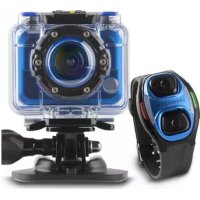
Sport Cam Pro - Camcorder ENERGY SISTEM - Free user manual and instructions
Find the device manual for free Sport Cam Pro ENERGY SISTEM in PDF.



User questions about Sport Cam Pro ENERGY SISTEM
0 question about this device. Answer the ones you know or ask your own.
Ask a new question about this device
Download the instructions for your Camcorder in PDF format for free! Find your manual Sport Cam Pro - ENERGY SISTEM and take your electronic device back in hand. On this page are published all the documents necessary for the use of your device. Sport Cam Pro by ENERGY SISTEM.
USER MANUAL Sport Cam Pro ENERGY SISTEM
technology with heart
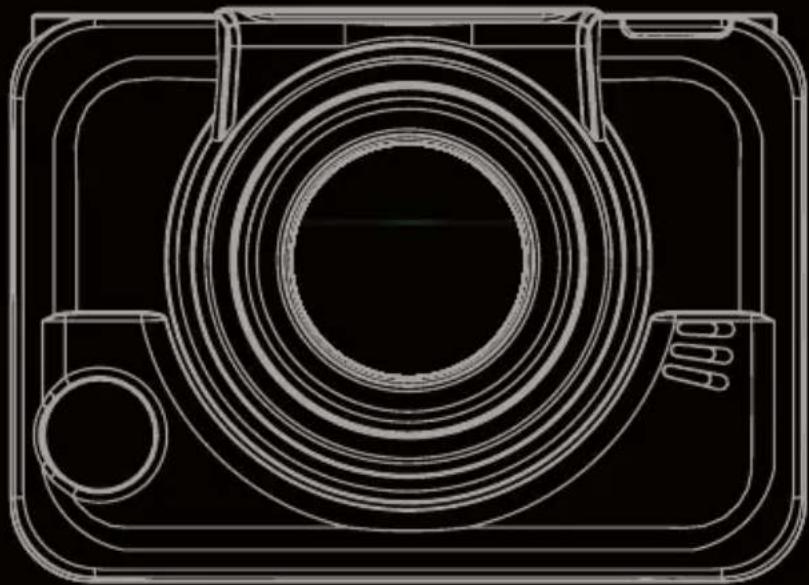

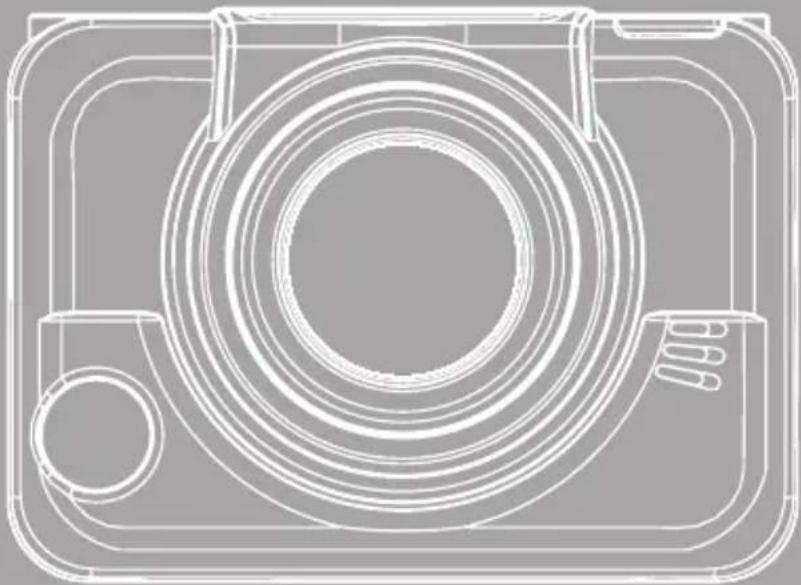
INTRODUCCION
16:9 Video Full HD,
1080P (1.920x1.080, 30fps)
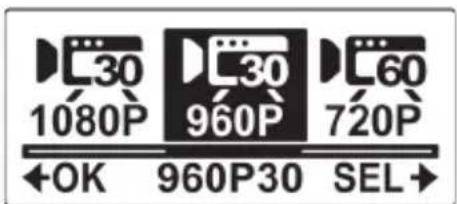
4:3 Widest HD Video, 960P (1.280x960, 30fps)
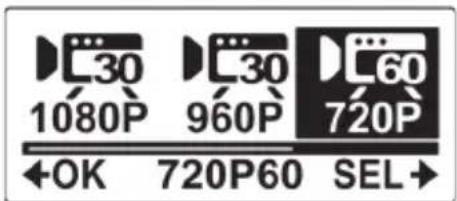
16:9 Video HD, 720P (1.280x720, 60fps)
Energy Sistem™ Energy Sport Cam Extreme - Energy Sport Cam Pro
Pais de fabricacion /Manufacturing country /Pays de fabrication / Pais de fabricacao: China / China / Chine / China
Al que se refiere esta declaración, con las normas u otros documents normativos de acuerdo con las disponeciones de la Directiva 99/05/CE del Parlamento Europeo y del Consejo de 9 de mayo de 1999, traspuesta a la legislación española mediante el Real decreto 1890/2000, de 20 de Noviembre. / Is in compliance with the essential norms and standards of the Directive 1999/5/ EC of the European Parliament and of the Council of March 09th 1999. / Auquel se refère cette déclaration, est conforme aux normes ou documents normatifs de la Directive 1999/5/EC du Parlement Européen et du Conseil du 09 mars 1999. /Esta em conformidade com as normas e padrões essenciais da Diretiva 1999/5/EC do Parlamento Europeu e do Conselho de 09 de junço de 1999.
INTRODUCTION
Congratulations on your purchase of your new ACTION CAM we hope you will strongly enjoy it since our new CAM line products offers you a great variety of features and functions that will make you live an unforgettable experience!
You can also get a complete line of accessories that will give you versatility to adapt your ACTION CAM to your own action life style.
Ensure that you read this manual carefully and keep it in a safe place for future reference.
GENERAL PRECAUTIONS
Do not store the product in dusty, dirty, or sandy areas, as its components may be damaged.
- Do not store the product in a hot environment. High temperatures can shorten the life of electronic devices, damage batteries and warp or melt certain plastics.
- Do not store the product in cold areas. When the product warms up to its normal temperature, moisture can form inside, which may damage the electronic circuits.
- Do not attempt to open the casing or attempt your own repairs. High-voltage internal components create the risk of electric shock when exposed.
Do not drop or knock the product. Rough handling may damage the internal components.
Do not use harsh chemicals, cleaning solvents or strong detergents to clean the product. Wipe the product with a slightly damp soft cloth.
Do not open the battery cover while an image is being recorded. Doing so will not only make storage of the current image impossible, it can also corrupt other image data already stored on file.
If the product or any of its accessories are not working properly, take them to your nearest qualified service center. The personnel there will assist you and if necessary, arrange for the product to be repaired.
Test for proper operation before using the camcorder.
OPERATION CONDITIONS
This camcorder is designed for use in temperatures ranging from 0^ to 40^ (32°F to 104°F).
Do not use or keep the camcorder in the following areas:
In areas subject to direct sunlight
In areas subject to high humidity or dust
Near air conditioners, heaters, or other areas subject to temperature extremes
Inside of a closed vehicle, especially one parked in the sun.
In areas subject to strong vibration
POWER SUPPIY
Use only the type of battery that came with your camcorder.
Using any other type of battery may damage the equipment and invalidate the warranty.
- Ensure the battery is inserted correctly. Inserting the battery incorrectly can cause damage to the product and possibly start a fire.
- Remove the battery to avoid leakage if the camcorder is not going to be used for a long time.
If the battery is crushed or damaged, dispose of it immediately to avoid damages to your camera or injury to yourself.
NOTES ON WATERPROOF CASE
The waterproof case performance is equivalent to IPX8 (60m/1hr).
Underwater time limit: Do not use the waterproof case underwater for more than 60 minutes and 60 meters to ensure water resistance. After 60 minutes of use in water, allow the waterproof case to dry for at least 10 minutes.
The camera and other accessories are not waterproof unless enclosed by the waterproof case.
- When using the camcorder in cold or humid environments or when going underwater, use the anti-fog insert to prevent fogging. The anti-fog insert only provides a certain degree of prevention, results vary depending on the actual environment. The anti-fog insert is not for long-term use, it must be replaced regularly.
- Avoid opening or closing the waterproof case near the water's edge (sea, lake, beach, lake, etc.). Do not open or close the waterproof case lock with wet hands, or hands with sand or dust.
The accessories (batteries, etc.) used with the camcorder are not water resistant, be careful in using them.
Do not drop the waterproof case to ensure waterproof durability.
Do not place the waterproof case in temperatures above 40^ or below 0^ to ensure aterproof durability.
Do not attempt to make alterations on the waterproof case or seal the vents yourself, doing so may damage its waterproof ability.
The waterproof properties of the waterproof case apply to fresh water and saltwater only; they do not apply to cleaning substances, chemicals, or water from spas, etc. Any such liquids should be wiped off immediately.
Do not subject the waterproof case to highly pressurized water.
Do not bump or knock the waterproof case underwater, otherwise the lock may open.
Notes before going underwater:
- Check if the area surrounding the waterproof case lock is clean, do not allow dirt or sand or foreign objects around it.
Ensure that the waterproof case is closed. - Ensure that the waterproof case has no cracks or scratches. If the waterproof case has been dropped, contact your dealer for a replacement.
NOTES ON WATER RPROOF CASE MAINTENANCE
Be sure to come ashore within 60 minutes after going underwater, this will maintain the appearance, quality and water resistance of the waterproof case.
After removing the camcorder from the waterproof case, soak the waterproof case in a bucket of clean water for about 10 minutes. Do not use any soapy water, mild detergents, alcohol or similar liquids to clean the case. Wipe the waterproof case dry with a lint-free cloth. Place the waterproof case in a well ventilated cool place to dry naturally (do not place under direct sunlight).
The material should be replaced once a year to maintain its water resistance.
If water accidentally enters the camcorder or any problem occurs when it is in water, please get it out of the water immediately and take proper actions. Dry the camcorder and send it for repair, if required
SYSTEM REQUIREMENTS
The camcorder requires a PC with the following specifications for full HD 1080p 30fps and 720p 60fps playback:
SO,Windows®orMacOSX®
Intel® / AMD Dual-Core CPU or higher
At least I GB of RAM or higher
Video Card DirectX 9 (DirectX II is recommended)
Standard USB I.1 port or higher
At least 2GB or greater available hard disk space
Note: A USB 1.1 port will enable you to transfer files to and from your host PC, but transfer speeds will be faster with a USB 2.0 port.
FEATURES
Sport video camera FULL HD 1080p (30fps) and wide angle, with CMOS I/2.5" sensor for photos up to 5MPx JPEG format, auto exposure setting and fixed len f2.8. Built-in Mic and additional input. High contrast backlight OLED display. Professional functions (single shot, time lapse, timer, burst). Waterproof case IPX8 60m. Rechargeable Li-Ion battery. USB 2.0. HDMI v.I.3. SD/SDHC socket (up to 32GB recommended class 6 or more). Built-in I28 MB Flash memory
The following items should be present in the package. If any item is missing or appears damaged, contact your dealer immediately.
| Camcorder | Li-ion Battery | User Manual |
| CD-ROM | Micro USB Cable | Anti-fog Inserts |
| Waterproof Case | Waterproof Housing Backdoor | RF Wrist Strap Remote Control *** optional for ESC Extreme *** included in ESC Pro |
| (2) T Tip Adapter | Vented Housing Backdoor | Flat Adhesive Socket |
| Curved Adhesive Socket | Swivel T Tip | T Tip Mount (compatible with GoPro mounts) |
| Bike Mount | Standard Tripod | Lens Cap |
| Velcro Strap | Secure Tether |
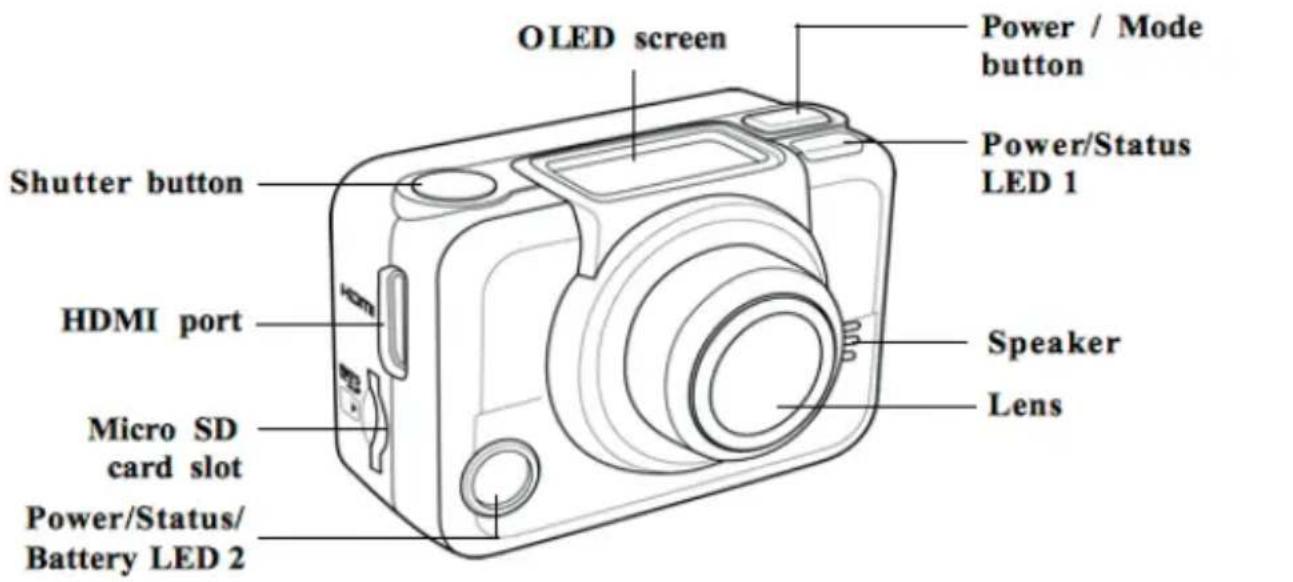
CAMCORDER vIEWS
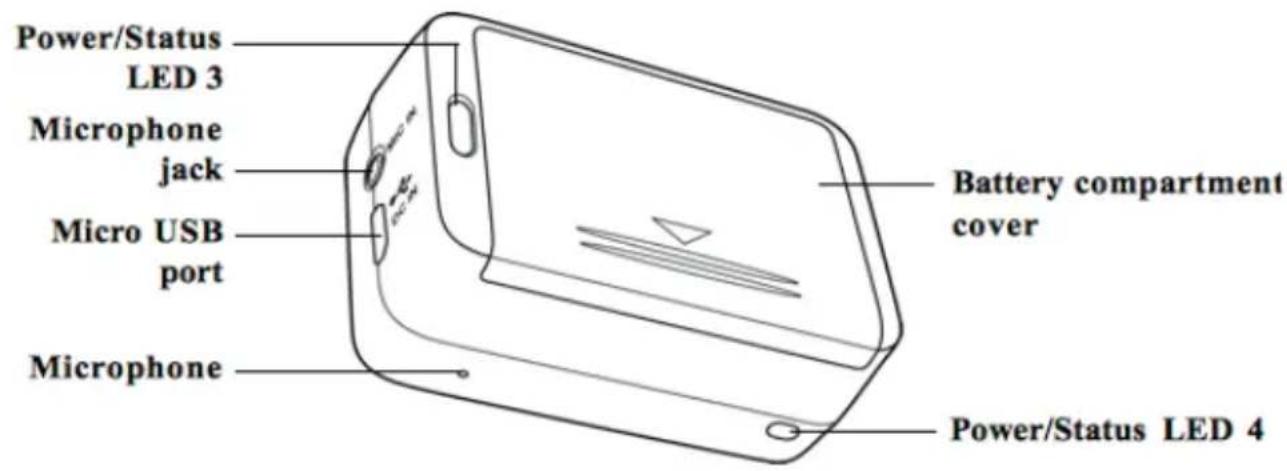
BUTTON FUNCTIONS
Power / Mode Button
Press and hold for 3 seconds to turn the camcorder on or off.
Press to switch to different modes: Video, Photo, , Burst, Time Lapse, Self-timer, and Set mode.
Mode WiFi just for model ESC Pro
In Set mode, press to scroll through menu items.
Shutter Button
In Video mode, press to start/stop video recording.
In Photo mode, press to take a photo.
In Set mode, press to select an item.
IED INDICATORS
| LED Color Description | ||
| Power / Status LED | Green slow blinking Power is on | |
| Green Blinking rapidly Mode Wi-Fi is activated. Just for model ESC Pro | ||
| Red Blinking Video recording in progress | ||
| Red Blinking Rapidly Self-timer | ||
| Battery LED | Red Blinking Battery is charging | |
| Off Full charge | ||
GETTING STARTED
A micro SD card is required to capture photos and videos. The camcorder supports micro SDHC cards up to 32GB.
1. Insert the micro SD card into the card slot with the gold contacts facing the front of the device.
2. Push the micro SD card until it clicks into place.
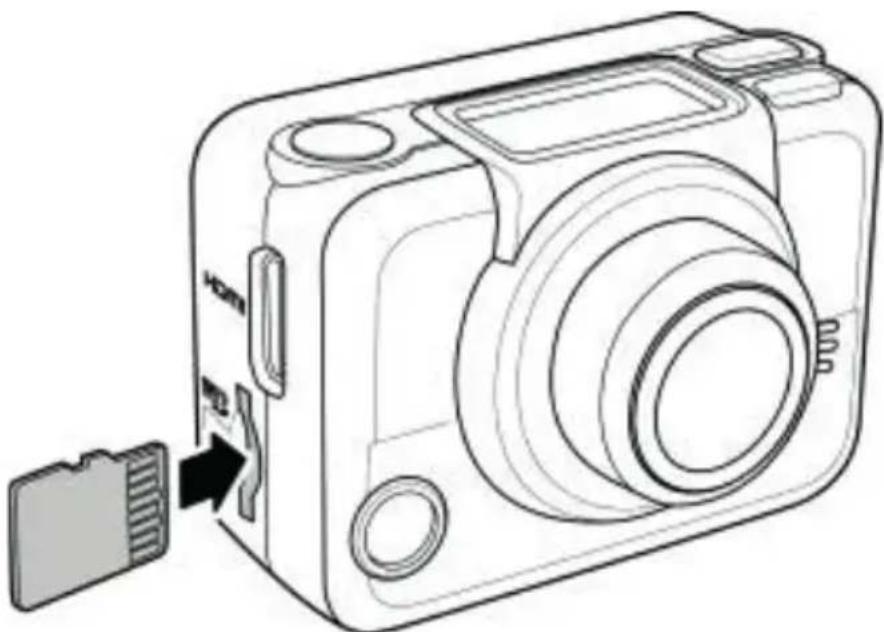
Warning: Do not remove the micro SD card while data is being recorded. Doing so may corrupt the saved data and damage the card.
Removing the Micro SD card
- Turn off the camcorder.
- With a fingertip, push the micro SD card to eject it from the slot.
- Remove the micro SD card.
INSTALLING THE bATTERY
Warning: Use only the supplied battery or a similar battery recommended by the manufacturer or the dealer.
INSTALLING
- Push down the battery compartment cover to open it.
- Align the battery contacts and then insert the battery into the compartment with the ribbon underneath the battery.
- Close the battery compartment cover.
1.1.5 REMOVING THE bATTERY
- Open the battery compartment cover.
- Pull the ribbon to remove the battery.
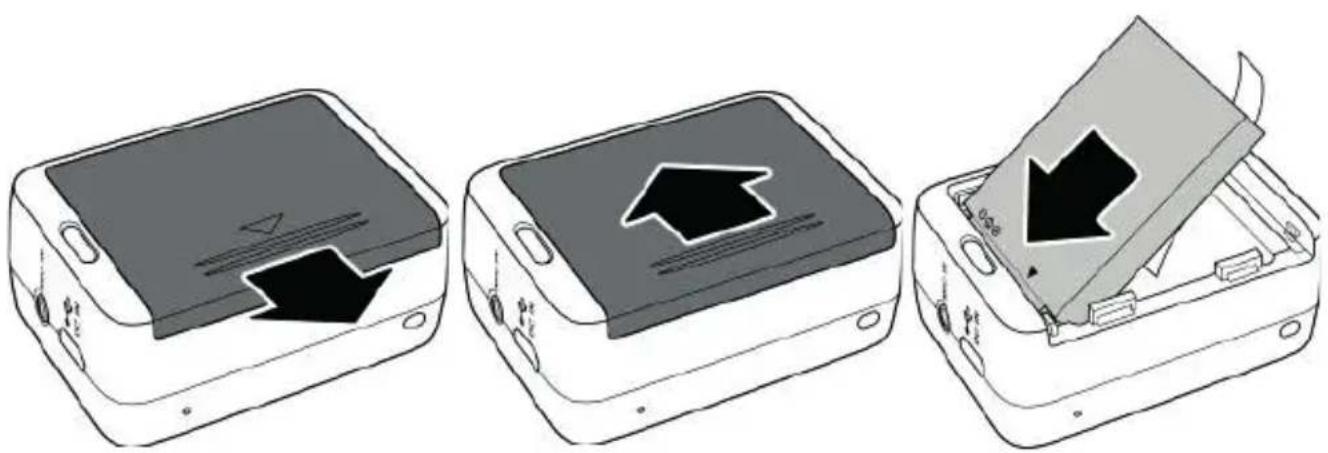
CHARGING THE bATTERY
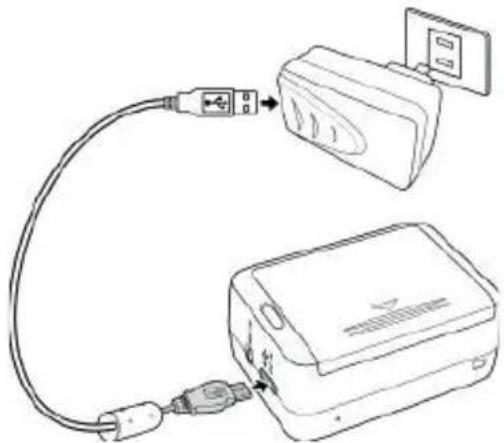
You can charge the battery using the micro USB cable that came with the camcorder. Follow the steps below to charge the battery.
- Install the battery into the battery compartment.
- Plug the micro-USB connector to the USB port of your device.
- Plug the other end of the USB cable to a computer
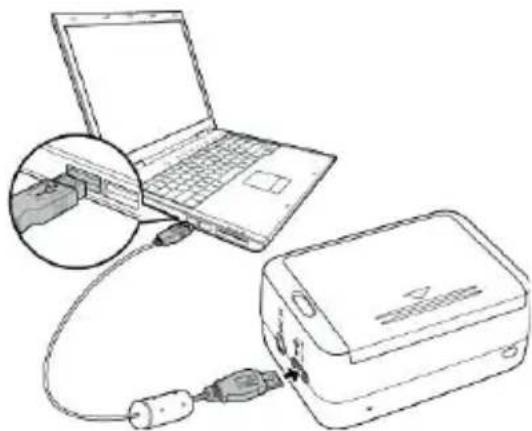
The battery LED blinks red. After a full charge, the LED turns off.
Approximate charging time is 240 minutes with a USB connection. Actual charging time depends on current battery capacity and charging conditions.
You may also use the AC adapter to charge your camera battery. Not included, available as accessory.
To turn on the camcorder, press the Power button. The Power/Status LED indicator lights green for 3 seconds. To turn off the camcorder, press and hold the Power button for 3 seconds.
OIED SCREEN
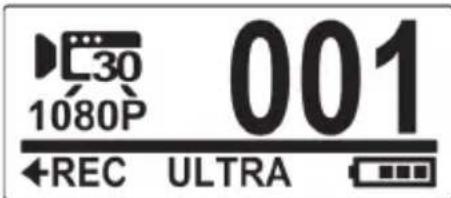
When the camcorder is turned on, the OLED screen displays the following information:
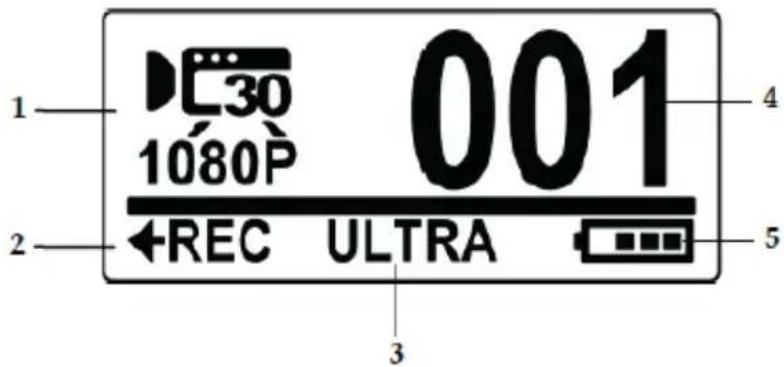
| I | CURRENT MODE DISPLAYS THE CURRENT MODE OF THE CAMCORDER. | |
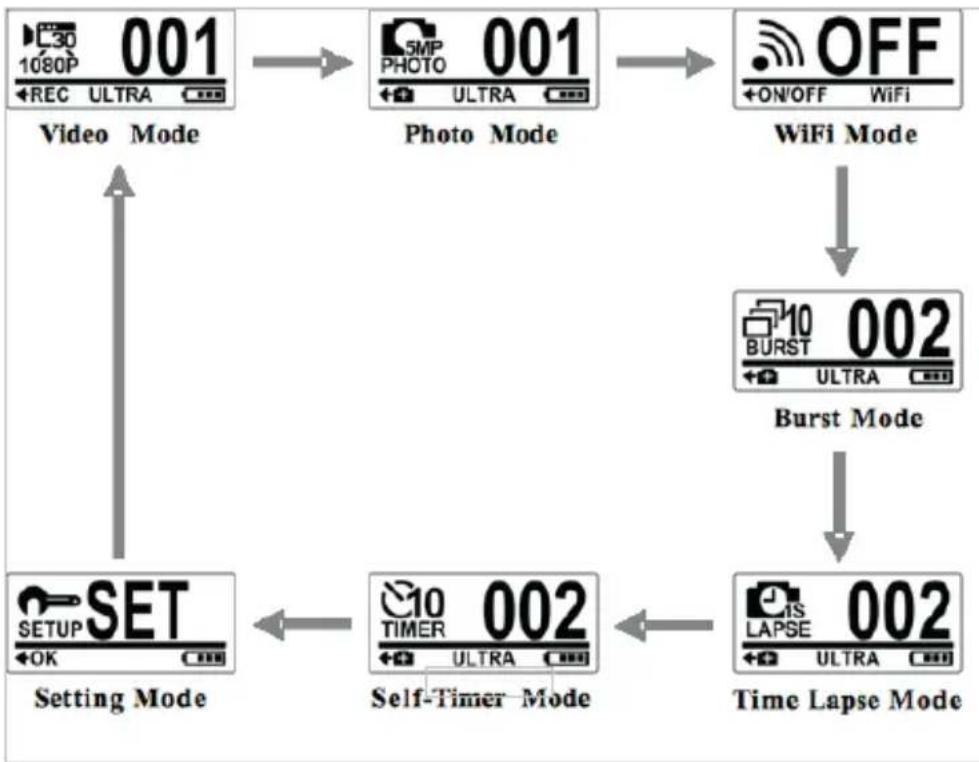
| Video Mode | Use this mode to record videos. The icon also indicates the current video recording settings. | |
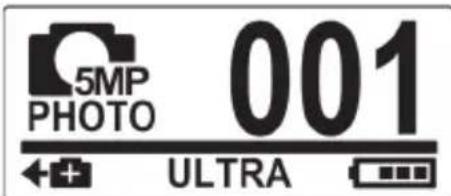
| Photo Mode | Use this mode to capture photos. The icon also indicates the current capture settings. | |
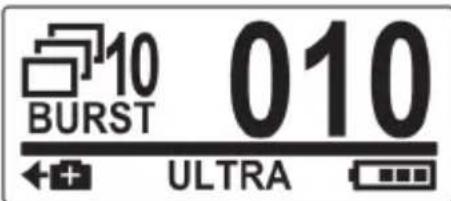
| Burst Mode | Use this mode to capture 10 continuous photos with one press of the Shutter button. The icon also indicates the current capture settings. | |
| 1 | WiFi Mode *** Just available in ESC Pro | Select to connect the camcorder to a smartphone using WiFi connection. With this feature, videos and photos recorded from the camcorder can be viewed on the smartphone. |
| Time Lapse Mode | In this mode, photos are continuously captured with a specific interval time when the Shutter button is pressed. To stop capturing, press the Shutter button again. The icon also indicates the current capture settings. | |
| Self-timer Mode | In this mode, photos are taken 10 seconds after pressing the Shutter button. The icon also indicates the current capture settings. | |
| Set Mode | Use this mode to adjust the settings of your camcorder. | |
| 2 | BUTTON FUNCTION | INDICATES THE OPERATION THAT THE CAMCORDER WILL DO WHEN THE SHUTTER BUTTON IS PRESSED. THE DISPLAYED ICON VARIOUS DEPENDING ON THE MODE. |
| ←REC Record Press the Shutter button to record videos. | ||
| Capture | Press the Shutter button to capture photos. | |
| 3 | Field of View (FOV) Indicates the field | of view of the camera lens: Wide or Ultra. |
| □90% | Indicates the remaining memory space left in the memory card. | |
| 4 Number of Files | Indicates the total number of videos and photos saved in the micro SD card. | |
| 5 | Battery Indicates the battery capacity. | |
Note: The item 3 icon shown on the display will be automatically switched every three seconds.
CHANGING MODES
Press the Mode button repeatedly to switch modes.
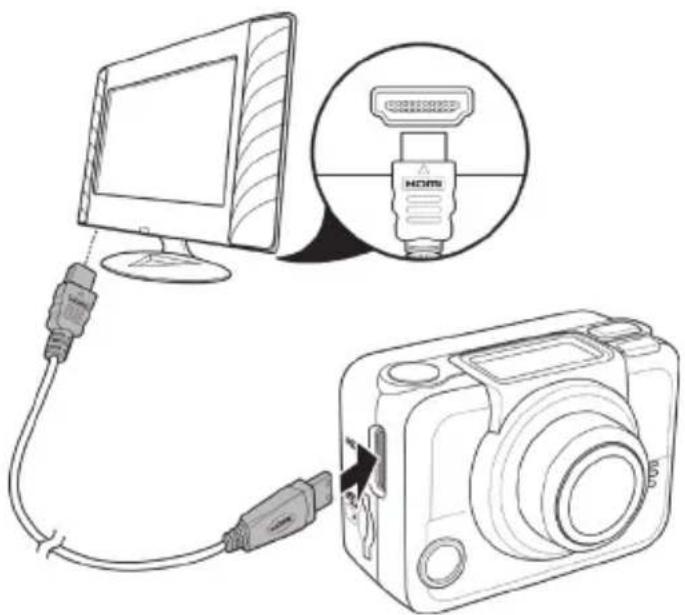
CONNECTING TO Tv (HDmICAbIE)
You can also connect the camcorder to a TV using the HDMI cable (optional).
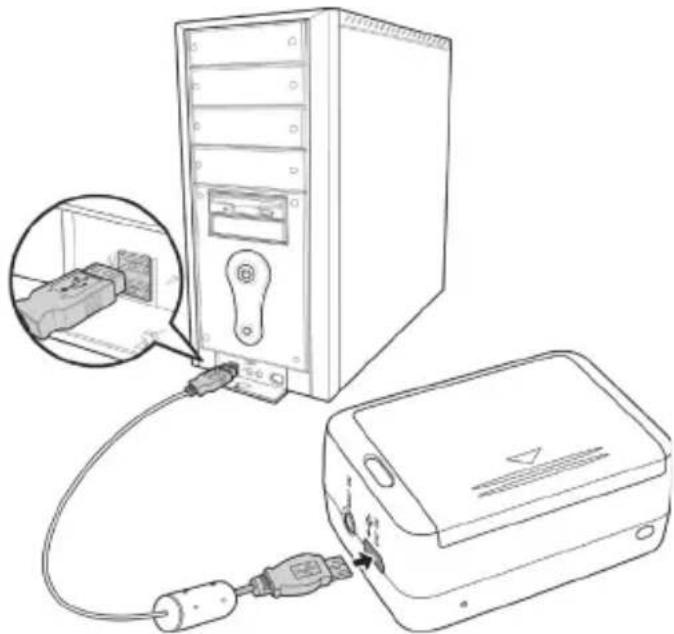
CONNECTING TO PC (mICRO USb CAbIE)
Connect the camcorder to a computer with the micro USB cable provided as shown.
CAPTURING vIDEOS AND PHOTOS
- Turn on the camcorder. By default, the camcorder automatically opens to Video mode.
- Press the Shutter button to start recording.
- Press the Shutter button to stop recording.
TAKING PHOTOS
- Turn on the camcorder.
- Press the Mode button to switch to Photo mode.
- Press the Shutter button to capture a photo.
BURST SHOOTING
This feature allows you to capture 10 photos with one press of the Shutter button.
- Press the Mode button repeatedly to switch to Burst mode.
- Press the Shutter button to start capturing photo
WIFI *** JUST AvAILiable FOR ENERGY SPORT CAM PRO
This menu allows you to connect your camcorder to a smartphone using WiFi connection and view the videos and photos recorded from your camcorder on the smartphone.
Note: Before using this feature, download the ActionCam! app from AppStore (iOS) or Google Play (Android OS) on your smartphone.
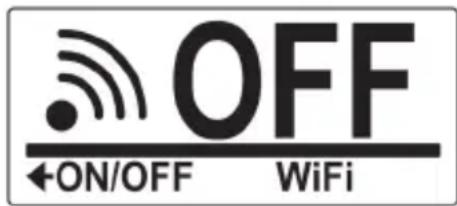
- Press the Mode button repeatedly to switch to WiFi mode.
- Press the Shutter button to toggle WiFi ON or OFF.
- Press the Mode button to exit the WiFi screen.
- Wait for 30 seconds until the LED flashes to indicate Wi-Fi connection is established.
- On your smartphone, enable Wi-Fi connection, then search and connect to the Wi-Fi network "Energy_Cam_Pro_XXXXXXXX".
- When prompted for a password, enter the default password "1234567890".
- Use the ActionCam! app to control your cam, adjust settings, play video and photos recorded and share them on real-time trough internet.
TImE IAPSE SHOOTING
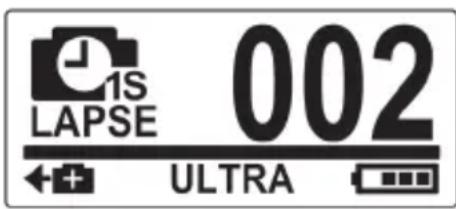
This feature allows you to continuously capture photos with one press of the Shutter button at the preset interval time (1/3/5/10/30/60 seconds). Shooting only stops when the Shutter button is pressed again. Those continuous shots are combined and saved into one video automatically. The recorded video is played back in fast motion (faster than the normal playback speed). You can use this feature to record videos such as evolution of a construction project, weather changes, or flower blossom.
- Press the Mode button repeatedly to switch to Time Lapse mode.
- Press the Shutter button to start capturing photos.
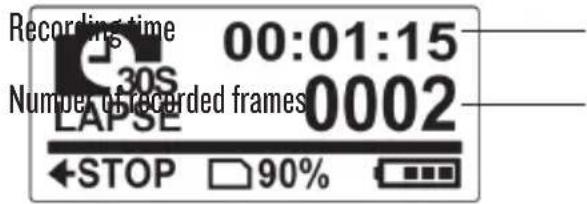
- Press the Shutter button again to stop capturing photos.
SEIF-TImER
- This feature allows you to capture a photo after a 10-second delay.
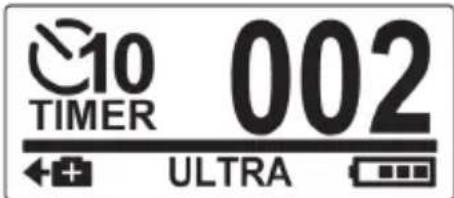
- Press the Mode button repeatedly to switch to Self-timer mode.
- Press the Shutter button. The photo is captured after 10 seconds.
ADJUSTING THE SETTINGS
To adjust the camcorder settings, press the Mode button repeatedly to switch to Set mode and then press the Shutter button to confirm. The screen below is displayed:
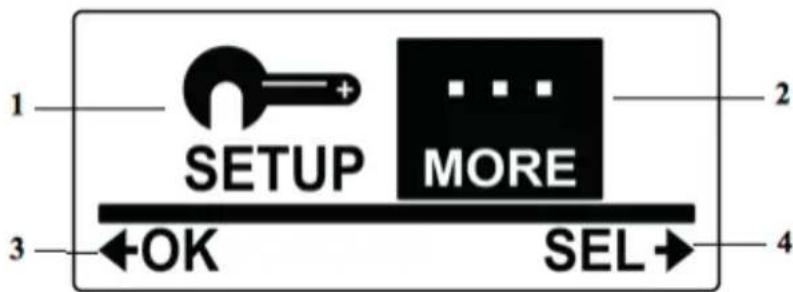
| SETUP MENU SELECT SETUP TO ADJUST CAPTURE SETTINGS. | |
| Video | Select to adjust the video resolution. |
| FOV FOV | Select to adjust the field of view of the camera. |
| Time Lapse | Select to adjust the interval time between capturing photos in Time Lapse mode. |
| Up/Down | Select to set the camcorder direction upside down. This feature is useful when using the camcorder as a vehicle recorder. |
| Default Mode | Select this option to choose the default mode when powering on the camcorder. |
| Delete | Select to delete captured videos or photos from the micro SD card. |
| Diving Mode | Select this option when using the optional diving case to adjust the angle and color. |
| Exit | Select to close the SETUP menu and return to the previous menu screen. |
| MORE MENU SELECT MORE TO ADJUST BASIC CAMERA SETTINGS. | |
| Up/Down | Select to set the direction of the OSD screen display. |
| LED | Select to turn the LED on or off. |
| Bright | Select to adjust the screen brightness. |
| OSD Off | Select this setting to define screen switch off time |
| Beep | Select to adjust the beep volume. |
| Auto-Off | Select to set the time for the camcorder to automatically turn off when not in use. |
| Time | Select to set the camcorder date and time. |
| RF | Select to pair with the RF remote control. |
| Default | Select to set the camcorder to default factory settings. |
| Exit | Select to close the MORE menu and return to the previous menu screen. |
| MORE MENU | SELECT MORE TO ADJUST BASIC CAMERA SETTINGS. |
| OK Confirm | Press the Shutter button to confirm a highlighted item. |
| SEL → Select | Press the Mode button to scroll and highlight menu items. |
VIDEO RESOUI TION
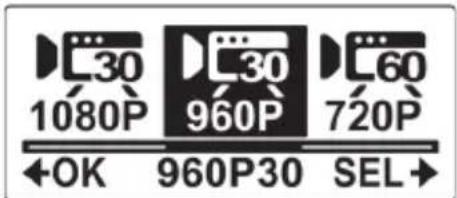
Your camcorder supports Dual Stream recording. When a video is recorded, two video files of different file size are automatically saved in the memory card. The smaller file is used to view videos using a smartphone. The camcorder captures photos with a fixed resolution of 5M and supports three resolution options for videos. Do the following to select the video resolution.
- Press the Mode button repeatedly to change to SET mode.
- Press the Shutter button to enter SET mode.
- Press the Mode button to highlight SETUP.
- Press the Shutter button to enter the SETUP menu.
- Press the Shutter button to enter the VIDEO submenu.

- Press the Mode button repeatedly to scroll through the resolution options.

16:9 Video Full HD,
1080P (1.920x1.080, 30fps)
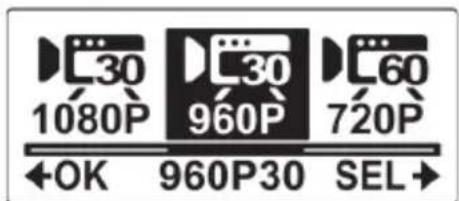
4:3 Widest HD Video, 960P (1.280x960, 30fps)

16:9 Video HD, 720P (1.280x720, 60fps)
- Press the Shutter button to confirm.
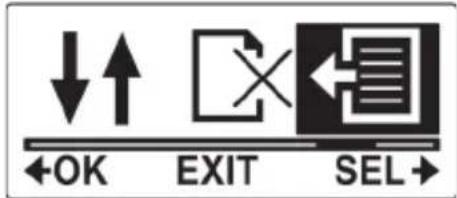
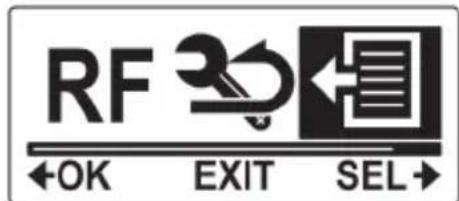
- To exit the menu, press the Mode button repeatedly until the EXIT screen appears.
- Press the Shutter button to exit SET mode.
FIELD OF VIEW (FOv)
This menu allows you to select the view angle of the camcorder lens. Do the following to select the FOV.
- Press the Mode button repeatedly to change to SET mode.
- Press the Shutter button to enter SET mode.
- Press the Mode button to highlight SETUP.
- Press the Shutter button to enter the SETUP menu.
- Press the Mode button to highlight FOV.
- Press the Shutter button to enter the FOV submenu.

- Press the Mode button to select ULTRA or WIDE.

Ultra wide angle lens
Wide angle lens
- Press the Shutter button to confirm.
- To exit the menu, press the Mode button repeatedly until the EXIT screen appears.
- Press the Shutter button to exit SET mode.
Note: Ultra and Wide are only available in Photo mode. The FOV for Video mode is always Ultra.
SHOOTINGINTERVAI
This menu allows you to select the interval options when capturing photos using Lapse mode. Do the following to select the shooting interval.
- Press the Mode button repeatedly to change to SET mode.
- Press the Shutter button to enter SET mode.
- Press the Mode button to highlight SETUP.
- Press the Shutter button to enter the SETUP menu.
- Press the Mode button to highlight LAPSE.
- Press the Shutter button to enter the LAPSE submenu.

- Press the Mode button repeatedly to scroll through the shooting interval options: I SEC, 3 SEC, 5 SEC, 10 SEC, 30 SEC, and 60 SEC.
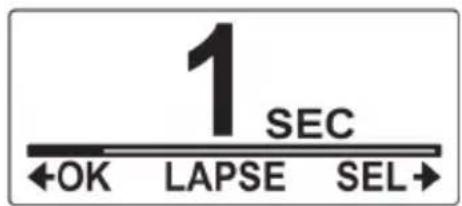
- Press the Shutter button to confirm.
- To exit the menu, press the Mode button repeatedly until the EXIT screen appears.
- Press the Shutter button to exit SET mode.
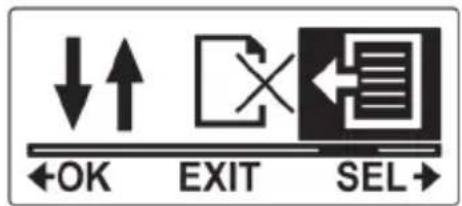
UP/DOWN
This menu allows you to capture videos and photos upside down. You can enable this feature when you mount the camera upside down so that the captured shots appear right side up when you review it on your computer or TV.
Do the following to enable this feature.
- Press the Mode button repeatedly to change to SET mode.
- Press the Shutter button to enter SET mode.
- Press the Mode button to highlight SETUP.
- Press the Shutter button to enter the SETUP menu.
- Press the Mode button to highlight UP/DOWN.
- Press the Shutter button to enter the UP/DOWN submenu.

- Press the Mode button to select ON or OFF.

- Press the Shutter button to confirm.
- To exit the menu, press the Mode button repeatedly until the EXIT screen appears.
- Press the Shutter button to exit SET mode.
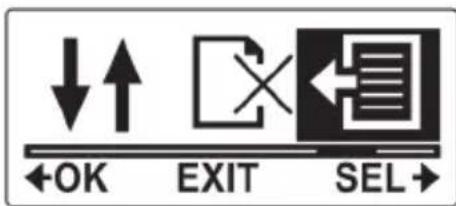
DELETE
This menu allows you to delete all files in the Micro SD card.
Do the following to delete all files.
- Press the Mode button repeatedly to change to SET mode.
- Press the Shutter button to enter SET mode.
- Press the Mode button to highlight SETUP.
- Press the Shutter button to enter the SETUP menu.
- Press the Mode button repeatedly to highlight DELETE.
- Press the Shutter button to enter the DELETE submenu.

- Press the Mode button repeatedly to scroll through the delete options.
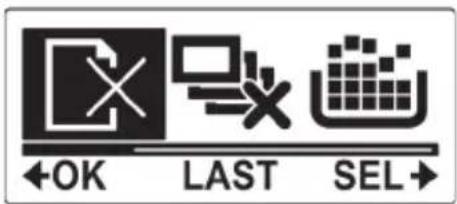
To delete the last captured video or photo.
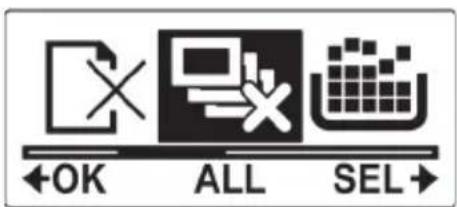
To delete all files in the micro SD card.

To format the micro SD card.
- Press the Shutter button to confirm.
- Press the Mode button to select to confirm deletion.
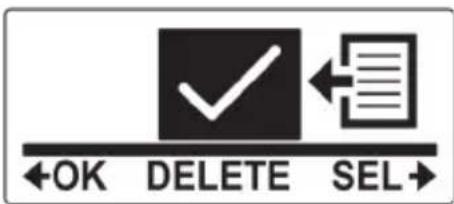
- Press the Shutter button to confirm
II. To exit the menu, press the Mode button repeatedly until the EXIT screen appears.
12. Press the Shutter button to exit SET mode.
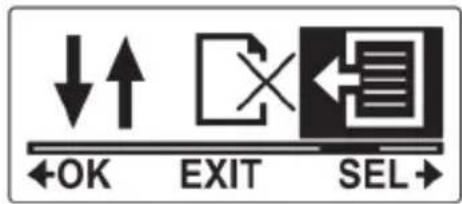
OSD UP/DOWN
This menu allows you to display the OLED screen upside down.
Do the following to enable this feature.
- Press the Mode button repeatedly to change to SET mode.
- Press the Shutter button to enter SET mode.
- Press the Shutter button to enter the MORE menu.
- Press the Shutter button to enter the UP/DOWN submenu.

- Press the Mode button to select OSD UP or OSD DOWN.
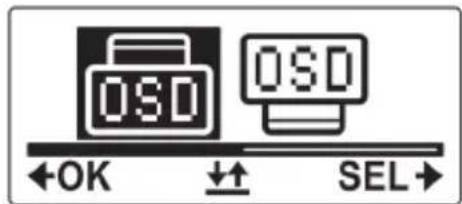
- Press the Shutter button to confirm.
- To exit the menu, press the Mode button repeatedly until the EXIT screen appears.
- Press the Shutter button to exit SET mode.
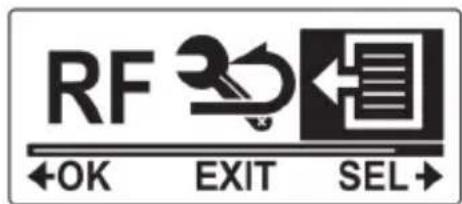
IED
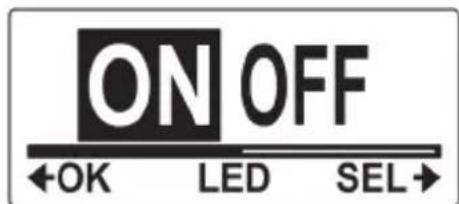
This menu allows you to turn the LED on or off.
Do the following to turn the LED on or off.
- Press the Mode button repeatedly to change to SET mode.
- Press the Shutter button to enter SET mode.
- Press the Shutter button to enter the MORE menu.
- Press the Mode button to highlight LED.
- Press the Shutter button to enter the LED submenu.

- Press the Mode button to select ON or OFF.
- Press the Shutter button to confirm.
- To exit the menu, press the Mode button repeatedly until the EXIT screen appears.
- Press the Shutter button to exit SET mode.
bRIGHTNESS
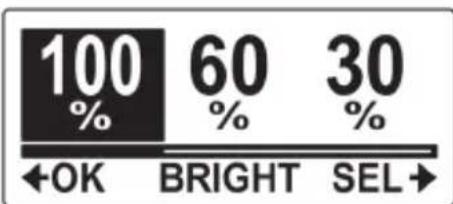
This menu allows you to adjust the OLED screen brightness.
Do the following to adjust the screen brightness.
- Press the Mode button repeatedly to change to SET mode.
- Press the Shutter button to enter SET mode.
- Press the Shutter button to enter the MORE menu.
- Press the Mode button repeatedly to highlight BRIGHT.
- Press the Shutter button to enter the BRIGHT submenu.

- Press the Mode button repeatedly to select 100% , 60% , or 30% .
- Press the Shutter button to confirm.
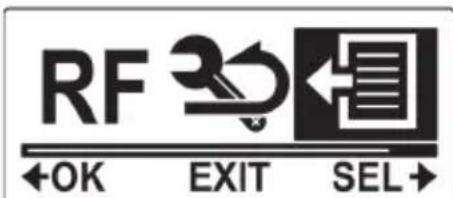
- To exit the menu, press the Mode button repeatedly until the EXIT screen appears.
- Press the Shutter button to exit SET mode.
bEEP
This menu allows you to enable or disable the beep sound when you press the Power / Mode or Shutter buttons. Do the following to enable or disable the beep sound.
- Press the Mode button repeatedly to change to SET mode.
- Press the Shutter button to enter SET mode.
- Press the Shutter button to enter the MORE menu.
- Press the Mode button repeatedly to highlight BEEP.
- Press the Shutter button to enter the BEEP submenu.

- Press the Mode button repeatedly to scroll through the beep options.
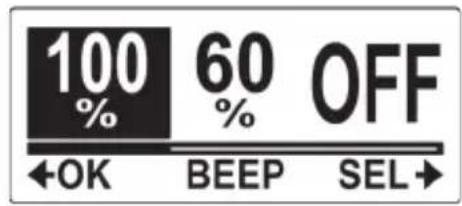
To set the beep volume to its loudest.
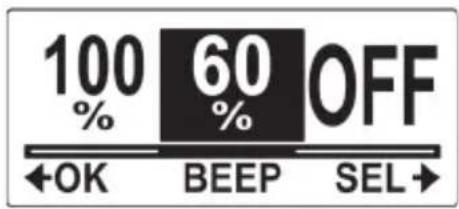
To set the beep volume to middle range.

To turn off beep.
- Press the Shutter button to confirm.
- To exit the menu, press the Mode button repeatedly until the EXIT screen appears.
- Press the Shutter button to exit SET mode.
AUTO-OFF
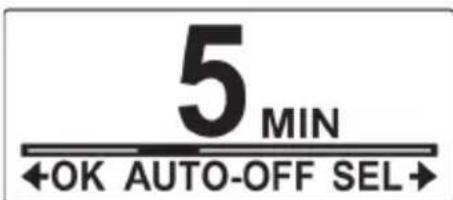
This menu allows you to program the camcorder to automatically turn off after being idle for a specific period of time, or you can set the setting to OFF to keep the camcorder on until you manually turn it off.
Do the following to select the auto-off option.
- Press the Mode button repeatedly to change to SET mode.
- Press the Shutter button to enter SET mode.
- Press the Shutter button to enter the MORE menu.
- Press the Mode button repeatedly to highlight AUTO-OFF.
- Press the Shutter button to enter the AUTO-OFF submenu.
- Press the Mode button repeatedly to select 1 MIN, 3 MIN, 5 MIN, 10 MIN, 30 MIN, 60 MIN, or

OFF.
- Press the Shutter button to confirm.
- To exit the menu, press the Mode button repeatedly until the EXIT screen appears.
- Press the Shutter button to exit SET mode.

DATE AND TIME
This menu allows you to set the camcorder date and time settings.
Do the following to set the camcorder date and time.
- Press the Mode button repeatedly to change to SET mode.
- Press the Shutter button to enter SET mode.
- Press the Shutter button to enter the MORE menu.
- Press the Mode button to highlight TIME.

- Press the Shutter button to enter the TIME menu. The Year is highlighted.
- Press the Shutter button repeatedly to adjust the year.

- When done, press the Mode button to go to the month field.
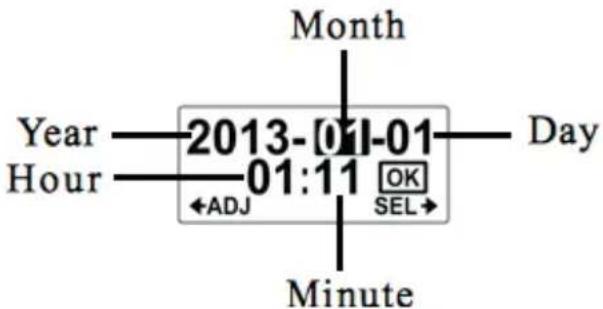
- Press the Shutter button repeatedly to adjust the month value, and then press the Mode button to go to the day field.
- Press the Shutter button repeatedly to adjust the day value, and then press the Mode button to go to the hour field.
- Press the Shutter button repeatedly to adjust the hour value (in 24 hr or military time), and then press the Mode button to go to the minute field.
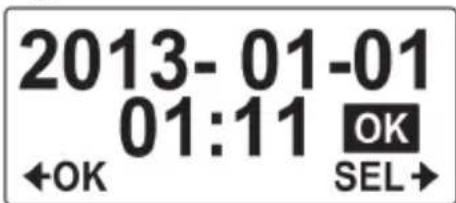
- Press the Shutter button repeatedly to adjust the minute value, and then press the Mode button to highlight OK.
- Press the Shutter button to complete the date and time setting.
- To exit the menu, press the Mode button repeatedly until the EXIT screen appears.
- Press the Shutter button to exit SET mode.
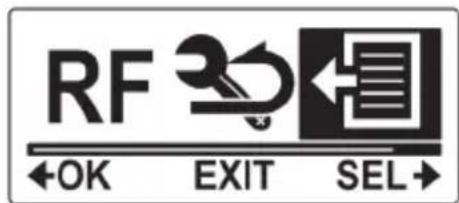
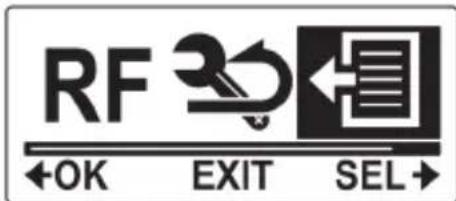
RF
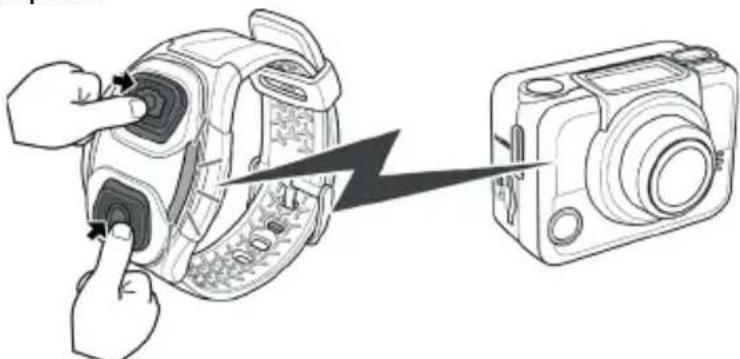
This menu allows you to pair your camcorder with the RF wrist strap remote control (optional accessory). When the devices are paired, you can record videos or capture photos by pressing the corresponding buttons on the RF wrist strap remote control.
Do the following to pair your RF wrist strap remote control.
- Press the Mode button repeatedly to change to SET mode.
- Press the Shutter button to enter SET mode.
- Press the Shutter button to enter the MORE menu.
- Press the Mode button to highlight BINDING.
- Press the Shutter button to enter the BINDING submenu.

- The camcorder RF antenna is enabled and ready to be paired with the RF wrist strap remote control.
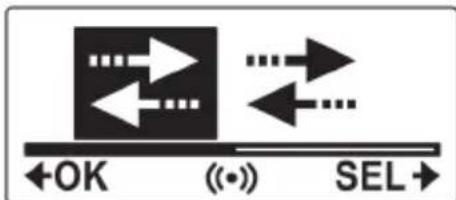
- Press both the video and photo buttons on your RF wrist strap remote control to process pairing. When the red LED on the RF wrist strap remote control flash once, pairing is complete.
-
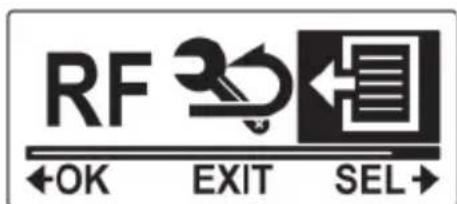
To exit the menu, press the Mode button repeatedly until the EXIT screen appears.
-
Press the Shutter button to exit SET mode.
FACTORY DEFAULT
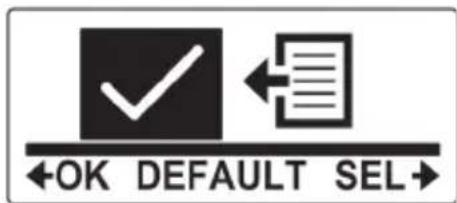
This menu allows you to restore the default factory settings of your camcorder. Do the following to restore the factory default settings.
- Press the Mode button repeatedly to change to SET mode.
- Press the Shutter button to enter SET mode.
- Press the Shutter button to enter the MORE menu.
- Press the Mode button to highlight DEFAULT.
- Press the Shutter button to enter the DEFAULT submenu.

- Press the Mode button to select
- Press the Shutter button to confirm.
- To exit the menu, press the Mode button repeatedly until the EXIT screen appears.
- Press the Shutter button to exit SET mode.
USING THE WATERPROOF CASE
The camcorder comes with rugged accessories for all your sporting needs.
WATERPROOF CASE
- Release the case lock and flip open the waterproof case.
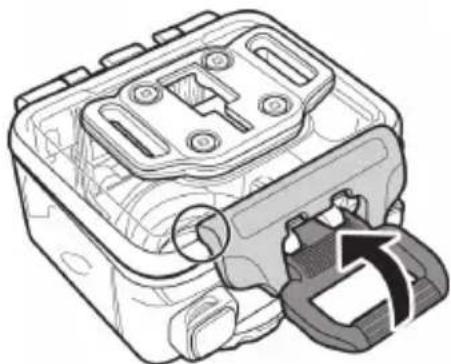
- Install the camcorder inside the waterproof case.
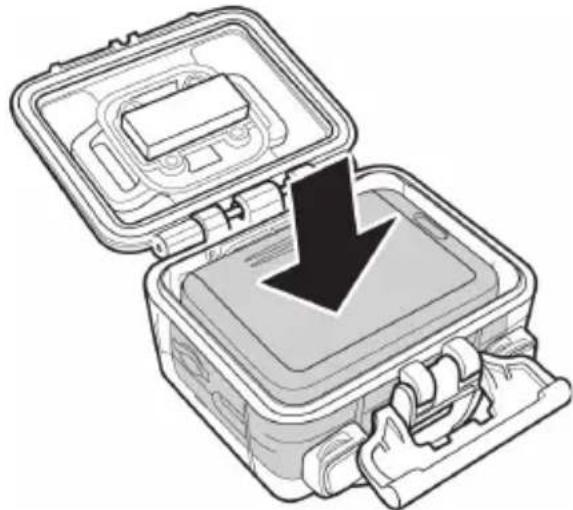
- Secure the waterproof case lock.
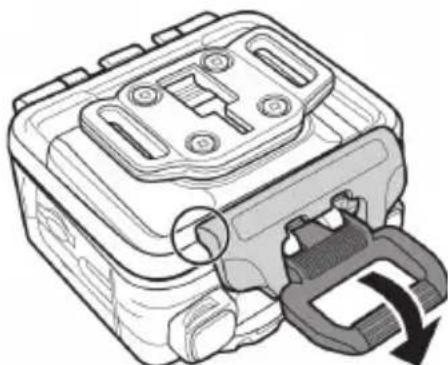
The waterproof case can be used with other accessories such as the swivel T tip, bike mount, chest mount, head mount, etc.
CHANGING THE T TIP ADAPTER
Depending on the accessories that you want to use with the case, the T tip adapter may be detached and attached to another housing back door or location. To detach the T tip adapter, remove the four screws securing each tip adapter to the case.
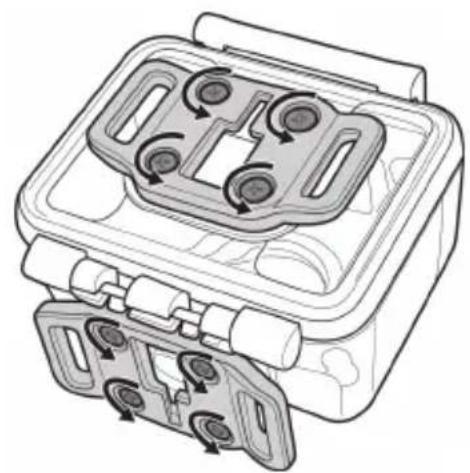
CHANGING THE HOUSING BACK DOOR
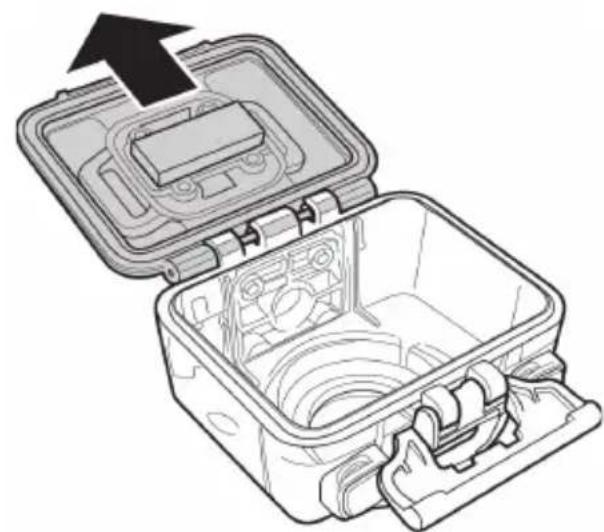
Depending on the accessories that you want to use with the case, you may need to change the housing back door. Two back doors are included in the standard package: the waterproof housing back door, and the vented housing back door.
Do the following to change the housing back door:
- Open the back door completely.
2.Pull to detach the back door from the case. - Detach the T tip adapter from the current back door and install the T tip adapter to the back door you want to use.
- Install the back door.
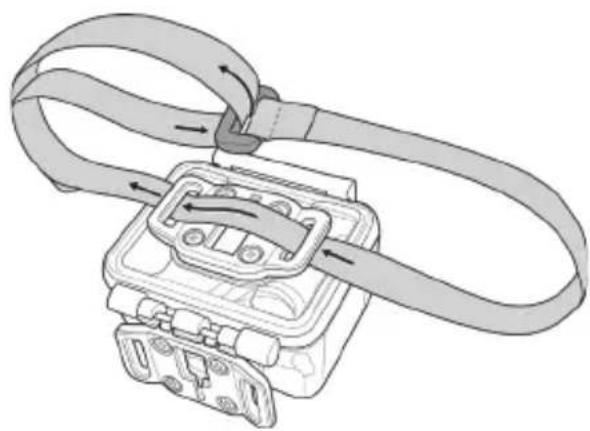
vEICRO STRAP
The velcro strap can be used to secure the waterproof case onto any object to conveniently record photos and videos.
To install the Velcro strap, insert the strap through the strap holes of the tip adapter as shown below.
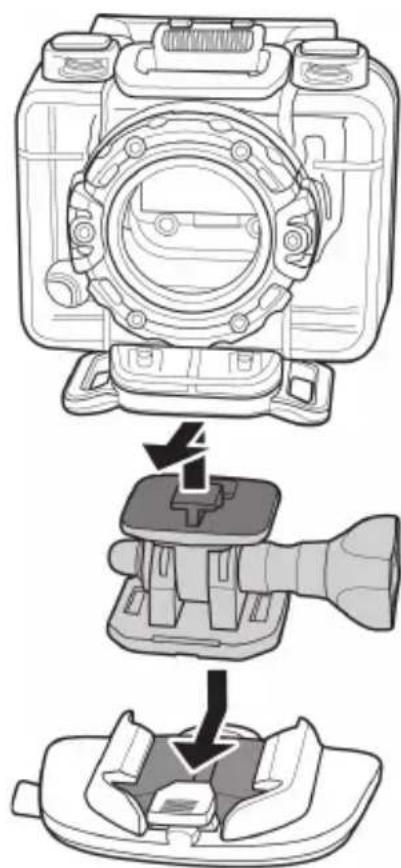
ASSEmbLING THE CAMCORDER ACCESSORIES
Lock the T tip adapter to the T tip of the adjoining accessories to install them to your camcorder.
RF WRIST STRAP REMOTE CONTROL
Look RF section.
Note I: To take photos using burst mode, time lapse, or self-timer, switch to the respective mode on your camcorder and then press the Photo button on your RF wrist strap remote control. However, only one photo can be taken in time lapse mode when using the RF wrist strap remote control.
Note 2: Even if your camcorder is in Video mode, you can still take photos by pressing the Photo button on your RF wrist strap remote control.
Note 3: The maximum operation distance of the remote control is approximately 5m when the RF wrist strap remote control is pointed at the remote control sensor of the camcorder.
APPENDIX
| GENERAL | |
| Imaging sensor I/2.5" CMOS 5.0 Megapixel Sensor | |
| Active pixels 5.0 megapixeles | |
| Storage media Internal: Built-in 128MB Flash Memory m | microSD Card, SDHC compatible (up to SDHC 32GB Class6) |
| Sensor sensitivity Auto | |
| Camera Optics Fixed lens | Wide: F2.8, f=2.5mm I10°/I080p, I50°/720p, I62°/960p, I65°/ 5M Photo |
| Focus range 30cm - infinity | |
| Still image Format: JPEG (EXIF 2.2), DCF | Resolution: 5M Mode: Signal shot 10 Photo Burst, Time-Lapse (every 1, 3, 5, 10, 30, 60 sec) |
| Movie clips ESC Extreme: Format : H.264 (MP4) Codec | de Audio: ADPCM. ESC Pro: MPEG-4 (MP4). Codec de Audio: ADPCM. Resolution: 1080p: 1920x1080 (30fps), 960p: 1280x960 (30fps), 720p: 1280x720 (60fps) |
| Exposure Setting Auto | |
| EV Compensation -2.0EV ~ +2.0EV (Auto) | |
| PC interface USB 2.0 (High Speed) | |
| Wireless IEEE 802.11 b/g/n | |
| TV out format HDMI | |
| Shutter speed Still: 1/30 ~ 1/4000 sec. | Video: 1/30 ~ 1/2000 sec. |
| Auto power off lmin / 3min / 5min / 10min / 30min / 60min / Off | |
| Power supply Rechargeable II30 mAh Li-ion Battery | |
| Dimensions 42.7 (H) x 59.2 (W) x 26.4 (D) mm | (without lens) |
| Weight Approx. 78.3g (without Waterproof Case) | |
| Compatibility Windows XP (SP2)/Vista/Windows7/Windows 8. | |
| STIMATED STORAGE CAPACITY (min) | ||||
| MB/seg | card 8 GB | card 16 GB | card 32 GB | |
| 720P | 1,21 | II3 | 226 | 451 |
| 960P | 1,38 | 99 | 198 | 396 |
| 1080P | 1,37 | 100 | 199 | 399 |
DECLARATION DE CONFORMIDAD / DECLARATION OF CONFORMITY / DÉclaration DE CONFORMITE / DÉLARÇÃO DE CONFORMIDADE
Nombre del suministrador / Manufacturer Name / Nom du Fournisseur / Nome do Fabricante: Energy Sistem Soyntec S.A.
Dirección / Address / Adresse / Endereço: Pol. Ind. Finestrat C/. Calpe, I - 03509 Finestrat Alicante (Espana)
Tel: 902 388 388 (Espana)
Fax: 902 119 034 (Espana)
NIF: A53107488
Declaramos bajo这是我们 exclusiva responsabilitad la conformidad del producto: / We declare, under our own exclusive responsibility, that the product: / Declarons sous notre seule responsabilité que le produit: / Declaramos, sob esta exclusiva responsabilitad, que o produits:
Energy Sistem™ Energy Sport Cam Extreme - Energy Sport Cam Pro
Pais de fabricacion /Manufacturing country /Pays de fabrication / Pais de fabricacao: China / China / Chine / China
Al que se refiere esta declaración, con las normas u otros documents normativos de acuerdo con las disponeciones de la Directiva 99/05/CE del Parlamento Europeo y del Consejo de 9 de mayo de 1999, traspuesta a la legislación española mediante el Real decreto 1890/2000, de 20 de Noviembre. / Is in compliance with the essential norms and standards of the Directive 1999/5/ EC of the European Parliament and of the Council of March 09th 1999. / Auquel se refère cette déclaration, est conforme aux normes ou documents normatifs de la Directive 1999/5/EC du Parlement Européen et du Conseil du 09 mars 1999. /Esta em conformidade com as normas e padrões essenciais da Diretiva 1999/5/EC do Parlamento Europeu e do Conselho de 09 de junço de 1999.
INTRODUCTION
Video Full HD 16:9, 1080P (1920x1080, 30ips)
Video HD large 4:3, 960P (1280x960, 30ips)
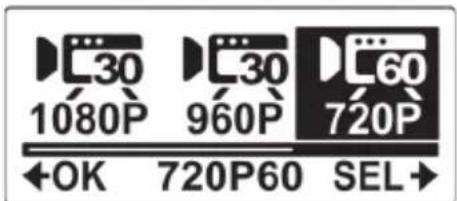
Video HD 16:9, 720P (I280x720, 60ips)
Energy Sistem™ Energy Sport Cam Extreme - Energy Sport Cam Pro
Pais de fabricacion /Manufacturing country /Pays de fabrication / Pais de fabricacao: China / China / Chine / China
Al que se refiere esta declaración, con las normas u otros documents normativos de acuerdo con las disponeciones de la Directiva 99/05/CE del Parlamento Europeo y del Consejo de 9 de mayo de 1999, traspuesta a la legislación española mediante el Real decreto 1890/2000, de 20 de Noviembre. / Is in compliance with the essential norms and standards of the Directive 1999/5/ EC of the European Parliament and of the Council of March 09th 1999. / Auquel se refère cette déclaration, est conforme aux normes ou documents normatifs de la Directive 1999/5/EC du Parlement Européen et du Conseil du 09 mars 1999. /Esta em conformidade com as normas e padrões essenciais da Diretiva 1999/5/EC do Parlamento Europeu e do Conselho de 09 de junço de 1999.
INTRODUÇÃO
16:9 Video Full HD,
1080P (1.920x1.080, 30fps)
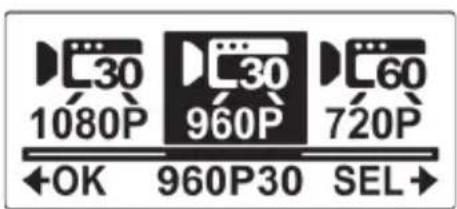
4:3 Widest HD Video, 960P (1.280x960, 30fps)
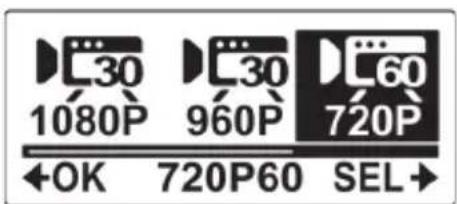
16:9 Video HD, 720P (1.280x720, 60fps)
Energy Sistem™ Energy Sport Cam Extreme - Energy Sport Cam Pro
Pais de fabricacion /Manufacturing country /Pays de fabrication / Pais de fabricacao: China / China / Chine / China
Al que se refiere esta declaración, con las normas u otros documents normativos de acuerdo con las disponeciones de la Directiva 99/05/CE del Parlamento Europeo y del Consejo de 9 de mayo de 1999, traspuesta a la legislación española mediante el Real decreto 1890/2000, de 20 de Noviembre. / Is in compliance with the essential norms and standards of the Directive 1999/5/ EC of the European Parliament and of the Council of March 09th 1999. / Auquel se refère cette déclaration, est conforme aux normes ou documents normatifs de la Directive 1999/5/EC du Parlement Européen et du Conseil du 09 mars 1999. /Esta em conformidade com as normas e padrões essenciais da Diretiva 1999/5/EC do Parlamento Europeu e do Conselho de 09 de junço de 1999.

www.energysystem.com