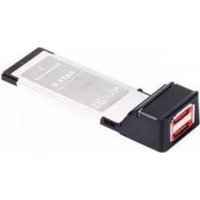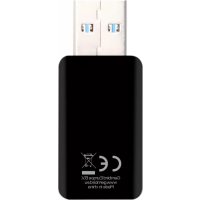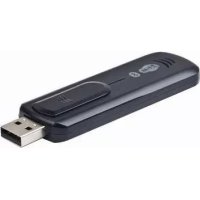
NICWU5 - Network card / adapter Gembird - Free user manual and instructions
Find the device manual for free NICWU5 Gembird in PDF.


| Product Type | Combo Bluetooth and WLAN wireless adapter |
| Brand | Gembird |
| Model | NICW-U5 |
| Interface | USB 2.0 (compatible USB 1.1), retractable connector |
| WLAN Standards | IEEE 802.11b/g |
| Maximum WLAN Data Rate | 54 Mbps |
| WLAN Security | WPA, WEP 64/128/256 bit, TKIP/AES, WEP2 |
| WLAN Transmit Power | 17 dBm (max) |
| WLAN Range | Up to 100 m |
| Bluetooth Version | 2.0 + EDR |
| Maximum Bluetooth Data Rate | 3 Mbps |
| Bluetooth Power | 18 dBm (Class I) |
| Bluetooth Range | Up to 100 m |
| Antenna | Internal, gain 2 dBi ±1 dBi |
| Dimensions (L×W×H) | 77 × 26 × 9.5 mm |
| Weight | 14 g |
| Power Supply | Via USB port |
| Operating Temperature | 0 to 40 °C |
| Operating Humidity | 5 to 95% RH |
| Supported Operating Systems | Windows 7 |
| Main Functions | High-speed wireless Internet access, wireless stereo music, file exchange with mobile phones |
| Installation | Plug & Play after driver installation |
| Package Contents | USB dongle, driver CD, user manual |
| Warranty | 36 months |
| Maintenance and Cleaning | Clean with a dry cloth, avoid moisture |
Frequently Asked Questions - NICWU5 Gembird
User questions about NICWU5 Gembird
0 question about this device. Answer the ones you know or ask your own.
Ask a new question about this device
Download the instructions for your Network card / adapter in PDF format for free! Find your manual NICWU5 - Gembird and take your electronic device back in hand. On this page are published all the documents necessary for the use of your device. NICWU5 by Gembird.
USER MANUAL NICWU5 Gembird
PYKOBODCTBO NOIb3OBATEJIa
KEPIBHIQTBO KOPNCTYBAUA
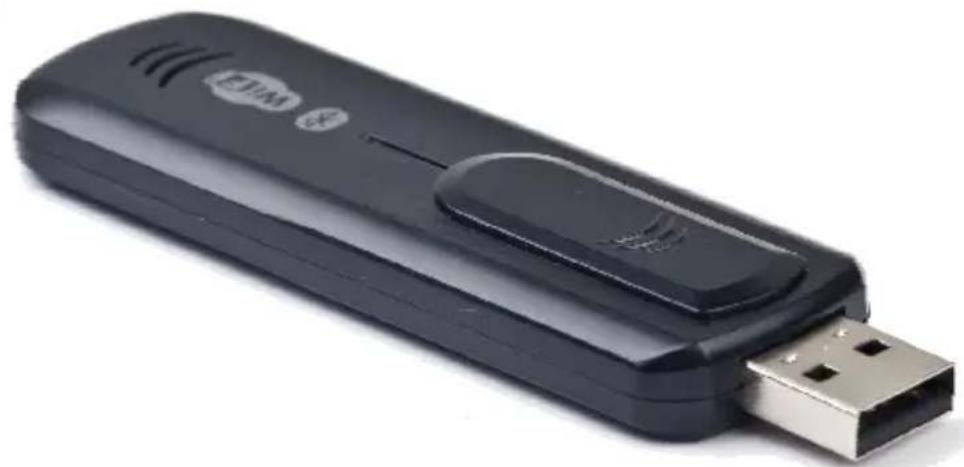
NICW-U5 BLUETOOTH AND WLAN DONGLE
Disclaimer
- We spared no efforts to make sure that the information in this manual is correct and complete. However no liability is accepted for any errors or omissions. Gembird Electronics reserves the right to change the specifications of the hardware and software described in this manual without prior notice.
- No part of this manual may be reproduced, transmitted or translated in any language in any form, by any means, without the prior written permission of Gembird Electronics Ltd.
- Gembird Electronics makes no warranties for damages resulting from corrupted or lost data due to a mistaken operation or malfunction of the product, the software, personal computers or peripheral devices.
Gembird® is a registered trademark of Gembird Europe bv.
Other names or products not mentioned above may be registered trademarks or trademarks of their respective owners.
Copyright © 2010 Gembird Electronics Ltd. All rights reserved
Features
- 2-in-1 wireless combo adapter: both WLAN and Bluetooth interfaces
Supports WLAN data transfer rate up to 54 Mbps - All modern WLAN encryption security standards including 256-bit
- Wireless connection with Bluetooth enabled computers, mobile phones, PDAs, etc.
High-quality wireless stereo music
Specifications
- USB 2.0 interface, USB 1.1 compatible, retractable connector
- WLAN: complies with IEEE802.11g, IEEE802.11b, speed up to 54 Mbps; security: WPA; 64/128/256-bit WEP; TKIP/AES, WEP2; transmitter output power: 17 dBm (max); internal antenna type, gain: 2.4 GHz Wireless @ ± (typical): 2 dBi +/-1 dBi, working distance up to 100 m
- Bluetooth: v.2.0 + EDR, speed up to 3 Mbps, RF power up to 18 dBm (Class I), working distance up to 100 m
- Dimensions: 77 × 26 × 9.5 mm
Weight: 14 g - Operating temperature: 0 40^, 5 95% humidity
Package Contents
- USB 2-in-1 dongle
- Drivers CD
- User Manual
Thank you for purchasing the Gembird® NICW-U5 Bluetooth and WLAN Dongle! This manual will help you install and use it properly.
The NICW-U5:
High-speed wireless access to Internet
- Wireless high-quality stereo music
- Exchange files with mobile phones
Plug&Play easy installation
- Suitable both for laptops and desktop PCs
Supports Windows 7
Installation
Please follow the steps below to install the software and driver for this Bluetooth and WLAN Dongle.
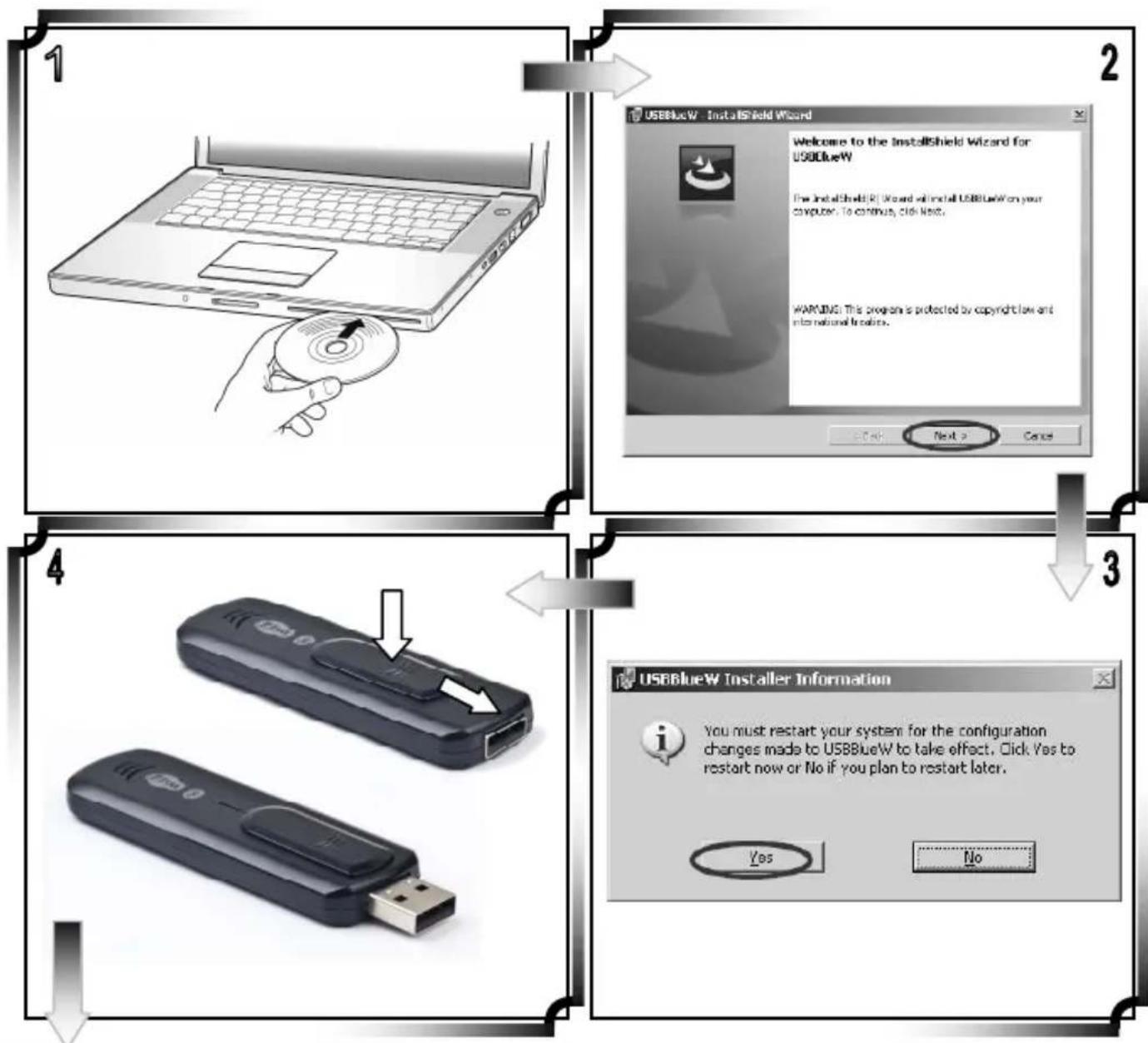
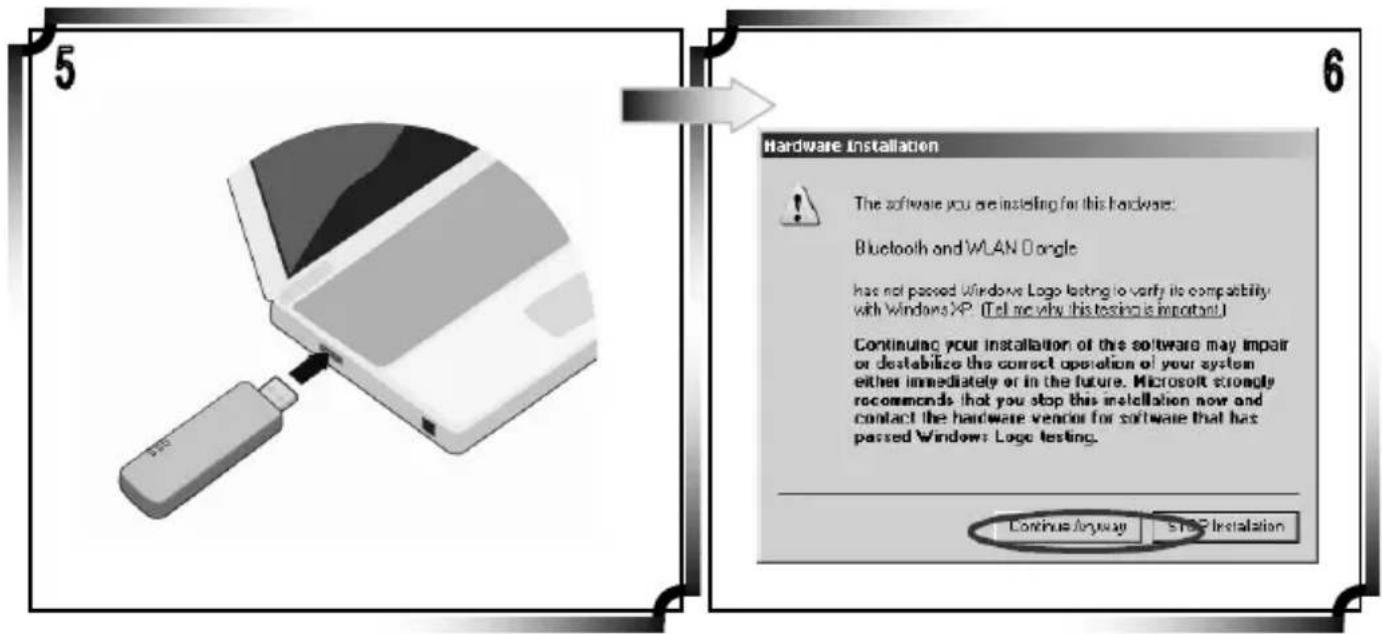
Configuring wireless network in Windows® 7
Windows® 7 operating system has so-called "Wireless Zero Configuration" feature, which can be used to configure and control the NICW-U5 Bluetooth and WLAN Dongle. Note: Wireless Zero Configuration is most appropriate to be used at home and in SOHO local networks.
Wireless Zero Configuration should not be used in medium or large networks or in the networks where a high degree of security is required.
Follow the steps below to configure your WLAN Dongle using the Wireless Zero Configuration:
- From the Start menu, select Control Panel.
- Click "Network Connections".
- Right-click the network connection associated with your Wireless USB Dongle and select "Properties".
- Click the "Wireless Networks" tab.
- Check the "Use Windows to configure my wireless network settings" checkbox.
- Click the "View Wireless Networks" button.
- Select the Access Point with which you would like to connect.
- Click the "Connect" button.
- Enter your login/password that is required by this network.

EMCC
DR.RASEK
Recognized by the German Regulator to act as a Notified Body in accordance with the R&TE Directive 1999/EC of 9. March 1999
Nafied Body Directos 94/EC Nafied Body ENC Directos 2004/108EC RFCAB under the Japan EC MFA FCB under the Canada-EC MRA TCB under the USA-EC MRA
EC Identification No. 0678
BnEa-B5-02/51-54
R&TTE STATEMENT OF OPINION
Registration No.
G10778A
Certificate Holder
Gembird Electronics Ltd.
JF, Big B, Shifeng Industry Park, Huaing Road
Daliang, Longhua Shenzhen
P.R. China
Product Designation
USB Bluetooth and WLAN dongie, Modal NICW-US, NICW-UE6
Frequency Range: 2412-2472 MHz (902.11b/g)
2402-2480 MHz (Bluetooth)
Transmit Power: 18.62 dBm EIRP (802.11b/g)
3.55 dBm EIRP (Bluetooth)
Product Description
UBS Dongre with WLAN and Bluetooth function
Manufacturer
Gembird Electronics Ltd.
2/F, Bidg B, Shifeng Industry Park, Huaning Road
Daiang, Longhua Shenzhen
P.R.China
| Essential Requirement | Applied Specifications / Standards | Documentary Evidence | Result | |
| Art. 3.1(a) | Health | EN 82211 | Test Report 00C51HR-FFCE | conform |
| Art. 3.1(b) | Safety | EN 60060-1 | Test Report 00C51L25 | conform |
| Art. 3.1(c) | EMC | EN 901 489-1-17 | Test Report 00C51DCE-RF-CE-P01V01 | conform |
| Art. 3.2 | Radio | EN 300 328 | Test Report 00C251R-RFCEP14V01 Test Report 00C251R-RFCEP39V01 | conform |
The product shall be marked with the CE conformity marking and our Notified Body number as shown on the right.
C∈0678①
The scope of evaluation relates to the submitted documents only.
This Statement of Opinion is issued in accordance with Annex IV of the R&TTE Directive 1999/SEC of 9^th March, 1999 and is only valid in conjunction with the attached Annex.
HaMeHOBaHne n3dJIeNIA:
Mодenvb
CepnHbH Homep
Cpok rapaHTnn
Даразрахи « 20 roda
Φnрma-npodaBeu:
Aapec n Tepeoh pmpb-npdaBua:
M.I. CycnoBnmaI rapaHTmO3HaKOMneH n corlaceH:
Ipoanabeu: Kynatelb:
YMOBNIAPAHINTINHOOOBCYTOBOYBAHH
- rapaHTiHHe o6cIyROByBaHHHaadaCTbcnPpTOM TepMIHy rapaHTi, npn HaaBHOcti rapaHTiHoro TaHOhy, 3anOBHeHOro HAJIeXHM YINOM, Ta BInO6bY B NOBHi KOMJIeKtAJI.
- TapaantinHe 06cnyroByBaHH He nIidtpmUyctbCn B pasi npuyenHn npabn EKcnnyatau, 36epirAHn a6o nepebe3eHH Bnpo6y, 0o 3a3NaueHi B IHCTpykui no ekcnnyatauBnpo6y.
3.「apaHTiIHe 06cIyROByBaHHaCKaCOByeTbCay y BnuaKkX:
HaBHOCTi MexaHcHnX noKoJKeHb a6o cniDIB CTOpOHbOTo BTPyuaHH;
- NOIKOJKeHHB NKIIKHaH CTNXIHMM JINXOM a6o HeJIaCHHM BUNaDCOM, BKIOUcAIOH N BnCKaBky, NotpanJIaHHM y Bnpi6 CTOPOHHIX npeMetTb, pIDH, KOMax, TOIO;
-
NOIKOJKeHHB BKNIkaH 3aCTOcyBaHHaM a60 nIKJIIOHeHHM HeCTaHdapTHHX a6o HecnpabHnx neppeepiHn npictpoIB, akcecyapib;
-
TapaHTi He NooHrpOeTbCn Ha BntpaTHi MaTepiaJN Ta doaTKoBi akcecyap;
3 rapaHTiHmUyMOBaMn 3roJeH.
Piinnc nokyu:
TAPAHITIHIN TAJIOH Ne
Tobap/MoDJIb
CepiHnH Homep
TepmiH rapaHii
Даразпожу