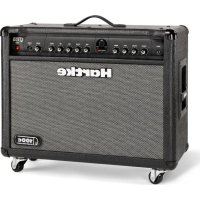
GT100C - Receiver Hartke - Free user manual and instructions
Find the device manual for free GT100C Hartke in PDF.

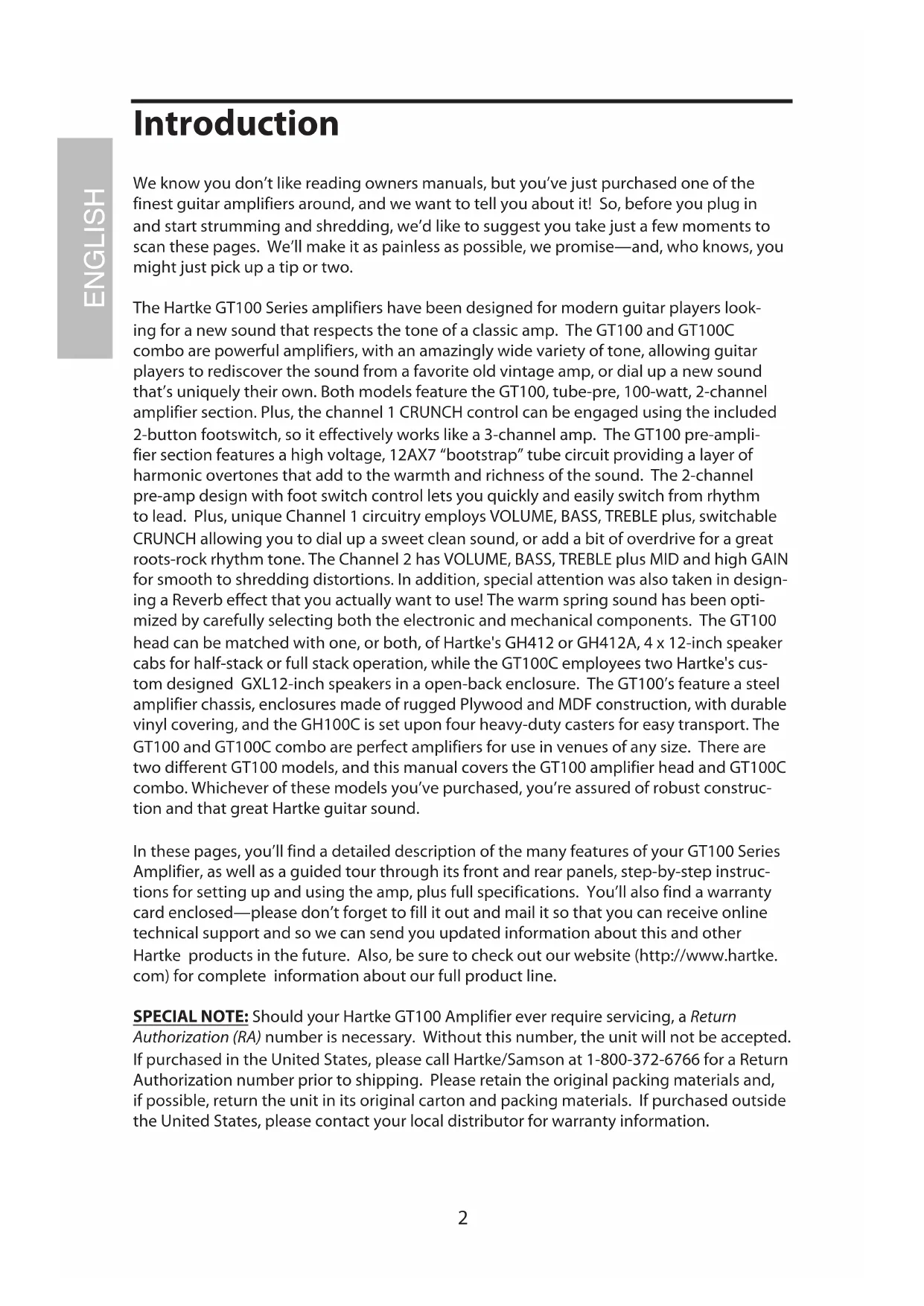


| Product Type | Guitar Amplifier Combo |
| Brand | Hartke |
| Model | GT100C |
| Rated Power | 100 Watts |
| Preamp Tube | 12AX7 |
| Channels | 2 (Channel 1 with switchable CRUNCH for a 3rd channel) |
| Equalization | Channel 1: BASS, TREBLE; Channel 2: BASS, MID, TREBLE |
| Reverb | Built-in spring reverb with level control |
| Speakers | 2 x Hartke GXL12 12-inch (75 W each) |
| Input Impedance | 1 MOhm |
| Front Panel Connectors | 6.35 mm Jack Input, 6.35 mm Stereo Jack Headphone |
| Rear Panel Connectors | 2 x Speaker Output (6.35 mm Jack, min. 4 Ohms), Footswitch (6.35 mm Stereo Jack), Effects Send/Return (6.35 mm Jack) |
| Included Footswitch | Yes, two-button (channel selection and CRUNCH activation) |
| Power Supply | 120 V / 60 Hz or 240 V / 50 Hz depending on country |
| Fuse | USA/Japan: 1 A; UK/Europe: 2 A |
| Dimensions (H x W x D) | 577.9 mm x 755.6 mm x 305 mm |
| Weight | 26.76 kg |
| Construction | Steel chassis, plywood and MDF baffle, durable vinyl covering, 4 reinforced casters |
| Maintenance and Cleaning | Clean only with a damp cloth. Do not block ventilation slots. |
| Safety | Do not expose to rain or moisture. Do not open the enclosure. No user-serviceable parts. Use a grounded outlet. |
| Spare Parts and Repairability | No user-replaceable parts. Contact qualified service for any repairs. Extended 3-year warranty. |
| General Information | Guitar amplifier combo from the GT100 series, designed for modern guitarists, vintage and modern sounds. |
Frequently Asked Questions - GT100C Hartke
User questions about GT100C Hartke
0 question about this device. Answer the ones you know or ask your own.
Ask a new question about this device
Download the instructions for your Receiver in PDF format for free! Find your manual GT100C - Hartke and take your electronic device back in hand. On this page are published all the documents necessary for the use of your device. GT100C by Hartke.
USER MANUAL GT100C Hartke
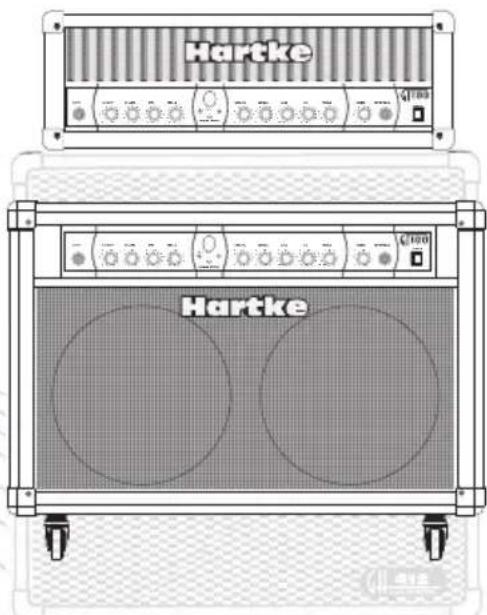
100 Watt Guitar Amplifier
Owners Manual
Hartke
Caution: To reduce the hazard of electrical shock, do not remove cover or back.
No user serviceable parts inside. Please refer all servicing to qualified personnel.
WARNING
DO NOT EXPOSE THIS EQUIPMENT
TO RAIN OR MOISTURE
AVIS
RISQUE DE CHOC ELECTRONIQUE
NE PAS OUVIR
WARNING: To reduce the risk of fire or electric shock, do not expose this unit to rain or moisture.
The lightning flash with an arrowhead symbol within an equilateral triangle, is intended to alert the user to the presence of uninsulated "dangerous voltage" within the products enclosure that may be of sufficient magnitude to constitute a risk of electric shock to persons.
The exclamation point within an equilateral triangle is intended to alert the user to the presence of important operating and maintenance (servicing) instructions in the literature accompanying the product.
Important Safety Instructions
- Please read all instructions before operating the unit.
- Keep these instructions for future reference.
- Please heed all safety warnings.
- Follow manufacturers instructions.
- Do not use this unit near water or moisture.
- Clean only with a damp cloth.
- Do not block any of the ventilation openings. Install in accordance with the manufacturers instructions.
- Do not install near any heat sources such as radiators, heat registers, stoves, or other apparatus (including amplifiers) that produce heat.
- Do not defeat the safety purpose of the polarized or grounding-type plug. A polarized plug has two blades with one wider than the other. A grounding type plug has two blades and a third grounding prong. The wide blade or third prong is provided for your safety. When the provided plug does not fit your outlet, consult an electrician for replacement of the obsolete outlet.
- Protect the power cord from being walked on and pinched particularly at plugs, convenience receptacles and at the point at which they exit from the unit.
- Unplug this unit during lightning storms or when unused for long periods of time.
- Refer all servicing to qualified personnel. Servicing is required when the unit has been damaged in any way, such as power supply cord or plug damage, or if liquid has been spilled or objects have fallen into the unit, the unit has been exposed to rain or moisture, does not operate normally, or has been dropped.
Guided Tour - Front Panel 4
Guided Tour - Rear Panel 6
Setting Up and Using Your Hartke GT100 Guitar Amplifier. 7
Using the Footswitch Jack and Effects Loop 9
Sample Settings 42
Setting Templates 45
Specifications 46
FRANÇAIS
Introduction. 10
Printed April, 2006 v1.2
Samson Technologies Corp.
45 Gilpin Avenue
Hauppauge, New York 11788-8816
Phone: 1-800-3-SAMSON (1-800-372-6766)
Fax: 631-784-2201
www.samsontech.com
Introduction
We know you don't like reading owners manuals, but you've just purchased one of the finest guitar amplifiers around, and we want to tell you about it! So, before you plug in and start strumming and shredding, we'd like to suggest you take just a few moments to scan these pages. We'll make it as painless as possible, we promise—and, who knows, you might just pick up a tip or two.
The Hartke GT100 Series amplifiers have been designed for modern guitar players looking for a new sound that respects the tone of a classic amp. The GT100 and GT100C combo are powerful amplifiers, with an amazingly wide variety of tone, allowing guitar players to rediscover the sound from a favorite old vintage amp, or dial up a new sound that's uniquely their own. Both models feature the GT100, tube-pre, 100-watt, 2-channel amplifier section. Plus, the channel 1 CRUNCH control can be engaged using the included 2-button footswitch, so it effectively works like a 3-channel amp. The GT100 pre-amplifier section features a high voltage, 12AX7 "bootstrap" tube circuit providing a layer of harmonic overtones that add to the warmth and richness of the sound. The 2-channel pre-amp design with foot switch control lets you quickly and easily switch from rhythm to lead. Plus, unique Channel 1 circuitry employs VOLUME, BASS, TREBLE plus, switchable CRUNCH allowing you to dial up a sweet clean sound, or add a bit of overdrive for a great roots-rock rhythm tone. The Channel 2 has VOLUME, BASS, TREBLE plus MID and high GAIN for smooth to shredding distortions. In addition, special attention was also taken in designing a Reverb effect that you actually want to use! The warm spring sound has been optimized by carefully selecting both the electronic and mechanical components. The GT100 head can be matched with one, or both, of Hartke's GH412 or GH412A, 4 × 12 -inch speaker cabs for half-stack or full stack operation, while the GT100C employees two Hartke's custom designed GXL12-inch speakers in a open-back enclosure. The GT100's feature a steel amplifier chassis, enclosures made of rugged Plywood and MDF construction, with durable vinyl covering, and the GH100C is set upon four heavy-duty casters for easy transport. The GT100 and GT100C combo are perfect amplifiers for use in venues of any size. There are two different GT100 models, and this manual covers the GT100 amplifier head and GT100C combo. Whichever of these models you've purchased, you're assured of robust construction and that great Hartke guitar sound.
In these pages, you'll find a detailed description of the many features of your GT100 Series Amplifier, as well as a guided tour through its front and rear panels, step-by-step instructions for setting up and using the amp, plus full specifications. You'll also find a warranty card enclosed—please don't forget to fill it out and mail it so that you can receive online technical support and so we can send you updated information about this and other Hartke products in the future. Also, be sure to check out our website (http://www.hartke.com) for complete information about our full product line.
SPECIAL NOTE: Should your Hartke GT100 Amplifier ever require servicing, a Return Authorization (RA) number is necessary. Without this number, the unit will not be accepted. If purchased in the United States, please call Hartke/Samson at 1-800-372-6766 for a Return Authorization number prior to shipping. Please retain the original packing materials and, if possible, return the unit in its original carton and packing materials. If purchased outside the United States, please contact your local distributor for warranty information.
Hartke GT100 Guitar Amplifier Features
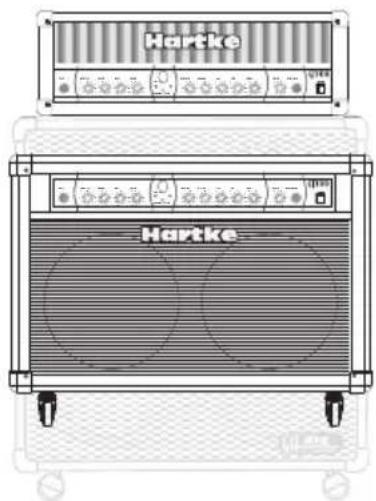
The Hartke GT100 Series amplifiers have been designed for modern guitar players looking for a new sound that respects the tone of a classic amp. Here are some of their main features:
- The GT100 series amplifiers offers a roaring 100-watts of power with a 2-channel front-end control section built around a tube pre-amp.
- The preamp section of the GT100 amplifiers utilizes a 12AX7 bootstrap tube circuit, which gives the amplifier its inherently personal tone.
- Channel 1 features CRUNCH, VOLUME with BASS and TREBLE equalizer.
- Channel 2 employs GAIN and VOLUME plus an equalizer comprised of BASS, TREBLE and MID.
- Front panel CHANNEL switch with LED indicators for selecting the GT100's Channel 1 or Channel 2.
- Footswitchable, CRUNCH switch with LED indicator allows you to switch from clean to mild distortion on CHANNEL 1, effectively providing three channel operation.
The GT100 boasts a sweet and lush spring REVERB with level control. - The included 2 button footswitch provides easy on-stage control for Crunch on and off plus channel selection.
- The GT100 head can be matched up with the GH412 and/or GH412A 4 x 12 speaker cabinets.
- The GT100C combo features two Hartke GXL12 75-watt twelve-inch speaker installed in a convertible open-back enclosure.
- The GT100 features a separate headphone output, which automatically disconnects the speaker output, allowing use as a high-quality practice amp.
- Rear panel Effect IN and Effect OUT jacks for connecting external signal processors.
- Hartke guitar cabinets are constructed from Plywood and MDF (medium density fiber board) and feature mesh fabric grill and durable vinyl covering.
Rugged construction makes the GT100 Series eminently road-worthy.
Extended Three Year Warranty.
Guided Tour - Front Panel
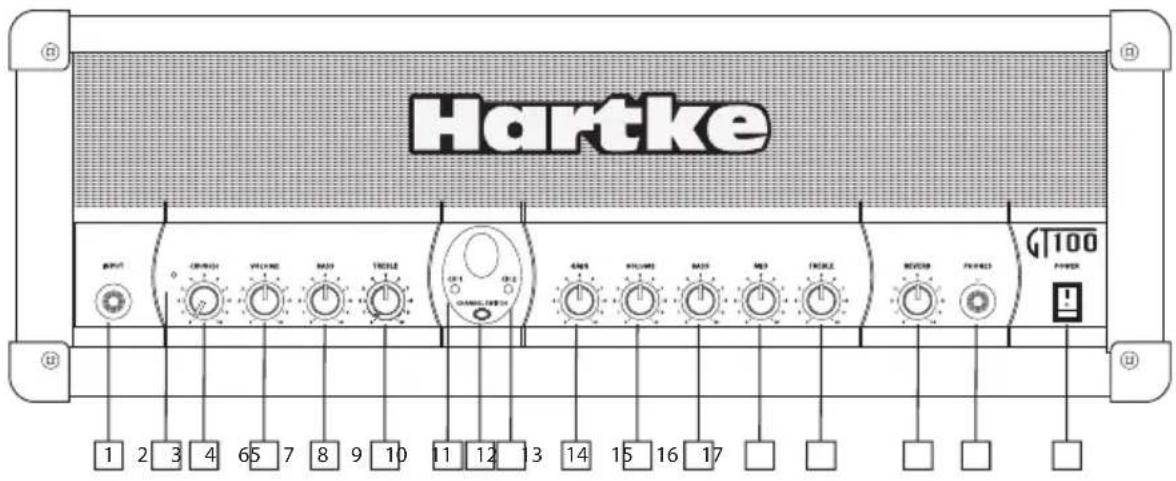
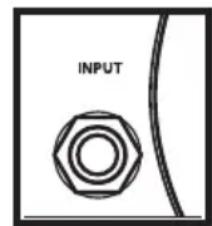
- INPUT - Connect your guitar to this standard 1/4'' unbalanced jack. This GT Series Input was designed to handle the signals from guitar with a wide range of output levels from lipstick singe coils to the beefiest humbucker.
- CRUNCH LED- When this light is illuminated, CRUNCH is on.
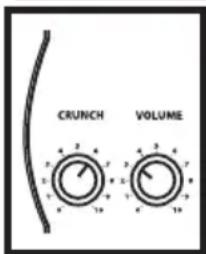
- CRUNCH - CHANNEL 1's pre-amp level control used to dial up tube overdrive tone for just a touch of harmonic warmth for blues all the way to a dirty rhythm of classic and modern rock. The CRUNCH control can be switched on and off using the included footswitch.
- VOLUME-(CH1) This is the overall volume control for CHANNEL1.
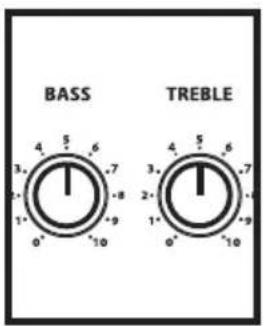
- BASS - This control provides approximately 15 db of cut or boost at 100Hz , with a peak (bell) curve. When the knob is at the 12 o'clock ("5") position, there is no boost or attenuation (that is, flat response). As it is turned clockwise from the "5" position, the frequency area is boosted; as it is turned counterclockwise from the "5" position, the frequency area is attenuated.
- TREBLE- This peaking control provides approximately 15 db of cut or boost at 5kHz . When the knob is at the 12 o'clock ("5") position, there is no boost or attenuation (that is, flat response). As it is turned clockwise from the "5" position, the frequency area is boosted; as it is turned counterclockwise from the "5" position, the frequency area is attenuated.
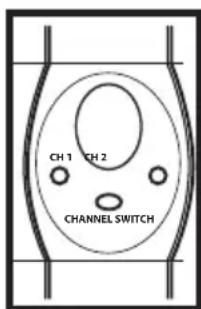
- CH1 LED - When this light is illuminated, CHANNEL 1 is selected.
- CHANNEL SWITCH - This switch allows you to select either CHANNEL 1 or CHANNEL 2.
- CH2 LED - When this light is illuminated, CHANNEL 2 is selected.
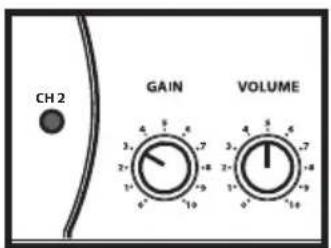
- GAIN - CHANNEL 2's pre-amp level control used to dial up tube overdrive tone for classic metal distortion, shredding leads and fat modern chunk.
- VOLUME (CH2) - This is the overall volume control for CHANNEL 2.
Guided Tour - Front Panel
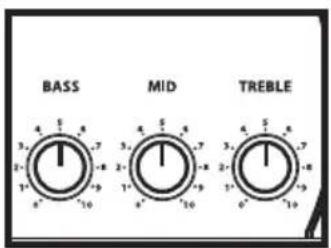
- BASS - This control provides approximately 15 db of cut or boost at 100Hz , with a peak (bell) curve. When the knob is at the 12 o'clock ("5") position, there is no boost or attenuation (that is, flat response). As it is turned clockwise from the "5" position, the frequency area is boosted; as it is turned counterclockwise from the "5" position, the frequency area is attenuated.
- MID - This control provides approximately 15 db of cut or boost at 2.5kHz , with a peak (bell) curve. When the knob is at the 12 o'clock ("5") position, there is no boost or attenuation (that is, flat response). As it is turned clockwise from the "5" position, the frequency area is boosted; as it is turned counterclockwise from the "5" position, the frequency area is attenuated.
- TREBLE - This peaking control provides approximately 15 db of cut or boost at 5 kHz. When the knob is at the 12 o'clock ("5") position, there is no boost or attenuation (that is, flat response). As it is turned clockwise from the "5" position, the frequency area is boosted; as it is turned counterclockwise from the "5" position, the frequency area is attenuated.
- REVERB - The control knob used to set the level of the internal Spring Reverb.
- PHONES - Connect any stereo headphone (600 ohms or less) to this standard 1/4" stereo jack. When a plug is inserted into the headphone jack, the speaker output is disconnected, allowing you to use your GT100 as a practice amplifier. The level of the signal sent to the headphones is determined by the setting of the Volume knob—at the point where a connected speaker would clip, the headphones will clip.
WARNING: Because even the smallest GT Series amplifier is capable of generating extremely high headphone signal levels, always start with the Volume knob at minimum and then slowly turn it up. In particular, a clicking sound is an indication of distortion and possible damage to the headphones (and/or your hearing!). Don't let things get to that point!
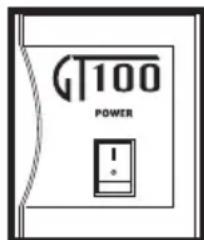
- POWER switch - Use this to power the GT Series on or off. When powered on, an LED inside this switch is lit.
Guided Tour - Rear Panel
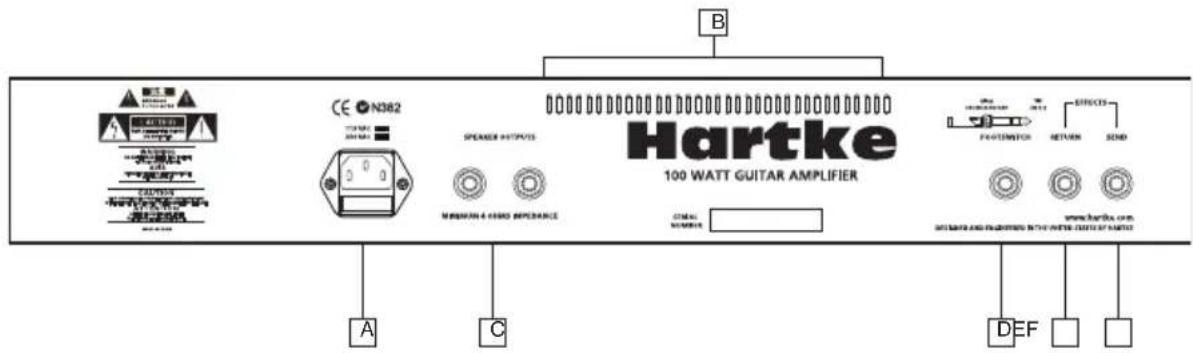
A. AC POWER INLET - Use the supplied grounded AC power cord to connect your GT Series amplifier to mains power. This cord comes supplied with the appropriate plug for your geographic area. CAUTION: Do not use an adapter to defeat the third grounding pin on this plug or severe electric shock may result!
B. SPEAKER OUTPUTS - These jacks are used to connect the GT100 head to one or two external Hartke GH412 cabinets.
C. VENT - The Vent provides vital cooling to your Model GT100. Make sure that it is kept free of all obstructions and that cool, fresh air is accessible at all times. Also, try to ensure that the Model GT100 is used in a dust-free environment.
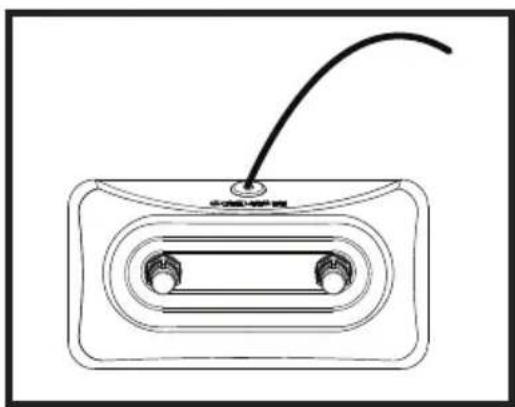
D. FOOTSWITCH jack - Connect the included footswitch for CRUNCH on/off and Channel selection.
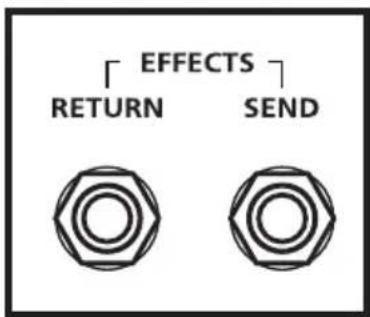
E. EFFECTS RETURN - Use this 1/4" unbalanced jack to return signal from a professional outboard effects processor.
F. EFFECTS SEND - Use this 1/4 unbalanced jack to send signal to a professional outboard effects processor. Output level is approximately -10 dB to +4 dB and is post-EQ and post-Volume. The signal from this output can also be used as a Direct Out for recording.
- In-line effects (such as foot pedals) intended for low signal levels should be placed between your guitar and the front panel GT SERIES amplifier Input and not connected with the rear panel Effects Loop jacks.
Setting Up and Using Your Hartke GT100 Guitar Amplifier
- Remove all packing materials (save them in case of need for future service) and decide where the amplifier is to be physically placed. To avoid potential overheating problems, make sure that the rear panel is unobstructed and that there is good ventilation around the entire unit.
- Before you plug-in the power cable, be sure the POWER switch is in the off (down) position. Connect the supplied power cable to the AC INLET located on the rear panel. Then, plug-in the 3-pin AC plug into any grounded AC socket. Don't turn the GT Series on just yet, though.
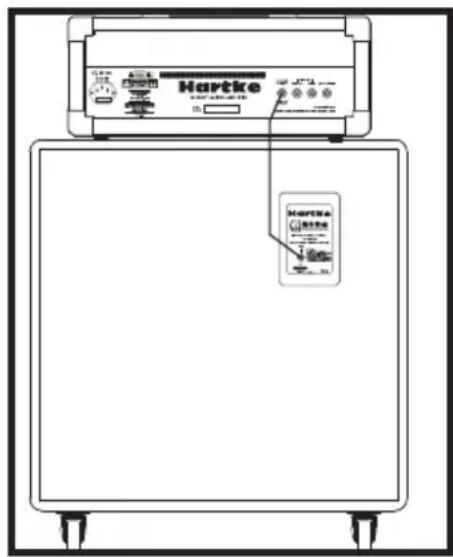
- If you are using the GT100 head, connect a un-shielded speaker cable from the SPEAKER OUT located on the GT100's rear panel to the INPUT on the rear of the GH412/ GH412A speaker cabinet.
WARNING: The GT100 is to be used only when connected to an 4 or 8 ohm speaker load. Use with speaker loads of less than 4 ohms can result in severe damage to the unit due to excessive heat and current limiting and will
- Use a standard shielded instrument cable to connect your guitar to the INPUT jack on the front panel.
- On the front panel of the GT Series, turn the CRUNCH and VOLUME on CHANNEL 1, and GAIN and VOLUME on CHANNEL 2 controls to their minimum (fully counterclockwise) position. Set the BASS, TREBLE and MID controls to their "5" position.
- Press the front panel Power switch in order to turn on your GT Series amp; the switch will light up and you will see the tube heating up through the front panel window.
- Press the front panel CHANNEL SWITCH to select CHANNEL 1. Note: If the footswitch is connected to the rear panel FOOTSWITCH input jack you will need to change the channel using the button 2 on the foot switch and select CRUNCH off for now with button 1.
- Set the output of your guitar to maximum and then, while playing, slowly turn the GT Series CHANNEL 1 VOLUME control up until the desired level is achieved. You will get a nice clean tone when using just VOLUME (no CRUNCH) for level, so set it to the level you like.
Setting Up and Using Your Hartke GT100 Guitar Amplifier
-
Adjust the CHANNEL 1 BASS and Treble equalizer controls to taste. (When you get a great setting that complement your instrument and playing style, it's a good idea to write it down for future use.) Also, see the section GT100 Sample Settings on page 44 in this manual.
-
Next, experiment with the CRUNCH control. You'll know that the CRUNCH control is active when its red LED is illuminated. You can select it on or off using button 1 on the included footswitch. If the footswitch is not connected, the CRUNCH is always on and its red LED will stay lit. You can turn the CRUNCH control all the way down (fully counterclockwise) to bypass the control when the footswitch is not connected as well.
-
Now, press the CHANNEL SWITCH (or the footswitch) to select CHANNEL 2.
-
Set the CHANNEL 2 GAIN to "10" position (fully clockwise) and then, while playing, slowly turn the GT Series CHANNEL 2 VOLUME control up until the desired level is achieved.
NOTE: With the GAIN control on "10" you will get the most overdrive from CHANNEL 2. You can turn down the GAIN control for less distortion.
- Adjust the CHANNEL 2 BASS, MID and TREBLE equalizer controls to taste. (When you get a great setting that complement your instrument and playing style, it's a good idea to write it down for future use.)
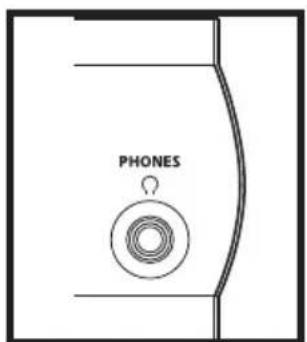
- Test the headphone output by turning the active channel's Volume control to its minimum (fully counterclockwise) position and then connect a standard stereo headphone to the front panel Phones jack. While playing your guitar, slowly turn the Volume control up—you should hear sound from the headphones and none from the connected speaker.
Using the Footswitch Jack and Effects Loop
- If you're using a professional external signal processor that has Line-level inputs and outputs, turn your GT Series amp off momentarily and then connect a standard shielded audio cable between the rear panel EFFECTS SEND jack and your effects processor input, and another standard shielded audio cable between the EFFECTS RETURN jack and your effects processor output. (If required, multiple effects processors can be daisy-chained together, output to input). Then turn the GT Series amp back on and play your bass while adjusting the controls of your effects processor(s). For best results, set both the input and output gain of the connected effects processor(s) to 0 dB (unity gain), so that there is no increase or decrease in level whether the effects are switched in or out. Be sure to adjust the effects processor's WET/DRY balance so that you hear the original signal plus the effects.
- The Hartke GT100 has a footswitch jack located on the rear chassis panel. Connect the included Dual-button footswitch here. The first button on the footswitch will control the on and off for the CHANNEL 1 CRUNCH control. The second button allows you to switch between Channel 1 and Channel 2.

Introduction
The GT100 and the GT100C combo are powerful amps with a lot of personality. The amplifiers offer guitarist a wide range of sounds and after playing just a short time; you'll find the tone that's perfectly suited for your playing style and your sound. To get started, try some of the sample settings on the following pages. Don't forget to add a little (or a lot) REVERB to any of the settings. Remember, GT100 and GT100C use different speaker systems, plus different guitars are made of different wood and have different pick-ups, so the sound will vary a little bit on each individual set up. But still, the sample settings will get you close enough, so you can use you ear to tweak up the sound that's perfect for you.
On page 45 you'll find blank templates of Channel 1 and Channel 2. Use these templates to write down the settings for your favorite sounds. Feel free to photocopy or scan the template page if needed.
Rated Output Power 100 w
Input Impedance 1MOHM
Pre Amp Tube 12AX7
Control Knobs
Channel 1 VOLUME, CRUNCH, BASS, TREBLE
Channel 2 VOLUME, CRUNCH, BASS, MID, TREBLE
System REVERB
LED Indicators
CRUNCH ON/OFF RED
Channel 1 GREEN
Channel 2 RED
Headphone Output 200 mW (typical) @ 600 ohms
Connector 1/4-inch Phone Jack
Rear Panel Connectors
Speaker Outputs 2 x 1/4-inch Phone Jacks (4 Ohm ) Minimum
Footswitch 1/4-inch TRS Phone Jack (Channel Select and Reverb)
Effects Send 1/4-inch Phone Jack
Effect Return 1/4-inch Phone Jack
Power Requirement 120/60 Hz, 240/50Hz (Country Specific)
Fuse Rating
US & Japan 1A
UK & European 2A
Weight
GT100 22lbs. (9.98 kg)
GT100C 59lbs. (26.76 kg)
Dimensions
GT100 25.25" (641.5mm) H x 10.25" (260.5 mm) W x 9" (228.5 mm)D
GT100C 22.75" (577.9 mm) H × 29.75" (755.6 mm) W × 12" (305 mm)D
Specifications are subject to change without notice.
Channel 1 VOLUME, CRUNCH, BASS, TREBLE
Channel 2 VOLUME, CRUNCH, BASS, MID, TREBLE
System REVERB
LED-Anzeigen
CRUNCH ON/OFF RED
Channel 1 GREEN
Channel 2 RED
Channel 1 VOLUME, CRUNCH, BASS, TREBLE
Channel 2 VOLUME, CRUNCH, BASS, MID, TREBLE
System REVERB
Indicatori LED
CRUNCH ON/OFF ROSSO
Channel 1 VERDE
Channel 2 ROSSO


Brand : Hartke
Model : GT100C
Category : Receiver