HATX300 - Receiver Hartke - Free user manual and instructions
Find the device manual for free HATX300 Hartke in PDF.


Pick your language and provide your email: we'll send you a specifically translated version.
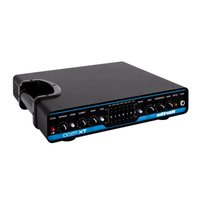
| Product Type | Audio Receiver |
| Brand | Hartke |
| Model | HATX300 |
| Wireless Technology | 2.4GHz digital transmission |
| Number of Channels | 1 |
| Operating Range | Up to 100 meters (line of sight) |
| Audio Output Connectors | 1x 1/4" unbalanced, 1x XLR balanced |
| Frequency Response | 20 Hz - 20 kHz |
| Signal-to-Noise Ratio | ≥ 110 dB |
| THD (Total Harmonic Distortion) | 0.1% @ 1 kHz |
| Power Supply | 12V DC 500mA adapter |
| Dimensions (W x D x H) | 215 x 110 x 45 mm |
| Weight | 540 g |
| Housing Material | Rugged metal chassis |
| Display | LED status indicators (power, signal, battery) |
| Controls | Channel selector, volume knob |
| Rack-mountable | Yes, half-rack size |
| Operating Temperature | 0°C to 40°C |
| Cleaning Instructions | Wipe with a dry, soft cloth |
| Safety Features | Short-circuit protection, overheat protection |
| Compatibility | With Hartke HATX300 transmitter |
Frequently Asked Questions - HATX300 Hartke
How do I connect the HATX300 receiver to my amplifier?
Use a standard 1/4" instrument cable to connect the receiver's unbalanced output to your amplifier's input. If your amplifier has an XLR input, use a balanced XLR cable for a quieter signal over longer distances.
What is the wireless range of the HATX300?
The HATX300 delivers a stable signal up to 100 meters in open environments. Walls and obstacles can reduce range, so position the receiver in a clear line of sight for best performance.
Can I use multiple HATX300 receivers at the same time?
Yes, you can run multiple receivers as long as they are set to different channels and are paired with their respective transmitters. This is useful for multi-instrument setups.
How do I pair the receiver with a transmitter?
Turn on both the receiver and the transmitter. Use the channel selector on both units to set the same channel number. Once matched, the signal LED on the receiver will light up, confirming a successful connection.
Why is there no signal on my receiver?
Check that both devices are powered on and set to the same channel. Make sure the battery in the transmitter is fully charged. Also, keep the transmitter away from sources of radio interference such as Wi-Fi routers and other wireless devices.
What is included in the HATX300 package?
The package includes the HATX300 receiver, a 1/4" output cable, a 12V DC power adapter, and the user manual. Some bundles may also include the transmitter; check the product listing for details.
Does the receiver work with microphones?
Yes, the HATX300 can receive audio from any compatible Hartke transmitter, including microphone transmitters if they operate on the same 2.4GHz frequency band and channel.
How do I clean the receiver?
Unplug the receiver and wipe the exterior with a soft, dry cloth. Avoid using solvents or abrasive cleaners. Never let moisture enter the device.
Can I replace the antenna?
The HATX300 uses a built-in antenna for durability. If you experience weak reception, contact Hartke customer support for repair options; the unit is not designed for user antenna replacement.
What do the LED indicators mean?
The power LED lights up when power is connected. The signal LED flashes when audio is received. A battery status LED may appear on the transmitter and indicates low battery. Refer to the manual for detailed LED logic.
User questions about HATX300 Hartke
0 question about this device. Answer the ones you know or ask your own.
Ask a new question about this device
No questions yet. Be the first to ask one.
Download the instructions for your Receiver in PDF format for free! Find your manual HATX300 - Hartke and take your electronic device back in hand. On this page are published all the documents necessary for the use of your device. HATX300 by Hartke.
USER MANUAL HATX300 Hartke


Manual assistant
Powered by Anthropic
Waiting for your message
Product information
Brand : Hartke
Model : HATX300
Category : Receiver