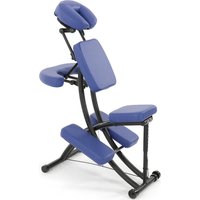
Hang Up - Massage device Sissel - Free user manual and instructions
Find the device manual for free Hang Up Sissel in PDF.
| Technical Features | Ergonomic massage device designed to relieve muscle tension. |
|---|---|
| Massage Modes | Different massage modes to adapt to the user\'s needs. |
| Usage | Easy to use, can be used at home or in the office. |
| Power Supply | Operates on mains power, with a power cable included. |
| Maintenance | Clean with a damp cloth, do not immerse in water. |
| Safety | Do not use in case of open wounds or skin diseases. |
| Weight | Lightweight for easy handling. |
| Dimensions | Compact, easy to store after use. |
| Warranty | Manufacturer\'s warranty for peace of mind. |
Frequently Asked Questions - Hang Up Sissel
User questions about Hang Up Sissel
0 question about this device. Answer the ones you know or ask your own.
Ask a new question about this device
Download the instructions for your Massage device in PDF format for free! Find your manual Hang Up - Sissel and take your electronic device back in hand. On this page are published all the documents necessary for the use of your device. Hang Up by Sissel.

USER MANUAL Hang Up Sissel
natural_image
Black inverted table with 'InVERSION TABLE' label, resting on a metal chair (no other text or symbols visible)
text_image
Technical diagram of a mobile phone rear panel with numbered components for identification and assembly reference.Teileliste
text_image
Technical diagram of a mechanical assembly with numbered components and an inset close-up showing internal components labeled 11, 16, 23, 27.6. Schritt
text_image
Technical diagram of a mechanical assembly with numbered components and labeled partstext_image
Technical diagram of a mechanical assembly with numbered components and spring mechanism
natural_image
Technical line drawing of a mechanical device with a lever and base, showing no text or symbolsnatural_image
Technical line drawing of two mechanical frame assemblies with mounting brackets and support mechanisms (no text or symbols)Thank you for purchasing a SISSEL-inversion table. A good decision for yourself, your health, your fitness and your sense of wellbeing, as well as the prevention of potential ailments. This apparatus enables you to do the exercises necessary to improve your cardiovascular system and strengthen your musculature in the comfort of your own home.
Please observe the instructions for use closely and follow the procedure described to assemble the table. Should you still have legitimate cause for complaint, please contact us.
Enjoy this product. We wish you every success with your exercises.
SISSEL GmbH
First things first:
The device is intended for private or domestic purposes, not for professional use.
The device satisfies the requirements of DIN 957-2 Class H. The Class H range of applications denotes home use. Class H training devices are not intended for installation in areas to which uncontrolled access is allowed.
The product has been tested to DIN EN 957 for a max. user weight of 110 kg.
The manufacturer guarantees this product to be free of material and functional defects subject to being used for its intended purpose and assembled and operated in compliance with the instructions for use. The manufacturer's liability under the warranty is limited to the free replacement or repair of parts that exhibit defects when used for their intended purpose.
The warranty does not cover damage caused by improper operation, wrongful use, unauthorised repairs or commercial application.
Safety instructions
- Please read the instructions carefully prior to assembly.
- Use the device only on an unobstructed, even surface
- Make sure there is adequate free space to assemble the device.
- Keep hands and feet away from moving parts during operation
-
Do not place any objects in openings.
-
Children should not be allowed near the device unsupervised. Their natural play instinct may encourage them to use the device in a manner for which it is not intended, causing accidents in the process.
-
Parents and other minders should be aware of their responsibility, since children's natural instinct to play and experiment can lead to situations and behaviour for which these training devices are not built.
-
If you allow children to train on the device, you should consider their mental and physical development and above all their temperament. Should the situation arise, supervise children and, more importantly, instruct them how to use the device correctly. The devices must never be used as toys. Please note that the minimum user height is 140 cm, the maximum 198 cm.
-
Check the device for damage and wear on a regular basis. Faulty parts must be replaced immediately. Do not use the device again until its safety is guaranteed.
Pay particular attention to the following parts when checking:
Mounting of the table on the frame (e.g. bolts, pins, guides), foot mounting (e.g. tight fit of screws and nuts, spring buttons)
Table (e.g. cracks)

Always consult your doctor before starting an exercise programme, especially if you are experiencing ill health.
Please note that exercising incorrectly or excessively can damage your health.
As with all sports and gymnastic activities, you should confirm whether and how to exercise as soon as you experience physical discomfort, illness or other problems. Consult your doctor or therapist if necessary.
However, if you suffer from the following complaints, illnesses or conditions, you should not use the SISSEL inversion table or use it only after consulting your doctor:
Hernia
Glaucoma, detachment of the retina, eye diseases
☐ Osteoporosis, recently healed fractures or bones that contain implants
Inner ear diseases, predisposition to head bleeding
Spinal injuries
Strokes, cardiovascular disorders, high blood pressure
Taking anticoagulants (heparin)
Swelling of the joints
Pregnancy

You should always consult your doctor if you are carrying an injury, have just had an operation or suffer from organic diseases, cardiovascular complaints or other health problems.
"Used sensibly, the inversion table brings enormous benefits and carries no more risk than other popular and prevalent exercise, training and fitness activities"
Exploded view Parts overview

text_image
Technical diagram of a smartphone rear panel with numbered components for identification and assembly reference.Parts list
| Code | Description | Qty |
| 1 | Front U-frame | 1 | ||
| 2 | Rear U-frame | 1 | ||
| 3 | Adjustable arm | 1 | ||
| 4 | Table frame | 1 | ||
| 5 | Pivot arm with position openings | 2 | ||
| 6 | Adjustable instep frame | 1 | ||
| 7 | Steel Heel Holder Bracket | 4 | ||
| 8R | Right Folding Arm | 1 | ||
| 8L | Left Folding Arm | 1 | ||
| 9 | Bars | 1 | ||
| 10 | Hex-head screw | M8 x 23mm | 2 | |
| 11 | Hex-head screw | M6 x 47mm | 2 | |
| 12 | Cross-head screw | M6 x 30mm | 4 | |
| 13 | Washers | 20*Ø 8.5*1.5 | 16 | |
| 14 | Cross struts | 1 | ||
| 15 | Counternut | M8 | 8 | |
| 16 | Counternut | M6 | 6 | |
| 17 | Small spring button | 1 | ||
| 18 | Large spring button | 1 | ||
| 19 | Safety hook | (karabiner) | 2 | |
| 20 | Rubber mount | 1 | ||
| 21 | Round end cap | 2 | ||
| 22 | Foot bar end cap | 2 | ||
| 23 | Spring | 1 | ||
| 24 | Square end cap | 1 | ||
| 25 | Round end cap | 4 | ||
| 26 | Guide bush for table frame | 2 | ||
| 27 | Washer | 16*Ø 6.5*1.0 | 8 | |
| 28 | End cap | 1 | ||
| 29 | Bar grip | 2 | ||
| 30 | Knob | 1 | ||
| 31 | Rubber Heel Holder | 4 | ||
| 32 | Nylon strap | 1 | ||
| 33 | Nylon strap | 1 | ||
| 34 | Strap buckle | 1 | ||
| 35 | Nylon lining / table | 1 | ||
| 36 | Foam grip | 2 | ||
| 37 | Protective cover | 2 | ||
| 38 | Hex-head screw | M8 x 23mm | 2 | |
| 39 | Foot rest | 1 | ||
| 40 | Hex-head screw | M8 x 50mm | 2 | |
| 41 | Square end cap | 2 | ||
| 42 | Spring washer | 1 | ||
| 43 | Hex-head screw M8 x 38 mm | 2 | ||
| 44 | Length adjustment scale | 1 | ||
| 45 | Plastic bushes | 1 | ||
| 46 | Foam pad | 1 | ||
| 47 | Double-sided adhesive tape | 1 | ||
| 48 | End cap | 27*Ø 13.5 | 2 | |
| 49 | Pivot arm ring | 2 | ||
Parts packing list
Code Description Qty
11 Hex-head screw M6 x 47mm 2
13 Washers ∅20*∅8.5*1.5 12
15 Nut M8 6
16 Nut M6 2
27 Washer ∅16*∅6.5*1.0 4
38 Hex-head screw M8 x 25mm 2
40 Hex-head screw M8 x 50mm 2
41 Square end cap 1
43 Hex-head screw M8 x 38mm 2
48 End cap ∅27*∅13.5 2
49 Pivot arm ring 2
Double ended wrench 2
M 12 / M 14
Phillips Screwdriver 1

Note:
These parts are packed separately and will be required for assembly. Please check that all parts are present before starting assembly.
All other parts are premounted.
Remove the packaging and place all parts within easy reach. Use the parts list to help you identify the individual parts.
Now proceed as follows to assemble
Assembly instructions

text_image
2 8R 1 8LFront Back
Step 1
Stand up the base of the machine by separating the u-frames. Pull the Front and Rear U-Frames (1, 2) as far apart from each others as possible. Then push down on the middle of the Left and Right Folding Arms (8L, 8R) until they are fully locked down.

text_image
37 INVERSION TABLE 48 15 2 1 48Step 2
Push the two cover caps (48) onto the nuts (15). Slide the protective covers (37), as shown, on each side of the base and pull them down until the bottom edges of the covers are positioned just below the left and right folding arms (8L, 8R). Close the Velcro(R) strips on the underside of the protective covers (37) so that the covers are fastened to the left and right folding arms (8L, 8R). The covers are correctly fitted if the left and right folding arms (8L, 8R) are completely inside the protective covers (37). The logo will be on the outside.

text_image
4 5Step 3
Slide the lower end of the pivot arm (5) from above into the retainers attached to each side of the table. The axis must be pointing outwards and the table upwards (nameplate on top).
Slide each of the pins into one of the three position openings in the pivot arm. The positions must be the same on both sides.
TIP: Start with the lower position opening until you are familiar with the device.

text_image
A 49 5 B 5 49 2 49 5Step 4
Attach the pivot arm rings (49) to the pivot arms (5), see Fig. A + B. Mount the table frame (4) onto the rear U-frame (2) by inserting the ends of the pivot arms (5) into the notch in the plates. The grooved part of the bolt at the end of the pivot arm (5) must be located inside the notch.

text_image
Technical diagram of a mechanical assembly with numbered components and exploded viewsStep 5
Slide the Rod (9) through the large round hole on the side of the Adjustable Boom (3) and secure the Rod (9) on the Adjustable Boom (3) with one M6x47 Hex Head Bolt (11), one M6 Lock Nut (16) and two ∅ 16x∅ 6.5x1.0 Washers (27). Slide one Steel Heel Holder Bracket (7) and one Rubber Heel Holder (31) onto one end of the Rod (9) until the lock tooth is wedged into the slot in the Rod (9) as shown in small figure. Use the same procedure to attach the other Steel Heel Holder Bracket (7) and Rubber Heel Holder (31) onto the other end of the Rod (9).
Note: Make sure the lock teeth are wedged into the slots in the Rod (9) to lock the Steel Heel Holder Brackets (7) and Rubber Heel Holders (31) in place before use.
Slide the bar of the foot rest (39) into the lower end of the adjustable arm (3) and line up two of the holes in the bar of the foot rest (39) with two holes in the arm. Secure the bar of the foot rest (39) in this position using two hex-head screws (40), nuts (15) and four washers (13). The angle of the foot bar cross-tube must be equal to the angle at the slanted end of the arm.

text_image
Technical diagram of a mechanical assembly with numbered components and an inset close-up showing internal components labeled 11, 16, 23, 27.Step 6
Attach the Adjustable Instep Frame (6) to the Adjustable Boom (3) by inserting the Adjustable Instep Frame (6) into the square bracket on the boom. Slide the Adjustable Instep Frame (6) completely into the square bracket, insert the M6x47 Hex Head Bolt (11) with a ∅16x∅6.5x1.0 Washer (27) halfway through the square bracket, slide the M6x47 Hex Head Bolt (11) through the ring at the bottom of the Spring (23), slide the M6x47 Hex Head Bolt (11) through the rest of the square bracket, and secure at the other end with a ∅16x∅6.5x1.0 Washer (27) and M6 Lock Nut (16). Attach the Square End Cap (41) onto the back of square bracket of Adjustable Boom (3).
Note: To slide the Adjustable Instep Frame (6) into the square frame, you must first pull out the Small Spring Knob (17).

text_image
18 4 30 3 44Step 7
Slide the arm (3), with the scale at the top, into the square tube at the lower end of the table (4). Pull out the large spring button (18) as you do so. Slide the arm upwards until you reach the desired height value. Refer to the scale affixed to the arm. You have achieved the correct setting when the desired height on the scale is positioned at the edge of the table's square tube.
Release the spring catch as soon as the desired height is set and allow it to audibly engage. Make sure that the spring button "springs" into the correct position. To be certain, screw the star knob (30) into the threaded openings located at the rear of the table's square tube and tighten firmly.

text_image
Technical diagram of a mechanical assembly with numbered components for identificationFasten the upper end of the bar grip (29) on the rear U-frame (2) and the pivot arm reinforcement plates (49) using a hex-head screw (38), a counternut (15) and two washers (13).
Fasten the lower end of the bar grip (29) on the rear U-frame (2) using a hex-head screw (43), a counternut (15) and two washers (13).
Repeat this procedure for the other bar grip.
Step 8
Fasten the nylon strap to the strap buckle (34) by pulling the end of the strap through the underside of the strap buckle, over the pre-mounted strap (33) to form a loop and down through the strap buckle. Now slide the strap back over itself to form a loop, through the strap buckle and tighten.

text_image
19 33 34 32 19 19 33 34 32 19
text_image
1 4 19 34 32 19Step 9
Fasten the nylon strap (32 + 33) you have just fitted to the inversion table. Do this by hooking the safety karabiner hooks (19) located on the nylon strap into the eyelets on the table frame and on the cross strut of the front U-frame (1).
Operation and settings

text_image
32- Shorten

text_image
32- Lengthen
The strap
In the interests of safety, a nylon strap for controlling and limiting the inversion gradient is enclosed. This strap can be set to various lengths, which allows a greater or lesser inversion gradient.
- To shorten the strap, thread the lower end into the strap buckle and pull at the upper end.
- To lengthen the strap (32), thread it into the upper end of the strap buckle and pull at the lower end.

text_image
18 4 30 3 44Adjusting the arm
The adjustable arm (3) can be individually set to several positions depending on the user's body length. Loosen the knob (30) and pull out the spring button (18) until you can move the arm up or down. Set the desired length, release the spring button and slide the arm up or down slightly until it "springs" into the set position. Now retighten the knob (30).
TIP: Because different individuals have different centres of gravity, the scale provides a setting recommendation in the first instance. Before training for the first time, set the scale to a minimum of 5 cm below your known body height and feel, by approaching gradually, for the position that is ideal for you.

text_image
4 5 4Pivot arm with mounting openings
The pivot arms are fitted with several mounting openings. These openings are used to set the inversion gradient. To alter the setting, simply tilt the pivot arm upwards until the pin comes out of its opening. Now slide the pivot arm into the position you want next and push the opening back over the pin.
The lowermost opening offers the smallest inversion gradient.
The uppermost opening offers the highest inversion gradient.
We recommend that novices start with the lowest (the last or 3rd opening after the square pin) opening so that they can become accustomed to the device.

The openings on the two pivot arms have to be engaged at the same height. Engaging at different heights can damage the device and cause injury.
The grips
To increase comfort and safety, the inversion table has been fitted with hand grips. These grips are located at the upper end of the rear U-frame (2). They help you return to the upright starting position, whatever the inversion gradient. If you want to return to the upright position and the table is moving too slowly or not at all, simply take hold of the grips and pull on them until you are back in the starting position.
The neutral centre of gravity differs from individual to individual. The body height shown on the scale may therefore differ from the setting that is ideal for you. Before training for the first time, set the scale to a minimum of 5 cm below your known body height and feel, by approaching gradually, for the position that is ideal for you. The correct length setting has been reached if the table returns to the starting position as soon as you move your arm down below your waist.
- Make sure that the bolt on the pivot arm sits properly in the notch of the base frame. It must be located at the very bottom of the notch.
- A second person should be present when using the device for the first few times.
- The adjustable arm should be correctly set to your height.
- Make sure that the adjustable arm is securely held by both the large spring buttons and by the knob (30).
- Ensure that there is enough clearance for the table to fully rotate.
- Ensure that the device is standing on an even, slip-free surface.
- Make sure that the heel retainers hold your feet secure and tight and that the spring bolt is correctly engaged. If necessary, gently slide the retainer into the next opening. Avoid excess pressure on your feet.

text_image
Technical diagram of a mechanical assembly with numbered components and directional arrows indicating motion or force
natural_image
Technical line drawing of a mechanical clamp or tool with a ruler and base, showing no text or symbols.Using the inversion table
- Pull the small spring button (17) upwards and slide the adjustable instep frame (6) until the spring button engages into the last position (opening).
- Slide your ankles between the rubber heel holders (31) and place your feet on the foot bar attached to the end of the adjustable arm.
- Pull the small spring button upwards until it releases and slide the heel retainers down until they are tight against your feet (ankles) and the spring button audibly engages (springs).
-
Straighten up completely, lay your back against the table and hold your hands to the side or place them in your lap.
-
Start slowly: Start with an inversion of just 15^ to 20^ . Remain in this position for as long as you feel OK. Slowly return to the starting position.
- Progress slowly: Increase the angle only when you feel comfortable doing so. Increase the angle by just a few degrees each time. Increase the duration of use by 1-2 minutes over several weeks until you reach 10 minutes. You should only add stretching and simple gymnastic movements when the inversion table feels comfortable.
- Listen to your body: Slowly return to the starting position. A feeling of dizziness means you moved too quickly. Do not use the device straight after a meal. Do not ignore a feeling of unease. As soon as you feel unwell, return to the starting position.
- Keep moving: Movement while inverted activates blood, lymph and fluid circulation and supports the orientation of bones and organs. Move in traction or carry out light gymnastic movements. Try slight lateral inclinations and rotational movements to the right and left. Let your arms hang loose. We do not recommend strenuous exercises while inverted. Limit partial inversion without movement to sessions of one to two minutes.
- Use inversion regularly: We recommend two to three sessions per day, depending on your condition. Try to schedule the sessions for the same time.


natural_image
Technical line drawing of two mechanical frame assemblies (no text or symbols)Dismantling the inversion table
First slide the arm (3) back into the frame as far as it will go. Do this by pulling the knob (30) to release the lock. When the rearmost setting has been reached, gently slide the spring button to and fro until it engages in the next position.
Remove the nylon strap if fastened. Do this by unclipping the safety hooks (karabiners) from the eyelets.
Now lift the table, including pivot arms, out from the notch in the base frame and place to the side. Remove the pivot arms.
Collapse the frame by pushing the cross struts upwards to release the lock.
The device can now be stored and quickly and simply folded apart and assembled as and when required.

Chère cliente, cher client,
text_image
Technical diagram of a smartphone rear panel with numbered components for identification and assembly reference.Liste des pièces
text_image
Technical diagram of a mechanical assembly with numbered components and an inset close-up showing labeled parts 11, 16, 23, 27.6. Etape
text_image
Technical diagram of a mechanical assembly with numbered components and labeled partstext_image
Technical diagram of a mechanical assembly with numbered components and spring mechanism
natural_image
Technical line drawing of a mechanical clamp or tool with a ruler and base, showing no text or symbols.natural_image
Simple line drawing of a person climbing a ladder, holding a tool (no text or symbols)
natural_image
Simple line drawing of a rope tied to a vertical pole (no text or symbols)natural_image
Technical line drawing of two mechanical frame assemblies with mounting brackets and mounting joints (no text or symbols)Démontage
text_image
Technical diagram of a smartphone rear panel with numbered components for identification and assembly reference.Lista de componentes
11 Llave hexagonal M6 x 47mm 2
13 Arandelas ∅20*∅8.5*1.5 12
15 Tuercas M8 6
16 Tuercas M6 2
27 Arandela ∅16*∅6.5*1.0 4
38 Llave hexagonal M8 x 25mm 2
40 Llave hexagonal M8 x 50mm 2
text_image
Technical diagram of a mechanical assembly with numbered components and exploded viewsPaso 5
text_image
Technical diagram of a mechanical assembly with numbered components and an inset close-up showing internal components labeled 11, 16, 23, 27.Paso 6
text_image
Technical diagram of a mechanical assembly with numbered components and labeled partstext_image
Technical diagram of a mechanical assembly with numbered components and directional arrows indicating motion or force
natural_image
Technical line drawing of a mechanical clamp or tool with a lever and base (no text or symbols)natural_image
Technical line drawing of two mechanical frame assemblies with mounting brackets and support mechanisms (no text or symbols)The natural way of Sweden
EasyManual