Portal Pro - Massage chair Sissel - Free user manual and instructions
Find the device manual for free Portal Pro Sissel in PDF.


User questions about Portal Pro Sissel
0 question about this device. Answer the ones you know or ask your own.
Ask a new question about this device
Download the instructions for your Massage chair in PDF format for free! Find your manual Portal Pro - Sissel and take your electronic device back in hand. On this page are published all the documents necessary for the use of your device. Portal Pro by Sissel.
USER MANUAL Portal Pro Sissel
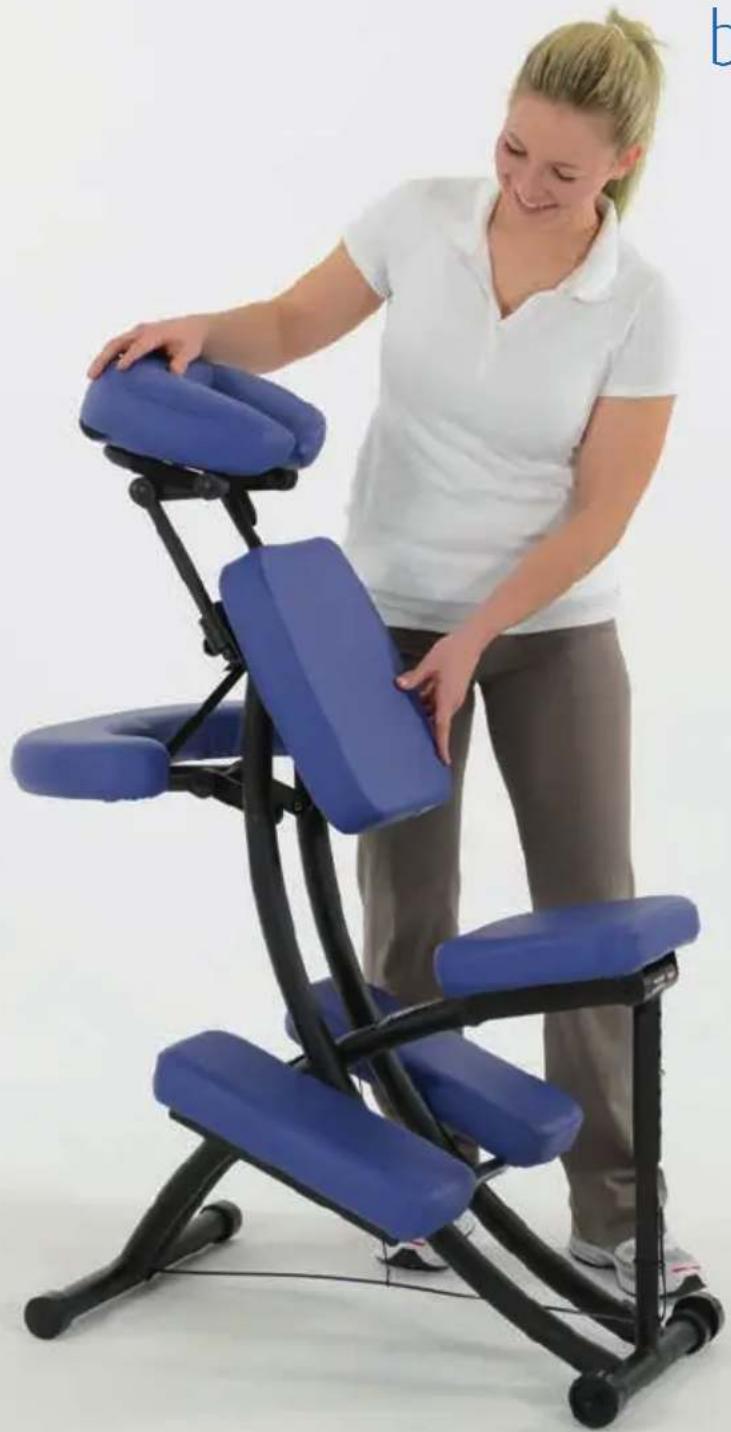
SISSEL® Portal Pro Therapy Chair
by Oakworks
natural_image
Woman adjusting a blue adjustable body massage chair (no text or symbols visible)Gebrauchsanweisung
Instructions for use
Mode d'emploi
Gebruiksaanwijzing
natural_image
Two sequential photos showing a person performing a blue massage chair with black legs (no text or symbols visible)
natural_image
3D rendered model of a blue and black chair with transparent legs, no text or symbols visiblenatural_image
Close-up of a metallic tool tip with a small droplet embedded in it (no text or symbols visible)natural_image
Woman adjusting a blue massage chair with black legs and blue abdomen (no text or symbols visible)natural_image
Close-up of a blue and black propeller tool with two blades, no visible text or symbols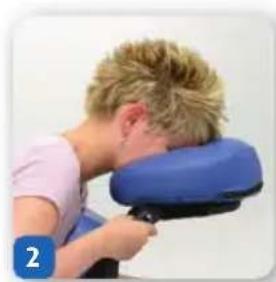
natural_image
Person holding a blue massage cushion, viewed from the side (no text or symbols visible)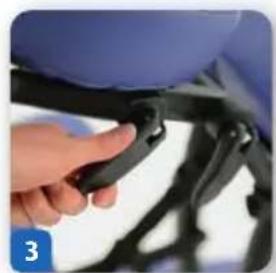
natural_image
Close-up of a hand adjusting a black plastic clip on a white chair (no text or symbols visible)natural_image
Blue 3D geometric shape with a small blue square and number '1' in the corner (no text or symbols on the shape itself)
natural_image
Two people demonstrating a physical therapy or massage technique on a blue chair (no text or symbols visible)Stuhl einklappen
natural_image
Person demonstrating a blue medical examination chair (no text or symbols visible)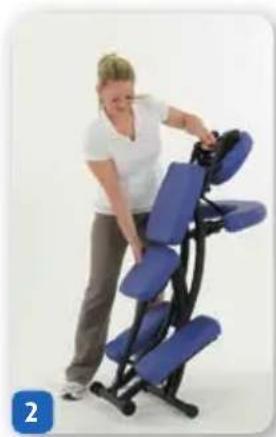
natural_image
Person adjusting a blue ergonomic massage chair (no text or symbols visible)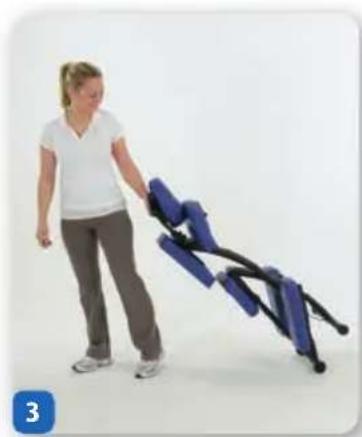
natural_image
Woman pushing a blue exercise chair (no text or symbols visible)natural_image
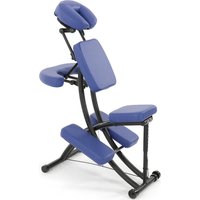
Blue ergonomic chair with black armrests and blue legs, isolated on white background (no text or symbols)The SISSEL® Portal Pro Therapy Chair is a multipurpose, portable chair use primarily for therapeutic massage treatment. It is intended to be used by a therapist in a professional environment. No special training is required to use this chair. The therapist should read and understand this entire manual before use with a patient. There are no known contradictions to the use of this equipment.
Symbol identification

This symbol, when used in this manual and on product labels, represents a caution warning. Be sure to read and comply with all precautions and warnings.
Important safety instructions – READ AND SAVE THESE INSTRUCTIONS
I Weight Limit: (patient and accessories) 159 kg. Do not exceed.
The Chair is designed to be a stand-alone device. This chair must not be modified or incorporated into any other equipment.
As with any folding mechanism, there are potential pinch points around the chair. Be careful not to trap fingers when folding.
I Do not stand on this chair.
I Use this chair on level ground only.
I Use this furnishing only for its intended use as described in these instructions. Do not use attachments not recommended by the manufacturer.
Product description
Accessories:
I Sternum Pad
I Carry strap
Carry bag
I Various Face Rest Crescents
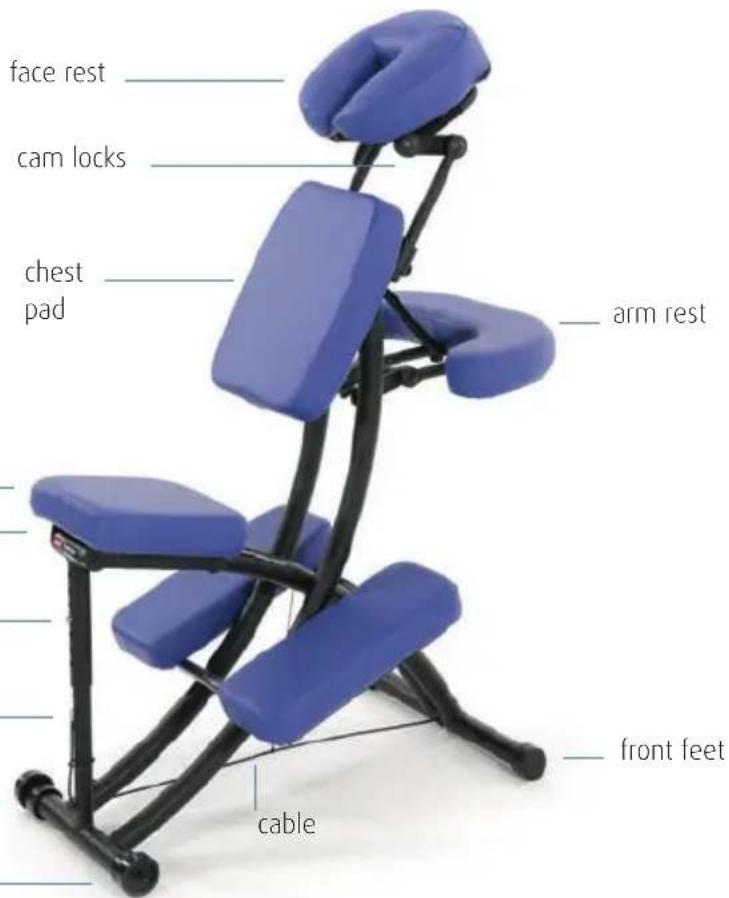
text_image
face rest cam locks chest pad arm rest front feet cable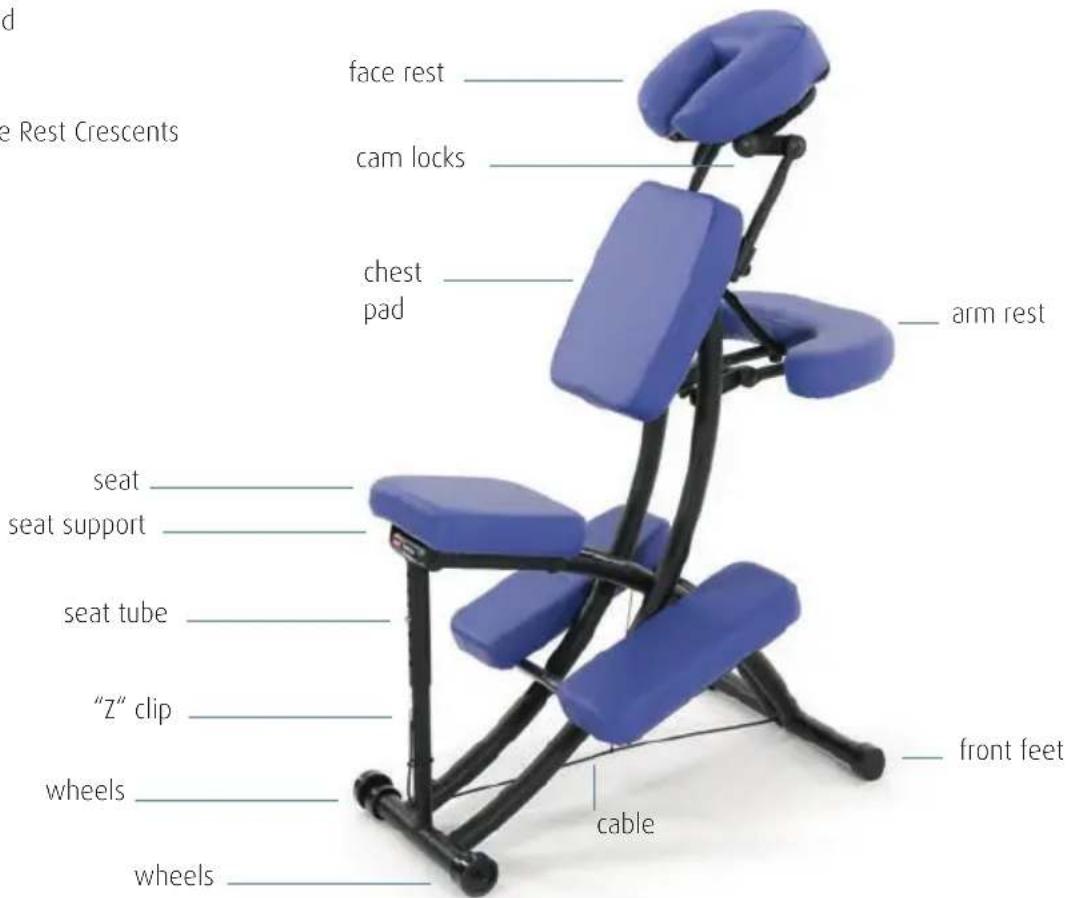
text_image
face rest cam locks chest pad arm rest seat seat support seat tube "Z" clip wheels wheels front feet cableSetting up your chair

Make sure the cable is fully extended before sitting on the chair.
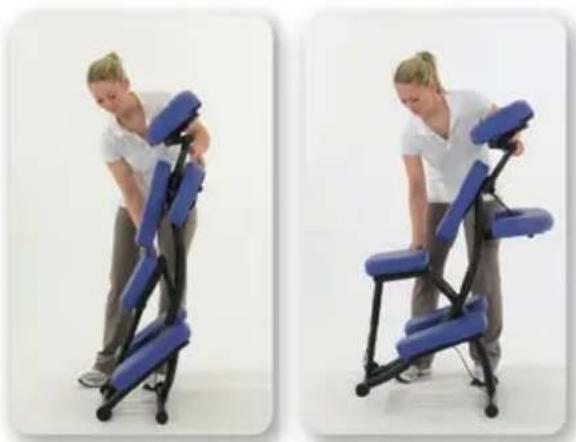
- Lean your chair forward and lift the back of the seat until fully open.
- Remove the plastic covering from the wheels and feet.
natural_image
Two sequential photos showing a person performing a blue massage chair with black legs (no text or symbols visible)Chair height, seat angle & height adjustment

These adjustments can only be made when no one is on the chair.
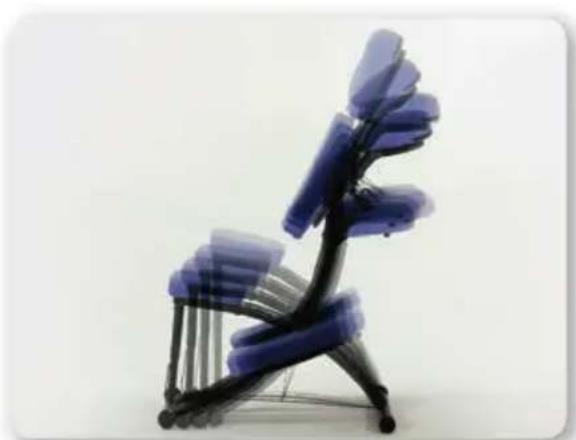
Cable system changes the height of the chair.
To change cable setting:
-
Lift seat to relax tension on the cable and remove the "Z" clip from the seat hole.
-
Insert the "Z" clip into the correct hole and pull back on seat tube until the cable is taut. The "Z" clip should lay flat against the seat tube.
Raising and lowering the seat height also changes the seat angle.
natural_image
Abstract 3D sculpture of a chair made of blue glass beads, no text or symbols visibleA good basic seat position is when the seat is angled downward toward the front feet, with the back of the seat higher than the front. Lumbar strain can be reduced by raising the seat height one to two holes.
To change the seat height
Push in button on seat tube while raising or lowering the seat. Release button when proper height is achieved.

Be sure the push button is fully engaged and the seat tube is not resting on "Z" clip before sitting on air.
natural_image
Close-up of a metallic tool tip with a small protrusion (no visible text or symbols)Arm rest adjustments

The arm rest is designed for the weight of your patients forearms. Do not allow your patients to push against the arm rest to lift themselves out of the chair.
To change the arm rest position
-
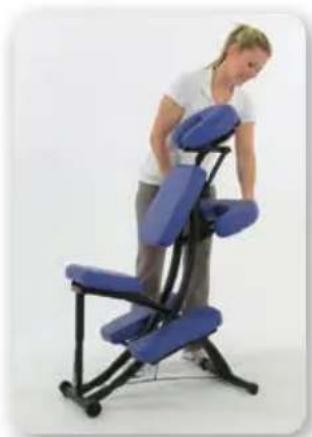
Pull the buckle tab to lengthen the strap. Release the cam lock. Lift or lower arm rest until your patient's forearms rest comfortably on the pad and his/her shoulders are comfortably rounded.
-
Lock cam lock and tighten strap by pulling on it.
natural_image
Woman adjusting a blue massage chair (no text or symbols visible)Helping your patient onto the chair
I Have your patient stand on the right side of the chair and grasp the chair frame just above the chest pad for support.
I Have the patient straddle the seat and place left knee on the left knee pad (farthest away from their body).
Your patient can then gradually begin to sit down. Once seated, the patient can put right knee on the right knee pad.
You can then make the proper adjustments to the face and arm rests for proper patient comfort and positioning.
Face rest adjustments for optimal patient comfort
Oakworks QuickLock™ Face Rest has virtually unlimited positioning.
- Show your patient how to get on the chair.
- Release the cam locks and knobs on the face rest. (Fig.1)
- Ask your patient to sit down and hold onto the face rest on the hook and loop fastener on the sides of the "U" tube. (Fig.2)
- Tell your patient to pull the face rest toward his/her forehead until it rests comfortably on the pad.
- Have your patient lean forward, letting the chair support his/her weight until in a relaxed position.
-
Lock the cam locks first and then tighten the knobs.
-
Do not over tighten the knobs - too much force may cause stripping. (Fig.3)
- The face rest can be moved up and down after loosening the knobs and angled after releasing the cam locks.
• The face rest platform cam locks are reversible.

natural_image
Close-up of a blue and black propeller tool with two blades (no text or symbols visible)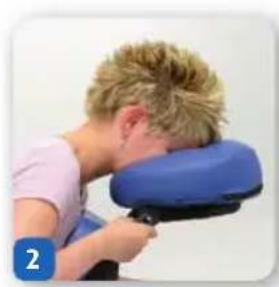
natural_image
Person holding a blue massage pad, viewed from the side (no text or symbols visible)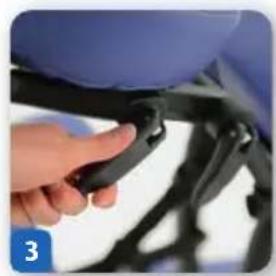
natural_image
Close-up of a hand adjusting a black mechanical component (no visible text or symbols)Tips for perfect positioning
- Adjust seat height higher for those short patients who are having trouble getting comfortably into the face rest.
- Reduce knee flexion by raising the seat and the chair height. Some patients may find it more comfortable to put their feet flat on the floor.
- Short, heavy or large-breasted patients will be more comfortable with the face rest moved toward them, over the chest pad.
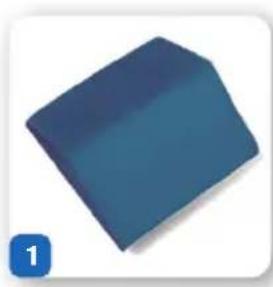
- The Sternum Pad (Fig. 1) helps you maximize the effects of treatments. Position the sternum pad vertically when doing shoulder work or for large-breasted patients. Position the sternum pad horizontally with the ridge just below the breasts for pregnant women.
- Use the sternum pad for supporting the cervical region. Replace the face-rest pad with the sternum pad. Release the cam locks and knobs, and move the sternum pad so that the ridge of the sternum pad supports the cervical spine. You may have to lower the seat or provide a foot stool for shorter patients.
- To seat patients backwards in chair, turn the face pad around so that the curve of the "U" supports your patient's neck and lower the seat so that it is parallel to the floor. (Fig. 2)
natural_image
Blue 3D geometric shape with a numbered label '1' in the corner (no text or symbols on the object itself)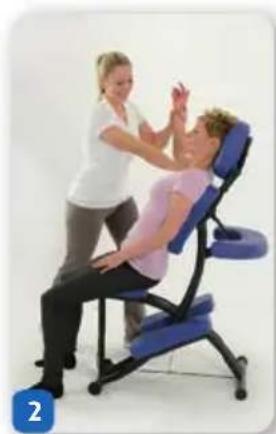
natural_image
Two people practicing a massage on a blue ergonomic chair (no text or symbols visible)Folding your chair
- Release the arm-rest cam lock and the strap to fold the arm rest. Lock the cam.
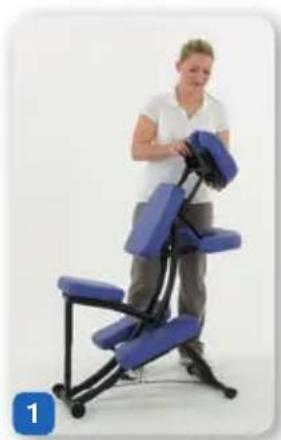
- Fold down the face rest and relock the cam locks and tighten the knobs (Fig.1).
- Put the push button on the seat tube into the third hole from the bottom.
- Lean the chair forward and push in the seat. The chair will fold (Fig.2). Push on the seat to lock it in the folded position.
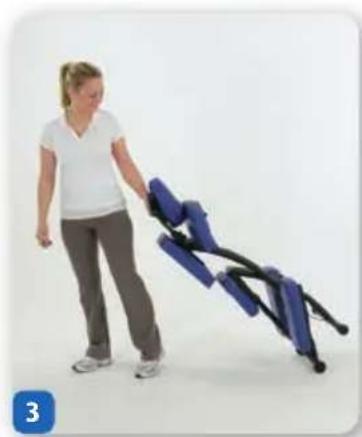
- The massage chair has wheels, so you can pull it along smooth surfaces by holding onto the face rest. Use the spacer bar on the face rest as a handle for pulling your chair. Stand behind the seat and grab the spacer bar. Pull it toward you.
- Your chair is designed to protect the pads by keeping them far off the floor as you pull it (Fig. 3). The wheels will roll on any surface.
natural_image
Person standing beside a blue medical examination chair (no visible text or symbols)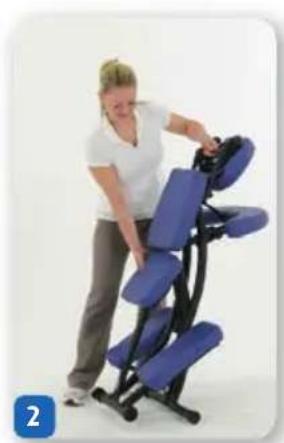
natural_image
Woman adjusting a blue ergonomic massage chair (no text or symbols visible)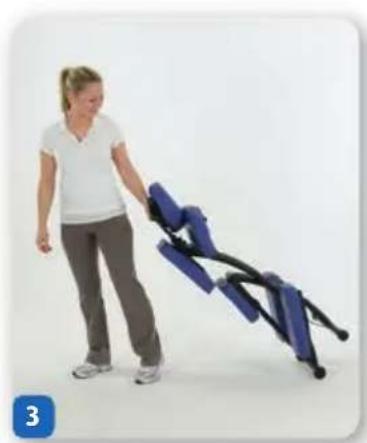
natural_image
Woman pushing a blue exercise chair (no text or symbols visible)Cleaning & disinfection
Care of your chair
It is important to visually inspect your chair on a quarterly basis to make sure there are no missing parts and that all parts are in good working order without excessive wear. Check all nuts, bolts and screws. Over time they may work their way loose, leading to an unsafe condition. Tighten any of these if they are loose. Inspect the cable that is used for adjusting the height of the chair for signs of wear. Replace the cable if there are signs of fraying. The chair should not be used if any problems are found until they are fixed.
The best way to protect your product is by using sheets, fleeces, and accessory covers that prevent oil and body contact from occurring. Your table should be cleaned and/or disinfected only as needed.
We recommend cleaning your upholstery fabric to protect it against oil stains and dirt which will cause cracking and permanent stains over time. Clean your upholstered items when needed using a mild solution of 4:1 diluted non-alcohol cleaner or some other non-abrasive cleaner. For disinfecting purposes you may use Protex, MadaCide, Accell TB, Virox (Canada) or a diluted 1/100 bleach solution. Dry the table immediately after cleaning to remove excess cleaning solution.

Damage caused by cleaners will not be covered under the warranty.
Using citrus based cleaners or other strong cleaners, such as alcohol, acetone, higher concentrations of bleach or other products that contain high concentrations of these substances, can shorten the life of your fabric, or discolor it.
Small rips are easily repaired with VLP. Major vinyl damage may require pad replacement.
DO NOT store in temperatures below 0°C or above 35°C. Extreme hot and cold temperatures will damage the upholstery fabric and may cause cold-cracking, brittleness and stretching. Always keep your chair away from heaters, electrical appliances and direct sunlight.
natural_image
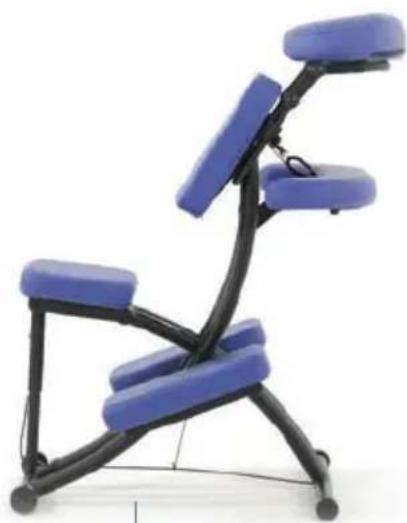
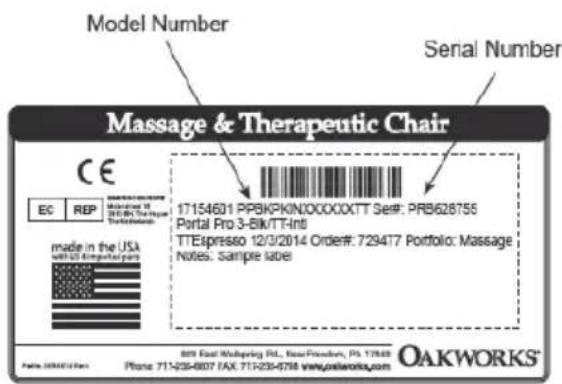
Black and blue ergonomic chair with curved legs and seat, no visible text or symbolsThe model & serial numbers are located on the underside of the leg rest section.
text_image
Model Number Serial Number Massage & Therapeutic Chair CE EC REP Made in the USA with US Appointed parts 17154601 PPSKPKIN0000XXTT Ser#: PRB628755 Portal Pro 3-Bik/TT-Int TTEspreso 12/3/2014 Order#: 729477 Portfolio: Massage Notes: Sample label OAKWORKS® 809 East Multipers Rd., New York, PA 17848 Phone: 711-235-6007 FAX: 711-235-6758 www.oxkworks.comModel & serial numbers always start with a letter
Chaise de massage Portal Pro SISSEL®
par Oakworks
Descriptif
natural_image
Two sequential photos showing a person performing a blue massage chair with black legs (no text or symbols visible)natural_image
Abstract 3D sculpture of a chair made of blue translucent blades, no text or symbols visiblenatural_image
Close-up of a metallic screw or screw with a small inset showing internal features (no text or symbols visible)
natural_image
Woman adjusting a blue massage chair with black legs and seat, no visible text or symbolsnatural_image
Close-up of a blue and black propeller tool with two blades, no visible text or symbols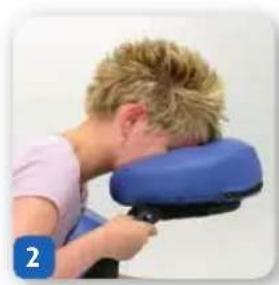
natural_image
Person receiving neck massage from a blue cushion (no text or symbols visible)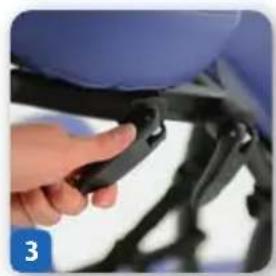
natural_image
Close-up of a hand adjusting a black mechanical component with a blue seat (no visible text or symbols)natural_image
Blue 3D geometric shape with a numbered label '1' in the corner (no text or symbols on the shape itself)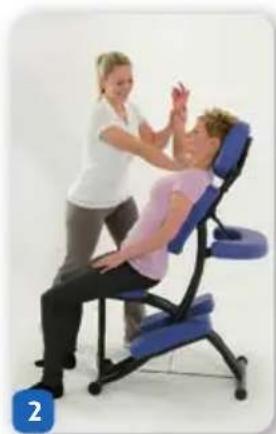
natural_image
Two people practicing a massage on a blue chair, one demonstrating the motion (no text or symbols visible)natural_image
Person demonstrating a blue mechanical exercise chair (no text or symbols visible)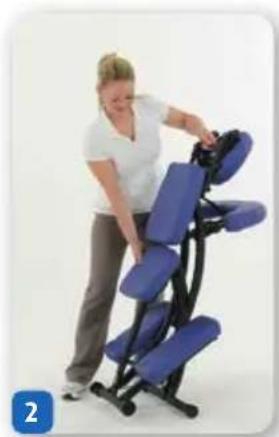
natural_image
Woman adjusting a blue massage chair with black frame (no text or symbols visible)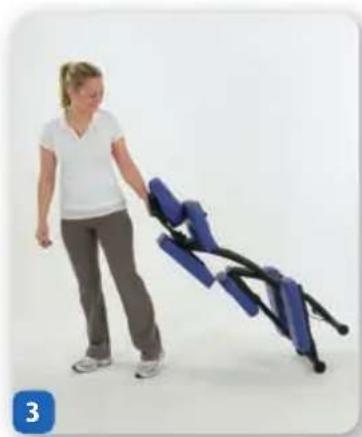
natural_image
Woman pushing a blue and black exercise chair (no text or symbols visible)natural_image
Blue ergonomic chair with black legs and blue seat, no visible text or symbolsnatural_image
Two sequential photos showing a person performing a blue massage chair with black legs, no text or symbols visible.natural_image
Abstract 3D sculpture of a chair made of blue translucent panels, no text or symbols visiblenatural_image
Close-up of a metallic tool tip with a small protrusion (no visible text or symbols)De armsteunen instellen

natural_image
Woman adjusting a blue massage chair with black legs and seat, no visible text or symbolsnatural_image
Close-up of a blue and black propeller tool with two blades (no text or symbols visible)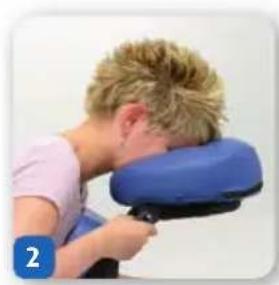
natural_image
Person holding a blue massage chair, no visible text or symbols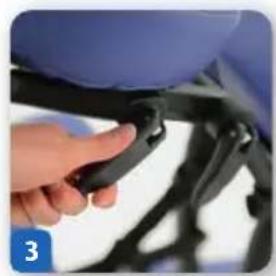
natural_image
Close-up of a hand adjusting a black mechanical component (no visible text or symbols)natural_image
Blue 3D geometric shape with a small blue square icon labeled '1' in the corner (no text or symbols on the shape itself)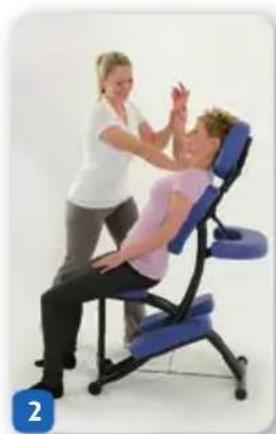
natural_image
Two people demonstrating a physical therapy or massage technique on a blue chair (no text or symbols visible)Stoel inklappen
natural_image
Person demonstrating a blue ergonomic massage chair (no text or symbols visible)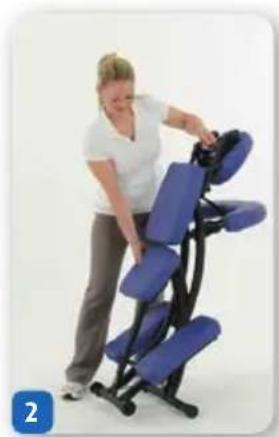
natural_image
Woman adjusting a blue ergonomic chair with black legs (no text or symbols visible)