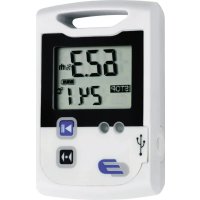
LOG110 - Measuring equipment Dostmann Electronic - Free user manual and instructions
Find the device manual for free LOG110 Dostmann Electronic in PDF.

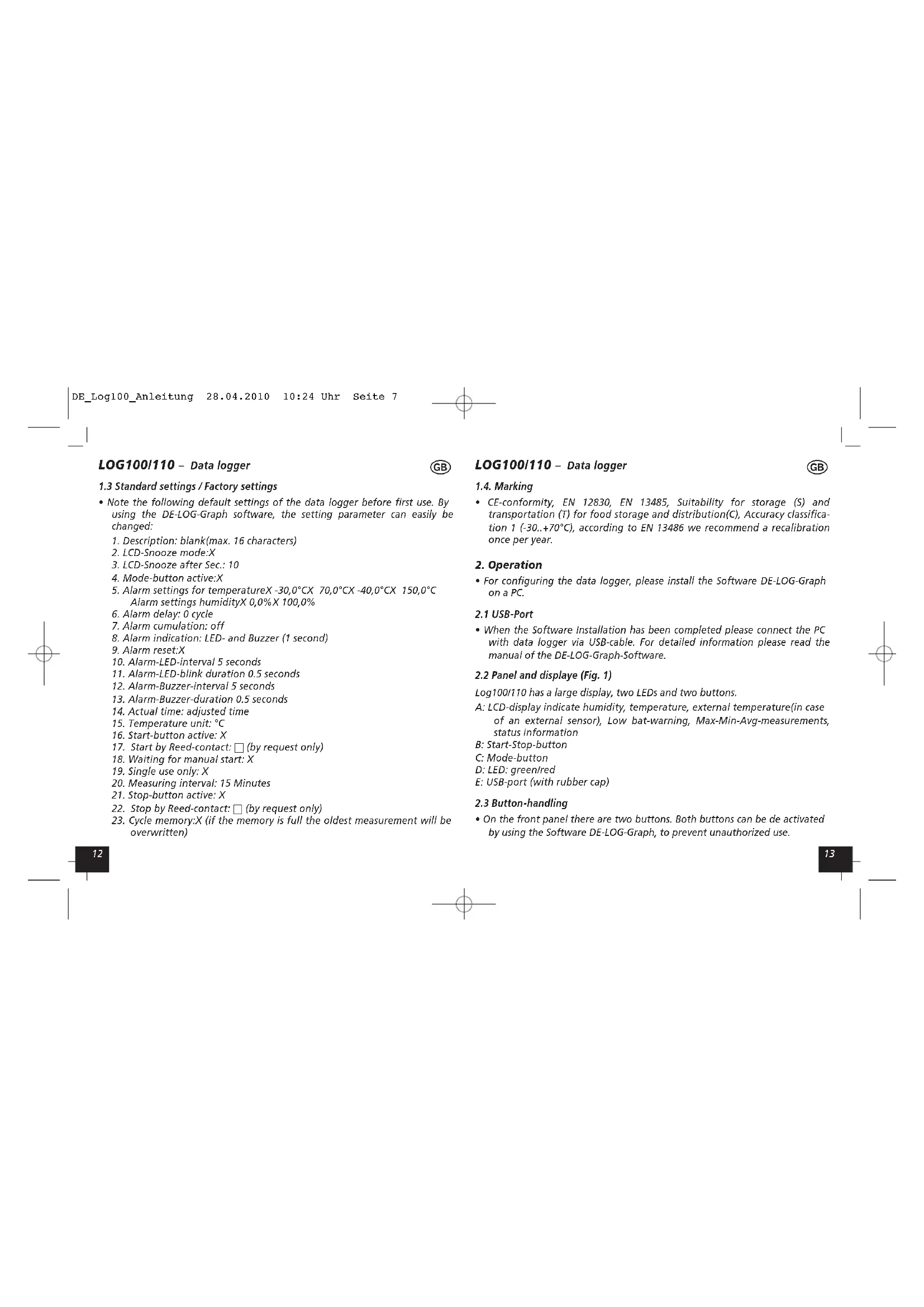


| Product Type | Data Logger |
| Brand | Dostmann Electronic |
| Model | LOG110 |
| Category | Measuring Equipment |
| Measurements | Temperature and relative humidity |
| External sensor | Yes (optional) |
| Power supply | CR2032 lithium battery (3 V) |
| Battery life | Approximately 10 hours after low battery display |
| Display | LCD screen showing values, status, Max/Min/Avg |
| Interface | USB (connector protected by rubber cap) |
| Software | DE-LOG-Graph (configuration and reading) |
| Memory | Circular (overwrites oldest values) |
| Indicators | Green LED (recording), Red LED (alarm), audible buzzer |
| Functions | Recording, programmable alarms, min/max/average values, sleep mode |
| Standards | CE, EN 12830, EN 13485, EN 13486 |
| Cleaning | Dry or damp cloth; no aggressive detergents |
| Operating conditions | Dry and clean place; avoid shocks and crushing |
| Battery replacement | Yes, CR2032 battery accessible via rear compartment |
| Repairability | Replaceable battery; annual recalibration recommended |
Frequently Asked Questions - LOG110 Dostmann Electronic
User questions about LOG110 Dostmann Electronic
0 question about this device. Answer the ones you know or ask your own.
Ask a new question about this device
Download the instructions for your Measuring equipment in PDF format for free! Find your manual LOG110 - Dostmann Electronic and take your electronic device back in hand. On this page are published all the documents necessary for the use of your device. LOG110 by Dostmann Electronic.
USER MANUAL LOG110 Dostmann Electronic
Operating Instructions
Mode d'emploi

LOG100/110
natural_image
Industrial warehouse interior with stacked storage racks and metal framework (no visible text or symbols)Nr. 5005-0100
Nr. 5005-0110

CE
thank you very much for purchasing one of our products. Before operating the data logger please read this manual carefully. You will get useful information for understanding all functions.
1.1 General advice
- For cleaning the instrument please do not use an abrasive cleaner only a dry or wet piece of soft cloth.
- Please store the measuring instrument in a dry and clean place.
- Avoid any force like shocks or pressure to the instrument.
- Do not use force to connect the probe or the interface plugs in. The interface plug is different from the probe plug.
1.2 Before operation
- Before operating the instrument take the instrument out of the packaging. Check whether a full battery CR2032 (3 Volt) is already inserted.
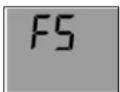
Display Display indication after key depression indication FS = Factory settings
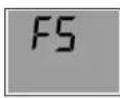
- After inserting the battery the instrument displays for 10 seconds the actual measurements, afterwards the instrument displays for 30 seconds "F5", after this the instrument turn off. The same procedure appear after pressing any button.
- Note the following default settings of the data logger before first use. By using the DE-LOG-Graph software, the setting parameter can easily be changed:
- Description: blank(max. 16 characters)
- LCD-Snooze mode:X
- LCD-Snooze after Sec.: 10
- Mode-button active:X
-
Alarm settings for temperatureX -30,0°C X 70,0°C X -40,0°C X 150,0°C Alarm settings humidityX 0,0% X 100,0%
-
Alarm delay: 0 cycle
-
Alarm cumulation: off
-
Alarm indication: LED- and Buzzer (1 second)
-
Alarm reset:X
-
Alarm-LED-interval 5 seconds
-
Alarm-LED-blink duration 0.5 seconds
-
Alarm-Buzzer-interval 5 seconds
-
Alarm-Buzzer-duration 0.5 seconds
-
Actual time: adjusted time
-
Temperature unit: °C
-
Start-button active: X
-
Start by Reed-contact: □ (by request only)
-
Waiting for manual start: X
-
Single use only: X
-
Measuring interval: 15 Minutes
-
Stop-button active: X
-
Stop by Reed-contact: □ (by request only)
-
Cycle memory:X (if the memory is full the oldest measurement will be overwritten)
LOG100/110 - Data logger

1.4. Marking
- CE-conformity, EN 12830, EN 13485, Suitability for storage (S) and transportation (T) for food storage and distribution(C), Accuracy classification 1 (-30..+70°C), according to EN 13486 we recommend a recalibration once per year.
2. Operation
- For configuring the data logger, please install the Software DE-LOG-Graph on a PC.
2.1 USB-Port
- When the Software Installation has been completed please connect the PC with data logger via USB-cable. For detailed information please read the manual of the DE-LOG-Graph-Software.
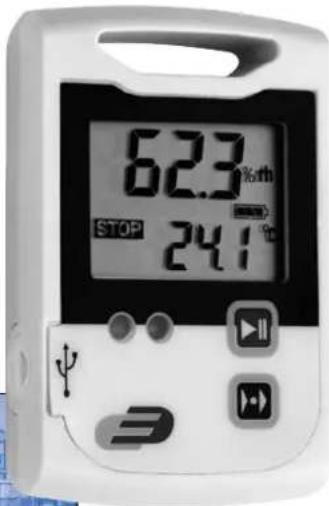
2.2 Panel and displaye (Fig. 1)
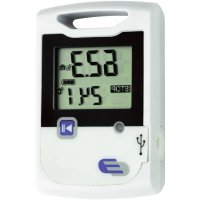
Log100/110 has a large display, two LEDs and two buttons.
A: LCD-display indicate humidity, temperature, external temperature(in case of an external sensor), Low bat-warning, Max-Min-Avg-measurements, status information
B: Start-Stop-button
C: Mode-button
D: LED: green/red
E: USB-port (with rubber cap)
2.3 Button-handling
- On the front panel there are two buttons. Both buttons can be de activated by using the Software DE-LOG-Graph, to prevent unauthorized use.
LOG100/110 - Data logger

- Start-Stop-button:
Depending on the setup configuration, you can start or Stop the data logger via the mentioned Start-Stop-buttons. You have to press and hold the buttons 3 seconds. When it starts a short acoustic signal and the green LED-will flash and the display indication will switch from STOP to LOG.
- Mode-button:
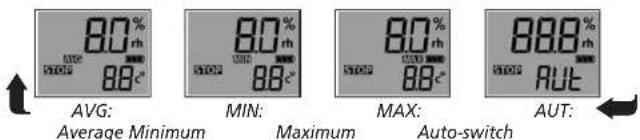
By pressing the Mode-button you will see on the bottom line the Average (AVG)-, Minimum (MIN)- and Maximum (MAX) temperature of the recorded measurements. If the data logger is not started it will display --- instead of AVG, MIN or MAX temperature.
Average Minimum
By using the AUTO-Mode (AUT) the display will switch automatically every two seconds.
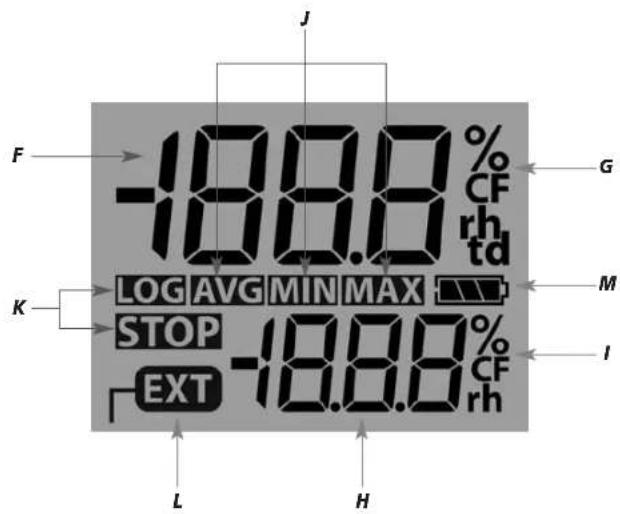
2.4 Display segments of LCD (Fig. 2)
- Besides the two measurements, the large LCD displays several status information. By using the Software DE-LOG-Graph you are able to switch on or off the display, or to setup an interval how long the display will stay on when no button is pressed(snooze function). By using this function it is possible to prevent it displaying information to unauthorized persons.
F: Measurement 1 displays the current relative humidity (Log110) or the current temperature (Log100).
G: Unit Measurement 1 display the current measuring unit of measurement 1.
LOG100/110 - Data logger

H: Measurement 2 displays the measurement in the lower display line. Depending on the logger model, the settings of the internal or the external temperature measurement, average, minimum or maximum measurements will be displayed.
1: Unit Measurement 2 display the current measuring unit of measurement 2.
J: MAX-MIN-AVG display the average, minimum or maximum measurements.
K: Status info display the operation mode LOG or STOP. LOG indicates the recording mode and STOP indicates standby mode.
L: External probe EXT s displayed when an external sensor is connected. In the lower display line the measurement 2 is corresponding with the external sensor.
M: Lowbat indicates the capacity of the battery.
Note:
^ C = Celsius, ^ F = Fahrenheit
%rh = relative humidity, td = dew point temperature
Other display information
- In addition to the above mentioned information, the display also indicates several other information. This information will be displayed depending on the display settings (snooze function) and operation mode:
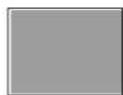
Display connected
switched off to the PC configured
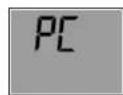
connected
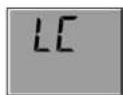
Logger
Logger
is recording (total empty)
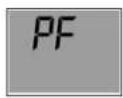
Battery
Factory
2.5 LED-Indication and Buzzer
- The two LED's and the internal buzzer help you to understand all logger information, several status modes and alarm indications.
- LED green: The green LED flashes during the logger start and according to the measuring interval if the standard settings hasn't been changed.
• LED red: The red LED flashes when Hi- or Lo-Alarm has been achieved. - Buzzer: The Buzzer rings when Hi- or Lo-Alarm has been achieved(if the buzzer is not deactivated). The Buzzer also rings when the configuration has been transferred successful from the PC to the Logger.
- You can activate or deactivate both, LEDs and Buzzer by using the Software DE-LOG-Graph.
2.6 USB-Port
- For readout or programming, the data logger must be connected via USB-cable with a PC.
- View from the front: On the left side there is the USB-port. The port is protected by a small white rubber cap. To operate the USB-port please remove the rubber cap.
LOG100/110 - Data logger
GB
• After the completed communication with the PC do not forget to plug the rubber cap back into the port. It prevents dirt and water from entering the data logger.
2.7 Rear side of the data logger / battery case
- On the rear side of the data logger you will find the battery case and a printed sticker.
2.8 Replacing battery
- To replace the battery please open the battery cover on the rear side. Therefore you have to turn the battery cover 90° to the left. Remove the battery from the instrument and replace with a new battery.
- The "BAT" symbol indicates that the battery needs to be exchanged. The instrument allows app. 24 hours of further operation after displaying the "BAT" symbol. The battery symbol indicates according to the battery status between 1 to 3 segments.
- If the display indicates only "PF", the battery is completely exhausted. Please replace the battery immediately.
Attention:
Please do not dispose of old electronic devices and empty batteries in household waste. To protect the environment, take them to your retail store or to appropriate collection sites according to national or local regulations.
Cher cliente, Cher client,
26
27