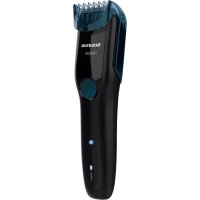
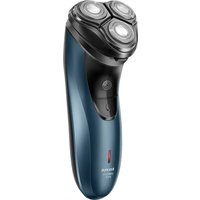
Hubble - Razor TAURUS - Free user manual and instructions
Find the device manual for free Hubble TAURUS in PDF.



| Product Type | Electric shaver / beard trimmer |
| Brand | Taurus |
| Model | Hubble |
| Number of blades | 6 blades |
| Power supply | Rechargeable via USB (charger included); can be used while plugged in |
| Charging time | Approximately 100 minutes |
| Battery life | Approximately 60 minutes (estimated) |
| Guide comb | Sliding, adjustable from 2 to 10 mm in 2 mm increments |
| Usage | Beard, mustache, sideburns; can be used without comb for shorter cut |
| Cleaning | Cleaning brush included; removable blades; do not immerse the device |
| Lubrication | Recommended after each use with a drop of supplied lubricating oil |
| Safety | Do not use if accessories are defective; unplug before cleaning; do not leave unattended while charging |
| Blade maintenance | Blades are very sharp; handle with care |
| Included accessories | USB charger, cleaning brush, lubricating oil, storage pouch |
| Warranty | Statutory warranty; after-sales service via taurus-home.com |
Frequently Asked Questions - Hubble TAURUS
User questions about Hubble TAURUS
0 question about this device. Answer the ones you know or ask your own.
Ask a new question about this device
Download the instructions for your Razor in PDF format for free! Find your manual Hubble - TAURUS and take your electronic device back in hand. On this page are published all the documents necessary for the use of your device. Hubble by TAURUS.
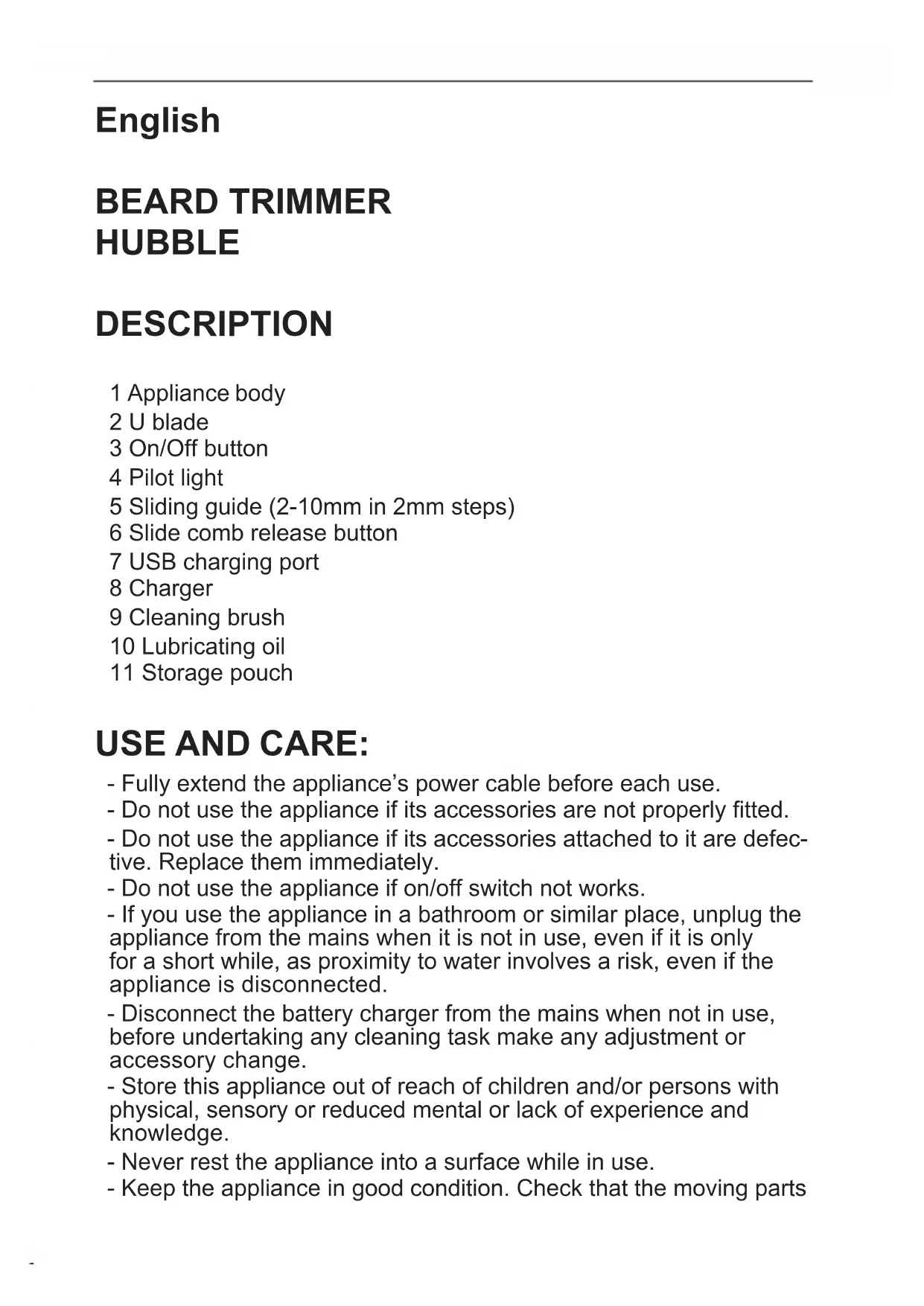
USER MANUAL Hubble TAURUS
1 Appliance body
2 U blade
3 On/Off button
4 Pilot light
5 Sliding guide (2-10mm in 2mm steps)
6 Slide comb release button
7 USB charging port
8 Charger
9 Cleaning brush
10 Lubricating oil
11 Storage pouch
USE AND CARE:
- Fully extend the appliance's power cable before each use.
- Do not use the appliance if its accessories are not properly fitted.
- Do not use the appliance if its accessories attached to it are defective. Replace them immediately.
- Do not use the appliance if on/off switch not works.
- If you use the appliance in a bathroom or similar place, unplug the appliance from the mains when it is not in use, even if it is only for a short while, as proximity to water involves a risk, even if the appliance is disconnected.
- Disconnect the battery charger from the mains when not in use, before undertaking any cleaning task make any adjustment or accessory change.
- Store this appliance out of reach of children and/or persons with physical, sensory or reduced mental or lack of experience and knowledge.
- Never rest the appliance into a surface while in use.
- Keep the appliance in good condition. Check that the moving parts
are not misaligned or jammed and make sure there are no broken parts or anomalies that may prevent the appliance from operating correctly.
- Pay special attention when assembling and removing the accessories, as the blades are sharp. Be careful and avoid direct contact with the blades' cutting edges.
- Never leave the appliance connected and unattended if is not in use. This saves energy and prolongs the life of the appliance.
- Do not use the appliance with pets or animals.
- Do not open the battery/ies under any circumstances whatsoever.
- Recharge the battery only with the USB power cord supplied by the manufacturer, any other type of cable may cause explosion or fire hazard. Do not use USB adapters.
- Use the device only with the battery/ies for which has been specifically designed. The use of any other battery/ies can cause an explosion or fire hazard.
CHARGING THE BATTERY:
- Caution: a new battery is not fully charged and must therefore be charged before the appliance is used for the first time.
- Charge the battery at an atmospheric temperature of between 4 and 40^ .
- Connect the charger (7) to the jack using the socket on the appliance. The socket is located at the lower part of the appliance.
- Plug the charger (8) into the mains.
- The pilot light (4) will blink to indicate that the charger is charging the battery.
- Approximately 100 minutes are needed for a complete charge of the battery.
- The pilot light (4) lights up permanently blue when the battery is fully charged.
- When the battery is charged disconnect the charger from the mains supply.
- The pilot light (4) blinks when the battery is running low. Once it starts blinking, connect the appliance to the mains.
INSTRUCTIONS FOR USE
BEFORE USE:
- Make sure that all products' packaging has been removed.
- Before using this product for the first time, it is important to make a full charge of batteries.
INSERTION OF A COMB GUIDE:
- Hold the guide comb by the two sides, insert the head into the guides (Fig. 1), and pressing on the comb release button (Fig.2), slide downward until it is coupled.
- Use the comb size selector to adjust the height of the cut.
- To remove the guide comb (5), press and hold the comb release button (6) and pull upward.
U BLADE (2)
- Suitable for trimming beard, moustache and sideburns.
- It can be used with or without guide comb, depending on the desired cutting height.
USE:
- The appliance can be used directly connected to the mains or by using his batteries.
- If you want to use the device connected to the mains, extend the cable completely before plugging it in.
- Connect the appliance to the mains.
- Select the desired cutting height using the comb height selector. Press it and adjust the height according to the desired cutting length.
COMB TO TRIM BEARD:
- Use the guide comb (5) depending on the desired cutting length.
- Cut the hair moving the appliance in the opposite direction of the natural growth of the hair.
- Always ensure that teeth of the comb guide are pointing in the direction in which the appliance is moving.
- Avoid clogging the comb with hair. Remove and clean it from time to time.
ONCE YOU HAVE FINISHED USING THE APPLIANCE:
- Turn the appliance off using the on/off button.
- Unplug the appliance from the mains.
- Clean the appliance.
- To keep the trimmer working properly, oil it with light machine oil after each use.
CLEANING:
-
Disconnect the battery charger from the mains and allow it to cool before undertaking any cleaning task.
-
WARNING: Detach the hand-held part from the supply cord before cleaning it in water.
- Dismantle the appliance following these steps:
- Remove the guide comb (5) by using the comb release button (6).
- Hold the appliance with one hand and use the thumb to press blades while holding the plastic part with the index finger until the blades come out (Fig.3).
- Use the cleaning brush (9) to remove the hair from inside the appliance and the blades.
- Clean the equipment with a damp cloth with a few drops of washing-up liquid and then dry.
- Do not use solvents, or products with an acid or base pH such as bleach, or abrasive products, for cleaning the appliance.
- Never submerge the appliance in water.
- During the cleaning process, take special care with the blades, as they are very sharp.
- If the appliance is not in good condition of cleanliness, its surface may degrade and inexorably affect the duration of the appliance's useful life and could become unsafe to us.
- Clean the blade and the comb guide with the cleaning brush. Remove the hairs from the blade and from inside the appliance with the brush. It is important to clean off remaining hairs after each use.
HOW TO REMOVE THE BATTERIES FROM THE INTERIOR OF THE DEVICE:
- CAUTION: It is important that the battery is fully discharged prior to its withdrawal from the apparatus.
- CAUTION: the appliance must be disconnected from the supply mains when removing the batteries.
- To remove the batteries, once the life of the appliance, proceed as follows:
- Open the top shell of the apparatus, removing previously with the help of a screwdriver fixing screws. (Fig. 4)
- Identify the battery wires and cut their (Red and Black). To avoid risks of a short circuit with a possible residual battery load, first cut the Red wire and protect it by using insulating tape, then proceed to cut the Black wire proceeding in the same way. (Fig. 5)
- Safely remove the battery from its housing.
François
TONDEUSE À BARBE HUBBLE
DESCRIPTION
XPHESH KAI SYNTHPHEH:
- Piv aTó kαθε χρόση, ξετuλiετε τελείως Tο καλώδιο Tpopoδoσiag Tns συκεύns.
- Mn xnpoiopoioite Tn ouokueun av ta eapntmuata Tns dEv evai oomega auvapuooloynuéva.
- Mn xnpoiopoioiei Te ooukeun, eav Ta eapntmuata Tou Tn ouvodeuov Tnapouiazouv EaattwmaTa. Povtiote va ta avtikataoTnoeTe aEos
- Mn xnpoiopoioieiai tn ouokeu n av dev Ieitoupyei o diakottng evapng/panoans Ieitoupyiaç.
- Av xpnoiotoiite Tn ouokun oTo mTavio n oE Tnapoio
dwmuio, byaTe Tn ouokun aTn Tn pizc otav dEv tn
xpnoiotoiite, akopa KI av eivai yia ouvtou xpoviko diaotma,
muac kai n eyyutnta oTo vepo aTtEe i kivduvo, akopa kai O
TepiTTwON Toun n ouokun eivai EKToc pizac. -
ATOOUVDEOTev oOPTIOTN mTATAPIW aTTo pEuMa otav dEv XPOIOIOIEITAI n OuaKEUn, PPIV TpaymuTOnIOINe OTIOIAbNTOT EVEpyEA KAthetaTnTac, PPOAPUoync n aALaync EApTnmuToC.
-
iatnpnoTe Tny Tnapouo aoukeun paKia aTTO Ta Taaia i/ka ta atoua e uWueve comegaataikc, aoNtnpiakec n diavontikc icavotnte c atoua eAaTTeic eTepiec n yvwoeic.
-Mnv aqnvTe Tn ouokun, evw λeIToupyei, va KeiTEaI Tavw oE OTIOAONTOE ETIAPVEA.
IAPATHPHSEIEI PIN TH XPHSH:
BO3MOXHOCTaMn, a TaKKe TEX, KTO He 3HaKOM C npaBnJaMn erO NCNoJIb3OBaHn;
- Hnkorga He knainte npnbop, ecn OH haxoantcB pa6ote.
-Подержваite пибов в налесашем paбочem coctoryн. Проверът,чTOьI He 6blIO nepekoBи 3aedanHЯ поВИЖньх частey,He 6blIO nOLOMaHHbIX DeTaJIeN I pni6op pa6otan Испразвно;
-Будte octopokнbl npn c6opke n pa36opke npnbopa,Тak KaK HOxN OCTpbie.Будte octopokhbl n 36eraite npramoro KOHTaKTa CJIe3BnAMn HOxKe. - He octabnIte BkIoueHbI eKeTpOnpnbop 6e3 npncMoTpa. 3To coXpaHNT eKeTpoaHeprnIO n pOdNt cPOK erO cnJx6bl.
- He Донуckaetся ИСпОЛьЗOBаТь пибор ДЯ OБсЛУЖИВаньДOMaшнIX XINBOTHbIX.
- Hn np KaKnx o6ctOaTeIbCTBax He BCKpbBaIte 6aTaapeKy/Kn.
- 3apjaKeTe aKKymyIaTOp TOnbKO C NOMOu USB Ka6eJnITaHnI, NOCTaBnIeMOrO PpON3BOIDnteJIeM; IIO6oN dpyroN TUNKa6eJn MoKet npINBeCTn K B3PbIBy nII nOxApy. He nCNoJB3yIteUSB aDAnTOpbl.
- Испосьуг Te npибор Tолько C сатapestейков/amN, Спесиально Рпедназ haцшmicя Ддя пибopa. Испосьхане Лобьх дPyгх Saтapesteel Moжет npивецн K B3рыВУ ИПИ BO3ROPaHIO.
3AMEHA AKKUMYJYTOPA:
- Bнмане: HOьи aKKуMyIЯTop 3apяжeH He noJIHOCTbI0, NO3ToMу OH DoJIxeH 6bITb 3apяжeH Do KOHca Do TORO, KaK npI6op 6ydet nCNoIb3OBAH B nepBbI pa3.
- 3apjaTe aKKymyIaTOp npi TempeType Bo3dyxa ot 4 do 40^
-ПодключITEЗарядhoe(7)устpoиCTBOKгHe3dy,ИСпОЛьз汞шт ekepHa np6ope.Шт ekeppacnoLoXeHВнжHeичТиnp6opa.
-ПодключITEЗарядhoe(8)yctpoiCtBOKceTN. - CBeTOBoi INDnKaTOp (4) 6yJeTMnIraTb, yKa3bIBaR, YTO 3aprAnHoe yCTpOiCTBO 3apJxAeT aKKyMylTOp.
-Приимерно 100 мнHT Heo6xOДМо ДЯ плно 3apяdkустpoиCTBa. - CBeTOBoi INHnIKaTOp (4) rOpNT rOly6bIM CBETOM NOCToRHHO, KOrda aKKyMylAToP NOJHOCTbIO 3apJKeH.
- Korda akkymyjTop 3apjntc, OTCoeHnTe 3apjHoe yctpoiCTBO OT cETN.
- CBeTOB0I INDnKaTOp (4) Mrraet, KOrda aKKymyJrToP pa3pRjKeH. Korda OH NaHcHT Mrratb, NODcoEINHInTe np6op K 3JIeKTPocETn.
IPEEd IcNoJIb3OBAHnEM:
INTRODUCEREA UNUI GHIDAJ PENTRU PIEPTENE:
3APEXDAHE HA BATEPURA
- Bнмане: Habata 6aTeprn He e 3apeDeHa n3quIIO; TЯ cIeBa da 6bde 3apeDeHa HanbJIHNo IpeDi n3PON3BaHeTo Ha ypeDa 3a npbB NbT.
- 3apexkaTe 6aTePra npi TeMnepaTpa Ha OKoJHaTa cpeMaMeJdy 4 n 40^
- Klioute KoheKtopa Ha 3apJHOTo B 3apJHnI nopT USB Ha ypeDa (7), , pa3noJoxeH BdoHaTa qacT Ha ypeDa.
- BkIIOUeTe 3axpaHbAunKa6eI (8) KbM eJIeKTpnuYeckaTa MpeJa.
-Дokato batepnaTa ce 3apeJda, ue npMnRbA CBeTInHnT INdikatop (4), yka3BaU, ye 3apJHOTO yCTpoIcTBO 3apeJda batepnaTa. - BpemeTo Heo6xOdIMo 3a eJHo PbJHo 3apeJdaHe e npu6JIu3nteJHo 100 mHyTu.
- Cnéi KaTo 6aTepeNra e HaNbJInHO 3apeDeHa, CnHЯTa CBeTJIInHa Na INdNKaTopa 3a 3apeDeHoCT (4) npecTaba Da npimrBa.
- Cnéд кato 3apeжданeto пиключи, ИЗКлючete устpoіCTBOTO OT eilektpnueckaTа мржа.
- Korato 6aTepeTnTa Ha ypeDa 3aNoUHe NaDa, CBeTTINHHnT INHdNKatOp (4) ige 3aNoUHe Da npIMnRBa. Cnei KaTo3aNoUHe da npIMnRBa, BkIIOuTe ypeDa KbM eJeKtpnueckaTa MpeJa.
HAUYOTPEBA
3ABeJIeXKn IpeDn YIOTPEBa:X
- YBepete ce,Ye n3zIIO cTe OTCTpaHnIIN ONAKOBAtHa ypeDa.
- Baxho e npedn nbpba ynoTpe6a da 3apeDnTe n3qIb0 batepnTe.
IOCTABRHE HA BODEUNTE TPEBEHN:
-XBaHete rpe6eHa BODauch OT DBeTe CTPaHn, BKapaTe HaKpaHnKa BB BODauchte (Fig. 1) y, HATNCKaIKIbYToHa 3a OCBO6OJDaBaHe HArpe6eHa (Fig. 2), npInPb3HeTe HADOJy, DOkato Ce HAnache.
- 3a Haraia He IbJxHaTa Ha NODCTpRBAHe, INoI3BaTe CeJIeKTopa 3a pa3Mep Ha rpe6eHa.
- 3a Да ИЗВадиTe rpe6eHa BODaU (5), ДрьжTe HATINCHaT 6yToHa 3a OcBo6OxДaBaHeto Ha rpe6eH (6) И ИЗДьрnaIte Harope.
HOX4E U (2)
-ИЗКЛЮЧТЕПноюхODЯцозабрада,мустаиибakенбард.
-MoKe Da 6bIe N3NoJ3BaH CbC IJIH 6e3 rpe6eH BODaU, B 3aBnCnMOCT OT JeJaHaTa DblJxHa Ha NOpJr3BaHe.
YNOTPE6A:
- YpeIbT MoKe Da ce n3NoJ3Ba BkIIOueH KbM 3axpaHBaaata MpeKa IIN Ha 6aTePnN.
- Ako Jeklaete Da n3noJ3BaTe ypeDa, CBbp3aH KbM eJ3axpaHbaHeTo, npeDn Da CbpxKeTe Ka6eNa rO n3TerIeTe DOKpaN.
- BkIIOUeTe ypeDa B eIeKTpNueckaTa mpeKa.
-Изберeteжеланота Мярka 3a NOДСТРИВаHe,ИЗПОЛ3ВайКИ NOДХODЯЦЯ rpeбен ВODач CжелаHa ДьлЖиHa.
3A ПОДРЯЗBAHE HA БРАДATA:
-Използваite rpeбени вдач (5), соред Ка Кь ВTo paЗмер келаete.
-Повстрильные КосмITE кATO ДвЖITE урета в посока,образна на pactека на Косьма.
- Binhari npOBepaIte 3b6uIte Ha rpe6eHa da rJeIaT B NocOKaTa B KOaTO Ce DnKU yPeDa.
- ɪn3бягbaɪte Задрьстванeto Ha rpebeHa c kocm. Šт врeme NaВрeme ro n3Teŋlaɪte N NOuHCTBaɪte.
CJIeI IPINKJIIOUBAHE HA PABOTATA C UPEDA:
- Cnpete ypeia ype3 6yToHa 3a BkIIOUBAHe/IN3KJIIOUBAHe.
-Изключete ro OT 3axpaHbaцаТ Мржа.
-Почисте урEDA.
- C uei n3npaBha pa6ota Ha HOxyeTa, npenopyBaMe cIeI Bcya ynotpe6a da rN Cma3BaTe C KAnKa MaCNo.
ПОЧECTBAHE
-ИЗключete урEDA ot 3axpaHbauaTa Мржа ng octaBeTe da ce oxlaDi npeDi Da npicTbNITE KbM NOUcTbaHeTo My.
-BHIMAHHE:Прети поствае с вoda,OTделтЕпренocmaTaЧаСТ ha 3axpaHbauЯ Ka6eJI
- Pa3rno6e te ypeDa kaTo cIeBate cIeHNTE CTbKN:
- OTeTaHete rpe6eHa BoJaU (5) nocpeIcTBOM 6yToHa 3a ocBo6oJdaBaHe Ha rpe6eHa (6).
-ДрьжTe урета сенота рьки Изпол3ВаиTe пьста 3a ДаНатисHTe OCTPNETATA KATO npINDbpxKe TПЯСТмACOBATAЧАСТСпOKa3aJIeца дOKaTOOCTPNETATA ИЗЛЯЗТ habьн. (Fig.3).
-Изпольайе чекада 3a поисване на Ножуета (9) за за OTстразиные КOCMITE OT Вьтpeшноctта на урEDA и OCTPNeТа.
-Почисте урета с влжна Кьрna, наосяс с Няковko Кankи Mпш пpenapat, сдд кото Г посушete.
- 3a поочьразову на урета He n3ползваite pa3TBOPHTeи nppenapatn C KINCEЛнен Или OCHOBEH pH Фaktop, KaTO 6eJIINA a6pa3NBHnpOdyKTN.
- He notanjte ypea BbB Boda nIIN dpyra HkaKBa TeuHocT.
-ПО Врeme Ha NOuchTbaHeTo Ha ypeDa, 6bJeTe ocObeHo BHIMaTeHn C HOxUeTaTa, 3aUOTO ca N3KJIuOHTeJHo OCTpN.
- YpeIbT cIeIbA da ce noIbIbPka qIcT. B npOTnBEn cIyaua IOBbPxHocCTTa My MoKe Da ce NobpeDen, I TOBa Da cIbKpaTN 6e3Bb3BpATHO eKcnIIOaTaUIOHHNMy XINBOT, a CbIoo N da cTaHe IIpnuHa 3a Bb3HNKBaHe Ha ONaCHO nOLOXKeHne.
-Почисте Ножуета и греба вораду с чека та зочпвае. С четунцада, отстранеше КOCMNTe OT HOЖУETATA И OT Вьтpeшноctta на урEDA. Вжно e след BCяka уnotpeba доочсте OCTaTbцITE OT KOCMn.
KAKДА OTCTPAHIM BATEPNUITE OT BbTPEUHOCTTA HA YPEДA:
- Bнимане: Heo6xOДIMо e 6aTePnIte Da ca NaIbJIH0 n3ToUeHn, npEi n da rN n3BaInte OT ypeHa.
- BhimhaHne:ПриизвajdaHe Na 6aTepeHnTe anapaTbT cIeДBa da e n3KJIIOUeH OT 3axpaHbaHeto.
- Cnéi n3Tnue He Ha ekCnIooatauOnHHn JKBOT Ha ypeHa, 3a OTCTpaHЯBaHe Ha 6aTeepnte NoctbneTe NO CnéHnHaunH:
-Бe3oNaCHO n3BaTe 6aTePnTa OT MЯCTOTO N.
jlll jssss
J/1j j 0g j
JyJyJyJyJyJyJyJyJyJyJyJy
j( a + b) = c
J 1
S APQ = S AQP + S_ QPQ
. 1
.1bL bddj 3 aillllw no Ugabbl jJl Jd:
:dll lglbfoofo g jgol
(7) 1234567890123456789012345678901234567890123456789012345678901234567890123456789012345678901234567890123456789
. 1
(,giF)
jgljglj0n jy(9) 1
.
abababababababababababababababababababababababababababababababababababababababababababababababababababababababababababababababababababababababababababababababababababababababababababababababababababab
j q j
13y1j jLw yg 11y
Jdslo gijl crlzjllg jyduuill jolil jg jcbblll aLac sli
j 1 j 1 j 1 j 1 j 1 j 1 j 1 j 1 j 1 j 1 j 1 j 1 j 1 j 1 j 1 j 1 j 1 j 1 j 1 j 1 j 1 j 1 j 1 j 1 j 1 j 1 j 1 j 1 j 1
12 > 8 < 9
g j 1 1 1 1 1 1 1 1 1 1 1 1 1 1 1 1 1 1 1 1 1
Jusui 15
:JJI JI JI JI JI JI JI JI JI JI JI JI JI JI JI JI JI JI
jlll lll jy g r l oLs jn nn n nn nn nn nn nn nn nn nn nn nn nn nn nn nn nn nn nn nn nn nn nn nn nn nn nn nn nn nn nn nn nn nn nn nn nn nn nn nn nn nn nn nn nn nn nn nn nn nn nn nn nn nn nn nn nn nn nn nn nn nn nn nn nn nn nn nn nn nn nn nn
ylll llll! 1000000000000000000000000000000000000000000000
j 1
(ε.giF).
Joo 100000000000000000000000000000000000000000000
g 1 1 1 1 1 1 1 1 1 1 1 1 1 1 1 1
(0.giF).aB
L 1
.USB 1yJLJxJyJ. JIgJgJgJgJgJgJgJgJgJgJgJgJgJgJgJgJgJgJgJgJgJgJgJgJgJgJgJgJgJgJgJgJgJgJgJgJgJgJgJgJgJgJgJgJgJgJgJgJgJgJg
.
aB
.0yJgJgJgJgJgJgJgJgJgJgJgJgJgJgJgJgJgJgJgJgJgJgJgJgJgJgJgJgJgJgJgJgJgJgJgJgJgJgJgJgJgJgJg
. 4g . 20 2 1 2 2 2 2 2 2 2 2
.4yIbJnJxw ygJnJ J (E) gJyWgJyogw.4yJbJnJxw
.aaoo 1o o jra lo JolSUI jaxu u jui Ugll
.()jJgJgJgJgJgJgJgJgJgJgJgJgJgJgJgJg
JyJyJyJyJyJyJyJyJyJyJyJy
jll jglll jogg.() gall ggl ggl ggl llaa
S OBC = S BOC + S_ BOC
pIuusyI aRb
Jooosu aJgI cIbso
. 1 j 1 1 1 1 1 1 1 1 1 1 1
.
JUJI bao g
.11g 11g 11g 11g 11g
.1gbl jll lgl 1j11 1j11 1j11 g 1g 1golccw
:Joo
.
a b 1000000000000000000000000000000000000000000
JyJyJyJyJyJyJyJy
.ugbbljglblgwo wulbi jlll bdo plduwuyu gblbl sdl
:
.0uji yll wll (0) lU U b 1
a
jll 1 j 1011 11 11 11 11 11 1
.
Espanol GARANTÍA Y ASISTENCIA TECHNICA
English WARRANTY and Technical Assistance
This product enjoys the recognition and protection of the legal guarantee in accordance with current legislation. To enforce your rights or interests you must go to any of our official technical assistance services.
You can find the closest one by accessing the following web link: http://taurus-home.com/
You can also request related information by contacting us. You can download this instruction manual and its updates at http://taurus-home.com/
Français GARANTIE ET ASSISTANCE TECHNIQUE
20, Bethlehem Str. / P.O.Box
20430, 2033, Strovolos
35722711300
Czech Republic
Milady Horakove 357/4,
568 02, Svitavy
420 461 540 130
Democratic Republic of the Congo
Avda Barcelona, S/N, 25790
Oliana (Lleida)
28 Basman St Down town, Amman +962 6 46 222 68
Kuwait
P.O. BOX 3379 hawally, 32034, Hawally +965 2200 1010
Lebanon
Damascus Highway; Sciale
Building, Jamhour
9615922963
Luxembourg
Big distribution society 4
Unit 25 & 26, San Croy Office
Park, Die Agora Road,
Croydon, Kempton Park,
1619, Johannesburg
(+27) 0113925652
Tunisia
Block 6, Ap Housing Estate
Topol-2, B, 49000,
Dnepropetrovsk
380563704161 /
380563704161
United Arab Emirates
P.O.BOX 8543, Dubai
14506246200
Uruguay
Luis Alberto de Herrera 3468,
11600, Montevideo
598 2209 28 00
Vietnam
Lot 7 Ind. Zone for, Ha Noi
84437658111/84437658110
taurus
Avda. Barcelona, s/n
25790 Oliana
Spain
- USE AND CARE:
- CHARGING THE BATTERY:
- INSTRUCTIONS FOR USE
- BEFORE USE:
- INSERTION OF A COMB GUIDE:
- U BLADE (2)
- USE:
- COMB TO TRIM BEARD:
- ONCE YOU HAVE FINISHED USING THE APPLIANCE:
- CLEANING:
- HOW TO REMOVE THE BATTERIES FROM THE INTERIOR OF THE DEVICE:
- François
- TONDEUSE À BARBE HUBBLE
- DESCRIPTION
- XPHESH KAI SYNTHPHEH:
- IAPATHPHSEIEI PIN TH XPHSH:
- 3AMEHA AKKUMYJYTOPA:
- IPEEd IcNoJIb3OBAHnEM:
- INTRODUCEREA UNUI GHIDAJ PENTRU PIEPTENE:
- 3APEXDAHE HA BATEPURA
- HAUYOTPEBA
- 3ABeJIeXKn IpeDn YIOTPEBa:X
- IOCTABRHE HA BODEUNTE TPEBEHN:
- HOX4E U (2)
- YNOTPE6A:
- 3A ПОДРЯЗBAHE HA БРАДATA:
- CJIeI IPINKJIIOUBAHE HA PABOTATA C UPEDA:
- ПОЧECTBAHE
- KAKДА OTCTPAHIM BATEPNUITE OT BbTPEUHOCTTA HA YPEДA:
- Espanol GARANTÍA Y ASISTENCIA TECHNICA
- English WARRANTY and Technical Assistance
- Français GARANTIE ET ASSISTANCE TECHNIQUE
- Czech Republic
- Democratic Republic of the Congo
- Kuwait
- Lebanon
- Luxembourg
- Tunisia
- United Arab Emirates
- Uruguay
- Vietnam
- taurus
Brand : TAURUS
Model : Hubble
Category : Razor