ManualGo.com
OG0040 - Industrial sensor IFM - Free user manual and instructions
Find the device manual for free OG0040 IFM in PDF.



| Technical Features | Not specified |
|---|---|
| Usage | Not specified |
| Maintenance and Repair | Not specified |
| Safety | Not specified |
| General Information | Not specified |
Frequently Asked Questions - OG0040 IFM
Download the instructions for your Industrial sensor in PDF format for free! Find your manual OG0040 - IFM and take your electronic device back in hand. On this page are published all the documents necessary for the use of your device. OG0040 by IFM.
USER MANUAL OG0040 IFM
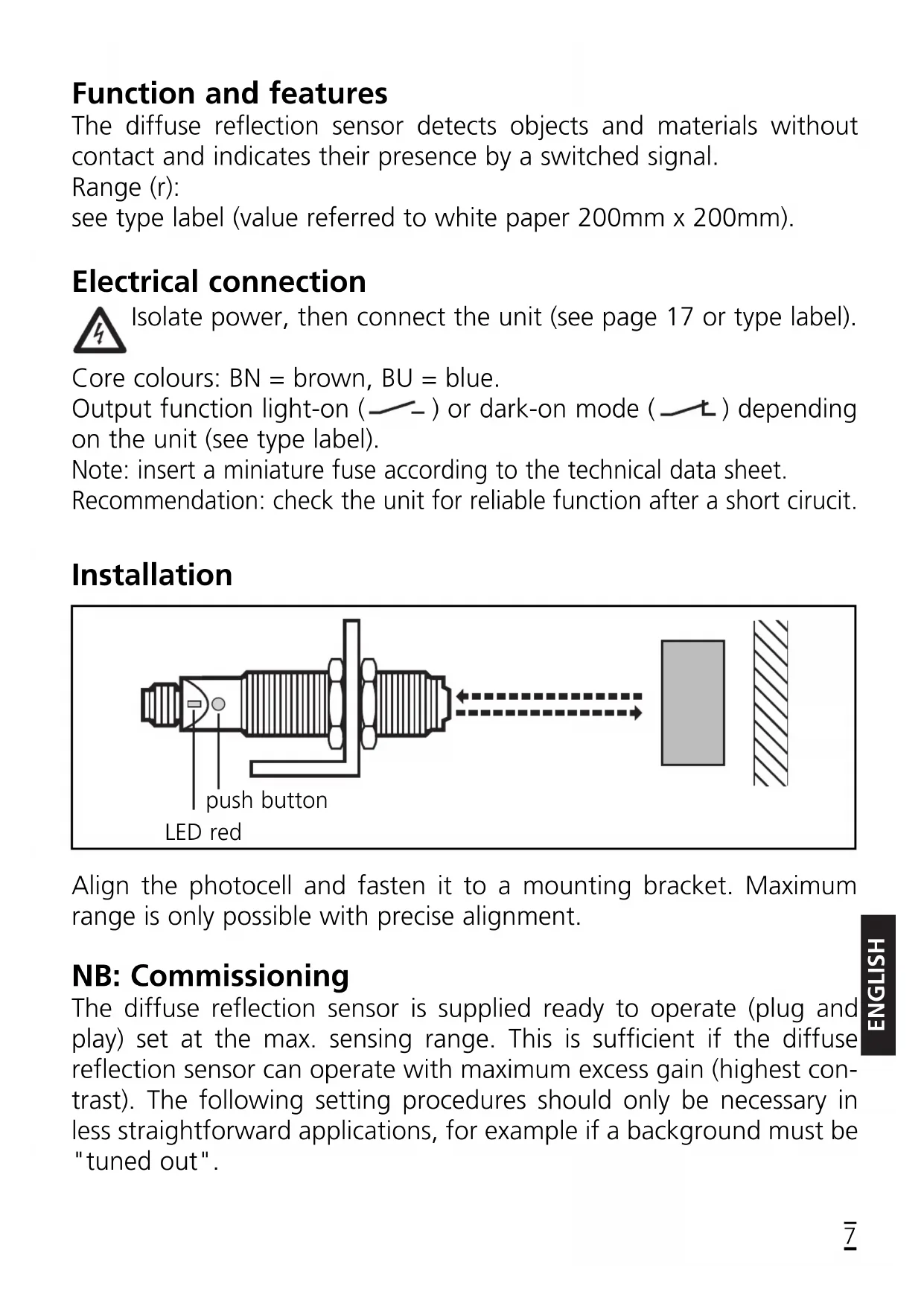
LED red push buttonSetting of the sensitivity with stationary objects You can also proceed in reverse order: first setting without the object, then with the object. If the setting of the sensitivity is not possible (e.g. object signal and background signal are about the same), the LED flashes after step 3 for approx. 2s. The unit then passes into the operating mode with the sensitivity being unchanged.
Press for about 2s until the LED flashes. Activate the programming mode of the unit. The LED starts to flash rapidly. The unit is in the programming mode as soon as the LED flashes slowly
Set the sensitivity with object. Press once. The LED goes out during the first measuring process. As soon as the LED flashes slowly, the unit is in the programming mode again.
Press once. The LED goes out during the second measuring process. If the programming was successful, the unit is now in the normal operating mode.
Set the sensitivity without object.ENGLISH Setting of the sensitivity with moving objects If the setting of the sensitivity is not possible (e.g. object signal and background signal are about the same), the LED flashes after step 3 for approx. 2s. The unit then passes into the operating mode with the sensitivity being unchanged.
Press for about 2s until the red LED flashes. Activate the programming mode of the unit. The LED starts to flash rapidly. The unit is in the programming mode as soon as the LED flashes slowly.
During the measurement (approx. 1s) allow at least two objects to move through the sensing area of the lens. Press once. The LED goes out during the first measuring process. As soon as the LED flashes slowly, the unit is in the programming mode again.
Press once. The LED goes out during the second measuring process. If the programming was successful, the unit is now in the normal operating mode.
During the measurement (approx. 1s) allow at least two objects to move through the sensing area of the lens.If the setting button is not activated for 15 minutes during the programming process, the unit passes automatically into the operating mode with the sensitivity being unchanged. The output of the unit is switched during the whole program- ming operation! Setting of the maximum sensitivity
- Go into the programming mode (step 1).
- Align the unit so that no light is reflected.
- Press the setting button twice (see steps 2 and 3). Locking / Unlocking Operation Check the safe functioning of the diffuse reflection sensor. Display by LED and by the output. Units with light-on mode (normally open) The unit receives light reflected by the object → LED is on, output swit- ched: object detected (certain range). The unit receives light reflected by the object → LED flashes (1 Hz), output switched,: object detected (uncertain range). The unit receives no light reflected by the object → LED off, output not switched: no object detected.