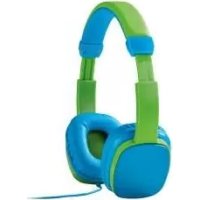
IAN 309578 - Wireless Earbuds SILVERCREST - Free user manual and instructions
Find the device manual for free IAN 309578 SILVERCREST in PDF.



| Product type | Children's audio headset (on-ear) |
| Brand | SilverCrest |
| Model | IAN 309578 |
| Dimensions (L × W × H) | approx. 162 mm × 145 mm × 63 mm |
| Weight | approx. 105 g |
| Cable length | approx. 175 cm |
| Connection | 3.5 mm jack plug |
| Speaker diameter | 30 mm |
| Impedance | 32 Ω ± 10% |
| Sensitivity | 80 dBA ± 5 dB |
| Frequency response | 20 Hz to 20 kHz |
| Wide band characteristic voltage (WBCV) | 3.6 V ± 10% |
| Operating temperature | 5 °C to 35 °C |
| Operating humidity | 10% to 70% (non-condensing) |
| Storage temperature | 0 °C to 40 °C |
| Power supply | Passive via audio cable (no batteries) |
| Recommended age | From 6 years |
| Care | Clean with a slightly damp cloth and mild detergent |
| Safety | Risk of strangulation with long cable; do not use while driving |
| Warranty | 3 years |
| Package contents | 1 headset, 1 instruction manual |
Frequently Asked Questions - IAN 309578 SILVERCREST
User questions about IAN 309578 SILVERCREST
0 question about this device. Answer the ones you know or ask your own.
Ask a new question about this device
Download the instructions for your Wireless Earbuds in PDF format for free! Find your manual IAN 309578 - SILVERCREST and take your electronic device back in hand. On this page are published all the documents necessary for the use of your device. IAN 309578 by SILVERCREST.
USER MANUAL IAN 309578 SILVERCREST
Operation and safety notes
FR BE
CASQUE AUDIO ENFANT
Warnings and symbols used
Introduction
Intended use.. Page 7
Trademark notices.. Page 7
Scope of delivery.. Page 7
Parts description.. 8
Technical data.. 8
General safety instructions
Before use. Page 10
Using the headphones.. Page 10
Putting on the headphones.. Page 10
Cleaning
Storage when not in use
Troubleshooting
Disposal
Warranty.. Page 12
| Warnings and symbols used These instructions for use contain the following symbols and warnings: | |
| DANGER! This symbol with the signal word “DANGER” indicates a hazard with a high level of risk which, if not avoided, will result in serious injury or death. | |
| WARNING! This symbol with the signal word “WARNING” indicates a hazard with a medium level of risk which, if not avoided, could result in serious injury. | |
| CAUTION! This symbol with the signal word “CAUTION” indicates a hazard with a low level of risk which, if not avoided, could result in minor or moderate injury. | |
| ATTENTION! This symbol with the signal word “ATTENTION” indicates a possible property damage. | |
| NOTE: This symbol with the signal word “NOTE” provides additional useful information. | |
| Take care when using headphones. Listening at high-volume for prolonged periods of time can damage your hearing. Before using the headphones, set the volume to lowest level. | |
Kids' On-Ear Headphones
Introduction
We congratulate you on the purchase of your new product. You have chosen a high quality product. The instructions for use are part of the product. They contain important information concerning safety,
use and disposal. Before using the product, please familiarise yourself with all of the safety information and instructions for use. Only use the product as described and for the specified applications. If you pass the product on to anyone else, please ensure that you also pass on all the documentation with it.
Intended use
This children headphones (hereinafter referred to as "product") is intended to render audio transmitted from a smartphone, computer, or similar playback devices via 3.5 mm audio cable connection.
This product was designed for children use.
It must not be used for commercial purposes. Any other use is considered improper. Any claims resulting from improper use or due to unauthorised modification of the product will be considered unwarranted. Any such use is at your own risk.
DANGER!
Under no circumstances the product is allowed to be used in the traffic.
WARNING!
The use of the product might be dangerous for people with cardiac pacemakers and implanted defibrillators.
Trademark notices
- The SilverCrest trademark and trade name is the property of their respective owners.
Any other names and products may be trademarks or registered trademarks of their respective owners.
- Scope of delivery
NOTE: Take the product and the instruction for use out of the box and remove all packing materials.
1 Kids' On-Ear Headphones 1 Instructions for use
- Parts description
1 3.5mm plug
2 Speakers with ear pads
3 Band
Technical data
Dimensions: approx. 162mm× 145mm× 63mm
Weight: approx. 105 g
Audio cable length: approx. 175 cm
Operating temperature: 5^ - 35^
Humidity (no condensation): 10% - 70%
Storage temperature: 0^ - 40^
Wideband characteristic
voltage (WBCV): 3.6~V ± 10%
Speaker
Driver size: 30mm
Impedance: 32 ± 10
Sensitivity: 80dBA± 5dB
Frequency response: 20Hz to 20kHz
- General safety instructions
Before using the product, please familiarise yourself with all of the safety instructions and instructions for use! When passing this product on to others, please also include all the documents!
DANGER DANGER TO LIFE AND RISK OF ACCIDENT FOR INFANTS AND CHILDREN!
DANGER
■ Risk of suffocation! Never leave children unsupervised with the packaging material. The packaging material poses a suffocation hazard. Children frequently underestimate the dangers. The packaging material is not a toy.
This product may be used by children age 6 years and up, as well as by persons with reduced physical, sensory or mental capacities or lacking experience and/or knowledge, so long as they are supervised or instructed in the safe use of the product and understand the associated risks. Do not allow children to play with the product. Cleaning and user maintenance should not be performed by children without supervision. The product is not a toy.
ATTENTION! RISK OF PROPERTY DAMAGE
This product does not contain any parts which can be serviced by the user.
Keep the product away from moisture, dripping and splash water!
- Do not place burning candles or other open fire on or next to the product.
Check the product before every use! Discontinue use if any damage to the product is detected!
Do not use the product if you notice smoke or unusual noise or odour.
Sudden temperature changes may cause condensation inside the product. In this case, allow the product to acclimate for some time before using it again to prevent short circuits!
Do not operate the product near heat sources, e.g. radiators or other devices emitting heat!
Do not throw the product into fire and do not expose to high temperatures.
No foreign objects may be inserted into the product.
Only pull the 3.5mm plug to disconnect the product from the playback device.
DANGER
Do not try to open the product! It has no internal parts requiring maintenance.

A. WARMING cause strangulation hazard.
A warning with this symbol is to indicate that always remember that excessive sound pressure or volumes from headphones or earphones can lead to damage to the hearing. Always adjust the volume to a pleasant, not too loud level. If you have adjusted the volume of the headphones to be too high and use that for an extended period, it can damage the listener's hearing.
Before use
Note: Remove all packaging materials from the product.
Before use, verify the package contents are complete and undamaged!
Using the headphones
Insert the 3.5mm plug of audio cable to 3.5mm socket of your playback device.
Start a playlist on your playback device. You can only adjust the music volume on the playback device.
- Putting on the headphones
The headphones can be adjusted to your head size, if necessary:
The speakers 2 are secured to the band 3 with a plastic rail for this purpose. Adjust these to ensure optimal comfort.
Please follow the marking "L" (= left) and "R" (= right).
- Cleaning
ATTENTION
Potential damage to the product!
- Be sure moisture does not enter the product during cleaning to prevent damage to the product and related repairs.
Only clean the product with a slightly dampened cloth and a mild spray!
- Storage when not in use
Store the product in a dry environment, protected from dust and direct sunlight.
Troubleshooting
= What should I do if the headphones do not sound after connected with a playback device?
O = Check the audio cable connection between the headphones and 3.5 ~mm socket of the playback device. The 3.5 ~mm plug must be firmly connected. Alternatively, the user must try another playback device.
Disposal
Packaging:
The packaging is made of environmentally friendly materials, which may be disposed of through your local recycling facilities.
Product:
Contact your municipality for information on how to dispose of your worn-out product.
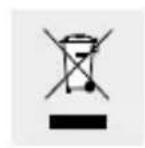
The adjacent symbol of a crossed out dustbin on wheels indicates this product is subject to directive 2012/19/EU. This directive states at the end of the life this product must not be disposed of through re
gular household refuse but must be returned to special collection sites, recycling depots or waste management companies.
This disposal is free of charge to you.
Protect the environment and dispose of properly.
The product is recyclable, subject to extended manufacturer responsibility, and collected separately.
Warranty
The product has been manufactured to strict quality guidelines and meticulously examined before delivery. In the event of product defects you have legal rights against the retailer of this product. Your legal rights are not limited in any way by our warranty detailed below.
The warranty for this product is 3 years from the date of purchase. Should this product show any fault in materials or manufacture within 3 years from the date of purchase, we will repair or replace it - at our choice - free of charge to you.
The warranty period begins on the date of purchase. Please keep the original sales receipt in a safe location. This document is required as your proof of purchase. This warranty becomes void if the product has been damaged, or used or maintained improperly.
The warranty applies to defects in material or manufacture. This warranty does not cover product parts subject to normal wear, thus possibly considered consumables (e.g. batteries) or for damage to fragile parts, e.g. switches, rechargeable batteries or glass parts.

- CASQUE AUDIO ENFANT
- Warnings and symbols used
- Introduction
- General safety instructions
- Before use. Page 10
- Using the headphones.. Page 10
- Cleaning
- Storage when not in use
- Troubleshooting
- Disposal
- Warranty.. Page 12
- Kids' On-Ear Headphones
- Intended use
- DANGER!
- WARNING!
- Trademark notices
- - Scope of delivery
- - Parts description
- Technical data
- Speaker
- - General safety instructions
- DANGER DANGER TO LIFE AND RISK OF ACCIDENT FOR INFANTS AND CHILDREN!
- DANGER
- ATTENTION! RISK OF PROPERTY DAMAGE
- Before use
- Using the headphones
- - Putting on the headphones
- - Cleaning
- ATTENTION
- Potential damage to the product!
- - Storage when not in use
- Packaging:
- Product:
- This disposal is free of charge to you.
- Warranty
Brand : SILVERCREST
Model : IAN 309578
Category : Wireless Earbuds