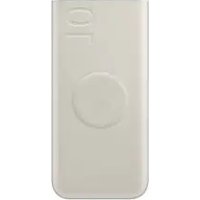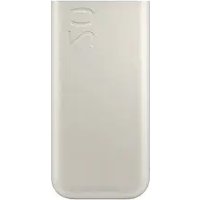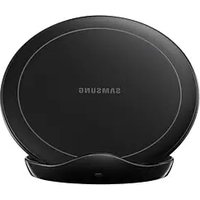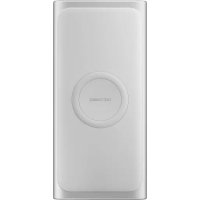
Battery Pack EBP3000 - Power bank SAMSUNG - Free user manual and instructions
Find the device manual for free Battery Pack EBP3000 SAMSUNG in PDF.

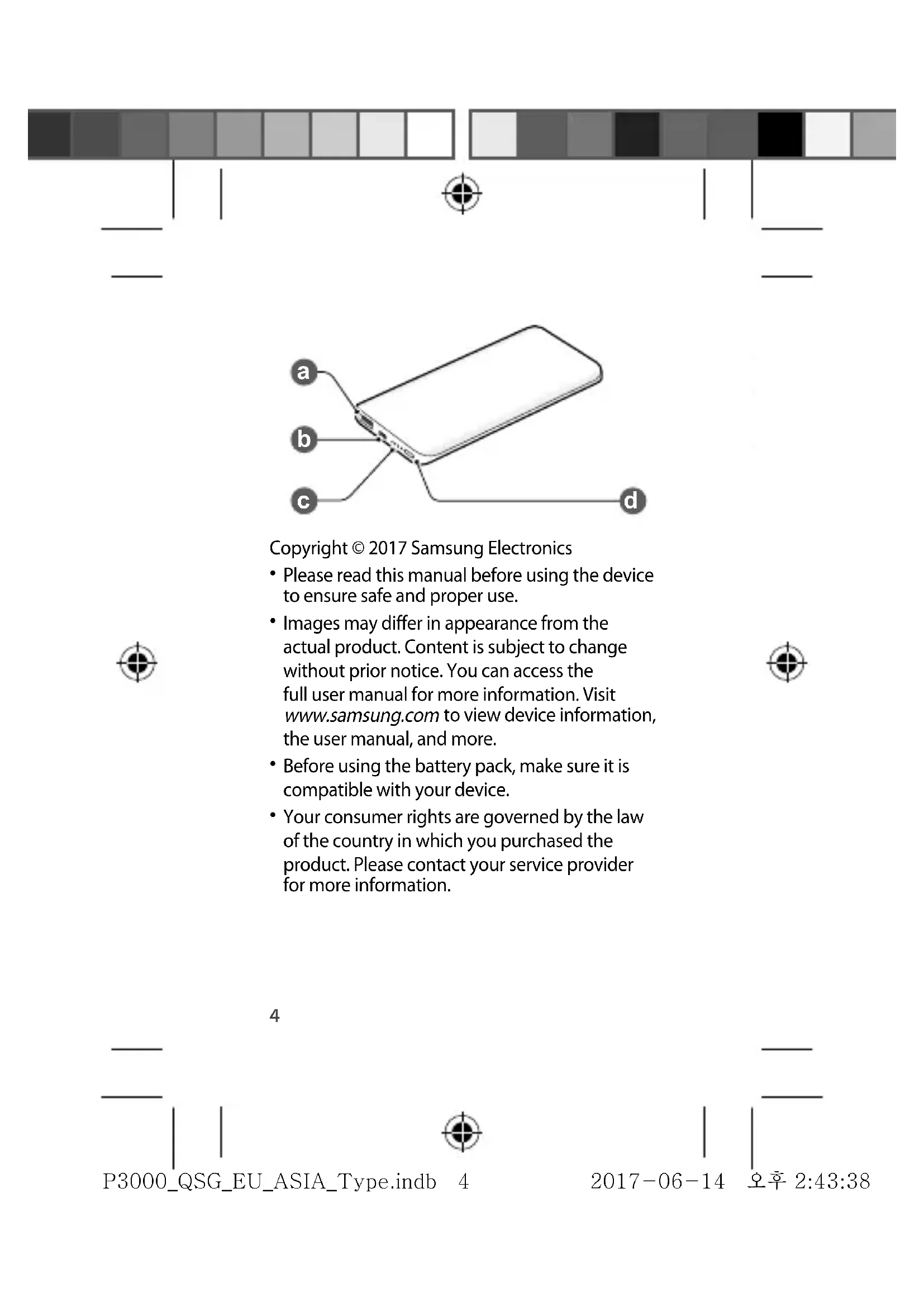


| Product Type | Portable Battery |
| Brand | Samsung |
| Model | EBP3000 |
| Input Port | Micro-USB |
| Output Port | USB |
| Battery Level Indicator | 4 LED indicators |
| Control Button | Battery Level Button |
| Power Supply | AC charger (sold separately) |
| Recommended Charger | Samsung Approved |
| Operating Temperature | 0°C to 35°C |
| Storage Temperature | -20°C to 50°C |
| Compatibility | Mobile devices with micro-USB or USB connector |
| Precautions - Humidity | Do not touch with wet hands |
| Precautions - Shocks | Do not drop, avoid shocks |
| Precautions - Discharge | Do not disassemble, modify, or repair yourself |
| Precautions - Accessories | Use only Samsung approved accessories |
| Cleaning | With a dry cloth, avoid any liquid |
| Disposal | Do not dispose of with household waste, comply with WEEE regulations |
Frequently Asked Questions - Battery Pack EBP3000 SAMSUNG
User questions about Battery Pack EBP3000 SAMSUNG
0 question about this device. Answer the ones you know or ask your own.
Ask a new question about this device
Download the instructions for your Power bank in PDF format for free! Find your manual Battery Pack EBP3000 - SAMSUNG and take your electronic device back in hand. On this page are published all the documents necessary for the use of your device. Battery Pack EBP3000 by SAMSUNG.
USER MANUAL Battery Pack EBP3000 SAMSUNG
natural_image
Color palette bar with a central crosshair symbol (no text or labels)QUICK START GUIDE
EB-P3000
EB-P3020
Battery Pack
SAMSUNG
Printed in Korea
A00596 Rev.1.2
EU/ASIA Type 08/2017
000 Cover.indd 2

natural_image
Color palette bar with a central crosshair symbol (no text or labels)QUICK
START
GUIDE
EB-P3000
EB-P3020
Battery Pack
SAMSUNG
000 Cover.indd
3

2017-06-15
오전 9:57:07
Contents
English......4
Français....11
Deutsch 16
Italiano 20
Español....24
Magyar 29
Polski....33
Română 38
Български 42
Hrvatski....47
Srpski....51
Português 55
2
Latviešu....59
Lietuvių kalba 63
Eesti 67
Nederlands 71
Svenska 75
Norsk 80
Suomi 85
Dansk....90
Ελληνικά......95
Slovenščina....100
Slovenčina ....104
Čeština....108
Türkçe....112


Copyright © 2017 Samsung Electronics
- Please read this manual before using the device to ensure safe and proper use.
- Images may differ in appearance from the actual product. Content is subject to change without prior notice. You can access the full user manual for more information. Visit www.samsung.com to view device information, the user manual, and more.
- Before using the battery pack, make sure it is compatible with your device.
- Your consumer rights are governed by the law of the country in which you purchased the product. Please contact your service provider for more information.
natural_image
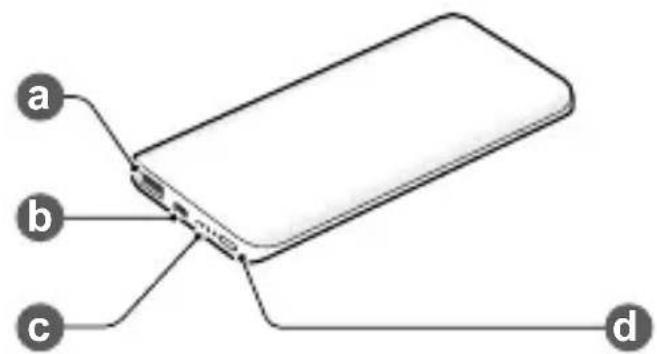
Abstract color gradient bar with a central crosshair symbol (no text or labels)Device layout
| a | USB charger port Indicator light | |
| b | Charger port | Battery level button |
English
Charging the battery
Before using the battery pack for the first time, you must charge the battery.
Connect the battery pack to a charger.

Use only Samsung-approved chargers.


5

5

natural_image
Two grayscale color swatches with gradient shading, no text or symbols present

• You can charge the battery pack using the charger (sold separately).
- Depending on the type of charger you are using, you may need to use the Micro USB connector.
- The actual capacity (Wh) is measured based on the battery's output current and voltage. It may differ from the capacity (Wh) indicated on the device, depending on the output power condition, the connected device's circuit configuration, and the operation environment.
- The charger should remain close to the electric socket and easily accessible while charging.
- The socket-outlet shall be installed near the equipment and shall be easily accessible.


Checking the remaining battery power
Check the remaining battery power by pressing the Battery level button.
The indicator lights alerts you to the remaining battery power.
| Remaining battery power | Indicator light status |
| 70–100 % Four indicator lights on | |
| 40–70 % Three indicator lights on | |
| 20–40 % Two indicator lights on | |
| 5–20 % One indicator light on | |
| 0–5 % One indicator light blinking | |
English


Using the battery pack
-
Connect one end of the USB cable to the battery pack's USB charger port. Then, plug the other end of the USB cable into the mobile device's multipurpose jack.
-
After the mobile device is fully charged, disconnect the USB cable from both devices.
natural_image
Color gradient bar with a central crosshair symbol (no text or labels)
Depending on your mobile device's multipurpose jack, you may need to use the Micro USB connector.
Safety information
Read all safety information before using the device to ensure safe and proper use. To view the full safety information, refer to the Samsung website.
Use manufacturer-approved batteries, chargers, accessories, and supplies
Do not touch the device with wet hands
Do not drop or cause an impact to the charger or the device
The device can be used in locations with an ambient temperature of 0 °C to 35 °C. You can store the device at an ambient temperature of -20 °C to 50 °C. Using or storing the device outside of the recommended temperature ranges may damage the device or reduce the battery's lifespan


8
natural_image
Abstract color gradient bar with a central crosshair symbol (no text or labels)Prevent the multipurpose jack and the small end of the charger from contact with conductive materials, such as liquids, dust, metal powders, and pencil leads
Do not allow children or animals to chew or suck the device
Do not disassemble, modify, or repair your device
Correct disposal

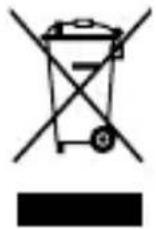
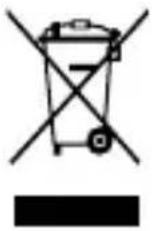
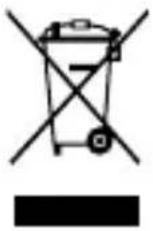
This marking on the product, accessories or literature indicates that the product and its electronic accessories (e.g. charger, headset, USB cable) should not be disposed of with other household waste.
This product is RoHS compliant.
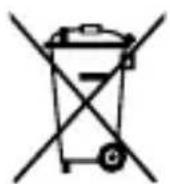
This marking on the battery, manual or packaging indicates that the batteries in this product should not be disposed of with other household waste.
English

9

natural_image
Abstract color gradient bar with a central crosshair symbol (no text or labels)For information on Samsung's environmental commitments and product-specific regulatory obligations, e.g. REACH, WEEE, Batteries, visit samsung.com/uk/aboutsamsung/samsungelectronics/corporate citizenship/data_corner.html
Samsung Electronics (UK) Ltd, Euro QA Lab. Blackbushe Business Park. Saxony Way, Yateley, Hampshire, GU46 6GG, United Kingdom

CE

10
natural_image
Color gradient bar with a central crosshair symbol (no text or labels)natural_image
Abstract color gradient bar with a central crosshair symbol (no text or labels)Charger la batterie
natural_image
Abstract grayscale color gradient bar with a central crosshair symbol (no text or labels)natural_image
Abstract color gradient bar with a central crosshair symbol (no text or labels)natural_image
Abstract color gradient bar with a central crosshair symbol (no text or labels)Akkupack verwenden
natural_image
Abstract color gradient bar with a central crosshair symbol (no text or labels)natural_image
Abstract color gradient bar with a central crosshair symbol (no text or labels)natural_image
Abstract color gradient bar with a central crosshair symbol (no text or labels)natural_image
Two grayscale color swatches with varying shades of gray and white, no text or symbols present.
natural_image
Abstract color gradient bar with a central crosshair symbol (no text or labels)natural_image
Color palette bar with grayscale shades and a central crosshair symbol (no text or labels)natural_image
Two grayscale color swatches with varying shades of gray and white, no text or symbols present.
natural_image
Abstract color gradient bar with a central crosshair symbol (no text or labels)natural_image
Two grayscale color swatches with gradient shading, no text or symbols present
Polski
natural_image
Two grayscale color swatches with gradient shading, no text or symbols present
Właściwe usuwanie
natural_image
Two grayscale color swatches with varying shades of gray and white, no text or symbols present.
natural_image
Abstract color gradient bar with a central crosshair symbol (no text or labels)natural_image
Abstract grayscale color gradient bar with a central crosshair symbol (no text or labels)natural_image
Abstract color gradient bar with a central crosshair symbol (no text or labels)natural_image
Two grayscale color swatches with varying shades of gray and white, no text or symbols present.
Правилно изхвърляне
natural_image
Abstract color gradient bar with a central crosshair symbol (no text or labels)- Prije uporabe uređaja pažljivo pročitajte ovaj priručnik kako biste osigurali sigurnu i pravilnu uporabu.
- Slike se mogu razlikovati od stvarnog proizvoda. Sadržaj je podložan promjeni bez prethodne obavijesti. Za više informacija možete pristupiti kompletnom korisničkom priručniku. Posjetite www.samsung.com za pregled podataka o uređaju, korisničkog priručnika i drugog.
- Prije nego upotrijebite baterijski komplet provjerite je li kompatibilan s vašim uređajem.
- Vaša potrošačka prava regulirana su zakonom zemlje u kojoj ste kupili proizvod. Za više informacija obratite se pružatelju usluga.
Prikaz uređaja
natural_image
Abstract grayscale color gradient bar with a central crosshair symbol (no text or labels)Upotreba baterijskog kompleta
- Povežite jedan kraj USB kabla u USB priključak za punjač baterijskog kompleta. Zatim ukopčajte drugi kraj USB kabela u višenamjenski priključak mobilnog uređaja.
- Kad se mobilni uređaj potpuno napuni, odspojite USB kabel s oba uređaja.

natural_image
Abstract color gradient bar with a central crosshair symbol (no text or labels)- Pre nego što počnete da koristite uređaj pročitajte ovo uputstvo kako biste bili sigurni da ga koristite na bezbedan i ispravan način.
- Slike mogu odstupati od stvarnog proizvoda. Sadržaj je podložan promenama bez prethodnog obaveštenja. Za više informacija možete da pristupite punom uputstvu za upotrebu. Idite na veb-sajt www.samsung.com da biste videli informacije o uređaju, uputstvo za upotrebu i drugo.
- Pre korišćenja pakovanja baterije, uverite se da je kompatibilan sa vašim uređajem.
- Vaša prava kao potrošača su zaštićena zakonom zemlje u kojoj ste kupili proizvod. Obratite se svom pružaocu usluga za više informacija.
Raspored uređaja
| a | USB port za punjač Indikatorska lampica | ||
| b | Port za punjač | d | Taster za proveru nivoa napunjenosti baterije |

Punjenje baterije
Pre prvog korišćenja pakovanja baterije morate napuniti bateriju.
natural_image
Color gradient bar with a central crosshair symbol, no text or labels presentnatural_image
Two grayscale color swatches with varying shades of gray and white, no text or symbols present.
natural_image
Abstract grayscale color gradient bar with a central crosshair symbol (no text or labels)Utilizar a bateria auxiliar
natural_image
Two grayscale color swatches with gradient shading, no text or symbols present
Latviešu
natural_image
Abstract color gradient bar with a central crosshair symbol (no text or labels)natural_image
Abstract grayscale color gradient bar with a central crosshair symbol (no text or labels)natural_image
Color palette bar with grayscale shades and a central crosshair symbol (no text or labels)natural_image
Color gradient bar with a central crosshair symbol, no text or labels presentAkukomplekti kasutamine
natural_image
Abstract color gradient bar with a central crosshair symbol (no text or labels)natural_image
Abstract color gradient bar with a central crosshair symbol (no text or labels)natural_image
Abstract color gradient bar with a central crosshair symbol (no text or labels)natural_image
Abstract grayscale color gradient bar with a central crosshair symbol (no text or labels)natural_image
Color gradient bar with a central crosshair symbol, no text or labels presentnatural_image
Abstract color gradient bar with a central crosshair symbol (no text or labels)natural_image
Two grayscale color swatches with varying shades of gray and white, no text or symbols present.
natural_image
Abstract color gradient bar with a central crosshair symbol (no text or labels)Bruke batteripakken
- Koble den ene enden av USB-kabelen til USB-laderporten på batteripakken. Koble deretter den andre enden av USB-kabelen til flerfunksjonskontakten på den mobile enheten.
- Koble USB-kabelen fra begge enhetene når den mobile enheten er fulladet.

natural_image
Abstract color gradient bar with a central crosshair symbol (no text or labels)natural_image
Color gradient bar with a central crosshair symbol (no text or labels)natural_image
Two grayscale color swatches with gradient shading, no text or symbols present
natural_image
Two grayscale color swatches with gradient shading, no text or symbols present
Tästä se alkaa.
natural_image
Two grayscale color swatches with gradient shading, no text or symbols present
natural_image
Abstract color gradient bar with a central crosshair symbol (no text or labels)
natural_image
Abstract color gradient bar with a central crosshair symbol (no text or labels)Bruge batteripakken
natural_image
Abstract grayscale color gradient bar with a central crosshair symbol (no text or labels)natural_image
Color gradient bar with a central crosshair symbol (no text or labels)natural_image
Two grayscale color swatches with varying shades of gray and white, no text or symbols present.
natural_image
Two grayscale color swatches with varying shades of gray and white, no text or symbols present.
natural_image
Color palette bar with grayscale shades and a central crosshair symbol (no text or labels)
natural_image
Abstract grayscale color gradient bar with a central crosshair symbol (no text or labels)natural_image
Two grayscale color swatches with varying shades of gray and white, no text or symbols present.
natural_image
Color gradient bar with a central crosshair symbol, no text or labels presentPoužívanie batérie
- Pripojte jeden koniec kábla USB k nabíjaciemu portu USB. Potom pripojte druhý koniec kábla USB k multifunkčnému konektoru mobilného zariadenia.
- Po úplnom nabití mobilného zariadenia odpojte kábel USB od oboch zariadení.

natural_image
Two grayscale color swatches with gradient shading, no text or symbols present
natural_image
Abstract color gradient bar with a central crosshair symbol (no text or labels)natural_image
Two grayscale color swatches with varying shades of gray and white, no text or symbols present.
natural_image
Two grayscale color swatches with gradient shading, no text or symbols present
natural_image
Two grayscale color swatches with varying shades of gray and white, no text or symbols present.
| Şehir Yetkili Servis | ||
| İZMİR | Servis Adı | BAŞARI TEKNİK SERVİS HİZMETLERİ VE TİC. A.Ş. İZMİR ŞB. |
| Telefon | 0232 483 40 40 | |
| Adres | ŞAİR EŞREF BULV. UMURBEYİŞ MERKEZİ NO: 3/2 K.1 NO: 101 ÇANKAYA | |
| ANKARA | Servis Adı | BAŞARI TEKNİK SERVİS HİZMETLERİ VE TİCARET KIZILAY ŞUBESİ A.Ş. |
| Telefon | 0312 430 56 65 | |
| Adres | CUMHURİYET MAH. SAKARYA CAD.1/8 | |
| SAMSUN | Servis Adı | BAYRAK ELEKTRONİK TAMİR BAKIM HİZMETLERİ SAN. TİC.LTD.ŞTİ. |
| Telefon | 0362 431 64 80 | |
| Adres | 19 MAYIS MAH.AĞABALİ CAD. NO:38 İLKADIM | |
Türkce


121

121
| Şehir Yetkili Servis | ||
| İZMİR | Servis Adı | DESTEK BİLİŞİM PROJE SERVİS HİZMETLERİ SANAYİ VE DIŞ TİC.LTD.ŞTİ-İZMİR ŞUBESİ |
| Telefon | 0232 489 20 45 | |
| Adres | MÜRSELPAŞA BULV. NO:22/B BASMANE | |
| ANKARA | Servis Adı | ARIM TEKNİK SERVİS İLETİŞİM LTD. ŞTİ. |
| Telefon | 0312 269 63 63 | |
| Adres | Atatürk Mah. Ankara Cad. No:17/C / SİNCAN/ANKARA | |
| MALATYA | Servis Adı | EKREM MANDAL-GÜVEN TEKNİK |
| Telefon | 0422 324 21 45 | |
| Adres | UÇBAĞLAR MAH.YUNUS EMRE CAD.NO:25 | |
| ERZURUM | Servis Adı | EMİR ELEKTRONİK-SECATTİN AYLANÇ |
| Telefon | 0442 237 37 01 | |
| Adres | GEZ MAH. ÇAYKARA CAD. NO:44/14 | |



natural_image
Two grayscale color swatches with varying shades of gray and white, no text or symbols present.
| Şehir Yetkili Servis | ||
| BALIKESİR | Servis Adı | GÖKSEL SARFAKLAR |
| Telefon | 0266 244 70 72 | |
| Adres | AKINCILAR MAH.GAZİ BULVARI NO : 31 | |
| TRABZON | Servis Adı | STAR ELEKTRONİK SERVİS HİZMETLERİ |
| Telefon | 0462 321 84 84 | |
| Adres | GAZİPAŞA MAHALLESİ DR.CEMİL BULAK SOKAĞI No:3 A/ ORTAHİSAR/ TRABZON | |
| İSTANBUL | Servis Adı | KVK TEKNİK SERVİS HİZMETLERİ VE TİCARET A.Ş./ BAKIRKÖY İSTANBUL CADDESİ ŞUBESİ |
| Telefon | 0212 660 59 59 | |
| Adres | ŞUBE: İSTANBUL CD. NO:1/A BAKIRKÖY/İST. / BAKIRKÖY | |
Türkce


123

123
| Şehir Yetkili Servis | ||
| DİYARBAKIR | Servis Adı | MEHMET ALKAYA-HİZMET ELEKTRONİK TEKNİK SERVİSİ |
| Telefon | 0412 223 00 18 | |
| Adres | KOOPERATİFLER MAHALLESİ OFİS İSTASYON CADDESİ HATİPOĞLU SİTESİ A BLOK ALTI BİLA NUMARA | |
| KONYA | Servis Adı | SAMTİT ELEKTRİK ELEKTRONİK BİLİŞİM DAYANIKLI TÜKETİM MALLARI SANAYİ VE TİCARET LTD. ŞTİ. |
| Telefon | 0332 238 84 84 | |
| Adres | MUSALLA BAĞLARI MAH. TELGRAFÇI HAMDİBEY CAD. NO:10 / SELÇUKLU | |
| ANKARA | Servis Adı | SİMGE ELEKTRONİK VE DANIŞMANLIK -YAŞAR ALAR |
| Telefon | 0312 322 77 44 | |
| Adres | HALİL SEZAİ ERKUT CAD. MARTI SOK. NO:3B/16-18 | |


| Şehir Yetkili Servis | ||
| ANKARA | Servis Adı | SİMGE ELEKTRONİK-YAŞAR ALAR |
| Telefon | 0312 325 18 76 | |
| Adres | ETLİK MAH. YENİ ETLİK CAD. NO:205/ A | |
| GAZİANTEP | Servis Adı | YUSUF KEMİK - MEGA TEKNİK SERVİS |
| Telefon | 0342 338 10 70 | |
| Adres | İNCİLİPINAR MAH. MUAMMER AKSOY BLV. KEPKEP PLAZA İŞ MRK. ALTI NO: 8 ŞEHİTKAMİL | |
Türkce

natural_image
Two grayscale color swatches with varying shades of gray and white, no text or symbols present.
^2
natural_image
Two grayscale color swatches with varying shades of gray and white, no text or symbols present.
natural_image
Two grayscale color swatches with varying shades of gray and white, no text or symbols present.

natural_image
Color palette bar with a central target symbol (no text or labels)Contents
العربية
۷....۴۲۸۵۰۱۶