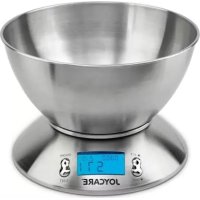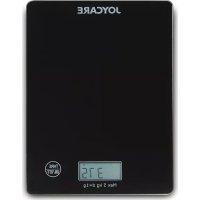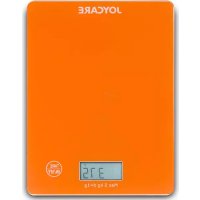
JC466 - Kitchen scales Joycare - Free user manual and instructions
Find the device manual for free JC466 Joycare in PDF.

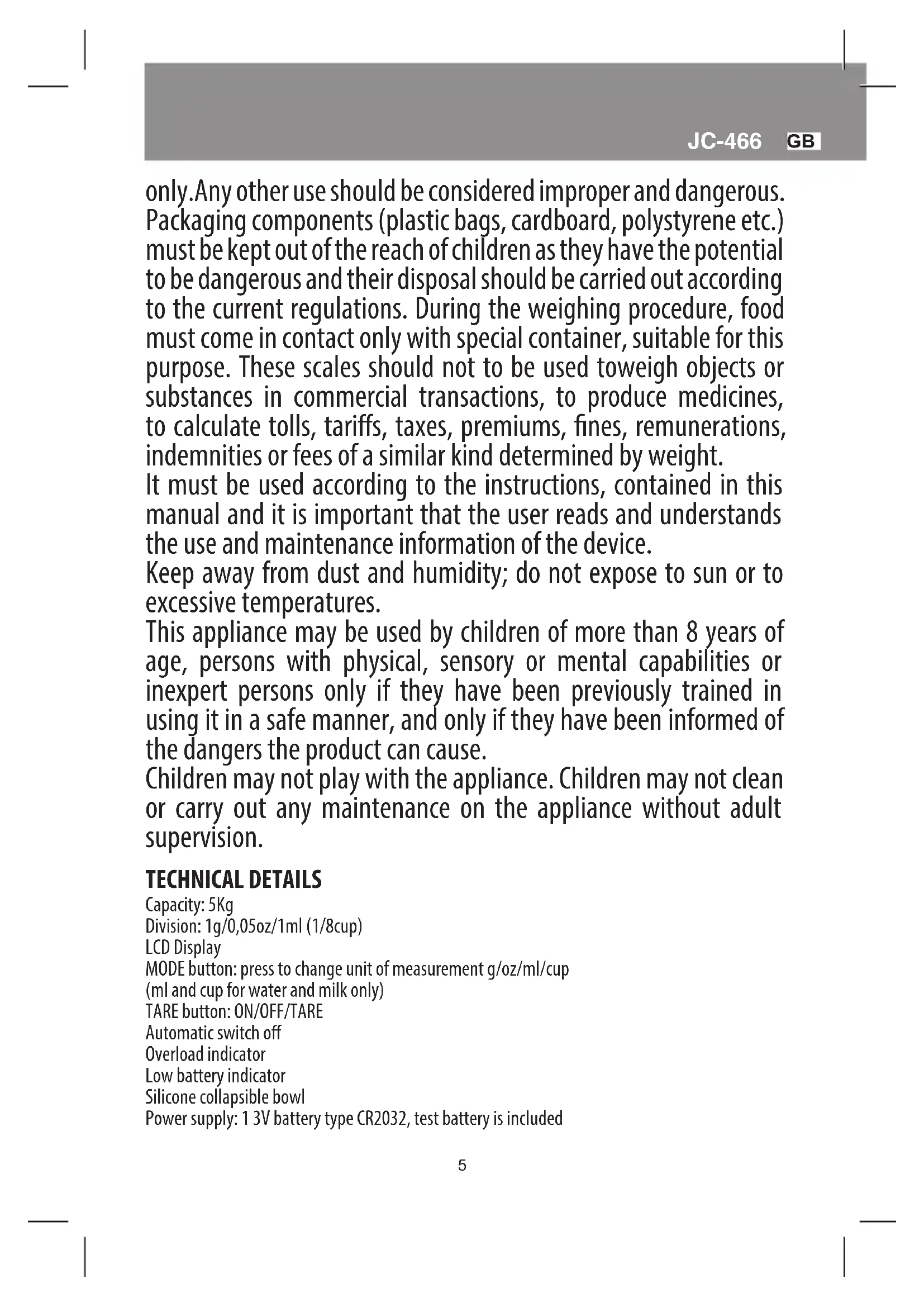


| Product type | Electronic kitchen scale |
| Brand | Joycare |
| Model | JC466 |
| Maximum capacity | 5 kg |
| Division (accuracy) | 1 g / 0.05 oz / 1 ml (ml and cup only for water and milk) |
| Units of measurement | g, oz, ml, cup |
| Display type | LCD |
| Tare function | Yes (with reset to zero) |
| Auto-off | After 1 minute of inactivity |
| Overload indicator | Yes (displays "EEE") |
| Low battery indicator | Yes (displays "BRc") |
| Power supply | 1 CR2032 3V battery (included for testing) |
| Collapsible bowl | Yes, silicone |
| Operating temperature | 10 °C to 40 °C |
| Operating humidity | 30% to 75% non-condensing |
| Operating pressure | 700 to 1060 hPa |
| Maintenance | Clean with a damp cloth; do not immerse; do not use chemical detergents |
| Safety | Do not open; repair by authorized technician; use by children over 8 under supervision |
| Disposal | Compliant with WEEE; do not dispose of with household waste; remove battery before disposal |
Frequently Asked Questions - JC466 Joycare
User questions about JC466 Joycare
0 question about this device. Answer the ones you know or ask your own.
Ask a new question about this device
Download the instructions for your Kitchen scales in PDF format for free! Find your manual JC466 - Joycare and take your electronic device back in hand. On this page are published all the documents necessary for the use of your device. JC466 by Joycare.
USER MANUAL JC466 Joycare
Thanks for having chosen the JOYCARE electronic kitchen scale, an accurate tool for a daily use in your kitchen. In order to ensure the correct usage of the scale, it is advisable to read carefully this instruction manual. It is also advisable to save this manual for a future use.
ATTENTION
Use this product only for its intended purpose, as described in this instruction manual such as an electronic scale for domestic use
only.Any other use should be considered improper and dangerous. Packaging components (plastic bags, cardboard, polystyrene etc.) must be kept out of the reach of children as they have the potential to be dangerous and their disposal should be carried out according to the current regulations. During the weighing procedure, food must come in contact only with special container, suitable for this purpose. These scales should not to be used to weigh objects or substances in commercial transactions, to produce medicines, to calculate tolls, tariffs, taxes, premiums, fines, remunerations, indemnities or fees of a similar kind determined by weight.
It must be used according to the instructions, contained in this manual and it is important that the user reads and understands the use and maintenance information of the device.
Keep away from dust and humidity; do not expose to sun or to excessive temperatures.
This appliance may be used by children of more than 8 years of age, persons with physical, sensory or mental capabilities or inexpert persons only if they have been previously trained in using it in a safe manner, and only if they have been informed of the dangers the product can cause.
Children may not play with the appliance. Children may not clean or carry out any maintenance on the appliance without adult supervision.
TECHNICAL DETAILS
Capacity: 5Kg
Division: 1g/0,05oz/1ml (1/8cup)
LCD Display
MODE button: press to change unit of measurement g/oz/ml/cup (ml and cup for water and milk only)
TARE button: ON/OFF/TARE
Automatic switch off
Overload indicator
Low battery indicator
Silicone collapsible bowl
Power supply: 13V battery type CR2032, test battery is included
Operation use conditions:
Room temperature: from 10^ to 40^
Relative humidity: from 30% to 75% without condensation.
Pressure: from 700 - 1060 hPa
Environmental transportation and storage conditions:
Temperature: from 10 to 40^
Humidity: from 5 to 95%
Pressure: from 700 - 1060 hPa
BASIC FUNCTIONS

INSTRUCTIONS FOR USE
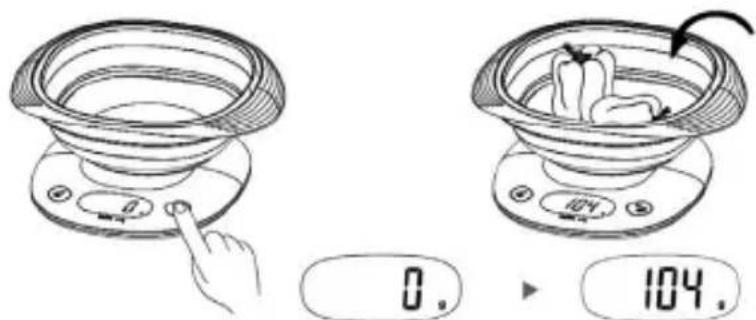
Place the scales on a flat stable surface. If the scales are not positioned correctly, you will see the error message unSt. To turn on press the TARE button, the display will show zero. Put the food to be weighed onto the scales to view the weight.
Tare/weighing function
Turn the item on. To remove the weight of the bowl if it is placed after the item is turned on or of any other container placed on top of the scales, press the TARE/ON/OFF button, the display will show "0". Do this procedure before you place the food on the scales.
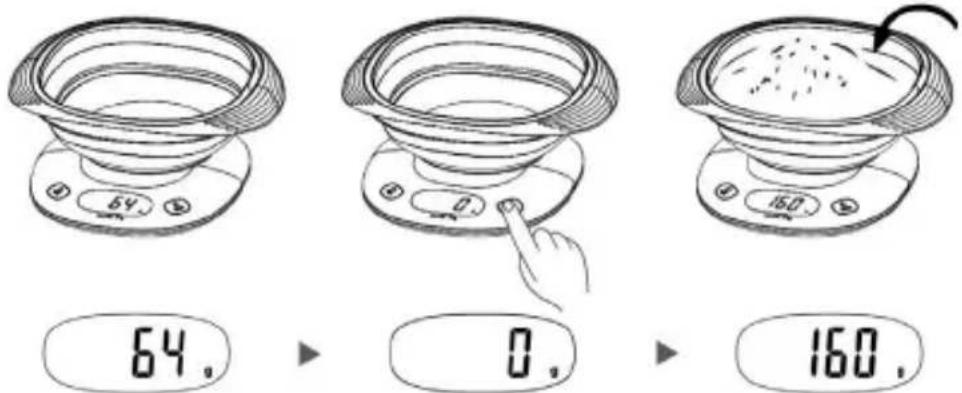
Negative tare
The tare usually appears as a negative number, when all weight is removed from the scales. Press the TARE/ON/OFF button again to reset the item.
Auto switch off: Automatic switch off: about a minute after not being in use
Manual switch off: Press the TARE button for about 2 seconds
Unit of measurement selection: Press the MODE button once, the unit of measurement will change to g/oz/ml/cup (ml and cup for water and milk only)
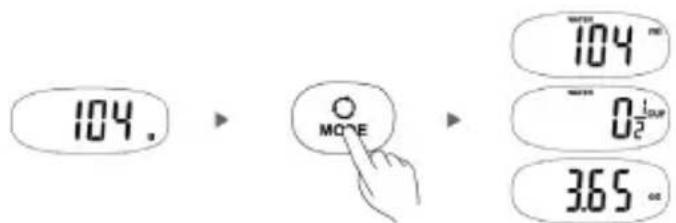
Overload indicator
When the item is overloaded (over 5 Kg), the display shows
Immediately remove the excessive weight, to avoid damaging the scales.
Low battery indicator
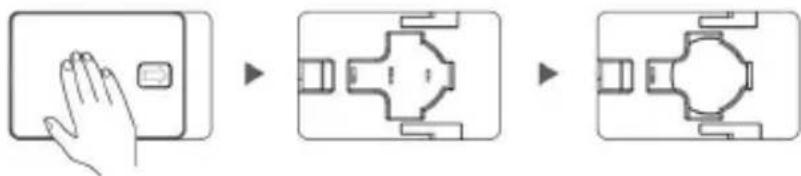
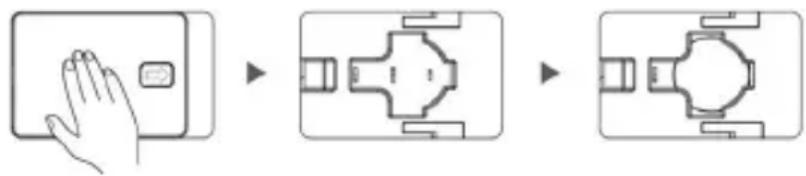
When the display shows bAt, it means that the battery is dead. Replace the battery. Open the cover of the battery compartment which can be found underneath the scales.
Take out the dead battery and replace with a new 1X3V type CR2032, respecting the correct polarity. Put the cover back on. The supplied batteries are for trial use only and they may have a shorter life.
MAINTENANCE AND CARE
Place always the product on a flat and stable surface. Please clean the appliance with a damp and soft cloth avoiding any water seepage inside the scale. Do not use chemical detergents. Never deep the product into water. Avoid shaking, dropping or shocking the scale. This is a precision instrument and
must be handled with care. Never try to repair the scale by yourself but always address to specialised centres; otherwise, the warranty will be not valid anymore. It is advisable to store the scale in a clean place. Dust, dirt, moisture, vibration, air currents, can all cause an adverse effect on the reliability and accuracy of your scale.
When the unit is not used for a long period of time, it is advisable to remove battery, as their leaking can damage the appliance. When the scale is switched off, never place or lay any objects on it.
In case of malfunction: Check that the batteries are inserted properly
If problems persist, contact the Service Centre JOYCARE

The product is made conforming with all the applicable European regulations.
DISPOSAL
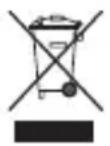
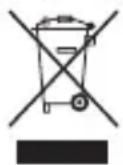
The device (including its removable parts and accessories) must not be disposed of together with municipal waste at the end of its life, but in compliance with European Directive.
Since it must be handled separately from householdwaste, either carry it to a separately
collectedwaste disposal centre for electrical and electronic appliances or give it back to the retailer on purchasing a new device with the same purpose. Any infringement will be severely prosecuted. The batteries used in this device must be disposed of in the special bins at the end of their life.
Specifications and designs are based on the latest information available at the time of printing and subject to change without notice.
F JC-466
BALANCE DE CUISINE ÉLECTRONIQUE
HnKaTOp 3a npeToBapBaHe
Korato Be3HaTa e npetoBapeHa (Ha 5 Kr), Ha nCnpeCe nokaBa
He3a6abHNo npemaxheTe pekomephoTo terno, 3a da n36erHeTe yBpeXdaHe Ha Be3hata.
HnkaTop 3a n3ToeHa 6aTepe
Korato Ha dncnneCe noka3Ba bRe, TOBa 03HaauBa, Ye 6atepna e n3ToueHa. CmeHeTe 6atepna. OTBopete Kanaka Ha otdeeneHneTo 3a 6atepna, Koeto Ce HAMnpa noB Be3HaT.
I3BaTe I3ToUeHata 6aTePnN i Da J3aMeHeTe C HObA - TUN 1X3V CR2032, Kato 3aUnTaTe npabunHata nonpHocT. NocTabete Kanaka o6paTHo. IpeNoctabeHnte 6aTePnN ca camo 3a npo6Ha ynoTppe6a n Texnna XNBOT MoKe da e no-KpaTbK.
IOAIDPbJKA
IocTabe Be3Hata Bbpy paBHa n Cta6nHa nobbpxHoct. NocCTBaIte C BnaJHa KbpNa: He DonyckaIte HnKaKBO npOHKBaHe Ha B0da. He 3nO13BaIte XmMUnH 14 noocTbaU npenapatn. Hkora He notanIte ypeDa BB B0da. Tb kato e ppeun3eH nctpyMeHT, C Be3HaTa Tp8Ba Da Ce 6opabu BNHarn BHImateNo. He an36araIte Ha ydpn Hne OcTabaIte 3a naHe. He OTbapraIte n He BuOn3MeHJe TepeDa nonpaBKnTe Tp8Ba Da 6bDat n3BbPbBAHN cMoO ot Otop3upan nepcoHan; B npOTnbEN Cnyau Nce 6bDe aHynpaHa rapaHuaTA. DpbXTe daNeu OT npax n BlaXHoCT; He an3naraIte Ha CbHue nn Ha npekaneho BncOK TeMnepaTyPi. Ako YpeBt He ce n3nol3Ba 3a npoBnKInTeJe nepnoD oT Bpeme, Bu npenopbUBAme Da n3BaIte 6aTepeHNTe, Tb kato eBeHTyaJIHO n3TuUaHe Ha TeUHOCT oT TEx MoKe Da nobpeDuyeJa. He NoCTabraIte PpeMeTu BbpXy TabuKhata, KORA To Be3HaTa He pa6OtN.
B clyaHa noBpeJa:
YBepTe Ce, Ye 6aTeepnnte Ca nocTaBeHn npabunHo. Ako npo6nembT npoNbJxKaBa Da CbueCTByBa, CBpKTe Ce c ceHTbpa 3a noDpBxxKa Ha JOYCARE.

To3n apTnKyn e npoeKTnpaH n npoN3BeDeH B CbOTBeTCTBne C BCNUKn npINOxMMn EBpOeNCKn DnpeKTNBn.
N3XBbPJIaHE
B KpaHa none3Hnra cn XNBOT ypeBt, BKNIOHTeHNO H HerOBnte CBaIaNc Ce aactn I npHaadJnxKHOCTn, He 6bNa Da 6bDe N3XbPpH 3aeHNO C 6NTOBNTe OTnaDbu, a B CboTBetCTBne C EBponenckata DnpeKTnBa. TbN KaTo e Heo6xOIMo da ce TpeTnpa
OTdEINHO OT DOMaKHNCKNTE OTnAIDbU, ToT Tp6Ba Da 6bDe 3aHeceH B ceHTbp 3a pa3dEnHo Cb6upane Ha eNeKTpnueckn H eNeKTPOHH ypeu, nn Da 6bDe BbpHAT Ha TbproBcKn IpeDCTaBnteI pni 3akynybaHTo Ha HOB ypeI OT cbuH TaII. B cnyau Ha Hecnpa3BaHe Ha Te3n pa3npoe6n Ce npEdBnJdAT CTporn CaHKuH. N3non3BaHtte 3a To3n ypeI 6aTeepn Tp6Ba da 6bDat n3XBpJIHN B CbOTBeTHnE PyHKTOBE 3a Cb6upane B KpaHa TExHn Pone3EH JKBOT.
3A6EJIEXKKA: BcuKu yka3aHua u u3o6paKeHua ce 6aupam Ha hau-ckopouHama uHΦopMaua, HauHa KbM MomeHma Ha omneyamBaHe Ha pBkoOdbomu oMozam da noDexkAm Ha npomeHu.
RO JC-466