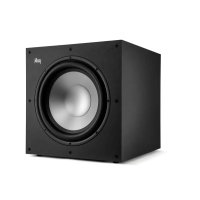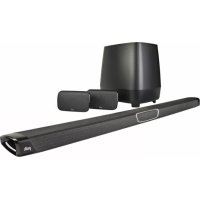
MagniFi MAX SR - Home Theater System POLK - Free user manual and instructions
Find the device manual for free MagniFi MAX SR POLK in PDF.


Frequently Asked Questions - MagniFi MAX SR POLK
User questions about MagniFi MAX SR POLK
0 question about this device. Answer the ones you know or ask your own.
Ask a new question about this device
Download the instructions for your Home Theater System in PDF format for free! Find your manual MagniFi MAX SR - POLK and take your electronic device back in hand. On this page are published all the documents necessary for the use of your device. MagniFi MAX SR by POLK.
USER MANUAL MagniFi MAX SR POLK
Thank you for your Polk purchase. If you have a question or comment, please feel free to call or email us.
Technical Assistance
In North America, call Polk Customer Service at 800-377-POLK(7655) (M-F, 9 a.m.-5:30 p.m. EST)
Outside the US, call +1-410-358-3600
The complete owner's manual can be found online at www.polkaudio.com/products/magnifimaxsr
Polk Audio is a DEI Holdings, Inc. Company. Polk Audio and Polk, are registered trademarks of Polk Audio, LLC. Chromecast Built-in is a trademark of Google Inc.
All other trademarks, product names, logos, and brands referenced herein are the property of their respective owners.
What's in the Box

natural_image
Pure line drawing of a cylindrical object with rounded ends and a central rectangular cutout (no text or symbols)Sound bar
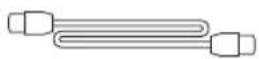
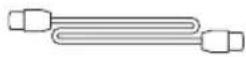
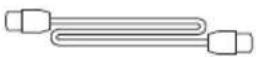
6.5' (2m) high-speed HDMI cable
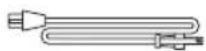
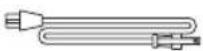
Sound bar power cord
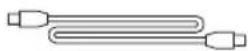
6' (1.8m) Optical cable

Sound bar power supply

6' (1.8m) 3.5mm AUX cable

(2) wall mounting brackets (screws and fasteners not included)
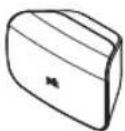
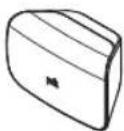
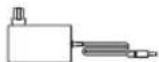
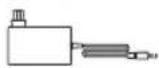
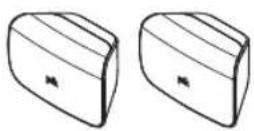
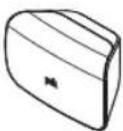
(2) SR1 Wireless Surrounds (2) Surrounds Power Supplies
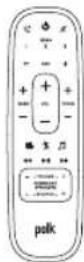
Remote control

2(AAA) Batteries
natural_image
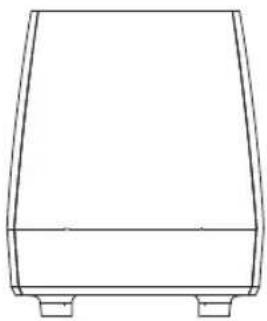
Simple line drawing of a rectangular container or support frame with two side supports (no text or symbols)Subwoofer

Subwoofer power cord

Product Literature
Setup
Connecting to Your TV
1.
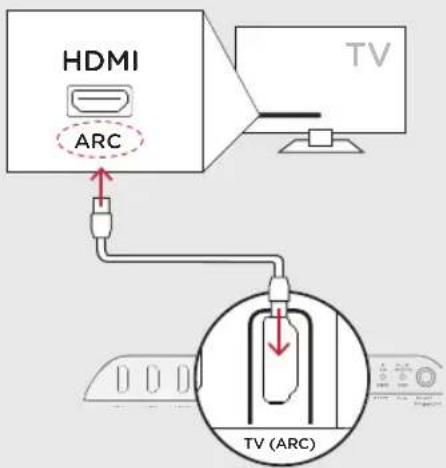
Is an HDMI input jack on your TV labeled "ARC"?
YES
text_image
HDMI ARC TV TV (ARC)Connect the included HDMI cable to the HDMI jacks labeled with "ARC" on both the TV and the sound bar.
NO
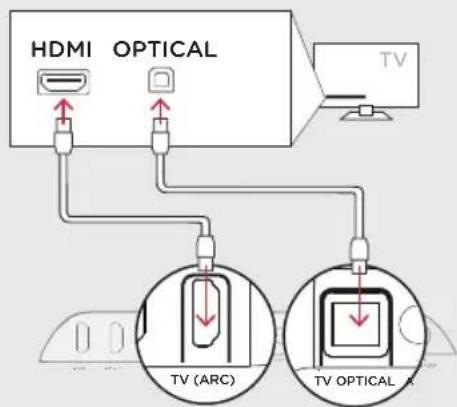
text_image
HDMI OPTICAL TV TV (ARC) TV OPTICAL AConnect the included Optical cable between the TV and sound bar.
Connect the included HDMI cable to any available HDMI jack on the TV and to the "TV ARC" connector on the sound bar.

Placing the sound bar
For the best listening experience, position the sound bar centered under your TV.
Note: For wall mounting instructions, see Advanced Setup on p.17 and included wall mounting template
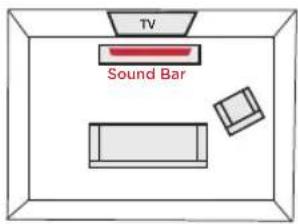
text_image
TV Sound Bar
Connecting the sound bar to an AC outlet
During startup, you will see a blinking orange light on the front.
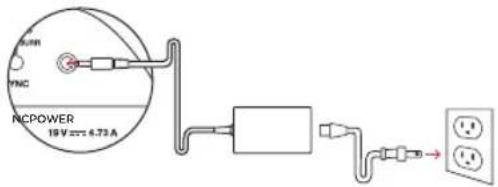
text_image
RMC YNC RCPOWER 18 V AC 4.73 A
Placing the subwoofer
For best performance place on the same wall as the TV, no more than 30ft (10m) from the bar.
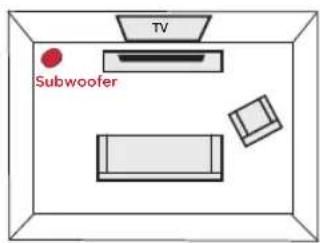
text_image
TV Subwoofer
Connecting the subwoofer to an AC outlet
A solid green light will be visible on the back of the subwoofer to indicate that it is paired to the sound bar.
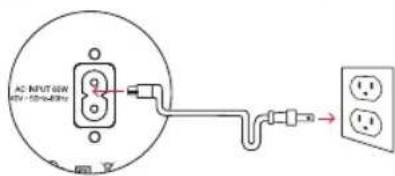
text_image
AC INPUT 6W 6V-100mA →6. Placing or mounting the surrounds
Place the surround speakers on the left and right sides and equidistant from the main listening position. Make sure you place the speaker marked "L" on the left and the speaker marked "R" on the right. If you decide to mount the surrounds, Please refer to the wall mounting template for instructions.
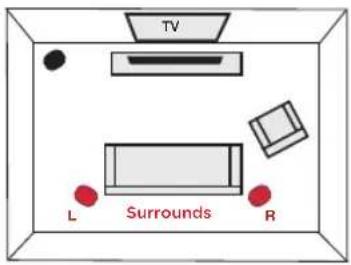
text_image
TV L Surrounds R7. Connecting the surrounds to an AC outlet
A flashing green light will be visible on the back of the surrounds.
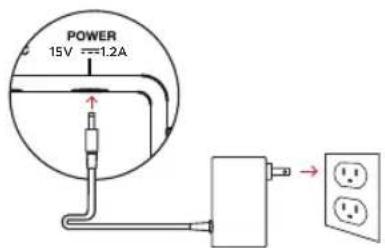
text_image
POWER 15V =1.2A8. Installing remote batteries
Insert the provided AAA batteries.
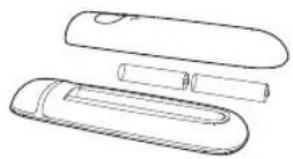
natural_image
Line drawing of a mechanical component with two elongated parts and a cylindrical shaft (no text or symbols)
Verifying your connections
Turn on your TV and verify that you are seeing video and hearing sound from the sound bar.
If you do not hear sound and do not see any lights on the front of your sound bar, press the power button on the sound bar to turn it on.
Note: If you are hearing sound from both your TV and your sound bar, you must manually turn off your TV speakers using the Settings Menu on your TV. Please refer to your TV's owner's manual for instructions.
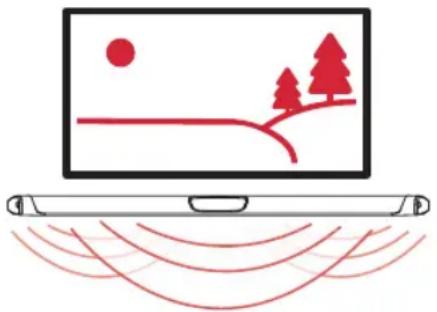
natural_image
Illustration of a laptop displaying a landscape with trees, hills, and a sun (no text or symbols)Using your TV remote to control the volume
The MagniFi MAX comes pre-configured to respond to volume and mute commands from the most popular TV remotes including: Samsung, LG, Sony, Vizio, and other major brands.*
*All other trademarks, product names, logos, and brands referenced herein are the property of their respective owners
NOTE: If the MagniFi MAX remote does not work with your TV, follow the instructions on page 15 to get the MagniFi MAX to learn your TV remote control commands.
Listening to Music via Chromecast Built-in
Chromecast Built-in Benefits
MagniFi MAX features Chromecast Built-in which lets you easily:
- Stream music from your favorite apps over Wi-Fi or Ethernet.
- Create a whole-home audio experience. Multi-room sync let's you play the same song across Chromecast built-in compatible speakers in your house at the same time.
- Use Google Assistant on a Google Home speaker to control music playback on the MagniFi MAX using voice commands.
Chromecast Built-in Setup
-
Download the free Google Home app and follow the in-app instructions to connect the Polk MagniFi MAX to your Wi-Fi or Ethernet network.
-
For more detailed setup information about Google Home and Chromecast Built-in for audio, visit: https://support.google.com/googlehome and https://support.google.com/chromecastbuiltin



natural_image
Pure diagram of a cylindrical object with rounded ends and a central rectangular opening, no text or symbols present.- When streaming from a Chromecast-enabled app, a white light will appear on the sound bar.
Receiving Automatic Updates - Highly Recommended
Occasionally Polk may provide periodic software updates via the Intenet which improve product performance and expand the list of built-in TV remote controls.

We highly recommend that you connect your sound bar to your home network. To receive automatic updates, you do not need to register your product or provide your email address. Simply connect your sound bar to your network via Wi-Fi or Ethernet (cable not included) using the free Google Home app on iOS or Android devices.
Listening to Music via Bluetooth®
- To connect your device using Bluetooth, press the Bluetooth button ✝ on the sound bar or remote. A blue light will slowly pulse on the sound bar as it waits to connect to your bluetooth device.

natural_image
Pure diagram of a cylindrical object with rounded ends and a central rectangular cutout, no text or symbols present.- Go to the Bluetooth settings section in your phone, tablet or computer and select "Polk MagniFi MAX". The light will turn solid blue when your Bluetooth device is connected.
Remote Control
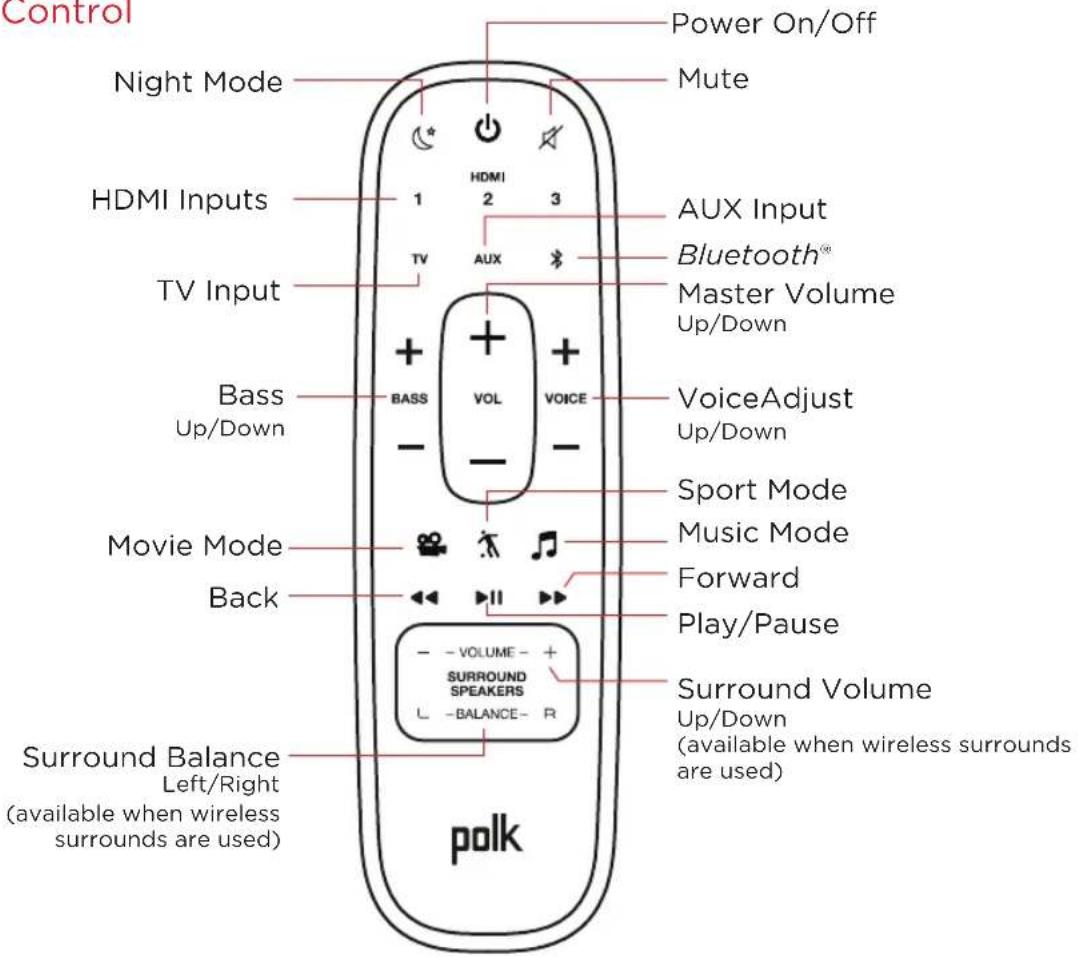
text_image
Control Power On/Off Mute Night Mode HDMI Inputs TV Input Bass Up/Down Movie Mode Back Surround Balance Left/Right (available when wireless surrounds are used) AUX Input Bluetooth® Master Volume Up/Down BASS VOL VOICE VoiceAdjust Up/Down Sport Mode Music Mode Forward Play/Pause Surround Volume Up/Down (available when wireless surrounds are used) SURROUND SPEAKERS - BALANCE - R polkSound Bar Top Panel
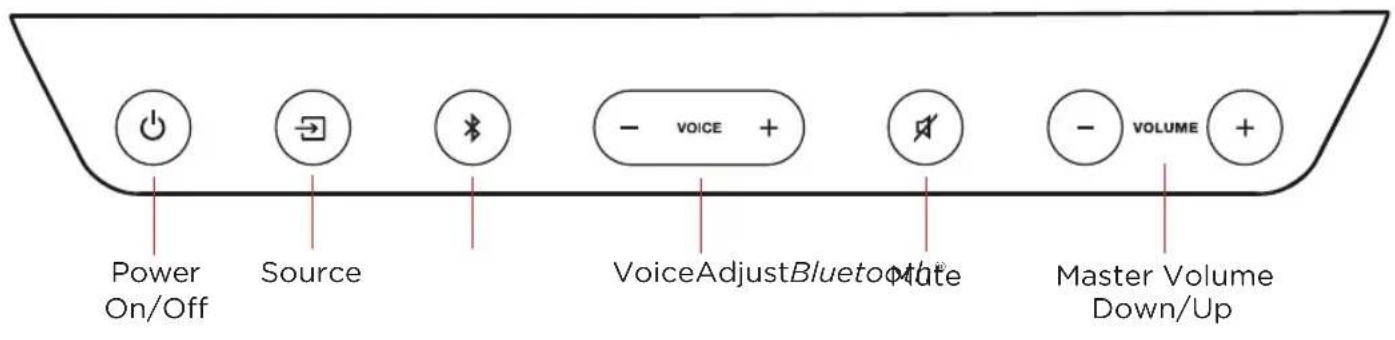
text_image
Power On/Off Source VoiceAdjustBluetoothMate Master Volume Down/UpSound Bar Back Panel
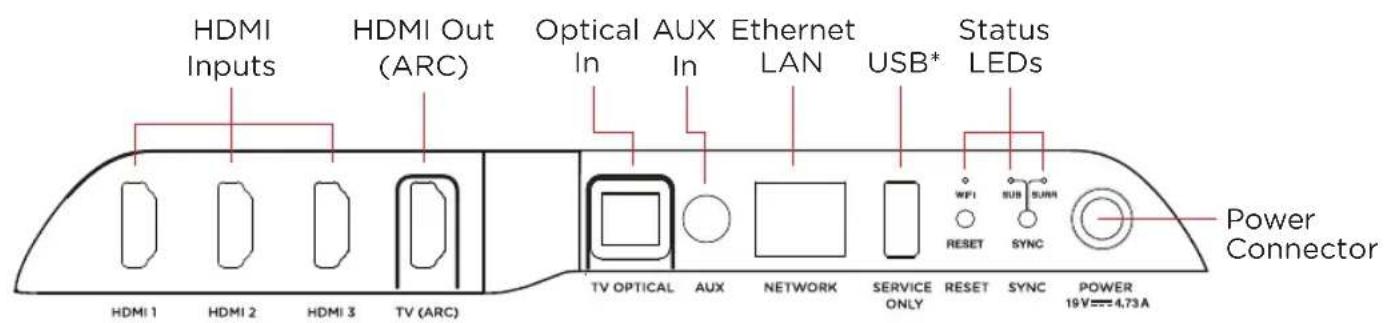
text_image
HDMI Inputs HDMI Out (ARC) Optical AUX Ethernet LAN USB* Status LEDs Power Connector HDMI 1 HDMI 2 HDMI 3 TV (ARC) TV OPTICAL AUX NETWORK SERVICE ONLY RESET SYNC POWER 19V=4.73A*Factory use only
Visual Indicators
The front of the sound bar contains a horizontal row of lights that provide status indications, such as source, volume and listening modes.
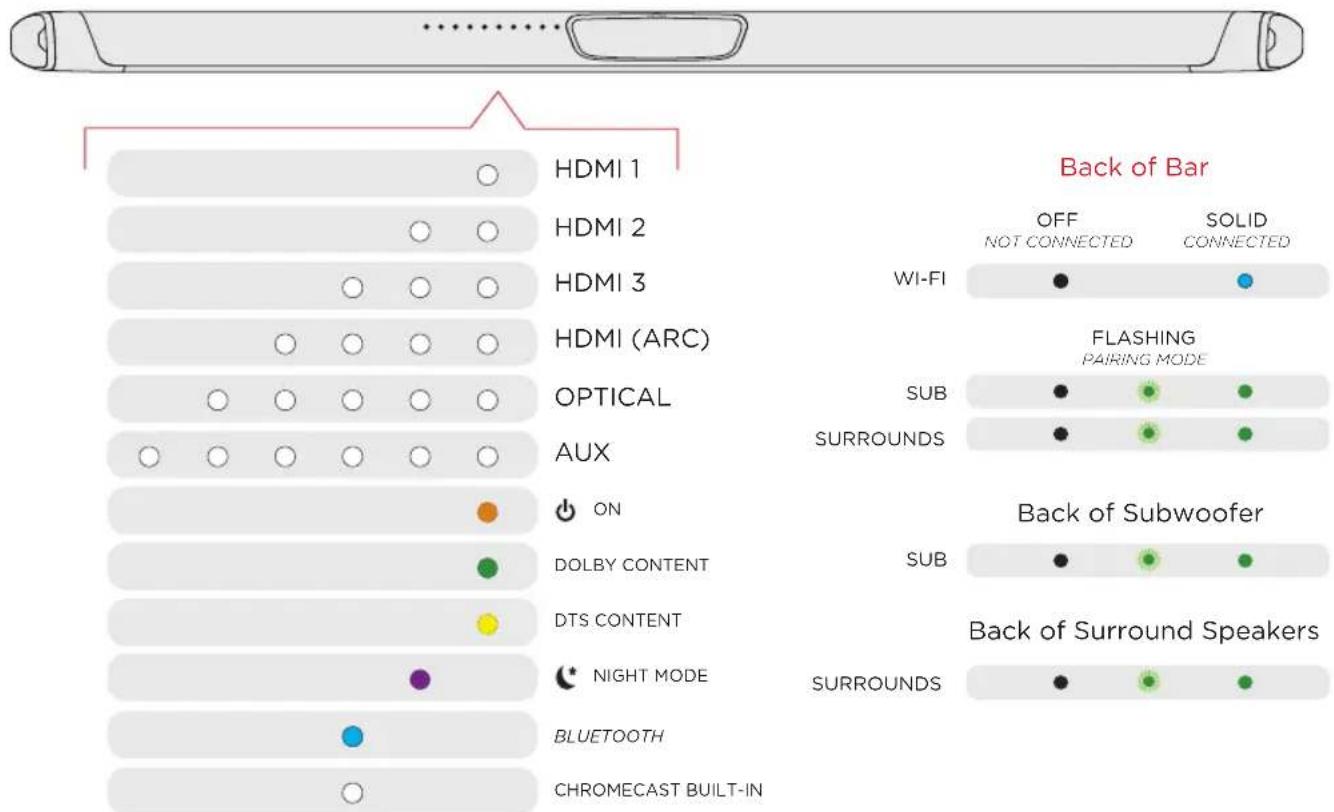
text_image
Back of Bar OFF NOT CONNECTED SOLID CONNECTED HDMI 1 HDMI 2 HDMI 3 HDMI (ARC) OPTICAL AUX ON DOLBY CONTENT DTS CONTENT NIGHT MODE BLUETOOTH CHROMECAST BUILT-IN WI-FI FLASHING PAIRING MODE SUB SURROUNDS Back of Subwoofer SUB SURROUNDS Back of Surround SpeakersOptimizing Your Listening Experience
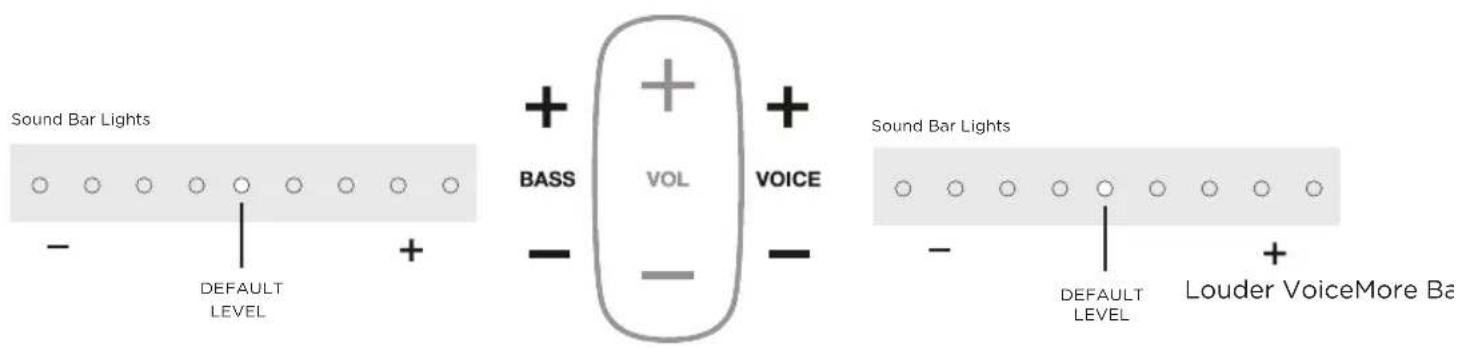
Bass Control
Easily adjust low-frequency volume for more or less impact.

Easily adjust dialogue levels to improve clarity when watching TV shows, movies, and sports.
Optimizing Your Surround Speakers

text_image
Sound Bar Lights Surround mute - Less Volume DEFAULT LEVEL + More Volume - VOLUME - SURROUND SPEAKERS L -BALANCE- R Sound Bar Lights L Balance Left DEFAULT LEVEL RVolume Control
Easily adjust volume for more or less impact.
Balance Control
Easily adjust the balance for left and right weighted sound.
Using Your TV or Cable/Satellite Remote to Control the MagniFi MAX
There are several ways to use your TV, cable, or satellite remote to control MagniFi Max
HDMI CEC CONTROL
If your TV is connected via HDMI and your TV supports CEC (and it is enabled in the TV settings menu), you can control the volume and mute functions on MagniFi MAX from your TV without any further setup.
PRELOADED IR CODES
If your TV is connected via optical or your TV is connected via HDMI but your TV does not support CEC, you may be able control the volume and mute functions on MagniFi MAX from your TV without any further setup if your TV is one of supported brands and was manufactured within the last 5 years. Visit the Polk web site for details.
IR LEARNING FUNCTION
If your TV is connected via optical and it is not one of the more popular brands, you can teach your IR (infrared) remote to control volume, mute and other functions (such as source selection or bass volume) on your sound bar.
Using the IR Learning Function
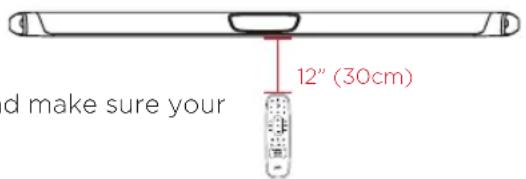
text_image
d make sure your 12" (30cm)IMPORTANT: Hold both remotes about 12" (30cm) directly in
front of the MagniFi MAX when pressing their respective buttons and make sure your remotes have fresh batteries.
Entering IR Learn Mode
Make sure your sound bar is powered on, then press and hold the → Source button on the sound bar for about 3 seconds. When you hear a two-note tone release the button. You should now see white lights on the front of the sound bar bouncing left and right.
STEP 1: Select a button on your MagniFi Max remote
Press and release the button on the MagniFi MAX remote that you want to learn (ex: Volume Up). You will hear a single tone and see all white lights fading in and out together.
STEP 2: Select a button on your TV remote
Briefly tap the corresponding button on your TV remote. You will hear a two-note tone and see white lights counting down from left to right as the received IR command is processed.
STEP 3: Verify the results
- If you see the white lights fading in and out again, repeat step 2.
- If you hear a two-note tone and see ••••••• the command was not learned. Please try again.
- If you hear a single tone and see ••••••••• the command was successfully learned.
STEP 4: Learn Another Code
When you see the white lights on the front of the sound bar bouncing left and right again, you are ready to select your next function to learn by repeating steps 1-3.
Exiting IR Learn Mode
Press and hold the → Source button on the sound bar again for about 3 seconds. When you hear a two-note tone release the button.
NOTE: The soundbar will automatically exit IR learn mode if it has not received any IR commands for 60 seconds. All learned IR commands will automatically be saved.
CLEARING ALL LEARNED IR CODES
Press and hold the → Source button on the sound bar for about 10 seconds. You will hear a two-note tone. Continue holding the button and release the button after you hear a three-note tone.
Advanced Setup
Connecting a cable box, game console or other HDMI sources to your MagniFi MAX (figure 1)
Magnifi MAX supports up to three HDMI sources. It will pass-through 4K and HDR signals to your TV if you are using the HDMI-ARC connection between the sound bar and TV. You will need to use High Speed HDMI cables for 4K content.
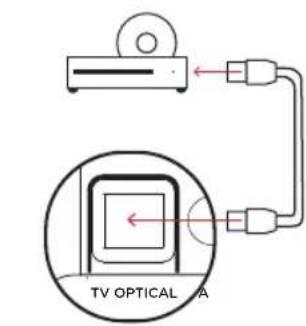
Using the optical input for an audio source (figure 2)
If you want to use the Optical input on the sound bar for another audio source such as a CD player, follow these steps:
1) Connect your TV to MagniFi MAX using HDMI-ARC.
2) Connect the supplied Optical cable between the CD player and sound bar.
3) The TV button on the remote will toggle between the HDMI-ARC (4 white lights) and Optical (5 white lights) input sources as long as audio is available.
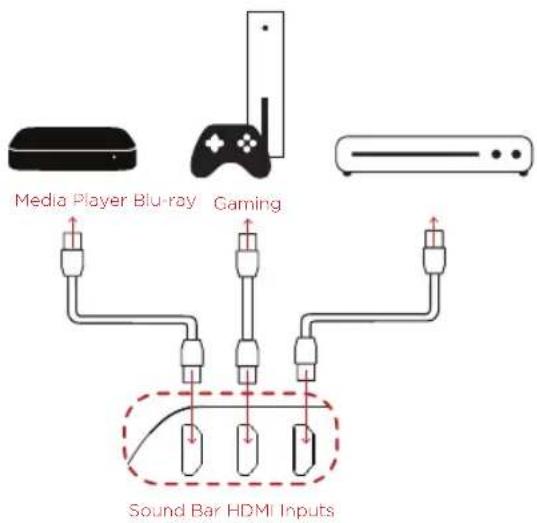
text_image
Media Player Blu-ray Gaming Sound Bar HDMI InputsFIGURE 1
text_image
TV OPTICAL ASound Bar Optical Input
FIGURE 2
Wall mounting your MagniFi MAX & SR1 Wireless Surround Speakers
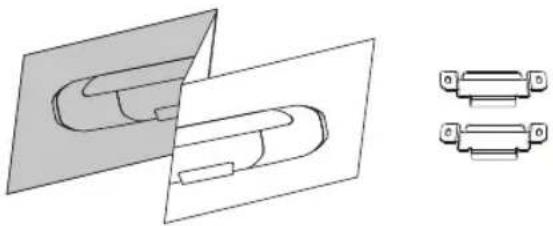
Wall mounting templates are provided for both the bar and the surround speakers. For proper installation, please refer to the instructions printed on the templates. Screws for attaching the brackets to the wall are not included. Choose the screw type and length appropriate to your home's construction. If in doubt, consult a professional.
natural_image
Technical line drawing of a mechanical component with two views (top and side), no text or symbols present.My TV doesn't have an HDMI or Optical outputs
If your TV does not have an HDMI ARC or Optical output you can connect the sound bar to your TV using the included 3.5mm analog AUX cable.
1) Connect the included AUX cable between your TV's audio output and the AUX input on the back of the sound bar.
2) Select AUX on the sound bar remote control.
3) Turn up the volume and make sure you hear sound from the sound bar.
4) Turn off the TV's speakers using your TV's Settings menu under "audio" or "speakers".
Note: Dolby 5.1 and DTS audio decoding are not supported when using the AUX input.
I Don't Hear Sound from my Subwoofer
1) Verify that the Subwoofer is plugged in to a power source.
2) Check the green light on the back of the subwoofer.
- If it is solid green, turn up the Bass using the remote control.
- If it is flashing green you need to sync the subwoofer to the soundbar using the following instructions
Syncing the Subwoofer to the Soundbar
1) Press the power button on the soundbar to turn it on.
2) On the back of the SOUNDBAR, press and hold the SYNC button until you hear a tone (about 3-4 seconds) and then release the button. The SUB and SURR lights above the SYNC button will flash green
3) On the back of the SUBWOOFER, press and hold the SYNC button until you hear a tone (about 10 seconds) and the light on the back of the subwoofer turns solid green.
Syncing the Surround Speakers to the Soundbar
Note: You must sync BOTH surround speakers AND the subwoofer.
1) Press the power button on the soundbar to turn it on.
2) Sync the subwoofer using the instructions above.
3) On the back of EACH of the SURROUND SPEAKERS, press and hold the SYNC button until the light on the bottom of the speaker turns solid green (about 10 seconds).
4) When BOTH LEFT and RIGHT surround speakers are paired to the bar you will hear a tone from the bar.
Note: If you hear a two note descending tone from the bar syncing failed. Please try again.
Sound Modes

Music Mode and All Stereo mode
Music Mode Gives you balanced sound and smoother bass while minimizing spatialization effects to ensure more natural sound reproduction.
All Stereo Mode provides room filling sound by mirroring the front left and right channels to the surround left and right speakers. Use the Music button to toggle between Music Mode and All Stereo mode when listening to 2 channel audio.

Night Mode
Reduces bass and volume dynamics while improving voice intelligibility for low-volume listening.

Movie Mode
Acoustically optimized for both movie and TV content. It also provides a bass boost, increased spatialization and enhances Voice Adjust levels for improved dialogue clarity. It is the default sound mode for HDMI and Optical input sources.

Sport Mode
Enhances dialogue-rich content, like sporting events, news casts and talk shows. Uses Voice Adjust to boost dialogue clarity and optimizes the subwoofer volume levels.
About Polk SDA® Technology
The MagniFi MAX features patented Polk SDA Surround technology creating an expansive multi-dimensional soundstage and detailed stereo image. SDA both heightens and widens the sound stage providing an immersive room-filling sound without sacrificing clarity. SDA also compliments Dolby and DTS encoded content creating an incredible cinematic experience.
About Built-in Polk VoiceAdjust® Technology
The MagniFi MAX features customizable voice levels in the sound bar allowing you to tailor your listening experience however you prefer, to reproduce clear, crisp dialogue and never miss a single word of your favorite movie, TV show or sporting event.

Assistance technique
natural_image
Pure diagram of a cylindrical object with rounded ends and a central rectangular cutout (no text or symbols)Barre audio
natural_image
Simple line drawing of a rectangular container or support frame with two side legs (no text or symbols)Subwoofer
text_image
TV Barre audio
natural_image
Line drawing of a mechanical device with three views (top, front, side), no text or symbols present.
natural_image
Illustration of a laptop displaying a landscape with trees, hills, and a sun (no text or symbols)natural_image
Pure diagram of a horizontal cylindrical object with rounded ends and a central rectangular cutout, no text or symbols present.natural_image
Pure diagram of a horizontal cylindrical object with rounded ends and a central rectangular shape, no text or symbols present.text_image
TV OPTICAL Anatural_image
Technical line drawing of a mechanical component with two views (top and side), no text or symbols present.natural_image
Pure line drawing of a cylindrical object with rounded ends and a central rectangular cutout (no text or symbols)Barra de sonido
natural_image
Simple line drawing of a rectangular container with two side supports (no text or symbols)Subwoofer
natural_image
Line drawing of two electronic devices with no text or symbols
natural_image
Illustration of a laptop displaying a landscape with trees, hills, and a sun (no text or symbols)natural_image
Pure diagram of a cylindrical object with rounded ends and a central rectangular opening, no text or symbols present.natural_image
Pure technical line drawing of a cylindrical object with rounded ends and a central rectangular cutout (no text or symbols)text_image
TV OPTICAL Anatural_image
Technical line drawing of a mechanical component with two views (top and side), no text or symbols present.natural_image
Simple line drawing of a cylindrical object with rounded ends and a rectangular cutout (no text or symbols)Barra del suono
Cavo HDMI da 6,5' (2m)
(2) SR1 casse satellite wireless
natural_image
Simple line drawing of a rectangular container or support frame with two side legs (no text or symbols)Subwoofer
natural_image
Line drawing of a mechanical device with two open parts and a cylindrical shaft (no text or symbols)
natural_image
Illustration of a laptop displaying a landscape with trees, hills, and a sun (no text or symbols)natural_image
Pure diagram of a cylindrical object with rounded ends and a central rectangular opening, no text or symbols present.natural_image
Pure diagram of a horizontal cylindrical object with rounded ends and a central rectangular opening, no text or symbols present.natural_image
Technical line drawing of a mechanical component with two views (top and side), no text or symbols present.natural_image
Pure line drawing of a cylindrical object with rounded ends and a rectangular cutout (no text or symbols)Sound Bar
Netzkabel Sound Bar
(2) SR1 Wireless Surrounds

natural_image
Simple line drawing of a rectangular container or support frame with two side supports (no text or symbols)Subwoofer

Netzkabel Subwoofer

Produktunterlagen
Setup
text_image
HDMI OPTICAL TV TV (ARC) TV OPTICAL Anatural_image
Line drawing of a mechanical device with three views (top, front, side), no text or symbols present.