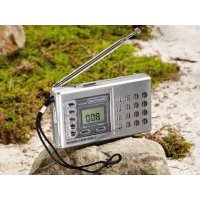
SWE 100 B1 - Radio SILVERCREST - Free user manual and instructions
Find the device manual for free SWE 100 B1 SILVERCREST in PDF.



Frequently Asked Questions - SWE 100 B1 SILVERCREST
User questions about SWE 100 B1 SILVERCREST
0 question about this device. Answer the ones you know or ask your own.
Ask a new question about this device
Download the instructions for your Radio in PDF format for free! Find your manual SWE 100 B1 - SILVERCREST and take your electronic device back in hand. On this page are published all the documents necessary for the use of your device. SWE 100 B1 by SILVERCREST.
USER MANUAL SWE 100 B1 SILVERCREST
User manual and service information
TARGAGMBH
Lange Wende 41
D.59494 Soest
Stand der Information - Version des informations
Technical Specifications. 88
Safety instructions 89
Danger Through Noise Disturbance 90
Copyright 90
Operating Environment 90
Batteries 91
Children 92
Overview 93
Display 95
Stand. 96
Before Getting Started. 97
Inserting the Batteries 98
Connecting a Plug-Type Power Adapter 99
Getting Started 99
Powering the Device On/Off 99
Setting the Time 100
Tuning a Station 101
Setting the Alarm Clock. 102
Enabling the Alarm 103
The Sleep Timer. 104
Connecting the Headphones 105
Backlight 105
Setting the Sensitivity 105
Selecting the Time Format 106
Maintenance / Cleaning 106
Environmental Considerations and Recycling 107
Disposal of Batteries 108
Conformity 108
Warranty Information 109
Introduction
Thank you for choosing a SilverCrest product.
The multi-band tuner SilverCrest SWE 100 B1 is capable of tuning up to 6 different short-wave bands, the FM (VHF) band and the AM (medium wave) band. Furthermore the device features a digital clock with alarm clock function.
Please read the following pages for instructions on how to use your product.
Intended Use
This device is a consumer electronics device. It has been designed to receive and playback radio broadcasting stations. Furthermore, the device may be used as an alarm clock. It may only be used for private use, not industrial or commercial purposes. Furthermore, the device may not be used in tropical climates. The manufacturer is not liable for any damage or interference caused by unauthorized modifications. Only use the accessories recommended by the manufacturer. Please observe the regulations and laws in the country of use.
Please note that country-specific regulations may exist regarding the frequency bands that can be received. Any information received from frequency bands located outside those that are explicitly free for public use may not be used, nor may its contents be forwarded to any third parties.
Package Contents
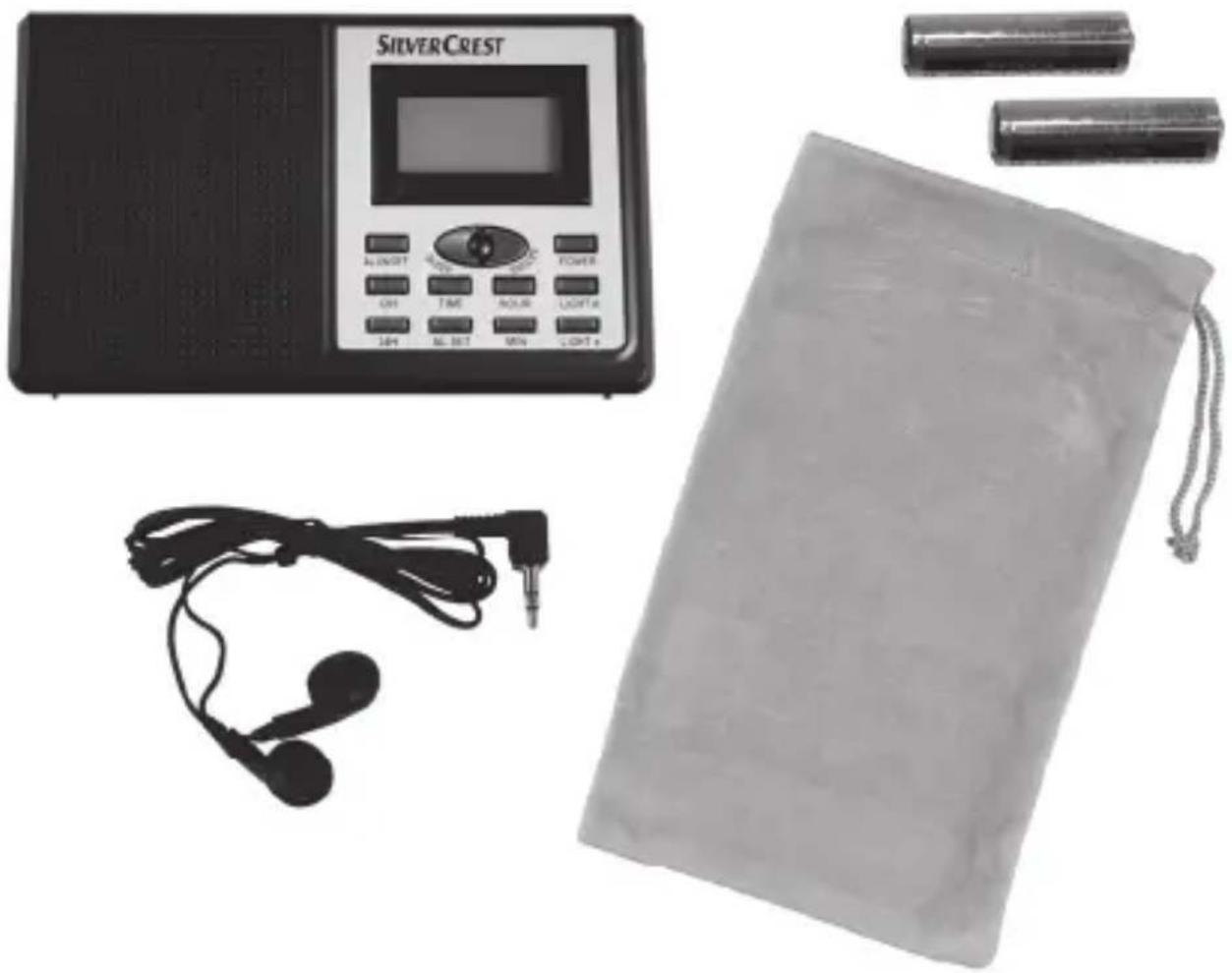
Multi-bandtunerSWE100B1
2 AA-sized batteries, 1.5 V
Pouch
- Earphones SWE 100 B1
Technical Specifications
| Operating voltage 3 V | - - - |
| Power adapter plug polarity | - - - - - - - - - - - - - - - - - - - - - - - - - - - - - - - - - - - - - - - - - - - - - - - - - - - - - - - - - - - - - - - - - - - - - - - - - - - - - - - - - - - - - - - - - - - - - - - - - - - - - |
| Max. current consumption 100 mA | |
| Battery Type 2x AA 1.5 V (LR6) | |
| Output power 100 mW | |
| Frequency bands | FM 87,5 - 108 MHz |
| MW 520 - 1620 kHz | |
| Please note that the given tuning bands may slightly vary upwards or downwards because of product tolerances. | SW1 5,9 - 6,2 MHz SW2 9,4 - 9,9 MHz SW3 11,6 - 12,1 MHz SW4 13,57 - 13,87 MHz SW5 15,1 - 15,8 MHz SW6 17,48 - 17,9 MHz |
| Dimensions 129 x 79 x 33 mm (W x H x D) | |
| Weight 160 g (without batteries) | |
| Headphones SWE 100 B1 | |
| Impedance 32 Ohms | |
| Wide Band Characteristic Voltage approx. 180 mV | |
| Max. sound pressure level with supplied headphones approx. 90 dB(A) | |
| Max. output voltage on headphones jack approx. 80 mV | |
| Operating temperature | 5 °C to 35 °C |
| Operating humidity | 85 % rel. humidity |

This information describes the technical characteristics of your device. Different national regulations may apply in different countries regarding the frequency bands that are free for public use. Please note that receiving any information from bands outside these frequency bands will be illegal and may be subject to law enforcement.
Safety instructions
Before you use this device for the first time, please read the following notes in this manual and heed all warnings, even if you are familiar with handling electronic devices. Keep this manual safe for future refe you sell the device or pass it on, it is essential you hand over this manual also.

This icon denotes important information for the safe operation of the product and for the user's safety.

This symbol denotes further information on the topic.
Danger Through Noise Disturbance

Caution when using headphones. Listening at high volume can harm the user's auditory system.
Copyright
The entire content of this User's Manual is copyrighted and is provided to the reader for information purposes only.
Copying data and information without prior written and explicit authorization from the author is strictly forbidden. This also applies to any commercial use of the contents and information.
All texts and figures are up-to-date as per the date of print release.
Operating Environment
The device is not for use in environments with high temperatures or humidity (e.g. bathrooms), and must be kept free of dust. Operating temperature and operating humidity: 5^ to 35^ , max. 85% RH.
Always make sure that:
-
there is free circulation of air (do not place the device on shelves, on a carpet, on a bed, or anywhere that obstructs the ventilation slots, and leave at least 10~cm clearance on all sides;
-
no direct heat sources (e.g. heating) can affect the device;
-
no direct sunlight or bright artificial light reaches the device;
- contact with sprayed and dripping water and abrasive liquids must be avoided and the device should never be operated near water. It must especially never be immersed (do not place any recipients containing liquids such as beverages, vases, etc. onto or next to the device);
- the device is never placed in the immediate vicinity of magnetic fields (e.g. loudspeakers);
- no fire sources (e.g. burning candles) are placed on or near the device;
- no foreign bodies are introduced into the device;
- the device is not subject to any great temperature changes as this may cause moisture through condensation and short-circuit;
- the device is not subject to excessive shocks and vibrations;
Batteries
Insert the batteries with the correct polarity. Refer to the polarity markings beside the battery compartment. Do not try to recharge the batteries and do not throw batteries into fire. Do not mix batteries (old and new or carbon and alkaline, etc.). Remove batteries when the device is not to be used for a long time. Non-intended use may cause explosion and danger to life.
Children
Electrical appliances do not belong in the hands of children! Do not allow children to use electrical devices when not under supervision. Children may not comprehend the presence of potential risks. Small parts can represent choking hazards. If a battery is swallowed, seek medical help immediately. Keep the packaging away from children too as there is danger of suffocation.
Overview
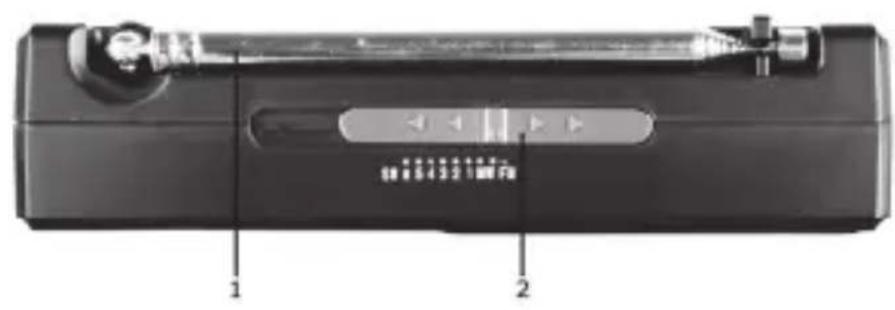
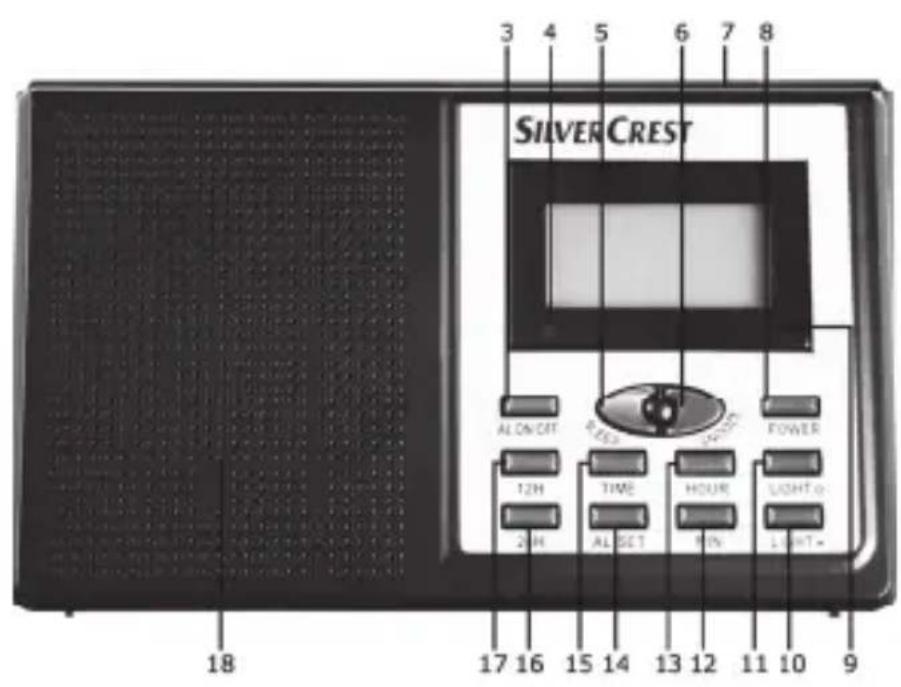
1 Telescopic antenna
2 Band selector
3 Alarm on/off
4 POWER LED
5 Sleep Timer
6 Repeat alarm / Snooze
7 Display
8 On/Off button
9 Battery level indicator
10 Backlight off
11 Backlight on
12 Select minutes
13 Select hours
14 Set alarm clock time
15 Set time
16 24-hours display
17 12-hours display
18 Speaker
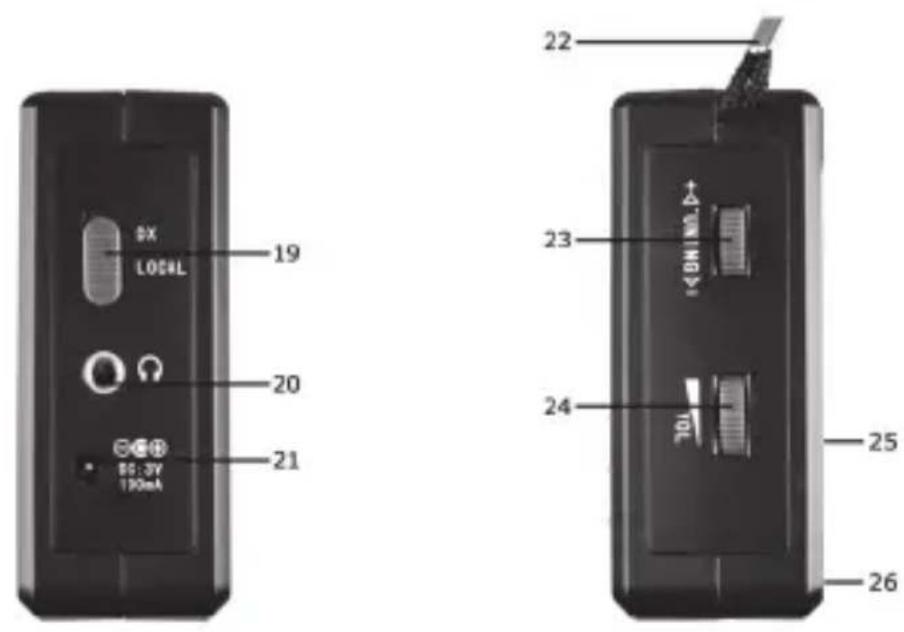
19 DX/Local switch
20 Headphones connector jack
21 Connection for plug-type power adapter (optional, Polarity
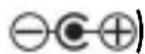
22 Strap
23 Frequency dial knob
24 Volume control
25 Stand (on the back)
26 Battery compartment (on the back)
94 - English
Display
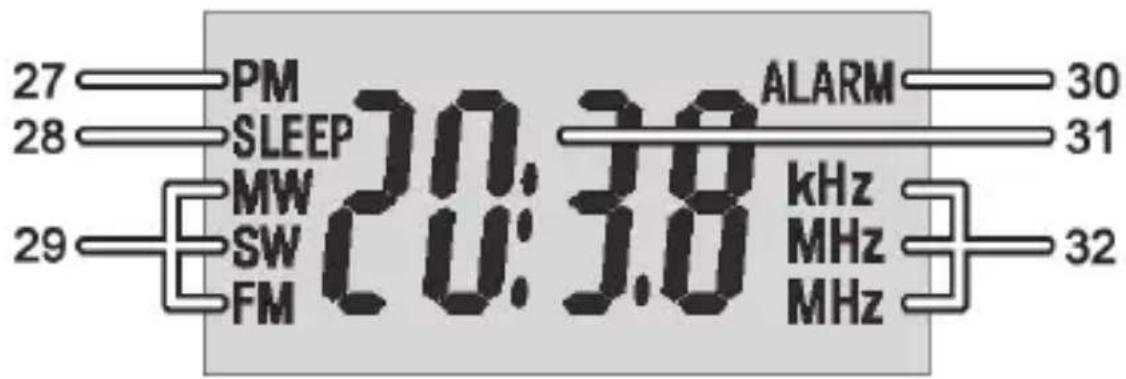
27 Afternoon indicator (PM)
28 Sleep Timer
29 Frequency band
30 Alarm indicator
31 Clock/frequency display
32 Frequency unit
Stand
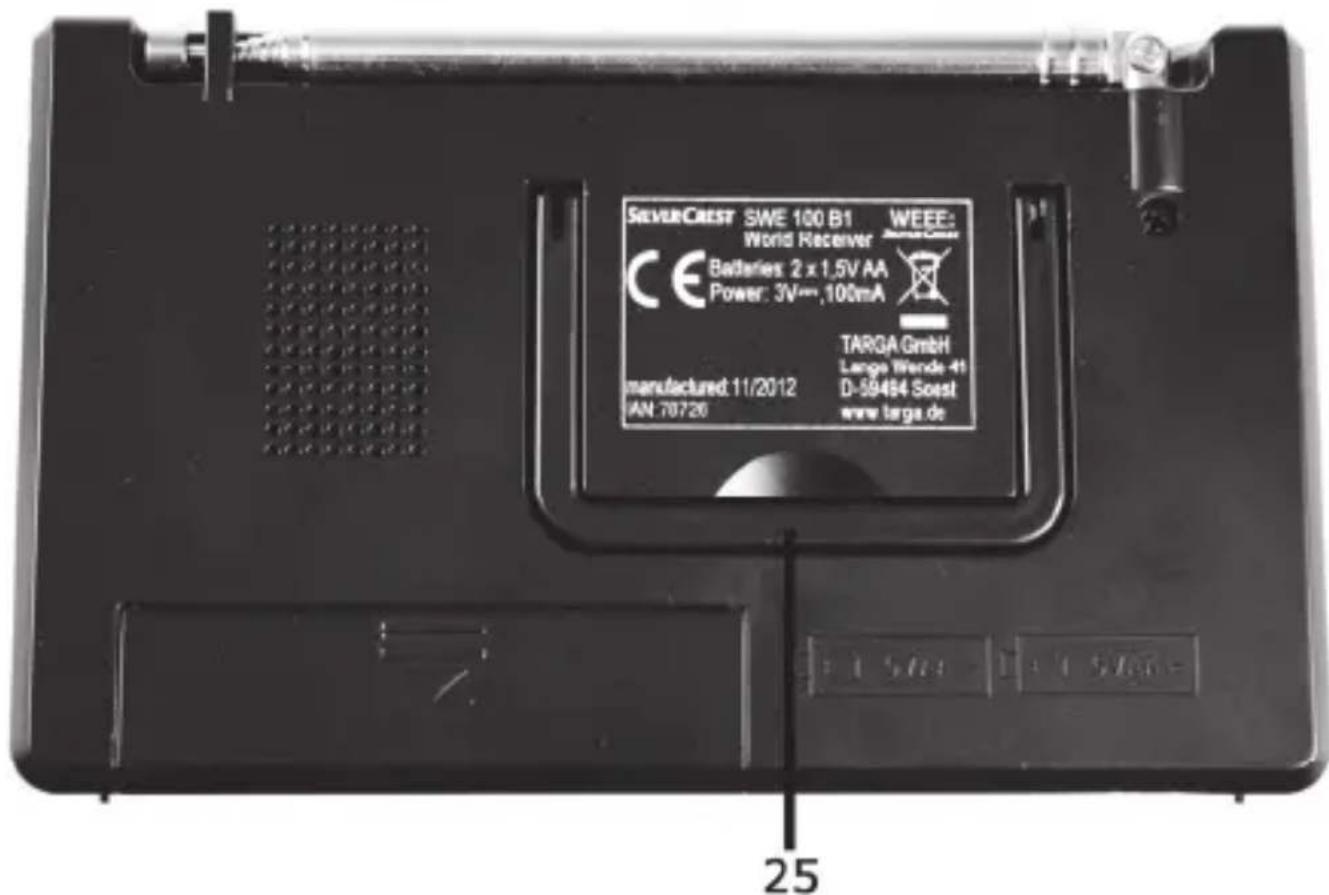
On the back panel of the device you'll find a stand [25] that allows to install the multi-band tuner in an almost vertical position. To do this, fold-out the retractile stand [25].
Before Getting Started
You can power the device on either by using the supplied AA-sized batteries or by using an optional plug-type power adapter (not supplied). The power adapter must feature a compatible power plug and output a voltage of 3V.

Do not use both means of power supply at the same time. Remove batteries when the device is to be operated using the power adapter.
Inserting the Batteries
Unplug the power adapter cable if there is one connected to the product. Open the battery compartment cover [26] on the back panel of the device by sliding it in the direction of the printed arrow and folding it out. Insert the batteries with the correct polarity (+ and -), as shown in the following figure. The correct polarity is labelled on the batteries and beside the battery compartment. Close the battery compartment cover and slide it in the opposite direction of the arrow.
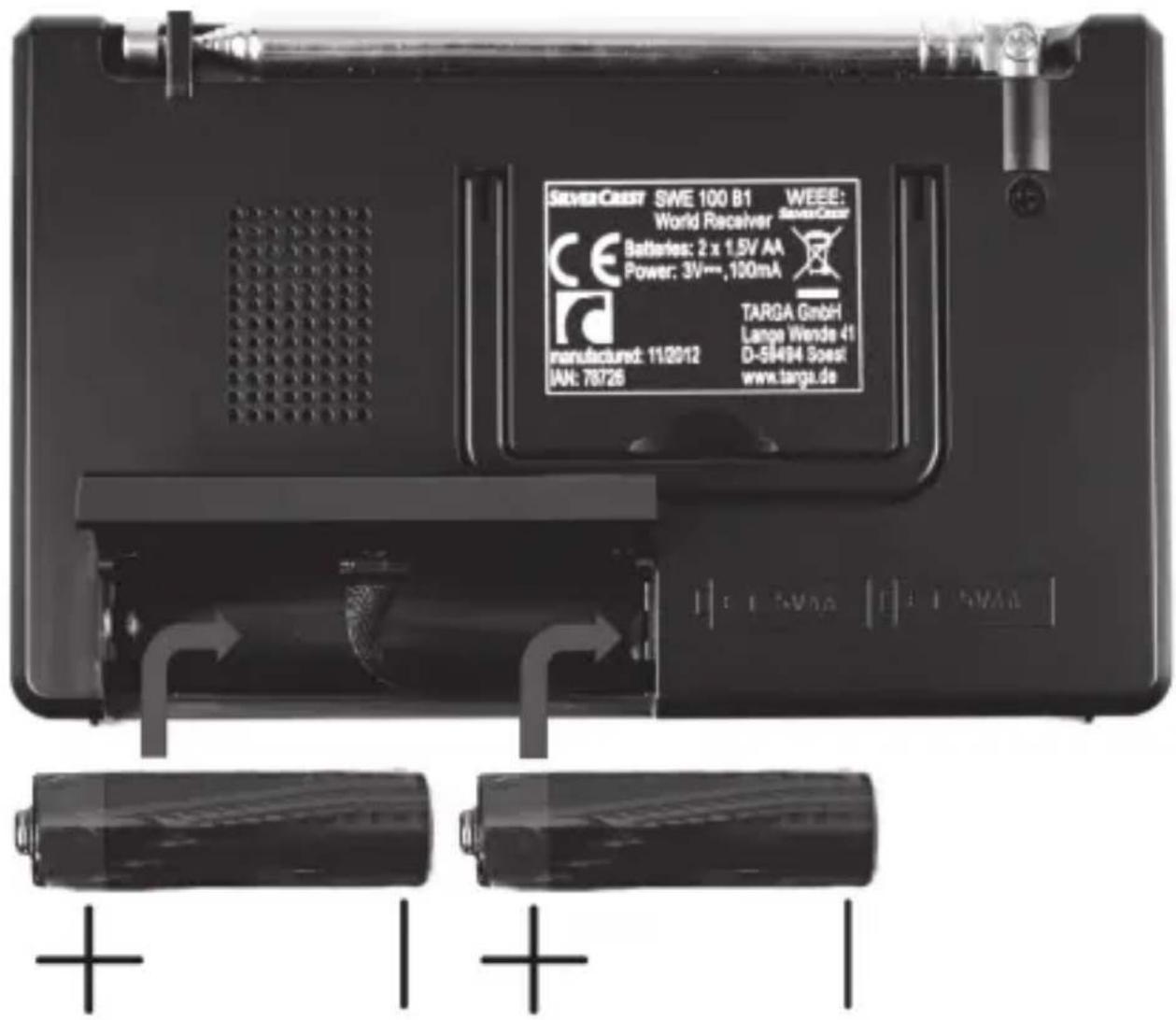
The device features a battery level indicator [9]. If it lights yellow, the batteries are empty. When this happens, replace the batteries with new batteries of the same type.

Remove batteries when the device is not to be used for a long time.
Connecting a Plug-Type Power Adapter
Remove the batteries from the battery compartment [26] located on the back panel of the device if any are inserted. Plug the power adapter plug into the receptacle [21] of the multi-band tuner. Plug the power adapter into an easily accessible wall outlet.
Getting Started
Powering the Device On/Off
To power the device on, press the On/Off button [8] once. When powered on, the POWER LED [4] will light green and the device will display the currently tuned-in frequency and the frequency band (FM, MW, SW).
To power the device off, press the On/Off button [8] again. When powered off, the current time will be shown on the display [7].
Setting the Time
The time can only be set while the device is powere powered on, press the On/Off button [8] to power the device off.

Use the 12H button [17] and 24H button [16] to change between the 12- and 24-hour time display.
- Press and hold the TIME button [15].
- Then press the HOUR button [13] repeatedly to set the hour. You can also keep the HOUR button [13] pressed down to accelerate the digit adjustment. To distinguish ante meridian (morning) and post meridian (afternoon) time for the 12-hour display, "PM" [27] will display for post meridian clock hours.
- Keep the TIME button [15] pressed. Then press the MIN button [12] repeatedly to set the minutes. You can also keep the MIN button [12] pressed down to accelerate the digit adjustment.
- Release the TIME button [15] after the clock has been set correctly.

Please note that you should adjust the clock when you move into a different time zone.
Tuning a Station

You can only pivot the telescopic antenna and not retract it into the device housing, otherwise you risk seriously damaging your device.
Power the device on.
- Use the volume adjustment button [24] to set the desired sound volume.
- First select the desired frequency band. To do this, use the band selector [2]. The currently tuned frequency band display [7].
- Fully extract the telescopic antenna [1].
- Rotate the frequency dial knob [23] to tune the desired frequency. The frequency displays in MHz (for FM and SW) and in kHz (for MW). If required, move the telescopic antenna into a different position or move the device to optimise reception of the current station.
Setting the Alarm Clock
Make sure that the clock has been set correctly (see the page 100 - Setting the Time). The alarm time can only be set while the device is powered off. If it is still powered on, press the On/Off button [8] to power the device off.
- Press and hold the AL. SET button [14]. The indication "ALARM" [30] starts blinking on the display.
- Then press the HOUR button [13] repeatedly to set the hours of the alarm time. You can also keep the HOUR button [13] pressed down to accelerate the digit adjustment. To distinguish ante meridian (morning) and post meridian (afternoon) time for the 12-hour display, "PM" [27] will display for post meridian clock hours.
- Keep the AL. SET button [14] pressed. Then press the MIN button [12] repeatedly to set the minutes of the alarm time. You can also keep the MIN button [12] pressed down to accelerate the digit adjustment.
- Release the AL. SET button [14] after the alarm clock has been set correctly.
Enabling the Alarm
After the desired alarm time has been set, you can enable the alarm as follows:
- Press the AL.ON/OFF button [3]. The indication "ALARM" [30] appears on the display.
- To disable the alarm, press the AL.ON/OFF button [3] again. The indication "ALARM" [30] disappears.
- The device will power on at the set alarm time and will receive the last tuned-in frequency and frequency band.
- Press the AL.ON/OFF button [3] to switch the device off. To disable the alarm, press the AL.ON/OFF button [3] again.
or - Press the SNOOZE button [6] to delay the alarm for approx. 5 minutes. After this delay, the device will power on again.

Even when the alarm function is enabled, you can use the device as usual. However, remember that the device always powers on with the last tuned-in frequency and frequency band as well as the last volume setting.
The alarm function will work only if the device has been powered off previously.
The Sleep Timer
The sleep timer allows you to have the device power off automatically after a set delay time has elapsed.
- While the device is powered on or off, press the SLEEP button [5]. The number "60" will appear on the display showing that the device will power off automatically after 60 minutes.
- Press the SLEEP button [5] multiple times to decrease the countdown time shown. Each press of the button will reduce the delay time 10 minutes.
- If you have reached the delay time "0", the sleep timer will be disabled, thus the device will stay on. You can press the SLEEP button [5] again to select the delay time from the beginning.

While the sleep timer countdown is running, you can power the device off at any time by pressing the On/Off button.
Connecting the Headphones
You can connect the supplied headphones SWE 100 B1 to the headphones connector [20]. While the headphones are plugged in, the speaker [18] is muted automatically.

Do not use any headphones other than the supplied SWE 100 B1. Different headphones can produce harmful sound pressure levels.
Backlight
While the device is powered on or off, press the LIGHT button [11] to turn the backlight on for approx. 5 seconds.
While the backlight is on you can press the LIGHT button [10] to turn it off.
Setting the Sensitivity
Slide the DX/LOCAL switch [19] to the "DX" position to use the device in normal mode.
Slide the DX/LOCAL switch [19] to the "LOCAL" position to receive strong broadcasting station signals only. This is recommended whenever a weaker local station is receiving interference from a stronger non-local station.
Selecting the Time Format
Use the 12H button [17] and 24H button [16] to change between the 12- and 24-hour time display.
Press the 12H button [17] for 12-hour time display or the 24H button [16] for 24-hour time display. To distinguish post meridian (afternoon) time for the 12-hour display, the "PM" icon [27] will display for post meridian clock hours.
Maintenance / Cleaning
Repairs are required when this device has been damaged in any way, for example, when the power adapter or device housing is damaged, when liquids or objects have entered the device or when the product has been exposed to rain or moisture. Repairs are also necessary when the product does not perform normally or if it has been dropped. If smoke, unusual noises or smells are noticed, power off the device immediately. In these cases the device should not be used further and should be inspected by authorized service personnel. Please contact qualified personnel when servicing is needed. Never open the housing of the device. Only use a clean, dry cloth for cleaning. Never use any corrosive liquids. Do not attempt to open the housing of the device otherwise you will void your warranty.
Environmental Considerations and Recycling
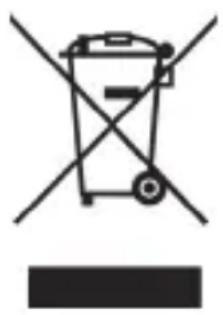
If the product is labelled with a struck-out waste bin, it is subject to the European Guideline 2002/96/EC. All electric and electronic devices must be disposed of separately from household waste at established bodies. With the proper disposal of old or defective devices you avoid damage to
the environment and your personal health. For further information about proper disposal, contact your local government, disposal bodies or the shop where you bought the device.
According to waste regulations, we are responsible for collecting any packaging materials for our products whenever they do not carry the icon of a nationwide collection system (such as the German "Grüne Punkt") and for taking care of their recycling and/or disposal. For further information about the return of material, please contact our hotline 0207-35 50 744 (UK). We will inform you of public collection points or a collection company near you that will dispose of the packaging material for free. If this is not possible, you may send the packaging to U GmbH, Postfach 2244, 59482 Soest, Germany). We will re-use the packaging or dispose of the material in accordance with current regulations.
Disposal of Batteries
Respect the environment. Old batteries do not belong in with dom e waste. They must be handed in to a collection point for old batteries. Please note that batteries must be disposed of fully discharged at appropriate collection points for old batteries. If disposing of batteries which are not fully discharged, take precautions to prevent short circuits.
Conformity
CE This device complies with the basic and other relevant requirements of EMC Directive 2004/108/EC and the RoHS II Directive 2011/65/EU.
Warranty Information
Warranty of Targa GmbH
This device is sold with three years warranty from the date of Please keep the original receipt in a safe place as proof of purchase. Before using your product for the first time, please read the enclosed documentation or online help. Should any problems arise which cannot be solved in this way, please call our hotline. Please have the article number and, if available, the serial number to hand for all enquiries. If it is not possible to solve the problem on the phone, our hotline support staff will initiate further servicing procedures depending on the fault. Within the warranty period the product will be repaired or replaced free of charge as we deem appropriate. No new warranty period commences if the product is repaired or replaced. Consumables such as batteries, rechargeable batteries and lamps are not covered by the warranty.
Your statutory rights towards the seller are not affected or restricted by this warranty.
Service

Phone: 0207-3650744
E-Mail: service.GB@targa-online.com

Phone: 01-2421583
E-Mail: service.IE@targa-online.com

Phone: 800-62175
E-Mail: service.MT@targa-online.com

Phone: 800-92496
E-Mail: service.CY@targa-online.com
IAN:78726

Manufacturer
TARGA
GmbH
Postfach 22 44
D-59482 Soest
www.targa.de
C E
EU-Declaration of Conformity
Address:
Targa GmbH
Lange Wende 41
59494 Soest, Germany
Product:
Multi-Band Radio
Model:
SilverCrest SWE 100 B1
Identification number:
78726
The product complies with the requirements of the following European directives:
2004/108/EC
Electromagnetic Compatibility
2011/65/EU
Restriction of the use of certain hazardous substances in electrical and electronic equipment
Compliance was proved by the application of the following standards:
EMC:
EN 55013.2001+A1.2003+A2:2006
EN 55020: 2007
RoHS:
EN 62321: 2009
Year of CE marking: 2012
Soest, 17^th of August 2012

Matthias Klauke, Managing Director

- Introduction
- Intended Use
- Package Contents
- Safety instructions
- Danger Through Noise Disturbance
- Copyright
- Operating Environment
- Batteries
- Children
- Overview
- Display
- Stand
- Before Getting Started
- Inserting the Batteries
- Connecting a Plug-Type Power Adapter
- Getting Started
- Powering the Device On/Off
- Setting the Time
- Tuning a Station
- Setting the Alarm Clock
- Enabling the Alarm
- The Sleep Timer
- Connecting the Headphones
- Backlight
- Setting the Sensitivity
- Selecting the Time Format
- Maintenance / Cleaning
- Environmental Considerations and Recycling
- Disposal of Batteries
- Conformity
- Warranty Information
- Warranty of Targa GmbH
- Service
- Manufacturer
- C E
- EU-Declaration of Conformity
Brand : SILVERCREST
Model : SWE 100 B1
Category : Radio