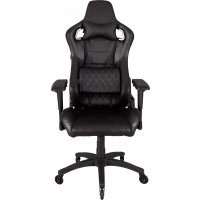
T1 Race - Gaming chair CORSAIR - Free user manual and instructions
Find the device manual for free T1 Race CORSAIR in PDF.



| Product type | Gaming chair |
| Brand | Corsair |
| Model | T1 Race |
| Seat and backrest material | Polyurethane leatherette |
| Frame | Steel frame |
| Base | Steel base with 5 casters |
| Armrests | 4D (adjustable height, depth, angle and rotation) |
| Tilt mechanism | Yes, with rocking function |
| Height adjustment | Gas lift |
| Headrest cushion | Included, adjustable in height |
| Lumbar cushion | Included, adjustable in height |
| Maximum weight capacity | 120 kg (estimated) |
| Product weight | Approximately 20 kg |
| Overall dimensions | Height: 135 cm max, Width: 70 cm, Depth: 55 cm (estimated) |
| Power supply | None (manual chair) |
| Care and cleaning | Clean with a damp cloth; avoid abrasive products |
| Safety | Certified gas lift; stable base with casters |
| Spare parts and repairability | Casters, gas lift, armrests available as options |
| Warranty | 2 years (manufacturer standard) |
Frequently Asked Questions - T1 Race CORSAIR
User questions about T1 Race CORSAIR
0 question about this device. Answer the ones you know or ask your own.
Ask a new question about this device
Download the instructions for your Gaming chair in PDF format for free! Find your manual T1 Race - CORSAIR and take your electronic device back in hand. On this page are published all the documents necessary for the use of your device. T1 Race by CORSAIR.
USER MANUAL T1 Race CORSAIR
A 2017 COGAR Components (inc. All rights reserved, COGAR is the principal entity of the Company) has entered into a business relationship with the Company and has agreed to provide technical assistance and/or support in the initial design and development process. All rights reserved, COGAR is the principal entity of the Company)

CORSAIR

Introduction 1
T1 RACE Kit Contents 2
Assembling T1 RACE 3
T1 RACE Features. 7
TI RACE
The T1 RACE provides racing inspired design and comfort with high quality materials for a premium gaming experience. 4D armrests allow optimization of your ergonomics for any environment. The recline and rocking features provide further adjustability and customization giving your experience at your battle station the personal touch you want. Steel frames for the seat and chair back with PU leather for the seating surfaces bring automotive quality to your gaming environment. Expand your gaming experience with the comfort and quality that the T1 RACE brings to your desk.
T1 RACE Box Contents
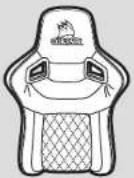

Seat back
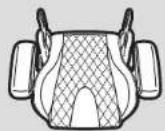

Seat cushion
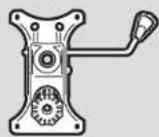

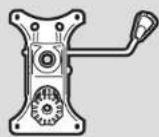
Seat control base
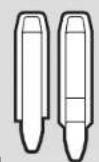

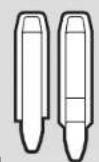
Seak back mount covers (Two are provided as extras)
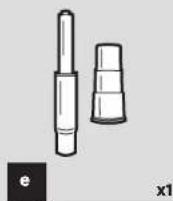
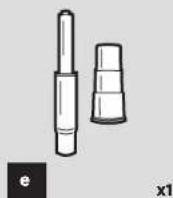
Gas lift
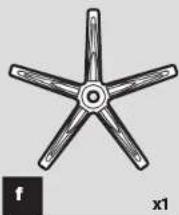
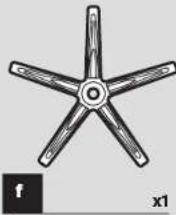
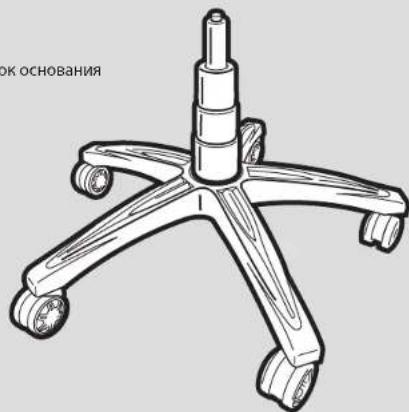
Chair base
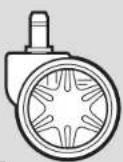

Chair wheels
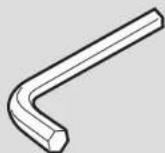

M8 allen key
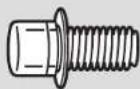

Mounting Screws
(provided as extras)
Note: Screw hardware has been pre-installed from the factory to ensure a proper fit and function during assembly.
T1RACE
T1 RACE Assembly Instructions
- Insert chair wheels into chair base by pressing the stud firmly into the hole on the bottom of the base.
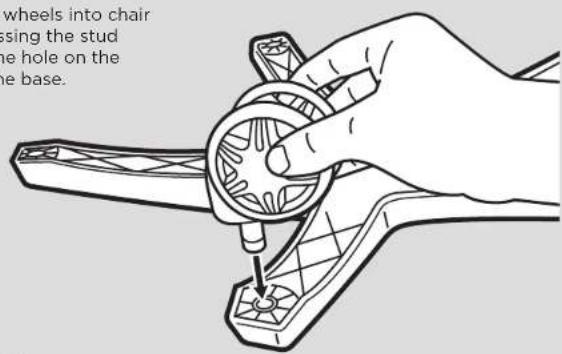
- Place completed chair base assembly to the side.
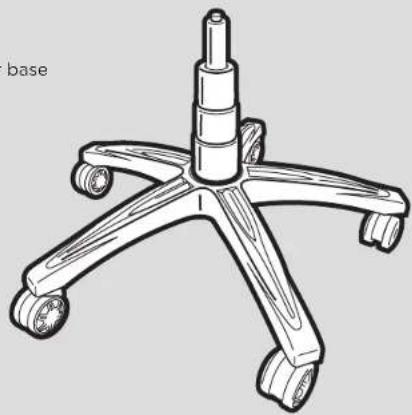
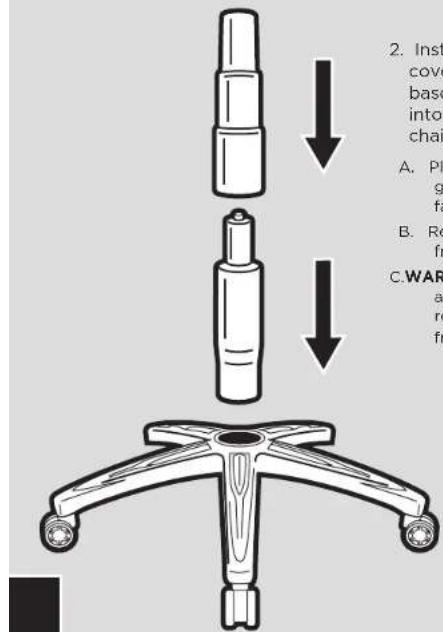
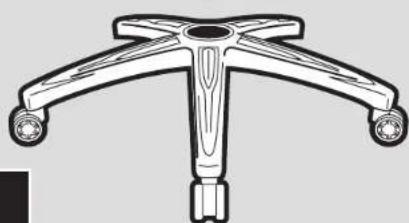
- Install the gas lift and gas lift cover into the top of the chair base by placing the larger end into the hole in the center of the chair base.
A. Place the gas lift cover over the gas lift with the larger opening facing down.
B. Remove the red protective cover from the top of the gas lift.
C.WARNING: The seat height adjustment will not function if the red protective cap is not removed from the gas lift.
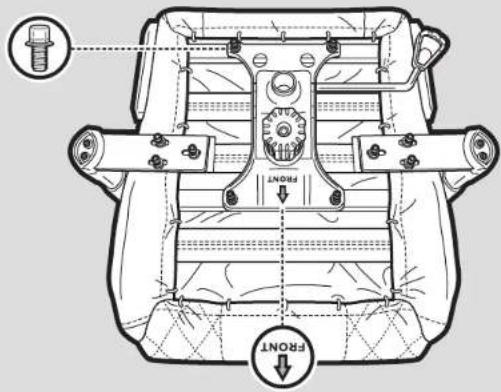
- Chair seat assembly.
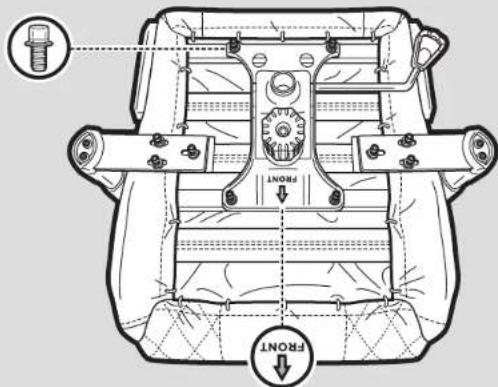
A. Remove the four screws from the seat cushion bottom using the M8 allen key provided.
B. The control base is labeled with a arrow showing the "front" of the unit that needs to be installed facing the front of the chair.
C. Using the four screws from the seat cushion bottom attach the seat control base to the seat cushion.
T1Race
5. Chair back to seat assembly.
A. Remove the screws from the seat back using the M8 allen key provided.
B. TIP: Start with the right side of the chair with the recline mechanism. It is much easier to start on this side as the mount point is fixed in place. Do not tighten the screws down completely until you have both sides (all four bolts) started in the seat back.
C. Use the screws taken from the seat back to attach the seat cushion and the seat back together.
-
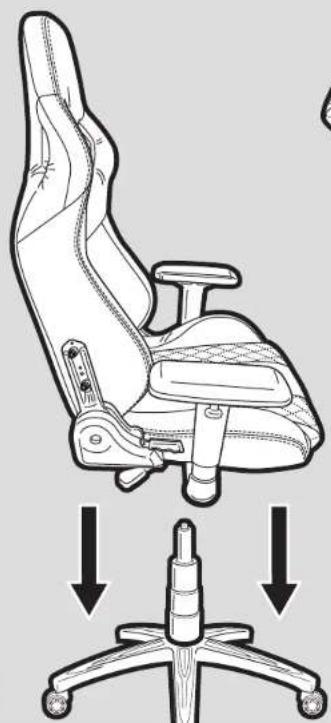
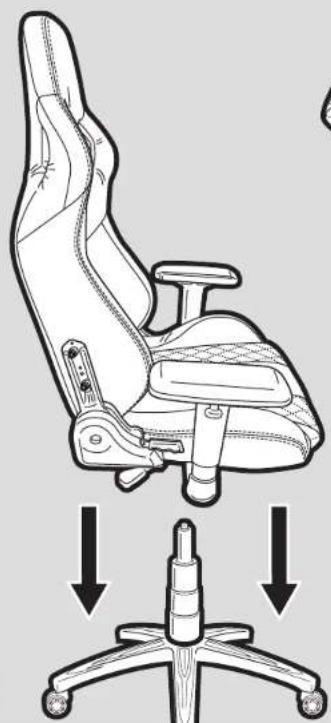
Place seat assembly onto the chair base assembly by inserting the gas lift cylinder into the center hole in the seat control base.
A. It will slide into place. Make sure the seat assembly is firmly pressed down into place before using the chair. -
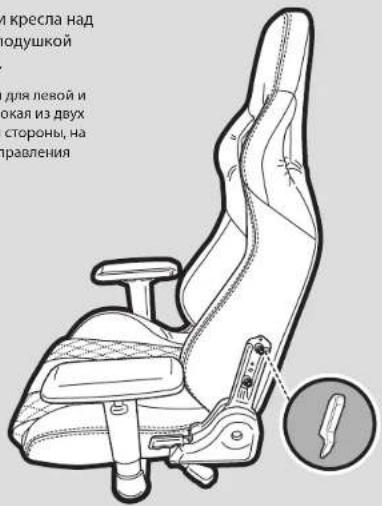
Snap the chair back covers into place over the attachment points between the seat cushion and the seat back.
A. There is a right and left side cover. The taller of the two covers is for use over the side with the handle for the recline function.
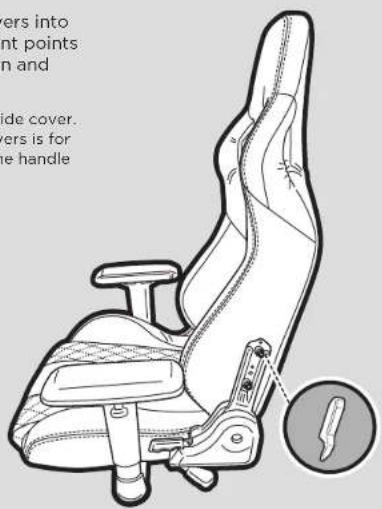
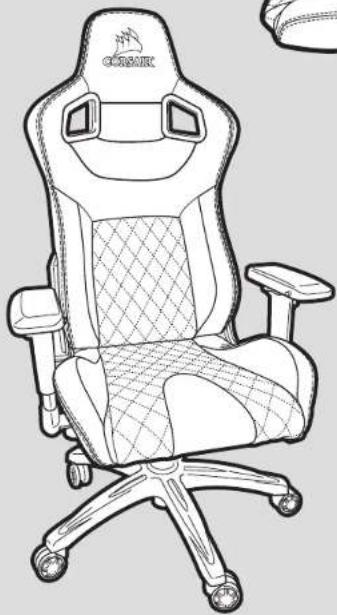
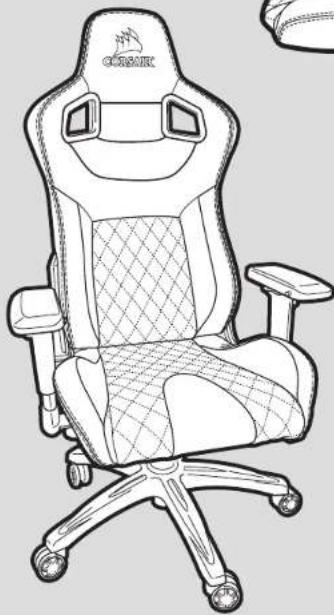
- Enjoy your new T1 RACE gaming chair.
T1Race
Full Features
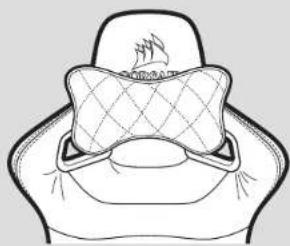
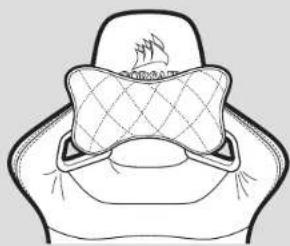
1. Attach Neck Pillow
A. The neck pillow has a snap attachment that allows the pillow to be installed in two different ways. You can slide the band over the top of the headrest for taller placement of the pillow or attach the pillow through the holes in the neck area for a lower placement of the pillow.
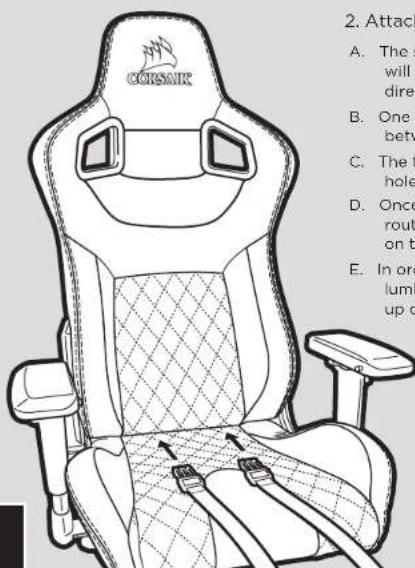
2. Attach Lumber Pillow
A. The straps for the lumbar pillow will need to be run in two different directions.
B. One set will go through the opening between seat cushion and seat back.
C. The top will be routed through the holes in the shoulder area
D. Once both sets of straps have been routed they can be snapped together on the backside of the chair.
E. In order to adjust the height of the lumbar support you can slide it up or down.
Table des matieres
C OchoBa C MekaHn3MOM peyIPOBkMmDEHeY
d MoTajKHeB KpbIckn CnCnDJIb DAJIOHINTEBHXKOM
Ta3nNΦT
OchOBaHne Kpecna
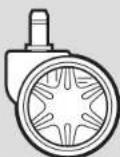
9 x5
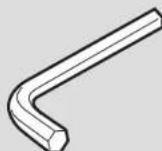
h x1 IeTnpaHnnKKnO M8
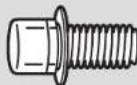
1 KpenexHmE BnHTbI (DIOONIHATEBHO)
PnmeaHne, INBIOHTHO KPNENKHEMH PNPNCIO6OBENH BJHN YCTAOHOBENH NAB 3A0BOJE MECTAX KPNENHNEI HNAD NAGHEKAJI NO TROKNH AND MOCEBENH BO EPME C6OBNK.
T1RACE
Mnctpykmm no c6opke T1 RACE
- BCTaBbTe pONIKn DnKpeCnB OCHOBHmE KpeCnA, BdABNCTepKeHbBOTBepCTneB HnHexHeHACTN OCHOBAHn
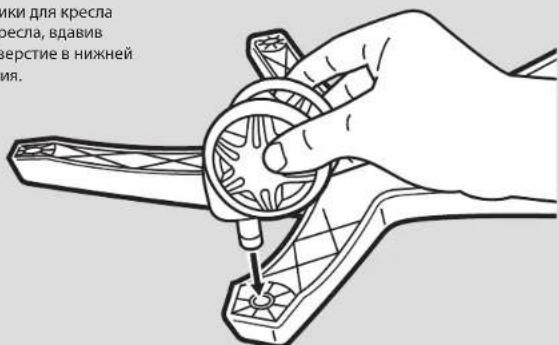
- OTNOXHTe CO6paHHbI 6NOK OCHOBHnKpeCnA B CTOPOHy.
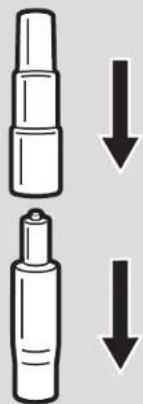
2.YCTAHOBHTe RA3NFTn pBHyar RA3NFTa B BEPXHIOO YAcTb OCHOBAHIN KpeCna, BCTABIN ERO KOHOM C 60JIbWHM DnAMETPOM BOTBepCTNe BcHTpe OCHOBAHIN KpeCna.
A. YCTAHOBITE KOKYX RA3NMPTA Ha ra3NHP TAKIM O6pa3OM, YTO6bI KOHEC L 60bnuim DnAmETPMH AxoDINNC BHNAY.
B. CHIMMTEAaHTHNO Kpblklyk KPachHOI ZEBTE C BEXPHKAACTY RAHNIQA.
- Bnok cnneHbKpecna.
A. 8JIaJIeTbE BHTA H3 HKNKHe TaCtH NIOyIKn CmDEHb IIECTITpAHbIM KINHOOM M8N KOMNIKeTA.
B. OCHOBACMEXAHMMOMEpyrNPOBKMHEeMAPKPOBOKBYUdcePTENK, 063HauooupepeHNOOactbYcpoTbA.1pYcTAHOKEpePnHAACTb YcPoTbAaDOnKHaaBtHaHapaiHHeHapePnHIOHAcKpeKcPa.
C. Tchibjmba BHTAMMA, H3JIHCHENHHM N IHIHKHEACTI NOUYKIN CNDIEH, INPKPENEIT OCHOBHANE C MEXAHNMOOM PERYNIPOBOK N KOUYKE KPECKA.
T1Race
5. yctahOBKa cnnHKn KpeCna Ha cnDHeHbe
A. YdanaHte BHHbI M3 CINHKM CINHEB JEAeCTIRPAHHBM KJHOKOM 8M I KOMNKEKA.
B. PEKOMEHDAIINHnHaeCnpaBOnaHcN KpeCnCA MexAHmMn HAKHOA.CToH TcOpBOH RopADIOPOUe HAHTb C6Opy, NOKCNKY ToKH KpenHeHn3A#HKpOBaHa. He 3aTnRBAte BHHIn HOHNTb, NOHa cbo TcOPBOH (Bce Ytpe B07Ha) he BOUYB CnHNK CYnENbH.
C. Pnipkpenitne Nooyukyu CsiDhenB n CsiHnKe CsiDhenB BIIATAMn, I3BNeYehnnBuN n CsiHNKu CsiDhenBn.
-
Nmecnte 6nok cndeHbHa 6nok OCHOBAHNA KpeCNA, BCTABNB UINHp raNtPA TaBENTPbAHO OTBepTNE B OCHOB CnDEHbC MEXAHNMOM perynnopBOKn.
A. BnOK BCTAHET HaMeTo. Npeep HANAMKCNyATauuN KcEChla yBeNTecbB Tom, TTO bNOK CnDEHb HAnKeHNo AaKpENHn. -
3auejnkHnre 3adnhe KpeuHKnePn HAD TOKAMK KpereHHm Mekdy NooyuKoN CINDEHB N CINHKN CINDEHB.
A. B KOMNIKTEK BXOJIT KpBbIKnIpyNEBIO npABOY CTOPBOH. BOEe BvICOKA IN DByX KpBbIKNpCDHaNAHcEAHOI CTOPBOH, HA KOTOPOH HAcOINTCpyKA ynpAbeHHa FyHKINHakHOHA.
8.HacnaxdaiTecbHOBbIM HrpoBBmKpecnoT1RACE.
T1Race
Bceoc6eHHOCTM
1.YctahOBKa npDywn dnnwen
A. NpOyUka DN Hs WcHauHa
KpENIeHM C3aueKoN, KOtporA
NpOBOHNET YCTAHABINHb
NpOdyUK DYMn NOcO6AMn. Bv
MOKeTc CBNHYb NIOOCY HAD
BepXHeN CaTbNo IPOrOBOHnKa,
TObSa pACNOONIKb NDOyUk
BbIe, HmPiNpKpENrB NoDyUk
BzE3OBTEPCTB NCAHT, Ha
KOTopy OOnpAeTc 1e, TOpSb
pAcNOONIKb NDoUky Hxke.
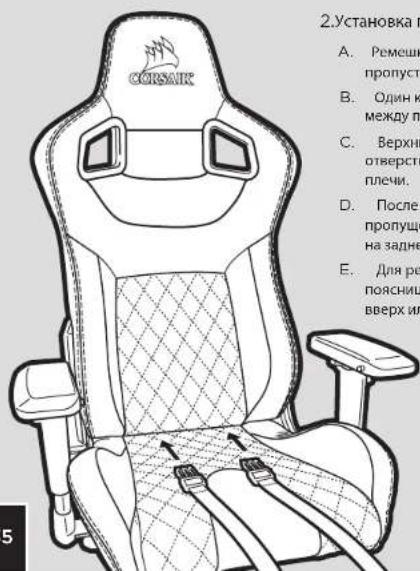
2.YCTAHOBKa NODyWN DnI NOAChNUp
A.Pemskii NOJUskii JIUR NOJCHNIu HeOB6XJUMMO pOpyTcNbB J8BXH NAPARJIENHx.
B. OJINH KOMNEKTE I pONyCKaTcR Hepez OBtEePcMe MEKD yDnyKoH CnHbE HnCHNKO CnHebH.
C. BepxHHKOMNNEKT nponycKaeTcR cepe3 0BepCTBE 0bIaTn,Ha KOTpyKO npApaTcR pnnH.
D. Pocne toro, KAKoba KomnneKTA peMeiKOB PPOpyuHbI, INK KOHbI Heo6XODMIMO COeINHTB HA ZADHeJ YACTN KcpeZNA
E. perynpoKn HbCtB noDywn Knn nnoNCHbNoDyWky Heoo6Omo CMeCTNb BBePxNnBn3
目录
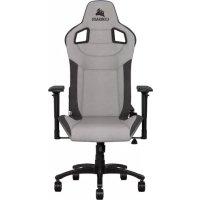
Brand : CORSAIR
Model : T1 Race
Category : Gaming chair