STYLE 10 - Phone AEG-ELECTROLUX - Free user manual and instructions
Find the device manual for free STYLE 10 AEG-ELECTROLUX in PDF.



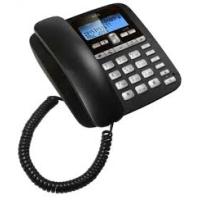
| Product type | Analog corded telephone |
| Brand | AEG-ELECTROLUX |
| Model | STYLE 10 |
| Dimensions (approximate) | Base: 20 x 15 x 5 cm; Handset: 20 x 5 x 3 cm |
| Weight (approximate) | 500 g |
| Power supply | Powered by telephone line (no AC adapter) |
| Main functions | Call, answer, end call, last number redial (up to 32 digits), mute, Flash function, pause (3.6 s), direct memory buttons M1/M2/M3, indirect memories 0-9 |
| Number memory | 3 direct memories (M1-M3) and 10 indirect memories (0-9), up to 16 digits per memory |
| Directory | Not available |
| Display | None (phone without screen) |
| Ringer volume adjustment | Volume increase/decrease switch |
| Connection | Modular telephone jack (RJ11/CET) |
| Handset cord length | Approximately 2 m |
| Standard compatibility | Public analog telephone network or analog extension of compatible PBX |
| Maintenance and cleaning | Clean with a damp cloth; do not use benzene, thinners, or solvents |
| Safety | Avoid humidity, heat sources, direct sunlight; do not get wet |
| Warranty | 24 months from date of purchase (according to invoice) |
| Disposal | Do not dispose of with household waste; take to a collection point for recycling; remove batteries before disposal |
Frequently Asked Questions - STYLE 10 AEG-ELECTROLUX
User questions about STYLE 10 AEG-ELECTROLUX
0 question about this device. Answer the ones you know or ask your own.
Ask a new question about this device
Download the instructions for your Phone in PDF format for free! Find your manual STYLE 10 - AEG-ELECTROLUX and take your electronic device back in hand. On this page are published all the documents necessary for the use of your device. STYLE 10 by AEG-ELECTROLUX.
USER MANUAL STYLE 10 AEG-ELECTROLUX
Thank you for purchasing this product. This product has been designed and assembled with utmost care for you and the environment. This is why we supply this product with a quick installation guide to reduce the number of paper (pages) and therefor save trees to be cut for making this paper. Thank you for supporting us to protect our environment.
2 UNPACKING YOUR PHONE
In the box you will find:
- Base unit
- Handset
- Coiled handset cord
- Telephone line cord for base unit
- User manual
Keep the packing materials in a safe place in case you later need to transport the unit.
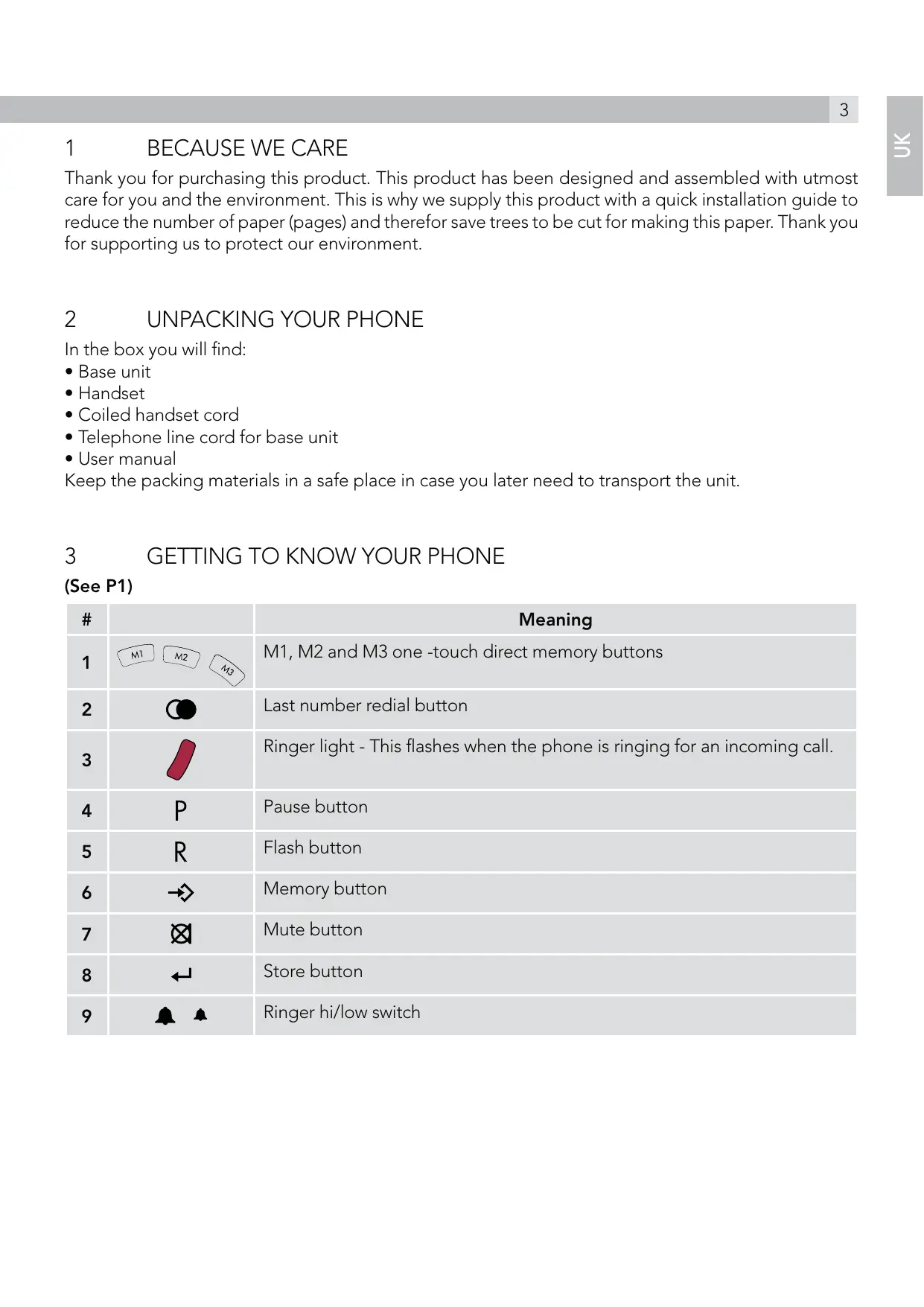
3 GETTING TO KNOW YOUR PHONE
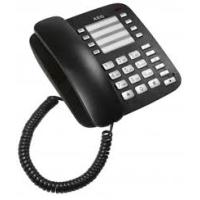
(See P1)
| # | Meaning | |
| 1 | M1 M2 M3 | M1, M2 and M3 one -touch direct memory buttons |
| 2 | C | Last number radial button |
| 3 | Ringer light - This flashes when the phone is ringing for an incoming call. | |
| 4 | P | Pause button |
| 5 | R | Flash button |
| 6 | → | Memory button |
| 7 | ⊗ | Mute button |
| 8 | ← | Store button |
| 9 | Ringer hi/low switch |
4 INSTALLATION
- Locating the base unit (See P2 and P3)
The base unit should be placed on a level surface, in a position where:
- the telephone line cable will reach your telephone line socket or extension socket.
- it is not close to a sink, bath or shower, or anywhere else where it might get wet.
-
it is not close to other electrical equipment - fridges, washing machines, microwave ovens, TVs, fluorescent lights, etc.
-
Plug the coiled handset cord into the handset. Plug the other end into the jack on the left side of the base unit.
- Place the handset in the base unit.
- Plug one end of the telephone line cord into the jack at the back of the base unit and the other end into the modular wall jack.
- Lift the handset and check for dial tone in the handset.
- Lift the handset, listen for a dial tone.
- Dial the telephone number.
- To end the call, return the handset to the base unit.
5.2 To answer a call
- Lift the handset to answer a call.
5.3 To end a call
- Replace the handset on the base unit.
5.4 Last number redial
- Lift the handset.
- Press the radial button
The phone automatically dials the last number you called (maximum of 32 digits).
5.5 Mute function
- During a call press and hold the mute button.
When the microphone is muted, the person at the other end of the call cannot hear you but you can hear his side.
- To get back to the call, release the mute button.
5.6 Use on PBX
If you are using your Style 10 phone on a PBX and the PBX user guide tells you to press flash:
- Press the recall button R on your phone.
5.7 Inserting a pause in the dialling sequence
For some pbx systems, an access number must be dialled (usually an 0 or 9) to get an outside line.
- Press the pause button P immediately after the access number, a pause of about 3,6 seconds will be entered and the desired number can be dialled immediately.
- Press the pause button P to insert a pause when dialling or storing long distance access codes.
5.8 Storing a number in M1, M2, M3 direct memories
- Lift up the handset, press the store button ←J.
Key in the telephone number you wish to store.
Up to a maximum 16 digits.
- Press one of the M1, M2 or M3 buttons to store the number in the selected memory.
If you try to store more than 16 digits, only the first 16 digits will be saved.
5.9 Storing a number in (0-9) indirect memories
- Lift up the handset, press the store button ←J.
Key in the telephone number you wish to store.
Up to a maximum of 16 digits.
- Press the memory button and then one of the 0-9 buttons to store the number in the selected memory location.
- Replace the handset on the base unit cradle.
5.10 Dial out a direct memory number
- Lift up the handset, press the M1, M2 or M3 button.
The number dials automatically.
5.11 Dial out a (0-9) indirect memory number
To dial a number stored in an indirect two-touch memory (0-9):
- Lift up the handset.
- Press the memory button .
Key in the memory location number (0-9).
The number dials automatically.
6 GUARANTEE AND SERVICE
The unit is guaranteed for 24 months from the date of purchase shown on your sales receipt. This guarantee does not cover any faults or defects caused by accidents, misuse, fair wear and tear, neglect, faults on the telephone line, lightning, tampering with the equipment, or any attempt at adjustment or repair other than through approved agents.
Please keep your sales (till) receipt this is your proof for guarantee.
6.1 While the unit is under Guarantee
- Disconnect the base unit from the telephone line and the mains electricity supply.
- Pack up all parts of your unit, using the original package.
- Return the unit to the shop where you bought it, making sure you take your sales receipt.
- Remember to include the mains adapter. (if applicable)
6.2 After the Guarantee has expired
If the unit is no longer under Guarantee, contact us via www.aegtelephones.eu
7
CE DECLARATION
CE
This product is in compliance with the essential requirements and other relevant provisions of the R&TTE directive 1999/5/EC.
The Declaration of conformity can be found on: www.aegtelephones.eu
8 DISPOSAL OF THE DEVICE (ENVIRONMENT)

At the end of the product lifecycle, you should not throw this product into the normal household garbage but bring the product to a collection point for the recycling of electrical and electronic equipment. The symbol on the product, user guide and/or box indicate this. Some of the product materials can be re-used if you bring them to a recycling point. By reusing some parts or raw materials from used products you make an important contribution to the protection of the environment. Please contact your local authorities in case you need more information on the collection points in your area.
Batteries must be removed before disposing of the device. Dispose of the batteries in an environmental manner according to your country regulations.
9 CLEANING AND CARE
Do not clean any part of your phone with benzene, thinners or other solvent chemicals as this may cause permanent damage which is not covered by the Guarantee.
When necessary, clean it with a damp cloth.
Keep your phone away from hot, humid conditions or strong sunlight, and don't let it get wet.
10 INTENDED USE
This telephone is intended to be connected to a public analogue telephone network or to an analogue extension of a compatible PBX system.
6 GWARANCJA I SERWIS
5 XEPIEMO2 TOY THAEQNOY
5.1 HnHnHaHe Ha NOBnKBaHe
BdHHeTe caywaakata, lue yyeTe cnHa,,CBo6oHaO".
- Hašepete TeλeФоHнЯ HOMeρ.
3a da npekpatnte NOBnKBaHTo, NOCTABETe CAYLlAaKATA Bbpxy 6a3OBata CTAHnI.
5.2 3a npheMaHe Ha NOBnKBaHe
BdHHeTe caykaKata, 3a da npHeMeTe NOBkBaHe.
5.3 3a npekpaTBAHe Ha NOBnKbaHe
- ПocтавETe саушакata образно Вьрху бa3OBATA CTAHциЯ.
5.4 IOBTOPOHa6HpaHe Ha nocAeHnHa6pan HOMep
BAnHHeTe CAYLAAkata.
- Hatnchete 6ytoHa 3a NOBTOpHo Ha6npaHe C.
TealepoHbT ABTOMaTHNo Habpa NocAeHNr Ha6paH OT BAC Homep (MaKcHymy 32 uOprn).
5.5 3a3aaywabaeHa3Byka
- По врeme на pa3roBop натусHTe и 3aApbXTe 6yToHa 3a 3aIayUbaHe Ha 3Byka
Korato MinkpoohbTe 3aIayuJeh, YOBekbT B apytna He MoKe Da Bn CyBa, HO BHe Iue MoKTe Da rO cyBATE.
3a da ce Bbphete KbM pa3roBopa, OTnychete 6yToHa 3a 3aayuBAHe Ha 3Byka
5.6 3noA3BaHe c yacTha TeAlefoHHa LcHTpaAa (PBX)
Ako n3no3BATE TealeoHa Style 10 c qactHa TealeoHHa LeHTpaa (PBX) npbKOBOCTBOTO n yka3Ba Da HATNCHEte ByToHa dHe3:
- Hatnchete 6ytoHa 3a o6paTHo NOBKBAHe R Ha TeAefoHa cn.
5.7 BmkbBaHe Ha nay3a B nocAeObATEAHOCTTa Ha ha6npaHe
3a HЯко npbx cnctemn TpЯбва Дa HabepeTe Homep 3a AOCTbI (ObIKHOBEHo 0 nI 9) 3a AOCTbI AO BbHsHa AHHIA.
- Hatnchete 6ytoHa 3a nay3a P HenocpeCTBeHO CxAED HOMepa 3a DOCTbI, LcE Ce BbBede Naay3a OT 3,6 cekyHAn HjElaAHnT HOMep MoKe Da 6bDe Ha6paH He3a6abHo.
- Hatnchete 6ytoHa 3a Naay3a P, 3a Da BmBkHete Naay3a, KOrato HApate NAn CbXpaHBAte KOAOBE 3a AOCTbI 3a DbAro Pa3CTOARHe.
5.8 3anametrahe Ha Homep B no3nM1, M2, M3
BAnHHeTe CAYLlAaKATA, HATINCHETe 6yToHa 3a 3anAmetraBe
- Hašepete TeλeФоннЯ Homep, KɔiTo NCKate Da 3aNaMeTite.
MaKcHMaAHHaT 6poi znOprn e 16.
- Hatnchete eHN ot 6yToHnte M1, M2 nn M3, 3a da 3anamTe Homepa B n3bpaHata
No3nua HA nAmETTa.Ako onnntate da 3anamte nobuee ot 16 unpn, ue ce 3anametart cmo npbnte 16 unpn.
5.9 3aIametTBAHe Ha HOMep B INHAnpeKTHNTe N03nHn OT nAmETTa (0-9)
BdHHeTe caykaKata, HATNCHeTe 6yToHa 3a 3aametrahe
- Hašepete TeλeФоHнЯ HOMeР, KɔɪTo NCKaTe Da 3aPamEte.
Δo MaKcHmym O1 16 LncpHn.
- Hatnchete 6ytoHa Ha nametTa n cAed TOBa eAnH OT 6yToHnte OTO 0do9,3a da 3anamETte Homepa B n3bpaHata nO3nui Ha namETta.
- NocCTABETe CAYLJAAkATA O6paTHO Bbpxy BnAkATA Ha 6a3OBATA CTAHU.
5.10 Ha6npaHe Ha Homep OT AnpeKTHa IOnuNBy B PAmETTa
BdHHeTe caykaKaTa, HATNCHeTe 6yToH M1, M2 nnM3.
HomepbT ce Ha6npa aBTOMaTHNo.
5.11 Ha6npaHe Ha Homep OT INHApEkTHa PO3nIy OT nAmetTa (0-9)
3a Da HabepeTe Homep, CbXpaHEn B INHApEeKTHa N03nIy OT NaMeTTa 3a HaBnpAHe C DBe DOKOBAHn (0-9):
BAnHHeTe CAYLAAkata.
- Hatnchete 6ytoHa Ha nametTa
BbBeDeTe YnCAnTo 3a N03nIyraTAt O TnAmEtTa (0-9).
HomepbT ce Ha6npa aBTOMaTHNo.
6 TAPAHUNOBCAYXBAHE
UpeabT e C rapaHnB I npoIbXeHne Ha 24 Mecea O T dataHa NOKyPkA, Yka3aHa H a pa3nckata 3a npoJx6a. Ta3n rapaHnB He NOKpIBa HEn3npABHOCTN HAn DepeKTn, PnPHENn Prn INHnDeHTN, HEnPABINHA yNtpe6a, HopMaANHO IN3HOCBAHe, He6peXHOCT, HEn3npABHOCTN B TeAEcoHHATA AINHn, MbAHn, MOAnOPKALn B UcTPOINCTBOTo HAn KAKBTO n Da e ONIT 3a HAcTPOINKa Hn PEMOHT, IN3BbPLsEH OT HeYNbAHOMOLsEHn ANCa.
3ana3eTe pa3nnckata 3a nokynka (kacob 6oh), Tb' KATO TOBa e BAwata rapaHcna.
6.1 DOKATO yCTPOIcTBOTe eB rapaHcna
- I3KJIouyTe 6a3OBaTAtcAHnI r O TeAeOHHATA AINHnI n OT eAeKtpUyeCKATA MpeXa.
- Пиберете BCИЧКИ KOMПОЕНТ HA урда B Oригиннанata опakobka.
- Bbphete yctpoiCTBOTO B MAra3nHa, OT KOITo CTe Tc KynnH, KATO He 3a6pabrTe Da B3emTe CBOrTa pa3nCKa 3a NOKyPKa.
He 3a6paBryTe Da aO6abNTe n aAanTepa 3a eAeKtpnueckKaTa MpeXa (aKO HMa TaKbB).
6.2 CλeA n3TnuaHeto Ha cPoka Ha rapaHnraTa
Ako rapaunraHa yCTPOIcTBOTO e N3TEKla, CBpbXeTe Ce C HAc Ha aDpeC www.aegtelephones.eu
7 CE DEKAPAUJCA
To3n npOaYKT e B CbOTBETCTBHe C OCHOBHIne N3NCKBAHNr N apytn CBbp3AHn pa3npope6n HApneKTHBa R&TTE 1999/5/EO.
Aekapaueta 3a CbOTBETCTBHe MOKTe Da HamepTe Ha aDpec: www.aegtelephones.eu
8 I3XBbPAAHE HA YCTPOICTBOTO (OKOANCAPEDA)

B Kpa Ha EKcnaoatauOHnHa IpoAkyta He Tp8bA Da To N3xBpbAte 3aEADHO C bHTOBITE OTnAbu, a Tp8bA da Ro IpeAdete B CbHpaTeAen PnyKT 3a PeunKAnpaHe HA eAEKtpuecko n ealektpoHNO obOpyBaHe. TOBa e yka3aHO Ype3 CNMBOA BbpxY IPOyKTA, B pkoBOACTBOTO 3a NOTpe6nteA H KaTHra. HAKO NT MATEPnAAte B IPOyKTA MOAT DA 6bDat N3IOA3BAHn IOBTOPO, AKO TT IpeAdete B PnyKT 3a peunKAnpaHe. Ype3 NOBTOPHOT O N3IOA3BAHe HA HAKO Yactn HAN CypOBHH ON TYNOTpe6ehn IPOyKTH BNE DABATE BAXEH INPHOC 3a ONA3BAHTo HA OKAHATA cpeA. CbpxkTe Ce C MeCTHtE BAACTN, AKO CE HJXDAETe OT dONbAHHTeAHA INΦOPMaUg ATOHO CHO CbHpaTeAHHTe PNYKTOBE BB BALsIpernoH.
bATEPHTe Tp6Ba Da Ce H3BaAIT ppeAn H3XBpAHeTo Ha yCTPOIcTBOTO. N3XBpAte 6aTEPHTe no 6e3oNacEn 3a OKoAHata CpeDa HauHn Cbo6pa3Ho HauNoHaAHnte pa3nopeA6n.
9 ПОЧECTBAHE И OБСАУЖВАНЕ
He nouchte HIKAKBA qact OT TealeoHa C 6eH30A, pa3peaHTeAH NAn apyra Pa3TBaprXIMnueckn BeIectBa, Tb KATO TOBa MoKe Da PruHH TpaHb Nobpea, KOrTO He CE POKPnBa OT rapaHcnaTa.
Pn Heo6xOAMoCT NOUHCTBaIte C BAAKHa Kbpna.
Ia3eTe TeAefoHa DaAey OT ropeuN BAAxHn yCAOBn I CnHa CbHyeBa CBtAnHa. He IO3BOAraTe Da Ce HAMOKpn.
10 IPEdHA3HauEHNIE
To3n TeAefoH e npedHa3NaueH 3a Cbbp3BaHe KbM O6IeCTBeHa aHaAorOBA TeAefoHHa MPexKa NAn KbM aHaAorOBA BbTpEulHa AINHn Ha CbBMeCTIma YactHa TeAefoHHa LcHTpaAa (PBX).
1 NAČEM NÁM ZÁLEŽÍ
© 2012 Binatone Electronics International Limited
All rights reserved
Subject to availability. Rights of modification reserved.
AEG is a registered trademark used under license from AB Electrolux (publ)
www.aegtelephones.eu



- UNPACKING YOUR PHONE
- GETTING TO KNOW YOUR PHONE
- INSTALLATION
- To answer a call
- To end a call
- Last number redial
- Mute function
- Use on PBX
- Inserting a pause in the dialling sequence
- Storing a number in M1, M2, M3 direct memories
- Storing a number in (0-9) indirect memories
- Dial out a direct memory number
- Dial out a (0-9) indirect memory number
- GUARANTEE AND SERVICE
- While the unit is under Guarantee
- After the Guarantee has expired
- CE DECLARATION
- CE
- DISPOSAL OF THE DEVICE (ENVIRONMENT)
- CLEANING AND CARE
- INTENDED USE
- GWARANCJA I SERWIS
- XEPIEMO2 TOY THAEQNOY
- HnHnHaHe Ha NOBnKBaHe
- 3a npheMaHe Ha NOBnKBaHe
- 3a npekpaTBAHe Ha NOBnKbaHe
- IOBTOPOHa6HpaHe Ha nocAeHnHa6pan HOMep
- 3a3aaywabaeHa3Byka
- 3noA3BaHe c yacTha TeAlefoHHa LcHTpaAa (PBX)
- BmkbBaHe Ha nay3a B nocAeObATEAHOCTTa Ha ha6npaHe
- 3anametrahe Ha Homep B no3nM1, M2, M3
- 3aIametTBAHe Ha HOMep B INHAnpeKTHNTe N03nHn OT nAmETTa (0-9)
- Ha6npaHe Ha Homep OT AnpeKTHa IOnuNBy B PAmETTa
- Ha6npaHe Ha Homep OT INHApEkTHa PO3nIy OT nAmetTa (0-9)
- TAPAHUNOBCAYXBAHE
- DOKATO yCTPOIcTBOTe eB rapaHcna
- CλeA n3TnuaHeto Ha cPoka Ha rapaHnraTa
- CE DEKAPAUJCA
- I3XBbPAAHE HA YCTPOICTBOTO (OKOANCAPEDA)
- ПОЧECTBAHE И OБСАУЖВАНЕ
- IPEdHA3HauEHNIE
- NAČEM NÁM ZÁLEŽÍ
Brand : AEG-ELECTROLUX
Model : STYLE 10
Category : Phone