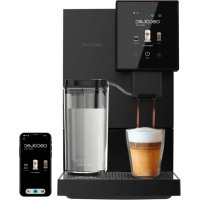
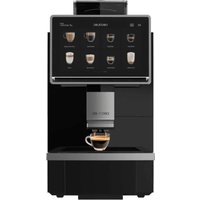
USER MANUAL Cremmaet Compactccino Connected CECOTEC
- Parts and components 47
- Before use 48
- Operation 48
- Cleaning and maintenance 53
- Troubleshooting 56
- Technical specifications 60
- Disposal of old electrical and electronic appliances 60
- Technical support and warranty 60
- Copyright 61
SOMMAIRE
Read these instructions thoroughly before using the device. Keep this instruction manual for future reference or new users.
- The appliance can be used by persons with reduced physical, sensory, or mental capabilities or lack of experience and knowledge if they have been given supervision or instruction concerning use of the appliance in a safe way and understand the hazards involved.
- The device is not intended to be used by children. Keep the appliance and its power cable out of the reach of children.
- Cleaning and maintenance tasks should not be carried out by children.
- Children must not play with the appliance.
- Check the power cable regularly for visible damage. If the power cable is damaged, it must be replaced by the official Cecotec Technical Support Service or similar qualified personnel to avoid risks.
- This device is designed for domestic use only and is not intended for bars, restaurants, farmhouses, hotels, motels, and offices.
- Do not immerse the cable, plug, or any other part of the appliance in water or any other liquid or expose electrical connections to water. Make sure your hands are dry before handling the plug or switching on the appliance.
- WARNING: the filling opening must not be opened during operation.
- WARNING: take precautions to avoid spillage of liquids on the cable.
-
WARNING: incorrect or improper use can be dangerous for the user and damage the appliance. Use the appliance only for the purposes described in this manual. The surface of the heating element is subject to residual heat after use.
-
Always disconnect the appliance from the power supply if it is left unattended and before assembly, disassembly, or cleaning.
- It is your responsibility to make sure every user is informed about the warnings and precautions stated in this instruction manual. Do not use the appliance for any use other than the one specified in this manual.
- Make sure that the mains voltage matches the voltage stated on the rating label of the appliance and that the wall outlet is earthed.
- Disconnect the appliance from the mains in any of the following circumstances:
A. Before filling up the water tank.
B. Before removing or installing any of the appliance's parts.
C. Before cleaning or maintenance.
D. When the appliance is not working properly.
E. After using the appliance.
- Empty the water tank when the appliance is not going to be used for some time.
- Make sure the appliance has cooled down completely before removing or installing parts and before cleaning it.
- Always use cold water. The use of hot water or other liquids may damage the appliance.
- Use the grinder to grind only coffee beans.
- Do not use caramelized or frozen coffee beans. This appliance can only be used with natural coffee beans.
- Never leave the appliance unattended when it is connected to a mains power supply.
-
Do not let the cable protrude over the edge of the table or worktop, or come into contact with hot surfaces or sharp edges.
-
Place the appliance on a flat, stable surface. Do not use or place the appliance on a hot or damp surface.
- Do not use the appliance if the drip tray is not properly positioned.
- Do not use the appliance if any of its parts are damaged or if the appliance is not working properly.
- WARNING: this product has undergone a quality control previous to its commercialization with the aim of ensuring its correct functioning. After the quality control testing, the appliance is cleaned thoroughly, therefore, although it is unlikely to occur, there could be rests of water or coffee drops inside it.
INSTRUCTIONS DE SECURITÉ
- Water tank
- Coffee bean container
- Grinding level knob
- Touch Display
- Cappuccinatore
- Coffee spout
- Power switch
- Drip tray
- Coffee waste tank
- Brew unit
- Side cover of the coffee machine
- Milk tank tube
- Milk tank
- Cappuccinatore
- Metal cleaning brush
- Water tank reset button
- Mobile App linking indicator light
- Wi-Fi connection indicator light
- Settings menu
- Drink customization menu
- Selected drink
- Arrow to the left
- Arrow to the right
- Off button
- Release tabs
- Rubber part
- Steam knob
NOTE:
The graphics in this manual are schematic representations and may not exactly match the device.
ENGLISH
2. BEFORE USE
- This appliance is packaged in a way as to protect it during transport. Take the device out of its box and remove all packaging materials. You can keep the original box and other packaging elements in a safe place. This will help you prevent damage to the device when transporting it in the future. In case the original packaging is disposed of, make sure all packaging materials are recycled accordingly.
- Make sure all parts and components are included and in good conditions. If there is any piece missing or in bad conditions, contact the official Cecotec Technical Support Service immediately.
Box content
- Cremmaet Compactccino Connected Super-automatic Coffee Machine
- Instruction manual
- Plastic cleaning brush
- Metal cleaning brush
- Rubber seals for replacement
3. OPERATION
Preliminary steps before brewing the first coffee
- Place the appliance on a flat and stable surface.
- Remove and clean the water tank by dragging it upwards and fill it with water. Then put it back in the same position. You will notice that it inserts smoothly and fits perfectly.
- Fill the coffee bean container after lifting the top lid. You must fill the tank a little below the limit allowed by the lid in order to be able to close it.
- Plug the coffee machine into a mains socket.
- Turn on the machine by pressing the power button on the left side.
NOTE: The water may not come out at the ideal temperature during the first few uses. This is normal until the water pipes are filled with hot water and the machine reaches the desired temperature.
Installing the milk tank
1) The milk tank is fitted to the bottom grid due to the shape of its base.
2) Open the milk tank lid and fill it to the desired level. Then, close the lid. Keep in mind that if you put more milk than you are going to use, it will stay out of the refrigerator longer than it should, which could spoil and cause unpleasant odours.
3) Fit the tube connecting the milk tank to the coffee machine as shown in figure 1. To do this, you must connect the tube on the milk tank lid to the inlet on the right side of the coffee spout.
NOTE: Remember to use cold milk, you will obtain a greater amount of foam.
Prepare any type of drink
The coffee machine has a total of 25 programmable drinks. In the main menu, you will find the different drinks in the center, you can select any of them by swiping left or right.
The list of drinks is as follows:
- Espresso
- Water
- Milk
- Latte
- Cappuccino
- Irish coffee
- Cremaet
- Affogato
Vienna coffee
- Milk chocolate
- Mocha
- Bon Bon coffee
- Ristretto
- Lungo
- Café Latte
- Latte Macchiato
- Thermos coffee
- Flat White
- Ice Americano
- Ice Espresso
- Ice Cappuccino
- Ice Latte
- Ice Espresso Macchiato
- Ice Frappé
- Americano
Most of the drinks are customizable.
To adjust the different parameters, click on their respective icons and increase or decrease the amounts using the "+" or "-" button. The parameters will be displayed when the drink is pressed and are as follows:
- Grams of coffee (Figure 7)
- Amount of drink in the glass (Figure 8)
ENGLISH
- Temperature (Figure 9)
- Seconds of milk extraction (Figure 10)
- Amount of water (Figure 11)
NOTE: Depending on the drink, you can set different parameters.
Fig. 12
In addition to these parameters, you will find the icons for coffee "x1" (2) and coffee "x2" (4). In case you want to prepare only one drink, click on the "x1" icon. If you prefer the drink to be prepared twice, click on the "x2" icon.
WARNING: Until you press one of these two icons, you will not be able to start the service.
- Adjust the height of the coffee spout and place a cup underneath. To adjust, simply slide the spout up or down.
- Click on the icon of the desired drink.
- Adjust the parameters that appear to your liking.
- Select whether you prefer one or two drinks and press the power button (3).
NOTE: You can stop the coffee service when it starts by pressing the stop icon at the bottom.
Drinks with instructions
The following drinks have a list of ingredients that is shown before preparing them and the steps to follow after the extraction of the coffee:
- Irish coffee
- Cremaet
- Affogato
Vienna coffee
- Milk chocolate
- Mocha
- Bon Bon coffee
- Ice Americano
- Ice Espresso
- Ice Cappuccino
- Ice Latte
- Ice Espresso Macchiato
- Ice Frappé
Adjusting the steam level in the cappuccinatore
Fig. 5 and 6
- Remove the cappuccinatore from the appliance by pressing on both release tabs on the sides and pulling downwards.
- At the top, you will see a circular knob with the letters H and L, and an arrow. Turn the steam knob to the desired side until the H matches the arrow. This will increase the steam flow and improve milk frothing.
- Put the cappuccinatore back in place, aligning it in its natural position in the appliance and pushing it upwards. You will hear a click.
Adjusting the grinding level
Fig. 3
WARNING: When you need to adjust the grind level of the coffee beans, adjust the grinding level knob when the grinder is in operation; otherwise, the grinder may be damaged.
Adjust the grinding level according to the degree of roast of the coffee beans you use (medium roast beans are recommended). If the coffee comes out too slowly during preparation (the coffee powder is too fine), turn the grinding level knob clockwise until a coarser grind is obtained, like shown in figure 3. If during preparation the coffee comes out too fast and too clear (the coffee powder is too coarse), turn the grinding level knob counterclockwise until a finer grind is obtained.
If the coffee powder is too coarse, turn the grinding level knob counterclockwise for a finer grind; if the coffee powder is too fine, turn the grinding level knob clockwise for a coarser grind.
Points to consider:
- The knob is set to the maximum value during the first few uses. It is recommended to adjust it after the first 100-150 cups. The more repetitive the grinding process is, the more the grinder will be adjusted and the less imperfections will be found in the future.
- Do not overfill the coffee bean container or leave the coffee beans inside for a long time so that they do not get too wet and lose freshness (especially on humid days). Moisture will affect the grind, brew and taste of the coffee.
- If the coffee beans are wet, empty the container and fill it with fresh coffee beans for better taste. Turn the grind level knob to maximum and try grinding the coffee beans. If the coffee machine is working properly, return the knob to its original position. This will check if there are any beans left inside.
- If the coffee beans do not grind properly, it is possible that the coffee beans are too wet or that there is too much coffee bean oil accumulated inside. In the latter case, add grinder cleaner to the bean container and try grinding again.
ENGLISH
Menu and settings
Fig. 2
Press the menu button at the top left. Below you will find the following icons:
- WiFi: This menu is used to connect your coffee machine to the desired WiFi network. You will have to press the activation button, select the desired WiFi network and enter the password.
- LINK: To link the device to the cell phone APP, scan the QR code that will appear when you enter this menu and follow the steps.
- RINSING: This menu is used to perform a quick cleaning of the coffee output.
- TIMER: This menu is used to program the machine shutdown.
- DESCALING: This option is used to descale the machine when the warning is triggered or, at the user's discretion, before the warning is triggered.
- COUNTER: In this menu you will see the number of services of each type of coffee.
- SOUND: Pressing this icon will activate or deactivate the sound of the machine while you are using it.
- BRIGHTNESS: In this menu you can adjust the brightness of the display.
- SUPPORT: Here you will find the e-mail and telephone number of the Official Cecotec Technical Support Service.
- LANGUAGE: In this menu you can select the language.
- UPDATE: In case the machine needs to be updated to a new software version, you should click on this icon and follow the steps.
Warnings and cautions
- Empty coffee bean container
Fig. 14 and 17
When the icon of the tank or coffee beans is illuminated, it means that the coffee bean tank is empty. Fill up the tank.
- Open panel
Fig. 16
When the Open side cover indicator light lights up, the right side cover is open. Please, close it.
- Water tank empty or not placed correctly
Fig. 13 and 15
When one of these icons appears, it means that the water tank is empty, low on water or not placed correctly.
- Brew unit not installed
Fig. 20
When the Brew unit indicator light lights up, the brew unit is not installed. Please, install it.
- Coffee waste tank
Fig. 18 and 19
When the indicator light for accumulation of dregs in waste tank lights up, the waste tank is not properly positioned or installed, or it is full and needs to be emptied. Empty the waste tank every 5 cups of coffee.
- Descaling
Fig. 21
The machine may warn you that descending is necessary. Refer to the "Descending" subtitle in the "Cleaning and maintenance" section.
- Warning of water shortage in the internal pipeline.
The coffee machine may warn you that there is a lack of water in the internal piping. Make sure that there is water in the tank and that it is properly installed. Try activating the pump by making some coffee to activate the pump so that it sucks water. If the error persists, perform a couple of descending cycles.
4. CLEANING AND MAINTENANCE
Cleaning/rinse
- Adjust the height of the coffee spout and place a cup underneath.
- Touch the RINSING button that appears within the configuration menu.
NOTE: Perform this process until the water comes out clean.
How to dismantle the parts for cleaning
Figure 4
- Pull the water tank upwards by grasping it at the back and guide it out.
- Pull the right side cover until it is removed.
- Press where the blue arrow indicates at number 3 and pull the brew unit outwards for cleaning.
- The drip tray can be removed for cleaning by pulling it out. You will see the coffee dregs and all the coffee residues that have accumulated over time. You can use the plastic brush to clean everything. Afterwards, dry it before replacing it.
ATTENTION: When reinstalling the brew unit, a snapping noise will be heard and the brew unit will be fixed; if you do not hear it, disassemble the brew unit again and reinsert it.
ATTENTION: Check whether the water tank is at the same level as the top of the appliance, so that it is positioned correctly. If this is not the case, push the water tank down until it clicks into place.
ENGLISH
Daily maintenance
Daily maintenance is important to extend the lifespan of the coffee machine and to always obtain the best coffee.
| Components Maintenance |
| Brew unit Remove the brew unit and wash it under running water from the top, remove the coffee dregs from the surface of the filter. Clean the brew unit by hand every 3 days. Do not wipe lubricating oil from the bottom and center of the brew unit. Do not wash it in the dishwasher. |
| Drip tray and coffee waste tank | Remove the drip tray and the coffee waste tank after each use, rinse under running water and wipe clean with a cloth. Clean them at least every two days. |
| Water tank Rinse the tank under running water every 3 days. |
| Coffee bean container/grinder | Clean the coffee bean container weekly. Use a soft, dry cloth to wipe oil/coffee grounds from the inside. If a large amount of coffee oil has remained in the coffee bean tank, it means that a large amount of oil could be inside the grinder, clean it. To clean the coffee bean container and the grinder, you can use a grinder cleaner for coffee machines: place the cleaner inside the container and prepare an espresso with the maximum amount of coffee. Then, remove the brew unit again and manually clean the debris inside. |
| Ground coffee channel | Open the right panel, remove the brew unit and clean the ground coffee channel with a soft cloth on a weekly basis. |
| Milk unit Fill the milk | tank with water and press the milk icon several times, or at least until the water runs clear. This will remove the milk residue from the inside of the cappuccinatore and milk will be frothed for a longer period of time. |
Dscaling
A. Pour the descaler into a container with clean water and wait for it to dissolve completely.
B. Access through the menu button in the main menu to the descaling icon.
C. Take out the water tank, pour the descaling product into the tank and add clean water until the tank is completely full.
D. Press the descending icon that appears in the setup menu, then press OK and the machine will start the process.
NOTE: This process can consume several water tanks, so you will have to refill it until the machine is clean inside and the process is finished.
E. Once the process has been completed, repeat it using only clean water to remove any remaining descaler from inside the machine's ducts.
0-rings
0-rings are included with the coffee machine and brushes for replacement in case of wear and tear. When they do, you will notice unwanted coffee or water leaks. To replace them, you can use any pointed tool to remove the old ones and place the new ones in exactly the same position.
Cleaning the cappuccinatore
Fig. 1, 5 and 6
A metal brush specially designed to clean the milk and cappuccinatore spouts is included with the coffee machine, the plastic brush and the O-rings, as the milk can dry out relatively easily and clog the duct.
WARNING: The cappuccinatore must be cleaned with milk after each use, if it is not to be used for a day or more. The milk can dry out inside and the ducts can become clogged, leading to poor foaming, bad odours or a shortened lifetime of the appliance.
The cappuccinatore can be cleaned manually or using detergent. To carry out the cleaning, follow the instructions below.
Cleaning with detergent
1) Connect the milk tube to the tank lid and to the cappuccinatore.
2) Separate the milk tube and the lid from the tank to clean it separately.
3) Place the milk tube and the lid in a container with detergent.
4) Turn the appliance on and press the milk icon for 3 seconds to allow the milk tube to suck in the detergent and allow it to run through the internal ducts.
NOTE: If the appliance has not been cleaned for a long time, you will notice that the resulting liquid contains whitish solid residues. Do not worry, it is the remains of milk that have solidified inside the cappuccinatore.
ENGLISH
5) Repeat the process until the resulting liquid is as clear as possible.
6) When finished, repeat the process again using only water in the container until all traces of detergent have been removed from the inside of the cappuccinatore and the ducts.
7) Reassemble the entire tank and enjoy your frothed coffee.
Manual cleaning
1) Remove the cappuccinatore from the appliance. To do so, you will have to press both release tabs on the sides and pull downwards.
2) You will notice that the cappuccinatore is composed of three parts: a small hard plastic frame, a steam knob, and a rubber part in which the steam knob is placed. You can separate the rubber part from the frame by pulling outwards. Do this.
3) Once you have these two parts separated, pull the steam knob outwards to remove it.
4) With the three parts separated and differentiated, use the metal cleaning accessory to insert it into as many holes as possible and manually descale the solidified milk residues. In addition, use detergent and plenty of water to get all three parts clean inside and out.
5) When finished, reassemble the three parts in reverse order of disassembly.
NOTE: Also, make sure to clean the tube that connects the milk tank to the cappuccinatore. There may be solidified milk residues.
5. TROUBLESHOOTING
In the event of a fall or malfunction, unplug the appliance immediately from the mains socket. If a mechanical failure occurs in the appliance, please contact the Official Cecotec Technical Support Service. If the problem persists, contact only authorized technicians, the distributor or the dealer.
| Num | Problem Num Possible cause | Solution | |
| 1 | Empty water tank warning | 1.1 | Water tank is out of water. Fill the water tank and insert it into the appliance. |
| 1.2 | It is necessary to calibrate the water level sensor. When the appliance is in standby mode: 1) Remove the water tank. 2) Press and hold the water tank reset button for 6 seconds. 3) Unplug the appliance. 4) Plug in and switch on the appliance after 10 seconds. Insert the tank when you have filled it. |
| 2 | The coffee machine does not dispense water. | 2.1 | The water tank is not correctly installed. Install the tank properly inside the coffee machine. Push the bottom side all the way in. |
| 2.2 | No water flows through the pump. Open the rear panel and inject water into the water pump manually. |
| 2.3 | The internal piping is blocked. Please contact the official Cecotec Technical Support Service. |
| 3 | The machine detects insufficient water flow during coffee extraction, or the water flow meter is broken. | 3.1 | Water flow meter wires are coming loose. Please contact the official Cecotec Technical Support Service. |
ENGLISH
| 4 Watery/light coffee. | 4,1 Grinding | 4,2 After filling the container with dark roasted or oily coffee beans, the grinder blades are sticky, and the coffee is not ground. | Turn the grind level knob to obtain a coarser ground coffee. |
| Increase the grinding level or contact Technical Support. |
| 4,3 Damp coffee beans and dregs block the grinder. | 4,3 Remove the wet coffee beans and clean the container and insert the cleaner for the coffee beans. | |
| Num | Problem Num Possible cause | Solution | |
| 5 No coffee comes out | 5.1 | The water tank is not correctly installed. | Install the tank securely inside the coffee machine. |
| 5.2 Filter blocked. Clean or replace the filter. |
| 5.3 | The internal piping of the coffee machine is blocked. | Descale the coffee machine If this does not solve the problem, contact the official Technical Support Service of Cecotec. |
| 6 | The grinder does not work. | 6.1 | Grinder blocked by foreign objects. You will see error E3 or E4 on the display. |
| 6.2 | The grinder cables are loose. |
| 6.3 | The grinder motor is broken. You will see error E3 or E4 on the display. |
| 7 | The brew unit does not work. | 7.1 Broken transformer. | Please contact the official Cecotec Technical Support Service. |
| 7.2 | The microswitch is broken. | Please contact the official Cecotec Technical Support Service. |
| 8 | Milk does not come out with foam | 8.1 | Cappuccinatore is dirty | Follow the steps described in the section "CLEANING THE CAPPUCCINATORE". |
| 8.2 | Milk is not whole or not cold | It is the fat in the milk and the temperature of the milk that cause the greatest foaming effect. If the milk you are using is warm or hot, it will be difficult to get a good amount of foam. The same applies if you use skimmed or semi-skimmed milk. |
| 9 Error E1 9.1 | | | Error in the heating element. | Please contact the official Cecotec Technical Support Service. |
| 10 Error E2 10.1 | | | Error in one of the heating elements. | Please contact the official Cecotec Technical Support Service. |
| 11 Error E3 11.1 | | | Error in one of the heating elements. | Please contact the official Cecotec Technical Support Service. |
| 12 Error E4 12.1 | | | The brew unit is not working properly. | Please contact the official Cecotec Technical Support Service. |
| 13 Error E5 13.1 | | | The brew unit is not working properly. | Please contact the official Cecotec Technical Support Service. |
ENGLISH
6. TECHNICAL SPECIFICATIONS
Product reference: 01460 / 01461/ 01462 / 01463
Product: Cremmaet Compactccino Connected Black super-automatic coffee machine / Cremmaet Compactccino Connected Black Rose super-automatic coffee machine / Cremmaet Compactccino Connected White Rose super-automatic coffee machine / Cremmaet Compactccino Connected Black Silver super-automatic coffee machine / Cremmaet Compactccino Connected Black Silver super-automatic coffee machine
Rated power: 1100 - 1350 W (Coffee)
Voltage: 220-240 V
Frequency: 50/60 Hz
Frequency band: 2.4 GHz
Maximum power transmission: 16 dBm
Technical specifications may change without prior notification to improve product quality.
Made in China | Designed in Spain
7. DISPOSAL OF OLD ELECTRICAL AND ELECTRONIC APPLIANCES

This symbol indicates that, according to the applicable regulations, the product and/or batteries must be disposed of separately from household waste. When this product reaches the end of its shelf life, you should dispose of the cells/batteries/accumulators and take them to a collection point designated by the local authorities.
Consumers must contact their local authorities or retailer for information concerning the correct disposal of old appliances and/or their batteries.
Compliance with the above guidelines will help protecting the environment.
8. TECHNICAL SUPPORT AND WARRANTY
Cecotec shall be liable to the end user or consumer for any lack of conformity that exists at the time of delivery of the product under the terms, conditions, and deadlines established by the applicable regulations.
It is recommended that repairs be carried out by qualified personnel.
If at any moment you detect any problem with your product or have any doubt, do not hesitate to contact the official Cecotec Technical Support Service at +34 963 210 728.
9.COPYRIGHT
The intellectual property rights over the texts in this manual belong to CECOTEC INNOVACIONES, S.L. All rights reserved. The contents of this publication may not, in whole or in part, be reproduced, stored in a retrieval system, transmitted, or distributed by any means (electronic, mechanical, photocopying, recording or similar) without the prior authorization of CECOTEC INNOVACIONES, S.L.
FRANÇAIS
1. PIECES ET COMPOSANTS
Image 1
5. PROBLEEMOPLOSSING
Cremmaet Compactccino Connected Black Silver
Jmenovitv ykon: 1100-1350 W (Kava)
Napěti: 220-240 V
Frekvence: 50/60 Hz
Frekvencnipasmo:2.4 GHz
Maximánlí vykon prenosu: 16 dBm
Compactccino Connected Black Rose / Super Otomatik Cremmaet Compactccino Connected
White Rose / Super Otomatik Cremmaet Compactccino Connected Black Silver
Nominal guc 1100- 1350 W (Kahve)
Voltaj: 220-240 V
Frekans: 50/60 Hz
Frekans bantlari 2.4 GHz
Maksimum guç aktarimi: 16 dBm