USER MANUAL Redmi Pad Pro Xiaomi
To view the user guide, scan the QR code.

Redmi Pad Pro 5G Quick Start Guide
Contents
English 01
François 06
Italiano 13
Espanol 19
Deutsch 25
Nederlands 31
Portugues (Portugal) 37
Polski 43
EAAynikα 49
Magyar 55
Čestina 61
Romana 67
YkpaIHcbka 73
Srpski 80
EN
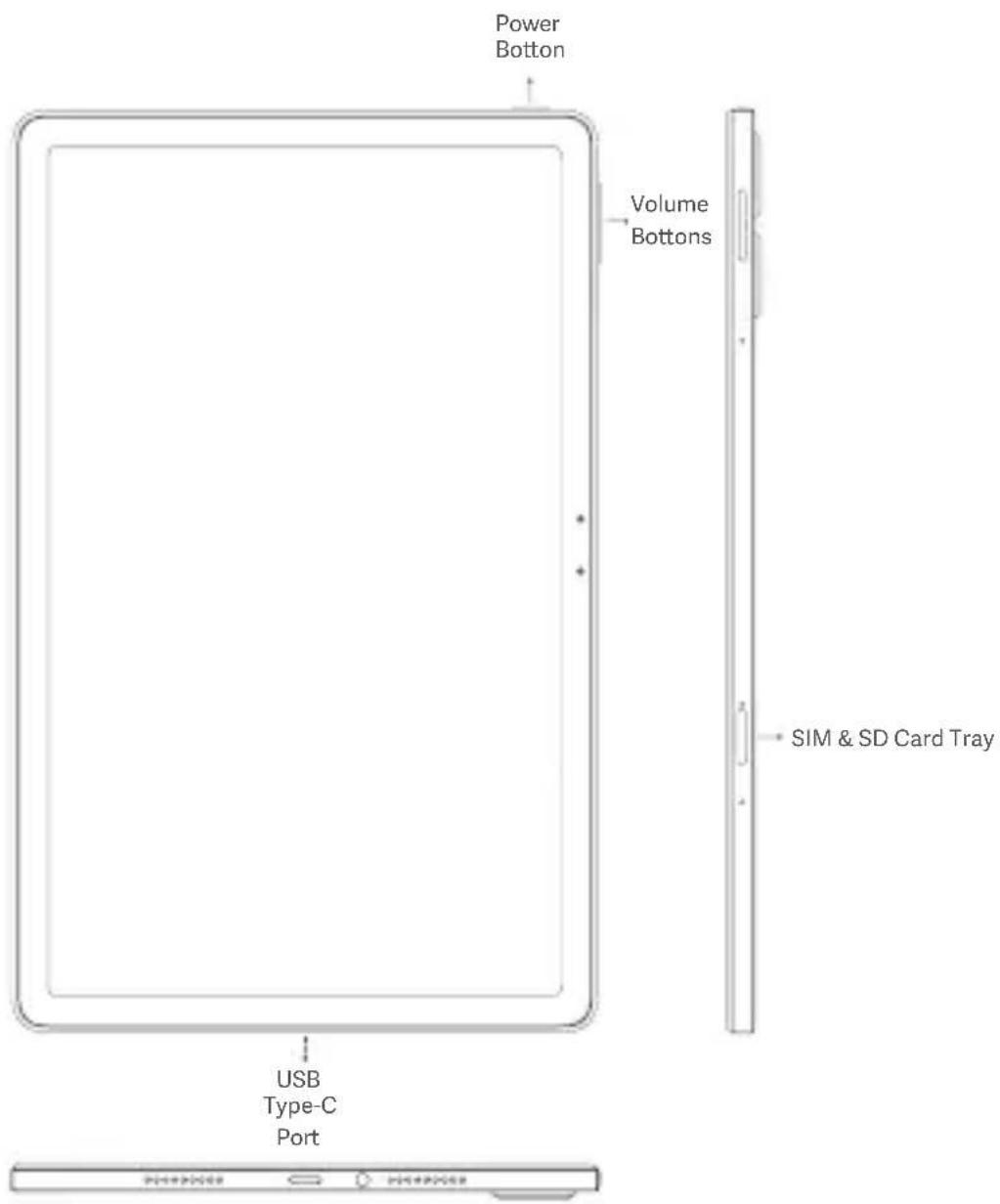
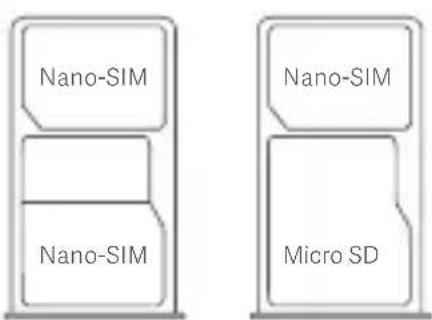
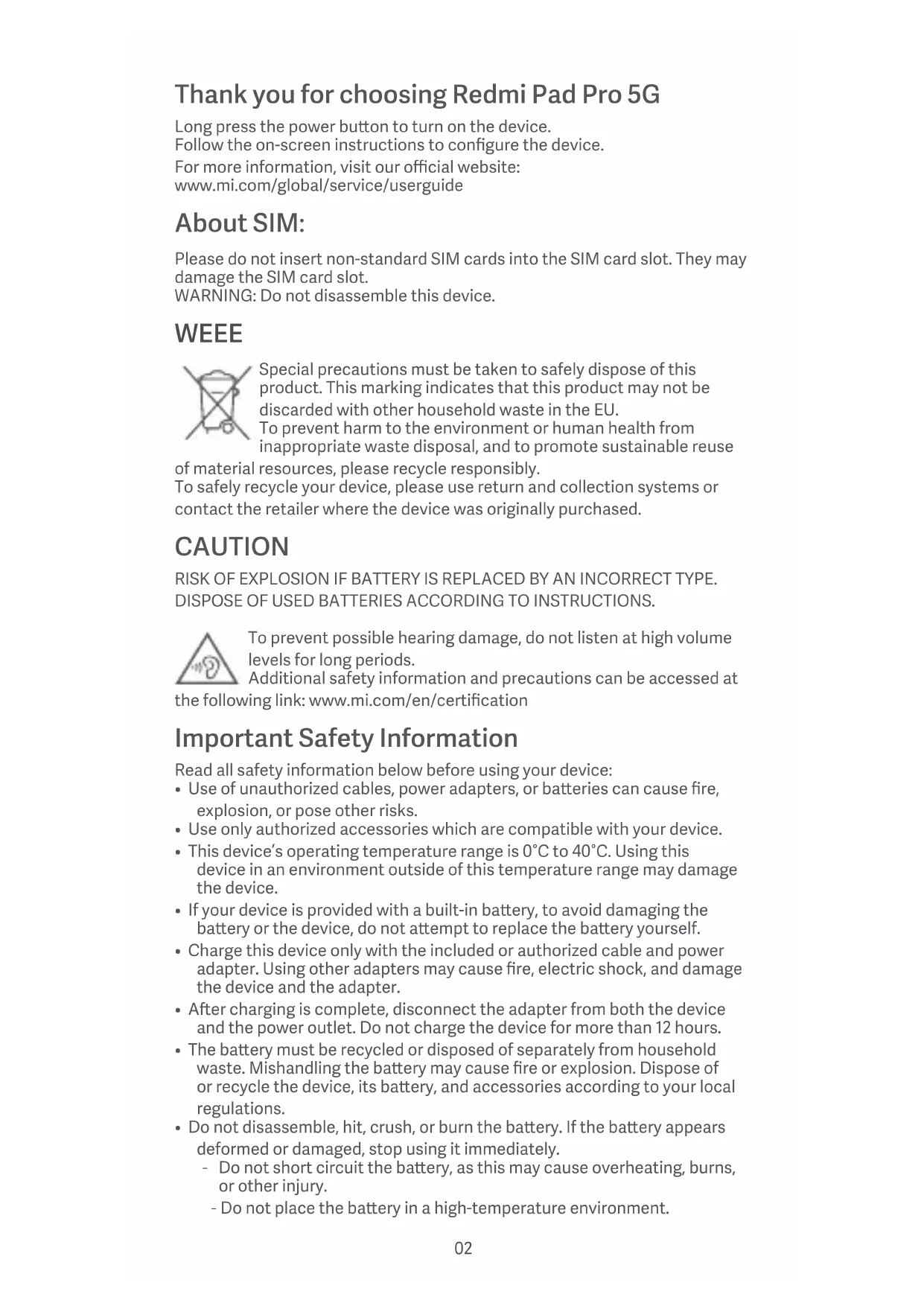
Thank you for choosing Redmi Pad Pro 5G
Long press the power button to turn on the device.
Follow the on-screen instructions to configure the device.
For more information, visit our official website:
www.mi.com/global/service/userguide
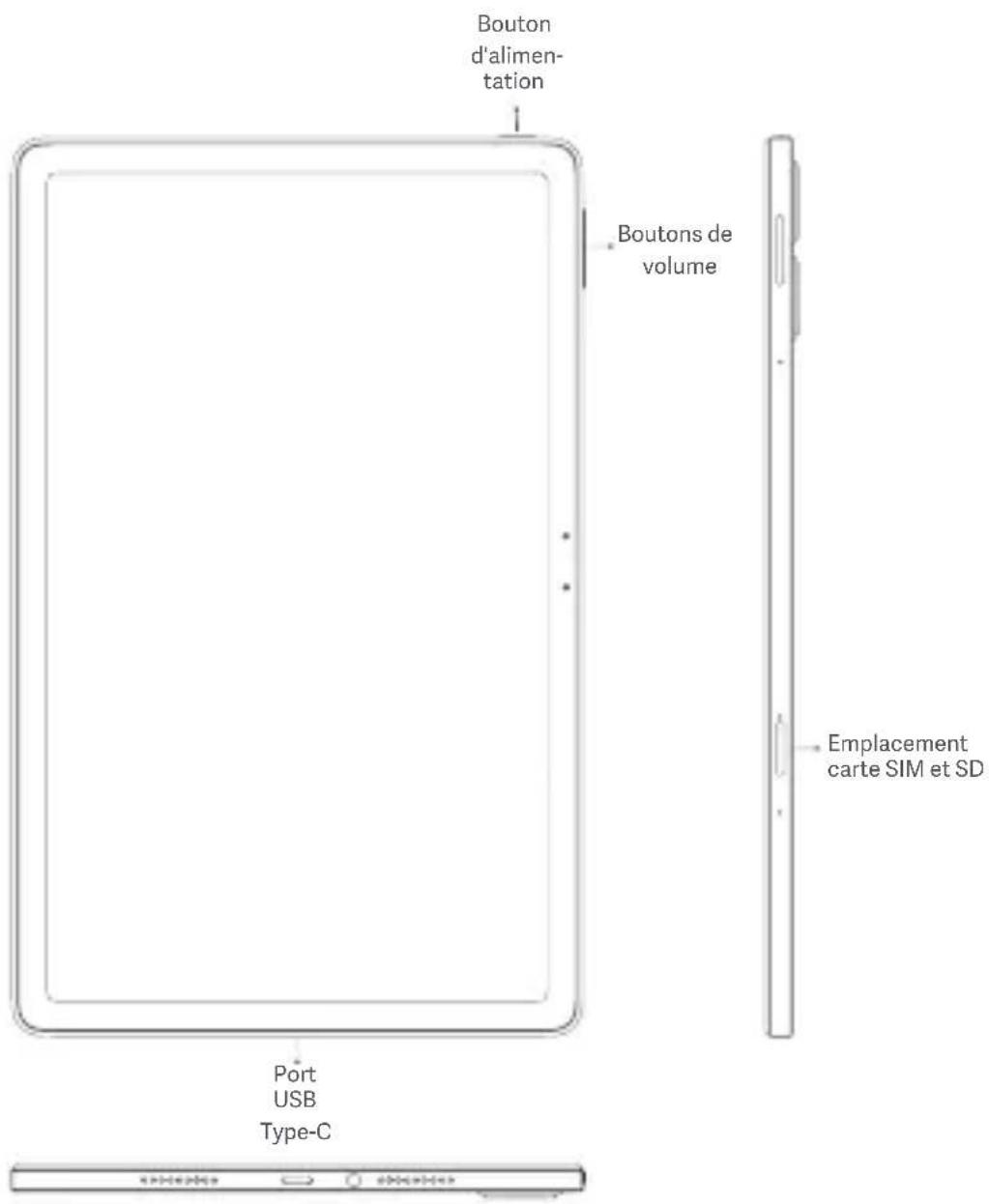
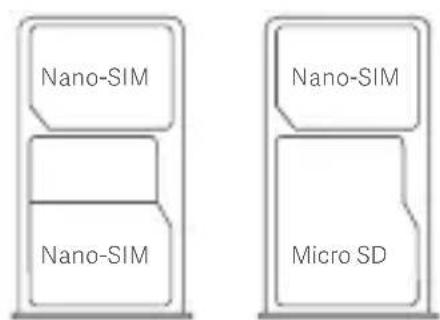
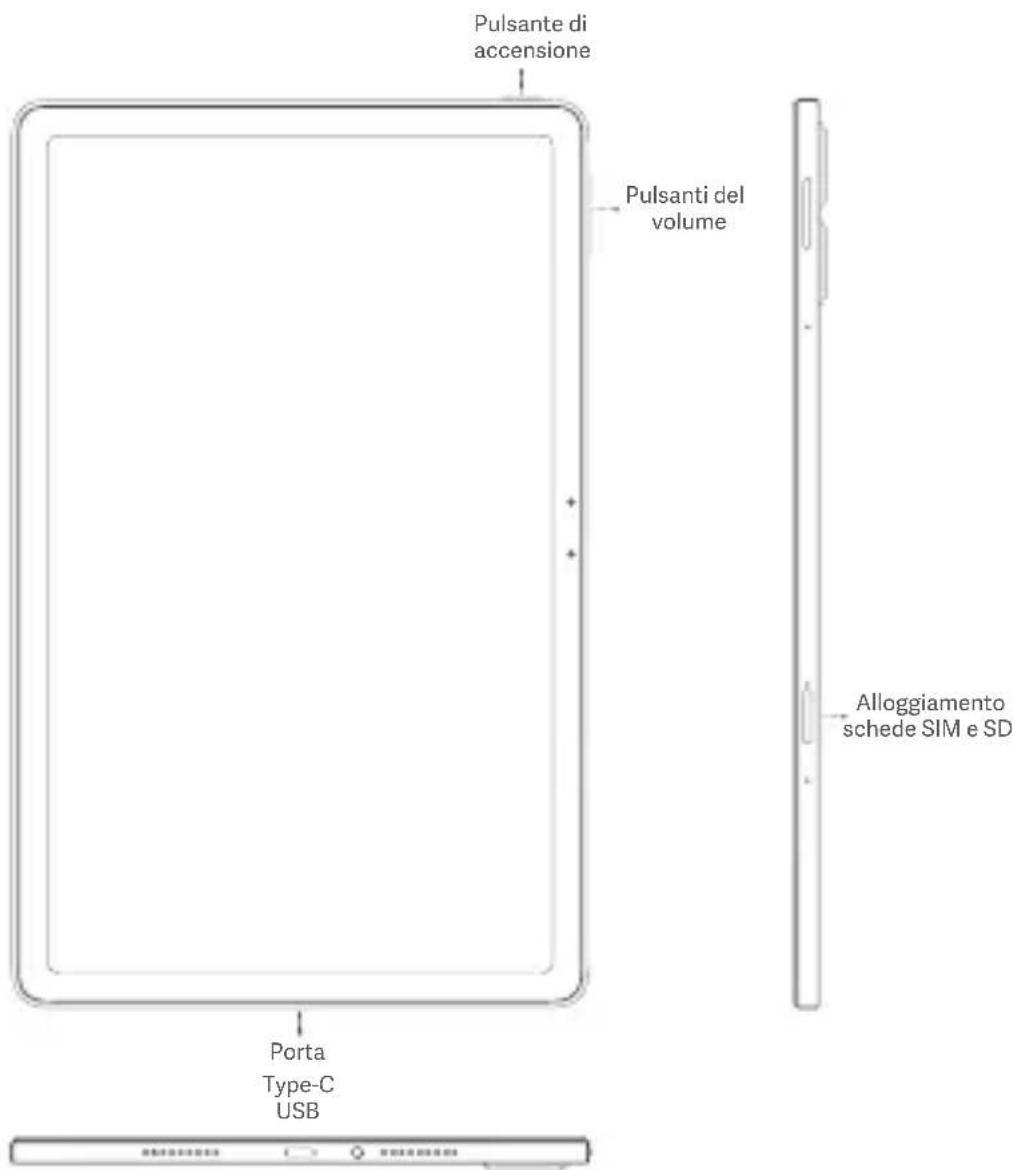
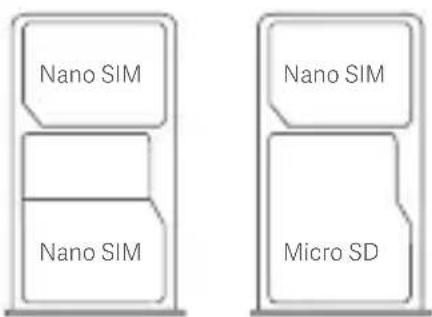
About SIM:
Please do not insert non-standard SIM cards into the SIM card slot. They may damage the SIM card slot.
WARNING: Do not disassemble this device.
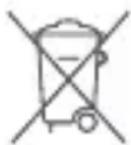
WEEE
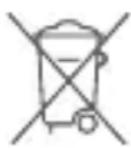
Special precautions must be taken to safely dispose of this product. This marking indicates that this product may not be discarded with other household waste in the EU.
To prevent harm to the environment or human health from inappropriate waste disposal, and to promote sustainable reuse
of material resources, please recycle responsibly.
To safely recycle your device, please use return and collection systems or contact the retailer where the device was originally purchased.
CAUTION
RISK OF EXPLOSION IF BATTERY IS REPLACED BY AN INCORRECT TYPE. DISPOSE OF USED BATTERIES ACCORDING TO INSTRUCTIONS.
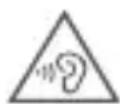
To prevent possible hearing damage, do not listen at high volume levels for long periods.
Additional safety information and precautions can be accessed at
the following link: www.mi.com/en/certification
Read all safety information below before using your device:
- Use of unauthorized cables, power adapters, or batteries can cause fire, explosion, or pose other risks.
- Use only authorized accessories which are compatible with your device.
- This device's operating temperature range is 0^ to 40^ . Using this device in an environment outside of this temperature range may damage the device.
- If your device is provided with a built-in battery, to avoid damaging the battery or the device, do not attempt to replace the battery yourself.
- Charge this device only with the included or authorized cable and power adapter. Using other adapters may cause fire, electric shock, and damage the device and the adapter.
- After charging is complete, disconnect the adapter from both the device and the power outlet. Do not charge the device for more than 12 hours.
- The battery must be recycled or disposed of separately from household waste. Mishandling the battery may cause fire or explosion. Dispose of or recycle the device, its battery, and accessories according to your local regulations.
-
Do not disassemble, hit, crush, or burn the battery. If the battery appears deformed or damaged, stop using it immediately.
-
Do not short circuit the battery, as this may cause overheating, burns, or other injury.
-
Do not place the battery in a high-temperature environment.
-
Overheating may cause explosion.
- Do not disassemble, hit, or crush the battery, as this may cause the battery to leak, overheat, or explode.
- Do not burn the battery, as this may cause fire or explosion.
-
If the battery appears deformed or damaged, stop using it immediately.
-
User shall not remove or alter the battery. Removal or repair of the battery shall only be done by an authorized repair center of the manufacturer.
- Keep your device dry.
- Do not try to repair the device yourself. If any part of the device does not work properly, contact Mi customer support or bring your device to an authorized repair center.
- Connect other devices according to their instruction manuals. Do not connect incompatible devices to this device.
- For AC/DC adapters, the socket-outlet shall be installed near the equipment and shall be easily accessible.

Safety Precautions
- Observe all applicable laws and rules restricting use of tablet in specific situations and environments.
- Do not use your tablet at petrol stations or in any explosive atmosphere or potentially explosive environment, including fueling areas, below decks on boats, fuel or chemical transfer or storage facilities, or areas where the air may contain chemicals or particles such as grain, dust, or metal powders. Obey all posted signs to turn off wireless devices such as your tablet or other radio equipment. Turn off your tablet or wireless device when in a blasting area or in areas requiring "two-way radios" or "electronic devices" to be turned off to prevent potential hazards.
- Do not use your tablet in hospital operating rooms, emergency rooms, or intensive care units. Always comply with all rules and regulations of hospitals and health centers. If you have a medical device, please consult your doctor and the device manufacturer to determine whether your tablet may interfere with the device's operation. To avoid potential interference with a pacemaker, always maintain a minimum distance of 15cm between your tablet and the pacemaker. To avoid interference with medical equipment, do not use your tablet near hearing aids, cochlear implants, or other similar devices.
- Observe all aircraft safety regulations and turn off your tablet on board aircraft when required.
- When driving a vehicle, use your tablet in accordance with relevant traffic laws and regulations.
- To avoid being struck by lightning, do not use your tablet outdoors during thunderstorms.
- Do not use your tablet to make calls while it is charging.
- Do not use your tablet in places with high humidity, such as bathrooms. Doing so may result in electric shock, injury, fire, and charger damage.
- Connect the "Redmi Pad Pro 5G" to computer using a USB data cable. Use the USB cable included in the gift box with a Mi brand charger and then connect it to a power strip.
- You can also use any third-party charger that complies with USB2.0 or higher protocol standards and also meets the requirements of the International Information Technology Equipment Safety Standard (IEC 60950), Audio/video, Information and Communication Technology Equipment Standard (IEC 62368-1) and the related laws and regulations of your country or region.
- Please note that the product allows the use of chargers with the maximum output of 33W. The maximum voltage shall not exceed [11 V] and
the maximum current shall not exceed [3A].
Using other chargers that do not meet the above requirements to charge this product may damage the product itself and your personal or property
safety.
Security Statement
Please update your tablet's operating system using the built-in software update feature, or visit any of our authorized service outlets. Updating software through other means may damage the device or result in data loss, security issues, and other risks.
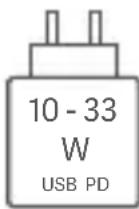
The power delivered by the charger shall be between min [10] Watts required by the radio equipment, and max [33] Watts in order to achieve the maximum charging speed. USB PD fast Charging.

EU Regulations
Xiaomi Communications Co., Ltd. hereby declares that this GSM / GPRS / EDGE / UMTS / LTE / 5G NR Tablet with Bluetooth and Wi-Fi 24074RPD2G is in compliance with the essential requirements and other relevant provisions of the RE Directive 2014/53/EU. The full text of the EU declaration of conformity is available at the following internet address: www.mi.com/en/ certification
This device is in compliance with Specific Absorption Rate (SAR) limits for general population/uncontrolled exposure (Localized 10-gram SAR for trunk, limit: 2.0W / kg ) specified in Council Recommendation 1999/519/EC, ICNIRP Guidelines, and RED (Directive 2014/53/EU).
During SAR testing, this device was set to transmit at its highest certified power level in all tested frequency bands.
When attaching the device near the body, a belt clip or holster should be used which does not contain metallic components. RF exposure compliance was not tested or certified with any accessory containing metal worn on the body, and use of such an accessory should be avoided.
SAR 10 g limit: 2.0 W/Kg,
SAR Value: Body: 0.996 W/Kg (0 mm distance).
This device may be operated in all member states of the EU.
Observe national and local regulations where the device is used.
This device is restricted to indoor use only when operating in the 5250 to
5350 MHz, 5945 to 6425MHz frequency range in :
AT,BE,BG,HR,CY,CZ,DK,EE,FI,FR,DE,EL,HU
IE,IT,LV,LT,LU,MT,NL,PT,RO,SK,S1,ES,SE,UK(NI),IS,LI,NO,CH,TR
Wi-Fi connectivity (including Wi-Fi frequency bands, Wi-Fi standards and other features as ratified in IEEE Standard 802.11 specifications) may vary based on regional availability and local network support. The function may be added via OTA when and where applicable
Restrictions in the 2.4 GHz band:
Norway: This subsection does not apply for the geographical area within a radius of 20km from the centre of Ny-Alesund.
Please ensure the used power adapters are compliant with applicable
country regulations and international and regional safety standards.
Frequency Bands and Power
This tablet offers the following frequency bands in EU areas only and maximum radio-frequency power:
GSM 900:35.5 dBm
GSM 1800:32.5 dBm
WCDMA band 1/8:25.7 dBm
LTE band 1/3/7/8/20/28/38/40/41: 25.7 dBm
5G NR band n1/n3/n7/n8/n20/n28/n38/n40/n41: 26 dBm, 5G NR band n77/
n78:29 dBm
Bluetooth:20 dBm
Wi-Fi 2.4 GHz band: 20 dBm
Wi-Fi 5 GHz: 5150 to 5250MHz: 23 dBm, 5250 to 5350 MHz: 20 dBm
5470 to 5725 MHz: 20 dBm, 5725 to 5850 MHz: 14 dBm, 5945 to 6425 MHz:
23dBm
5G connection depends on country, carrier, and user environment.
E-label
This device has an electronic label for certification information.
To access it, please go to Settings > About tablet > Certification, or open
Settings and type "Certification" into the search bar
Instructions for Factory reset
Path: Settings > About tablet > Factory reset
You can quickly erase the local data on the device via "Factory reset".
Data to be erased includes: Accounts, Contacts, Photos and videos, Apps,
Backups, SD card data and Other items on this device.
Model: 24074RPD2G
2407 indicates that this product will be launched after 202407.
Disclaimer
This quick start guide is published by Xiaomi or its local affiliated company. Improvements and changes to this guide necessitated by typographical errors, inaccuracies of current information, or improvements to programs and/or equipment, may be made by Xiaomi at any time and without notice. Such changes will, however, be incorporated into new online editions of the quick start guide (please see details at www.mi.com/global/service/userguide). All illustrations are for illustration purposes only and may not accurately depict the actual device.
FR
019, 9th Floor, Building 6, 33 Xi'erqi Middle Road, Haidian District, Beijing, China, 100085
IT
www.mi.com/en/certification
L imite SAR 10 g:2,0 W/kg
RACCOLTA DIFFERENZIATA
www.mi.com/global/service/userguide
Uber SIM:
5G NR-Band n1/n3/n7/n8/n20/n28/n38/n40/n41: 26 dBm, 5G NR-Band n77/
n78:29 dBm
Bluetooth:20 dBm
SAR limite 10 g:2,0 W/kg
www.mi.com/global/service/userguide
OSIM:
Limit SAR 10 g:2,0 W/kg.
Limit SAR 10 g:2,0 W/kg
Hodnoty SAR: telo: 0,996 W/kg (vzdalenost 0 mm).
AT,BE,BG,HR,CZ,DK,EE,FI,FR,DE,EL,HU,IE
IT,LV,LT,LU,MT,NL,PL,PT,RO,SK,SI,ES,SE,UK(NI),IS,LI,NO,CH,TR
Limita SAR 10 g:2,0 W/kg
www.mi.com/global/service/userguide
Ihopmaia npo SIM-kapty
He BCTabIaIe HectaHdapTHi SIM-kaptKn B cNoT dJa SIM-kaptKn.BoHn
MOxyTb nowkOuNTn cnot nla SIM-kapTk.
PONEPENKEHN!Hepo36paateeepnpcpi.
BixoJn eJeKtpuHoro n eJeKtpoHoro 06laHaHHa (WEEE)
Ioo6 6e3neuHO yTuJI3yBaTu Bnpi6, Heo6xIDHO BkNTu OcO6nBux 3an06ixHnx 3axoJIB. Take MapkyBaHHaO3Haue, 0o ue Bnpi6 3abopoHeHO yTuJI3yBaTu pa3om i3 no6yTOBmN BiXxoJamN B EC.
Ioo He 3aBdaBAtn IkoDIOBkIIIO a6o 3dopOB'IO JIOeJ uepe3 HnaJeKHy ytni3auiO BIXOdb i cnpraTn CTaIOMy NOBTOPHOMY
BnKOpncTaHHo MaTepiIbHnx pecypciB,notpi6Ho BiINOBiIaIbHO CTaBNTnCJ do nepepo6Kn.
Дя 6e3neuhoi nepepo6kn npictpoIO nobepnIb noIyHKTu npniomy a6o 3BepHITbc4do po3dpi6HOro npOaBz4, yakoro npnd6aII npictpi.
YBARA!
BVKOPNCTAHH HENPABUNbHO TUNY AKUMYLJTOPA MOXECNPNUHHTN BNUBX.
YTNJI3yIe BnKOpNCTAHI AKyMylrTOPi 3IiHO 3 IHCTPyKlEIO.
Uo6 3anobirn moKInBOMy noripseHnO cnyx, He npoclyxOByTe ayio Ha BnCoki ryuHocti BnpoDOK TpNbAloro nepiody.
IodatkoBiBIDOMOCTI npo 6e3neky Ta 3anobixkhi 3axoJn BnKlaJeHO 3a nocnilaHHm: www.mi.com/en/certification
BaxklnBa iHΦopMaцiЯ npo 6e3neky
O3HaHOMTeC8 3 ycima BiIDOMoCTaMn npo 6e3neKy, nepu HIX BIKOPNCTOByBaTn npucTp:
BukopncTaHHn Heo3BoJeHnx Ka6eIb, aanTepiB KINBneHHa 60 akyMylrTopiB MoKe cnpuHHTn NOKExy, Bn6yx a6o ctaHOBTn iHsi pN3IKN.
BukopncTObyTe tIbKn yXbaJIeHi akcecyapn, cymichi 3 BaAMm npncTpoem.
- TemnepaTpa HABKOLINHbOro cepeIOBua dIy EKCNlyatauII npNCTpOcTaHOBt bI0 0do 40^ .PnpCTpiM MoKe NOnKOAnTnc, KaIO BIKOPNCTOBByBaTu NOro 3a MeXaMn 3a3HaueHOro TempePaTyphoro diAna3OHy.
- YKIO npncptiO ochaueHO B6ydoBaHm akyMylrTopOM, He HamaaraiTec 3amHHTn Ioro Blachopuy, 0o6 3anobirn NowkoJKeHHIO akyMylrTopa abo npncptpo.
3apjkaTe ue npncpti Tl6Kn 3a donomoro k6eHIO aadantepa KINBHeHHraKIOCTaUOTbcB KOMnEKeTI a6O CXBaJIeHI. BnKOpNCTaHHI INHX aadntepiMoKe npu3BeCTn Do 3aMaHHy, ypaXeHH eNeKtpuHMM cTpyMOM i N0wKOJKeHH npncptoU aadantepa.
- Koln 3apJxHnH 3aBepunTbc, BiE'EnHaIe aanTepe BID npncptpo Ta po3etKn. He 3apJxHnTe npncptpi noHa12 roHN.
- Akymyntop notpi6HO BiDAtn Ha nepepo6ky a60 yTNIi3yBaTu OKpemOBiD no6yTOBux BiXoDIB. HenpaBnIbHe NOBOJKeHHa akymyIATOpMOKe npu3BeCTn Do 3aMmaHnA a60 Bn6Byx. YtNi3yIte a60 3daBaIteHa nepepo6ky npncptpi, Ioro akymyIATOp i akcecyapn BiINOBiDHO do MicueBnx HOpM.
3a6opohetaeTbca po36npatu, yapatn, lamatn a6o cnaioBaTu akymyIaTOp. KsoakymyIaTOp BnIglaAe deΦopMOBaHm a6o NowkoJxehm, heraHO npunHtB Hm KopNCTyBaTncr.
-He donyckaTe KOPOTKOrO 3aMnKaHHaKMyJrTOpa, ockIbKn ue moKe npu3BecTu do neperpibAHn, onikib a6o iHux TpaBM.
-3a6oponeHOp03TaOyBaTu aKymyIaTOp y cepeobuI 3 BnCOKO TeMnepaTPOIO.
-PerepripaHHMOKe npn3BecTNO Bn6xy.
-3a6oPoneHo po36npatu, ydapTn a6o lamatn akymyIaTOp, ockiNbKu ce MoKe npn3BecTu DO BVtOKy eEleKTpOliTy, neperpiBaHHa 6o BV6byx.
-3a6opoHeNo cnaIIOBAtn akymyIaTOp, ockijbKn ce moKe npu3BeCTn do noxeki a6o Bv6yxy.
-Якwo akymyIaTOp BnIgIaIe deΦopMOBaHm a6o NOsKOJKeHm, HeraHNO npuINHiB Hm KOpNCTyBaTnCra.
KopncTyBaayam 3a6OpOHeNo BnMaTn aKymyIaTOp a6o BHOcHTN B NoRO KOHCTpyKciIO 3miH.N. BnMaHHa6o peMOHT aKymyIaTOpa NOBHHi 3diCHOBaTN JIwe npedCTaBHnKn ABTOpN3ObaHOro peMOHTHOrO ceHTpy Bnpo6Hnka.
CniikkyiTe,io6 npncptpi 3aBxnn 6yB cyxn.
- He hamaraiTecpemOHByBatn npncptpi camOtjKKn. KkO 6yNb-ka Detalb npncptpo He yHKioHye HaleXHM uHOM, 3BepHiTbc DO Cny6nPiTpumKn Mi a6o npnHeCtbpncptpi Do ABTopu3OBaHoro cepBicHOU cHTpy.
PiiklouaTe iHwipnctpoi 3riDHO 3noc6HnKaMn 3ix ekCnnyatauii. 3a60pOHaETbcra NiKluoyatn Hecymichi npunctpoi do zuoro npunctpoio.
- Adaantep 3miHnOro cTpyM cyiD BMNKaTN B po3eTKy, kA po3TaWOBaHa npuy i3 npncTroem i do koi MoXHa JERKO OTPMaTH IOCTyn.

BidnoBicb BmOram YkpaHn
TexhiHn perIaMeHT paioo6naHaHHa, 3aTbePdxeHoro
IOCTaHOBO Ka6iHeTy MInicTpB YkpaHb Bi24 TpaBnra
2017 p. N°355:
cnpabXHM «Xiaomi Communications Co., Ltd.» 3aABye, 9O TnI
paioo6naHaHHa:
IIaanweHn IIK (Tablet Computer) t.M. «Redmi» MoedJI 24074RPD2G
(Redmi Pad Pro 5G)
BiINOBiJaE TexHinHomy perIaMeHTy paioo6naHaHHa.
IOBnI TeKCT Ieknapaui npo BiINOBiHicTh DoCTynHn Ha Be6-caTi 3a
TaKOIO aIpecoIO:
www.mi.com/en/certification
UeI PAnWeTHn IIK moKe npaIOBaTu B HAcTyNHx diana3OHax qactOT B
YkpaHb Ta 3 MaKcImaIbHoIO paiouacToTHOIO NOTXHiCTIO: