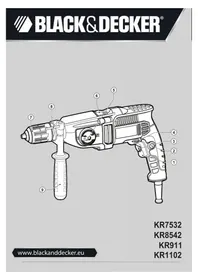
KR8542 - Drill BLACK & DECKER - Free user manual and instructions
Find the device manual for free KR8542 BLACK & DECKER in PDF.



| Product Type | Hammer Drill |
| Brand | Black & Decker |
| Model | KR8542 |
| Weight | 2.5 kg |
| Power Supply | 230 V AC, 50 Hz |
| Power | 750 W |
| No-Load Speed | 0-1100 / 0-3100 min⁻¹ (2 speeds) |
| Impact Rate | 0-18 700 / 0-52 700 min⁻¹ |
| Max. Drilling Capacity (concrete) | 16 mm |
| Max. Drilling Capacity (steel) | 13 mm |
| Max. Drilling Capacity (wood) | 50 mm |
| Chuck Type | Self-tightening or keyed chuck (depending on version) |
| Double Insulation | Yes |
| Main Functions | Drilling, hammer drilling, screwdriving |
| Maintenance and Cleaning | Clean the ventilation slots with a soft brush or dry cloth. Clean the motor housing with a damp cloth. Open the chuck and remove dust by tapping. |
| Safety | Double insulation, emergency stop, switch lock (continuous mode), protection against accidental start-ups |
| Spare Parts and Repairability | Have repairs done only by a Black & Decker authorized service agent. Use appropriate replacement parts. |
| General Information | For domestic use only. 24-month warranty. Visit www.blackanddecker.fr for registration and offers. |
Frequently Asked Questions - KR8542 BLACK & DECKER
User questions about KR8542 BLACK & DECKER
0 question about this device. Answer the ones you know or ask your own.
Ask a new question about this device
Download the instructions for your Drill in PDF format for free! Find your manual KR8542 - BLACK & DECKER and take your electronic device back in hand. On this page are published all the documents necessary for the use of your device. KR8542 by BLACK & DECKER.
USER MANUAL KR8542 BLACK & DECKER
English (Original instructions) 4
Your Black & Decker impact drill has been designed for drilling in wood, metal, plastics, and masonry as well as for screwdriving purposes. This tool is intended for consumer use only.
Safety instructions
General power tool safety warnings

Warning! Read all safety warnings and all instructions. Failure to follow the warnings and instructions listed below may result in electric shock, fire and/or serious injury.
Save all warnings and instructions for future reference. The term "power tool" in the warnings refers to your mains operated (cored) power tool or battery operated (cordless) power tool.
- Work area safety
a. Keep work area clean and well lit. Cluttered or dark areas invite accidents.
b. Do not operate power tools in explosive atmospheres, such as in the presence of flammable liquids, gases or dust. Power tools create sparks which may ignite the dust or fumes.
c. Keep children and bystanders away while operating a power tool. Distractions can cause you to lose control. - Electrical safety
a. Power tool plugs must match the outlet. Never modify the plug in any way. Do not use any adapter plugs with earthed (grounded) power tools. Unmodified plugs and matching outlets will reduce risk of electric shock.
b. Avoid body contact with earthed or grounded surfaces such as pipes, radiators, ranges and refrigerators. There is an increased risk of electric shock if your body is earthed or grounded.
c. Do not expose power tools to rain or wet conditions. Water entering a power tool will increase the risk of electric shock.
d. Do not abuse the cord. Never use the cord for carrying, pulling or unplugging the power tool. Keep cord away from heat, oil, sharp edges or moving parts. Damaged or entangled cords increase the risk of electric shock.
e. When operating a power tool outdoors, use an extension cord suitable for outdoor
use. Use of a cord suitable for outdoor use reduces the risk of electric shock.
f. If operating a power tool in a damp location is unavoidable, use a residual current device (RCD) protected supply. Use of an RCD reduces the risk of electric shock.
3. Personal safety
a. Stay alert, watch what you are doing and use common sense when operating a power tool. Do not use a power tool while you are tired or under the influence of drugs, alcohol or medication. A moment of inattention while operating power tools may result in serious personal injury.
b. Use personal protective equipment. Always wear eye protection. Protective equipment such as dust mask, non-skid safety shoes, hard hat, or hearing protection used for appropriate conditions will reduce personal injuries.
c. Prevent unintentional starting. Ensure the switch is in the off-position before connecting to power source and/or battery pack, picking up or carrying the tool. Carrying power tools with your finger on the switch or energising power tools that have the switch on invites accidents.
d. Remove any adjusting key or wrench before turning the power tool on. A wrench or a key left attached to a rotating part of the power tool may result in personal injury.
e. Do not overreach. Keep proper footing and balance at all times. This enables better control of the power tool in unexpected situations.
f. Dress properly. Do not wear loose clothing or jewellery. Keep your hair, clothing and gloves away from moving parts. Loose clothes, jewellery or long hair can be caught in moving parts.
g. If devices are provided for the connection of dust extraction and collection facilities, ensure these are connected and properly used. Use of dust collection can reduce dust-related hazards.
4. Power tool use and care
a. Do not force the power tool. Use the correct power tool for your application. The correct power tool will do the job better and safer at the rate for which it was designed.
b. Do not use the power tool if the switch does not turn it on and off. Any power tool that cannot be controlled with the switch is dangerous and must be repaired.
c. Disconnect the plug from the power source and/or the battery pack from the power tool before making any adjustments, changing accessories, or storing power tools. Such preventive safety measures reduce the risk of starting the power tool accidentally.
d. Store idle power tools out of the reach of children and do not allow persons unfamiliar with the power tool or these instructions to operate the power tool. Power tools are dangerous in the hands of untrained users.
e. Maintain power tools. Check for misalignment or binding of moving parts, breakage of parts and any other condition that may affect the power tools operation. If damaged, have the power tool repaired before use. Many accidents are caused by poorly maintained power tools.
f. Keep cutting tools sharp and clean. Properly maintained cutting tools with sharp cutting edges are less likely to bind and are easier to control.
g. Use the power tool, accessories and tool bits etc. in accordance with these instructions, taking into account the working conditions and the work to be performed. Use of the power tool for operations different from those intended could result in a hazardous situation.
- Service
a. Have your power tool serviced by a qualified repair person using only identical replacement parts. This will ensure that the safety of the power tool is maintained.
Additional power tool safety warnings

Warning! Additional safety warnings for drills and impact drills
Wear ear protectors with impact drills. Exposure to noise can cause hearing loss.
Use auxiliary handles supplied with the tool. Loss of control can cause personal injury.
Hold power tool by insulated gripping surfaces when performing an operation where the cutting accessory may contact
hidden wiring or its own cord. Cutting accessory contacting a "live" wire may make exposed metal parts of the power tool "live" and could give the operator an electric shock
Never use a chisel accessory in rotary mode. The accessory will bind in the material and rotate the drill.
Use clamps or another practical way to secure and support the workpiece to a stable platform. Holding the work by hand or against your body leaves it unstable and may lead to loss of control.
Before drilling into walls, floors or ceilings, check for the location of wiring and pipes.
Avoid touching the tip of a drill bit just after drilling, as it may be hot.
The intended use is described in this instruction manual. The use of any accessory or attachment or performance of any operation with this tool other than those recommended in this instruction manual may present a risk of personal injury and/or damage to property.
Safety of others
This appliance is not intended for use by persons (including children) with reduced physical, sensory or mental capabilities, or lack of experience and knowledge, unless they have been given supervision or instruction concerning use of the appliance by a person responsible for their safety.
Children should be supervised to ensure that they do not play with the appliance.
Residual risks.
Additional residual risks may arise when using the tool which may not be included in the enclosed safety warnings. These risks can arise from misuse, prolonged use etc.
Even with the application of the relevant safety regulations and the implementation of safety devices, certain residual risks can not be avoided. These include:
Injuries caused by touching any rotating/ moving parts.
Injuries caused when changing any parts, blades or accessories.
Injuries caused by prolonged use of a tool. When using any tool for prolonged periods ensure you take regular breaks.
Impairment of hearing.
Health hazards caused by breathing dust developed when using your tool (example:-
ENGLISH
working with wood, especially oak, beech and MDF.)
Vibration
The declared vibration emission values stated in the technical data and the declaration of conformity have been measured in accordance with a standard test method provided by EN 60745 and may be used for comparing one tool with another. The declared vibration emission value may also be used in a preliminary assessment of exposure.
Warning! The vibration emission value during actual use of the power tool can differ from the declared value depending on the ways in which the tool is used. The vibration level may increase above the level stated.
When assessing vibration exposure to determine safety measures required by 2002/44/EC to protect persons regularly using power tools in employment, an estimation of vibration exposure should consider, the actual conditions of use and the way the tool is used, including taking account of all parts of the operating cycle such as the times when the tool is switched off and when it is running idle in addition to the trigger time.
Labels on tool
The following pictograms are shown on the tool:

Warning! To reduce the risk of injury, the user must read the instruction manual.
Electrical safety

This tool is double insulated; therefore no earth wire is required. Always check that the power supply corresponds to the voltage on the rating plate.
If the supply cord is damaged, it must be replaced by the manufacturer or an authorised Black & Decker Service Centre in order to avoid a hazard.
Features
This tool includes some or all of the following features.
- Variable speed switch
- Lock-on button
- Variable speed control knob
- Forward/reverse switch
- Two-ear selector
-
Drilling mode selector
-
Chuck
- Depth stop
- Side handle
Assembly
Warning! Before assembly, make sure that the tool is switched off and unplugged.
Fitting the side handle and depth stop (fi g. A)
Turn the grip counterclockwise until you can slide the side handle (9) onto the front of the tool.
Rotate the side handle into the desired position.
Insert the depth stop (8) into the mounting hole as shown.
Set the drilling depth as described below.
Tighten the side handle by turning the grip clockwise.
Setting the drilling depth (fi g. A)
Slacken the side handle (9) by turning the grip counterclockwise.
Set the depth stop (8) to the desired position. The maximum drilling depth is equal to the distance between the tip of the drill bit and the front end of the depth stop.
Tighten the side handle by turning the grip clockwise.
Fitting an accessory (fig. B - D)
Keyless chuck with spindle lock (Where supplied) (fig. B)
Open the chuck (7) by turning the sleeve (11) counterclockwise.
Insert the bit shaft (12) into the chuck.
Tighten the chuck by turning the sleeve clockwise.
Keyless chuck (Where supplied) (fi g. C)
Open the chuck by turning the front part (13) with one hand while holding the rear part (14) with the other.
Insert the bit shaft (12) into the chuck and firmly tighten the chuck.
Keyed chuck (Where supplied) (fi g. D)
Open the chuck by turning the sleeve (15) counterclockwise.
Insert the bit shaft (12) into the chuck.
Insert the chuck key (16) into each hole (17) in the side of the chuck and turn clockwise until tight.
Removing and refitting the chuck (fig. E)
Open the chuck as far as possible.
Remove the chuck retaining screw, located in the chuck, by turning it clockwise using a screwdriver.
Tighten an Allen key into the chuck and strike it with a hammer as shown.
Remove the Allen key.
Remove the chuck by turning it counterclockwise.
To refit the chuck, screw it onto the spindle and secure it with the chuck retaining screw.
Use
Warning! Let the tool work at its own pace. Do not overload.
Warning! Before drilling into walls, floors or ceilings, check for the location of wiring and pipes.
Selecting the drilling mode
For hammer drilling in masonry and concrete, set the operating mode selector (6) to the T2 position.
For drilling in steel, wood and plastics, set the operating mode selector (6) to the 2 position.
Two-gear selector (fig. A)
For drilling in steel and for screwdriving applications, turn the two-gear selector (5) into position 1 by aligning the arrow (10) with the number 1 (1st gear).
For drilling in materials other than steel, turn the two-gear selector (5) into position 2 by aligning the arrow (10) with the number 2 (2nd gear).
Selecting the direction of rotation
For drilling and tightening screws, use forward (clockwise) rotation. For loosening screws or removing a jammed drill bit, use reverse (counterclockwise) rotation.
To select forward rotation, push the forward/ reverse slider (4) to the left.
To select reverse rotation, push the forward/ reverse slider to the right.
Warning! Never change the direction of rotation while the motor is running.
Switching on and off
To switch the tool on, press the variable speed switch (1). The tool speed depends on how far you press the switch. If the tool has a variable speed control knob (3), set it to the required speed range. As a general rule, use low
speeds for large diameter drill bits and high speeds for smaller diameter drill bits.
For continuous operation, press the lock-on button (2) and release the variable speed switch. This option is available only at full speed or at any speed preset with the variable speed control knob (3). This option does not work in reverse rotation.
To switch the tool off, release the variable speed switch. To switch the tool off when in continuous operation, press the variable speed switch once more and release it.
Accessories
The performance of your tool depends on the accessory used. Black & Decker and Piranha accessories are engineered to high quality standards and designed to enhance the performance of your tool. By using these accessories you will get the very best from your tool.
Maintenance
Your Black & Decker corded/cordless appliance/ tool has been designed to operate over a long period of time with a minimum of maintenance. Continuous satisfactory operation depends upon proper tool care and regular cleaning.
Warning! Before performing any maintenance on corded/cordless power tools:
Switch off and unplug the appliance/tool.
Or switch off and remove the battery from the appliance/tool if the appliance/tool has a separate battery pack.
Or run the battery down completely if it is integral and then switch off.
Unplug the charger before cleaning it. Your charger does not require any maintenance apart from regular cleaning.
Regularly clean the ventilation slots in your appliance/tool/charger using a soft brush or dry cloth.
Regularly clean the motor housing using a damp cloth. Do not use any abrasive or solvent-based cleaner.
Regularly open the chuck and tap it to remove any dust from the interior (when fitted).
Mains plug replacement (U.K. & Ireland only)
If a new mains plug needs to be fitted:
Safely dispose of the old plug.
Connect the brown lead to the live terminal in the new plug.
Connect the blue lead to the neutral terminal. Warning! No connection is to be made to the earth terminal. Follow the ftting instructions supplied with good quality plugs. Recommended fuse: 5 A.
Protecting the environment

Separate collection. This product must not be disposed of with normal household waste.
Should you find one day that your Black & Decker product needs replacement, or if it is of no further use to you, do not dispose of it with household waste. Make this product available for separate collection.

Separate collection of used products and packaging allows materials to be recycled and used again. Re-use of recycled materials helps prevent environmental pollution and reduces the demand for raw materials.
Local regulations may provide for separate collection of electrical products from the household, at municipal waste sites or by the retailer when you purchase a new product.
Black & Decker provides a facility for the collection and recycling of Black & Decker products once they have reached the end of their working life. To take advantage of this service please return your product to any authorised repair agent who will collect them on our behalf.
You can check the location of your nearest authorised repair agent by contacting your local Black & Decker offi ce at the address indicated in this manual. Alternatively, a list of authorised Black & Decker repair agents and full details of our after-sales service and contacts are available on the Internet at: www.2helpU.com
Technical data
| KR7532 KR8542 (Type 1) (Type 1) | |||
| Input voltage V | AC | 230 | 230 |
| Power input W 750 | 850 | ||
| No-load speed | min-1 | 0-1100 / | 0-1100 / |
| 0-3100 | 0-3100 | ||
| Impact rate min | -1 | 0-18,700 / | 0-18,700 / |
| 0-52,700 | 0-52,700 | ||
| Max. drilling capacity | |||
| Concrete | mm | 16 | 18 |
| Steel | mm | 13 | 13 |
| Wood | mm | 50 | 50 |
| Weight | kg | 2.5 | 2.6 |
| KR911 (Type 1) | KR1102 (Type 1) | ||
| Input voltage V | AC | 230 | 230 |
| Power input W | 910 1100 | ||
| No-load speed | min-1 | 0-1100 / | 0-1100 / |
| 0-3100 | 0-3200 | ||
| Impact rate min | -1 | 0-18,700 / | 0-18,700 / |
| 0-52,700 | 0-54,400 | ||
| Max. drilling capacity | |||
| Concrete | mm | 18 | 20 |
| Steel | mm | 13 | 16 |
| Wood | mm | 50 | 50 |
| Weight | kg | 2.6 | 2.8 |
Level of sound pressure according to EN 60745:
Sound pressure (LpA) 100 dB(A), uncertainty (K) 3 dB(A), Sound power (LWA) 111 dB(A), uncertainty (K) 3 dB(A)
Vibration total values (triax vector sum) according to EN 60745:
Impact drilling into concrete (ah,ID) 13,5 m/s², uncertainty (K)
1.5 m/s², Drilling into metal (ah,D) 4,3 m/s², uncertainty (K)
1.5 m/s²
EC declaration of conformity
MACHINERY DIRECTIVE

KR7532, KR8542, KR911, KR1102
Black & Decker declares that these products described under "technical data" are in compliance with: 2006/42/EC, EN 60745-1, EN 60745-2-1
For more information, please contact Black & Decker at the following address or refer to the back of the manual.
The undersigned is responsible for compilation of the technical file and makes this declaration on behalf of Black & Decker.

Kevin Hewitt
Vice-President
Global Engineering
Black & Decker Europe,
210 Bath Road, Slough,
Berkshire, SL1 3YD
United Kingdom
11/05/2011
Guarantee
Black & Decker is confidant of the quality of its products and offers an outstanding guarantee. This guarantee statement is in addition to and in no way prejudices your statutory rights. The guarantee is valid within the territories of the Member States of the European Union and the European Free Trade Area.
If a Black & Decker product becomes defective due to faulty materials, workmanship or lack of conformity, within 24 months from the date of purchase, Black & Decker guarantees to replace defective parts, repair products subjected to fair wear and tear or replace such products to ensure minimum inconvenience to the customer unless:
The product has been used for trade, professional or hire purposes;
The product has been subjected to misuse or neglect;
The product has sustained damage through foreign objects, substances or accidents;
Repairs have been attempted by persons other than authorised repair agents or Black & Decker service staff.
To claim on the guarantee, you will need to submit proof of purchase to the seller or an authorised repair agent. You can check the location of your nearest authorised repair agent by contacting your local Black & Decker office at the address indicated in this manual. Alternatively, a list of authorised Black & Decker repair agents and full details of our after-sales service and contacts are available on the Internet at: www.2helpU.com.
Please visit our website www.blackanddecker.co.uk to register your new Black & Decker product and to be kept up to date on new products and special offers. Further information on the Black & Decker brand and our range of products is available at www.blackanddecker.co.uk.
210 Bath Road, Slough,
Berkshire, SL1 3YD
Großbritannien
11.05.2011
DEUTSCH
Garantie
Vice-President Global
Engineering
Black & Decker Europe,
210 Bath Road, Slough,
Berkshire, SL1 3YD
Wielka Brytania
2011-05-11
POLSKI
Black & Decker
WARUNKI GWARANCJI:
Black & Decker Europe, 210 Bath Road, Slough, Berkshire, SL1 3YD
United Kingdom 11.5.2011
Záruka
Spolocnost Black & Decker je presvedcen a kvalite svojich vyrobkov a ponuka mimoriadnu zaruku. Tato zaruka je pankana v prospech zakaznika a nijako neovplyvni jeho zakonne zarucne prava. Tato zaruka plati vo vsetkych clenskych statoch EU a Europskej zony volnoho obchodu EFTA.
Ak sa objavia na vyrobku Black & Decker, v priebehu 24 mesiacov od kupy, akekolvek materialovo ci vyrobné chyby, spolochnost Black & Decker garantuje v snahe o minimalizovanie Vasich starosti bezplatnu vymenu chybnych dielov, opravu alebo vymenu celho vyrobku za nižsie uvedenych podmienok:
BHHMaHHe! BHHMaTeJIbHo IpoUHTIe BCE HnCTpyKcnn No 6e3oNaCHOCTN npyKOBoDCTBO NO 3KcnNyatauNN.
HecobnOeHne Bcex nepeuCneHHbIX HnXe npaBnJ 6e3oNaChOCTn INHCTpyKcN MoXeT npVBecTN K nopaxeHNIO 3JeKTPnuECKIM TOKOM, BO3HKnHOBeHnIO NOxapa N/INI INOlyueHIO TjXeJoTpaBMbl.
CoxpaHnte Bce HNCTpyKcunn no 6e3oNaChOCTn n pyKOBoDCTBO NO 3KcNpyaTaunn dnnnx daNbHeIWeRo NcNoB3OBaHHa. TepMH eKTponHCTpyMeHT> BO Bcex npNBedeHHbIX HnKe yKa3aHnX OTHCNTcK BaWemy ceTeBOMy (c Ka6eJem) nnn aKKymJrTOPHOMY (6ecnpoBOdHOMy) 3NeKTponHCTpyMeHTy.
- Be3onachoctb pa6oeryo MecTa
a. Coepknte pa6ooye meTo B uHCTote n obecneyte xopowee ocbeuene. Iloxoe ocBeuene Hn 6ecnpaOK Ha pa6ooyem MeTe MOKeT npNBecTu K HechactHomy cIyau.
b. He nCnoJb3yIte 3JIeKTpOuHcTpymEHTbl, ecnEcTb ONaCHOCTb BO3rOpAHn HnB3pblBa, HanpMep, B6nn3n JERKO BocPnAmEHouxxCs KNDKOCTei, ra3OB nn NblN. B npoecce pa60Tb1 3JIeKTpOuHcTpymEHT co3daet NckpoBbIe pa3pAbI, KOtOpblc MOryT BocPnAmEHHTb Nblb NlI rOpUOHe napbl.
c.BoBpempa60tbic3neKtpoHcTpymenTOM He noDnyckaIte 6nN3ko DeTei nnnoctopohnHex nU.OTbJeueHHe BHMaHmMOxet Bbl3BaTb y Bac notepIO KOHTponHa pa6oum npoeccom. - 3neKtpo6e30anachoctb
a. Bnka ka6eJna 3neKtpOHcTpymeHTa DOJXHa COOTBETCTBOBaTb
WTeNcJIbHOJ PO3eTKe. Hn B Koem Cnyaee He BuIOn3MeHnTe BUNKy 3JeKtpnueckoro Ka6eJa. He nCNoJIb3yIte CoeHNHTeJIbHbIe WTeNceJn- NepexOdHnKn, ecnB CnIOBOM Ka6eJe 3JeKTPoHnCTpyMeHTa eCTb npOBoD 3a3eMJIeHn. UcNoJIb3OBAHne OpiRHaJIbHOJ BuNKn Ka6eJa I COOTBeTCTByIOUeE en WTeNcJIbHOJ PO3eTKu YMeHb7aet PnCK nOpaxHeHn 3JeKTPnueckm TOKOM.
b.BoBpeMa pa6oTbI c3JIeKTPoHnCTpyMeHTOM n36eRaIte 4n3NueeCKOro KOHTaKTa C 3a3eMJIeHHbIMn 06BeKtAm, TaKMM KaK Tpy6OpBOObl, paNaTOpbl OTONJIeHnra, 3JIeKTPoPnNTbl N XOJOnNbHNKn.Pnck npaxKeHnA 3JIeKTPuYeCKm TOKOM yBeJIuYnBaETcR, eCJN BaWe TeNo 3a3eMNeHo.
c.He nCnoJb3yIte 3JeKtpoHCTpyMeHT NOddoXdEmnBBO BnaXHoN CpeDe. IOnaDaHHe BOdbIB 3JeKtpoHCTpyMeHT yBeJIuYBaEt pNCK NopaxKeHnA 3JeKtpuYeCKIM TOKOM.
d. BepexHo 6paaItec b c3neKtpueckn Ka6elem. Hb Koem cnyae He nCnoJb3yInTe Ka6eJb dJa nepeHocKn 3neKtpOnHCTpyMeHTa IIN DJIa BBITARNBaHN erO BNJKN N3 WTeNCeJIbHO p03eTKn. He noDBepraNTe 3NeKtpueckn Ka6eJb BO3DeiCTBNUO BbICOKNX Tempeatyp n CMA3OuHbIX BeueCTB; DePKeT eero B CTopoHe OT OCTpbIX KpOMOK N DBNXxCy qacteH IHCTpyMeHTa. NobpeXJeHHbI INI 3anyTaHHbIK Ka6eJb yBeJIuNbBaET PnCK nopaxHen 3neKtpueckm TOKOM.
e. Pn pa6ote c 3neKtpOnHcTpymeHTOM Ha OTkpblTom BO3dyXe NcNoIb3yIte ydHHTeIbHbI Ka6eIb, PpeHa3HaueHHbI dIa HapxHbIX pa6oT. IcnoIb3ObaHne Ka6eIa, npriGOrHO dIpa6Obl Ha OTkpblTom BO3dyXe, ChnJaet pNCK nopaxHeHra 3neKtpUcEckm TOKOM.
f. Pn Heo6xOaHmocT na60tbl C 3JIeKTPoHnCtpymENTOM BO BnaXHOcpeDe nCNoJIb3yIte nCTOuyHKn NHTaHnO,OBOpYDoBaHHbI yCTPOINCTBOM 3aUHTHOOTKIOUeHn (Y3O).NcnoJIb3ObaHne Y3O CHJkaET pNCK nopaxHeHn 3JIeKTPuYeCKM TOKOM.
3. JIuHaj 6e3onacHOCTb
a. Pn pa6oTe c 3JIeKTPoHnHCTpyMeHTamn 6yDbTe BHNMaTeIbHbI, CJIeDNTe 3a TEM,
YTO BbI DeJaTe, n pyKOBoDcTBuYTEcb 3dpaBbIM CmblcJom. He nCnoJIb3yUte 3NeKTPoHnCTpymeHT, ecN BbI yctaJn, a TaKxHe HaxOJaCb NOD DeIcTBnEM aNKOrOJI IIN NOHIX OUIX peAKCuIO neKapCTBeHHbIX npenapaTOB n DpyrNX cpeIcTB. ManeIsha HeocToPOXHoCTb npi pa6Ote C 3NeKTPoHnHCTpymeHTamM MOKeT npNBecTI K cepbe3HO TpaBMe.
b. Pn pa6ote nCnoJb3yIte cpeCTBa HndnBnuaIbHO 3aunTbI. Bcerda HaDeBaIte 3aunTHbIe OcKn. CboeBpeMeHHoe nCnoJIb3OBAHne 3aunTHoR CHapXeHna, a IMeHNO: nbIe3aunTHoN MaCKn, 6OTnHOK Ha HeCKOJIb3aJeN NOIoUWe, 3aunTHoro WJIema NIN IpOTnBOwymOBbIX HayuHnKOB, 3NaHTeJIbHO CHn3NT PnCK noJnyehn TpaBMbl.
c.He donyckaTe HnpeDHaMepeHHoro 3anycka. Npeed Tem, KAK NOdkNIOHTb 3neKtpoHCTpymeHT K CETn/INn aKKymyIaTOpY, NOdHrTa INn nepeHeCTn erO, y6eIntecb, YTO BbIKNoCuATEnb HaxODNTcB NNOJoxEHN «BbIKNoUeHO». He npeHocTe 3neKtpoHCTpymeHT C HaxKaToH KNOPKOB BbIKNoUaTeJIy IN He NODKnIOuAteKe K CeTEBOI PO3ETke 3neKtpoHCTpymeHT, BbIKNoUaTeJIb KOTOPORO yCTaHOBJIeB IN NOJIOXeHne «BkIOUeHO», 3TO MOxET npNBecTI K HeCCHACTHomy CnyaIO.
d. Ipeed BkIIOueHHeM 3JIeKTPoHnCTpyMeHTa CHIMITE C Hero BCE peryIpOBOUHbIe NNrAeUHbIe KJIIOuN. PeryIINPOBOUHbI INr RaeyHbIKJIOU, OCTaBnEHHbI 3aKpeIIeHHbIM Ha BpaauoUeCyaCTN 3JIeKTPoHnCTpyMeHTa, MoXET CTaTB npuHHoT JxKeNo TpaBMbl.
e. Pa6oTaIte B yctOuHBO n03e. Bcerda coXpaHnTe paBHOBeCne N yctOuHByIO no3y. 3TO n03BOJNT Bam He notepeTb KOHTPOJIb npn pa6OTE C aNEKTPOHNCHTpymENTOM B HEnpeBnDEHHOcHTyaUIN.
f. OdeBaItecb COOTBeTCTByIOUIM
6pa3om.Bo BpeMpa6oTbI He
HaedeBaIte Cbo6OHyO ODEXy Hn
yKpaSeHn. CneIte 3a TeM, yTO6bI
Baun BOJocbl, ODEXda Hn nepuATKn
HaxOHNcB NocToAHHom OT DaJIeHHN
OT DBNXUxxCaCTeINHCTpyMeHTa.
Cbo6OHaJ ODEXda, yKpaSeHn Hn
dINHHbIe BOJOCbl MOrYT nonactb
B DBrXKyueecr qactn INHCTpyMeHTa.
g. Ecnn 3JneKtpOnHcTpymeHT cHa6xeh yctpoNCTBOM c6opa n ydaJIeHnI nbIIN, y6eINTecb, YTO daHHoe ycTPONCTBO
noKIOyeHO nCNOJb3yeTcnaHnEaUM 6pa30m. NcNoJIb3OBaHneyCTPOIcTBa nbIeYdaJeHn3HaUHTeNbOCHNXaET pNCK BO3HNKHOBeHnHEcCaCTHOcnya, CBraHHOrO C3anblHeHHocTbpo6oOero npocTaHCTBa.
d. XpaHnTe HeucnoJb3yEmbIe 3NeKTPoHHCTpyMeHTbIB HeOCTynHom IJIa DeTeMecTe HHe N03BOJrTe JNuam, He 3HaKOMbIM C 3NeKTPoHHCTpyMeHTom IIN DaHHbIMN HHCTpyKcIaMn, pa6OtaTb C 3NeKTPoHHCTpyMeHTbI ppeDCTaBJIOT ONaCHOCTb B pykax HeONbIHbIX NOlb3OBaTeJIe.
e. PeryIaHPO npOBepaNCTb 3JIeKTPoHHCTpymeHTa. IpOBepaIte ToUHOCTb COBMeueHn I NERKocTb NpeMeueHn IOBnXhBIX YacTei, 3eIOCTHOCTb DeTanei NIO6bIX DpyrNX 3JIeMeHTOB 3JIeKTPoHHCTpymeHTa, BO3DeIcTByIOuNX Ha erO pa6OTy. He nCnoIb3yIte HncnpabHbI INeKTPoHHCTpymeHT, nOKa OH He 6yDet NOHOCtBu OTPeMOHTupOBaH. BoIbShHCTBO HeCuaCTHBIX CnyuaEB RAJIaOTcra CneIDCTBnEM HeIOCTaTOOHOrToxHNueCKoro yxoDa 3a 3JIeKTPoHHCTpymeHTOM.
f. CneiTe 3a ocTpoTo3aTOUKN uHCTOTOn peKyuux npHaJnEJXHOcTeN.
PnHaJNeXHOCTN C OCTpbIMKpOMkAMN NO3BOJHOT N36ExKaTb 3aKJIHHBaHnI N DeJaIOT paBToY MeHee yTomTeJbHoN.
g. ИспосьуITE злжкроннстумент, akcesccayapblи Наcadkn B COOTBETCTBnCданhhimPykoBoDCTBOMИc yyeTom pa6oynxycnoBnI xapaKTepa 6byuien pa6oTbI.Испосьзовип Злжкроннстумента He no Ha3haueHnIO MOXket co3daTb onaChyTO CNTyaцlu.
5. Texnueckoe o6cnykBaHne
a. Pemont BaWero 3neKtpOHCTpymeHTa DOJKeH npOn3BOIDnTbCra TOJIbKO KBaHnΦnUPOBaHHbIMN CneuNaJNCtAmc HCNoJIb3OBaHNEM NDeHTNuHBIX 3aNaChbIX YacTei. 3To oBeCpeHT 6e3oNaCHocTB BaWero 3neKtpOHCTpymeHTa B DaJIbHeIWe 3KcPnyatauIN.
DonoHnTeIbHbIe Mepbl 6e3onacHOCTn np pa6ote c 3neKtpoHHcTpymEntamn

BHMaHne! DOnoHnTeJbHbIe Mepbl 6e3onacHOCTn np pa6ote dpelmaN uYdapHBIM dpejMn
Pp np a6oTe ydapHbIMn dpeJMy BceRda HadeBaIte npOTNBOwymOBbIe HayuHNKn. Bo3deIcTBne WyMa MoKET npNBecTn K nOtepe cnyxa.
Пи pa6oTe noIb3yItecb DOONHHTeIbHbIMN pyKOaMn, npJraIOUIMncK nHCTpyMeHTy. IOTepa KOHTpOJa HAd INHCTpyMeHTOM MOKeT npVBecTu K TAgKeIOn TpaBMe.
DepeKHTe HNCTpyMeH3a H3OJnpoBaHHbIe pyKn npBbINOJIHeHN ONEpaUN, BO BpEMa KOTOpbIX pExyUIM NHCTpyMeHT MoKeT cOnpNKacATbcr CO CKpbIToI NPOBOkOu INN CO6CTBeHHbIM Ka6eJeM. KOHTAKT peKyUeepnHaIDNeXHOCTn C HaxODaUMcra NOd HAnpJxKeHneM NPOBOOM DeJaET He NOKpbITbE IN3OJaCnei MetaJIINueCKne Yactn 3JIeKTPONHCTpyMeHTa «KNBBIM》,YTO CO3daet ONaCHOCTb NopaxHeHua ONepaTopa 3JIeKTPnueckm TOKOM.
HnkOrda He nCnoJb3yIte DoJIoTO BpeKIme BpaueHn. DOnOTO MoKeT 3actpTaB MaTePnaJIe, 3aCTaBnB NepOpatop BpaataBcra.
IcnoIb3yIte ctpy6uHbI nnIpyrne npncnocobHeNn dJa fKcaunn 6pa6aTbIBaEMoJ DeTaNN, yCTaHaBnBaJnx ToJIbKO Ha HEnoDbuXHOJ NOBepxHOCTN.
Ecnn DepekaTb 6pa6aTbIbAeMyo DeTaIb pykamn nn C ynpom B co6ctBeHHoe TeNo,TO MOxHO nOtepArb KOHTpoJIb HaI INHCTpyMeHToM nn O6pa6aTbIbAeMoI DeTaIbIO.
Прждчem CBepNTb OTBepCTnB CTeHax, nOJAX nIIN nOToJIkX, npOBepTe HAnuYe 3JIeKTPoPBOdKn n Tpy6oNpOBOdoB.
He doTpaHbAaTeCb Do HakoHeuHa cBepna cpa3y Je NocJe OKOHuaHn CBePneHn, TaK KaK OH MoKeT 6bItb TOpAum.
Ha3haeHne HnCTpymeHTa onncbIbaetcB DaHHOM pyKOBOdCTBe NO 3KcnnyaTaun. IcnoJIb3OBaHne JIO6bIX npHaadJeXHoCTe nnnpncnOc6NeHn, a TaKke BblONHeHne DaHHbIM INCTpyMeHTOM JIO6bIX BuIDOB pa6OT, He peKOMeHDoBaHHbIX DaHHbIM pyKOBOdCTBOM NO 3KcnNyataun, MOxET npNBecTNI K HeCuaCTHOMy ClyuAo N/INN IOBpeXDeHNIO JInHOro IMyUecTBA.
Be3onacHOCTb NOcTOPOHHNX Niu
IcnoIb3OBAHHe IHCTpyMeHTa 0n3nueckn nn yMCTBeHHo HEnoJIHOUeHHbIMN JIOdbMN, a TaKxE DeTBMn HEOINTHbIMN JNuamN OOnyckaETcra TOJbKO NO KoHTPOJeM OTBETCTBEHHORO 3a nx 6e3OnacHOCTb JNuca.
He no3B0nIte DeTm IrgpaTb C 3neKtpOHCTpymeHTOM.
OcTaToUHbIe pNcKn
Pp npap6ote c daHHbIM HNCTpyMeHOM BO3MOXHO BO3HKnHOBeHne DOIOJIHNTeJIbHbIX OCTaTOUHbIX pNCKOB, KOTOpBie He BOuIN B ONCAHNbIe 3deCb npabnla TexnKn 6e3oNaCHOCTn. 3Tn pNCKMOryT BO3HKnHYtB npn HnnpaBnJbHom nnn npOdoJKNTeNbHOM NCNOb3ObaHn N3dEInna T.I.
HecmotpaHa co6nOJeHne COOTBETCTBYUx INHCTpykunnoTexnke 6e30nacHOCTn nncNoIb3OBaHne npedoxpAHHTeNbHbIX ycTPOINCTB,HeKOTOpBIE OCTaTOUHbIe PNCKN HeBO3MOXHO NOnHOCTbIO NCKJIQUHTb.K HIM OTHCQrTc:
TpaBMBI Bpe3yJIbTaTe KacaHnBApaUOxxCra/DBnraIOxxCra YAcTeINHCTpyMeHTa.
Puck noyuHn TpaMbI BO BpeM CmHbI Detane HCTpyMeHTa HOKe NnHaCAdOK
Pnck noIyehn TpaBmbi, Cb3aHHbI C npOJXHTeHbIM NCNOJb3OBaHne HNCTpyMeHTa. Pn nCNoJIb3OBaHn INCTpyMeHTa B TeueHne npOJXHTeHbHO nepNoDa BpeMeHn DeJaTe peRyJrphhie nepepbIBb I pa6ote.
PYCCKIa3bIK
UxydueHne cnyxa.
Ueep6 3OpOBbIO Bpe3yIbTaTe BdbixAHn IblnB npoecce pa60Tb C nHcTpymeHTOM (Ha npimep, npn o6pa60Ke dpBeecnbl, B Oco6eHHocTn, Dv6a, 6vka n DBP).
Bn6paun
3haeHn ypoBn Bn6paun, yka3aHHbIe
B TexHnuecknx XapaKTePncTnKax HnCTpyMeHTa
N DeKnapauu COOTBeTCTBn, 6bln n3MepeHbI
B COOTBeTCTBn CO CTaNdApTHbIM MeTODOM
ONpeDeJIeHn Bn6paUHO HO BO3deJCTBnA
COrnaCHO EN60745 n MoYr NcNoIb3OBaTbcR
Pn CpABHeHn XapaKTePncTnK pa3NJuHbIX
INCHpymeHToB. PnPBeDEHbIe 3HaueHn ypoBn
Bn6paun Moryr TaKxe NcNoIb3OBaTbcR
DJI ppeDbapNTeHbOH OceHKN BeJIuHbI
Bn6paUHOHO BO3deJCTBn.
BHMaHne! 3HaueHnBn6paunOHHO BO3dEINCTBn npn pa6ote C 3JIeKTPoHHCTpyMeHTOM 3aBnCrt OT BnDa pa6OT, BBINOHNReMbIX DaHHbIM INCHTpMeHTOM, mMOryT OTIIuATbcr OT 3aBnEHbIX 3HaueHn. YpOBeHb BN6paun MoKeT npeBblwatb 3aBnEHHOe 3HaueHne.
Ipn oueHke cTeene Hn6paunOHNOBO3JeCTBnA DnA ONpeDeneHn HEO6xOIMbIX 3aunTHbIX MEP (2002/44/EC) nJnJIOdei,NCNoJIb3yUoXn B npouecce pa6oTbI 3NeKtpOnHcTpymeHTbl, Heo6xoNMo npHnMaTb BO BnHMaHne DeIcTBnTeNbHbIe ycNoBn IcNoJIb3OBaHHN 3NeKtpOnHcTpymeHTa, YuHTbBaBCE COCTabNIOuNE pa6oYero uNKla, B TOM YnCJIe, Bpem, KOrDa IHcTpymeHT HaxoINTcR B BbIKJIIOueHHOM COCToRHN, Bpem, KOrDa OH pa6oTaET 6e3 Harpy3KN, a TAKKe Bpem erO 3anycka n OTKnIOUeHn.
MapknpoBka HhctpyMeHTa
Ha nHCTpyMeHTe IMeIOTc CneDyUOuNE 3HaKn:

BHHMaHHe! OJHoe 03HaKOMJeHne CpyKOBOcTBOM NO 3KcNpyatauIN CHN3NT PnCK NOnyueHn TpaBMbl.
3NeKtpo6e30nacHocTb

DaHHbI INHCTpymeHT 3aunueH DBOHOn H3OJauNe, YTO NCKNIOuaET NOTpe6HOCTb B 3a3emnraouem npoBoe. CneDnte 3a HanpXeHNEm 3JeKTPnuecko CETn, OHO DOJXHO COOTBETCTBOBaTb BEINuHe, 0603HaueHHo Ha INΦOpMaUNOHHO Tabnue KeJIeKTPoHNCPTpymeHTa.
Bo n36exaHne HeecactHO rCnya, 3aMeHa NOBpeKdeHHoro Ka6eIyntAHn IOnxHa Ipon3BOAnTbCra TObko Ha 3aBoDeN3ROTOBNTeNe Hn B aBTOpN3OBAHHOM cepBnCHOM cHTpe Black & Decker.
CoCTaBhIe yactn
BaHnHCTpymEnT MoKeT COePkaTb BCE HnH HeKOTOpBie n3 NepeuNCJIeHHbIX HNXe COCTaBHbIX Yacte:
- KnaBnua nycKOBOrO bIKIOuTeJIa CpeYJNUPOBKo CKOPOCTN
- Khonka 6nokupobkn nyckoBoro BblknoyataTna
- NobopoTHbI nepeKnIOuOaTeJIb ckOpocTN BpaueHna 3neKTPoDnBuraTeJIa
4.пеклочаелнанравлениврашени (pebeperca)
5.Дыхноционьиpekeлчateнб CKOPOCTeI - IpeeknioaTeJIb peKIMoB cBepneHnA
7.3axmHNOI NaTPOH - OrpaHnUHTeJIb rIy6nHbI
- BOKOBAR pyKoRTka
C6opka
BnMaHne! Npei Haayanom c6opKn y6eNTecb, YTO INCTpyMeHT BbIKNoueH N OTCoeDnHeH OT 3JIeKTPocETn.
YcTaHOBka 6OKOBoPyKoTKn n OrpaHn- ChTeJI rIy6HbI cBepJeHn (Pnc. A)
ПоворачиBaTepyKByHanpaBHeHn npOTuBaYacOBOnCTpeKNDoTexnop,NoKa 6OKOBa pyKoTka(9)HeHaDbuHetcra Ha CBOe NocAoDoyHoe MeCTo Ha Kopnyce 3JIeKTPoINHCTpymEHTa.
ΠOBePHyB 6OKOByIO pyKoTky, yCTaHOBnTe ee B HEO6XODMoe NOJoxKeHne.
BCTaBbTe orpaHnHTeIb rny6uHbI CBepJeHn (8) B KpeNexHoe OTBepCTne, KaK Noka3aHo Ha pucvHke.
UyTaHOBnteIpy6nHy CBepeHnKa OKuCAHO HnKe
3aTHe 6OKoByIO pyKoTky, NOBopauBa ee pyKy B HAppaBneHn No YacBOB cTeJIke.
Hactpoika ngy6nHb CbepeHna (Pnc. A)
Ocna6bTe 6okOByIO pyKoTky (9), NOBopauHBa ee pykY B HappaBHeHn INPOTNB YacBOON CTpeKN.
YcTaHOBInTe OrpaHnUHTeNb rny6nHbI CBepeHn8)Ha Heo6xOdmyIO rny6nHy. MaKcMaJIbHa rny6nHa CBepeHnpaBHa
pacctoHIO mexdy octpneM CBepna I nepeHm Topc0m OrpaHnHTeI rnybHbI CBepHeH.
3aTaNHe 6OKOByIO pyKoTky, NOBOPaUNBa ee pyKy B HAppaBneHn No YacBOB cTpeNke.
YcTaHObKa HacaKn (Pnc. B-D)
БыICTpo3axmHOn natpoH c 6IOKnpoBkoI shHHdJIa (Iprn Hauuun) (Pnc. B)
PackpoTe 3axmHOn naTPOH (7),Bpaua 3axmHoe KOJIbUo (11) B HnPaBHeHH npOTNB YacBOO CTpeJKN.
BCTaBBTe B nATPOH XBOCTOBNK Hacaikn (12).
HaedexHo 3aTaNHe NaTPOH, NOBopauNBA 3axmHoe KOJbUo B HAnpaBneHnNo YacOBOn CTpeJIke.
БыICTpo3aЖиMHон naTpOH (При NaHnUHn) (Pnc. C)
PackpoTe natoH, OHOpyoN noBopaunBaeraeropeeHIOU qactb(13),pyroynpkoI npndepxNBra 3aHIOU qactb (14).
BCTaBBTe B NaTPOH XBOCTOBNK HacaIKN (12) NHaDEXKHO 3aTAHHTe NaTPOH.
KlnuyeBo3axmHOn naTPOH (PnpHaNn) (Pnc.D)
PacKpoIe 3axmHOn natoH, BpaaJy 3axmHoe KOJIbO (15) B HappaBHeHHn npOTNB YACOB OCTpeJIKN.
BCTaBBTe B natoPOn XBOcTOBnK HacaKn (12).
BCTaBbTe KJIou (16) B KaKdoe n3 Tpex OTBepctn (17), pacnoJoxeHHbIX Ha 6OKOBu Yactn 3axmHOrO NaTPOHa, N 3aTaNITE NaTPOH, NOBopauNBAra KJIou B HAnpaBJeHN N O YacOBoN CTpeJIke.
ChrTne uYcTaHOBka 3aXmMHoro naTpoHa (Pnc. E)
MakcmaJIbHOpackpoTe3axmHOnnatpoH.
BbHbTe cTOnOpHbIN BnHT, HaxOJaunCBA NaTPOHe, OTKpyTNB ero no YacOBONCTpeNKe C NOMOUsbIO OTBeptKN.
3aXMMTe B NaTPOHe KJIou-WeCTnRpaHHNK n yIapbTe NO HEmy MOJOTKOM, KaK NOKa3aHO Ha pucyHke.
BbIHbTe KJIIOU.
CHIMTe 3axmHOn NaTPOH, NOBopaunBa erO B HappaBHeHH IpOTnB YacOBo CTpeKN.
YTo6bI yCTaHOBnTb naTPOH, npNBHTnTe erO Ha IINHeJIb N 3aKpeNITe C NOMoUbO CTOnOpHOro BNHTa.
3Kcnpnyatazaia
BhmuHne! He fopcnpyTe pa6oyn npouecc.
I36eraTe neperpy3kn nHCTpymenta.
BHMaHHe!IpeJde yem CBePJIbTb OTBepCTnB CTehax,nonax nnNnotonkax, npOBepbTe HAnuHne 3NeKtpoPBOOdkn N Tpy6OpPBOOdB.
BbI6oppeXnMa pa6oTbI
Дя CBepJIeHnC ydapOM B KnpNHyOH KJaKe N 6eToH eYCTaHOBInTe nepeKJIIOuAteIb peXIMOB CBepJIeHn (6) B NO3nUHO T
Дя CBepJIeHЯ B MeTaJIne,ДрЕВсИHe HПЯCTMaCCe yCTaHOBITe NepeKJIIOYaTeJIb peXIMOB CBepJIeHЯ (6)В no3nIuI.
IpeeknouateBckopocTei (Pnc.A)
Дя CBepHeHЯ B MeTaNJIe H npn 3aBOpaUHbAHm CamOpe3OB, NOBepHInTe nepeKJIuOaTeJIb ckOpocTei (5) B noJIoXeHne 1, nepemecTNB cTpeNky (10) HanpoTINB cnΦpbI 1 (1-raCKopocTB).
Дя CBepHeHЯ B MaTePnaJax, KpOMe MeTAnJa, NOBepHnte NepeKnIOuAteIb ckOpocTei (5)ВпОJOKeHne 2,пepeMeCTNB cTpeNkY (10)HaNPOTnB UcΦpbl 2 (2-Я ckopoCtBJ).
BbI6op HanpaBHeHn BpaueHn
BbInonHnIte CBepeHne n 3aBopauBaHne camope3OB, yCTaHOBn HAnpaBHeHne BpaueHn Bneped (no YacobOn CTpeNke).ДЯ BbIKpyuBaHn Camope3OB NIN IN3BNeueHn 3aKlnHnBWeTo CBepJa, yCTaHaBnBaTe peBepc (BpaueHne npOTNB YacobOn CTpeKN).
210 Bath Road, Slough,
Berkshire, SL1 3YD
United Kingdom
11/05/2011

Ceptnuikat COOTBETCTBnNo
KR7532, KR8542, KR911, KR1102
CTaHnei BIneK eHd DeKepe DeyTcUHaNd Tm6X
TePmaHn, 65510, NdTuH,
yn. BInk 3Hd DeEkep, 40

007
БЛэКЭнДДЕКKEP
TapaHTnHbIe ycNoBnA
YbaxaemblnokynateJIb!
- I03dpabBnem BAc c nokynkOB bICOKokaecTBeH Horo n3dennb 5J3K 3HД DEKKEP N Bbipaxaem npn3HaTeIbHocTb 3a Baaw Bb6op.
1.1. Hadejha pa6oTa daHoro n3dennB TeueHne BCero cpoKa 3KcNpyataun - npedMeT oc60b 3a60tbl Haux cepBnchbix Cnyk6.B cnuyae BO3HNKHOBeHna KaNX-N6O np6bem B npoucece 3KcNpyataun n3dennpekomehdyem Bam o6paatbcra TOnbKO aBTOpH3OBaHHbIe cepBnchbIe opraHn3aun, aDpeca N TeNEFOHbI KOToPbIX BcMoxTe HaHTN B FapAHnHOM TaHOHe nn y3HaTb B Mara3InHe.Haun cepBnchbIe cTAHCUN - 3TO He ToNko KBaHnΦnnpOBaHHbI peMOHT HO u WnPOkN Bb6Op 3aNaacteN npHaJnEckHOCTeN.
1.2. Pn nokynke n3deny Tpe6ynte npOBepkn ero KOMnJIeKTHOCn u NCnpaBHOCTn BAwe m npcyT CTBn, HNCTpyKUNo NO 3KcNpyataunu N 3aONHeHHbI IpaHTnHbI TaON Ha pyCCKOM 3bIke. Pn OTCyTCTBn y Bac npabInbHO 3aONHeHHoro IpaANTnHoro TaOnHa Mbl 6yDem BbHyJxDeHbI OTKnOHtB Baun npTeH3nn no KaueCTBy daHHoro n3deJnA.
1.3.Bo n36ekahne HeDopa3yMeHn y6eDntelbHO npocm Bac nepeHaayanom pa60tbc n3dennem BHNMaTeBHO O3HaKOMNTbcra c HnCTpyKuNei no erO 3Kcnnyataun.
1.4. 6paaem BaWe BHMaHne Ha NCKIOHTeNbHO 6bTOBOe Ha3HaYeHne DaHHoro n3dJIINr. - IpaBOOIOCHOBOH HAcToaHx rapaHTnHbIX ycIOBn RaJIeTcI DeIcTBHyOuCe 3aKoHOdaTeNbCTBO N, B YacTHOCTN, 3aKOH"O 3aunTe npab notpe6nteJen".
- rapaHTnHbI cPOK Ha daHHoe n3deJne coCTabJIaET 24 Mecra u NcunCJraTcSO dHn npOdaKuYepe3 po3HnuHyTOpROByIO ceTb.BcnyaeYCTpaHENHeIOCTaTKOB n3dEINr, rapaHTnHbI cPOK npOJaBeTcRaHa nepNoD,B TeueHneKOTOPORo OHO He NCNOJb3OBAJNOCb.
- Cpok cnjxkbn3deJnna - 5 let (MNHMaJIbHbIy, yCTaHOBHeHHbI B COOTBeTCTBUN C 3aKOHOM "O 3aunTe npab notpe6nteJe").
-
Haun rapaHTnHbIe 6o3aTeNbcTba pacnpocTpahIOCTToIbKOHa HEnCnpaBHOCTN, BbIaBHeHHbIE B TeueHne rapaHTnHoro cPoka N oOBycNoBHeHHbIe PpON3BOdCTBeHHbIMN KOHCTpyKTHBbIMN paKTopamn.
-
TapaHTnHbIe 06a3aTeNbCTBa He pacnpocTpaHraJOTcR:
6.1. Ha HencnpabHocTn n3deJnna , BO3HnKUne B pe- 3yIbTate:
6.1.1.HecobJeHnnoJb3oBateEm npedncanHnHCTpyKuIN NO 3KcNpyatauIN N3dennr.
6.1.2. MexaHueckoro NOBpeXdeHnRA, Bb3BaHHOro BHeuHM yDapHbIM ININ JIO6bIM INHbIM BO3dienCTBnEM.
6.1.3.Испоьзоваянииденив порочьогалььх龟яги и obжм,В кOMМерчecкx龟ях.
6.1.4. PpIMHeHnI3eJIHn He nO Ha3HaueHnIO.
6.1.5.CTUXHOrO 6eCTBnA
6.1.6.He6IarOpnTbIX aTMocCepHbIX nNbIX BHeuHX BO3DeiCTBn Ha n3Dene, TaNX KAK DOXDb, CHER, NOBIIeHHa BnaxKHOCTb, HarpeB, arpeccNBhie cpebl, HecOoTBetCTBne npametpoB NITaHOSeJ 3JIeKTPoCeTN npametpam, yka3aHHbIM Ha IHCTpyMeHTe.
6.1.7. NcnoB3OBaHn npHaJneJXHOCTe, pacxOndbIX MaTePnaIOB n 3aIyacte, He peKOMeHDoBaHHbIX IIN He Odo6peHHbIX npOn3BOJNTeJIem.
6.1.8. PpOHKnHOBeHn BHyTpB n3dJIy noCTOpOHnX npEeMToB, HaceKOMbIX, MaTePnaNoB nNn BeueCTB, He RbIaUxxCr OTXoJamC, COpOBOXdaIOuIMn pnpMeHeHne No Ha3HaueHnIO, TAKmN KAc CTpyKa ONnKn N np.
6.2.Ha HNCTpyMeHTbI, NOBBeprabWinecra BCKpbITnHO, peMOHTy INM MoINΦKauIN BHE yNOJHOMOeHHOH cepBnCHOH CTAHUIN.
6.3.Ha npHaJnExHocTn, 3aNactn, BblweDnne n3 CTPoR BCNeIcTBnE HOpMaJIbHOrO N3HOca, n pacXoHbIE MaTePnaIbI, TaKne KaK npNbOBDHbIe peMHN, yToJIbHbIe IeTKN, aKKyMylrTopHbIe 6atapeH, HOxN, NnIKN, abpa3nBbl, NnIbHbIe DnCKN, CBepNa, 6ypbl n. T. n.
6.4.Ha HEnCnpabHocTn,Bo3HNKwne Bpe3yNbTaTe neperpuy3KN HNCTpyMeHTa,NOBNeKwEe BbIXoD n3 CToP8 3NeKTPOdBuratelaNNIpynx y3NoB nDeTaeN.K 6e3ycnOBhBM npu3HaKaM nepeRpy3KN N3dJIIN OTHOCrTc, NOMMO npOuyX: NOBHeHne UBeTob NO6ExaNoCTn,deΦopMaun IIN ONLAbNEHne DeTaleN uY3NoB N3dJIIN, NOTEMHeHne IIN OByrNBaHne N3OnJauN pPoBOoB 3NeKTPOdBuratelaNpD Bo3DeNCTBnEM BblCOKO TEmNepaTypbl.
06naCTb 3actocyBaHHa
Baw ydpnB Bnpo6nTBA KOMnaHII Black & Decker 6yB po3po6neHn dIa CBepdHHA DepeBHN, Metany, PnactNkTu aernn, a TAKOX dIra BnKOpNCtAHN B JKOCTI wypynokpya. Ley iHcTpymeNT npn3HaueHn IINwe Dnno6yTOBO RnKOpNCtAHN.
IInctpykci 3 Texhikn 6e3nekn
3araJIbHi npaBnla 6e3neKn dny eNeKtpnHOro iHcTpymEnTy

NonepdxeHn! NpeD BnKOpncTaHHm IHcTpymEnTy yBaXHo npouHTaTe Bci nonepdxeHn Ta IHctpyKii. HeBnKOHaHHn nonepdxKeHb Ta IHcTpkyu, HabeDeHNx HNKe, MoKe npn3BeCTn Do ypaXeHH eJeKTPnHm CTpyMOM, NoXeKi Ta/a6o cepNo3Hnx TpaBM.
36epexitb Bci nonepeJxehn Ta iHctpykuii
IINBVKOpNCTaHH B Ma6byhboMy. TepMin
"eJIeKTPnHn IHCTpyMeHT, B ycix nonepeJxehn
Hx CTOCyETbcBnKOpNCTOByBaHN BaMn IHCTpyMeHTiB, 0 npauoTb BiD MepeKi eHeproCNOHNBAHH (3 BnKOpNCTaHHm eJIeKTPnuHoro Ka6enIO) a6o akymyITopiB (6e3 ka6enIO).
-
Be3neka po6ooyo'30Hn
a. TpmaTe po6oy 30Hy YnCTOTo Ta Do6pe OCBiTHeHO.HeynopraKOBaHi Ta TemHi po6oHi 30Hn 36IbWyOTb NMOBipHicTb HeuacHO BnAky.
b. He BnKOpncTOByTe eNeKtpuHi IHCTpymeHTy Bn6yXoHe6e3neuHi aTMocpepi, HapnKnad, B npucTyHocti BorHeHe6e3neuHNx pIDH, ra3IB Ta nnLy. ENeKtpuHi IHCTpymeHTy CTBOPIOt b icKn, 1O MoKyTB 3aJaNTn NN a60 BnnapOBvBaHHra.
c. TpMaTe dTei Ta cTOpOHix nOaI iNd Yac BnKOpncTaHH iHCTpyMeHTy. BiBepHeHHYbArN MoKe npu3BeCTn Do BtpaTI KOHTPOJI. -
EneKtpnHa 6e3neKa
a. Bnka eNeKtpnHoro iNcTpymEnty Mae BiIDNoBIdaTN po3etci. HikOnn HIAKM YNHOM He 3MiHIOte Bnky. He BnKOpNCtOByIte aAnTepiB i3 3a3emLeHMn eNeKtpnHmN IHcTpymEntAmn. HemOndpikoBani BnKn Ta po3eTKN, 10 NiXoJrTb DO HNX, 3MeHsYIOTB pN3NK ypaKeHHa eNeKtpnHm CTPYMOM.
b. YHnKaIte KOHTaKTy TIna 3a3eMneHmN NOBepXHaMn, TaKMM Jk Tpy6n, paiaTopn, nHTn Ta XoJOnNbHnKn. KaO BaWe TINO a3aemneHe, 36iNbWyeTbcr pN3NK ypaKeHH eNEKtpuHm CTpyMOM.
c. He 3aIIuMaIe eJIeKtpnHi iHCTpymEnTu nId doUem a6o B yMoBax niIBuueHoI BoIorOci.BoDa, uO notpanJaB eJIeKtpnHi iHCTpymENT, nIDBuNcy pN3NK ypaKeHHra eJIeKtpnHm CTpyMOM.
d. He BnKOpncTOByTe Ka6eJIb XnBHeHHHe 3a npu3HaueHnM. HikOnn He BnKOpncTOByTe uHyp dIy npeHeceHH, BN- TaryBaHH Ta BiKlnOueHH BID po3eKn XnBHeHH eNeKtpuHOro iHcTpymEnty. TpMaHTe uHyp nOaIi BiD BnCoknx TemnepaTpy, MaCTnla, roctpxn ppeMetib Ta pyxomnx DeTanei. NooKOJKeHi a6o nepeKpyeHi uHpy NiDbNsiUyIOb pn3NK BpaXeHHeJeKTPuHm CTPYMOM.
e. Pn BnKOpncTaHHi eNeKtpnuHoro iHcTpymEtHa Bynui, BnKOpncToBuyTe nOobKyUoyn Shyp, 0o NiXoDntb dny BnKOpncTahHn Ha Bynui. BnKOpncTahHn shHypa, 0o NiXoDntb dny Bynui, 3HnJyep np3NK ypaKeHH eNeKtpnuHm CTpyMOM.
f. RaKoHemOxJIbBO yHnKHyTN BnKOpNCaHHeJekTpNHOI IHcTpymEtByyMOBax NiDnueHoI BOIOrOCTi, BnKOpNCTOByTe XnBNeHHa, 3axnueHe npncTpoeM 3aNNkoBOrO ctpmy (RCD).BnKOpNCaHHa RCD 3nXkye pN3NK ypaKeHHeJekTpNHHm CTPYMOM.
3.Oco6ncta 6e3neka
a.БyIbTe B cTaHI rOToBHOCTi,INBiTbcra,IO BNpo6nte,Ta BnKOpNCTOByte 3araJIbHn Iny3d,KoIN BN npauOeTe 3 eJekTpUHM IHcTpymeHTom.He BnKOpNCTOByte eJekTpUHM IHcTpymeHT,KOIN BV BTOMNeHi a60 3haxoNDTeCb nID BnJIHBOM HapKOTnHHx peOuBN,anKOrIo a6o NIKIB.Btpata ybarn npu po6oti 3 eJekTpUHM IHcTpymeHTamM MOKe npu3BeCTn DO cepNo3Hx TpaBM.
b. BnKOpNCToByTe oco6nCTi 3ac06n 6e3neKn. 3aBXKn BnKOpNCToByTe 3ac06n 3axncty ouen. 3ac06n 6e3neKn, Taki k npottnnoBa macka, Hecn3bKi 6e3neHi yO6OTn, TBepnn KanepnX Ta 3ac06n 3axncty cnyxOBoro anapaty, Rki BnKOpNCtahi Ira BiINOBiHNx yMOB, 3MeHsuYOTb IMOBipHcTB Oco6nCTnx TpaBM.
c. YHnKHeHHBnnaKOBORo 3aNyCKy. PepeKoHaTecb B TOMy, 00 BmNKa
3haOHTbcB B no3nii Bnk. nepei nikluoyehnM do dkepepa XNBneHH Ta/a6o akymyIaTopa, nepemiueeHHa6o nepeHeceHHm npncpo. NpeHoc eNeKtpuHnx IHcTpymeHTiB, He BiDnyckaUCh naIbpu 3 BIMNKaua, a6o BBIMKHeHH eNeKtpuHoro IHcTpymeHTy 3 nepemHKaem B no3nui „BbIMKHeHO" MoKe npN3BeCTn Do HeuacHOro BnapdKy.
d. 3HIMITb Bci HanaTuBaIbHi KJIoui a6o raIKOBI KIOUc Inepe TnM, JK BMNKaTN eKeKtpuHn IHCTpyMeHT. RaIKOBNI KIOUc, 00 3aIIuWBCs npIKpInNeHM Do kIOCb DeTajI eKeKtpuHOro npCtpoU, 0o oBeptAcBc, MoKe npN3BecTn Do TpaBM.
e. He nepehanpyxuItecb. 3aBXdnyTpmyTe npaBnIbHy noctaHOBV Hir i pIBHObary. Lc daBam 3Mory Kpaue KOHTPOJIbOBAtu IHCTpymeHT B HeoYiKyBaHnx CNTyaucix.
f. BdraTeBbIOBIMHm. He BdraTe BInbHn OaR Yn npKpacn. TpaMaTeBaWeBOLOcc, OaR Ta pyKaBUnKnNoaI BiDpyxOMnxDeTaNeB. BInbHnOaR, npKpacs a6o DoBRe BOLOcc MoKe 3aueNTncs3a pyxomi Detani.
g. RaKpo nepe6auehi npncptoi dna iiknoyeHHdo 3acobBnDineHH Ta 36paHn nnly,nepeKoHaTeCs, 0 BOH npabNbHo iKIOUeHi Ta BkOpNCTOBytbcR.BNKOpCTaHH TaNX npcTPOIB 3MeHwE pN3IK BUNHKHeHH He6e3neuHx cHTyaui, 00 NOB'3aHI 3 NotpannnHm nIy.
4. BnKOpncTaHH Ta DOrJIa 3a eJKeTpnuHm iHCTpyMeHTOM
a. He BnKOpncToByIte HaMipHi 3ycnIIpy npi po6oti 3 iHcTpymeHTom. BnKOpncToByIte BiIDNOBIDHn eJIeKtpuHHn IHcTpymeHT dJaBaWoI 3aDaqi.IpaBnIbHo o6paHn IHcTpymeHT BnKOhAc 3aBdaHHa Kpaue Ta 6e3neHhiue 3a yMOB, IJRAkNX BIn 6yB pO3pO6JIeHN.
b. He BnKOpNCToBvIe IHCTpyMeHT, BMNKaYAKORo HE BMNKaT a He BMNKaE Noro. Byd-b-ANK eNEKtpuHn IHCTpyMeHT, AKN He MOKe ynpabJIaTncr BMNKaueM, c He6e3neuHm iMa e 6yTu BiDpeMOHTOBAHN.
c. BidknIOUITbBUNky BIDdXepeNa KINBHeHHNepeTtM,IKpo6NTu 6yDb- Rki HaJauTyBaHHa,3MiH DoaTKOBORO 06naHaHHN nnpeep 36epiraHHm
iHcTpymeHTy. Li npophiinakTnHi 3axOdi 3MeHwIOTb PN3NK BUNaIKOBORO 3anyCKy eNeKTPnHOro iHcTpymeHTy.
d. BepekItb BmKHeH eNeKtpnHi IHcTpymEnT BiD iTei Ta He Do3BOJnTe Oco6aM, 0o He 3HaNOMI 3 eNeKtpnHm IHcTpymeHtom a6o cHmN IHcTppyKziamu, BnKOpNCTOByBaTu eNeKtpnHn IHcTpymENT. EneKtpnHi IHcTpymEnT He6e3neuHmN, kUO BOHn BnKOpNCTOByOTbcra HeKBaIiΦiKOBaHmN KOpNCTyBaayam.
e. Texhivhe 06cnyroByBaHH eJekTpHuNX iHCTpymentiB. NpebipnTe ha BiDcyTHicTb BnpiBnHOBaHH a6o 3aHaHH pyxomnx DetaneN, yskOKeHHx qactn H Ta iHux yMOB, 1o MOxyTB BnNBaTH Ha po6oty eJekTpHuO iHCTpymenty. Kuo E yskOKeHH, BiPeMoHTynTe eJekTpHuN iHCTpyment nepeD BnKOpNCtAHNM. Barato HeuacnX BnnaikB e pe3yIbTaTOM TORO, 1o iHCTpymENT He npoiob BiNoBIDHO TExHIO O6cNyROByBaHH.
f. TpmaTe pixyhi iHCTpyMeHTn roCTpIMNa Ta uHCTmN. IpaBnIbHO dOrJIaHyTI pixyhi iHCTpyMeHTn 3 roCTpIMn pixyHmN KpOMKaMn MaOTb MeHsU y MoBipHicTb 3aJaHH, Ta HmN JERWE KepyBaTN.
g. BnKOpncToByte eNeKtpnHn IHcTpymeHT,doatkoBi IHcTpymeHTn Ta DeTani IHcTpymeHTy Too y BiNobiDnOCTi Do uNx IHcTpkyuI Ta BiNOBiDHO Do DaHoro Tnny eNeKtpnHuX IHcTpymeHTIB, 3BaXaOHNu Ha yMOBn BnKOpncTaHHa Ta po6Ty,ka Ma6 ByTu BnKoHaHa. BnKOpncTaHHra eNeKtpnuHx IHcTpymeTIB He 3a npn3HaueHHa MoKe npn3BeCTn Do BnHKHeHHa He6e3neHnx CnTuayu.
5.06cnyroByBaHHa
a. HadaBaIte eJekTpHn iHcTpymeHT dIra 06cnyroByBaHH KBAJIiKOBaHm Cneuianictom 3 peMOHTy Ta BnKOpncTOByTe TINbKn iDeHTNuHi 3amHni Detani. Ce 3a6e3neuHb 6e3neky eJekTpHOro npucTpoU, IIO o6cnyroByetbcra.
ДодаTkobi npавILA 6e3nekn Дя eNeKtpnHoro iNcTpymEnTy

PonepeJxehn! OdaTkoBi
nonepexeHH 3Texhikn6e3neKn dIa
dpuTO Ta ydapHoro dpuHIO
BukopncToByte 3acobn 3axncty opranib cnxy npn po60ti 3 ydapHm dpnlem. Wym moxe BnkniKaTu BtpaTy cnxy.
BukopncToByTe DoaTkoBi pyuKn, 1o nocTaayotb3 IHcTpymeHTOM. Btpata KOHTpOIOHaI IHCTpyMeHTOM MOKe BUKNIKAtu TpaBMn.
TpmaTe eKtpnHn iHcTpyment 3 i0bOaHy NOBepxHIO npn BnKoHaHHi onepaui, nIq Yac JkN X MOKnBn KOHTAKI 3 CXOBaHMn DpoTAmn a6o BlaCHMdPOTOM IHcTpymeHTy. Pjkyi eNeMeHTn pni KOHTaKTi 3 dpOTom nI d HanpyroMOKe pnp3BeCTn Do NOBn Hanpyr B IHcTpymeHTi Ta ypaKeHHa OnepaTopa eKTPnuHm Ctpymom
Hikon He BnKOpNCTOByIte HacaKy DOJOTO y peximi o6eptaHH. TaKn akcecyap MoKe 3actpTN B MaTepiani Ta NOBepHyTn DpNJb.
BukopncToByte 3aTnckay a6o iHnn cnocio 3akpinneHHa deTani, oO obpo6JIHOeTbcra, Ha cta6iIbHi nnatfOpmi. YtpmYBaHHa 3arotobKn Bpyci Ta 6iJa Tina po6ntb II Hecta6iInbHO To Ta MoKe npn3BeCTn Do BTPaTH KOHTPOJIO.
Ipepe cBepdJIiHHaM CTIH, iIIOrTa CTeJI pepekoHaTEcB, IO B UcbOMy Micci He po3TaWOBaHa eNEKtpnHa npOBoDka Ta Tpy6n.
YHnKaIte KOHTaKTy 3 KIncEm CBePdJa BIDpa3y NiCnA CBepDnIHn, TOMu IIO BIN MoKe 6Tu rApAum.
BukopncTahnHa 3a npn3HaueHnM onncaHe B cboMy KepiBnucTbi. BukopncTahnHa akcecyapib a6o npnaDja, a6o BnKoHaHHa 6yNb-aknx dii 3 iHcTpymeHTom, 0c cypeaTb pekomeHdaizm zuoro KepiBnucTba, MoKe npn3BecTN Do pN3NKy TpaBMvBaHHa IIOHN Ta/a6o NOnKoJxehnMaHa.
Be3neka cTOpOHHix IIOdei
Lcen iNctpymEnT He npn3haeHn IJI BnKOpNCtAHnOco6aMn (BKnIOuAIOUH nITei) i3 3HNxKeHnMn fI3NCHnMn, CeHCOPHMn a6o pO3yMOBnM MoKJINBOCTaMn, a TaKoX Oco6aMn, kI He MaOTb DOCBiDy Ta 3HaHb, 3a BInHrTKOM BnnaDkiB, KOJI BOH nPaQIOITb NiI HArJaDM a6o OTpMaJn BiIDNOBiHi IHCTpykuiI zoDo BnKOpNCtAHn PnCtpoH BiOco6n, BiIOBIAaJIbHoI 3a 6e3neKy.
DiTn NOBHHI 3HaxOHTncb NiD KOHTPOEm, Uo6 rapaHTyBaTN, IO BOHN He 6ydyTb rpaTN 3 npNCrpoem.
3aIIuKoBi pn3nKn.
Pn BHKOpCTaHHi iHcTpymeHTy MoKyTb BHNKHyTN DoDAtKOBI 3aIIuKOBi pn3NK, rki MoKyTB 6yTN He BHeceHi DO nonpeJxHb IOdo TexhIKI 6e3NeKN cBoro KepiBnTuBa. Li pn3Nk MOKyTB BHNKHyTN k pe3yNbTaHnPaBnBHorO BHKOpCTaHH, TpNBaIOro BHKOpCTaHH, ToIO.
He3BaXaIOUH Na BnKoHaHHBcIX BiINOBiDHN npabN TLexhIKI 6e3neKN Ta BnKOpNCtAHH npICTpOIB 6e3neKN, HEMOXJINBO yHNUHTN DeAKnX 3aJIuNkOBHX pU3NKIB. CIOH HaJeKaTb:
TpaBMnYepe3 KOHTaKT 3 DeTaIaMn, LPOyXaOTbcra/O6eptaOTbcra.
Tpabmnpn 3amhi Detanien, NJIbHnx noIOTeh a6o akcecyapib.
TpabMnYepe33aHaTTo TpBaJIe BnKOpNCtAHHInCTpyMeHTy.Ipn BnKOpNCtAHHi 6yDb-IAKOIO INCTpyMeHTy npOTAROM TpBaIoro nepioDy acy He 3a6yBaIte po6ntu peYJrAHI nepeBn.
NopyuHnHa cnyx.
He6e3neKa dIa 3dOpOB'yepe3 BAnxHaHHnIy, yTBOpIOcTbcN pN BuKOpNCtAHHi IhCTpyMeHTy (HapnKnaI, npn po6oti 3 DepeBOM,OC6JIINBO 3 dy6om,6pe3oTO Ta DBI)
Bibpaia
3haehn Bi6pauii, Bka3aHbTexhihnx DaHx TaB DeKnapauPi npo BiIDnoBIdHicTb BMiprHi 3DopumHaHHM CTaHdapTHNX MeodIb TectyBaHHa, HadaHx BCTaHdapti EN 60745, Taix MoXHa BIKOpNCTOByBaTu nI npiBHNHa OHOIOHCTpymEnTy 3IHWM. 3aeknapoBaHI 3haeHHBipaaII MoXHa TAKOx BIKOpNCTOByBaTu dIgNONepdHbooi OciHKn BnNBy Bi6pauii.
IonepeJxehn! 3HaueHHB i6pauii niq yac BIKOpNCtAHH iHCTpyMeHTy MoKe BiDiPi3HrTnCByi 3aEKnapOBaHOro B 3aJIeXHoCTi BiD cNoCo6IB BIKOpNCtAHH iHCTpyMeHTy. PBeHb i6pauii MoKe nepeBnUyBaTu BkA3ahi 3HaueHH.
Ipn ouinui BnInBv Bi6pauii IJy Bu3HaueHna 3axo1B 6e3neKn 3a BmOramn 2002/44/ EC, uo6 3axncntu IIOJe, uo perynapno BnKOpNCTOBYOTb IHCTpymeHTN Bpo6Ti, Heo6XiIDHO BpaxOByBaTN peaIbHi yMOBn Ta cnoocn BnKOpNCtAHN IHCTpymeHTy, BKIOUaOuN BpaxyBaHH BCIX nepioDIB po6OTo OIKny, HAnpNKlaad, Yacy, KOJI INCTpymeHT BIMKHeHO Ta KOn BIh 3HaXODITbcBpeKIMoi OUYBaHH, a TAKOX Yacy peaIbHo'i po6OTn IHCTpymeHTy.
Hannscn Ha iHcTpymenti
Ha iHcTpymeni E hactynn iiktorpamn:

PonepeJxHn! 3mEHNr pN3NK TpaBM, KopcTbay NOBHeH npOHTaN KepiBnTBO 3 ekCnnyatauii.
EneKtpnHa 6e3neKa

IeHCTpyMeHT MaC NOBHy i3OJyIO; TOMy 3a3emnHe He Heo6xIDHM. 3aBXn nepeBipYTe, Oo JxKepeNo KINBHeHH BIDNOiDaE Hanpy3i, Ka BkA3aHa Ha TaBnUci 3 nacnpTHMn DaHIMN.
YKsoUHypXINBHeHHNoWKoJKeHn, Ioro Heo6XiIDHO 3amHHTu Bnpo6HnKa a6o B OphiuiHomy cepBichOMy ueHTpi Black & Decker dIy HnKHeHH He6e3neKn.
Detani
Ley hctpymert Mae dea KI YN BCI DeTani 3 Hxue Bka3aHx.
- Nepemkaay 3miHHoI WBnDkocti
- Khonka 6nokyBaHHa
- PerynTOp 3MiHooI WbNdkocTi
4.перемкayвперд/назад
5.ДВOWBnKicHn cTeKTop - Bn6ippeKmmycBepDnHn
- 3aTnCKHn NaTPOH
8.06mexkyBaaynnn6HH - Bokoba pyuka
360pka
PonepeJxHn! Pepd 36ipkoI nepeKoHaTecr, IIO IHCTpyMeHT BmKHeHO Ta BnJa BNTa 3 pO3eTK.
BcTaHOBJIeHHa 6OKOBoI pyuKn Ta o6mexyBaayrnnn (MaI.A)
Повернitsь засточач потуroidионковoi CTpiNKn TAK, uO6 6OKOBa pyUka (9) Byna BCTaHOBJIeHa Ha NepeDHHo YacTHy IHCTpyMeHTy.
NObepHITb 6okOBy pyuKy B Heo6xIDHy no3nciIO.
BCTaHOBIb 06mExyBaU rIn6uHn (8) B MOHTaXHH N OTBip, kN Oka3aHo Ha MaJIIOHky.
BcTaHOBIb rIi6HHy CBepdInHHa, kONuCaHo HIXKYe.
3aTgHtB 6OKoBy pyuKy, NOBepHyBwN 3aTnCKauch 3a RoDHHNKOBIO CTpiKIO.
BcTaHOBHeHHrIi6Hn CBePdJIHHa (MaI.A)
Bidnyctitb 60koBy pyky (9), nobepHyBwn 3aTnckay npotn roDHHKOBoi cTpiJKN.
BcTaHOBIb 6mExyBaU rIi6nHn (8)Ha Heo6XiHy nO3nciIO. MakcImaJIbHa rIi6nHa CBepdInHH DOpIBHIO BIDCTaHI MIX KIHcEM CBepJa Ta IpeDHiM Kpaem 6mExyBaua rIi6nHn.
3aTnHtB 60Koby pyky, NOBepHyBwN 3aTnCKauch 3a roHHNKOBHO CTpiIKOJ.
BcTaHOBHeHHaKceCyapib (MaI. B - D)
NATPOH 6e3 KIIOUa 3 φIKCaTOPOM WNNHdJIa (RAKUO BXODNTB B KOMNJIeKT NOCTABKN) (MaJ. B)
BidkpniTe natpoH (7), nobepTaOuN BTyIky (11) npOTn roDHHNKOBOI CTpiIKN.
BCTaBte wHnHdJIb (12) B 3aTnCKHn naTPOH.
3aTnHtB natoH, NOBepHyBUN BtyNkY 3a roHHNKOBOCTpIKOIO.
3aTnCKHn NaTPOH 3 KIIOyem (AkiO BXoDHTb B KOMnKeT NoCTaBKn) (MaI. C)
BiikpnTe natoH, nobepTaOnn nepeHIO qactHy (13) oDiHcO pykoTo Ta yTpmyoH 3aHIO qactHy (14) dpyroTo pykoIO.
BCTaBTe uHnDJIb (12) B naTPOH Ta do6pe 3aTARHIb.
3aTnCKHn naTPOH 3 KIIoucH (aKIO BXOdHTb B KOMNJIeKT NOCTaBKn) (MaJ. D)
BikpnTe naTPOH, noBepTaOuN BTyIky (15) npOTn roHHNKOBOI cTpIKN.
BCTaBte WnHdEnb (12) B 3aTnCKn natpoH.
BCTaTe KIOU NaTPOHa (16) B KOxHn OTBip (17) 3 6OKOBoI CTOpOHn NaTPOHy Ta NOBepTaIe 3a RoDHHNKOBIO CTpINKO, DOKN BIn He 6yde Do6pe 3ATNCHeHn.
3HЯТТа yCTaHOBka 3aTnCKHOrO naTpoHa (MaI. E)
BikpnTe natoH, kMOxHa wnpwe.
3HIMITb cTOnOpHn rBnHT naTPOHa, po3TaOoBAHN B nATPOHI, NOBepTaUCh NOro 3a RoDnHHNKOBIO CTPIIKOIO 3a DOnOMOIO BUKpyTKN.
3akpinitb TopueBn KIOU B 3aTnCKHOMy nATPOHI Ta BdapTe NO HbOMy MOJOTKOM, RA NOKa3aHO.
3HIMITbTOPueBnKJIOU.
3HIMITb NaTPOH, NOBepTaUOu NOro npOTn roDHHNKOBOI CTpiJKN.
3HOB BCTaHOBtNaTPOH, npKpinitb NOro Do WnHdEra Ta 3aKpinitb 3a DOnOMOrO CTONOPHO rBuHTa NaTPOHy.
BukopncTaHn
PonepeJxHnHa! IHCtpymeHT NOBHeH npaIOBaTu i3 peKOMeHDoBaHOU WbNdkictu. He nepeBaHTaxyIte Ioro.
PonepeXeHn! NepcBepdInHHm CtH, nIIOrTa CTeni nepeKoHaTecb, IO B cBOMy Micu He po3TaWOBaHa eNeKtpnHa npOBODKa Ta Tpy6n.
Bn6ip pexmy cBepdijHHa
Дя ударно CBepdniHЯ ceerTu Ja nerKoro 6etoHy BCTaHOBITb celenkTOp Bn6opy pexmy po60tN (6)В noJoxKeHHa T2.
Дя CBepdInHЯ MeTany, DepeBa Ta ПпactNKу BCTaHOBIb ceJIeKTOp Bn6Opy peXIMy po60Tu (6)В noJoxeHHa 1.
BnKOpncToByIe a6pa3NBHI OUnuBaHi Ta 3acO6N, IIO MICTb PO3HHHKN.
PerynpaHb BiKpBaIte 3aTnckHn naTPOH ta ctpyuYte noro, uo6 BnDaJNTn nn 3 cepeHN (aKIO naTPOH hAABHn).
3amHa shhpa XnBneHn (TilbKn dIy BeNko6pntahii Ta IpnaHdi)
KIO HOI UHypn XNBHeHH MaOTb 6yT npnaTOBaHi:
3HimItbctapyBnkyTa yTuNi3yNeIe II, DToPmUHOuNCb npaBnJ TexHikn 6e3neKn.
Пи endaTe KopnueHbN npoBIDHKdo aKTNBHO BNXOy HOBOI BNJKN.
Ппсндайтеблakntни повднкdo HeitpaJIbHOrO BxOy.
PonepeJxHn!XoJeH npOBIHNK NOBnHe6yTu nIqKnUoyenH Do KJIemn 3a3EmnHnH.
DotpmyTecb iHCTpykui 0oOHaIaWtYbaHHa, 10 NOCTABJIOTbc3 4KICHIMN BUNKaMn.
210 Bath Road, Slough,
Berkshire, SL1 3YD
BenvkoobpntaHia
11/05/2011
Bupi6 BnKOpNCToByBaBCa B npocciHnx 1x Ta 06'Emax;
IpoDyKT BnKOpNCToBvBaBCa He 3a npu3HaueHnM a6o He o6cnyroByBaBCa;
IpoDyKT 3a3HAB MexaHiuHNX NOUKOJKeHb, BnKlnKaHx 3OBHIuHIMN ppeImeTaMn, peOvBnHaMn a6o IHWM BnIINBOM;
Порукт hamaranca BiDpeMOHTyBaTN oO6n,як He ep paizIBHKamM OphiHoro cepBichoro uehtpy abo nepcoHAnom 3 peMOHTy komnaHII Black & Decker.
Uo6 otpimatn rapaHTiHe o6cnyroByBaHHa, Bam Heo6xIDHO HadaTn DOka3 NOKyKnnpOdaBceBi a6o areHTy 3 peMOHTy. Bn moKeTe3HaHTn Micue3HaxOJXeHHa Ha6bIHXQOroDo Bac cepBichoro ceHTpy, 3B'3abWncb3 MicueBM ophiom Komnaii Black & Decker3a adpecoIO, Bka3aHO B uix IHCTpyKciAx. KpIMTO, cncoc ophiinHnx cepBichNX ceHTpiBKomnaii Black & Decker 3 ycima noDpo6nqamnHaWoIO nCnI npOdaXHoRo o6cnyroByBaHHa Ta KOHTAeTHIO iOpMaCiEo MiCTNbCB B lHTepHeti3a adpecoIO: www.2helpU.com.
Byb naca, BiDbaaTe haw caT
www.blackanddecker.co.uk, 06
3apeectpyBaTn CbiHOBn npOdyKT
Black & Decker Ta OTPMByaTn iHΦopMaicIO npo HOBI npOdykTN Ta cneiaJIbHI nponO3nii.
Дя отpresmaндададаTKOBoi iHopmaui npoToproby Mapky Black & Decker ta hawi npodykTn
BIDBaIaTe Hau CaT 3a aDpeco
www.blackanddecker.co.uk.
Tapahtia
KomnaHia Black & Decker BneBHeHa B kocTi CBOeI npOkyuT Ta npOnHy e yDoBi yMOBu rapaTII. Li rapaTInHi yMOBu EdoaTKOBUMn Ta B kInCb Mpi NiTBePjxOyOTb BaWi 3aKOHHi npaba. Lra rapaTia E dInCHO Ha Tepntopii KpaIH-ynHIB EBponeNcBkoro Co03y Ta B EBponeNcbki 3oHi BiNbHOI TOPribi.
JaKuo npOdyKT Black & Decker cTae HecnpabHnM uepe3 HeaKiCiH MaTepiAn, KOHcTpkyciu a6o HeBIDNOBIdHicTB BmOram npToTrom 24 Mcazi 3 dHa NOKynK, KomnaHia Black & Decker rapaHTye 3aMHy HecnpabHnx DeTaIe, pEmOH TpoDyKTIB, 0o NiDaIaNc3Hocy, a6o 3aMHy TaNX npOdyKTIB DnA 3a6e3neueHHaMIImaJIbHnx He3pyuHocTei DnA CNoXNBaYiB, 3a BnHrTKOM BnPaAdKiB, KOn:
БЛЕКЕнДДЕКKEP
rapaHTiHi yMOBn
UaHOBnI nOKynIO!
- Bitaemo Bac 3 NOKyNkoB BuCOKoKICHoro Bnpo6y KomnaHII Black & Decker Ta BuCNoBnOeMo Bam CBOIO BdAryHCTb 3a BaW Bn6ip.
1.1. HadiiHa po6oTa 2bOro Bnpo6y Ha npot3i BcboTepmiHy ekCnIyatauii E npedMeTOM oc6bnBoiTyp60Tu Haux cepBicnX cnyk6. Y BuNaKy BuHnKHeHHa 6yd-4Knx np6nem B npoueci ekCnIyatauii Bnp6y Mn peKomeHdycMo Bam 3BepTaTnca Jnwe Do aBtOpN3OBaHnx cepBicnX opraHiaaui, aDpecn Ta TelefoHn knx Bn 3MOxKeTe 3HaHTn B TapaHTInHomy TaHOHi a6o Di3HaTnca B MaRa3nHi.
Haichi cepbihi ceHTpn - He TINbKKBaIiikOBaHn peMOHT, ane n Wnpokn Bn6ip 3anuactnTa akcecyapib.
1.2. Ipn Kynibn Bnpo6y Bmarae Te nepeBipkn Ioro KOMnIeKTHOCTi Ta cnpabHOcti 3a Bawoi npCytHOcTi, HABHOCTi IHCTpykui 3 EKcnnyatau Taa 3anOBHeHOro TapaHTINHO rTANOHy Ha yKpaIHcbki MOBI. 3a yMOBN BIDcyTHOCTi y Bac npabNbHO 3anOBHeHOro TapaHTINHO rTANOHy M6yDcMo BmUweHi BIXnNTn BaWi npTeH3I Udo JKOCTI boro Bnpo6y.
1.3. yHnKHyTn Bcix HENOpO3yMiHb HANOpEeNBO npocmBo Bac nepei noaTkom po60tn 3 Bnpo6om yBaXHO O3HaNoMOnTncB 3 IHCTpyKciEIO Odo NOro eknnyataqii.
1.4. 3BepTaMo BaUy yBaru Ha BnKlHouHo no6yTOBe npn3HaueHHa boro BuPo6y. - PpaBOOIO OCHOBOIO daHINx rapaHTiHINx yMOB 6 dioue 3akoHOdaBCTBO Ta, 3OKpeMa, 3akoN "Ppo 3axnCT npab cnoKnbayib".
- TapaHTiHn TepMin Ha daHn Bnpi6 cknaJae 24 micai Ta nouHaεTbc8 3 Dn npoJaxy uepe3 po3dp6Hy ToproBy Mepexy. Y BnanaKy yCyHeHH HeDolikIB Bnpo6y rapaHTiHn TepMH nOIOBxyETb8cHa H nepio, Ipotrrom JkOro Bnpi6 HE BNKOpNCTOBYABBC.
- TepmiCnJy6Bn Bnpo6y - 5 pOKiB (MIHimaIbHni, BCTaHOBHeHni y BiNObiIdHocti Do 3aKoHy "PpO 3axNCT npAB CNOXNBaYib").
- Haji rapahtiinhi 3o6ob'3aHHn nouHIOUbce TINbKn Ha HecnpabHocTi, BnBLeHi npotrarom rapahtiHoro TepmiHy Ta o6ymOBneHi Bnpo6HNmTa KOHCTpykTNBHMn paKTopamn.
- TapaHTiHi 306OB'3aHH He nouHPOIbC:
6.1. Ha HecnpabHocTi Bnpo6y, 0o BnHKnB pe3ynbTaTI:
6.1.1. HEDOTPMAMHRA KOPNCTyBaHEMBka3iBOKiHCTpyKU3 eknnyataui Bnpo6y.
6.1.2.MexahiHINXIOWKOJKeHb,BNIKNIKAHNX3OBHIHHIM yDapHM a6o IHUM BnNBOM.
6.1.3. BnKOpncTaHHBnpo6y B npocecinHnx ciJax Ta 06'Emax, B KOMepuiHnx ciJax.
6.1.4. 3actocybaHHBnpo6y He 3a npn3HaeeHHM.
6.1.5.CnixiHoro nixa
6.1.6. HecpnraTnBOMy atmoccephomy Ta iHxN 3OBHIhIX BnIINbax Ha Bnpi6, TAKNX kDoo, CHIR, NIDBnueHa BONorictb, HarpiB, arpecnBHi cepeIOBnua, HeBiNDnOBiDnHicTB npaMeTpib eJekTpomepexi npaMeTpam, Bka3aHm Ha IHCTpyMeHTi.
6.1.7. BnKOpNCTaHHa akceCyapiB, BnTpAHTnx MaTepiAIB Ta 3anYactH, rki He peKOMeHDoBaHi a6o He CXBaJIeHi Bnpo6HnKOM.
6.1.8. IpoHnKHeHHBCEpeDHy IHCTpymEtY CTOpOHHX npEmTIB, KOMax, MaTepiAniB a6o peOuHN, 0 He c BiXoJamn, rKi cynpoBOxJyOTb BnKOpNCtAHH HCTpyMeHTy 3a npn3HaueHHM, HApNKnad, CtpyKKn, OOnIKn Ta iH.
6.2. Ha iHcTpymeHTn, 0o 6yyn BiikpnTi, nIdaHI peMOHTy a6o MoNphiikaui No3a ynoBHObaKeHM cepBichm ueHtPOM.
6.3. Ha npHaJexKHOCTi, 3aNactHn, 0 BuWuN 3 NaNy BHaCNIIOK HopMaIbHOrO 3HOCy, Ta BHTpaTHi MaTepiAn, Taki JK, npNbOdi peMeHi, ByrIbHi uITKn, HOKi, Ta IH.
6.4.Ha HecnpabHocti,aki BnHKnBpe3yIbTaTI nepeBaHTaxKeHHIHCtpMeHTy,IO npN3BeNo DO BuxOdy 3 naDy eNeKTPoDBurHyHa afo IHnx By3niB Ta Detanei. Do 6e3ymOBHx O3HaK nepeBaHTaxKeHHBnPo6y HanExKaT, 3OKpeMa: NOBA KOJIbOpIB MINIOBCTi, DeOpmaicra abo ONnABLeHHa Detanei Ta By3niB BnPo6y, nOTemHiHHa 60BByrIOBaHHa 130Jau II dpotIB eNeKTPoDBurHyHa iD BnINBOM BnCOKOIT TEMnepatypn.

007
CTaHnei EneK eH,Keep
DeyTcHnIg6X,
Блек сдд ekр Stpacce, 40, 65510 IdtsaH, HimeyuHa.
03 YerBn 1999 p.
Kullanim amaci
210 Bath Road, Slough,
Berkshire, SL1 3YD
Ingiltere
11/05/2011
Garanti

- Safety instructions
- General power tool safety warnings
- Additional power tool safety warnings
- Safety of others
- Residual risks.
- ENGLISH
- Vibration
- Labels on tool
- Electrical safety
- Features
- Assembly
- Fitting the side handle and depth stop (fi g. A)
- Setting the drilling depth (fi g. A)
- Fitting an accessory (fig. B - D)
- Keyless chuck with spindle lock (Where supplied) (fig. B)
- Keyless chuck (Where supplied) (fi g. C)
- Keyed chuck (Where supplied) (fi g. D)
- Removing and refitting the chuck (fig. E)
- Use
- Selecting the drilling mode
- Two-gear selector (fig. A)
- Selecting the direction of rotation
- Switching on and off
- Accessories
- Maintenance
- Mains plug replacement (U.K. & Ireland only)
- Protecting the environment
- Level of sound pressure according to EN 60745:
- Vibration total values (triax vector sum) according to EN 60745:
- EC declaration of conformity
- Guarantee
- DEUTSCH
- Garantie
- POLSKI
- Black & Decker
- WARUNKI GWARANCJI:
- Záruka
- DonoHnTeIbHbIe Mepbl 6e3onacHOCTn np pa6ote c 3neKtpoHHcTpymEntamn
- Be3onacHOCTb NOcTOPOHHNX Niu
- OcTaToUHbIe pNcKn
- PYCCKIa3bIK
- Bn6paun
- MapknpoBka HhctpyMeHTa
- 3NeKtpo6e30nacHocTb
- CoCTaBhIe yactn
- C6opka
- YcTaHOBka 6OKOBoPyKoTKn n OrpaHn- ChTeJI rIy6HbI cBepJeHn (Pnc. A)
- Hactpoika ngy6nHb CbepeHna (Pnc. A)
- YcTaHObKa HacaKn (Pnc. B-D)
- БыICTpo3axmHOn natpoH c 6IOKnpoBkoI shHHdJIa (Iprn Hauuun) (Pnc. B)
- БыICTpo3aЖиMHон naTpOH (При NaHnUHn) (Pnc. C)
- KlnuyeBo3axmHOn naTPOH (PnpHaNn) (Pnc.D)
- ChrTne uYcTaHOBka 3aXmMHoro naTpoHa (Pnc. E)
- 3Kcnpnyatazaia
- BbI6oppeXnMa pa6oTbI
- IpeeknouateBckopocTei (Pnc.A)
- BbI6op HanpaBHeHn BpaueHn
- БЛэКЭнДДЕКKEP
- 06naCTb 3actocyBaHHa
- IInctpykci 3 Texhikn 6e3nekn
- 3araJIbHi npaBnla 6e3neKn dny eNeKtpnHOro iHcTpymEnTy
- 5.06cnyroByBaHHa
- ДодаTkobi npавILA 6e3nekn Дя eNeKtpnHoro iNcTpymEnTy
- Be3neka cTOpOHHix IIOdei
- 3aIIuKoBi pn3nKn.
- Bibpaia
- Hannscn Ha iHcTpymenti
- EneKtpnHa 6e3neKa
- Detani
- 360pka
- BcTaHOBJIeHHa 6OKOBoI pyuKn Ta o6mexyBaayrnnn (MaI.A)
- BcTaHOBHeHHrIi6Hn CBePdJIHHa (MaI.A)
- BcTaHOBHeHHaKceCyapib (MaI. B - D)
- NATPOH 6e3 KIIOUa 3 φIKCaTOPOM WNNHdJIa (RAKUO BXODNTB B KOMNJIeKT NOCTABKN) (MaJ. B)
- 3aTnCKHn NaTPOH 3 KIIOyem (AkiO BXoDHTb B KOMnKeT NoCTaBKn) (MaI. C)
- 3aTnCKHn naTPOH 3 KIIoucH (aKIO BXOdHTb B KOMNJIeKT NOCTaBKn) (MaJ. D)
- 3HЯТТа yCTaHOBka 3aTnCKHOrO naTpoHa (MaI. E)
- BukopncTaHn
- Bn6ip pexmy cBepdijHHa
- 3amHa shhpa XnBneHn (TilbKn dIy BeNko6pntahii Ta IpnaHdi)
- Tapahtia
- БЛЕКЕнДДЕКKEP
- Kullanim amaci
- Garanti
Brand : BLACK & DECKER
Model : KR8542
Category : Drill