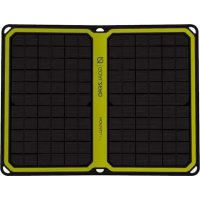
Nomad 14 Plus - Power bank GOAL ZERO - Free user manual and instructions
Find the device manual for free Nomad 14 Plus GOAL ZERO in PDF.



| Product Type | Portable folding solar panel |
| Brand | Goal Zero |
| Model | Nomad 14 Plus |
| Nominal Power | 14 W |
| Cell Type | Monocrystalline |
| Open Circuit Voltage (Voc) | 18 - 22 V |
| Maximum Current | 1 A (14 W max) |
| 8 mm Output Port | 14 - 22 V, up to 1 A |
| USB Port | 5 V, up to 2.4 A (12 W max) |
| Weight (with kickstand) | 862 g (1.9 lbs) |
| Weight (without kickstand) | 635 g (1.4 lbs) |
| Unfolded Dimensions | 31 x 40 x 0.2 cm |
| Folded Dimensions | 31 x 20 x 1.3 cm |
| Solar Intensity Indicator | 4 LEDs (at least 2 lit for optimal charging) |
| Auto Restart | Weather disturbance detection |
| Kickstand | Magnetic, detachable, with ventilated pocket |
| Daisy Chaining | Up to 150 W (max 4 panels recommended) |
| Weather Resistance | Panel resistant to rain and snow (junction box must be dried before use) |
| Maintenance | Clean with a soft, dry cloth. Do not immerse. |
| Safety | Do not cover the panel while operating. Use outdoors. |
| Included Parts | 8 mm charging cable, junction box |
| Warranty | 12 months |
Frequently Asked Questions - Nomad 14 Plus GOAL ZERO
User questions about Nomad 14 Plus GOAL ZERO
0 question about this device. Answer the ones you know or ask your own.
Ask a new question about this device
Download the instructions for your Power bank in PDF format for free! Find your manual Nomad 14 Plus - GOAL ZERO and take your electronic device back in hand. On this page are published all the documents necessary for the use of your device. Nomad 14 Plus by GOAL ZERO.
USER MANUAL Nomad 14 Plus GOAL ZERO
Frequently Asked Questions 6
Technical Specifications 7
Français 8-13
日本語
14-19
Deutsch 20-25
Espanol 26-31
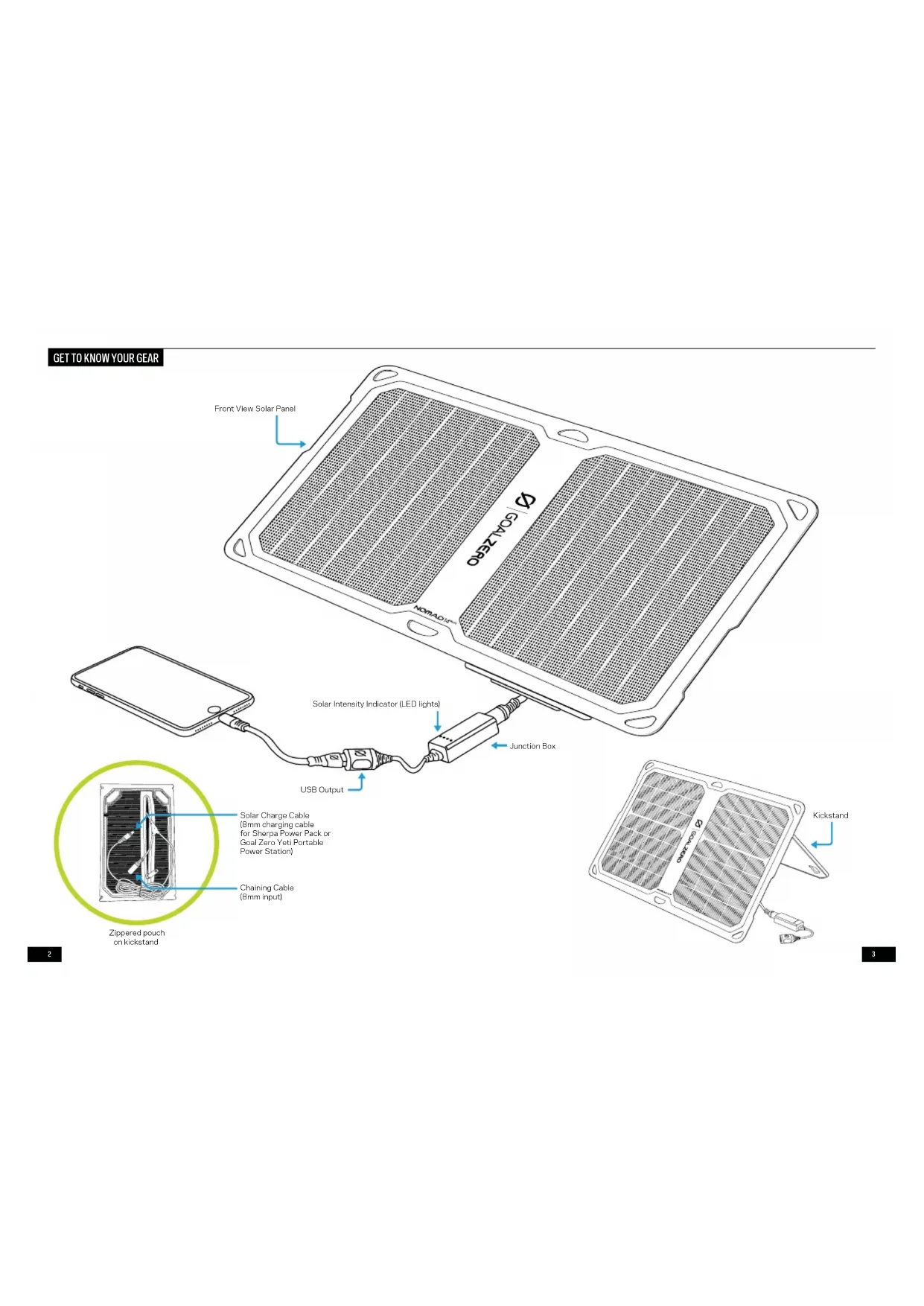
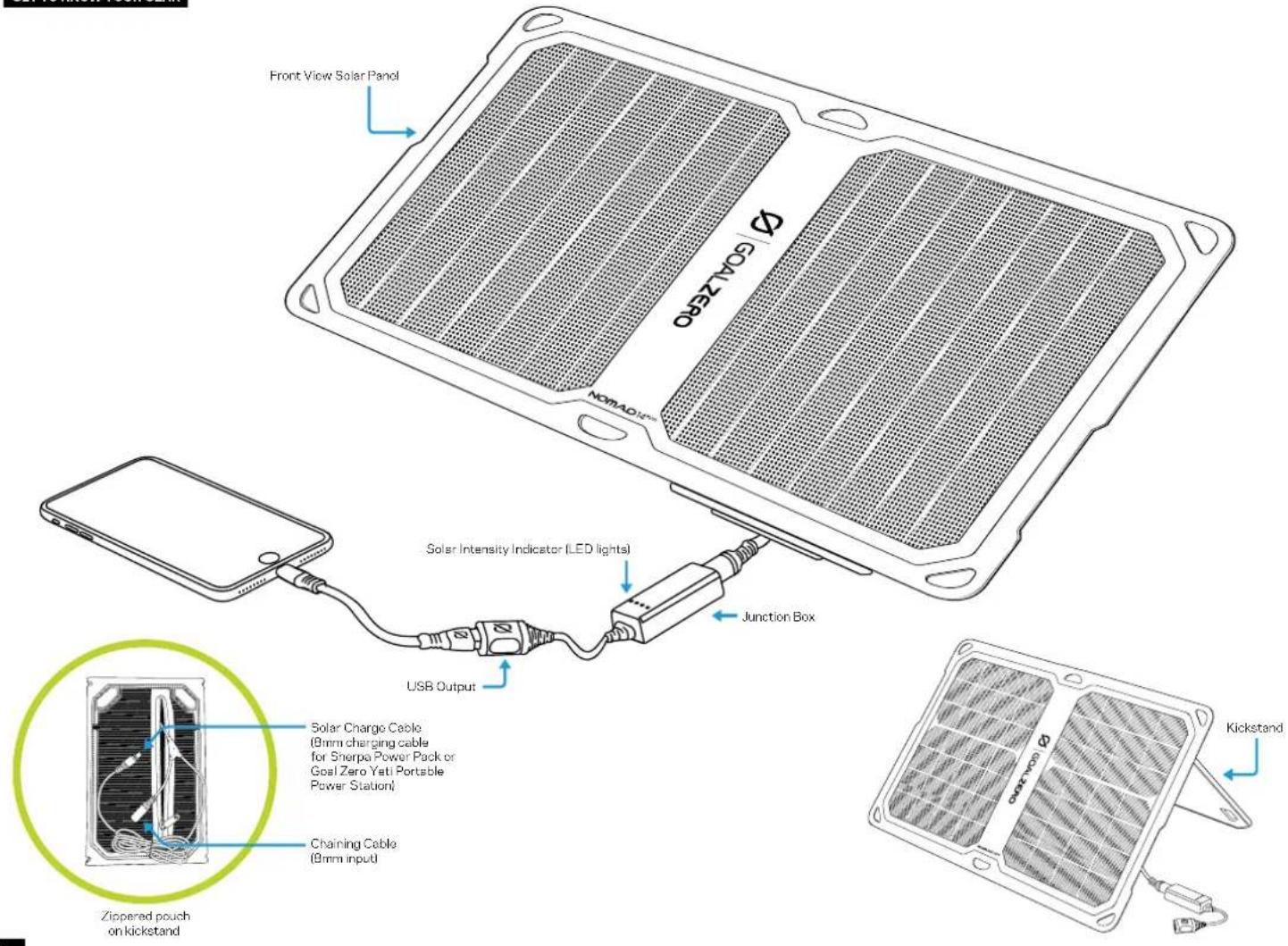
GET TO KNOW YOUR GEAR
HOW IT WORKS
Charging phones, batteries and other USB-powered devices from the Nomad 14 Plus is as easy as plugging in.
- Make sure the junction box is plugged into the Charge Cable. You can plug the Charge Cable directly into a Sherpa Power Pack's blue-ringed Input Port.
- Open your Nomad 14 Plus and face the panels toward the sun and check the Solar Intensity Indicator for current solar conditions. 2 or more lights, you're good to go.
- Plug in your phone or recharger into the junction box and charge up.
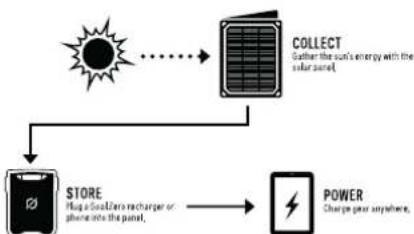
WHAT IT POWERS

Phone
2 Hrs Full Sun

Tablet
3 Hrs Full Sun

Venture 30
5 Hrs Full Sun

Sherpa 50
7 Hrs Full Sun

Venture 70
8 Hrs Full Sun
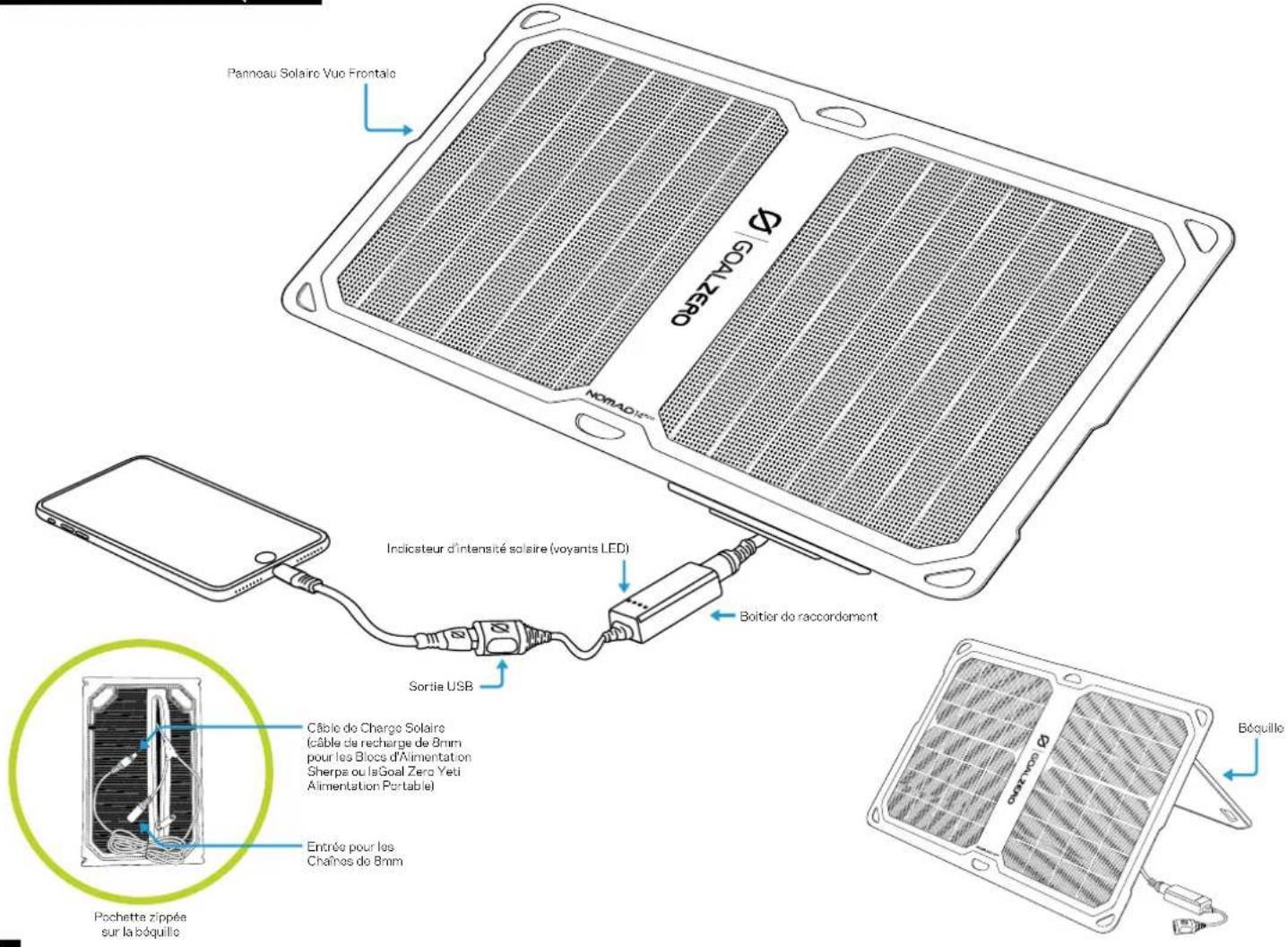
All the cables you need to recharge Sherpa Power Packs and Goal Zero Yeti Portable Power Stations are included in the back of the Nomad 14 Plus. The same cable can be used to chain the Nomad 14 Plus with other chainable Nomad Plus and Nomad Solar Panels.
- Open your Nomad 14 Plus and face the panels toward the sun and check the Solar Intensity Indicator for current solar conditions to estimate your recharge times.
- Remove the junction box from the 8mm cable.
- Plug the 8mm blue tipped cable into the INPUT on the Sherpa or Goal Zero Yeti.
JUNCTION BOX + SOLAR INTENSITY INDICATOR
This is where the brains of the Nomad 14 Plus live. Several key components work together to ensure you have the best solar charging experience, including the Solar Intensity Indicator. These 4 LED lights are indicative of current solar conditions and give you an idea of how well your gear will charge.
Once you plug into the Nomad 1.4 Plus, the lights will blink in accordance with how fast your gear is charging. Think you should be seeing more lights? Try repositioning the Nomad 1.4 Plus toward the sun and watch how the lights and speed of charge indicator change. The best charging scenario for phones and other USB-powered devices is 2 or more lights.
AUTO RESTART
The Nomad 14 Plus features an auto restart that's smarter than anything else on the market. With the ability to track power flow history, the Nomad 14 Plus knows the difference between a device that has reached a fully charged state and one that disconnects due to environmental causes, i.e. lack of sunlight, shadow, solar eclipse, etc. When the latter is detected, the Nomad 14 Plus will automatically reconnect the charging device, no extra work on your part is needed.
KICKSTAND
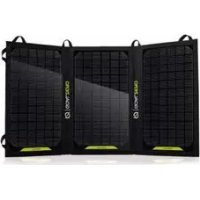
The Nomad 14 Plus's detachable kickstand allows you to be as lightweight as you need to be. Leave it attached with the magnets and it pops out to an optimal angle for positioning toward the sun. It also provides natural shade and a vented pocket for devices you have plugged in.
CHAINING
Chaining panels is a great way to collect more power from the sun and recharge devices quicker. You can chain up to 150W of solar panels together, that would be about 10 Nornad 14 Plus Solar Panels; however, we don't recommend more than four in a chain (see the NOTE below).
- Unplug the Junction Box - stash it in a safe place, like the zippered pouch so you don't misplace it.
-
Plug the 8mm Charge Cable into another Nomad Solar Panel's blue-ringed 8mm input cable.
-
Using the 8mm Charge Cable of the final panel, plug into a Sherpa Power Pack or Goal Zero Yeti Portable Power Station. You could also reattach a Junction Box to the last solar panel in the chain to recharge USB powered devices.
NOTE: After four solar panels are chained together, you might notice something called line loss, which has to do with the loss of voltages over a long distances. The farther the power has to travel through cables, from panel to panel, the more power you will lose.
FREQUently ASKED QUESTIONS
Q: Is the Nomad 14 Plus waterproof?
A: Yes. We've gone to great lengths to ruggedize the Nomad 14 Plus; including beefing up the manufacturing process with advanced lamination techniques so it'll slough off rain and snow. However, if the junction box gets soaking wet, we recommend letting it dry out before plugging in.
Q: Does the Nomad 14 Plus have a built-in battery?
A: Nope. We made the Nomad 14 to be as modular and light-weight as possible, that meant selling batteries as an optional accessory. You can either plug your phone or device directly into the Nomad 14 Plus, or pair it with one of our rechargers to store power for later (like at night or when you go inside). May we recommend a Goal Zero Venture Recharger or Sherpa Power Pack?
Q: Is this chainable with other Nomad panels?
A: Yes, but only on some Goal Zero Nomad Solar Panels. You can plug the Charge Cable into the chaining ports on older Nomad Solar Panels. The Nomad 14 Plus cannot be chained with the Nomad 7 Plus or the Nomad 7 Solar Panels.
Q: How does the Solar Intensity Indicator work?
A: Science. We can't give away all our secrets. For real though, our engineers developed patent-pending electronic brains for the Nomad 14 Plus that ensures you have the best solar charging experience possible. Part of the electronics include an advanced current sensor [way better than a voltmeter] and unique maximum power point tracking (MPPT) charge controller to optimize the USB output. What you need to know is when conditions are right, you can plug a phone into the Nomad 14 Plus and charge it directly from the sun. You'll know the conditions are right by checking out the Solar Intensity Indicator.
TECHNICAL SPECIFICATIONS
NOMAD 14 PLUS SOLAR PANEL
Solar Panel:
Charges the following: Approx. Charge time:
GOAL ZERO Switch 10/Flip 10 2.5-3 hrs
GOAL ZERO Flip 20 4-5 hrs
GOAL ZERO Flip 30 5-8 hrs
GOAL ZERO Venture 30 5-8 hrs
GOAL ZERO Sherpa 50 7-14 hrs
GOAL ZERO Sherpa 10014-28 hrs
Solar Panel:
Rated Power 14W
Open Circuit Voltage (Voc) 18-22V, up to 1A (14W max)
Cell Type Monocrystalline
Ports:
8.0mm 14-22V, up to 1A (14W max)
USB port 5V, up to 2.4 A (12W max)
General:
Weight (with leg) 1.9 lbs (862 g)
Weight (without leg) 1.4 lbs (635g)
Dimensions (unfolded) 12.1 x 15.8 x 0.1 in (31 x 40 x 0.2 cm)
Dimensions (folded) 12.1 x 7.8 x 0.5 in (31 x 20 x 1.3 cm)
Warranty 12 months
Certs
APPRENDRE A CONNAITRE VOITE RÉQUIPEMENT
COMMENT CELA FONCTIONNE-T-IL?

Venture® 70 8 hrs full Sun

Venture® 30 5 Hrs Full Sun
Designed in the U.S.A.
Made in China
1-888-794-6250
Nomad is a trademark of Goal Zero.
This equipment has been tested and found to comply with the limits for a Class B digital device, pursuant to part 15 of the FCC Rules. These limits are designed to provide reasonable protection against harmful interference in a residential installation. This equipment generates, uses and can radiate radio frequency energy and, if not installed and used in accordance with the instructions, may cause harmful interference to radio communications. However, there is no guarantee that interference will not occur in a particular installation. If this equipment does cause harmful interference to radio or television reception, which can be determined by turning the equipment off and on, the user is encouraged to try to correct the interference by one or more of the following measures:
—Reorient or relocate the receiving antenna.
—Increase the separation between the equipment and receiver.
- Connect the equipment into an outlet on a circuit different from that to which the receiver is connected.
—Consult the dealer or an experienced radio/TV technician for help.
This device complies with part 15 of the FCC Rules. Operation is subject to the following two conditions: (1) This device may not cause harmful interference, and (2) this device must accept any interference received, including interference that may cause undesired operation.

Brand : GOAL ZERO
Model : Nomad 14 Plus
Category : Power bank