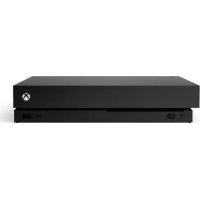
Xbox One X - Console MICROSOFT - Free user manual and instructions
Find the device manual for free Xbox One X MICROSOFT in PDF.



| Product type | Video game console |
| Brand | Microsoft |
| Model | Xbox One X |
| Power supply | Mains via external power supply (100-240 V~, 50/60 Hz) |
| Supported video resolution | 4K Ultra HD (3840 × 2160) |
| HDR | Compatible with HDR10 and Dolby Vision |
| Connectivity | HDMI 2.1, USB 3.0, Gigabit Ethernet, Wi-Fi 802.11ac, Bluetooth 4.2 |
| Main features | 4K gaming, media streaming (4K Blu-ray, Netflix), Xbox Live, backward compatibility with Xbox One/360/Classic |
| Compatible accessories | Xbox One controller, Kinect sensor (with adapter), compatible headset |
| Maintenance | Clean the exterior with a dry cloth; do not use solvents, detergents, or compressed air. Unplug before cleaning. |
| Safety | Do not expose to water, do not obstruct vents, use on a stable, horizontal surface, observe safety distances |
| Operating temperature | +5 °C to +35 °C |
| Warranty | 1 year for console, 90 days for accessories and refurbished consoles |
| Standards | FCC (Class B), IC, CE compliant; Class B digital device |
| Laser | Class I laser device |
Frequently Asked Questions - Xbox One X MICROSOFT
User questions about Xbox One X MICROSOFT
0 question about this device. Answer the ones you know or ask your own.
Ask a new question about this device
Download the instructions for your Console in PDF format for free! Find your manual Xbox One X - MICROSOFT and take your electronic device back in hand. On this page are published all the documents necessary for the use of your device. Xbox One X by MICROSOFT.
USER MANUAL Xbox One X MICROSOFT
LIMITED HARDWARE WARRANTY & AGREEMENT (WITH BINDING ARBITRATION AND CLASS ACTION WAIVER IN THE U.S.)
By purchasing or using your Microsoft Product, you agree to the Manufacturer's Limited Hardware Warranty & Agreement at support.microsoft.com/ warranty. Please read the summary on pages 6 & 7.
If you live in (or are a business with your principal place of business in) the United States, please read the binding arbitration clause and class action waiver at aka.ms/hw-warr-arbitration and the summary on pages 6 & 7. It binds you and Microsoft and affects how disputes concerning your Microsoft Product, its price, advertising, marketing, communications, your purchase transaction, billing, or the Manufacturer's Limited Hardware Warranty & Agreement are resolved.
For Xbox One console, Kinect for Xbox One sensor, and accessory product manuals, go to xbox.com/xboxone/support/manual.Kinect for Xbox One sensor and adapter may be sold separately.
IMPORTANT PRODUCT SAFETY AND WARRANTY INFORMATION

This symbol identifies safety and health information in this product guide
Read this guide for important safety and health information for the product that you have purchased.

WARNING: Failure to properly set up, use,
and care for the Xbox One console and Kinect for Xbox One sensor can increase the risk of serious injury, death, property damage, or damage to the product or related accessories. Read this product guide for important safety and health information or go to xbox.com/xboxone/manual.
AGREEMENT TO XBOX ONE LIMITED HARDWARE WARRANTY & AGREEMENT AND SOFTWARE LICENSE TERMS
You must accept the Xbox Terms of Use (including Xbox software terms and game license terms) at xbox.com/live/termsofuse, the software license terms at xbox.com/xboxone/slt, and the Limited Hardware Warranty & Agreement at support. microsoft.com/warranty to use your Xbox One console, Xbox accessories and/or Kinect for Xbox sensor. By purchasing or using the Xbox One console, Xbox accessories and/or Kinect for Xbox One sensor, you agree to be bound by these terms. Please read them. If you do not accept them, do
not set up or use your Xbox One console, Xbox accessories and/or Kinect for Xbox One sensor. Return the Xbox Product to Microsoft or your retailer for a refund.
INITIAL CONSOLE SETUP AND UPDATES
You must connect to the Internet for initial console setup and updates before you can play offline (broadband Internet recommended [1.5 mbps down/768 kbps up]. Microsoft account and account on Xbox Live in an Xbox One-supported Xbox Live country/region required for initial setup and updates and for some features; ISP fees apply). For answers to questions about console setup, troubleshooting steps, and Xbox Customer Support contact information, visit support.microsoft.com.
USE WITH INFRARED DEVICES
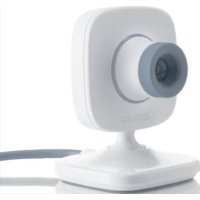
The Kinect sensor may interfere with or degrade operation of infrared devices, including remote controls and 3D glasses. If you notice interference or reduced range, please try repositioning the Kinect sensor or infrared device. If a Kinect sensor will be used, an Xbox One adapter will be required.
ELECTRICAL SAFETY

WARNING
As with many other electrical devices, failure to take the following precautions can result in serious injury or death from electric shock, fire, or damage to the Xbox One console or Kinect sensor.
AC-Powered Devices
Select an appropriate power source for your Xbox One console:
- Use only AC power cord that came with your console or that you received from an authorized repair center or equivalent. If you need a replacement AC power cord, you can find Xbox Customer Support contact information at support.microsoft.com.
- Confirm that your electrical outlet provides the type of power indicated on the console (in terms of voltage [V] and frequency [Hz]). If you are not sure of the type of power supplied to your home, consult a qualified electrician.
- Do not use non-standard power sources, such as generators or inverters, even if the voltage and frequency appear acceptable. Use only AC power provided by a standard wall outlet.
- Do not overload your wall outlet, extension cord, power strip, or other electrical receptacle. Confirm that they are rated to handle the total current (in amps [A]) drawn by the Xbox One console (indicated on the console) and any other devices that are on the same circuit.

CAUTION: Cables and Cords
To reduce potential trip hazards or entanglement hazards, arrange any cables and cords so that people and pets are not likely to trip over or accidentally pull on them as they move around or walk through the area and do not allow children to play with cables and cords.
To avoid damaging the power cord and console:
- Protect power cords from being walked on or crushed.
- Protect cords from being pinched or sharply bent, particularly where they connect to the power outlet and the console.
- Do not jerk, knot, sharply bend, or otherwise abuse power cords.
- Do not expose power cords to sources of heat.
- Keep children and pets away from power cords. Do not allow them to bite or chew on them.
- When disconnecting power cords, pull on the plug, do not pull on the cord.
If a power cord becomes damaged in any way, stop using it immediately. Visit support.microsoft.com for Xbox Customer Support contact information.
Unplug your Xbox One console during lightning storms or when unused for long periods.
BATTERY POWERED DEVICES

WARNING: Battery Safety
The following precautions apply to all products that use disposable or rechargeable batteries including lithium polymer. Improper battery use may result in serious injury, death, property damage, or damage to the product or related accessories as a result of battery fluid leakage, fire, overheating, or explosion. Released battery fluid is corrosive and may be toxic. It can cause skin and eye burns, and is harmful if swallowed. To reduce the risk of injury:
Keep batteries out of reach of children.
Remove the batteries if they are worn out or before storing your device for an extended period. Always remove old, weak, or worn-out batteries immediately and recycle or dispose of them in accordance with local and national/regional disposal regulations.
If a battery leaks, remove all batteries by reversing the installation steps provided for this product, being careful to keep the leaked fluid from touching your skin or clothes.
If fluid from the battery contacts skin or clothes, flush skin with water immediately. Before inserting new batteries, thoroughly clean the battery compartment with a dry cloth, or follow the battery manufacturer's recommendations for cleanup.
- Do not crush, open, puncture, mutilate, heat above 35^ (95^) apply direct heat to, or dispose of batteries in fire.
- Do not mix new and old batteries or batteries of different types (for example, carbon-zinc and
alkaline batteries).
- Do not allow metal objects to touch the battery terminals on the device; they can become hot and cause burns.
- Do not carry or place batteries together with necklaces, hairpins or other metal objects.
- Do not leave a battery-powered device in direct sunlight for an extended period, such as on the dash of a car during the summer.
- Do not immerse batteries in water or allow them to become wet.
- Do not connect batteries directly to wall outlets or car cigarette-lighter sockets.
- Do not attempt to connect to the battery terminals unless using a Microsoft approved host device.
- Do not strike, throw, step on, or subject batteries to severe physical shock.
- Do not pierce battery casings in any manner.
- Do not attempt to disassemble or modify batteries in any way.
- Do not recharge batteries near a fire or in extremely hot conditions.
USE AND CARE OF YOUR XBOX ONE CONSOLE

WARNING: Risk in Repairs
Opening and/or repairing your device can present electric shock, device damage, fire, and personal injury risks, and other hazards. Microsoft recommends that you seek professional assistance for device repairs, and that you use caution if undertaking do-it-yourself repairs.

WARNING: Do not allow the console,ery pack, or sensor to become wet
To reduce the risk of fire or shock, do not expose the console or sensor to rain or other types of moisture.
Use in accordance with these instructions:
- Do not use near any heat sources.
- Do not position the console vertically, unless using an official Microsoft approved stand or equivalent.
- Only use attachments/accessories specified by Microsoft or equivalents.
- Disconnect the console from electrical power to prevent the console from being turned on and off or the disc from being ejected during cleaning.
- Clean the outside of the Xbox One only. Make sure that no objects are inserted into ventilation openings.
- Use a dry cloth—do not use abrasive pads, detergents, scouring powders, solvents (for example, alcohol, gasoline, paint thinner, or benzene), or other liquid or aerosol cleaners.
- Do not use compressed air.
- Do not use DVD head cleaner devices.
- Do not attempt to clean connectors.
- Clean the console feet and the surface on which the Xbox One rests with a dry cloth.
Avoid smoke and dust
Do not use the console in smoky or dusty locations. Smoke and dust can damage the console, particularly the optical disc drive.
Disc use
To avoid jamming the disc drive and damaging discs or the console:
- Remove discs before moving the console.
- Never use cracked discs. They can shatter inside the console and jam or break internal parts.
- Always return discs to their storage containers when they are not in the disc drive. Do not store discs in direct sunlight, near a heat source, or on your Xbox One. Always handle discs by their edges. To clean game and other discs:
Hold discs by the edges; do not touch the disc surface with your fingers.
Clean discs using a soft cloth, lightly wiping from the center outward.
Do not use solvents; they can damage the disc. Do not use disc-cleaning devices.
Metallic objects and stickers
Do not place metallic items or stickers near or on the Xbox One, as they can interfere with controller, networking, and eject and power buttons.

CAUTION: Stationary images in video
games can "burn" into some TV screens, creating a permanent shadow. Consult your TV owner's manual of manufacturer before playing games.
PLAY SPACE

WARNING: Gameplay with your Kinect
sensor may require varying amounts of movement. To reduce the risk of injury or property damage, take the following precautions before playing:
Make sure you have enough space to move freely.
- Look in all directions (right, left, forward, backward, down, and up). Make sure there is nothing you might trip on—toys, furniture, or loose rugs, for example.
- Make sure your play space is far enough away from windows, walls, stairs, etc.
- Be aware of children and pets in the area. If necessary, move objects or people out of the play space.
While playing:
- Stay far enough away from your TV to avoid contact.
- Keep enough distance from other players, bystanders, and pets. This distance may vary between games, so take account of how you are playing when determining how far away you need to be.
- Stay alert for objects or people you might hit or trip over. People and objects can move into the area during play, so always be alert to your surroundings.
Make sure you always have good footing while playing.
- Play on a level floor with enough traction for game activities.
- Make sure to use proper footwear for gaming or are barefoot, if appropriate. Do not wear high-heels, flip-flops, etc.
Don't overexert yourself
Gameplay with the Kinect sensor may require varying amounts of physical activity.
Consult a doctor before using the sensor if you have any medical condition or issue that affects your ability to safely perform physical activities, or if you:
are or may be pregnant,
have heart, respiratory, back, joint, or other orthopedic conditions,
have high blood pressure,
have difficulty with physical exercise, or
have been instructed to restrict physical activity.
Consult your doctor before beginning any exercise routine or fitness regimen that includes using the Kinect sensor.
Do not play under the influence of drugs or alcohol, and make sure your balance and physical abilities are sufficient for any movements while gaming.
Take breaks periodically
Stop and rest if your muscles, joints, or eyes become tired or sore.
If you experience excessive fatigue, nausea, shortness of breath, chest tightness, dizziness, discomfort, or pain, STOP USING IMMEDIATELY and consult a doctor.
PLAY HEALTHY

WARNING: Important HealthWarnings out Playing Video Games
Photosensitive Seizures
A very small percentage of people may experience a seizure when exposed to certain visual images, including flashing lights or patterns that may appear in video games. Even people who have no history of seizures or epilepsy may have an undiagnosed condition that can cause these "photosensitive epileptic seizures" while watching video games.
These seizures may have a variety of symptoms, including lightheadedness, altered vision, eye, or face twitching, jerking or shaking of arms or legs, disorientation, confusion, or momentary loss of awareness. Seizures may also cause loss of consciousness or convulsions that can lead to injury from falling down or striking nearby objects. Immediately stop playing and consult a doctor if you experience any of these symptoms. Parents should watch for or ask their children about the above symptoms—children and teenagers are more likely than adults to experience these seizures. The risk of photosensitive epileptic
seizures may be reduced by taking the following precautions:
- Sit or stand farther from the TV screen.
- Use a smaller TV screen.
- Play in a well-lit room.
- Do not play when you are drowsy or fatigued.
If you or any of your relatives have a history of seizures or epilepsy, consult a doctor before playing.
Musculoskeletal Disorders
Use of game controllers, keyboards, mice, or other electronic input devices may be linked to serious injuries or disorders.
When playing video games, as with many activities, you may experience occasional discomfort in your hands, arms, shoulders, neck, or other parts of your body. However, if you experience symptoms such as persistent or recurring discomfort, pain, throbbing, aching, tingling, numbness, burning sensation, or stiffness, DO NOT INCLUDE THESE WARNING SIGNS. PROMPTLY SEE A QUALIFIED HEALTH PROFESSIONAL, even if symptoms occur when you are not playing a video game.
Symptoms such as these can be associated with painful and sometimes permanently disabling injuries or disorders of the nerves, muscles, tendons, blood vessels, and other parts of the body. These musculoskeletal disorders (MSDs) include carpal tunnel syndrome, tendinitis, tenosynovitis, vibration syndromes, and other conditions.
While researchers are not yet able to answer many questions about MSDs, there is general agreement that many factors may be linked to their occurrence, including medical and physical conditions, stress and how one copes with it, overall health, and how a person positions and uses their body during work and other activities (including playing a video game).
Some studies suggest the amount of time a person performs an activity may be a factor.
Some guidelines that may help you work and play more comfortably and possibly reduce your risk of experiencing an MSD can be found in the Healthy Gaming Guide at xbox.com/xboxone/playhealthy. These guidelines address topics such as:
- Positioning yourself to use comfortable, not awkward, postures.
- Keeping your hands, fingers, and other body parts relaxed.
Taking breaks.
Developing a healthy lifestyle.
If you have questions about how your own lifestyle, activities, or medical or physical condition may be related to MSDs, see a qualified health professional.

WARNING: Choking Hazard
This device may contain small parts that may be a choking hazard to children under 3. Keep small parts away from children.
Make sure children play safely
Make sure children using any Xbox One accessory together with the Xbox One console and Kinect
sensor play safely and within their limits, and make sure that they understand proper use of the system.
Avoid glare
To minimize eyestrain from glare, try the following:
- Position yourself at a comfortable distance from your television or monitor and the Kinect sensor.
- Place your television or monitor and Kinect sensor away from light sources that produce glare, or use window blinds to control light levels.
- Choose soothing natural light that minimizes glare and eyestrain and increases contrast and clarity.
- Adjust your television or monitor brightness and contrast.

CAUTION: Prevent the console from falling
If the Xbox One falls and hits someone, especially a small child, it could cause serious injury. To reduce the risk of such injuries and damage to the Xbox One console, set up the Xbox One according to these instructions. Place the console on a surface that:
Is flat and level.
Is stable and not likely to tip over.
- Allows all four feet of the console to be in contact with the surface.
- Is not likely to allow the console to slip or slide off.
- Is clean and free of dust and debris.
Position your Xbox One
Your console should only be used in the horizontal position. If vertical positioning is desired, an official Microsoft approved stand or equivalent must be used. If you need to change the location of your console, remove discs, power down the system and remove all cables before moving the console.
Prevent the console from overheating
Do not block any ventilation openings on the console. Do not place the console on a bed, sofa, or other soft surface that may block openings. Do not place the console in a confined space, such as a bookcase, rack, or stereo cabinet, unless the space is well ventilated.
Do not place the console near any heat sources, such as radiators, heat registers, stoves, or amplifiers.
Using the Xbox One in an environment where the external temperature varies widely and quickly might damage the console. When moved to a location with a temperature difference of 20 degrees or more from the previous location, allow the console to come to room temperature before turning it on. The console's operating temperature is +5^ (+41^) to +35^ (+95^) .

WARNING: Hearing Safety
Extended exposure to high sound volumes when using a headset may result in temporary
or permanent hearing loss. To reduce the risk of hearing loss, set the volume loud enough to hear clearly in quiet surroundings, and no louder.
- Do not increase the volume after you start listening. Your ears can adapt over time so that high volume sounds normal, but the high volume may still damage your hearing.
- Do not increase the volume to block out outside noise. The combination of outside noise and sound from your headphones can damage your hearing. Sealed or noise-canceling headphones can reduce outside noise so that you don't have to turn up the volume.
- If you can't understand someone nearby speaking normally, turn down the volume. Sound that drowns out normal speech can damage your hearing. Even with sealed or noise canceling headphones, you should be able to hear nearby people speak.
Minimize your time listening to loud sound.
- The more time that you spend exposed to high sound volumes, the more likely you are to damage your hearing. The louder the sound, the less time that is required to damage hearing.
- At maximum volume, listening to music on the device with headphones can permanently damage your hearing in 15 minutes. Even lower volumes can damage hearing if you are exposed to it for many hours. All of the sound that you are exposed to during a day adds up. If you are exposed to other loud sound, it takes less time listening at high volumes to cause hearing damage.
- To safely use the device without a time limit, keep the volume low enough that you can carry on a conversation with people nearby.

CAUTION: Personal Medical Devices
Radio-frequency emissions from electronic equipment can negatively affect the operation of other electronic equipment, causing them to malfunction. Although the device is designed, tested, and manufactured to comply with regulations governing radio frequency emission in countries such as the United States, Canada, the European Union, and Japan, the wireless transmitters and electrical circuits in the device may cause interference in other electronic equipment. Always take the following precautions:
Persons with pacemakers
The Health Industry Manufacturers Association recommends that a minimum separation of 6 inches (15 cm) be maintained between a wireless device and a pacemaker to avoid potential interference with the pacemaker.
- Wireless devices should not be carried in a breast pocket.
If you have any reason to suspect that interference is occurring, turn the device off immediately.
Other medical devices
If you use any other personal medical device, contact the medical device manufacturer or your physician to determine whether it is appropriate for you to use other electronic devices near your medical device.
SUMMARY OF MANUFACTURER'S LIMITED HARDWARE WARRANTY & AGREEMENT (WITH BINDING ARBITRATION AND CLASS ACTION WAIVER IN THE U.S.)
Microsoft warrants that the Microsoft Product will not malfunction under normal use conditions for one year (90 days for accessories and refurbished Xbox One consoles) from the date of original purchase from an authorized retailer. The warranty excludes normal wear and tear, cosmetic damage, damage caused by external causes including being dropped, exposed to liquid, inadequate ventilation, use not in accordance with Microsoft's instructions, hacking, viruses or other malware, and damage caused by repairs or modifications by someone other than Microsoft or a Microsoft-authorized service provider. If your local law gives you any implied warranty, including of merchantability, its duration is the same as this warranty. Some states or provinces do not allow limitations on how long an implied warranty lasts, so the above limitation may not apply to you. To obtain warranty service, first use the troubleshooting tips at support.microsoft.com. If they do not solve your problem, follow the online process at support.microsoft.com. 1-800-MICROSO (642-7676) also gives information on how to get service.
Other exclusions and limitations apply. Please read the entire Limited Warranty & Agreement at support.microsoft.com/warranty. By purchasing or using the Microsoft Product, you agree to its terms.
If you live in or, if a business, your principal place of business is in the United States, please read the binding arbitration clause and class action waiver in Section 11 of the Limited Warranty & Agreement at aka.ms/hw-warr-arbitration. It affects how disputes concerning your Microsoft Product, its price, advertising, marketing, communications, your purchase transaction, billing, or the Limited Warranty & Agreement are resolved. It binds you and Microsoft. Parts of the arbitration clause are described below.
Any dispute not resolved by informal negotiation or in small claims court will be resolved only by individual binding arbitration under the Federal Arbitration Act before a neutral arbitrator whose decision will be final-not before a judge or jury, and not in a class action lawsuit, class-wide arbitration, private attorney-general action, or any other proceeding where someone acts in a representative capacity. Individual proceedings may not be combined without
the consent of all parties. The American Arbitration Association will conduct the arbitration under its Consumer or Commercial Arbitration Rules. Section 11 of the Limited Warranty & Agreement contains the rest of the terms, instructions, and forms for notifying Microsoft of a dispute or commencing arbitration.
REGULATORY INFORMATION
- Not intended for use in machinery, medical or industrial applications.
This product is for use with NRTL Listed (UL, CSA, ETL, etc.), and/or IEC/EN 60950-1 compliant (CE marked) Information Technology equipment. - No serviceable parts included.
- Operating temperature: +5^ (41^) to +35^ (+95^) .
For Customers in the United States and Canada
This Class B digital apparatus complies with Part 15 of the U.S. Federal Communications Commission (FCC) rules, Canadian ICES-003, RSS-Gen and RSS-247 as applicable. Operation is subject to the following two conditions: (1) this device may not cause interference, and (2) this device must accept any interference received, including interference that may cause undesired operation.
Radio and TV Interference Regulations
Microsoft hardware device(s) can radiate radio frequency (RF) energy. If not installed and used in strict accordance with the instructions given in the printed documentation and/or onscreen help files, the device may cause harmful interference with other radio-communications devices (for example AM/FM radios, televisions, baby monitors, cordless phones, etc.). There is, however, no guarantee that RF interference will not occur in a particular installation. To determine if your hardware device is causing interference to other radio-communications devices, turn off and unplug the device from any external power source. If the interference stops, it was probably caused by the device. If this hardware device does cause interference, try the following measures to correct it:
- Relocate the antenna of the other radiocommunications device (for example AM/FM Radios, televisions, baby monitors, cordless phones, etc.) until the interference stops.
- Move the hardware device farther away from the radio or TV, or move it to one side or the other of the radio or TV.
- Plug the device into a different power outlet so that the hardware device and radio or TV are on different circuits controlled by different circuit breakers or fuses.
If necessary, ask your device dealer or an experienced radio-TV technician for more suggestions.
For more information about interference issues, go to the FCC Web site at: http://www.fcc.gov/cgb/consumerfacts/interference.html. You can also call
the FCC at 1-888-CALL FCC to request Interference and Telephone Interference fact sheets.
Any changes or modifications to this device not expressly approved by Microsoft could void the user's authority to operate the device.
Contact Information: Microsoft Corporation, One
Microsoft Way, Redmond, WA 98052, USA.
United States: (800) 426-9400
Canada: (800) 933-4750
CANICES-3(B)/NMB-3(B)
Exposure to Radio Frequency (RF) Energy
This device contains radio transmitters and has been designed, manufactured and tested to meet the Federal Communications Commission (FCC), Industry Canada and European requirements for RF exposure and Specific Absorption Rate. This equipment should be installed and operated at a minimum of 20cm from your body.
Additional information about RF safety can be found on the links below:
FCC website at https://www.fcc.gov/general/radio-frequency-safety-0
Industry Canada website at http://www.ic.gc.ca/eic/site/smt-gst.nsf/eng/ sf01904.html
For 802.11 5GHz devices only:
This device operation in the band 5150-5250 MHz is only for indoor use to reduce the potential for harmful interference to co-channel mobile satellite systems. Users are advised that high-power radars are allocated as primary users (i.e. priority users) of the bands 5250-5350 MHz and 5650-5850 MHz and that these radars could cause interference and/or damage to LE-LAN devices.
xbox.com/xboxone/gettingstarted

WARNING: Wireless Devices Aboard
Aircraft
Before boarding any aircraft or packing a wireless device in luggage that will be checked, remove the batteries from the wireless device or turn the wireless device off (if it has an on/off switch). Wireless devices can transmit radio frequency (RF) energy, much like a cellular telephone, when batteries are installed and the wireless device is turned on (if it has an on/off switch).
Laser Specifications
This equipment contains a Class I laser device.

CAUTION
Use of controls or adjustments, or performance of procedures other than those specified herein may result in hazardous radiation exposure.
Disposal of waste batteries and electrical and electronic equipment
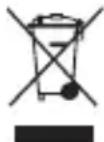
This symbol on the product or its batteries or its packaging means that this product and any batteries it contains must not be disposed of with your household waste. Instead, it is your responsibility to hand
this over to an applicable collection point for the recycling of batteries and electrical and electronic equipment. This separate collection and recycling will help to conserve natural resources and prevent potential negative consequences for human health and the environment due to the possible presence of hazardous substances in batteries and electrical and electronic equipment, which could be caused by inappropriate disposal. For more information about where you should drop off your batteries and electrical and electronic waste, please contact your local city/municipality office, your household waste disposal service, or the shop where you purchased this product. Contact erecycle@microsoft.com for more information about waste from electrical and electronic equipment and waste batteries.
This product may use Lithium, NiMH, or alkaline batteries.
COPYRIGHT
Information and views expressed in this document, including URL and other Internet website references, may change without notice. This document does not provide you with any legal rights to any intellectual property in any Microsoft product. You may copy and use this document for your internal, reference purposes.
© 2019 Microsoft Corporation. All rights reserved. Microsoft, Windows, Xbox, Xbox One, Xbox 360, Xbox Live, Kinect, the Xbox logos, and the Xbox Live logo are trademarks of the Microsoft group of companies.
This product incorporates copyright protection technology that is protected by method claims of certain U.S. patents and other intellectual property rights owned by Macrovision Corporation and other rights owners. Use of this copyright protection technology must be authorized by Macrovision Corporation, and is intended for home and other limited viewing uses only unless otherwise authorized by Macrovision Corporation. Reverse engineering or disassembly is prohibited.
HDMI, the HDMI logo, and High-Definition Multimedia Interface are trademarks or registered trademarks of HDMI Licensing, LLC.
HOMI
For DTS patents, see http://patents.dts.com.
Manufactured under license from DTS, Inc. DTS, the Symbol, DTS and the Symbol together, DTS-HD, and DTS-HD Master Audio | 7.1 are registered trademarks or trademarks of DTS, Inc. in the United States and/or other countries. © DTS, Inc. All Rights Reserved.
Dolby, Dolby Atmos, and the double-D symbol are trademarks of Dolby Laboratories.
| Licensed Technology | Copyright Notice |
| Dolby Digital Live (Encoder) | © 1992-2001 Dolby Laboratories. All rights reserved. |
| Dolby Digital Plus (Decoder) | © 2003-2012 Dolby Laboratories. All rights reserved. |
| Dolby Digital Plus Consumer (Encoder) | © 2009-2012 Dolby Laboratories. All rights reserved. |
| Dolby Digital Compatible Output (Encoder) | © 1993-2005 Dolby Laboratories. All rights reserved. |
| Dolby TrueHD (Decoder) © | 1995-2005 Dolby Laboratories. All rights reserved. |
DOLBY ATMOS
Blu-ray Disc^TM , Blu-ray and Ultra HD Blu-ray word marks and logos, and the 4K Ultra HD logo are trademarks of the Blu-ray Disc Association.

The names of actual companies and products mentioned herein may be the trademarks of their respective owners.
United States and/or international patents pending.
CUSTOMER SUPPORT
For answers to common questions, troubleshooting steps, and Xbox Customer Support contact information, visit support.microsoft.com.
GARANTIE LIMITÉE ET CONTRAT CONCERNANT LE MATÉRIEL INFORMATIQUE (AVEC ARBITRAGE EXECUTOIRE ET RENONCIATION AUX RECOURS COLLECTIFS AUX ÉTATS-UNIS)
| Licensed Technology | Copyright Notice |
| Dolby Digital Live (Encoder) | © 1992-2001 Dolby Laboratories. All rights reserved. |
| Dolby Digital Plus (Decoder) | © 2003-2012 Dolby Laboratories. All rights reserved. |
| Dolby Digital Plus Consumer (Encoder) | © 2009-2012 Dolby Laboratories. All rights reserved. |
| Dolby Digital Compatible Output (Encoder) | © 1993-2005 Dolby Laboratories. All rights reserved. |
| Dolby TrueHD (Decoder) © | 1995-2005 Dolby Laboratories. All rights reserved. |
DOLBY ATMOS
| Licensed Technology | Copyright Notice |
| Dolby Digital Live (Encoder) | © 1992-2001 Dolby Laboratories. All rights reserved. |
| Dolby Digital Plus (Decoder) | © 2003-2012 Dolby Laboratories. All rights reserved. |
| Dolby Digital Plus Consumer (Encoder) | © 2009-2012 Dolby Laboratories. All rights reserved. |
| Dolby Digital Compatible Output (Encoder) | © 1993-2005 Dolby Laboratories. All rights reserved. |
| Dolby TrueHD (Decoder) © | 1995-2005 Dolby Laboratories. All rights reserved. |

DOLBYATMOS
- LIMITED HARDWARE WARRANTY & AGREEMENT (WITH BINDING ARBITRATION AND CLASS ACTION WAIVER IN THE U.S.)
- IMPORTANT PRODUCT SAFETY AND WARRANTY INFORMATION
- AGREEMENT TO XBOX ONE LIMITED HARDWARE WARRANTY & AGREEMENT AND SOFTWARE LICENSE TERMS
- INITIAL CONSOLE SETUP AND UPDATES
- USE WITH INFRARED DEVICES
- ELECTRICAL SAFETY
- WARNING
- AC-Powered Devices
- CAUTION: Cables and Cords
- BATTERY POWERED DEVICES
- WARNING: Battery Safety
- USE AND CARE OF YOUR XBOX ONE CONSOLE
- WARNING: Risk in Repairs
- WARNING: Do not allow the console,ery pack, or sensor to become wet
- Use in accordance with these instructions:
- Avoid smoke and dust
- Disc use
- Metallic objects and stickers
- PLAY SPACE
- sensor may require varying amounts of movement. To reduce the risk of injury or property damage, take the following precautions before playing:
- While playing:
- Don't overexert yourself
- Take breaks periodically
- PLAY HEALTHY
- WARNING: Important HealthWarnings out Playing Video Games
- Photosensitive Seizures
- Musculoskeletal Disorders
- WARNING: Choking Hazard
- Make sure children play safely
- Avoid glare
- CAUTION: Prevent the console from falling
- Position your Xbox One
- Prevent the console from overheating
- WARNING: Hearing Safety
- Minimize your time listening to loud sound.
- CAUTION: Personal Medical Devices
- Persons with pacemakers
- Other medical devices
- SUMMARY OF MANUFACTURER'S LIMITED HARDWARE WARRANTY & AGREEMENT (WITH BINDING ARBITRATION AND CLASS ACTION WAIVER IN THE U.S.)
- REGULATORY INFORMATION
- For Customers in the United States and Canada
- Radio and TV Interference Regulations
- Exposure to Radio Frequency (RF) Energy
- For 802.11 5GHz devices only:
- WARNING: Wireless Devices Aboard
- Aircraft
- Laser Specifications
- CAUTION
- Disposal of waste batteries and electrical and electronic equipment
- COPYRIGHT
- HOMI
- DOLBY ATMOS
- CUSTOMER SUPPORT
- GARANTIE LIMITÉE ET CONTRAT CONCERNANT LE MATÉRIEL INFORMATIQUE (AVEC ARBITRAGE EXECUTOIRE ET RENONCIATION AUX RECOURS COLLECTIFS AUX ÉTATS-UNIS)
Brand : MICROSOFT
Model : Xbox One X
Category : Console