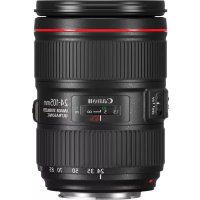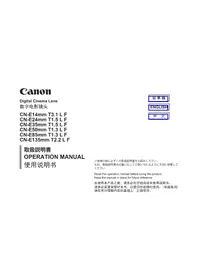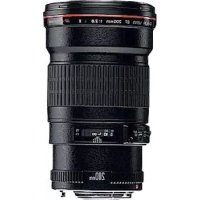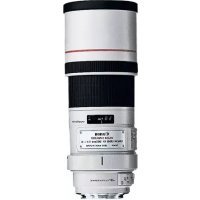
CNE135mm T2.2 L F - Camera lens CANON - Free user manual and instructions
Find the device manual for free CNE135mm T2.2 L F CANON in PDF.



| Brand | Canon |
| Model | CNE135mm T2.2 L F |
| Product Type | Cinema and photography lens |
| Focal Length | 135 mm (fixed) |
| Maximum Aperture | T2.2 (equivalent f/2.2) |
| Minimum Aperture | T22 |
| Mount | PL (conversion possible to EF mount) |
| Compatible Sensor Format | Full frame 35 mm (Super 35 mm also) |
| Focus | Manual, with distance scale |
| Image Stabilization | No |
| Approximate Weight | 1.2 kg |
| Filter Diameter | 82 mm |
| Number of Diaphragm Blades | 9 (circular aperture) |
| Diagonal Angle of View | Approximately 18° (full frame) |
| Minimum Focus Distance | 0.9 m |
| Maintenance | Use a soft, lint-free cloth for the exterior |
| Lens Cleaning | Use a blower and microfiber cloth with cleaning solution |
| Safety | Do not aim directly at the sun; avoid shocks |
| Spare Parts | Front/rear caps, lens hood (not included) |
| Repairability | Contact an authorized Canon service center |
| Support | Canon professional support: 855-CINE-EOS (United States) |
Frequently Asked Questions - CNE135mm T2.2 L F CANON
User questions about CNE135mm T2.2 L F CANON
0 question about this device. Answer the ones you know or ask your own.
Ask a new question about this device
Download the instructions for your Camera lens in PDF format for free! Find your manual CNE135mm T2.2 L F - CANON and take your electronic device back in hand. On this page are published all the documents necessary for the use of your device. CNE135mm T2.2 L F by CANON.
USER MANUAL CNE135mm T2.2 L F CANON
Read this operation manual before using the product.
Keep the manual in place for future reference.
This lens is a full manual lens for shooting movies.
本镜头是用于拍摄电影的全手动镜头。
本取說lonsのイラスはCN-E24mmT1.5LF(フ�一ト)尺寸。
The illustrations shown in this manual are those of CN-E24m T1.5 L F (Feet).
Shapes of lens may be slightly different between models.
The English version is the operation manual for counties other than Japan.
GENERAL SAFETY INFORMATION 4
Product Configuration 6
Names of Parts 7
Mounting and Detaching the Lens 8
Available Accessories 10
Dimensions of Parts 11
Specifications 12
Appendix
External view . apx.2
Index apx. 10
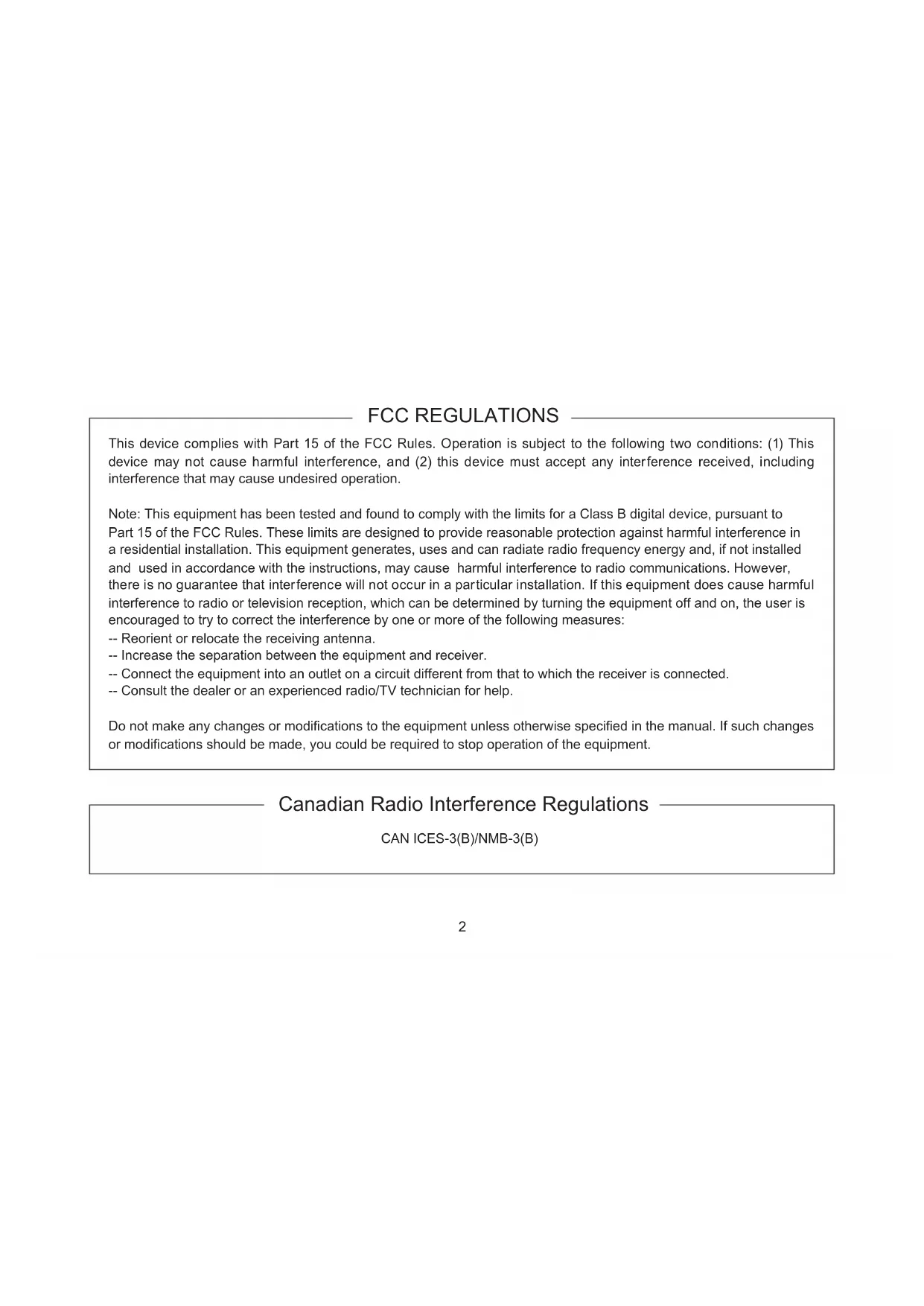
FCC REGULATIONS
This device complies with Part 15 of the FCC Rules. Operation is subject to the following two conditions: (1) This device may not cause harmful interference, and (2) this device must accept any interference received, including interference that may cause undesired operation.
Note: This equipment has been tested and found to comply with the limits for a Class B digital device, pursuant to Part 15 of the FCC Rules. These limits are designed to provide reasonable protection against harmful interference in a residential installation. This equipment generates, uses and can radiate radio frequency energy and, if not installed and used in accordance with the instructions, may cause harmful interference to radio communications. However, there is no guarantee that interference will not occur in a particular installation. If this equipment does cause harmful interference to radio or television reception, which can be determined by turning the equipment off and on, the user is encouraged to try to correct the interference by one or more of the following measures:
-- Reorient or relocate the receiving antenna.
-- Increase the separation between the equipment and receiver.
-- Connect the equipment into an outlet on a circuit different from that to which the receiver is connected.
-- Consult the dealer or an experienced radio/TV technician for help.
Do not make any changes or modifications to the equipment unless otherwise specified in the manual. If such changes or modifications should be made, you could be required to stop operation of the equipment.
Canadian Radio Interference Regulations
CANICES-3(B)/NMB-3(B)
Only for European Union and EEA (Norway, Iceland, and Liechtenstein)

13/14
This symbol indicates that this product is not to be disposed of with your household waste, according to the WEEE Directive (2012/19/EU) and national legislation. This product should be handed over to a designated collection point, e.g., on an authorized one-for-one basis when you buy a new similar product or to an authorized collection site for recycling waste electrical and electronic equipment (EEE). Improper handling of this type of waste could have a possible negative impact on the environment and human health due to potentially hazardous substances that are generally associated with EEE. At the same time, your cooperation in the correct disposal of this product will contribute to the effective usage of natural resources. For more information about where you can drop off your waste equipment for recycling, please contact your local city office, waste authority, approved WEEE scheme or your household waste disposal
service.
For more information regarding return and recycling of WEEE products, please visit
www.canon-europe.com/wee.
GENERAL SAFETY INFORMATION
The safety warnings and cautions provided on the product or in this operation manual must be observed.
Meaning of Symbols

WARNING
This indicates a potentially hazardous situation which, if not heeded, may result in death or serious injury to you or others. Be sure to heed all warning notices to ensure safe operation at all times.

CAUTION
Indicates hazardous situations which, if not heeded, may result in minor or moderate injury to you or other persons, or damage to your property.
NOTE
This indicates essential information and recommendations for operation.
HANDLING THE PRODUCT

WARNING
- Do not stare at the sun or other source of high-intensity light through the lens. Doing so could injure your eyes.

CAUTION
- Inspect all mountings periodically (about every 6 months to 1 year) to make sure they are securely tightened, and tighten any loose parts. Otherwise, the lens may fall, possibly causing injury.
NOTE
- Do not bring the lens, kept in a very cold ambient temperature, into a warm room, because the lens may fog on the inside or condensation may occur.
In these cases, the lens cannot be used until these problems clear.
If the lens must be used under such conditions, countermeasures are recommended.
STORAGE
NOTE
- If the lens becomes damp because of use in fog, mist, or drizzle, wipe off the moisture with a soft dry cloth and seal the lens together with an effective desiccant in a vinyl bag to remove moisture that has entered the interior.
TO THE CUSTOMER
- Canon shall bear no responsibility for damage resulting from improper operation of this product by the customer.
- The product specifications, configuration, and appearance are subject to change without prior notice.
- For further information on repairs, maintenance, or adjustments not mentioned in this operation manual, contact your Canon dealer or your Canon sales representative.
- Note that Canon may be unable to undertake servicing or repair of a product if it is modified without consulting Canon or your Canon sales representative.
CANON INC.
30-2, Shimomaruco 3-chome, Ohta-ku, Tokyo 146-8501, Japan
Canon Europe Ltd
3 The Square, Stockley Park, Uxbridge, Middlesex, UB11 1ET UK
All rights reserved.
No part of this operation manual may be reproduced or copied in any form or by any means without the written permission of Canon Inc.
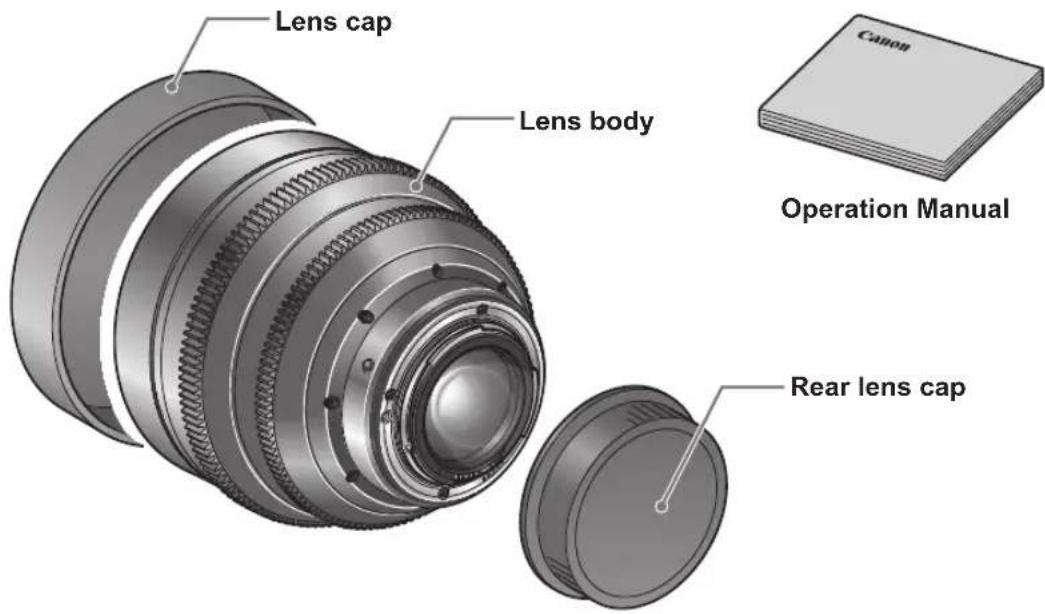
Product Configuration
Lens body 1
Lens cap 1
Rear lens cap 1
Operation Manual 1
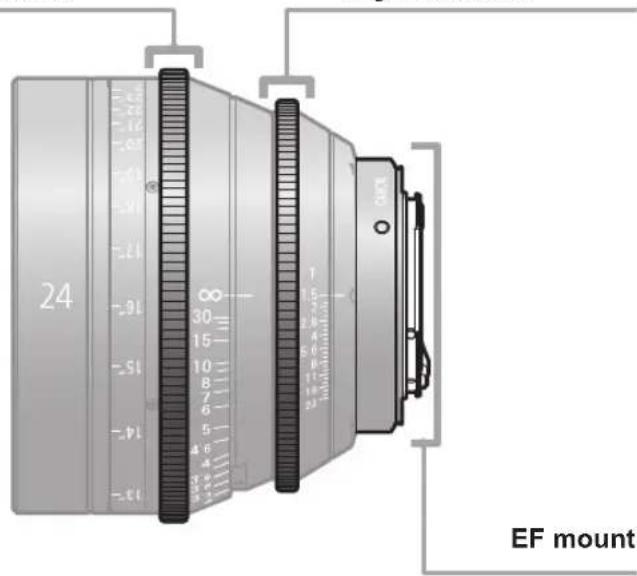
Names of Parts
Focus drive gear
Number of teeth: 146
Module: 0.8
P.C.D.: 116.8 mm
Angular rotation: 300^
Iris drive gear
Number of teeth: 126
Module: 0.8
P.C.D.: 100.8 mm
Angular rotation: 36^
Mounting and Detaching the Lens
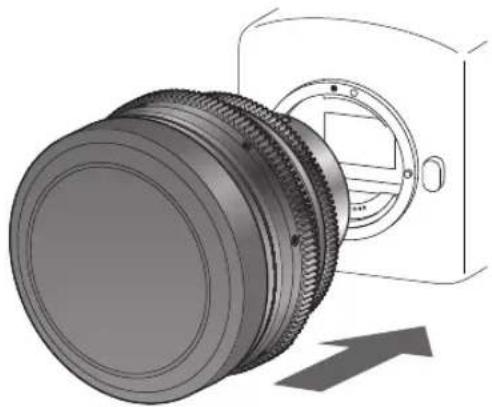
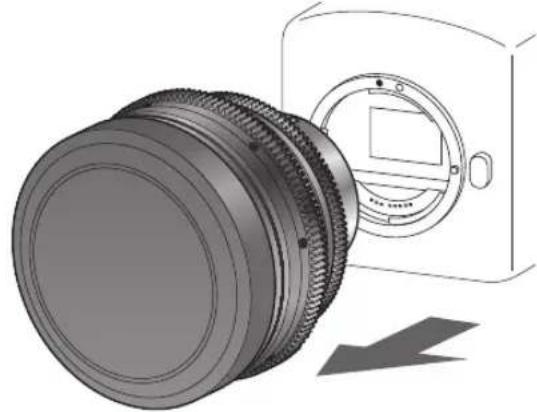
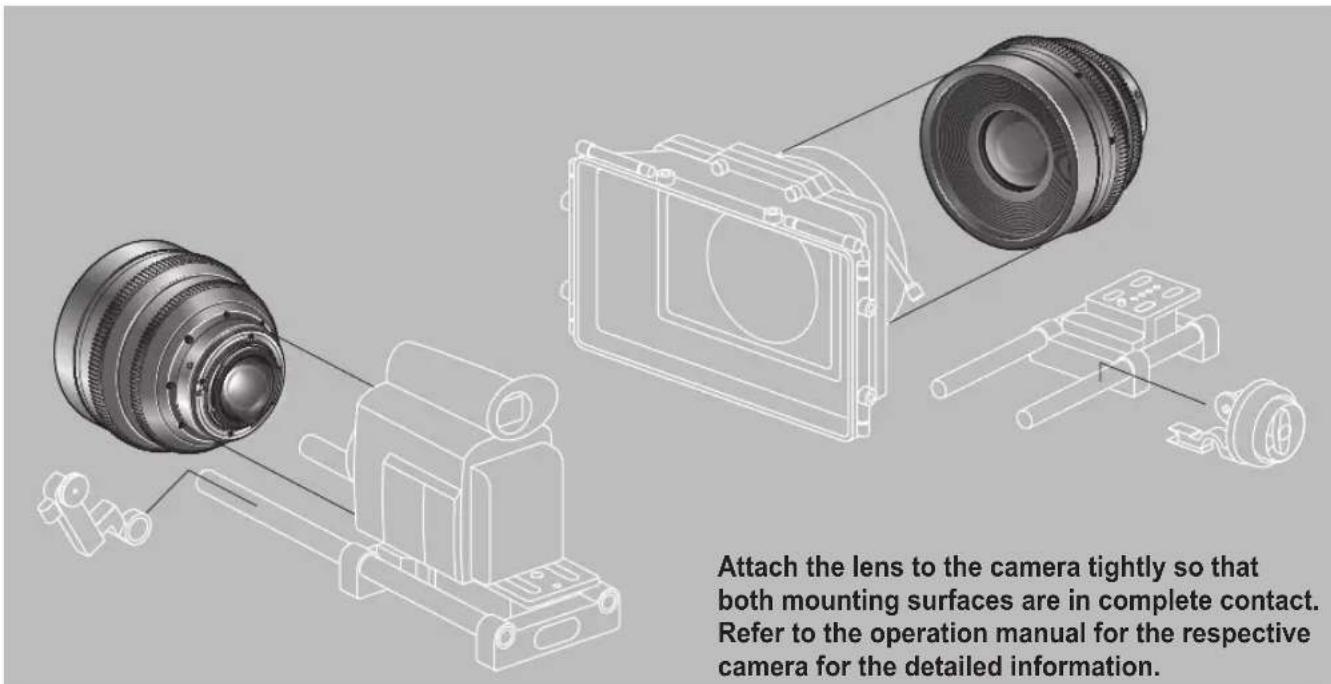
See your camera's instructions for details on mounting and detaching the lens.
Mounting the lens
1
Remove the rear lens cap.
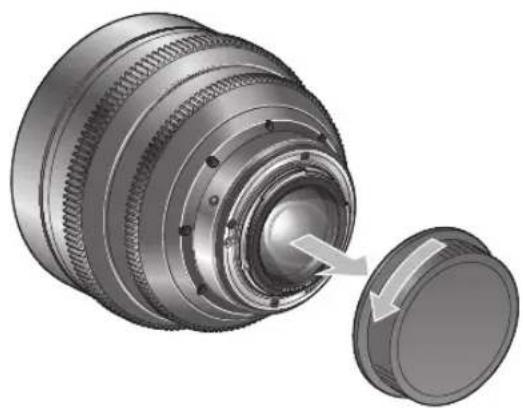
2
Mount the lens on the camera.
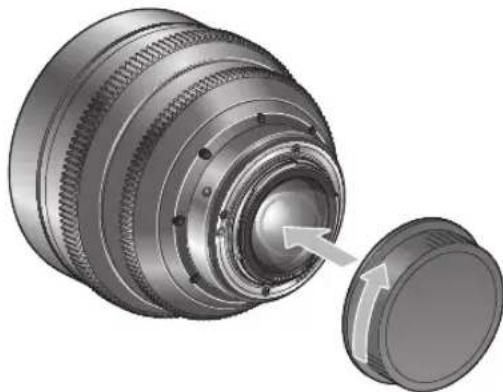
Detaching the lens
1
Detach the lens from the camera.
2
Attach the rear lens cap to the detached lens.
NOTE
- After detaching the lens, place the lens with the rear end up to prevent the lens surface and contacts from getting scratched.
- If the contacts get soiled, scratched, or have fingerprints on them, corrosion or faulty connections can result. The camera and lens may not operate properly.
- If the contacts get soiled or have fingerprints on them, clean them with a soft cloth.
Available accessories
A variety of professional camera accessories are available. Be sure to check the mounted condition before use.
Dimensions of parts
EF mount
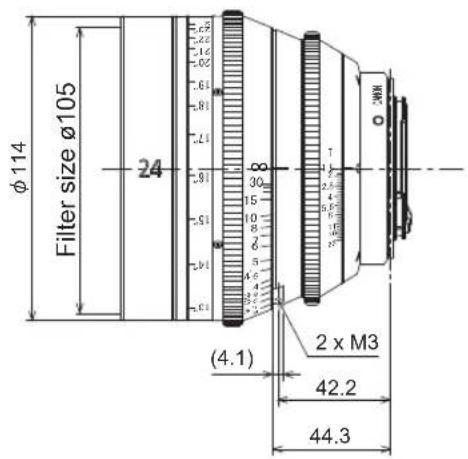
Unit: mm
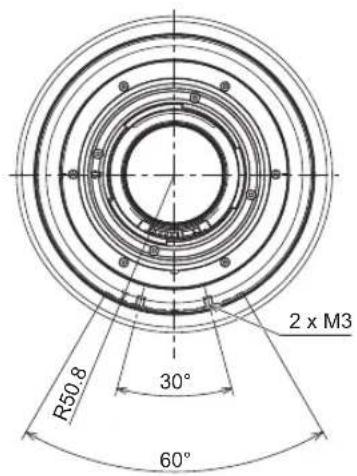
Spur gear specifications
| Focus drive gear Iris drive gear | ||
| Number of teeth 146 126 | ||
| Module 0.8 0.8 | ||
| P.C.D. 116.8 mm 100.8 mm | ||
| Angular rotation 300 degrees 36 degrees | ||
Specifications
| CN-E14mm | CN-E24mm | CN-E35mm | CN-E50mm | CN-E85mm | CN-E135mm | ||
| Lens Mount | Canon EF | ||||||
| Focal Length | 14 mm 24 mm | m | 35mm | 50mm 85mm | 135mm | ||
| Maximum T-stop | 1:3.1 1:1.5 | 1:1.5 | 1 : 1.3 1 : 1. | 1.3 1 : 2.2 | |||
| Iris Blades | 11 pieces | ||||||
| Coverage | 35mm full sizeImage Circle / H x V(1.5:1) | Φ43.3 mm / 36.0 x 24.0 mm | |||||
| Angular Field of View (H/V) | 104.3°/81.2° | 73.7°/53.1° | 54.4°/37.8° | 39.6°/27° | 23.9°/16.1° | 15.2°/10.2° | |
| Coverage | Image Circle / H x V(1.78:1) | Φ28.2 mm / 24.6 x 13.8 mm | |||||
| Angular Field of View (H/V) | 82.6°/52.5° | 54.3°/32.1° | 38.7°/22.3° | 27.6°/15.7° | 16.5°/9.3° | 10.4°/5.9° | |
| Coverage | Image Circle / H x V(1.9:1) | Φ29.6mm/26.2 x 13.8mm | |||||
| Angular Field of View (H/V) | 86.2°/52.5° | 57.3°/32.1° | 41.0°/22.3° | 29.4°/15.7° | 17.5°/9.3° | 11.1°/5.9° | |
| Minimum Object Distance(M.O.D.) [from the image sensor] | 0.2 m / 8" 0.3 | m / 12" 0.3 m / | 12" | 0.45m / 18" | 0.95m / 3'2" | 1m / 3'4" | |
| Object Dimensionsat M.O.D. | 1.5:1 | 24.8 x 16.5 cm | 28.8 x 19.2 cm | 20.1 x 13.4 cm | 24.9 x 16.6cm | 34.3x 22.9cm | 21.1x 14.1cm |
| 1.78:1 | 16.9 x 9.5 cm | 19.7 x 11.0 cm | 13.7 x 7.7 cm | 17.0 x 9.5cm | 23.4 x 13.1cm | 4.4x 8.1cm | |
| 1.9:1 | 18.0 x 9.5cm | 21.0 x 11.0cm | 14.6 x 7.7 cm | 18.1 x 9.5cm | 25.0 x 13.1cm | 15.4 x 8.1cm | |
| Focus Angular Rotation | 300 degrees | ||||||
| Spur Gear Module | 0.8 | ||||||
| Front Diameter | Φ114 mm | ||||||
| Length | 94 mm | 101.5 mm | 115.6 mm | ||||
| Weight | Approx. 1.2 kg | Approx. 1.2 kg Approx. 1.1 kg Approx. 1.1 kg Approx. 1.3 kg Approx. 1.4 kg | |||||
| Operation method | Manual | ||||||
- A variety of professional camera accessories are available. Be sure to check the mounted condition before use.
This lens is compatible with cameras that have a 35mm full-size sensor. When mounted on a camera with a different image size, the angle of view changes.
Reference Information
This lens is a full manual lens for shooting movies.
- EF Cinema lenses were developed primarily for movie production, and have a color balance typical for movies. This means that the color reproduction is warmer (shifted toward yellow in the CCI coordinate system) than that of EF lenses which are basically used to shoot still images. Therefore, when using both types of lens together, adjust the color balance (redo the white balance etc.) as necessary.
- In general, the depth of field becomes shallow and the focusing range becomes extremely narrow near the widest aperture and when shooting a subject at close range. In addition, this tendency increases for lenses with longer focal lengths. When shooting images, carefully check the focusing condition using the zoom mode of the finder or other means, and shoot a sufficient number of test images before performing focus operations.
- EF Cinema lenses were developed primarily for movie production, and the T-numbers are indicated on the iris ring of the lens. On the other hand, the iris information from this lens to the camera uses the F-number in consideration of use together with conventional EF lenses. Therefore, the camera side displays a different value (F-number) from the indication on the iris ring of the lens.
中文
中文版使用说明书用于日本以外的国家。
安全使用须知 2
产品配置 4
各部位名称 5
安装到摄像机、从摄像机卸下 6
可以利用的附件 8
各部位尺寸 9
规格 10
Appendix(附录)
External view (外部视图) ..... apx.2
Index(索引) .apx.10
安全使用须知
Dimensions of parts 11
Focal length 12
Focus drive gear 7, 11
Image circle 12
Iris drive gear 7,11
索引
安装到摄像机、从摄像机卸下 6
产品配置 4
成像圈 10
各部位尺寸 9
光圈驱动齿轮 5,9
焦点距离 10
商品構成 4
T. 10
一力斯D拉伊·吉亚 5,9
Maximum T-stop 12
Minimum object distance (M.O.D.) 12
Mounting and detaching the lens 8
Product configuration 6
焦点距离 10
聚焦驱动齿轮 5,9
至近距离 10
最大光圈系数 10
Canon
Canon Inc. 30-2, Shimomaruko 3-chome, Ohta-ku, Tokyo 146-8501, Japan
AMERICAS
CANADA
Canon Canada, Inc.
http://www.canon.ca/pro
(855-246-3367) (USA Only)
ASIA
ASIA & HONG KONG, S.A.R.
Canon Hongkong Co., Ltd.
http://www.canon.com.hk
19/F, The Metropolis Tower, 10
Metropolis Drive, Hunghom,
Kowloon, Hong Kong
+85231912333,
+852 2428 3963
CHINA
佳能(中国)有限公司
北京市东城区金宝街89号金宝大厦15层
邮编 100005
+86(0)10-8513-9999
+86(0)10-8513-9915
KOREA
开
http://www.canon-ci.co.kr
書用山 壽南国 168-12
開不 5
1588-8133
SOUTH & SOUTHEAST
ASIA
Canon Singapore Pte. Ltd.
http://www.canon.com.sg
BCTV
http://www.canon.com/bctv
1 HarbourFront Avenue,
04-01 Keppel Bay Tower,
Singapore 098632
(65) 6799 8888,
(65) 67998882
JAPAN
卡幺/株式会社/
卡人不卡
JàVbN株式会社
http://canon.jp
108-8011
東京都港区港南2-16-6
EUROPE, MIDDLE EAST, AFRICA
Canon Europa N.V.
www.canon-europa.com
3 The Square, Stockley Park
Uxbridge Middlesex
United Kingdom UB11 1ET
OCEANIA
AUSTRALIA
Canon Australia Pty. Ltd.
www.canon.com.au
13-13-83 (within Australia only)
(61) 02-9805-2555
NEW ZEALAND
Canon New Zealand Ltd.
www.canon.co.nz
0800-222-666 (within New
Zealand only)
(64)09-489-0300
丰田株式会社
30-2, Shimomaruku 3-chome, Ohta-ku, Tokyo 146-8501, Japan Subject to change without notice.
进口商:佳能(中国)有限公司