ACDC Classic 2 - Docking station iDance - Free user manual and instructions
Find the device manual for free ACDC Classic 2 iDance in PDF.

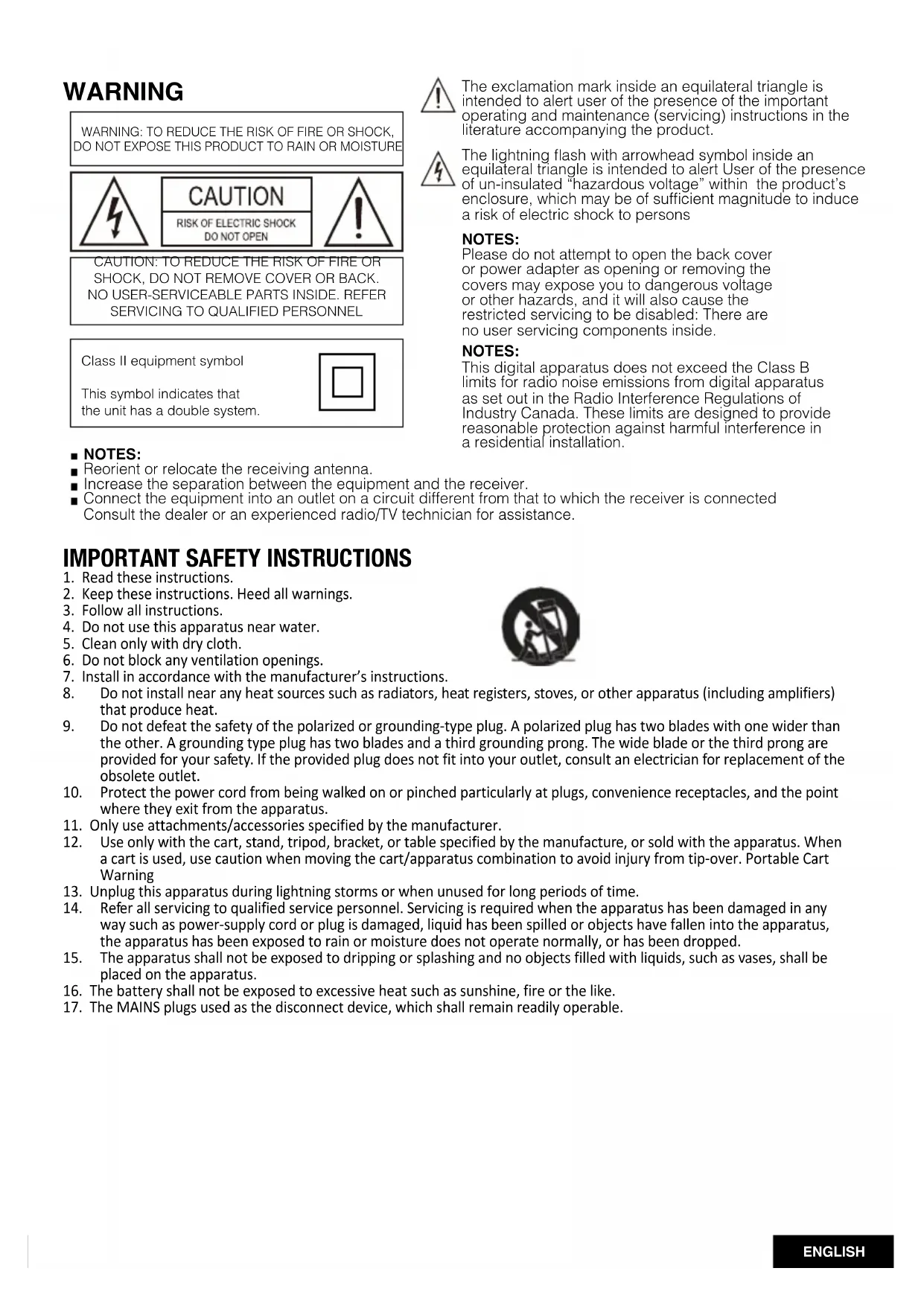


| Product type | Docking station / Portable Bluetooth speaker |
| Brand | iDance |
| Model | ACDC Classic 2 |
| Dimensions (L x H x D) | 247 x 140 x 159 mm |
| Net weight | 1.7 kg |
| Power supply | DC 5V 1A charging (micro USB) |
| Built-in battery | Li-ion 3.7 V / 4400 mAh |
| Battery life | Up to 4 hours |
| Speakers | 2 x 3.5" (88.9 mm) full-range, 4 Ω |
| Rated output power | 4 W x 2 |
| Maximum output power | 4.5 W x 2 |
| Harmonic distortion | ≤0.5% |
| Signal-to-noise ratio | ≥ 75 dB |
| Frequency response | 50 Hz - 20 kHz |
| Audio inputs | Bluetooth, USB (MP3/WMA), Auxiliary 3.5 mm |
| Bluetooth version | Not specified (compatible with smartphones/tablets) |
| Wireless functions | Bluetooth audio streaming, easy pairing |
| Controls | On/Off, Volume, Base Tone (bass/treble), Mode, Play/Pause, Previous/Next |
| LED indicators | Power (green), Bluetooth (blue), Charging (blinking/solid green), Low battery (red), USB source (red), Aux source (green) |
| Included accessories | Integrated trolley and handle, micro USB charging cable (not mentioned but likely) |
| Maintenance and cleaning | Clean with a dry cloth only |
| Safety | Do not open the casing, no user-serviceable parts, disconnect during storms, do not expose to water |
| Standby power consumption | < 0.5 W |
| Maximum power consumption | 16 W |
| Housing material | Not specified (likely plastic) |
Frequently Asked Questions - ACDC Classic 2 iDance
User questions about ACDC Classic 2 iDance
0 question about this device. Answer the ones you know or ask your own.
Ask a new question about this device
Download the instructions for your Docking station in PDF format for free! Find your manual ACDC Classic 2 - iDance and take your electronic device back in hand. On this page are published all the documents necessary for the use of your device. ACDC Classic 2 by iDance.
USER MANUAL ACDC Classic 2 iDance
Wireless Classic Vintage Speaker
User Manual
text_image
AC/DCWORLD
HEADQUARTERS:
IDance H.K
Unit i. 6/F., MG Tower,
133 Hoi Bun Road, Kwun Tong,
Kowloon, Hong Kong
UK OFFICE:
iDance Audio U.K.
Graham Lloyd Building, Midland
Structures Industrial Estate
AmpthillRoad.BedfordMK429JJ.
United Kingdom
EUROPE OFFICE:
iDance Audio Europe
Gaasterland 2c
1948RG Beverwijk
The Netherlands
This product meets the essential requirements of Directive 1999/5/EC.
http://www.ldanceaudio.com/documentation/declarationofconformity/





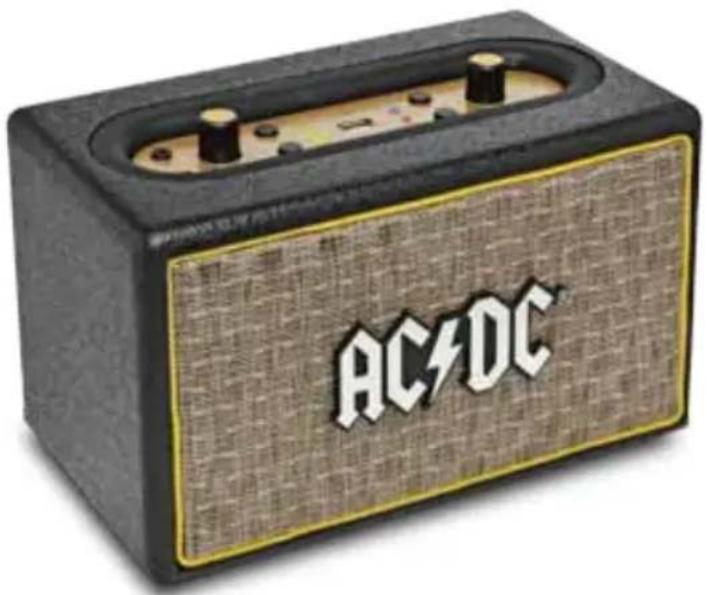
WARNING
WARNING: TO REDUCE THE RISK OF FIRE OR SHOCK, DO NOT EXPOSE THIS PRODUCT TO RAIN OR MOISTURE

CAUTION: TO REDUCE THE RISK OF FIRE OR SHOCK, DO NOT REMOVE COVER OR BACK. NO USER-SERVICEABLE PARTS INSIDE. REFER SERVICING TO QUALIFIED PERSONNEL
Class II equipment symbol
This symbol indicates that the unit has a double system.


The exclamation mark inside an equilateral triangle is intended to alert user of the presence of the important operating and maintenance (servicing) instructions in the literature accompanying the product.

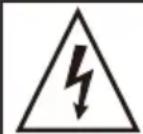
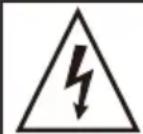
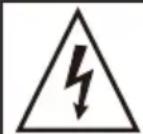
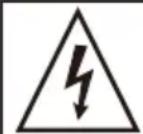
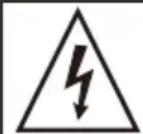
The lightning flash with arrowhead symbol inside an equilateral triangle is intended to alert User of the presence of un-insulated "hazardous voltage" within the product's enclosure, which may be of sufficient magnitude to induce a risk of electric shock to persons
NOTES:
Please do not attempt to open the back cover or power adapter as opening or removing the covers may expose you to dangerous voltage or other hazards, and it will also cause the restricted servicing to be disabled: There are no user servicing components inside.
NOTES:
This digital apparatus does not exceed the Class B limits for radio noise emissions from digital apparatus as set out in the Radio Interference Regulations of Industry Canada. These limits are designed to provide reasonable protection against harmful interference in a residential installation.
■ NOTES:
■ Reorient or relocate the receiving antenna.
■ Increase the separation between the equipment and the receiver.
■ Connect the equipment into an outlet on a circuit different from that to which the receiver is connected. Consult the dealer or an experienced radio/TV technician for assistance.
IMPORTANT SAFETY INSTRUCTIONS
- Read these instructions.
- Keep these instructions. Heed all warnings.
- Follow all instructions.
- Do not use this apparatus near water.
- Clean only with dry cloth.
- Do not block any ventilation openings.
- Install in accordance with the manufacturer's instructions.
- Do not install near any heat sources such as radiators, heat registers, stoves, or other apparatus (including amplifiers) that produce heat.
- Do not defeat the safety of the polarized or grounding-type plug. A polarized plug has two blades with one wider than the other. A grounding type plug has two blades and a third grounding prong. The wide blade or the third prong are provided for your safety. If the provided plug does not fit into your outlet, consult an electrician for replacement of the obsolete outlet.
- Protect the power cord from being walked on or pinched particularly at plugs, convenience receptacles, and the point where they exit from the apparatus.
- Only use attachments/accessories specified by the manufacturer.
- Use only with the cart, stand, tripod, bracket, or table specified by the manufacture, or sold with the apparatus. When a cart is used, use caution when moving the cart/apparatus combination to avoid injury from tip-over. Portable Cart Warning
- Unplug this apparatus during lightning storms or when unused for long periods of time.
- Refer all servicing to qualified service personnel. Servicing is required when the apparatus has been damaged in any way such as power-supply cord or plug is damaged, liquid has been spilled or objects have fallen into the apparatus, the apparatus has been exposed to rain or moisture does not operate normally, or has been dropped.
- The apparatus shall not be exposed to dripping or splashing and no objects filled with liquids, such as vases, shall be placed on the apparatus.
- The battery shall not be exposed to excessive heat such as sunshine, fire or the like.
- The MAINS plugs used as the disconnect device, which shall remain readily operable.

FEATURES
- Bluetooth streaming audio with smartphone / tablet
- Built-in rechargeable batteries for up to 4-hour use
- USB MP3 player for music playback, supporting MP3 and WMA
- 3.5mm LINE input for external audio source
- 2x 3.5" full range speaker
- Integrated trolley & handle for easy carrying
FUNCTION DESCRIPTION
text_image
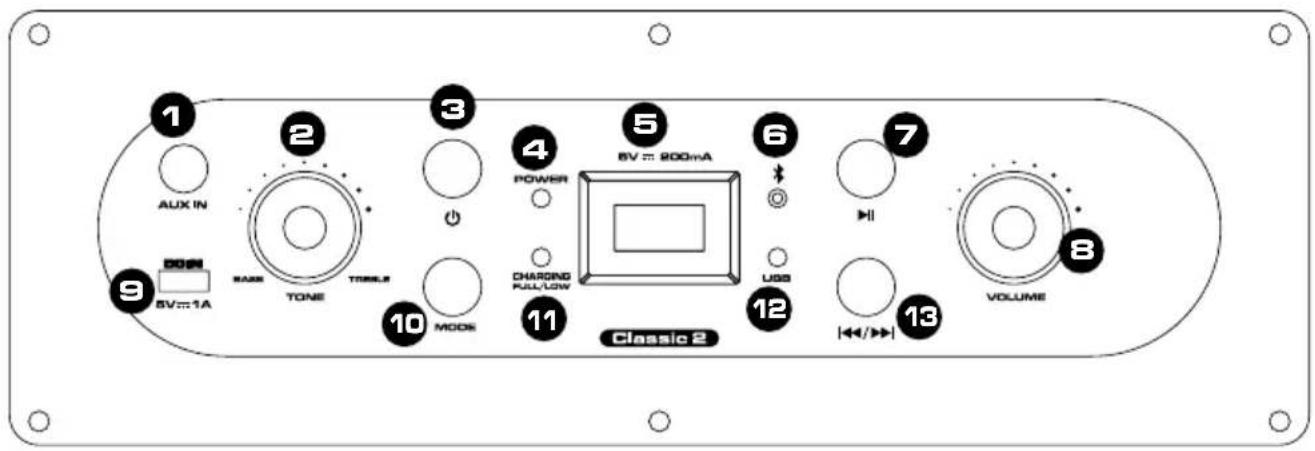
1 AUX IN 2 MAX TONE 3 TOLER 4 POWER 5 6V = 800mA 7 HV 9 BV=1A 10 MODE 11 CHARGND FULL/LOW Classic 2 UGS 12 VOLUME 13- AUX IN:3.5mm Line Input
- TONE CONTROL:
Clockwise rotation to reduce bass (max.-15dB@100Hz);
Counter rotation to reduce treble (max.-15dB@10kHz);
- Power ON/OFF button
- POWER indicator: When unit is on, LED displays in Green.
- USB input socket: Insert your USB thumb for MP3/WMA playback.
- Bluetooth: When LED is flashing in blue, Bluetooth is available for connection; when LED display stops flashing, Bluetooth is successfully connected.
- ▶II At USB/BT mode, press ▶II to play or pause music. Under Bluetooth mode, press ▶II for seconds to reset Bluetooth pairing.
- MASTER VOL: Turn to adjust the master volume.
- DC IN charging:5V/1A Micro USB
- MODE: Press the button MODE to select BT/USB/AUX play (Remark: When unit is on, the default mode is Bluetooth play; USB selection should be with USB insert, otherwise only BT/AUX)
- Charging and Battery LED: shows the charging or battery indicator. Green LED flashing= charging; Green LED stop flashing= fully charged; Red LED= low battery
- USB/AUX Indicator: shows the USB or AUX play mode. Red LED flashing=USB mode; Red LED stop flashing=AUX mode
- ◄◀/▶◀ : Button PREVIOUS/NEXT (for Bluetooth and MP3 only) Short press to play next song and long press (2 seconds) for play previous song.
Connecting Bluetooth Wireless
- Keep the Classic 2 in 3 feet distance to your device
• Turn ON Classic 2 to enter wireless mode
• Turn ON Bluetooth connectivity on your mobile device - Search the Bluetooth device with name "Classic 2" and connect*
• Once connection established, Classic 2 will prompt
* In case no "Classic 2" is found or the Classic 2 is automatically connected to another device, please press and hold ">| |" button to enter pairing mode
SPECIFICATIONS
| Speaker Unit 2x 3.5"full range,4Ω | |
| Power Supply DC 5V 1A | |
| Power Consumption | |
| Standby <0.5W | |
| Maximum 16W | |
| Rated Output Power 4Wx2 | |
| Maximum Output Power 4.5Wx2 | |
| Rechargeable Battery Li-ion battery, 3.7V 4400mAh | |
| Distortion ≤0.5% | |
| S/N Ratio ≥ 75dB | |
| Frequency Response 50Hz□20kHz | |
| Input Sensitivity | |
| Bluetooth -4dB | |
| MP3 -4dB | |
| LINE INPUT 600mV | |
| Maximum Input Voltage | |
| LINE INPUT 1V | |
| Unit Dimensions (WxDxH) 247x140x159mm | |
| Net Weight 1.7kg | |
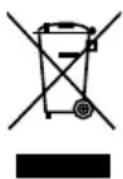
Disposal of Old Electrical & Electronic Equipment
(Applicable in the European Union and other European countries with separate collection systems).
This symbol on the product or on its packaging indicates that this product shall not be treated as household waste. Instead it shall be handed over to the applicable collection point for the recycling of electrical and electronic equipment. By ensuring this product is disposed of correctly, you will help prevent potential negative consequences for the environment and human health, which could otherwise be caused by inappropriate waste handling of this product. The recycling of materials will help to conserve natural resources. For more detailed information about recycling of this product, please contact your local Civic office, your household waste disposal service or the shop where you purchased the product.
AVERTISSEMENT
WARNING: TO REDUCE THE RISK OF FIRE OR SHOCK, DO NOT EXPOSE THIS PRODUCT TO RAIN OR MOISTURE
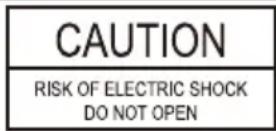
CAUTION
RISK OF ELECTRIC SHOCK DO NOT OPEN

CAUTION: TO REDUCE THE RISK OF FIRE OR SHOCK, DO NOT REMOVE COVER OR BACK. NO USER-SERVICEABLE PARTS INSIDE. REFER SERVICING TO QUALIFIED PERSONNEL
Class II equipment symbol
This symbol indicates that the unit has a double system.


IMPORTANT SAFETY INSTRUCTIONS
WARNING: TO REDUCE THE RISK OF FIRE OR SHOCK, DO NOT EXPOSE THIS PRODUCT TO RAIN OR MOISTURE
CAUTION
RISK OF ELECTRIC SHOCK DO NOT OPEN

CAUTION: TO REDUCE THE RISK OF FIRE OR SHOCK, DO NOT REMOVE COVER OR BACK. NO USER-SERVICEABLE PARTS INSIDE. REFER SERVICING TO QUALIFIED PERSONNEL
Class II equipment symbol
This symbol indicates that the unit has a double system.


WARNING: TO REDUCE THE RISK OF FIRE OR SHOCK, DO NOT EXPOSE THIS PRODUCT TO RAIN OR MOISTURE
CAUTION
RISK OF ELECTRIC SHOCK DO NOT OPEN

CAUTION: TO REDUCE THE RISK OF FIRE OR SHOCK, DO NOT REMOVE COVER OR BACK. NO USER-SERVICEABLE PARTS INSIDE. REFER SERVICING TO QUALIFIED PERSONNEL
Class II equipment symbol
This symbol indicates that the unit has a double system.


WARNING: TO REDUCE THE RISK OF FIRE OR SHOCK, DO NOT EXPOSE THIS PRODUCT TO RAIN OR MOISTURE

CAUTION: TO REDUCE THE RISK OF FIRE OR SHOCK, DO NOT REMOVE COVER OR BACK. NO USER-SERVICEABLE PARTS INSIDE. REFER SERVICING TO QUALIFIED PERSONNEL
Class II equipment symbol
This symbol indicates that the unit has a double system.


WARNING: TO REDUCE THE RISK OF FIRE OR SHOCK, DO NOT EXPOSE THIS PRODUCT TO RAIN OR MOISTURE
CAUTION
RISK OF ELECTRIC SHOCK DO NOT OPEN

CAUTION: TO REDUCE THE RISK OF FIRE OR SHOCK, DO NOT REMOVE COVER OR BACK. NO USER-SERVICEABLE PARTS INSIDE. REFER SERVICING TO QUALIFIED PERSONNEL
Class II equipment symbol
This symbol indicates that the unit has a double system.